Page 36 of 464
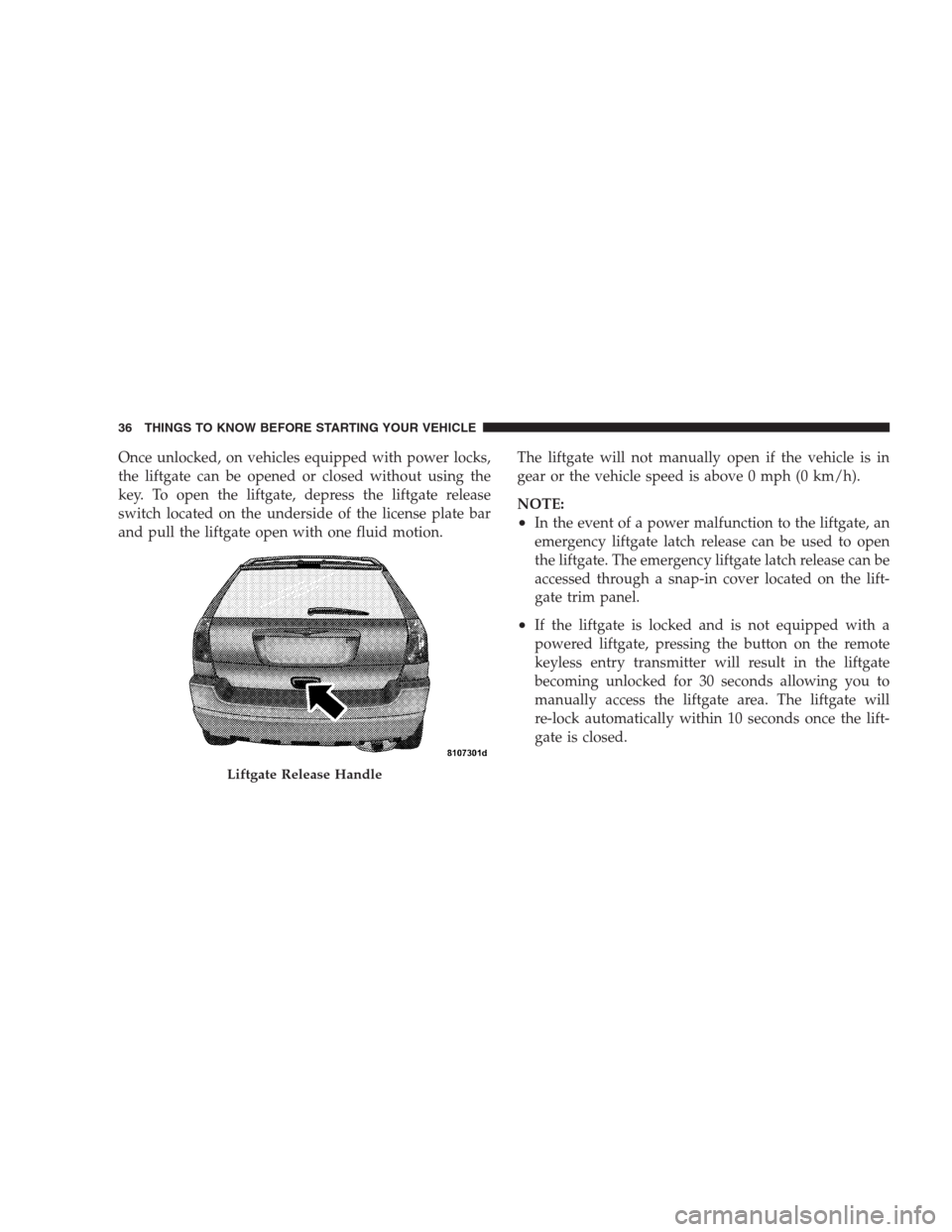
Once unlocked, on vehicles equipped with power locks,
the liftgate can be opened or closed without using the
key. To open the liftgate, depress the liftgate release
switch located on the underside of the license plate bar
and pull the liftgate open with one fluid motion.The liftgate will not manually open if the vehicle is in
gear or the vehicle speed is above 0 mph (0 km/h).
NOTE:
•In the event of a power malfunction to the liftgate, an
emergency liftgate latch release can be used to open
the liftgate. The emergency liftgate latch release can be
accessed through a snap-in cover located on the lift-
gate trim panel.
•If the liftgate is locked and is not equipped with a
powered liftgate, pressing the button on the remote
keyless entry transmitter will result in the liftgate
becoming unlocked for 30 seconds allowing you to
manually access the liftgate area. The liftgate will
re-lock automatically within 10 seconds once the lift-
gate is closed.
Liftgate Release Handle
36 THINGS TO KNOW BEFORE STARTING YOUR VEHICLE
Page 37 of 464
Power Liftgate — If Equipped
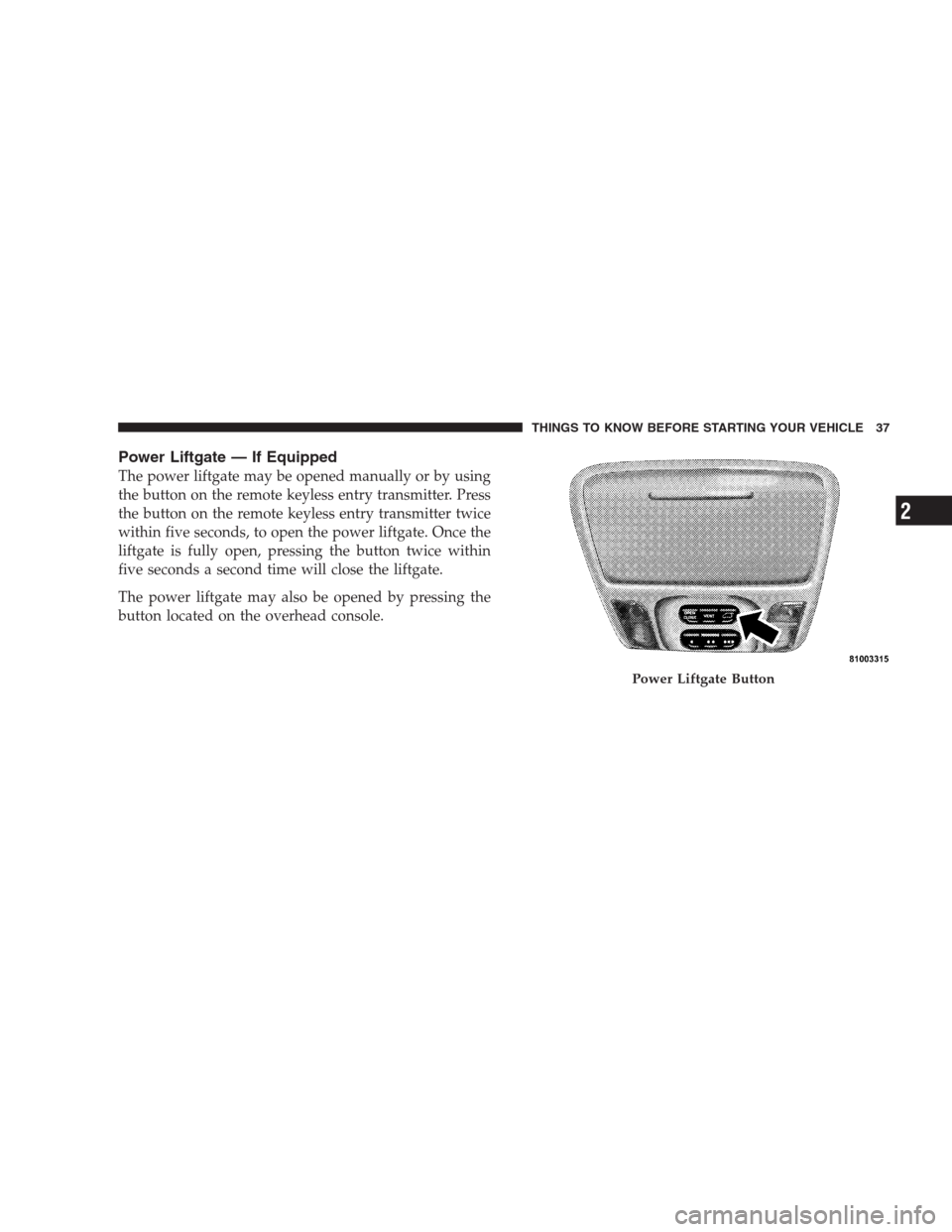
The power liftgate may be opened manually or by using
the button on the remote keyless entry transmitter. Press
the button on the remote keyless entry transmitter twice
within five seconds, to open the power liftgate. Once the
liftgate is fully open, pressing the button twice within
five seconds a second time will close the liftgate.
The power liftgate may also be opened by pressing the
button located on the overhead console.
Power Liftgate Button
THINGS TO KNOW BEFORE STARTING YOUR VEHICLE 37
2
Page 56 of 464
How The Airbag System Works
•
TheOccupant Restraint Controller (ORC)determines
if a frontal collision is severe enough to require the
airbags to inflate. Based on the level of collision
severity, the front control module determines the
proper rate of inflation. The front airbag inflators are
designed to provide different rates of airbag inflation.
•The ORC may modify the rate of inflation based on the
occupant size provided by the Occupant Classification
Module.
•The ORC will not detect side, roll over, or rear impacts.
•The ORC monitors the readiness of the electronic parts
of the system whenever the ignition switch is in the
START or RUN positions. These include all of the
items listed above except the steering wheel andcolumn, instrument panel and passenger knee bol-
sters. If the key is in the OFF position, in the ACC
position, or not in the ignition, the airbags are not on
and will not inflate.
•Also, the ORC turns on the AIRBAG warn-
ing light and PAD indicator light in the
center of the instrument panel for 6 to 8
seconds for a self-check when the ignition is
first turned on. After the self-check, the AIRBAG
warning light will turn off. The PAD indicator light
will function normally (Refer to “Passenger Airbag
Disable (PAD) Indicator Light” in this section). If the
ORC detects a malfunction in any part of the system, it
turns on the AIRBAG warning light either momen-
tarily or continuously. A single chime will sound if the
light comes on again after initial start up.
56 THINGS TO KNOW BEFORE STARTING YOUR VEHICLE
Page 102 of 464
Call Continuation
Call continuation is progression of a phone call on
UConnect™ system after the vehicle ignition key has
been switched to off. Call continuation functionality
available on the vehicle can be any one of three types:
•After ignition key is switched off, a call can continue
on the UConnect™ system either until the call ends or
until the vehicle battery condition dictates cessation of
the call on the UConnect™ system and transfer of the
call to the mobile phone.
•After ignition key is switched to off, a call can continue
on the UConnect™ system for certain duration, after
which the call is automatically transferred from the
UConnect™ system to the mobile phone.
•An active call is automatically transferred to the
mobile phone after ignition key is switched to off.
UConnect™ System Features
Language Selection
To change the language that the UConnect™ system is
using,
•Press the ’Phone’ button to begin.
•After the�Ready�prompt and the following beep, say
the name of the language you wish to switch to
(English, Espanol, or Francais, if so equipped).
•Continue to follow the system prompts to complete
language selection.
After selecting one of the languages, all prompts and
voice commands will be in that language.
NOTE:After every UConnect™ language change op-
eration, only the language specific 32-name phonebook is
usable. The paired phone name is not language specific
and usable across all languages.
102 UNDERSTANDING THE FEATURES OF YOUR VEHICLE
Page 104 of 464
Please refer to the 24-Hour “Towing Assistance” cover-
age details in the Warranty information booklet and on
the 24–Hour Towing Assistance Card.
Paging
To learn how to page, refer to�Working with Automated
Systems.�Paging works properly except for pagers of
certain companies which time-out a little too soon to
work properly with the UConnect™ system.
Voice Mail Calling
To learn how to access your voice mail, refer to�Working
with Automated Systems.�
Working with Automated Systems
This method is designed to be used in instances where
one generally has to press numbers on the cellular phone
keypad while navigating through an automated tele-
phone system.You can use your UConnect™ system to access a voice-
mail system or an automated service, such as, paging
service or automated customer service. Some services
require immediate response selection, in some instances,
that may be too quick for use of UConnect™ system.
When calling a number with your UConnect™ system
that normally requires you to enter in a touch-tone
sequence on your cellular phone keypad, you can push
the ’Voice Recognition’ button and say the sequence you
wish to enter followed by the word�Send.�For example,
if required to enter your pin number followed with a
pound3746#,youcanpressthe’Voice Recognition’
button and say�3746#Send.�Saying a number, or
sequence of numbers, followed by�Send�is also to be
used to navigate through an automated customer service
center menu structure and to leave a number on a pager.
104 UNDERSTANDING THE FEATURES OF YOUR VEHICLE
Page 105 of 464
Barge In - Overriding Prompts
The ’Voice Recognition’ button can be used when you
wish to skip part of a prompt and issue your voice
recognition command immediately. For example, if a
prompt is playing�Would you like to pair a phone, clear
a�,�you could press the ’Voice Recognition’ button and
say�Pair a Phone�to select that option without having to
listen to the rest of the voice prompt.
Turning Confirmation Prompts On/Off
Turning confirmation prompts off will stop the system
from confirming your choices (e.g., the UConnect™
system will not repeat a phone number before you dial
it).
•Press the ’Phone’ button to begin.
•After the�Ready�prompt and the following beep, say
�Setup Confirmations.�The UConnect™ system will
play the current confirmation prompt status and you
will be given the choice to change it.
Phone and Network Status Indicators
If available on the radio and/or on a premium display
such as the instrument panel cluster, and supported by
your cell phone, the UConnect™ system will provide
notification to inform you of your phone and network
status when you are attempting to make a phone call
using UConnect™. The status is given for roaming net-
work signal strength, phone battery strength, etc.
Dialing Using the Cellular Phone Keypad
You can dial a phone number with your cellular phone
keypad and still use the UConnect™ system (while
dialing via the cell phone keypad, the user must exercise
caution and take precautionary safety measures). By
dialing a number with your paired Bluetooth™ cellular
phone, the audio will be played through your vehicle’s
audio system. The UConnect™ system will work the
same as if you dial the number using voice recognition.
UNDERSTANDING THE FEATURES OF YOUR VEHICLE 105
3
Page 110 of 464
•fully closed windows, and
•dry weather condition.
•Operation from driver seat.
•Performance, such as audio clarity, echo, and loudness
to a large degree rely on the phone and network, and
not the UConnect™ system.
•Echo at far end can sometime be reduced by lowering
the in-vehicle audio volume.
Bluetooth Communication Link
Occasionally, Cellular phones have been found to lose
connection to the UConnect™ system. When this hap-
pens, the connection can generally be re-established by
switching the phone off/on. Your cell phone is recom-
mended to remain in Bluetooth�on�mode.
Power-Up
After switching the ignition key from OFF to either ON
or ACC position, or after a reset, you must wait at least
five (5) seconds prior to using the system.
110 UNDERSTANDING THE FEATURES OF YOUR VEHICLE
Page 127 of 464
DRIVER MEMORY SEAT — IF EQUIPPED
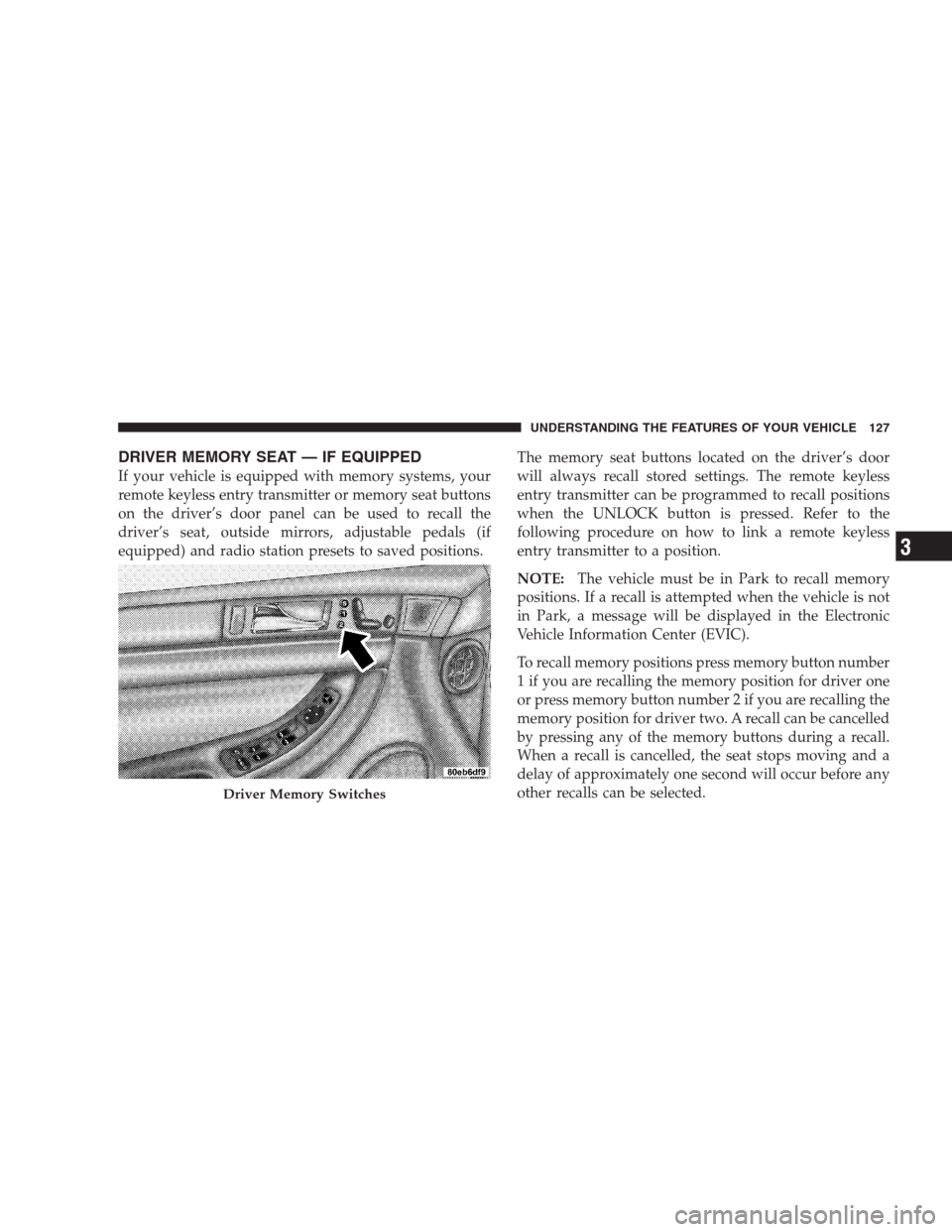
If your vehicle is equipped with memory systems, your
remote keyless entry transmitter or memory seat buttons
on the driver’s door panel can be used to recall the
driver’s seat, outside mirrors, adjustable pedals (if
equipped) and radio station presets to saved positions.The memory seat buttons located on the driver’s door
will always recall stored settings. The remote keyless
entry transmitter can be programmed to recall positions
when the UNLOCK button is pressed. Refer to the
following procedure on how to link a remote keyless
entry transmitter to a position.
NOTE:The vehicle must be in Park to recall memory
positions. If a recall is attempted when the vehicle is not
in Park, a message will be displayed in the Electronic
Vehicle Information Center (EVIC).
To recall memory positions press memory button number
1 if you are recalling the memory position for driver one
or press memory button number 2 if you are recalling the
memory position for driver two. A recall can be cancelled
by pressing any of the memory buttons during a recall.
When a recall is cancelled, the seat stops moving and a
delay of approximately one second will occur before any
other recalls can be selected.
Driver Memory Switches
UNDERSTANDING THE FEATURES OF YOUR VEHICLE 127
3