Page 136 of 464
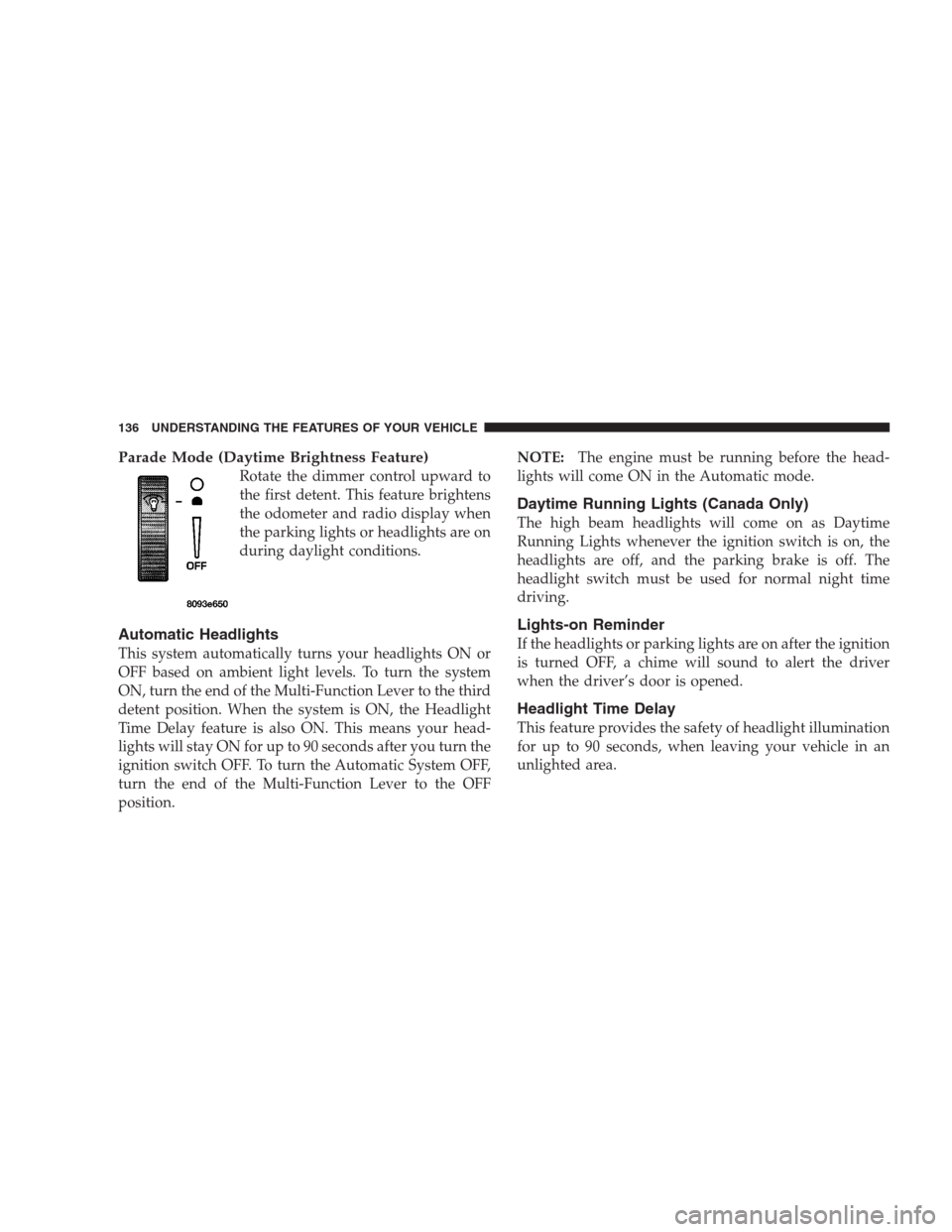
Parade Mode (Daytime Brightness Feature)
Rotate the dimmer control upward to
the first detent. This feature brightens
the odometer and radio display when
the parking lights or headlights are on
during daylight conditions.
Automatic Headlights
This system automatically turns your headlights ON or
OFF based on ambient light levels. To turn the system
ON, turn the end of the Multi-Function Lever to the third
detent position. When the system is ON, the Headlight
Time Delay feature is also ON. This means your head-
lights will stay ON for up to 90 seconds after you turn the
ignition switch OFF. To turn the Automatic System OFF,
turn the end of the Multi-Function Lever to the OFF
position.NOTE:The engine must be running before the head-
lights will come ON in the Automatic mode.
Daytime Running Lights (Canada Only)
The high beam headlights will come on as Daytime
Running Lights whenever the ignition switch is on, the
headlights are off, and the parking brake is off. The
headlight switch must be used for normal night time
driving.
Lights-on Reminder
If the headlights or parking lights are on after the ignition
is turned OFF, a chime will sound to alert the driver
when the driver’s door is opened.
Headlight Time Delay
This feature provides the safety of headlight illumination
for up to 90 seconds, when leaving your vehicle in an
unlighted area.
136 UNDERSTANDING THE FEATURES OF YOUR VEHICLE
Page 140 of 464
Rotating the center of the switch up to the DEL (Delay)
position or the ON position will activate the rear wiper.
Push the lever forward to initiate the rear wash function
in any of the three positions. The washer pump will
continue to operate as long as the lever is pressed. Upon
release, the rear wiper will cycle two times before return-
ing to the set position.
Adding Washer Fluid
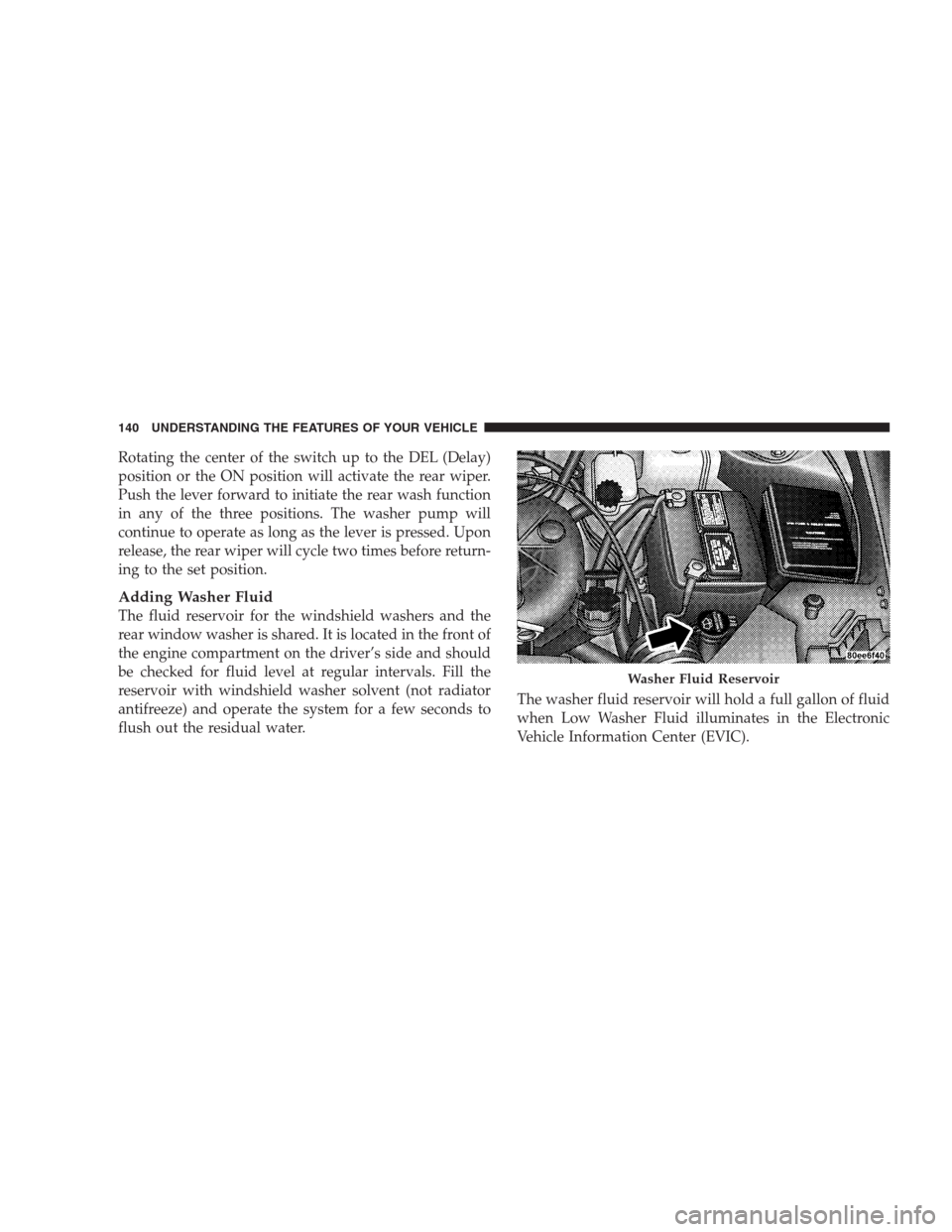
The fluid reservoir for the windshield washers and the
rear window washer is shared. It is located in the front of
the engine compartment on the driver’s side and should
be checked for fluid level at regular intervals. Fill the
reservoir with windshield washer solvent (not radiator
antifreeze) and operate the system for a few seconds to
flush out the residual water.The washer fluid reservoir will hold a full gallon of fluid
when Low Washer Fluid illuminates in the Electronic
Vehicle Information Center (EVIC).
Washer Fluid Reservoir
140 UNDERSTANDING THE FEATURES OF YOUR VEHICLE
Page 141 of 464
TILT STEERING COLUMN
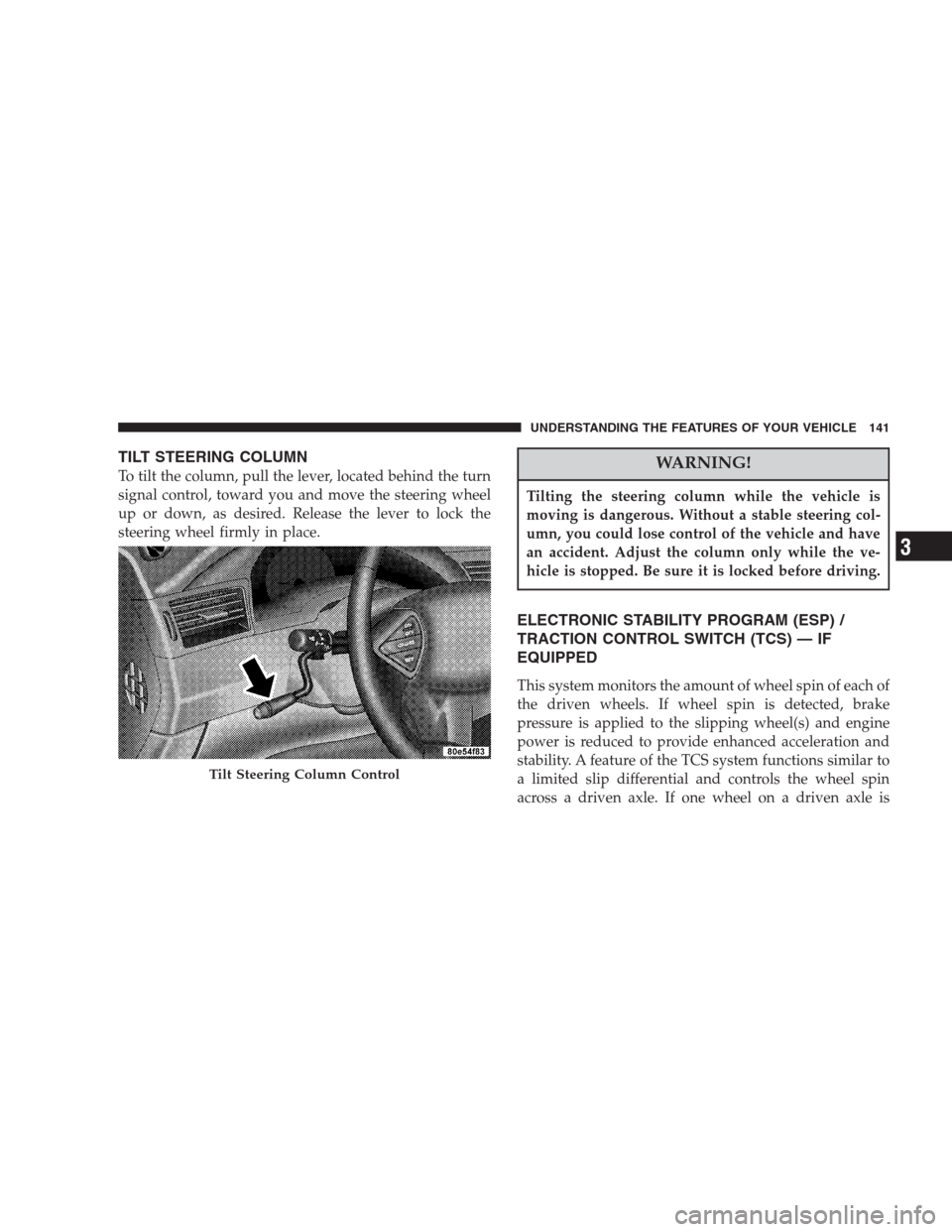
To tilt the column, pull the lever, located behind the turn
signal control, toward you and move the steering wheel
up or down, as desired. Release the lever to lock the
steering wheel firmly in place.WARNING!
Tilting the steering column while the vehicle is
moving is dangerous. Without a stable steering col-
umn, you could lose control of the vehicle and have
an accident. Adjust the column only while the ve-
hicle is stopped. Be sure it is locked before driving.
ELECTRONIC STABILITY PROGRAM (ESP) /
TRACTION CONTROL SWITCH (TCS) — IF
EQUIPPED
This system monitors the amount of wheel spin of each of
the driven wheels. If wheel spin is detected, brake
pressure is applied to the slipping wheel(s) and engine
power is reduced to provide enhanced acceleration and
stability. A feature of the TCS system functions similar to
a limited slip differential and controls the wheel spin
across a driven axle. If one wheel on a driven axle is
Tilt Steering Column Control
UNDERSTANDING THE FEATURES OF YOUR VEHICLE 141
3
Page 142 of 464
spinning faster than the other, the system will apply the
brake of the spinning wheel. This will allow more engine
torque to be applied to the wheel that is not spinning.
This feature remains active even if TCS and ESP are in
either the “Partial Off” or “ESP Off” modes.
The ESP / TCS Indicator Lamp, located in the instrument
cluster, will light up when the Traction Control is in use.
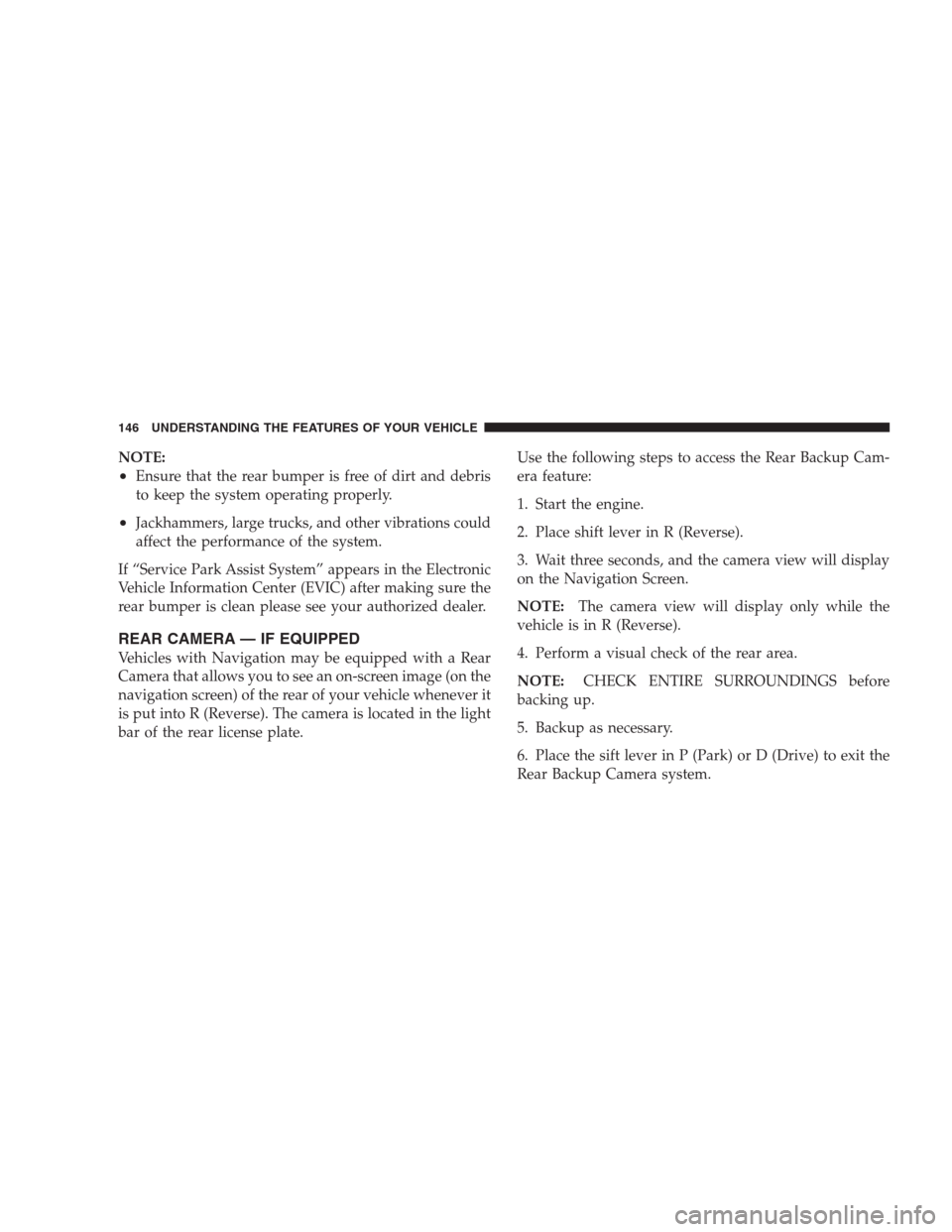
To turn the system OFF, press the ESP “OFF” switch
located on center console next to the ash tray, until the
Traction Control Indicator in the instrument cluster lights
up.
To turn the system back ON, press the switch a second
time until the Traction Control Indicator turns OFF.
Traction Control Switch
142 UNDERSTANDING THE FEATURES OF YOUR VEHICLE
Page 146 of 464
NOTE:
•Ensure that the rear bumper is free of dirt and debris
to keep the system operating properly.
•Jackhammers, large trucks, and other vibrations could
affect the performance of the system.
If “Service Park Assist System” appears in the Electronic
Vehicle Information Center (EVIC) after making sure the
rear bumper is clean please see your authorized dealer.
REAR CAMERA — IF EQUIPPED
Vehicles with Navigation may be equipped with a Rear
Camera that allows you to see an on-screen image (on the
navigation screen) of the rear of your vehicle whenever it
is put into R (Reverse). The camera is located in the light
bar of the rear license plate.Use the following steps to access the Rear Backup Cam-
era feature:
1. Start the engine.
2. Place shift lever in R (Reverse).
3. Wait three seconds, and the camera view will display
on the Navigation Screen.
NOTE:The camera view will display only while the
vehicle is in R (Reverse).
4. Perform a visual check of the rear area.
NOTE:CHECK ENTIRE SURROUNDINGS before
backing up.
5. Backup as necessary.
6. Place the sift lever in P (Park) or D (Drive) to exit the
Rear Backup Camera system.
146 UNDERSTANDING THE FEATURES OF YOUR VEHICLE
Page 164 of 464
A third outlet is located on the back of the front center
console near the floor, and is also controlled by the
ignition switch.
A fourth outlet is located on the driver’s side, in the rear
cargo area and is also controlled by the ignition switch.
The outlets include tethered caps labeled with a key or
battery symbol indicating the power source. The passen-
ger side instrument panel and center console outlets are
powered directly from the battery, items plugged into
these outlets may discharge the battery and/or prevent
engine starting.
The passenger side and center console outlets are protected
by an automatic reset circuit breaker. The automatic circuit
breaker restores power when the overload is removed.
NOTE:If desired, the fourth power outlet in the rear cargo
area can be converted by your authorized dealer to provide
power with the ignition switch in the OFF position.
Electrical Outlet Use With Engine Off
CAUTION!
•Many accessories that can be plugged in draw power from
the vehicle’s battery, even when not in use (i.e. cellular
phones, etc.). Eventually, if plugged in long enough, the
vehicle’s battery will discharge sufficiently to degrade
battery life and/or prevent engine starting.
•Accessories that draw higher power (i.e. coolers, vacuum
cleaners, lights, etc.), will degrade the battery even more
quickly. Only use these intermittently and with greater
caution.
•After the use of high power draw accessories, or long
periods of the vehicle not being started (with accessories
still plugged in), the vehicle must be driven a sufficient
length of time to allow the alternator to recharge the
vehicle’s battery.
•Power outlets are designed for accessory plugs only. Do
not hang any type of accessory or accessory bracket from
the plug. Improper use of the power outlet can cause
damage.
164 UNDERSTANDING THE FEATURES OF YOUR VEHICLE
Page 180 of 464

INSTRUMENT CLUSTER DESCRIPTIONS
1. Voltage Light
This light monitors the electrical system voltage.
The light should turn on momentarily as the
engine is started. If the light stays on or turns on while
driving, it indicates a problem with the charging system.
Immediate service should be obtained.
2. Temperature Gauge
The temperature gauge shows engine coolant tempera-
ture. Any reading within the normal range indicates that
the engine cooling system is operating satisfactorily.
The gauge pointer will likely indicate a higher tempera-
ture when driving in hot weather, up mountain grades,
or when towing a trailer. It should not be allowed to
exceed the upper limits of the normal operating range.
CAUTION!
Driving with a hot engine cooling system could
damage your vehicle. If temperature gauge reads
“H”, pull over in a safe area as soon as possible and
stop the vehicle. Idle the vehicle with the air condi-
tioner turned off until the pointer drops back into
the normal range. If the pointer remains on the “H”,
and you hear continuous chimes, turn the engine off
immediately, and call for service.
180 UNDERSTANDING YOUR INSTRUMENT PANEL
Page 181 of 464

WARNING!
A hot engine cooling system is dangerous. You or
others could be badly burned by steam or boiling
coolant. You may want to call a service center if your
vehicle overheats. If you decide to look under the
hood yourself, see Section 7 of this manual. Follow
the warnings under the Cooling System Pressure
Cap paragraph.
3. Fuel Gauge
The pointer shows the level of fuel in the fuel tank when
the ignition switch is in the ON position.
The Low Fuel Light will turn on when the fuel level
reaches approximately 2 to 4 gallons (7 to 15 liters)
this light will remain on until fuel is added.4. Turn Signal Indicators
The arrow will flash with the exterior turn signal
when the turn signal lever is operated.
If the vehicle electronics sense that the vehicle has
traveled about one mile with the turn signals on, a chime
will sound to alert you to turn the signals off. If either
indicator flashes at a rapid rate, check for a defective
outside light bulb.
5. Speedometer
Indicates vehicle speed.
6. Anti-Lock Light
This light monitors the Anti-Lock Brake Sys-
tem. The light will turn on when the ignition
switch is turned to the ON position and may
stay on for as long as four seconds.
If the ABS light remains on or turns on while driving, it
indicates that the Anti-Lock portion of the brake system
UNDERSTANDING YOUR INSTRUMENT PANEL 181
4