Page 282 of 510
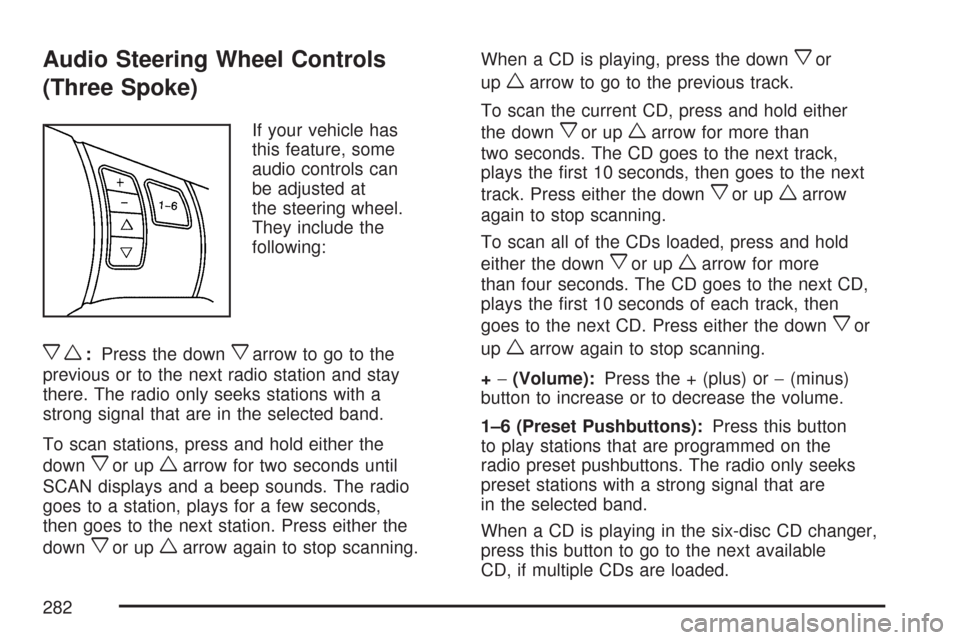
Audio Steering Wheel Controls
(Three Spoke)
If your vehicle has
this feature, some
audio controls can
be adjusted at
the steering wheel.
They include the
following:
xw:Press the downxarrow to go to the
previous or to the next radio station and stay
there. The radio only seeks stations with a
strong signal that are in the selected band.
To scan stations, press and hold either the
down
xor upwarrow for two seconds until
SCAN displays and a beep sounds. The radio
goes to a station, plays for a few seconds,
then goes to the next station. Press either the
down
xor upwarrow again to stop scanning.When a CD is playing, press the down
xor
up
warrow to go to the previous track.
To scan the current CD, press and hold either
the down
xor upwarrow for more than
two seconds. The CD goes to the next track,
plays the rst 10 seconds, then goes to the next
track. Press either the down
xor upwarrow
again to stop scanning.
To scan all of the CDs loaded, press and hold
either the down
xor upwarrow for more
than four seconds. The CD goes to the next CD,
plays the rst 10 seconds of each track, then
goes to the next CD. Press either the down
xor
up
warrow again to stop scanning.
+−(Volume):Press the + (plus) or−(minus)
button to increase or to decrease the volume.
1–6 (Preset Pushbuttons):Press this button
to play stations that are programmed on the
radio preset pushbuttons. The radio only seeks
preset stations with a strong signal that are
in the selected band.
When a CD is playing in the six-disc CD changer,
press this button to go to the next available
CD, if multiple CDs are loaded.
282
Page 283 of 510
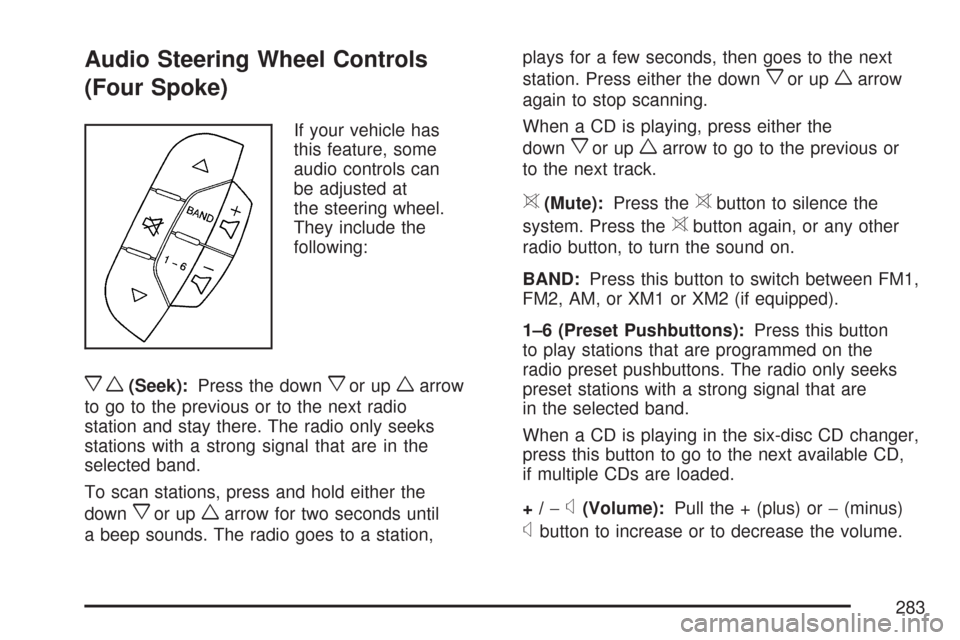
Audio Steering Wheel Controls
(Four Spoke)
If your vehicle has
this feature, some
audio controls can
be adjusted at
the steering wheel.
They include the
following:
xw(Seek):Press the downxor upwarrow
to go to the previous or to the next radio
station and stay there. The radio only seeks
stations with a strong signal that are in the
selected band.
To scan stations, press and hold either the
down
xor upwarrow for two seconds until
a beep sounds. The radio goes to a station,plays for a few seconds, then goes to the next
station. Press either the down
xor upwarrow
again to stop scanning.
When a CD is playing, press either the
down
xor upwarrow to go to the previous or
to the next track.
>(Mute):Press the>button to silence the
system. Press the
>button again, or any other
radio button, to turn the sound on.
BAND:Press this button to switch between FM1,
FM2, AM, or XM1 or XM2 (if equipped).
1–6 (Preset Pushbuttons):Press this button
to play stations that are programmed on the
radio preset pushbuttons. The radio only seeks
preset stations with a strong signal that are
in the selected band.
When a CD is playing in the six-disc CD changer,
press this button to go to the next available CD,
if multiple CDs are loaded.
+/−
x(Volume):Pull the + (plus) or−(minus)
xbutton to increase or to decrease the volume.
283
Page 436 of 510
Dust may be removed from small buttons and
knobs using a small brush with soft bristles.
Your dealer has a product for cleaning your
vehicle’s glass. Should it become necessary, you
can also obtain a product from your dealer to
remove odors from your vehicle’s upholstery.
Do not clean your vehicle using the following
cleaners or techniques:
Never use a knife or any other sharp object to
remove a soil from any interior surface.
Never use a stiff brush. It can cause damage
to your vehicle’s interior surfaces.
Never apply heavy pressure or rub
aggressively with a cleaning cloth. Use of
heavy pressure can damage your interior and
does not improve the effectiveness of soil
removal.
Use only mild, neutral-pH soaps. Avoid
laundry detergents or dishwashing soaps with
degreasers. Using too much soap will leave
a residue that leaves streaks and attracts dirt.
For liquid cleaners, about 20 drops per
gallon (3.78 L) of water is a good guide.
Do not heavily saturate your upholstery while
cleaning.
Damage to your vehicle’s interior may result
from the use of many organic solvents such
as naptha, alcohol, etc.
Fabric/Carpet
Use a vacuum cleaner with a soft brush
attachment frequently to remove dust and loose
dirt. A canister vacuum with a beater bar in
the nozzle may only be used on oor carpet and
carpeted oor mats. For soils, always try to remove
them rst with plain water or club soda. Before
cleaning, gently remove as much of the soil
as possible using one of the following techniques:
For liquids: gently blot the remaining soil
with a paper towel. Allow the soil to absorb into
the paper towel until no more can be
removed.
For solid dry soils: remove as much as
possible and then vacuum.
436