2007 CHEVROLET IMPALA stop start
[x] Cancel search: stop startPage 156 of 460
6(Delay):The wiper speed can be set for a long
or short delay between wiping cycles. This can
be very useful in light rain or snow. Turn the band
to choose the delay time. The closer to the top
of the lever, the shorter the delay.
6(Low Speed):Turn the band away from
you to the rst solid band past the delay settings,
for steady wiping at low speed.
?(High Speed):Turn the band further, to the
second solid band past the delay settings, for
high-speed wiping.
Windshield Washer
At the top of the multifunction lever, there is a
paddle with the windshield washer symbol on it.
Push the paddle to spray washer uid on the
windshield. The wipers run for several sweeps and
then either stop or return to the preset speed.
The ignition key must be in ACCESSORY or RUN
for this to work. SeeWindshield Washer Fluid
on page 333.
{CAUTION:
In freezing weather, do not use your
washer until the windshield is warmed.
Otherwise the washer uid can form ice
on the windshield, blocking your vision.
When the vehicle is low on washer uid, the
WASHER FLUID LOW ADD FLUID displays in the
Driver Information Center (DIC) for 60 seconds.
When the ignition is turned off, this message
displays again for three seconds to remind you
that the uid level is low.
Until the uid reservoir is relled, every time the
vehicle is started, the WASHER FLUID LOW ADD
FLUID message displays in the Driver Information
Center (DIC) for 60 seconds. Be sure to rell
the tank right away. SeeDIC Warnings and
Messages on page 199.
156
Page 182 of 460
When the ignition is on, the brake system warning
light will also come on when you set your
parking brake. The light will stay on if your parking
brake does not release fully. If it stays on after
your parking brake is fully released, it means you
have a brake problem.
If the light comes on while you are driving, pull
off the road and stop carefully. You may notice that
the pedal is harder to push, or the pedal may go
closer to the oor. It may take longer to stop.
If the light is still on, have the vehicle towed for
service. SeeTowing Your Vehicle on page 282.
{CAUTION:
Your brake system may not be working
properly if the brake system warning light
is on. Driving with the brake system
warning light on can lead to an accident.
If the light is still on after you have pulled
off the road and stopped carefully, have
the vehicle towed for service.
Anti-Lock Brake System
Warning Light
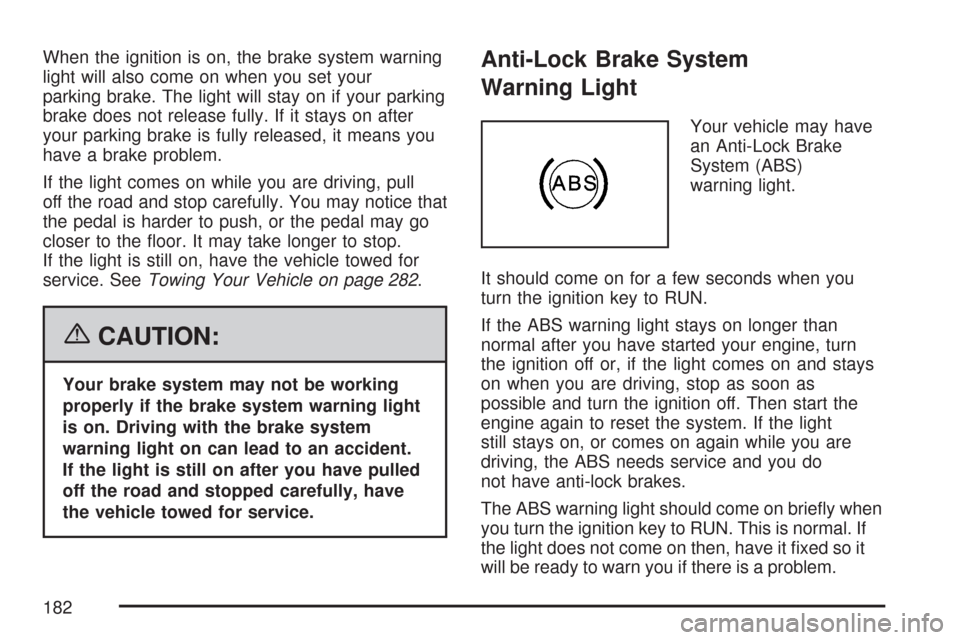
Your vehicle may have
an Anti-Lock Brake
System (ABS)
warning light.
It should come on for a few seconds when you
turn the ignition key to RUN.
If the ABS warning light stays on longer than
normal after you have started your engine, turn
the ignition off or, if the light comes on and stays
on when you are driving, stop as soon as
possible and turn the ignition off. Then start the
engine again to reset the system. If the light
still stays on, or comes on again while you are
driving, the ABS needs service and you do
not have anti-lock brakes.
The ABS warning light should come on briey when
you turn the ignition key to RUN. This is normal. If
the light does not come on then, have it xed so it
will be ready to warn you if there is a problem.
182
Page 186 of 460

This light should come on, as a check to show
you it is working, when the ignition is on and the
engine is not running. If the light does not
come on, have it repaired. This light will also
come on during a malfunction in one of two ways:
Light Flashing— A misre condition has
been detected. A misre increases vehicle
emissions and may damage the emission
control system on your vehicle. Diagnosis
and service may be required.
Light On Steady— An emission control
system malfunction has been detected on
your vehicle. Diagnosis and service may be
required.
If the Light is Flashing
The following may prevent more serious damage
to your vehicle:
Reducing vehicle speed
Avoiding hard accelerations
Avoiding steep uphill grades
If you are towing a trailer, reduce the amount
of cargo being hauled as soon as it is
possibleIf the light stops ashing and remains on steady,
see “If the Light Is On Steady” following.
If the light continues to ash, when it is safe to do
so, stop the vehicle. Find a safe place to park
your vehicle. Turn the key off, wait at least
10 seconds and restart the engine. If the light
remains on steady, see “If the Light Is On Steady”
following. If the light is still ashing, follow the
previous steps, and see your dealer for service as
soon as possible.
If the Light Is On Steady
You may be able to correct the emission system
malfunction by considering the following:
Did you recently put fuel into your vehicle?
If so, reinstall the fuel cap, making sure to fully
install the cap. SeeFilling the Tank on page 302.
The diagnostic system can determine if the
fuel cap has been left off or improperly installed.
A loose or missing fuel cap will allow fuel to
evaporate into the atmosphere. A few driving trips
with the cap properly installed should turn the
light off.
186
Page 203 of 460
ERROR
This message displays while viewing the odometer
or trip odometers if there is a problem with the
instrument panel cluster. See your dealer for
service.
FUEL LEVEL LOW
This message displays when your vehicle is low
on fuel. Rell the fuel tank as soon as possible.
SeeFuel Gage on page 190andFilling the Tank
on page 302for more information.
HOOD OPEN
If your vehicle has the remote start feature, this
message displays when the hood is not closed
properly. When this message appears, make sure
that the hood is closed completely. SeeHood
Release on page 305.
ICE POSSIBLE DRIVE WITH CARE
This message displays when the outside air
temperature is cold enough to create icy road
conditions. Adjust your driving accordingly.
LEFT REAR DOOR OPEN
This message displays when the driver’s side rear
door is not closed properly. When this message
appears, make sure that the driver’s side rear door
is closed completely.
OIL PRESSURE LOW STOP ENGINE
Notice:If you drive your vehicle while
the engine oil pressure is low, severe engine
damage may occur. If a low oil pressure
warning appears on the Driver Information
Center (DIC), stop the vehicle as soon as
possible. Do not drive the vehicle until the
cause of the low oil pressure is corrected. See
Engine Oil on page 310for more information.
This message displays when the vehicle’s
engine oil pressure is low. The oil pressure light
also appears on the instrument panel cluster.
SeeOil Pressure Light on page 188.
Stop the vehicle immediately, as engine damage
can result from driving a vehicle with low oil
pressure. Have the vehicle serviced by your dealer
as soon as possible when this message is
displayed.
203
Page 205 of 460
SERVICE BATTERY CHARGING
SYSTEM
This message displays when there is a problem
with the generator and battery charging systems.
Driving with this problem could drain the battery.
Turn off all unnecessary accessories. Stop
and turn off the vehicle as soon as it is safe to do
so. Have the electrical system checked by your
dealer immediately.
SERVICE BRAKE SYSTEM
This message displays when service is required
on the brake system. Have the brake system
serviced by your dealer as soon as possible.
The brake system warning light also appears on
the instrument panel cluster when this message
appears on the DIC. SeeBrake System Warning
Light on page 181.
SERVICE POWER STEERING
This message displays when a problem is
detected with the power steering system. When
this message is displayed, you may notice that the
effort required to steer the vehicle increases or
feels heavier, but you will still be able to steer the
vehicle. Have your vehicle serviced by your
dealer immediately.
SERVICE THEFT SYSTEM
This message displays when there is a problem
with the theft-deterrent system programmed in the
key. A fault has been detected in the system
which means that the system is disabled and it is
not protecting the vehicle. The vehicle usually
restarts; however, you may want to take the
vehicle to your dealer before turning off the engine.
SeePASS-Key
®III+ Operation on page 109for
more information.
205
Page 221 of 460
Loc (Locked):This message displays while the
THEFTLOCK®system has locked up the radio.
Take the vehicle to your dealer/retailer for service.
If any error occurs repeatedly or if an error
cannot be corrected, contact your dealer/retailer.
Playing a CD (Single CD Player)
Insert a CD partway into the slot, label side up.
The player pulls it in and the CD should begin
playing.
If the ignition or radio is turned off with a CD in the
player, it stays in the player. When the ignition or
radio is turned on, the CD starts playing where it
stopped, if it was the last selected audio source.
When a CD is inserted, the CD symbol displays.
As each new track starts to play, the track number
displays.
The CD player can play the smaller 3 inch (8 cm)
single CDs with an adapter ring. Full-size CDs and
the smaller CDs are loaded in the same manner.
If playing a CD-R, the sound quality can be reduced
due to CD-R quality, the method of recording, the
quality of the music that has been recorded, and the
way the CD-R has been handled.There can be an increase in skipping, difficulty in
nding tracks, and/or difficulty in loading and
ejecting. If these problems occur, check the bottom
surface of the CD. If the surface of the CD is
damaged, such as cracked, broken, or scratched,
the CD does not play properly. If the surface of the
CD is soiled, seeCare of Your CDs on page 245for
more information.
If there is no apparent damage, try a known
good CD.
Notice:If a label is added to a CD, or more
than one CD is inserted into the slot at a time,
or an attempt is made to play scratched or
damaged CDs, the CD player could be
damaged. While using the CD player, use only
CDs in good condition without any label,
load one CD at a time, and keep the CD player
and the loading slot free of foreign materials,
liquids, and debris.
Do not add any label to a CD, it could get caught
in the CD player. If a CD is recorded on a
personal computer and a description label is
needed, try labeling the top of the recorded CD
with a marking pen.
221
Page 231 of 460

Playing a CD(s) (Six-Disc CD Player)
LOAD^:Press this button to load CDs into the
CD player. This CD player holds up to six CDs.
To insert one CD, do the following:
1. Press and release the LOAD button.
2. Wait for the message to insert the disc.
3. Load a CD. Insert the CD partway into
the slot, label side up. The player pulls the
CD in.
To insert multiple CDs, do the following:
1. Press and hold the load button for
two seconds. A beep sounds and Load All
Discs displays.
2. Follow the displayed instruction on when to
insert the discs. The CD player takes up to
six CDs.
3. Press the LOAD button again to cancel
loading more CDs.If the ignition or radio is turned off, with a CD in the
player, it stays in the player. When the ignition or
radio is turned on, the CD starts playing where it
stopped, if it was the last selected audio source.
When a CD is inserted, the CD symbol displays on
the CD. As each new track starts to play, the
track number displays.
The CD player can play the smaller 3 inch (8 cm)
single CDs with an adapter ring. Full-size CDs
and the smaller CDs are loaded in the same
manner.
If playing a CD-R or CD-RW, the sound quality can
be reduced due to CD-R or CD-RW quality, the
method of recording, the quality of the music that
has been recorded, and the way the CD-R or
CD-RW has been handled. There can be an
increase in skipping, difficulty in nding tracks,
and/or difficulty in loading and ejecting. If these
problems occur, check the bottom surface of the
CD. If the surface of the CD is damaged, such as
cracked, broken, or scratched, the CD does not
play properly. If the surface of the CD is soiled,
seeCare of Your CDs on page 245for more
information.
231
Page 253 of 460
Avoid needless heavy braking. Some people drive
in spurts — heavy acceleration followed by heavy
braking — rather than keeping pace with traffic.
This is a mistake. The brakes may not have time to
cool between hard stops. The brakes will wear out
much faster if you do a lot of heavy braking. If you
keep pace with the traffic and allow realistic
following distances, you will eliminate a lot of
unnecessary braking. That means better braking
and longer brake life.
If your vehicle’s engine ever stops while you are
driving, brake normally but do not pump the
brakes. If you do, the pedal may get harder to
push down. If the engine stops, you will still have
some power brake assist. But you will use it
when you brake. Once the power assist is used
up, it may take longer to stop and the brake pedal
will be harder to push.
Adding non-GM accessories can affect your
vehicle’s performance. SeeAccessories and
Modications on page 296.Anti-Lock Brake System (ABS)
Your vehicle might have the Anti-Lock Brake
System (ABS), an advanced electronic braking
system that will help prevent a braking skid.
If your vehicle has ABS,
this warning light on
the instrument
panel cluster will come
on briey when you
start your vehicle.
When you start the engine, or when you begin to
drive away, ABS will check itself. You might hear a
momentary motor or clicking noise while this test is
going on, and you might even notice that the brake
pedal moves or pulses a little. This is normal.
253