2007 CHEVROLET HHR light
[x] Cancel search: lightPage 136 of 446
Cleaning the Mirror
When cleaning the mirror, use a paper towel or
similar material dampened with glass cleaner. Do
not spray glass cleaner directly on the mirror
as that may cause the liquid cleaner to enter the
mirror housing.
Automatic Dimming Rearview Mirror
with Compass
Your vehicle may have an automatic dimming
rearview mirror with a compass and reading lamps.
This feature enables the mirror to sense nighttime
glare from vehicle headlamps from behind and
automatically dim to reduce the glare to a
safe level.
O(On/Off):This is the on/off button for the
automatic dimming feature.
The automatic dimming feature turns on each time
the vehicle is started. Press the on/off button
once and the green indicator light located to the
left of the button will go out indicating the feature is
off. To turn the feature back on, press and
release the on/off button and the green indicator
light will come on.The reading lamps, located under the mirror, can
be turned on or off by pushing the buttons up.
Compass Operation
Y
:This is the on/off button for the
compass feature.
Press the compass button once to turn the
compass on or off.
When the ignition and the compass feature are
on, the compass will show two character boxes for
a few seconds. After a few seconds, the mirror
will display the current compass direction.
Compass Calibration
If after a few seconds the display does not show a
compass direction, (N for North for example),
there may be a strong magnetic eld interfering
with the compass. Such interference may be
caused by a magnetic antenna mount, note pad
holder, or similar object. If the word CAL appears
in the compass window, the compass may
need to be reset or calibrated.
136
Page 143 of 446
Your Responsibility
You may need to increase the volume of your
radio to hear the OnStar®advisor. If the light next
to the OnStar®buttons is red, this means that
your system is not functioning properly and should
be checked by a dealer. If the light appears
clear (no light is appearing), your OnStar
®
subscription has expired. You can always press
the OnStar®button to conrm that your OnStar®
equipment is active.
Storage Areas
Glove Box
Open the glove box by lifting up on the lever.
Close the glove box with a rm push.
Cupholder(s)
There are two cupholders located in the oor
console between the front seats. There is also a
cupholder for the rear seat passenger located
at the rear of the oor console. They can be
removed for cleaning.
Instrument Panel Storage Area
Your vehicle has a storage compartment on the
instrument panel above the air vents. Push
the button on the compartment to open the lid.
Floor Console Storage Area
There are two small storage compartments on the
oor console, one at the front under the window
switches and one next to the parking brake
lever. The rubber liners can be removed for
cleaning.
Rear Storage Area
Your vehicle may have two rear storage areas that
can be used for the convenience net or other
small items.
143
Page 149 of 446
Instrument Panel Overview........................ 152
Hazard Warning Flashers.......................... 154
Other Warning Devices............................. 154
Horn.......................................................... 154
Tilt Wheel.................................................. 155
Turn Signal/Multifunction Lever.................. 155
Turn and Lane-Change Signals................. 156
Headlamp High/Low-Beam Changer.......... 156
Flash-to-Pass............................................ 156
Windshield Wipers..................................... 157
Windshield Washer.................................... 158
Rear Window Wiper/Washer...................... 159
Cruise Control........................................... 160
Headlamps................................................ 163
Wiper Activated Headlamps....................... 164
Headlamps on Reminder........................... 164
Daytime Running Lamps (DRL)................. 164
Automatic Headlamp System..................... 165
Fog Lamps................................................ 166
Instrument Panel Brightness...................... 166
Dome Lamp.............................................. 167Entry/Exit Lighting...................................... 167
Mirror Reading Lamps............................... 168
Rear Reading Lamps................................ 168
Electric Power Management...................... 168
Battery Run-Down Protection..................... 168
Accessory Power Outlet(s)........................ 169
Ashtray(s) and Cigarette Lighter................ 170
Climate Controls......................................... 170
Climate Control System............................. 170
Outlet Adjustment...................................... 174
Passenger Compartment Air Filter............. 175
Warning Lights, Gages, and Indicators..... 177
Instrument Panel Cluster........................... 178
Speedometer and Odometer...................... 179
Tachometer............................................... 179
Safety Belt Reminder Light........................ 180
Passenger Safety Belt Reminder Light....... 180
Airbag Readiness Light............................. 181
Passenger Airbag Status Indicator............. 182
Charging System Light.............................. 184
Section 3 Instrument Panel
149
Page 150 of 446
Brake System Warning Light..................... 185
Anti-Lock Brake System Warning Light........ 186
Enhanced Traction System Warning Light.... 187
Engine Coolant Temperature
Warning Light........................................ 187
Engine Coolant Temperature Gage............ 188
Malfunction Indicator Lamp........................ 188
Oil Pressure Light..................................... 192
Security Light............................................ 193
Fog Lamp Light......................................... 193
Highbeam On Light................................... 193
Fuel Gage................................................. 193
Driver Information Center (DIC).................. 194
DIC Operation and Displays...................... 195
DIC Warnings and Messages.................... 197
DIC Vehicle Personalization....................... 200Audio System(s)......................................... 206
Setting the Time (Without Date Display).... 207
Setting the Time (With Date Display)......... 208
Radio with CD (Base)............................... 210
Radio with CD (MP3)................................ 215
Using an MP3........................................... 226
XM Radio Messages................................. 232
Theft-Deterrent Feature............................. 233
Audio Steering Wheel Controls.................. 234
Radio Reception........................................ 234
Care of Your CDs..................................... 235
Care of the CD Player.............................. 235
Fixed Mast Antenna.................................. 236
XM™ Satellite Radio Antenna System....... 236
Section 3 Instrument Panel
150
Page 153 of 446
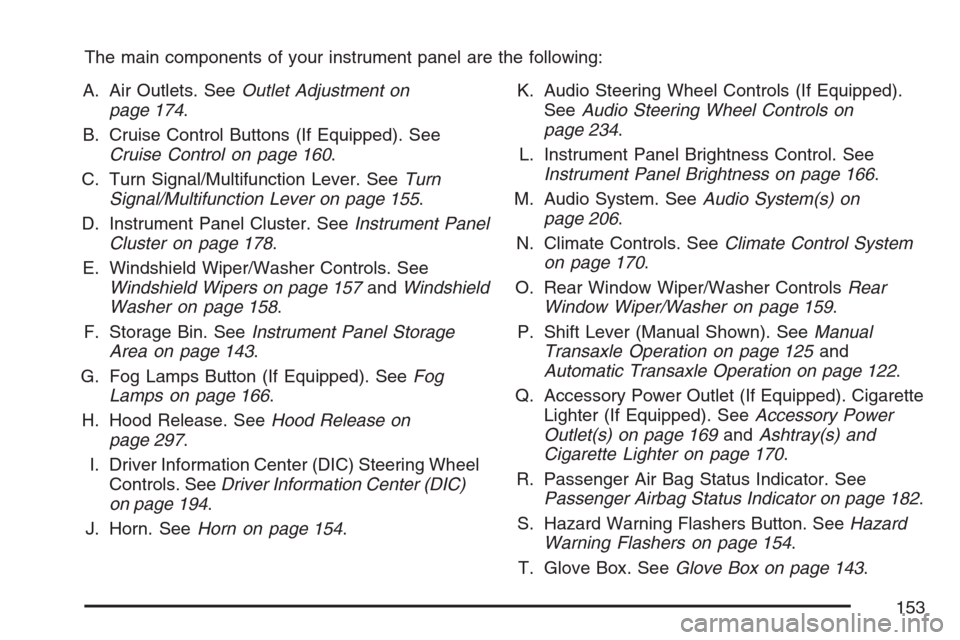
The main components of your instrument panel are the following:
A. Air Outlets. SeeOutlet Adjustment on
page 174.
B. Cruise Control Buttons (If Equipped). See
Cruise Control on page 160.
C. Turn Signal/Multifunction Lever. SeeTurn
Signal/Multifunction Lever on page 155.
D. Instrument Panel Cluster. SeeInstrument Panel
Cluster on page 178.
E. Windshield Wiper/Washer Controls. See
Windshield Wipers on page 157andWindshield
Washer on page 158.
F. Storage Bin. SeeInstrument Panel Storage
Area on page 143.
G. Fog Lamps Button (If Equipped). SeeFog
Lamps on page 166.
H. Hood Release. SeeHood Release on
page 297.
I. Driver Information Center (DIC) Steering Wheel
Controls. SeeDriver Information Center (DIC)
on page 194.
J. Horn. SeeHorn on page 154.K. Audio Steering Wheel Controls (If Equipped).
SeeAudio Steering Wheel Controls on
page 234.
L. Instrument Panel Brightness Control. See
Instrument Panel Brightness on page 166.
M. Audio System. SeeAudio System(s) on
page 206.
N. Climate Controls. SeeClimate Control System
on page 170.
O. Rear Window Wiper/Washer ControlsRear
Window Wiper/Washer on page 159.
P. Shift Lever (Manual Shown). SeeManual
Transaxle Operation on page 125and
Automatic Transaxle Operation on page 122.
Q. Accessory Power Outlet (If Equipped). Cigarette
Lighter (If Equipped). SeeAccessory Power
Outlet(s) on page 169andAshtray(s) and
Cigarette Lighter on page 170.
R. Passenger Air Bag Status Indicator. See
Passenger Airbag Status Indicator on page 182.
S. Hazard Warning Flashers Button. SeeHazard
Warning Flashers on page 154.
T. Glove Box. SeeGlove Box on page 143.
153
Page 156 of 446
Turn and Lane-Change Signals
The turn signal has two upward (for right) and
two downward (for left) positions. These positions
allow you to signal a turn or a lane change.
To signal a turn, move the lever all the way up or
down. When the turn is nished, the lever will
return automatically.
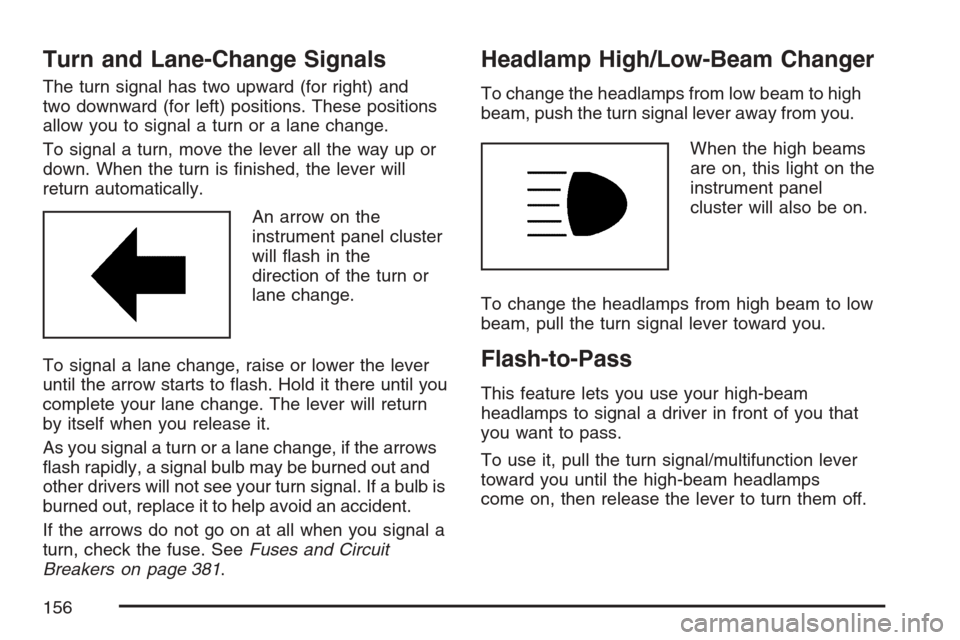
An arrow on the
instrument panel cluster
will ash in the
direction of the turn or
lane change.
To signal a lane change, raise or lower the lever
until the arrow starts to ash. Hold it there until you
complete your lane change. The lever will return
by itself when you release it.
As you signal a turn or a lane change, if the arrows
ash rapidly, a signal bulb may be burned out and
other drivers will not see your turn signal. If a bulb is
burned out, replace it to help avoid an accident.
If the arrows do not go on at all when you signal a
turn, check the fuse. SeeFuses and Circuit
Breakers on page 381.
Headlamp High/Low-Beam Changer
To change the headlamps from low beam to high
beam, push the turn signal lever away from you.
When the high beams
are on, this light on the
instrument panel
cluster will also be on.
To change the headlamps from high beam to low
beam, pull the turn signal lever toward you.
Flash-to-Pass
This feature lets you use your high-beam
headlamps to signal a driver in front of you that
you want to pass.
To use it, pull the turn signal/multifunction lever
toward you until the high-beam headlamps
come on, then release the lever to turn them off.
156
Page 161 of 446
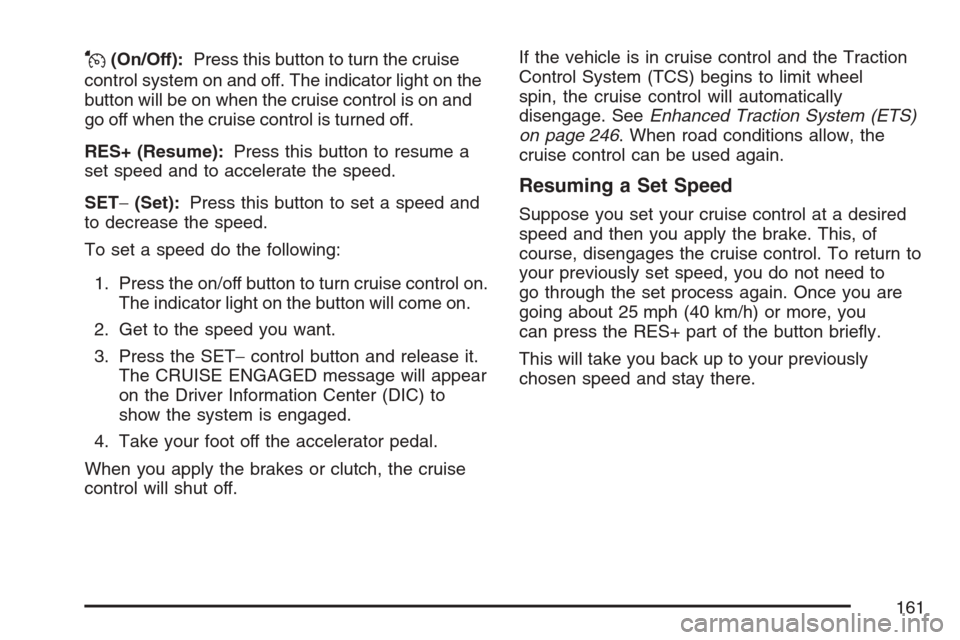
J(On/Off):Press this button to turn the cruise
control system on and off. The indicator light on the
button will be on when the cruise control is on and
go off when the cruise control is turned off.
RES+ (Resume):Press this button to resume a
set speed and to accelerate the speed.
SET−(Set):Press this button to set a speed and
to decrease the speed.
To set a speed do the following:
1. Press the on/off button to turn cruise control on.
The indicator light on the button will come on.
2. Get to the speed you want.
3. Press the SET−control button and release it.
The CRUISE ENGAGED message will appear
on the Driver Information Center (DIC) to
show the system is engaged.
4. Take your foot off the accelerator pedal.
When you apply the brakes or clutch, the cruise
control will shut off.If the vehicle is in cruise control and the Traction
Control System (TCS) begins to limit wheel
spin, the cruise control will automatically
disengage. SeeEnhanced Traction System (ETS)
on page 246. When road conditions allow, the
cruise control can be used again.
Resuming a Set Speed
Suppose you set your cruise control at a desired
speed and then you apply the brake. This, of
course, disengages the cruise control. To return to
your previously set speed, you do not need to
go through the set process again. Once you are
going about 25 mph (40 km/h) or more, you
can press the RES+ part of the button briey.
This will take you back up to your previously
chosen speed and stay there.
161
Page 162 of 446
Increasing Speed While Using
Cruise Control
There are two ways to go to a higher speed.
1. Disengage the cruise control by applying the
brake pedal but do not turn it off. Accelerate
to a higher speed and reset the cruise control.
2. If the cruise control system is already
engaged, press the RES+ button. Hold it there
until reach the desired speed, and then
release the button. To increase your speed in
very small amounts, press the RES+ button
briey and then release it. Each time you
do this, your vehicle will go about 1 mph
(1.6 km/h) faster.
Reducing Speed While Using
Cruise Control
If the cruise control system is already engaged,
Push and hold the SET−button until you
reach the lower speed desired, then release it.
To slow down in very small amounts, push the
SET−button briey. Each time you do this,
you will go about 1 mph (1.6 km/h) slower.
Passing Another Vehicle While Using
Cruise Control
Use the accelerator pedal to increase your speed.
When you take your foot off the pedal, your vehicle
will slow down to the cruise control speed you set
earlier.
Using Cruise Control on Hills
How well your cruise control will work on hills
depends upon the vehicle speed, load and the
steepness of the hills. When going up steep hills,
you might have to step on the accelerator pedal to
maintain your speed. When going downhill, you
might have to brake or shift to a lower gear to keep
the vehicle speed down. Of course, applying the
brake turns off the cruise control. Many drivers nd
this to be too much trouble and don’t use cruise
control on steep hills.
Ending Cruise Control
To end cruise control, step lightly on the brake
pedal or the clutch if your vehicle has a manual
transaxle.
Stepping on the brake pedal or clutch will only end
the current cruise control session. Press the
cruise control on/off button to turn the system
completely off.
162