2007 CHEVROLET HHR light
[x] Cancel search: lightPage 112 of 446
The security light will turn on to indicate that
arming has been initiated. Once the system is
armed, the security light will ash once every
three seconds.
If the security light is ashing twice per second,
this means that a door is open.
If you do not want to arm the system, you may
lock the car with the manual lock knobs on
the doors.
Disarming the System
You can disarm the system by doing any one of
the following:
Press the remote keyless entry transmitter
unlock button.
Turn the ignition on.
Once the system is disarmed, the security light will
stop ashing.
How the System Alarm is Activated
If the system is armed, it can be activated
by either:
Opening the driver’s door or tailgate. This will
cause a ten second pre-alarm chirp followed
by a thirty second full alarm of horn and lights.
Opening any other door. This will immediately
cause a full alarm of horn and lights for
thirty seconds.
When an alarm event has nished, the system will
re-arm itself automatically.
How to Turn Off the System Alarm
To turn off the system alarm, do one of the
following:
Press the lock button on the remote keyless
entry transmitter. The system will then
re-arm itself.
Press the unlock button on the remote keyless
entry transmitter. This will also disarm the
system.
Insert the key in the ignition and turn it on.
This will also disarm the system.
112
Page 114 of 446
PASS-Key®III+ Operation
Your vehicle has PASS-Key®III+ (Personalized
Automotive Security System) theft-deterrent
system. PASS-Key
®III+ is a passive
theft-deterrent system. This means you do not
have to do anything special to arm or disarm the
system. It works when you insert or remove
the key from the ignition.
When the PASS-Key
®III+ system senses that
someone is using the wrong key, it prevents the
vehicle from starting. Anyone using a
trial-and-error method to start the vehicle will be
discouraged because of the high number of
electrical key codes.
When trying to start the vehicle if the engine does
not start and the security light comes on, the
key may have a damaged transponder. Turn the
ignition off and try again.If the engine still does not start, and the key
appears to be undamaged, try another ignition
key. At this time, you may also want to check the
fuse, seeFuses and Circuit Breakers on
page 381. If the engine still does not start with the
other key, your vehicle needs service. If your
vehicle does start, the rst key may be faulty. See
your dealer who can service the PASS-Key
®III+
to have a new key made. In an emergency,
contact Roadside Assistance. SeeRoadside
Assistance Program on page 418, for more
information.
It may be possible for the PASS-Key
®III+ decoder
to “learn” the transponder value of a new or
replacement key. Up to 10 keys may be
programmed for the vehicle. The following
procedure is for programming additional keys only.
If all the currently programmed keys are lost or
do not operate, you must see your dealer or
a locksmith who can service PASS-Key
®III+ to
have keys made and programmed to the system.
See your dealer or a locksmith who can service
PASS-Key
®III+ to get a new key blank that is cut
exactly as the ignition key that operates the
system.
114
Page 115 of 446
To program the new key do the following:
1. Verify that the new key has a
1stamped on it.
2. Insert the already programmed key in the
ignition and start the engine. If the engine
will not start, see your dealer for service.
3. After the engine has started, turn the key to
LOCK, and remove the key.
4. Insert the key to be programmed and turn it to
the RUN position within ve seconds of the
original key being turned to the LOCK position.
5. The security light will turn off once the key has
been programmed.
6. Repeat Steps 1 through 5 if additional keys
are to be programmed.
If you are ever driving and the security light comes
on and stays on, you may be able to restart
your engine if you turn it off. Your PASS-Key
®III+
system, however, is not working properly and
must be serviced by your dealer. Your vehicle is
not protected by the PASS-Key
®III+ system at
this time.
If you lose or damage your PASS-Key
®III+ key,
see your dealer or a locksmith who can service
PASS-Key
®III+ to have a new key made.
Starting and Operating Your
Vehicle
New Vehicle Break-In
Notice:Your vehicle does not need an
elaborate break-in. But it will perform better in
the long run if you follow these guidelines:
Do not drive at any one constant speed, fast
or slow, for the rst 500 miles (805 km). Do
not make full-throttle starts. Avoid
downshifting to brake, or slow, the vehicle.
Avoid making hard stops for the rst
200 miles (322 km) or so. During this time
your new brake linings are not yet broken
in. Hard stops with new linings can mean
premature wear and earlier replacement.
Follow this breaking-in guideline every time
you get new brake linings.
Do not tow a trailer during break-in. See
Towing a Trailer (Manual Transaxle) on
page 276orTowing a Trailer (Automatic
Transaxle) on page 277for the trailer towing
capabilities of your vehicle and more
information.
Following break-in, engine speed and load can
be gradually increased.
115
Page 117 of 446
R(RUN):This is the position the switch returns to
after you start your engine and release the
switch. The switch stays in the RUN position when
the engine is running. But even when the ignition
is not running, you can use RUN to operate
your electrical accessories and to display some
warning and indicator lights.
The battery could be drained if you leave the key
in the ACC or RUN position with the engine
off. You may not be able to start your vehicle if
the battery is allowed to drain for an extended
period of time.
/(START):This position starts the engine.
When the engine starts, release the key.
The ignition switch will return to RUN for normal
driving.
A warning tone will sound if you open the driver’s
door while in LOCK or ACC, when the key has
not been removed from the ignition.
Key In the Ignition
Never leave your vehicle with the keys inside, as it
is an easy target for joy riders or thieves. If you
leave the key in the ignition and park your
vehicle,a chime will sound, when you open the
driver’s door. Always remember to remove
your key from the ignition and take it with you.
This will lock your ignition and transaxle.
Also, always remember to lock the doors.
The battery could be drained if you leave the key
in the ignition while your vehicle is parked.
You may not be able to start your vehicle after it
has been parked for an extended period of time.
117
Page 125 of 446
INTERMEDIATE (I):This position is also used for
normal driving. However, it reduces vehicle speed
without using your brakes for slight downgrades
where the vehicle would otherwise accelerate due
to steepness of grade. If constant upshifting or
downshifting occurs while driving up steep hills, this
position can be used to prevent repetitive types of
shifts. You might choose INTERMEDIATE (I)
instead of DRIVE (D) when driving on hilly, winding
roads and when towing a trailer, so that there is less
shifting between gears.
LOW (L):This position reduces vehicle speed
more than INTERMEDIATE (I) without actually
using your brakes. You can use it on very steep
hills, or in deep snow or mud. If the shift lever
is put in LOW (L), the transaxle will not shift into
LOW (L) until the vehicle is going slowly enough.
Notice:Spinning the tires or holding the
vehicle in one place on a hill using only the
accelerator pedal may damage the transaxle. If
you are stuck, do not spin the tires. When
stopping on a hill, use the brakes, or parking
brake to hold the vehicle in place.Manual Transaxle Operation
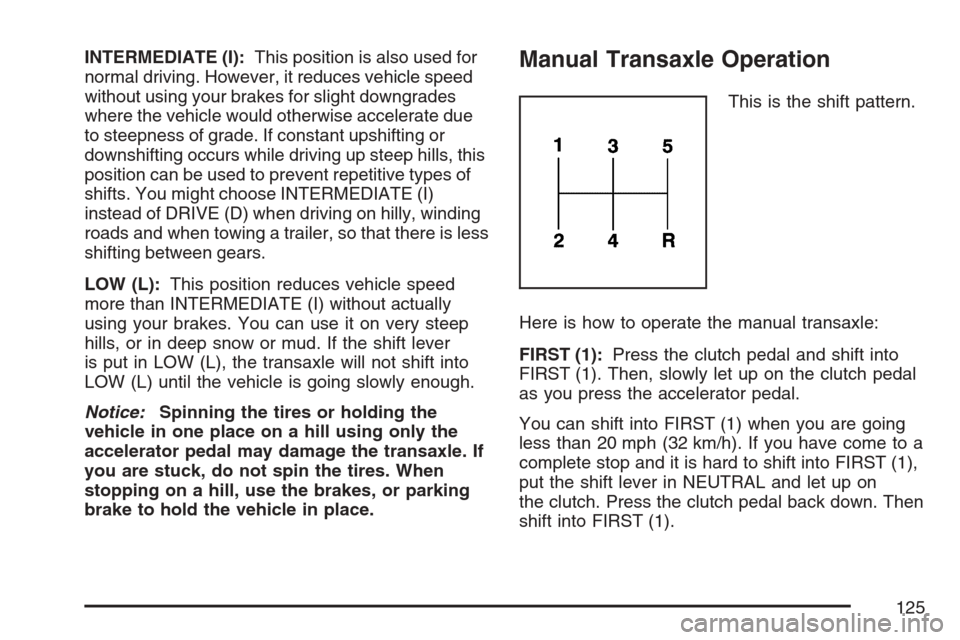
This is the shift pattern.
Here is how to operate the manual transaxle:
FIRST (1):Press the clutch pedal and shift into
FIRST (1). Then, slowly let up on the clutch pedal
as you press the accelerator pedal.
You can shift into FIRST (1) when you are going
less than 20 mph (32 km/h). If you have come to a
complete stop and it is hard to shift into FIRST (1),
put the shift lever in NEUTRAL and let up on
the clutch. Press the clutch pedal back down. Then
shift into FIRST (1).
125
Page 127 of 446
Parking Brake
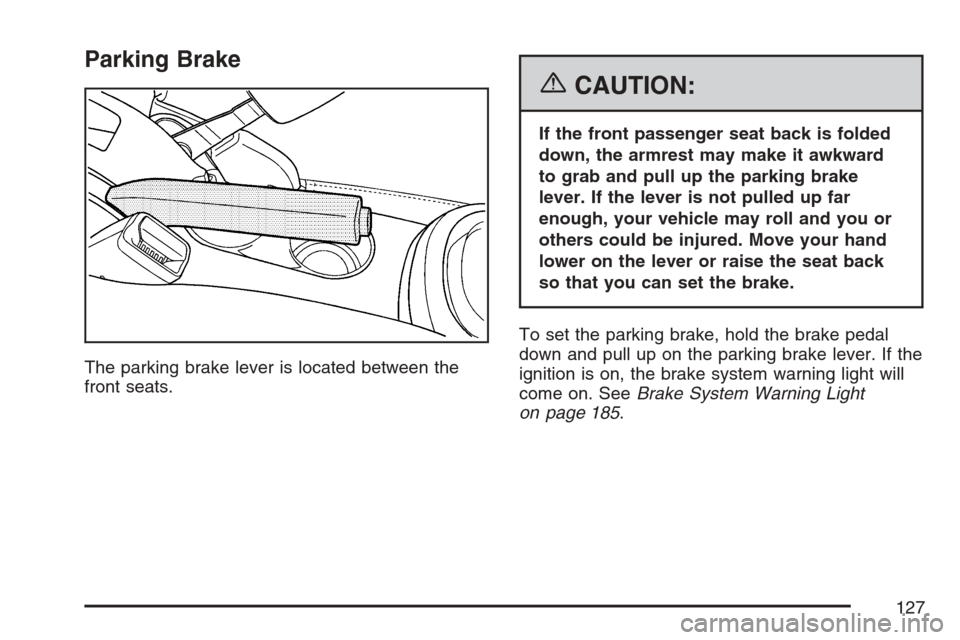
The parking brake lever is located between the
front seats.
{CAUTION:
If the front passenger seat back is folded
down, the armrest may make it awkward
to grab and pull up the parking brake
lever. If the lever is not pulled up far
enough, your vehicle may roll and you or
others could be injured. Move your hand
lower on the lever or raise the seat back
so that you can set the brake.
To set the parking brake, hold the brake pedal
down and pull up on the parking brake lever. If the
ignition is on, the brake system warning light will
come on. SeeBrake System Warning Light
on page 185.
127
Page 128 of 446
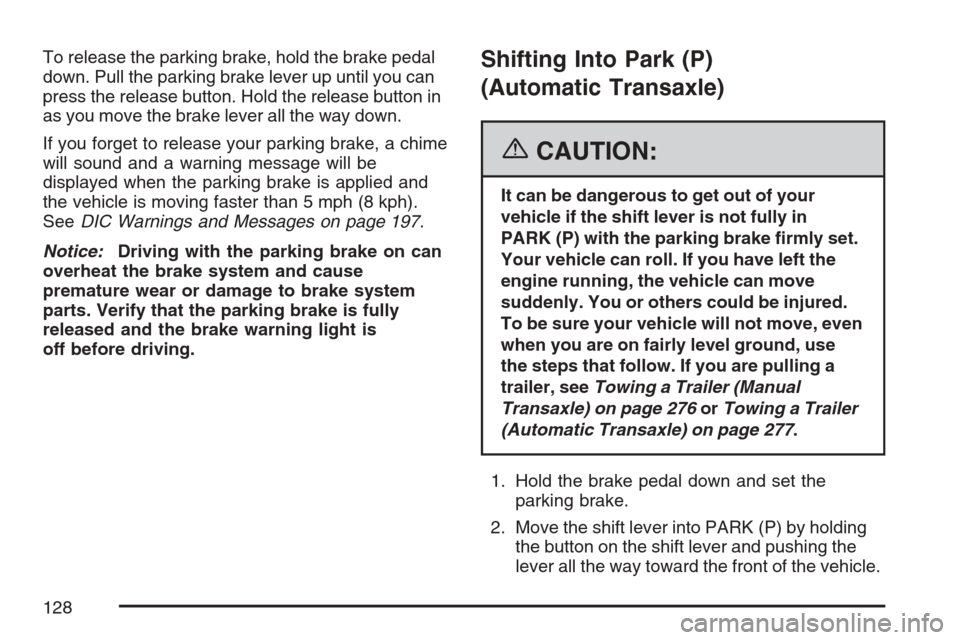
To release the parking brake, hold the brake pedal
down. Pull the parking brake lever up until you can
press the release button. Hold the release button in
as you move the brake lever all the way down.
If you forget to release your parking brake, a chime
will sound and a warning message will be
displayed when the parking brake is applied and
the vehicle is moving faster than 5 mph (8 kph).
SeeDIC Warnings and Messages on page 197.
Notice:Driving with the parking brake on can
overheat the brake system and cause
premature wear or damage to brake system
parts. Verify that the parking brake is fully
released and the brake warning light is
off before driving.Shifting Into Park (P)
(Automatic Transaxle)
{CAUTION:
It can be dangerous to get out of your
vehicle if the shift lever is not fully in
PARK (P) with the parking brake rmly set.
Your vehicle can roll. If you have left the
engine running, the vehicle can move
suddenly. You or others could be injured.
To be sure your vehicle will not move, even
when you are on fairly level ground, use
the steps that follow. If you are pulling a
trailer, seeTowing a Trailer (Manual
Transaxle) on page 276orTowing a Trailer
(Automatic Transaxle) on page 277.
1. Hold the brake pedal down and set the
parking brake.
2. Move the shift lever into PARK (P) by holding
the button on the shift lever and pushing the
lever all the way toward the front of the vehicle.
128
Page 134 of 446
Mirrors
Manual Rearview Mirror
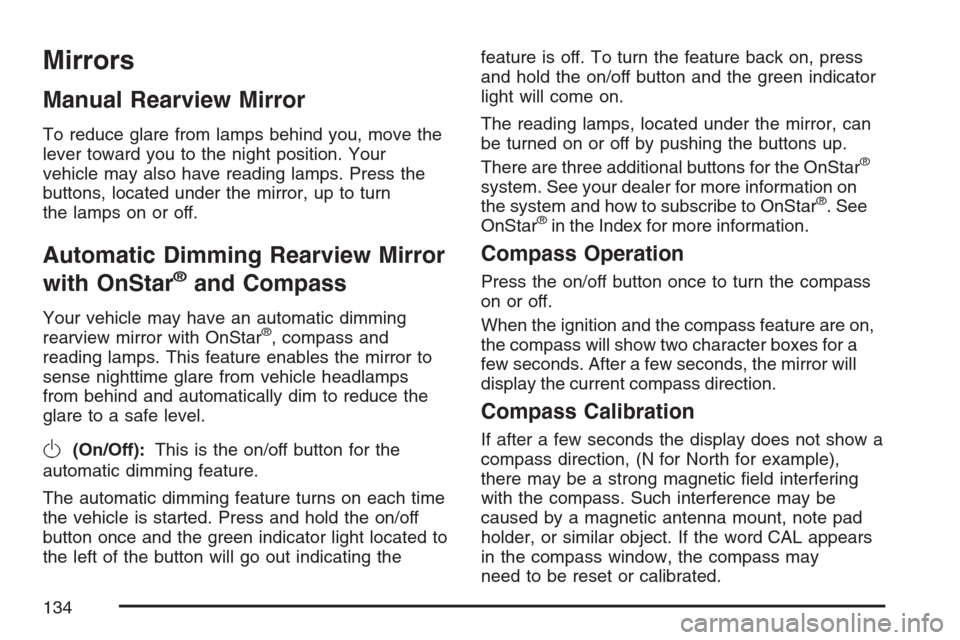
To reduce glare from lamps behind you, move the
lever toward you to the night position. Your
vehicle may also have reading lamps. Press the
buttons, located under the mirror, up to turn
the lamps on or off.
Automatic Dimming Rearview Mirror
with OnStar
®and Compass
Your vehicle may have an automatic dimming
rearview mirror with OnStar®, compass and
reading lamps. This feature enables the mirror to
sense nighttime glare from vehicle headlamps
from behind and automatically dim to reduce the
glare to a safe level.
O(On/Off):This is the on/off button for the
automatic dimming feature.
The automatic dimming feature turns on each time
the vehicle is started. Press and hold the on/off
button once and the green indicator light located to
the left of the button will go out indicating thefeature is off. To turn the feature back on, press
and hold the on/off button and the green indicator
light will come on.
The reading lamps, located under the mirror, can
be turned on or off by pushing the buttons up.
There are three additional buttons for the OnStar
®
system. See your dealer for more information on
the system and how to subscribe to OnStar®. See
OnStar®in the Index for more information.
Compass Operation
Press the on/off button once to turn the compass
on or off.
When the ignition and the compass feature are on,
the compass will show two character boxes for a
few seconds. After a few seconds, the mirror will
display the current compass direction.
Compass Calibration
If after a few seconds the display does not show a
compass direction, (N for North for example),
there may be a strong magnetic eld interfering
with the compass. Such interference may be
caused by a magnetic antenna mount, note pad
holder, or similar object. If the word CAL appears
in the compass window, the compass may
need to be reset or calibrated.
134