2007 CHEVROLET HHR battery
[x] Cancel search: batteryPage 142 of 446
How OnStar®Service Works
In order to provide you with OnStar®services,
your vehicle’s OnStar®system has the capability
of recording and transmitting vehicle information.
This information is automatically sent to an
OnStar
®Call Center at the time of an OnStar®
button press, Emergency button press or if
your airbags or AACN system deploys. The vehicle
information usually includes your GPS location
and, in the event of a crash, additional information
regarding the accident that your vehicle has
been involved in (e.g. the direction from which
your vehicle was hit). When you use the Virtual
Advisor feature of OnStar
®Hands-Free Calling,
your vehicle also sends OnStar®your GPS
location so that we can provide you with
location-based services.OnStar
®service cannot work unless your vehicle
is in a place where OnStar®has an agreement
with a wireless service provider for service in that
area. OnStar
®service also cannot work unless
you are in a place where the wireless service
provider OnStar
®has hired for that area
has coverage, network capacity and reception
when the service is needed, and technology that
is compatible with the OnStar
®service. Not all
services are available everywhere, particularly in
remote or enclosed areas, or at all times.
OnStar
®service that involves location information
about your vehicle cannot work unless GPS
satellite signals are unobstructed and available in
that place as well.
Your vehicle must have a working electrical
system (including adequate battery power) for the
OnStar
®equipment to operate. There are other
problems OnStar®cannot control that may prevent
OnStar®from providing OnStar®service to you
at any particular time or place. Some examples are
damage to important parts of your vehicle in an
accident, hills, tall buildings, tunnels, weather
or wireless phone network congestion.
142
Page 149 of 446
Instrument Panel Overview........................ 152
Hazard Warning Flashers.......................... 154
Other Warning Devices............................. 154
Horn.......................................................... 154
Tilt Wheel.................................................. 155
Turn Signal/Multifunction Lever.................. 155
Turn and Lane-Change Signals................. 156
Headlamp High/Low-Beam Changer.......... 156
Flash-to-Pass............................................ 156
Windshield Wipers..................................... 157
Windshield Washer.................................... 158
Rear Window Wiper/Washer...................... 159
Cruise Control........................................... 160
Headlamps................................................ 163
Wiper Activated Headlamps....................... 164
Headlamps on Reminder........................... 164
Daytime Running Lamps (DRL)................. 164
Automatic Headlamp System..................... 165
Fog Lamps................................................ 166
Instrument Panel Brightness...................... 166
Dome Lamp.............................................. 167Entry/Exit Lighting...................................... 167
Mirror Reading Lamps............................... 168
Rear Reading Lamps................................ 168
Electric Power Management...................... 168
Battery Run-Down Protection..................... 168
Accessory Power Outlet(s)........................ 169
Ashtray(s) and Cigarette Lighter................ 170
Climate Controls......................................... 170
Climate Control System............................. 170
Outlet Adjustment...................................... 174
Passenger Compartment Air Filter............. 175
Warning Lights, Gages, and Indicators..... 177
Instrument Panel Cluster........................... 178
Speedometer and Odometer...................... 179
Tachometer............................................... 179
Safety Belt Reminder Light........................ 180
Passenger Safety Belt Reminder Light....... 180
Airbag Readiness Light............................. 181
Passenger Airbag Status Indicator............. 182
Charging System Light.............................. 184
Section 3 Instrument Panel
149
Page 168 of 446
Mirror Reading Lamps
Your vehicle may have reading lamps on the
rearview mirror. Push the button to turn the reading
lamps on and off. The reading lamps will
automatically come on when a door is open.
Rear Reading Lamps
Push the lens to turn the reading lamps on
and off.
Electric Power Management
The vehicle has Electric Power Management
(EPM) that estimates the battery’s temperature and
state of charge. It then adjusts the voltage for
best performance and extended life of the battery.
When the battery’s state of charge is low, the
voltage is raised slightly to quickly put the charge
back in. When the state of charge is high, the
voltage is lowered slightly to prevent overcharging.
If the vehicle has a voltmeter gage or voltage
display on the Driver Information Center (DIC), you
may see the voltage move up or down. This is
normal. If there is a problem, an alert will be
displayed.The battery can be discharged at idle if the
electrical loads are very high. This is true for all
vehicles. This is because the generator (alternator)
may not be spinning fast enough at idle to
produce all the power that is needed for very high
electrical loads.
A high electrical load occurs when several of the
following loads are on: headlamps, high beams,
fog lamps, rear window defogger, climate
control fan at high speed, heated seats, engine
cooling fans, trailer loads, and loads plugged into
accessory power outlets.
EPM works to prevent excessive discharge of the
battery. It does this by balancing the generator’s
output and the vehicle’s electrical needs.
It can increase engine idle speed to generate
more power, whenever needed.
Battery Run-Down Protection
Your vehicle has a battery saver feature designed
to protect your vehicle’s battery.
When any interior lamp is left on and the ignition
is turned off, the battery rundown protection
system will automatically turn the lamp off after
20 minutes. This will avoid draining the battery.
168
Page 169 of 446
Accessory Power Outlet(s)
Accessory power outlets can be used to connect
electrical equipment such as a cellular phone
or CB radio.
The accessory power outlet is located on the
instrument panel below the climate controls and at
the rear of the center console.
To use the outlet, remove the cover. When not
in use, always cover the outlet with the
protective cap.
Notice:Leaving electrical equipment plugged
in for an extended period of time while the
vehicle is off will drain the battery. Power is
always supplied to the outlets. Always unplug
electrical equipment when not in use and
do not plug in equipment that exceeds
the maximum 20 ampere rating.
Certain electrical accessories may not be
compatible with the accessory power outlet and
could result in blown vehicle or adapter fuses. If you
experience a problem, see your dealer for
additional information on the accessory power
outlet.Notice:Adding any electrical equipment to
your vehicle may damage it or keep other
components from working as they should. The
repairs would not be covered by your
warranty. Do not use equipment exceeding
maximum amperage rating of 20 amperes.
Check with your dealer before adding electrical
equipment.
When adding electrical equipment, be sure to
follow the installation instructions included with the
equipment.
Notice:Improper use of the power outlet can
cause damage not covered by your warranty.
Do not hang any type of accessory or
accessory bracket from the plug because the
power outlets are designed for accessory
power plugs only.
169
Page 184 of 446
If the word OFF or the off symbol is lit on the
airbag status indicator, it means that the
passenger sensing system has turned off the right
front passenger’s frontal airbag. SeePassenger
Sensing System on page 82for more on this,
including important safety information.
If, after several seconds, all status indicator lights
remain on, or if there are no lights at all, there
may be a problem with the lights or the passenger
sensing system. See your dealer for service.
{CAUTION:
If the off indicator and the airbag
readiness light ever come on together, it
means that something may be wrong with
the airbag system. If this ever happens,
have the vehicle serviced promptly,
because an adult-size person sitting in the
right front passenger seat may not have
the protection of the frontal airbag. See
Airbag Readiness Light on page 181.
Charging System Light
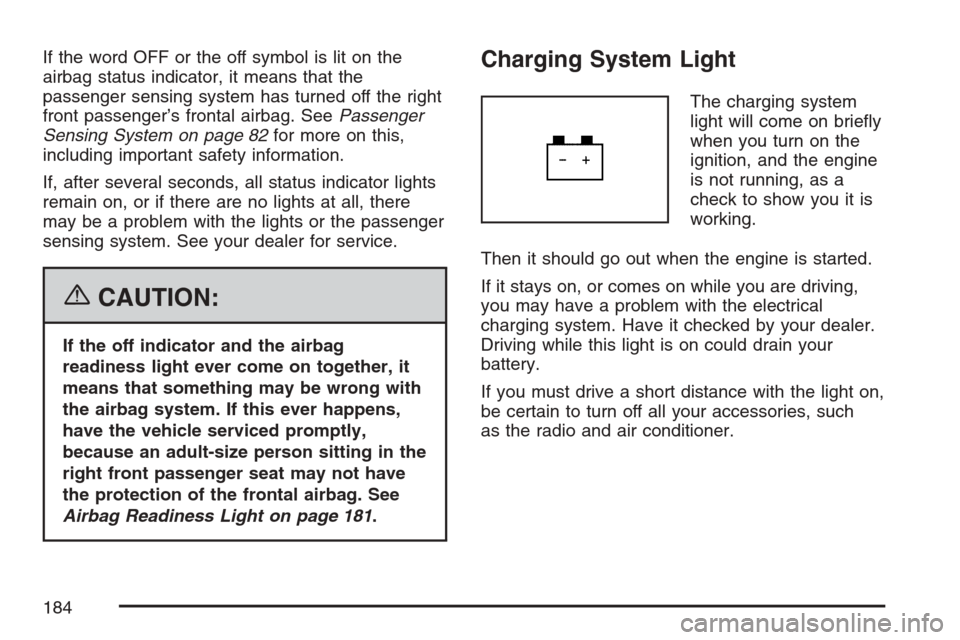
The charging system
light will come on briey
when you turn on the
ignition, and the engine
is not running, as a
check to show you it is
working.
Then it should go out when the engine is started.
If it stays on, or comes on while you are driving,
you may have a problem with the electrical
charging system. Have it checked by your dealer.
Driving while this light is on could drain your
battery.
If you must drive a short distance with the light on,
be certain to turn off all your accessories, such
as the radio and air conditioner.
184
Page 191 of 446
Have you recently changed brands of fuel?
If so, be sure to fuel your vehicle with quality fuel.
SeeGasoline Octane on page 291. Poor fuel
quality will cause your engine not to run as
efficiently as designed. You may notice this as
stalling after start-up, stalling when you put
the vehicle into gear, misring, hesitation on
acceleration, or stumbling on acceleration. (These
conditions may go away once the engine is
warmed up.) This will be detected by the system
and cause the light to turn on.
If you experience one or more of these conditions,
change the fuel brand you use. It will require at
least one full tank of the proper fuel to turn the
light off.
If none of the above steps have made the light
turn off, your dealer can check the vehicle.
Your dealer has the proper test equipment and
diagnostic tools to x any mechanical or electrical
problems that may have developed.Emissions Inspection and Maintenance
Programs
Some state/provincial and local governments have
or may begin programs to inspect the emission
control equipment on your vehicle. Failure to pass
this inspection could prevent you from getting a
vehicle registration.
Here are some things you need to know to help
your vehicle pass an inspection:
Your vehicle will not pass this inspection if the
check engine light is on or not working properly.
Your vehicle will not pass this inspection if
the OBD (on-board diagnostic) system determines
that critical emission control systems have not
been completely diagnosed by the system.
The vehicle would be considered not ready for
inspection. This can happen if you have recently
replaced your battery or if your battery has
run down. The diagnostic system is designed to
evaluate critical emission control systems
during normal driving. This may take several days
of routine driving. If you have done this and
your vehicle still does not pass the inspection for
lack of OBD system readiness, your dealer
can prepare the vehicle for inspection.
191
Page 199 of 446
ENG (Engine) PWR (Power) REDUCED
This message displays to inform you that
the vehicle has reduced engine power to avoid
damaging the engine. Reduced engine power can
affect the vehicle’s ability to accelerate. If this
message is on, but there is no reduction in
performance, proceed to your destination. The
performance may be reduced the next time
the vehicle is driven. The vehicle may be driven at
a reduced speed while this message is on, but
acceleration and speed may be reduced. Anytime
this message stays on, the vehicle should be
taken to your dealer for service as soon as
possible.
GATE AJAR
This message displays when the liftgate is not
closed completely. Make sure that the liftgate is
closed completely. SeeLiftgate on page 106
for more information.
ICE POSSIBLE
This message displays when the outside air
temperature is cold enough to create icy road
conditions. Adjust your driving accordingly.
KEY FOB BATT (Battery) LOW
This message displays if the Remote Keyless
Entry (RKE) transmitter battery is low. Replace the
battery in the transmitter. See “Battery
Replacement” underRemote Keyless Entry (RKE)
System Operation on page 98.
LOW FUEL
This message displays when your vehicle is low
on fuel. Rell the fuel tank as soon as possible.
SeeFuel Gage on page 193,Fuel on page 291,
andFilling the Tank on page 294for more
information.
LOW TRACTION
If your vehicle has the Enhanced Traction
System (ETS), this message displays when the
system is actively limiting wheel spin. Slippery road
conditions may exist if this message displays,
so adjust your driving accordingly. SeeEnhanced
Traction System (ETS) on page 246for more
information.
199
Page 200 of 446
PARKING BRAKE
This message displays if the parking brake is left
engaged. SeeParking Brake on page 127for
more information.
POWER STEERING
This message displays if a problem has been
detected with the electric power steering. Have
your vehicle serviced by your dealer immediately.
SERVICE AIR BAG
This message displays when there is a problem
with the airbag system. Have your vehicle serviced
by your dealer immediately.
DIC Vehicle Personalization
Your vehicle has personalization capabilities that
allow you to program certain features to a
preferred setting. All of the features listed may not
be available on your vehicle. Only the features
available will be displayed on the DIC.
The default settings for the features were set
when your vehicle left the factory, but may have
been changed from their default state since
that time.To change feature settings, use the following
procedure:
Entering Personalization Menu
1. Turn the ignition on while the vehicle is
stopped.
To avoid excessive drain on the battery, it is
recommended that the headlamps are
turned off.
2. Press and hold the information and reset
buttons at the same time for one second, then
release to enter the personalization menu.
If the vehicle speed is greater than 2 mph
(3 km/h), only the UNITS menu will be
accessible.
3. Press the information button to scroll through
the available personalization menu modes.
Press the reset button to scroll through
the available settings for each mode.
If you do not make a selection within ten
seconds, the display will go back to the
previous information displayed.
200