Page 268 of 492
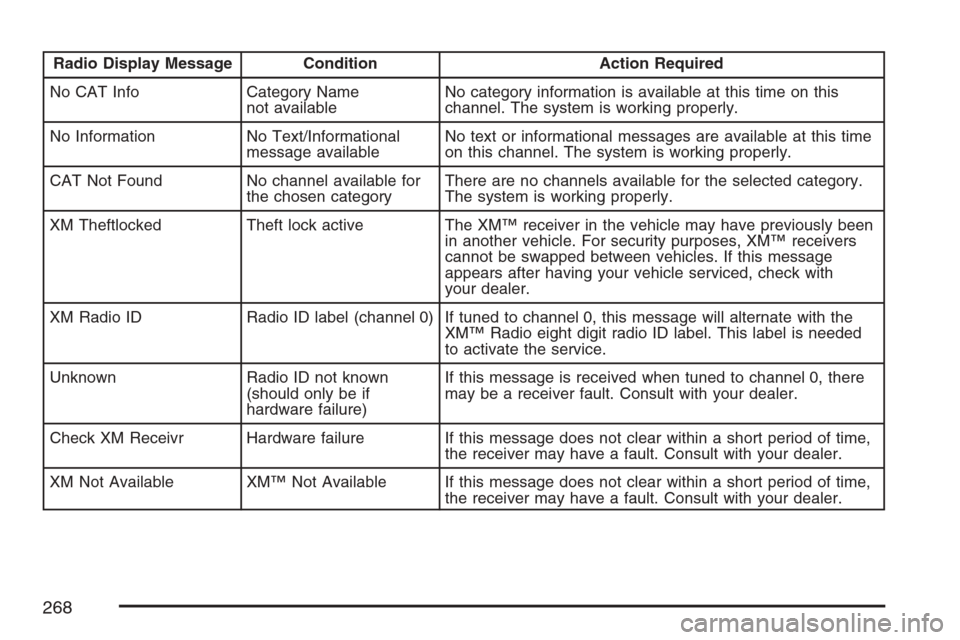
Radio Display Message Condition Action Required
No CAT Info Category Name
not availableNo category information is available at this time on this
channel. The system is working properly.
No Information No Text/Informational
message availableNo text or informational messages are available at this time
on this channel. The system is working properly.
CAT Not Found No channel available for
the chosen categoryThere are no channels available for the selected category.
The system is working properly.
XM Theftlocked Theft lock active The XM™ receiver in the vehicle may have previously been
in another vehicle. For security purposes, XM™ receivers
cannot be swapped between vehicles. If this message
appears after having your vehicle serviced, check with
your dealer.
XM Radio ID Radio ID label (channel 0) If tuned to channel 0, this message will alternate with the
XM™ Radio eight digit radio ID label. This label is needed
to activate the service.
Unknown Radio ID not known
(should only be if
hardware failure)If this message is received when tuned to channel 0, there
may be a receiver fault. Consult with your dealer.
Check XM Receivr Hardware failure If this message does not clear within a short period of time,
the receiver may have a fault. Consult with your dealer.
XM Not Available XM™ Not Available If this message does not clear within a short period of time,
the receiver may have a fault. Consult with your dealer.
268
Page 277 of 492
{(Subtitles):Press this button to turn ON/OFF
subtitles and to move through subtitle options
when a DVD is playing. The format and content of
this function will vary for each disc.
AUX (Auxiliary):Press this button to switch the
system between the DVD player and an auxiliary
source.
d(Camera):Press this button to change camera
angles on DVDs that have this feature when a
DVD is playing. The format and content of
this function will vary for each disc.
1 through 0 (Numeric Keypad):The numeric
keypad provides the capability of direct chapter or
track number selection.
\(Clear):Press this button within three seconds
after inputting a numeric selection, to clear all
numeric inputs.
}10 (Double Digit Entries):Press this button to
select chapter or track numbers greater than 9.
Press this button before inputting the number.
Battery Replacement
To change the remote control batteries, do the
following:
1. Remove the battery compartment door
located on the bottom of the remote control.
2. Replace the two AA batteries in the
compartment. Make sure that they are
installed correctly, using the diagram on
the inside of the battery compartment.
3. Close the battery door securely.
If the remote control is to be stored for a long
period of time, remove the batteries and keep
them in a cool, dry place.
277
Page 310 of 492
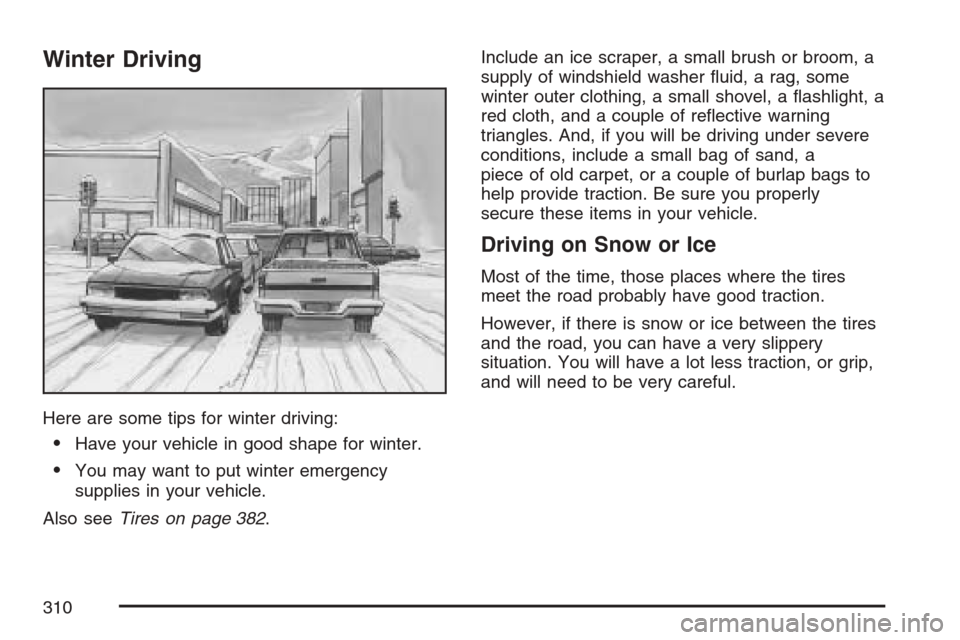
Winter Driving
Here are some tips for winter driving:
Have your vehicle in good shape for winter.
You may want to put winter emergency
supplies in your vehicle.
Also seeTires on page 382.Include an ice scraper, a small brush or broom, a
supply of windshield washer uid, a rag, some
winter outer clothing, a small shovel, a ashlight, a
red cloth, and a couple of reective warning
triangles. And, if you will be driving under severe
conditions, include a small bag of sand, a
piece of old carpet, or a couple of burlap bags to
help provide traction. Be sure you properly
secure these items in your vehicle.
Driving on Snow or Ice
Most of the time, those places where the tires
meet the road probably have good traction.
However, if there is snow or ice between the tires
and the road, you can have a very slippery
situation. You will have a lot less traction, or grip,
and will need to be very careful.
310
Page 320 of 492
If you put things inside your vehicle — like
suitcases, tools, packages, or anything
else — they will go as fast as the vehicle goes.
If you have to stop or turn quickly, or if there
is a crash, they will keep going.
{CAUTION:
Things you put inside your vehicle can
strike and injure people in a sudden stop
or turn, or in a crash.
Put things in the cargo area of your
vehicle. Try to spread the weight
evenly.
Never stack heavier things, like
suitcases, inside the vehicle so that
some of them are above the tops of
the seats.
Do not leave an unsecured child
restraint in your vehicle.
When you carry something inside the
vehicle, secure it whenever you can.
Do not leave a seat folded down
unless you need to.
Towing
Towing Your Vehicle
Consult your dealer or a professional towing
service if you need to have your disabled vehicle
towed. SeeRoadside Assistance Program on
page 462.
If you want to tow your vehicle behind another
vehicle for recreational purposes (such as behind
a motorhome), see “Recreational Vehicle
Towing” following.
Recreational Vehicle Towing
Recreational vehicle towing means towing your
vehicle behind another vehicle — such as behind
a motorhome. The two most common types of
recreational vehicle towing are known as “dinghy
towing” (towing your vehicle with all four wheels
on the ground) and “dolly towing” (towing
your vehicle with two wheels on the ground and
two wheels up on a device known as a “dolly”).
320
Page 324 of 492
Weight of the Trailer
How heavy can a trailer safely be?
Your vehicle can tow up to 3,500 lbs (1 575 kg).
But even that can be too heavy.
It depends on how you plan to use your rig. For
example, speed, altitude, road grades, outside
temperature and how much your vehicle is used to
pull a trailer are all important. It can also depend
on any special equipment that you have on
your vehicle, and the amount of tongue weight the
vehicle can carry. See “Weight of the Trailer
Tongue” later in this section for more information.
Maximum trailer weight is calculated assuming
only the driver is in the tow vehicle and it has
all the required trailering equipment. The weight of
additional optional equipment, passengers and
cargo in the tow vehicle must be subtracted from
the maximum trailer weight.
You can ask your dealer for our trailering
information or advice, or you can write us at our
Customer Assistance Offices. SeeCustomer
Assistance Offices on page 460for more
information.
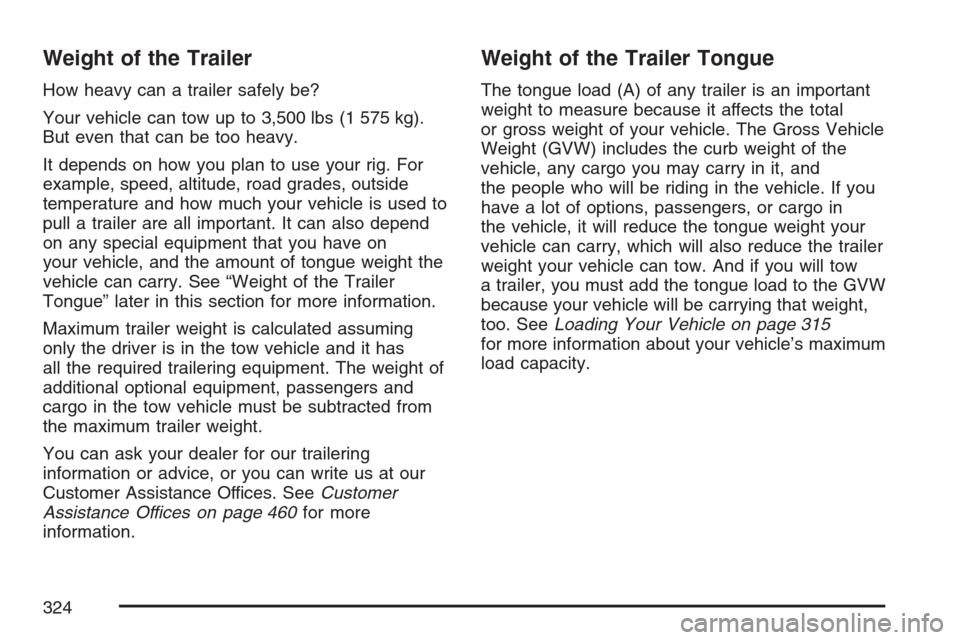
Weight of the Trailer Tongue
The tongue load (A) of any trailer is an important
weight to measure because it affects the total
or gross weight of your vehicle. The Gross Vehicle
Weight (GVW) includes the curb weight of the
vehicle, any cargo you may carry in it, and
the people who will be riding in the vehicle. If you
have a lot of options, passengers, or cargo in
the vehicle, it will reduce the tongue weight your
vehicle can carry, which will also reduce the trailer
weight your vehicle can tow. And if you will tow
a trailer, you must add the tongue load to the GVW
because your vehicle will be carrying that weight,
too. SeeLoading Your Vehicle on page 315
for more information about your vehicle’s maximum
load capacity.
324
Page 327 of 492
Driving with a Trailer
{CAUTION:
If you have the liftgate open and you pull
a trailer with your vehicle, carbon
monoxide (CO) could come into your
vehicle. You cannot see or smell CO. It can
cause unconsciousness or death. See
Engine Exhaust on page 127. To maximize
your safety when towing a trailer:
Have your exhaust system inspected
for leaks, and make necessary repairs
before starting on your trip.
Keep the liftgate closed.
If exhaust does come into your vehicle
through a window in the rear or another
opening, drive with your front, main
heating or cooling system on and with
the fan on any speed. This will bring
fresh, outside air into your vehicle.
CAUTION: (Continued)
CAUTION: (Continued)
Do not use the climate control setting for
maximum air because it only recirculates
the air inside your vehicle. SeeClimate
Control System on page 165.
Towing a trailer requires a certain amount of
experience. Before setting out for the open road,
you will want to get to know your rig. Acquaint
yourself with the feel of handling and braking with
the added weight of the trailer. And always keep in
mind that the vehicle you are driving is now a good
deal longer and not nearly as responsive as your
vehicle is by itself.
Before you start, check all trailer hitch parts and
attachments, safety chains, electrical connector,
lamps, tires and mirror adjustment. If the trailer has
electric brakes, start your vehicle and trailer moving
and then apply the trailer brake controller by hand
to be sure the brakes are working. This lets you
check your electrical connection at the same time.
During your trip, check occasionally to be sure that
the load is secure, and that the lamps and any
trailer brakes are still working.
327
Page 378 of 492
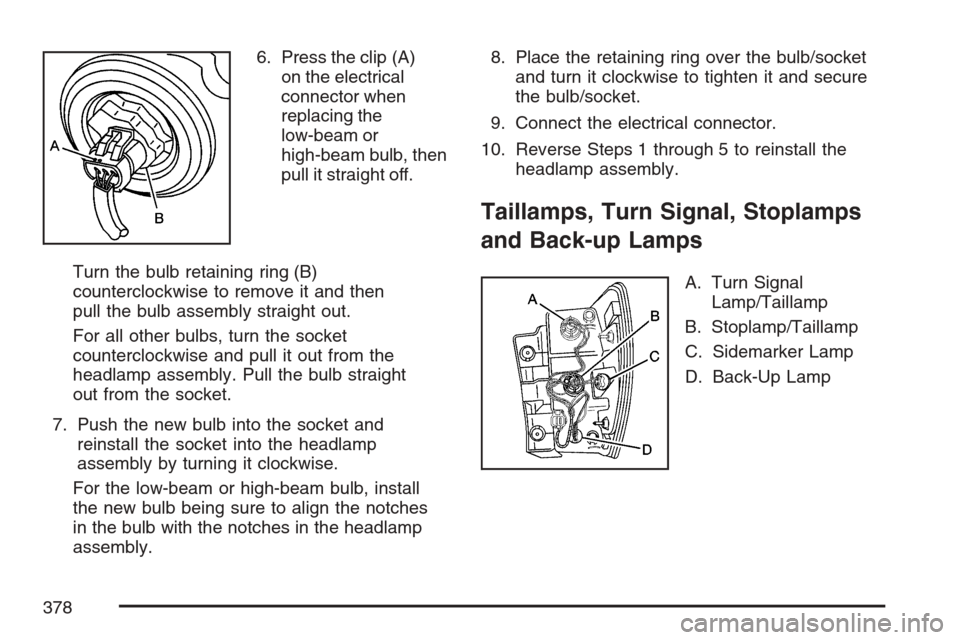
6. Press the clip (A)
on the electrical
connector when
replacing the
low-beam or
high-beam bulb, then
pull it straight off.
Turn the bulb retaining ring (B)
counterclockwise to remove it and then
pull the bulb assembly straight out.
For all other bulbs, turn the socket
counterclockwise and pull it out from the
headlamp assembly. Pull the bulb straight
out from the socket.
7. Push the new bulb into the socket and
reinstall the socket into the headlamp
assembly by turning it clockwise.
For the low-beam or high-beam bulb, install
the new bulb being sure to align the notches
in the bulb with the notches in the headlamp
assembly.8. Place the retaining ring over the bulb/socket
and turn it clockwise to tighten it and secure
the bulb/socket.
9. Connect the electrical connector.
10. Reverse Steps 1 through 5 to reinstall the
headlamp assembly.
Taillamps, Turn Signal, Stoplamps
and Back-up Lamps
A. Turn Signal
Lamp/Taillamp
B. Stoplamp/Taillamp
C. Sidemarker Lamp
D. Back-Up Lamp
378
Page 379 of 492
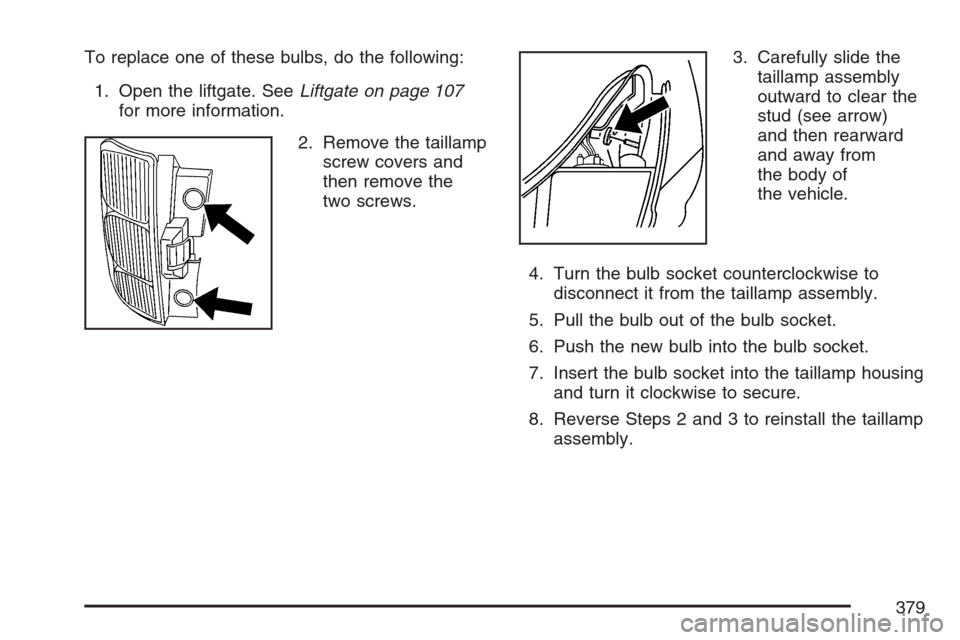
To replace one of these bulbs, do the following:
1. Open the liftgate. SeeLiftgate on page 107
for more information.
2. Remove the taillamp
screw covers and
then remove the
two screws.3. Carefully slide the
taillamp assembly
outward to clear the
stud (see arrow)
and then rearward
and away from
the body of
the vehicle.
4. Turn the bulb socket counterclockwise to
disconnect it from the taillamp assembly.
5. Pull the bulb out of the bulb socket.
6. Push the new bulb into the bulb socket.
7. Insert the bulb socket into the taillamp housing
and turn it clockwise to secure.
8. Reverse Steps 2 and 3 to reinstall the taillamp
assembly.
379