2007 CHEVROLET CORVETTE wheel
[x] Cancel search: wheelPage 165 of 488
If your vehicle is in cruise control, and has the
Traction Control System (TCS), and it begins to
limit wheel spin, the cruise control automatically
disengages. SeeTraction Control System
(TCS) on page 281. When road conditions allow
you to safely use it again, you can turn cruise
control back on.
Setting Cruise Control
{CAUTION:
If you leave your cruise control on when
you are not using cruise, you might hit a
button and go into cruise when you do not
want to. You could be startled and even
lose control. Keep the cruise control switch
off until you want to use cruise control.
1. Move the cruise control switch to on.
2. Get up to the speed desired.
3. Press in the set button at the end of the lever
and release it.
4. Take your foot off the accelerator pedal.When the cruise control is engaged, the
CRUISE SET TO XX MPH message displays
on the Driver Information Center (DIC).
SeeOther Messages on page 232.
Resuming a Set Speed
Suppose you set your cruise control at a desired
speed and then you apply the brake. This, of
course, disengages the cruise control. But you
do not need to reset it.
Once you are going about 25 mph (40 km/h) or
more, you can move the cruise control switch
briey from on to resume/accelerate.
You will go right back up to your chosen speed
and stay there.
If you hold the switch at resume/accelerate the
vehicle keeps going faster until you release
the switch or apply the brake. Do not hold the
switch at resume/accelerate, unless you want
the vehicle to go faster.
165
Page 168 of 488
Exterior Lamps
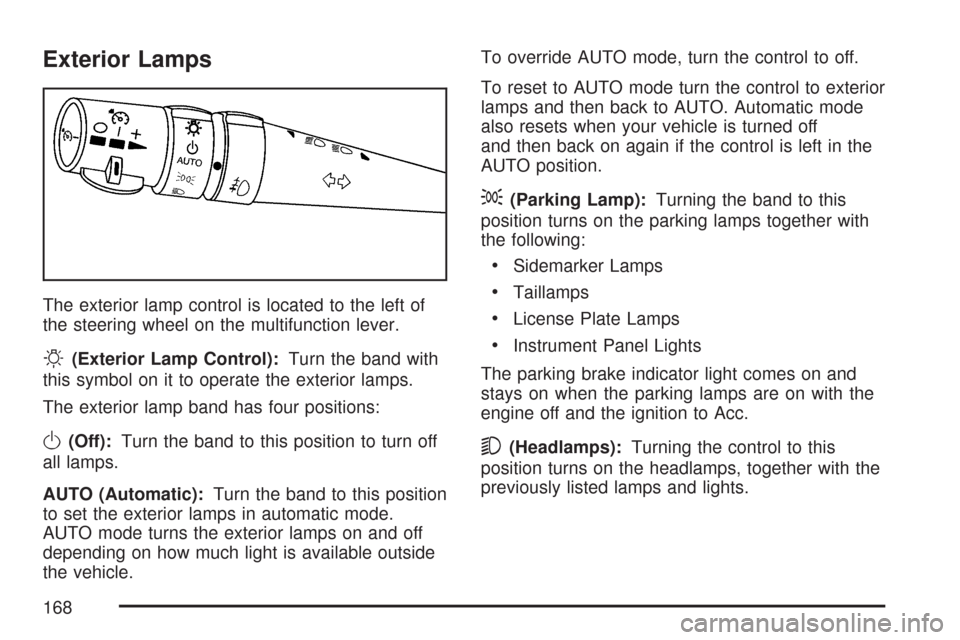
The exterior lamp control is located to the left of
the steering wheel on the multifunction lever.
O(Exterior Lamp Control):Turn the band with
this symbol on it to operate the exterior lamps.
The exterior lamp band has four positions:
O(Off):Turn the band to this position to turn off
all lamps.
AUTO (Automatic):Turn the band to this position
to set the exterior lamps in automatic mode.
AUTO mode turns the exterior lamps on and off
depending on how much light is available outside
the vehicle.To override AUTO mode, turn the control to off.
To reset to AUTO mode turn the control to exterior
lamps and then back to AUTO. Automatic mode
also resets when your vehicle is turned off
and then back on again if the control is left in the
AUTO position.
;(Parking Lamp):Turning the band to this
position turns on the parking lamps together with
the following:
Sidemarker Lamps
Taillamps
License Plate Lamps
Instrument Panel Lights
The parking brake indicator light comes on and
stays on when the parking lamps are on with the
engine off and the ignition to Acc.
5(Headlamps):Turning the control to this
position turns on the headlamps, together with the
previously listed lamps and lights.
168
Page 176 of 488

Be sure to continue scanning the displays,
controls and driving environment just as you would
in a vehicle without HUD. If you never look at
your instrument panel cluster, you may miss
something important, such as a warning light.
Under important warning conditions, the CHECK
GAGES warning will illuminate in the HUD.
View your Driver Information Center (DIC) for
more information.The HUD controls are
located to the left of the
steering wheel.
To adjust the HUD so you can see it properly,
do the following:
1. Start the engine and press the HUD
dimmer control all the way up by pressing
the (+) button.
The brightness of the HUD image is
determined by the light conditions in the
direction the vehicle is facing and where you
have the HUD dimmer control set. If you are
facing a dark object or a heavily shaded area,
your HUD may anticipate that you are entering
a dark area and may begin to dim.
176
Page 197 of 488
Anti-Lock Brake System
Warning Light
With the Anti-Lock
Brake System (ABS),
this light will come on
when the engine is
started and may stay on
for several seconds.
If the light stays on, turn the ignition off. If the light
comes on when you are driving, stop as soon as
possible and turn the ignition off. Then start the
engine again to reset the system. If the light still
stays on, or comes on again while you are driving,
your vehicle needs service. If the regular brake
system warning light is not on, you still have brakes,
but you do not have anti-lock brakes. If the regular
brake system warning light is also on, you do not
have anti-lock brakes and there is a problem with
your regular brakes. See “SERVICE ANTILOCK
BRAKES” underDIC Warnings and Messages on
page 214.
The ABS warning light will come on briey when
you turn the ignition on. This is normal. If the light
does not come on then, have it xed so it will be
ready to warn you if there is a problem.
Traction Control System (TCS)
Warning Light
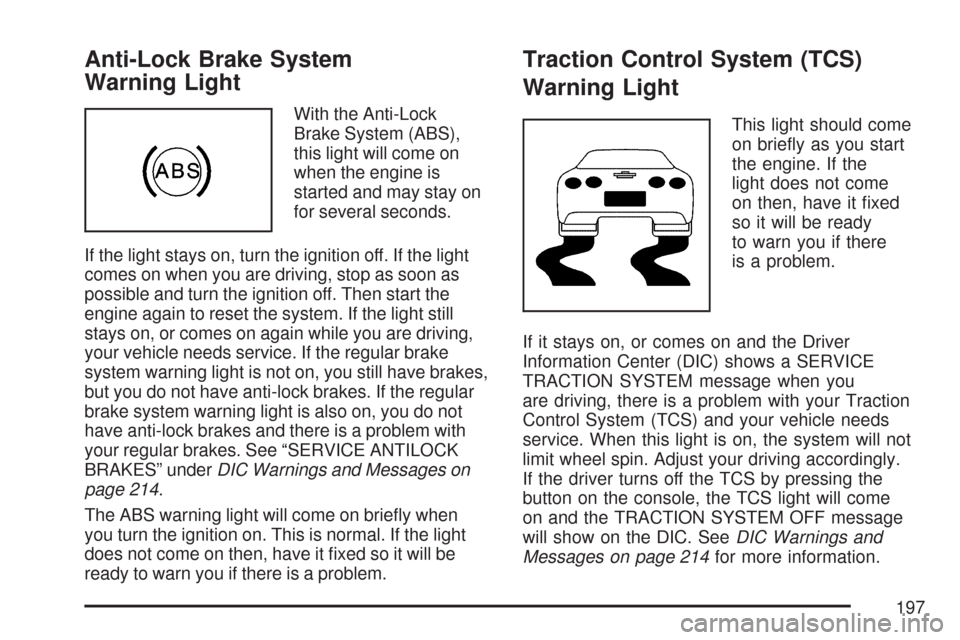
This light should come
on briey as you start
the engine. If the
light does not come
on then, have it xed
so it will be ready
to warn you if there
is a problem.
If it stays on, or comes on and the Driver
Information Center (DIC) shows a SERVICE
TRACTION SYSTEM message when you
are driving, there is a problem with your Traction
Control System (TCS) and your vehicle needs
service. When this light is on, the system will not
limit wheel spin. Adjust your driving accordingly.
If the driver turns off the TCS by pressing the
button on the console, the TCS light will come
on and the TRACTION SYSTEM OFF message
will show on the DIC. SeeDIC Warnings and
Messages on page 214for more information.
197
Page 219 of 488
ENGINE DRAG CONTROL ACTIVE
This message displays when engine drag control
is active. When driving in a lower gear in rainy,
snowy, or icy conditions and then letting up on the
accelerator or downshifting, the rear wheels
may begin to slip and this message displays. This
message stays on for a few seconds following
the engine drag control event.
ENGINE OVERHEATED – STOP
ENGINE
This message displays and a continuous chime
sounds when the engine has overheated. Stop and
turn the engine off immediately to avoid severe
engine damage. SeeEngine Overheating on
page 350.
ENGINE PROTECTION REDUCE
ENGINE RPM
This message displays if the engine oil
temperature exceeds 320°F (160°C). Check the
engine coolant temperature and engine oil level. If
the engine is too hot, seeEngine Overheating
on page 350. Your vehicle may need service, so
see your dealer.You can monitor the oil temperature with the
gages button on the DIC. SeeDIC Controls and
Displays on page 208.
Multiple chimes sound when this message is
displayed. This message remains displayed and
active until the issue is resolved.
HEADLAMPS SUGGESTED
This message displays if it is dark enough outside
and the headlamps and the Twilight Sentinel®
controls are off. This message informs the driver
that turning on the exterior lamps is recommended.
It has become dark enough outside to require
the headlamps and/or other exterior lamps.
HIGH TIRE PRESSURE
This message displays when one or more of the
tires is over-inated. This message also displays
LEFT FRONT, RIGHT FRONT, LEFT REAR, or
RIGHT REAR to indicate which tire is affected. You
can receive more than one tire pressure message
at a time. To read other messages that may have
been sent at the same time, press the RESET
button. If a tire pressure message appears on the
DIC, stop as soon as you can.
219
Page 226 of 488
SERVICE ELECTRICAL SYSTEM
This message displays if an electrical problem has
occurred within the Powertrain Control Module
(PCM). Have your vehicle serviced by your dealer.
SERVICE FUEL SYSTEM
This message displays if the Powertrain Control
Module (PCM) has detected a problem within
the fuel system. Have your vehicle serviced
by your dealer. This message also displays when
the cluster is not getting fuel information from
the PCM.
SERVICE RIDE CONTROL
This message displays when the Selective Ride
Control system has detected a malfunction and
the system must be serviced. See your dealer.
If a fault is present in the Selective Ride Control
system which causes the shocks to be in their
full soft condition, the messages SERVICE RIDE
CONTROL, SHOCKS INOPERATIVE, and
MAXIMUM SPEED 80 MPH (129 km/h) will display
together. SeeSelective Ride Control on page 286
for more information.
SERVICE TIRE MONITOR
This message displays if a part on the Tire
Pressure Monitor (TPM) system is not working
properly. If you drive your vehicle while any of
the four sensors are missing or inoperable,
the warning comes on in about 30 minutes.
A sensor would be missing, for example, if you
put different wheels on your vehicle without
transferring the sensors. If the warning comes on
and stays on, there may be a problem with the
TPM. See your dealer.
SERVICE TRACTION SYSTEM
If this message displays when you are driving,
there is a problem with the Traction Control
System (TCS) and your vehicle is in need of
service. See your dealer. When this message is
displayed, the system will not limit wheel spin.
Adjust your driving accordingly.
The traction control system (TCS) warning light
on the instrument panel cluster will also turn
on and a chime will sound.
226
Page 227 of 488
When this message is displayed, the computer
controlled systems will not assist the driver
in controlling the vehicle. Have the system repaired
by your dealer as soon as possible. Adjust your
driving accordingly. SeeTraction Control System
(TCS) on page 281for more information.
To acknowledge the message, press the RESET
button.
SERVICE TRANSMISSION
This message displays when there is a problem
with the transmission. See your dealer for service.
SERVICE VEHICLE SOON
This message displays and a chime sounds when
there may be an electrical or another system
problem with your vehicle. Have your vehicle
checked by your dealer if this message keeps
appearing.
SET PARK BRAKE FOR SEAT RECALL
If your vehicle has a manual transmission,
this message displays if you try to recall the
memory positions when the ignition is on and
the parking brake is not set. If the vehicle is on,
you must set the parking brake in order for
the memory positions to recall. SeeMemory
Seat, Mirrors and Steering Wheel on page 10for
more information.
SET PARK BRAKE TO MOVE TOP
If your vehicle has a manual transmission, this
message displays and a chime sounds if you try to
operate the power convertible top without rst
setting the parking brake. Set the parking brake
before trying to operate the power convertible top.
SeeConvertible Top (Manual) on page 139or
Convertible Top (Power) on page 146for
more information.
227
Page 230 of 488
TOO COLD TO MOVE TOP
This message displays and a chime sounds when
the power convertible top button is pressed and
the power convertible top pump motor temperature
is below -4°F (-20°C). Wait for the power
convertible top pump motor to warm up before
using the power convertible top.
TOP MOTOR OVER TEMPERATURE
This message displays and a chime sounds when
the power convertible top button is pressed and
the power convertible top pump motor temperature
is over 221°F (105°C). Wait for the power
convertible top pump motor to cool down before
using the power convertible top.
TOP NOT SECURE
This message displays and a chime sounds when
the power convertible top button is released
before the top open or close operation is complete
or if the top is closed without the header latch
engaged. Press and hold the convertible top button
to fully open or close the top, and make sure
that the header latch is engaged after the top is
closed.
TRACTION SYSTEM ACTIVE
This message displays when the Traction Control
System (TCS) is limiting wheel spin. Slippery
road conditions may exist if this message
is displayed, so adjust your driving accordingly.
The message stays on for a few seconds after the
TCS stops limiting wheel spin. SeeTraction
Control System (TCS) on page 281for more
information.
TRACTION SYSTEM AND ACTIVE
HANDLING – OFF
This message displays, the instrument panel
cluster light turns on, and a chime sounds when
the Traction Control System (TCS) and Active
Handling System are turned off by pressing
the Active Handling System button on the console
for ve seconds. The Anti-lock Brake System
(ABS) remains on with the TCS and Active
Handling System off. Adjust your driving
accordingly. SeeTraction Control System (TCS)
on page 281andActive Handling System on
page 283for more information.
To acknowledge this message, press the RESET
button.
230