2007 CHEVROLET AVEO phone
[x] Cancel search: phonePage 83 of 436

Adding Equipment to Your
Airbag-Equipped Vehicle
Q:Is there anything I might add to the
exterior of the vehicle that could keep the
airbags from working properly?
A:Yes. If you add things that change your
vehicle’s frame, bumper system, height,
front end or side sheet metal, they may keep
the airbag system from working properly.
Also, the airbag system may not work properly
if you relocate any of the airbag sensors. If
you have any questions about this, you should
contact Customer Assistance before you
modify your vehicle. The phone numbers and
addresses for Customer Assistance are in
Step Two of the Customer Satisfaction
Procedure in this manual. SeeCustomer
Satisfaction Procedure on page 402.
Q:Because I have a disability, I have to get
my vehicle modied. How can I nd out
whether this will affect my airbag system?
A:Changing or moving any parts of the
front seats, safety belts, the airbag sensing
and diagnostic module, steering wheel,
instrument panel, or airbag wiring can affect
the operation of the airbag system. If you have
questions, call Customer Assistance. The
phone numbers and addresses for Customer
Assistance are in Step Two of the Customer
Satisfaction Procedure in this manual.
SeeCustomer Satisfaction Procedure on
page 402.
Your dealer/retailer and the service manual have
information about the location of the airbag
sensors, sensing and diagnostic module and
airbag wiring.
83
Page 147 of 436
Dome Lamp
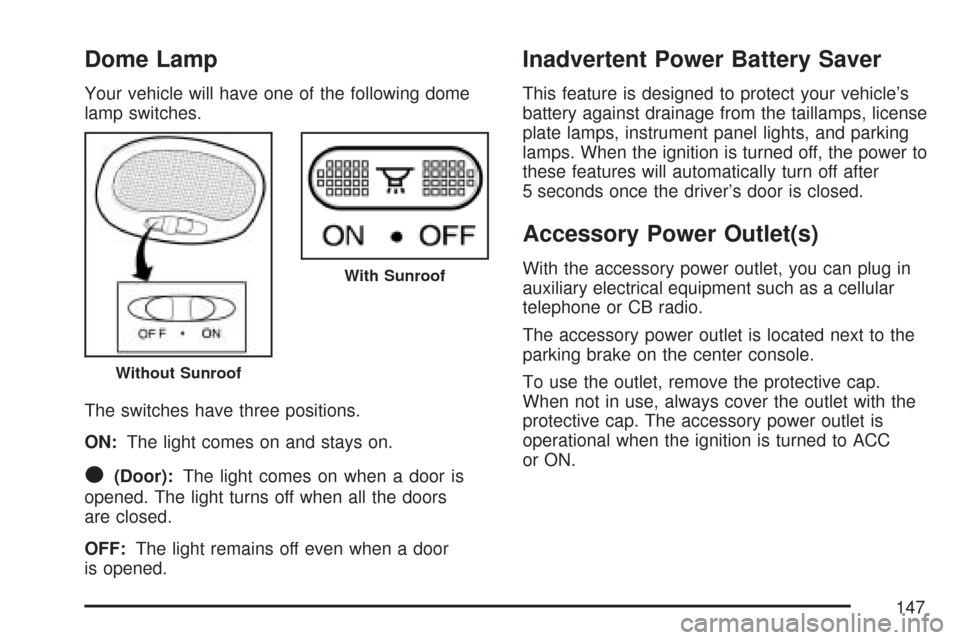
Your vehicle will have one of the following dome
lamp switches.
The switches have three positions.
ON:The light comes on and stays on.
O(Door):The light comes on when a door is
opened. The light turns off when all the doors
are closed.
OFF:The light remains off even when a door
is opened.
Inadvertent Power Battery Saver
This feature is designed to protect your vehicle’s
battery against drainage from the taillamps, license
plate lamps, instrument panel lights, and parking
lamps. When the ignition is turned off, the power to
these features will automatically turn off after
5 seconds once the driver’s door is closed.
Accessory Power Outlet(s)
With the accessory power outlet, you can plug in
auxiliary electrical equipment such as a cellular
telephone or CB radio.
The accessory power outlet is located next to the
parking brake on the center console.
To use the outlet, remove the protective cap.
When not in use, always cover the outlet with the
protective cap. The accessory power outlet is
operational when the ignition is turned to ACC
or ON.
Without Sunroof
With Sunroof
147
Page 187 of 436
While your vehicle is parked:
•Familiarize yourself with all of its controls.
•Familiarize yourself with its operation.
•Set up your audio system by presetting your
favorite radio stations, setting the tone, and
adjusting the speakers. Then, when driving
conditions permit, you can tune to your favorite
radio stations using the presets and steering
wheel controls if the vehicle has them.
Notice:Before adding any sound equipment
to your vehicle, such as an audio system,
CD player, CB radio, mobile telephone,
or two-way radio, make sure that it can be
added by checking with your dealer/retailer.
Also, check federal rules covering mobile radio
and telephone units. If sound equipment can
be added, it is very important to do it properly.
Added sound equipment can interfere with
the operation of your vehicle’s engine, radio,
or other systems, and even damage them. Your
vehicle’s systems can interfere with the
operation of sound equipment that has
been added.
AM-FM Radio (Single Display,
Base Level)
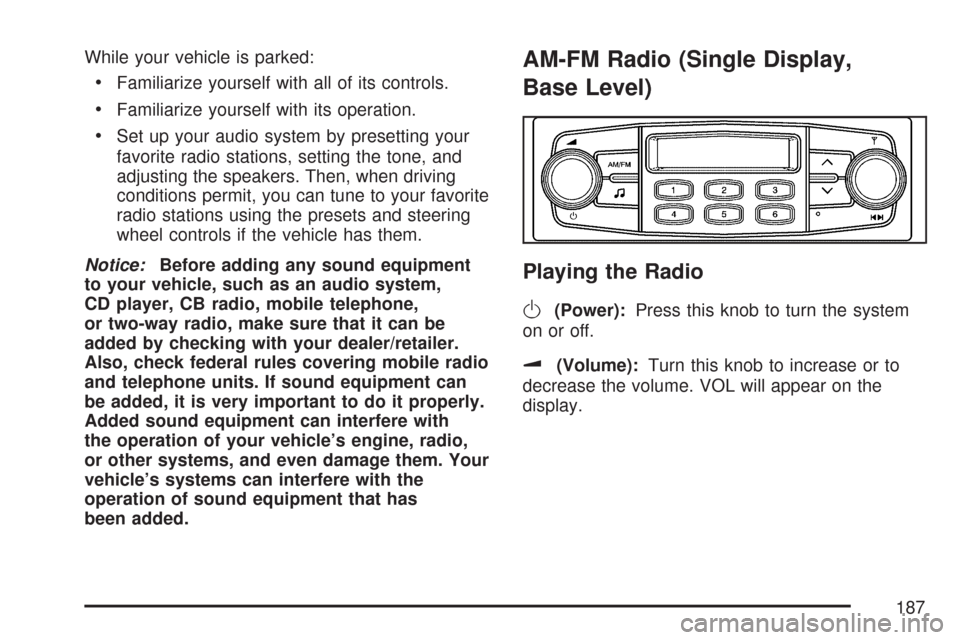
Playing the Radio
O
(Power):Press this knob to turn the system
on or off.
u(Volume):Turn this knob to increase or to
decrease the volume. VOL will appear on the
display.
187
Page 192 of 436
To adjust the fade between the front and the rear
speakers, press this button until FAD appears
on the display. Turn the power/volume knob
to increase or to decrease the fade between the
front and the rear speakers. The display will
show the fade level. When finished making the
selection, press this button to select the fade level.
Setting the EQ (Equalization)
SOUND (Equalization):Press this button until
EQ OFF appears on the display to select
customized equalization settings designed for
classic, dance, rock, jazz, pop, voice, and techno.
Turn the power/volume knob until the desired
equalization setting appears on the display. When
finished making the selection, press the SOUND
button to select the equalization setting.
To cancel an equalization setting, press the
SOUND button until EQ OFF appears on the
display, turn the power/volume knob until OFF
appears on the display, then press the SOUND
button again to select the equalization setting.
Order of Sound Function
The order for displayed sound function is EQ OFF,
CLASSIC, DANCE, ROCK, JAZZ, POP, VOICE,
TECHNO, and EQ OFF.
Using the Auxiliary Input Jack
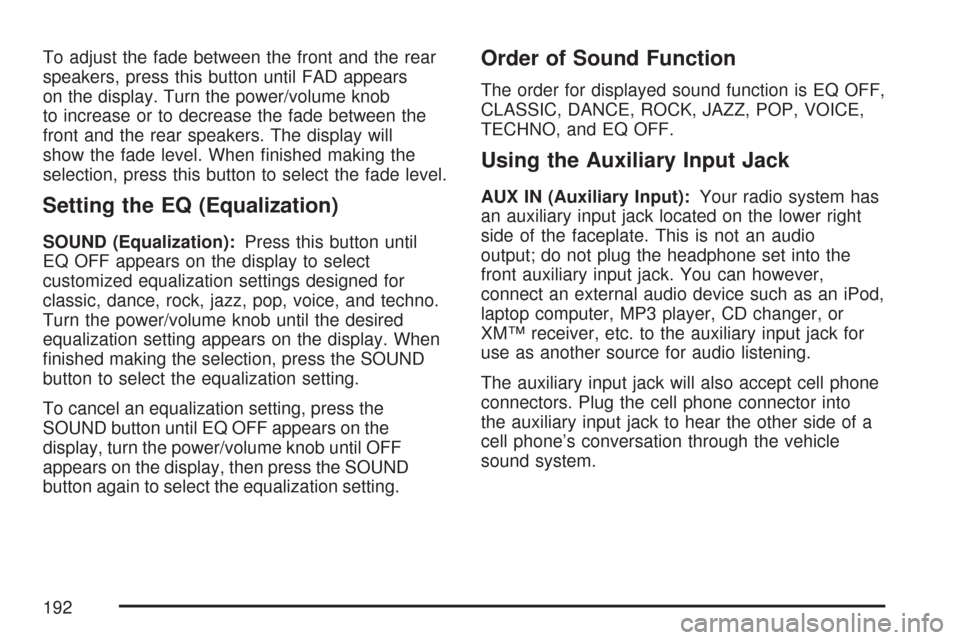
AUX IN (Auxiliary Input):Your radio system has
an auxiliary input jack located on the lower right
side of the faceplate. This is not an audio
output; do not plug the headphone set into the
front auxiliary input jack. You can however,
connect an external audio device such as an iPod,
laptop computer, MP3 player, CD changer, or
XM™ receiver, etc. to the auxiliary input jack for
use as another source for audio listening.
The auxiliary input jack will also accept cell phone
connectors. Plug the cell phone connector into
the auxiliary input jack to hear the other side of a
cell phone’s conversation through the vehicle
sound system.
192
Page 199 of 436
Using the Auxiliary Input Jack
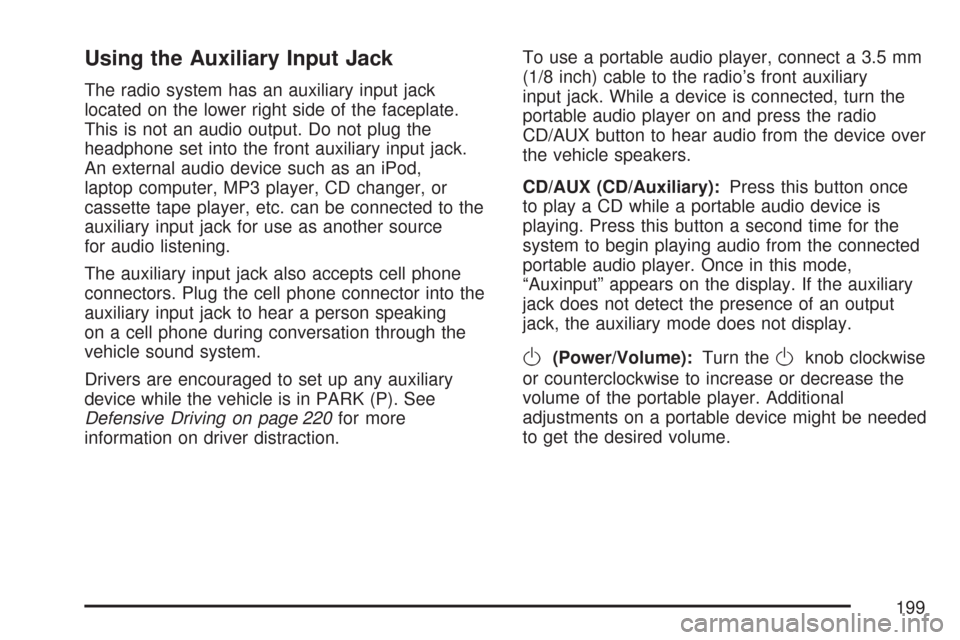
The radio system has an auxiliary input jack
located on the lower right side of the faceplate.
This is not an audio output. Do not plug the
headphone set into the front auxiliary input jack.
An external audio device such as an iPod,
laptop computer, MP3 player, CD changer, or
cassette tape player, etc. can be connected to the
auxiliary input jack for use as another source
for audio listening.
The auxiliary input jack also accepts cell phone
connectors. Plug the cell phone connector into the
auxiliary input jack to hear a person speaking
on a cell phone during conversation through the
vehicle sound system.
Drivers are encouraged to set up any auxiliary
device while the vehicle is in PARK (P). See
Defensive Driving on page 220for more
information on driver distraction.To use a portable audio player, connect a 3.5 mm
(1/8 inch) cable to the radio’s front auxiliary
input jack. While a device is connected, turn the
portable audio player on and press the radio
CD/AUX button to hear audio from the device over
the vehicle speakers.
CD/AUX (CD/Auxiliary):Press this button once
to play a CD while a portable audio device is
playing. Press this button a second time for the
system to begin playing audio from the connected
portable audio player. Once in this mode,
“Auxinput” appears on the display. If the auxiliary
jack does not detect the presence of an output
jack, the auxiliary mode does not display.
O(Power/Volume):Turn theOknob clockwise
or counterclockwise to increase or decrease the
volume of the portable player. Additional
adjustments on a portable device might be needed
to get the desired volume.
199
Page 206 of 436
If the CD is not playing correctly, for any other
reason, try a known good CD.
If any error occurs repeatedly or if an error cannot
be corrected, contact your dealer/retailer. If the
radio displays an error message, write it down and
provide it to your dealer/retailer when reporting
the problem.
Using the Auxiliary Input Jack
AUX IN (Auxiliary Input):The radio system has
an auxiliary input jack located on the lower
right side of the faceplate. This is not an audio
output. Do not plug the headphone set into
the front auxiliary input jack. An external audio
device such as an iPod, laptop computer,
MP3 player, CD changer, or XM™ receiver, etc.
can be connected to the auxiliary input jack for use
as another source for audio listening.
The auxiliary input jack also accepts cell phone
connectors. Plug the cell phone connector into the
auxiliary input jack to hear a person speck on a
cell phone during a conversation through the
vehicle sound system.Drivers are encouraged to set up any auxiliary
device while the vehicle is in PARK (P). See
Defensive Driving on page 220for more
information on driver distraction.
To use a portable audio player, connect a 3.5 mm
(1/8 inch) cable to the radio’s front auxiliary
input jack. While a device is connected, turn the
portable audio player on and press the radio
CD/AUX button to hear audio from the device over
the vehicle speakers.
O(Power/Volume):Turn theOknob clockwise
or counterclockwise to increase or decrease the
volume of the portable player. Additional
adjustments on a portable device might be needed
to get the desired volume.
CD/AUX (CD/Auxiliary):Press this button once
to play a CD while a portable audio device is
playing. Press this button a second time for the
system to begin playing audio from the connected
portable audio player. Once in this mode,
“Auxinput” displays. If the auxiliary jack does not
detect the presence of an output jack, the auxiliary
mode does not display.
206
Page 216 of 436
Radio Reception
Frequency interference and static during normal
radio reception can occur if items such as cell
phone chargers, vehicle convenience accessories,
and external electronic devices are plugged into
the accessory power outlet. If there is interference
or static, unplug the item from the accessory
power outlet.
AM
The range for most AM stations is greater than for
FM, especially at night. The longer range can
cause station frequencies to interfere with each
other. For better radio reception, most AM
radio stations boost the power levels during the
day, and then reduce these levels during the night.
Static can also occur when things like storms
and power lines interfere with radio reception.
When this happens, try reducing the treble on
your radio.
FM Stereo
FM stereo gives the best sound, but FM signals
reach only about 10 to 40 miles (16 to 65 km). Tall
buildings or hills can interfere with FM signals,
causing the sound to fade in and out.
Care of Your CDs
Handle CDs carefully. Store them in their original
cases or other protective cases and away from
direct sunlight and dust. The CD player scans the
bottom surface of the disc. If the surface of a
CD is damaged, such as cracked, broken,
or scratched, the CD does not play properly or not
at all. If the surface of a CD is soiled, take a
soft, lint free cloth or dampen a clean, soft cloth in
a mild, neutral detergent solution mixed with
water, and clean it. Make sure the wiping process
starts from the center to the edge.
Do not touch the bottom side of a CD while
handling it; this could damage the surface. Pick up
CDs by grasping the outer edges or the edge of
the hole and the outer edge.
Care of the CD Player
Do not use CD lens cleaners for CD players
because the lens of the CD optics can become
contaminated by lubricants.
216
Page 217 of 436
Fixed Mast Antenna (Hatchback)
The fixed mast antenna can withstand most car
washes without being damaged. If the mast should
ever become slightly bent, straighten it out by
hand. If the mast is badly bent, replace it.
Check occasionally to make sure the mast is still
tightened to the antenna base located on the
roof of the vehicle. If tightening is required, tighten
by hand.
Backglass Antenna (Sedan)
The AM-FM antenna is integrated with the rear
window defogger, located in the rear window. Make
sure that the inside surface of the rear window is
not scratched and that the lines on the glass are not
damaged. If the inside surface is damaged, it could
interfere with radio reception. Also, for proper radio
reception, the antenna connector at the top-center
of the rear window needs to be properly attached to
the post on the glass.
Notice:Do not apply aftermarket glass tinting
with metallic lm. The metallic lm in some
tinting materials will interfere with or distort the
incoming radio reception. Any damage causedto your backglass antenna due to metallic
tinting materials will not be covered by your
warranty.
Notice:Using a razor blade or sharp object to
clear the inside rear window may damage
the rear window antenna and/or the rear
window defogger. Repairs would not be
covered by your warranty. Do not clear the
inside rear window with sharp objects.
Because this antenna is built into your rear
window, there is a reduced risk of damage caused
by car washes and vandals.
If static is heard on the radio, when the rear
window defogger is turned on, it could mean that
a defogger grid line has been damaged. If this
is true, the grid line must be repaired.
If you choose to add a cellular telephone to your
vehicle, and the antenna needs to be attached
to the glass, make sure that you do not damage
the grid lines for the AM-FM antenna. There
is enough space between the lines to attach a
cellular telephone antenna without interfering with
radio reception.
217