2007 CHEVROLET AVALANCHE odometer
[x] Cancel search: odometerPage 268 of 618

CHANGE ENGINE OIL SOON
This message displays when the engine oil needs
to be changed. When you change the engine
oil, be sure to reset the CHANGE ENGINE OIL
SOON message. SeeEngine Oil Life System
on page 449for information on how to reset the
message. This message clears itself after
10 seconds until the next ignition cycle or until the
message is reset. SeeEngine Oil on page 446
andScheduled Maintenance on page 563for
more information.
CHECK TIRE PRESSURE
If your vehicle has a Tire Pressure Monitor (TPM)
system, this message displays when the
pressure in one or more of the vehicle’s tires
need to be checked. This message also displays
LEFT FRONT, RIGHT FRONT, LEFT REAR,
or RIGHT REAR to indicate which tire needs
to be checked. You can receive more than one
tire pressure message at a time. To read the
other messages that may have been sent at thesame time, press the set/reset button or the trip
odometer reset stem. If a tire pressure message
appears on the DIC, stop as soon as you can.
Have the tire pressures checked and set to those
shown on the Tire Loading Information label.
SeeTires on page 492,Loading Your Vehicle
on page 402, andInation - Tire Pressure
on page 500. The DIC display also shows the
tire pressure values for the front and rear tires
by pressing the vehicle information button.
See “DIC Operation and Displays (With DIC
Buttons)” earlier in this section. If the tire pressure
is low, the low tire pressure warning light comes
on. SeeTire Pressure Light on page 250.DRIVER DOOR OPEN
This message displays and a chime sounds if the
driver’s door is not fully closed and the vehicle
is in a drive gear. Stop and turn off the vehicle,
check the door for obstructions, and close the door
again. Check to see if the message still appears
on the DIC.
268
Page 271 of 618

LEFT REAR DOOR OPEN
This message displays and a chime sounds if
the driver’s side rear door is not fully closed and
the vehicle is in a drive gear. Stop and turn off
the vehicle, check the door for obstructions,
and close the door again. Check to see if the
message still appears on the DIC.
OIL PRESSURE LOW STOP ENGINE
Notice:If you drive your vehicle while
the engine oil pressure is low, severe engine
damage may occur. If a low oil pressure
warning appears on the Driver Information
Center (DIC), stop the vehicle as soon as
possible. Do not drive the vehicle until the
cause of the low oil pressure is corrected. See
Engine Oil on page 446for more information.
This message displays if low oil pressure
levels occur. Stop the vehicle as soon as safely
possible and do not operate it until the cause
of the low oil pressure has been corrected.
Check the oil as soon as possible and have your
vehicle serviced by your dealer. SeeEngine
Oil on page 446.
PARK ASSIST OFF
If your vehicle has the Ultrasonic Rear Parking
Assist (URPA) system, after the vehicle has been
started, this message displays to remind the
driver that the URPA system has been turned off.
Press the set/reset button or the trip odometer
reset stem to acknowledge this message and
clear it from the DIC display. To turn the URPA
system back on, seeUltrasonic Rear Parking
Assist (URPA) on page 222.
PASSENGER DOOR OPEN
This message displays and a chime sounds if
the passenger’s door is not fully closed and
the vehicle is in a drive gear. Stop and turn off
the vehicle, check the door for obstructions,
and close the door again. Check to see if the
message still appears on the DIC.
271
Page 279 of 618

DISPLAY LANGUAGE
This feature allows you to select the language in
which the DIC messages will appear.
Press the customization button until the
DISPLAY LANGUAGE screen appears on the
DIC display. Press the set/reset button once
to access the settings for this feature. Then press
the customization button to scroll through the
following settings:
ENGLISH (default):All messages will appear
in English.
FRANCAIS (French):All messages will appear
in French.
ESPANOL (Spanish):All messages will appear
in Spanish.
NO CHANGE:No change will be made to this
feature. The current setting will remain.
Choose one of the available settings and press
the set/reset button while it is displayed on the
DIC to select it.
You can also change the language by pressing
the trip odometer reset stem. See “Language”
under DIC Operation and Displays (Without DIC
Buttons) earlier in this section for more information.
AUTO DOOR LOCK
This feature allows you to select when the vehicle’s
doors will automatically lock. SeeProgrammable
Automatic Door Locks on page 103for more
information.
Press the customization button until AUTO DOOR
LOCK appears on the DIC display. Press the
set/reset button once to access the settings for this
feature. Then press the customization button to
scroll through the following settings:
SHIFT OUT OF PARK (default):The doors,
including the tailgate, will automatically lock when
the vehicle is shifted out of PARK (P).
AT VEHICLE SPEED:The doors, including
the tailgate, will automatically lock when the
vehicle speed is above 8 mph (13 km/h) for
three seconds.
NO CHANGE:No change will be made to this
feature. The current setting will remain.
Choose one of the available settings and press
the set/reset button while it is displayed on the
DIC to select it.
279
Page 450 of 618

How to Reset the Engine Oil Life
System
The Engine Oil Life System calculates when to
change your engine oil and lter based on vehicle
use. Anytime your oil is changed, reset the
system so it can calculate when the next oil
change is required. If a situation occurs where you
change your oil prior to a CHANGE ENGINE
OIL SOON message coming on, reset the system.
Always reset the engine oil life to 100% after
every oil change. It will not reset itself. To reset
the Engine Oil Life System, do the following:
1. Display the OIL LIFE REMAINING on the DIC.
If your vehicle does not have DIC buttons, the
vehicle must be in PARK (P) to access this
display. SeeDIC Operation and Displays
(With DIC Buttons) on page 258orDIC
Operation and Displays (Without DIC Buttons)
on page 264.
2. Press and hold the SET/RESET button on
the DIC, or the trip odometer reset stem if
your vehicle does not have DIC buttons,
for more than ve seconds. The oil life will
change to 100%.If the CHANGE ENGINE OIL SOON message
comes back on when you start your vehicle, the
Engine Oil Life System has not reset. Repeat
the procedure.
What to Do with Used Oil
Used engine oil contains certain elements that may
be unhealthy for your skin and could even cause
cancer. Do not let used oil stay on your skin for very
long. Clean your skin and nails with soap and
water, or a good hand cleaner. Wash or properly
dispose of clothing or rags containing used engine
oil. See the manufacturer’s warnings about the use
and disposal of oil products.
Used oil can be a threat to the environment. If you
change your own oil, be sure to drain all the oil from
the lter before disposal. Never dispose of oil by
putting it in the trash, pouring it on the ground, into
sewers, or into streams or bodies of water. Instead,
recycle it by taking it to a place that collects used
oil. If you have a problem properly disposing of
used oil, ask your dealer, a service station, or a
local recycling center for help.
450
Page 504 of 618

Your vehicle’s TPMS can alert you about a low
tire pressure condition but it does not replace
normal tire maintenance. SeeTire Inspection and
Rotation on page 506andTires on page 492.
Notice:Do not use a tire sealant if your
vehicle has Tire Pressure Monitors. The liquid
sealant can damage the tire pressure monitor
sensors.
Resetting the TPMS Identication Codes
Each TPMS sensor has a unique identication
code. Any time you rotate your vehicle’s tires
or replace one or more of the TPMS sensors,
the identication codes will need to be matched
to the new tire/wheel position. The sensors
are matched to the tire/wheel positions in the
following order: driver’s side front tire, passengers
side front tire, passengers side rear tire, and
driver’s side rear tire using a TPMS diagnostic tool.
See your GM dealer for service.The TPMS sensors may also be matched to each
tire/wheel position by increasing or decreasing
the tire’s air pressure. If increasing the tire’s
air pressure, do not exceed the maximum ination
pressure indicated on the tire’s sidewall.
You will have two minutes to match the rst
tire/wheel position, and ve minutes overall to
match all four tire/wheel positions. If it takes longer
than two minutes, to match the rst tire and
wheel, or more than ve minutes to match all
four tire and wheel positions the matching process
stops and you will need to start over.
The TPMS sensor matching process is outlined
below:
1. Set the parking brake.
2. Turn the ignition switch to RUN with the
engine off.
3. Using the DIC, press the vehicle information
button until the RELEARN TIRE POSITIONS
message displays. If your vehicle does not
have the DIC buttons, press the trip odometer
reset stem located on the instrument panel
cluster until the RELEARN TIRE POSITIONS
message displays.
504
Page 505 of 618

4. If your vehicle has the DIC buttons, press the
set/reset button. The horn will sound twice to
indicate the TPMS receiver is ready, and
the TIRE LEARNING ACTIVE message will
display. If your vehicle does not have the
DIC buttons, press and hold the trip odometer
reset stem until the horn chirps twice and
the TIRE LEARNING ACTIVE message
is displayed.
5. Start with the driver’s side front tire.
6. Remove the valve cap from the valve cap
stem. Activate the TPMS sensor by
increasing or decreasing the tire’s air pressure
for ve seconds, or until a horn chirp
sounds. The horn chirp, which make take
up to 30 seconds to sound, conrms that the
sensor identication code has been matched
to this tire and wheel position. To decrease
air-pressure out of a tire you can use the
pointed end of the valve cap, a pencil-style
air pressure gage, or a key.
7. Proceed to the passenger’s side front tire,
and repeat the procedure in Step 6.8. Proceed to the passenger’s side rear tire,
and repeat the procedure in Step 6.
9. Proceed to the driver’s side rear tire, and
repeat the procedure in Step 6.
10. After hearing the conrming horn chirp for
the driver’s side rear tire, the horn chirp will
sound two more times to signal the tire
learning mode is no longer active. Turn the
ignition switch to LOCK.
11. Set all four tires to the recommended air
pressure level as indicated on the Tire
and Loading Information label.
12. Put the valve caps back on the valve stems
The spare tire does not have a TPMS sensor.
If you replace one of the road tires with the spare,
the SERVICE TIRE MONITOR message will be
displayed on the DIC screen. This message should
go off once you re-install the road tire containing
the TPMS sensor.
505
Page 513 of 618

Each new wheel should have the same
load-carrying capacity, diameter, width, offset and
be mounted the same way as the one it
replaces.
If you need to replace any of your wheels, wheel
bolts, or wheel nuts, replace them only with
new GM original equipment parts. This way,
you will be sure to have the right wheel, wheel
bolts, and wheel nuts for your vehicle.
{CAUTION:
Using the wrong replacement wheels,
wheel bolts, or wheel nuts on your vehicle
can be dangerous. It could affect the
braking and handling of your vehicle,
make your tires lose air and make you
lose control. You could have a collision
in which you or others could be injured.
Always use the correct wheel, wheel bolts,
and wheel nuts for replacement.Notice:The wrong wheel can also cause
problems with bearing life, brake cooling,
speedometer or odometer calibration,
headlamp aim, bumper height, vehicle ground
clearance, and tire or tire chain clearance
to the body and chassis.
SeeChanging a Flat Tire on page 516for more
information.
Used Replacement Wheels
{CAUTION:
Putting a used wheel on your vehicle is
dangerous. You cannot know how it has
been used or how far it has been driven.
It could fail suddenly and cause a crash.
If you have to replace a wheel, use a new
GM original equipment wheel.
513
Page 578 of 618
Maintenance Record
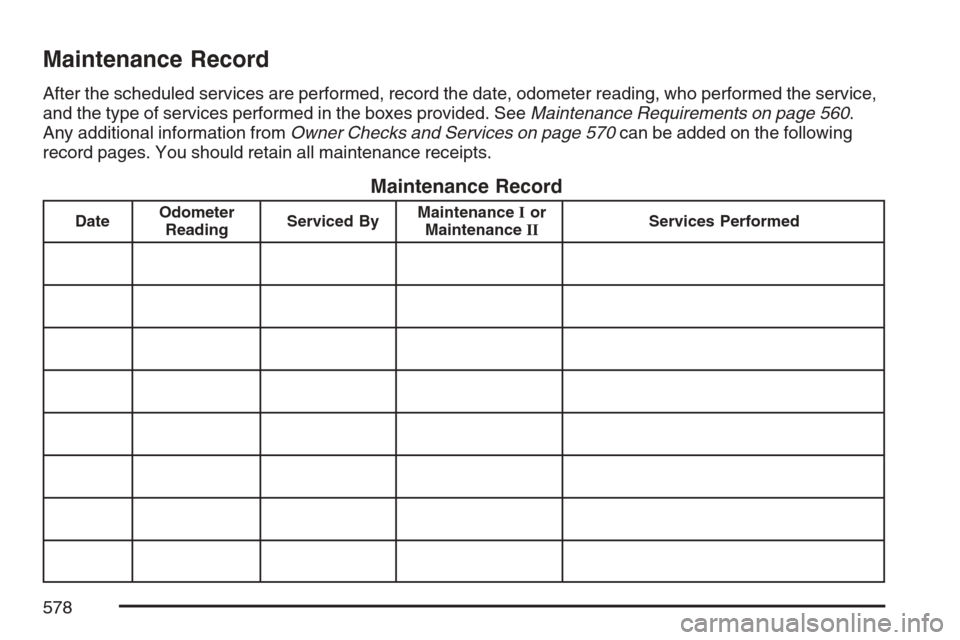
After the scheduled services are performed, record the date, odometer reading, who performed the service,
and the type of services performed in the boxes provided. SeeMaintenance Requirements on page 560.
Any additional information fromOwner Checks and Services on page 570can be added on the following
record pages. You should retain all maintenance receipts.
Maintenance Record
DateOdometer
ReadingServiced ByMaintenanceIor
MaintenanceIIServices Performed
578