Page 276 of 560

SERVICE TIRE MONITOR
If your vehicle has a Tire Pressure Monitor (TPM)
system, this message displays if a part on the
system is not working properly. If you drive your
vehicle while any of the four sensors are
missing or inoperable, the warning comes on in
about 20 minutes. A sensor would be missing, for
example, if you put different wheels on your
vehicle without transferring the sensors. If the
warning comes on and stays on, there may be a
problem with the TPM. See your dealer.
SERVICE THEFT SYSTEM
This message displays when there is a problem
with the hood open and closed switches. The
switches may need to be replaced. When
this message is displayed, the theft-deterrent
system will still be protecting the interior of
the vehicle, however, the hood area will not be
protected at this time. Also, the remote start
function will not work when this message appears.
See your dealer for service.
SERVICE TRANSMISSION
This message displays when there is a problem
with the transmission of your vehicle. Have
your vehicle serviced by your dealer.
SERVICE VEHICLE SOON
This message displays when a non-emissions
related malfunction occurs. Have your vehicle
serviced by your dealer as soon as possible.
SPEED LIMITED TO XXX
This message displays when your vehicle speed is
limited to XXX, mph in English mode and km/h
in Metric mode, because the vehicle detects
a problem in the suspension system. Have your
vehicle serviced by your dealer.
STABILITY SYS (System) ACTIVE
This message displays any time the StabiliTrak®
System is actively assisting you with directional
control of the vehicle. Slippery road conditions may
exist when this message is displayed, so adjust
your driving accordingly. This message may
stay on for a few seconds after StabiliTrak
®stops
assisting you with directional control of the
vehicle. SeeStabiliTrak
®System on page 326for
more information.
276
Page 278 of 560
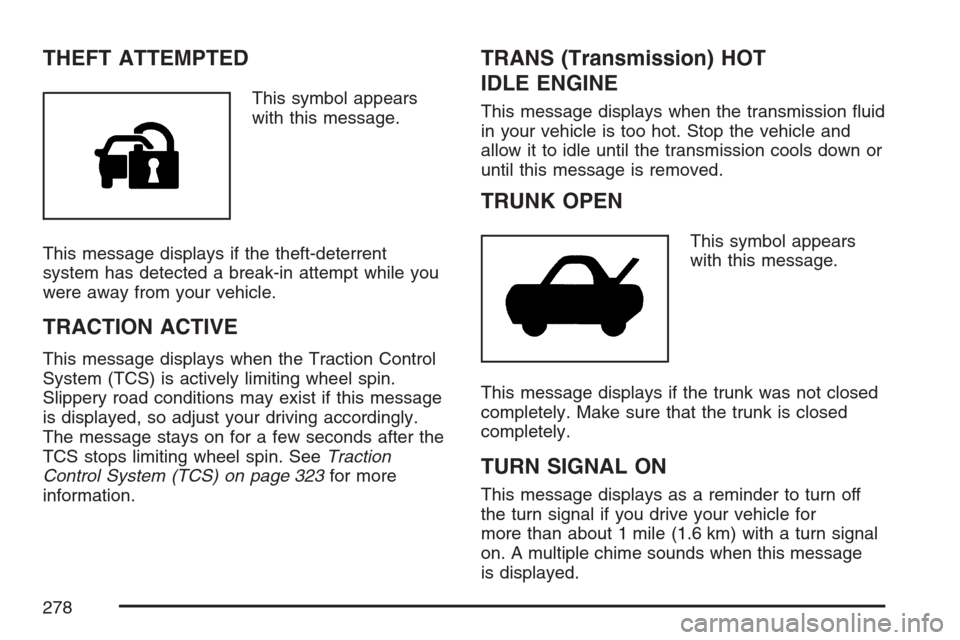
THEFT ATTEMPTED
This symbol appears
with this message.
This message displays if the theft-deterrent
system has detected a break-in attempt while you
were away from your vehicle.
TRACTION ACTIVE
This message displays when the Traction Control
System (TCS) is actively limiting wheel spin.
Slippery road conditions may exist if this message
is displayed, so adjust your driving accordingly.
The message stays on for a few seconds after the
TCS stops limiting wheel spin. SeeTraction
Control System (TCS) on page 323for more
information.
TRANS (Transmission) HOT
IDLE ENGINE
This message displays when the transmission uid
in your vehicle is too hot. Stop the vehicle and
allow it to idle until the transmission cools down or
until this message is removed.
TRUNK OPEN
This symbol appears
with this message.
This message displays if the trunk was not closed
completely. Make sure that the trunk is closed
completely.
TURN SIGNAL ON
This message displays as a reminder to turn off
the turn signal if you drive your vehicle for
more than about 1 mile (1.6 km) with a turn signal
on. A multiple chime sounds when this message
is displayed.
278
Page 280 of 560

Audio System(s)
Determine which radio your vehicle has and then
read the pages following to familiarize yourself
with its features.
Driving without distraction is a necessity for a
safer driving experience. SeeDefensive Driving on
page 316. By taking a few moments to read this
manual and get familiar with your vehicle’s
audio system, you can use it with less effort, as
well as take advantage of its features. While your
vehicle is parked, set up your audio system by
presetting your favorite radio stations, setting the
tone and adjusting the speakers. Then, when
driving conditions permit, you can tune to
your favorite stations using the presets and
steering wheel controls if the vehicle has them.{CAUTION:
This system provides you with a far greater
access to audio stations and song listings.
Giving extended attention to entertainment
tasks while driving can cause a crash and
you or others can be injured or killed.
Always keep your eyes on the road and
your mind on the drive — avoid engaging
in extended searching while driving.
Keeping your mind on the drive is important for
safe driving. Here are some ways in which you can
help avoid distraction while driving.
While your vehicle is parked:
Familiarize yourself with all of its controls.
Familiarize yourself with its operation.
Set up your audio system by presetting your
favorite radio stations, setting the tone, and
adjusting the speakers. Then, when driving
conditions permit, you can tune to your favorite
radio stations using the presets and steering
wheel controls if the vehicle has them.
280
Page 309 of 560

DRIVER SELECTION
When you select this item, the following submenu
displays:
DRIVER 1
DRIVER 2
RECALL DRIVER SETTINGS
STORE DRIVER SETTINGS
For more information on the DRIVER SELECTION
submenu item, see “Recalling Driver Settings”
and “Storing Driver Settings” underMemory Seat,
Mirrors and Steering Wheel on page 169.
DRIVER EXIT SETTINGS
When you select this item, the following
submenu displays:
RECALL EXIT SETTINGS
STORE EXIT SETTINGS
For more information on the DRIVER EXIT
SETTINGS submenu item, see “Recalling Exit
Settings” and “Storing Exit Settings” underMemory
Seat, Mirrors and Steering Wheel on page 169.
CONFIGURE DISPLAY KEYS
(Base Audio System)
This item lets you customize the functions of the
four congurable keys located to the left and
right of the audio display. See “Congurable Radio
Display Keys” underRadio with CD on page 282
for programming information.
Theft-Deterrent Feature
THEFTLOCK®is designed to discourage theft
of your vehicle’s radio. The feature works
automatically by learning a portion of the Vehicle
Identication Number (VIN). If the radio is
moved to a different vehicle, it does not operate.
If the radio is removed from your vehicle, the
original VIN in the radio can be used to trace the
radio back to your vehicle.
With THEFTLOCK
®activated, the radio will not
operate if stolen.
309
Page 310 of 560
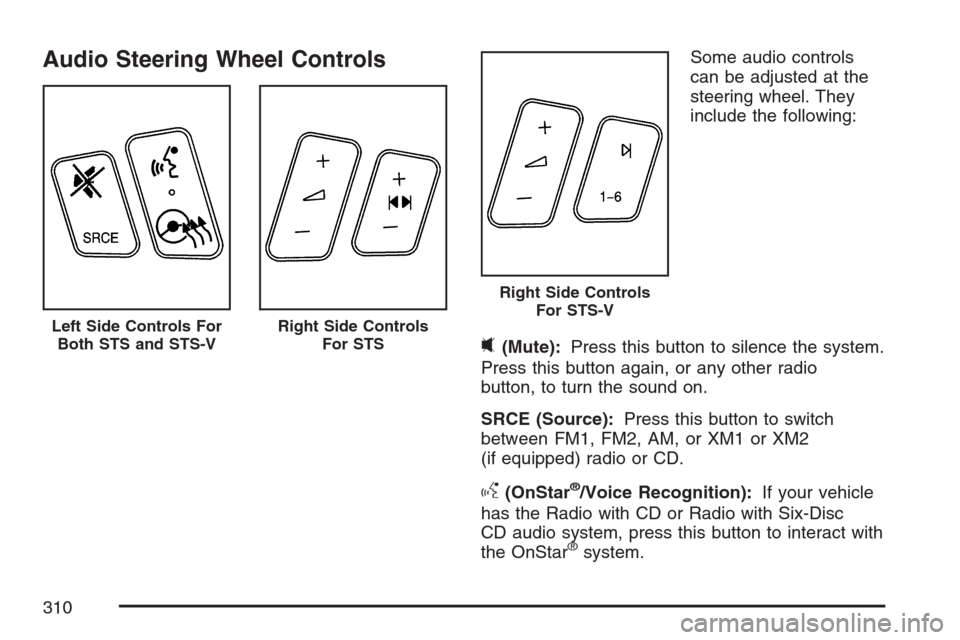
Audio Steering Wheel ControlsSome audio controls
can be adjusted at the
steering wheel. They
include the following:
0(Mute):Press this button to silence the system.
Press this button again, or any other radio
button, to turn the sound on.
SRCE (Source):Press this button to switch
between FM1, FM2, AM, or XM1 or XM2
(if equipped) radio or CD.
g(OnStar®/Voice Recognition):If your vehicle
has the Radio with CD or Radio with Six-Disc
CD audio system, press this button to interact with
the OnStar
®system.
Left Side Controls For
Both STS and STS-VRight Side Controls
For STS
Right Side Controls
For STS-V
310
Page 315 of 560

Your Driving, the Road, and
Your Vehicle............................................ 316
Defensive Driving...................................... 316
Drunken Driving........................................ 317
Control of a Vehicle.................................. 320
Braking...................................................... 320
Anti-Lock Brake System (ABS).................. 321
Braking in Emergencies............................. 323
Traction Control System (TCS).................. 323
Competitive Driving Mode (STS-V)............ 325
Magnetic Ride Control............................... 325
Limited-Slip Rear Axle............................... 325
StabiliTrak
®System................................... 326
Panic Brake Assist.................................... 327
All-Wheel Drive (AWD) System.................. 327
Steering.................................................... 327
Off-Road Recovery.................................... 330
Passing..................................................... 330
Loss of Control.......................................... 332Competitive Driving................................... 333
Driving at Night......................................... 333
Driving in Rain and on Wet Roads............ 335
City Driving............................................... 338
Freeway Driving........................................ 339
Before Leaving on a Long Trip.................. 340
Highway Hypnosis..................................... 341
Hill and Mountain Roads........................... 342
Winter Driving........................................... 344
If Your Vehicle is Stuck in Sand,
Mud, Ice, or Snow ................................. 348
Rocking Your Vehicle to Get It Out........... 349
Loading Your Vehicle................................ 349
Towing........................................................ 355
Towing Your Vehicle ................................. 355
Recreational Vehicle Towing...................... 355
Towing a Trailer........................................ 357
Section 4 Driving Your Vehicle
315
Page 322 of 560
Let us say the road is wet and you are driving
safely. Suddenly, an animal jumps out in front of
you. You slam on the brakes and continue braking.
Here is what happens with ABS:
A computer senses that wheels are slowing down.
If one of the wheels is about to stop rolling, the
computer will separately work the brakes at
each wheel.ABS can change the brake pressure faster than
any driver could. The computer is programmed
to make the most of available tire and road
conditions. This can help you steer around the
obstacle while braking hard.
As you brake, the computer keeps receiving
updates on wheel speed and controls braking
pressure accordingly.
322
Page 323 of 560

Remember: ABS does not change the time you
need to get your foot up to the brake pedal
or always decrease stopping distance. If you get
too close to the vehicle in front of you, you will not
have time to apply the brakes if that vehicle
suddenly slows or stops. Always leave enough
room up ahead to stop, even though you
have ABS.
Using ABS
Do not pump the brakes. Just hold the brake pedal
down rmly and let anti-lock work for you. You may
hear the anti-lock pump or motor operate, and feel
the brake pedal pulsate, but this is normal.
Braking in Emergencies
With ABS, you can steer and brake at the same
time. In many emergencies, steering can help you
more than even the very best braking.
Traction Control System (TCS)
Your vehicle has a traction control system that
limits wheel spin. This is especially useful in
slippery road conditions. On a rear-wheel-drive
vehicle, the system operates if it senses that
one or both of the rear wheels are spinning or
beginning to lose traction. On an All-Wheel-Drive
(AWD) vehicle, the system will operate if it
senses that any of the wheels are spinning or
beginning to lose traction. When this happens, the
system brakes the spinning wheel(s) and/or
reduces engine power to limit wheel spin.
You may feel or hear the system working, but this
is normal.
This warning light will
come on to let you
know if there’s a
problem with your
traction control system.
SeeTraction Control System (TCS) Warning Light
on page 250. When this warning light is on, the
system will not limit wheel spin. Adjust your driving
accordingly.
323