Page 212 of 357
’06Camry_U (L/O 0507)
204
2006 CAMRY from July ‘05 Prod. (OM33708U)
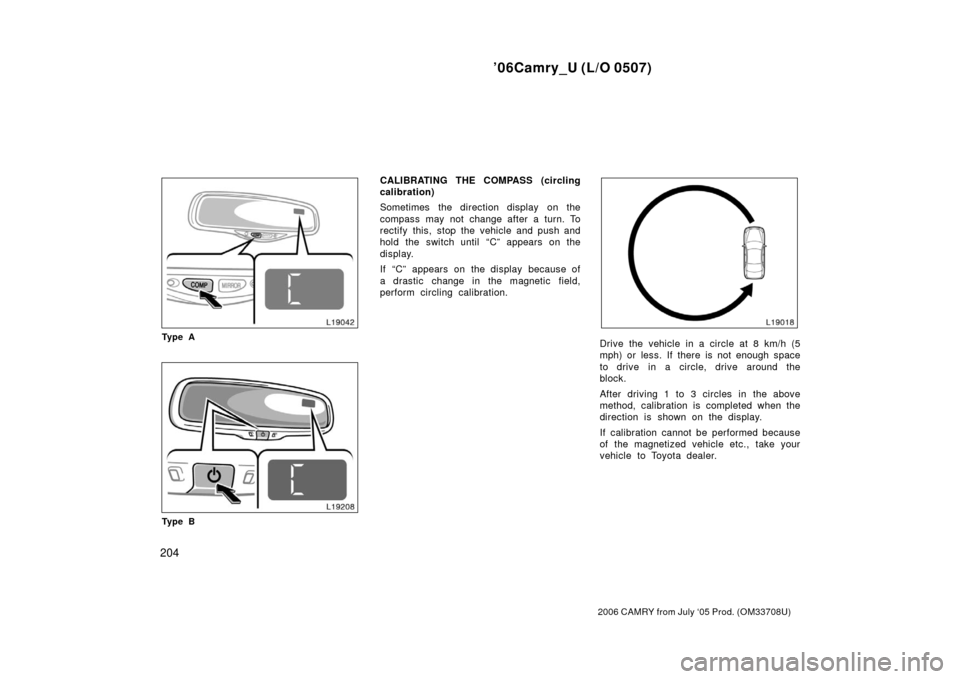
Ty p e A
Ty p e B
CALIBRATING THE COMPASS (circling
calibration)
Sometimes the direction display on the
compass may not change after a turn. To
rectify this, stop the vehicle and push and
hold the switch until “C” appears on the
display.
If “C” appears on the display because of
a drastic change in the magnetic field,
perform circling calibration.
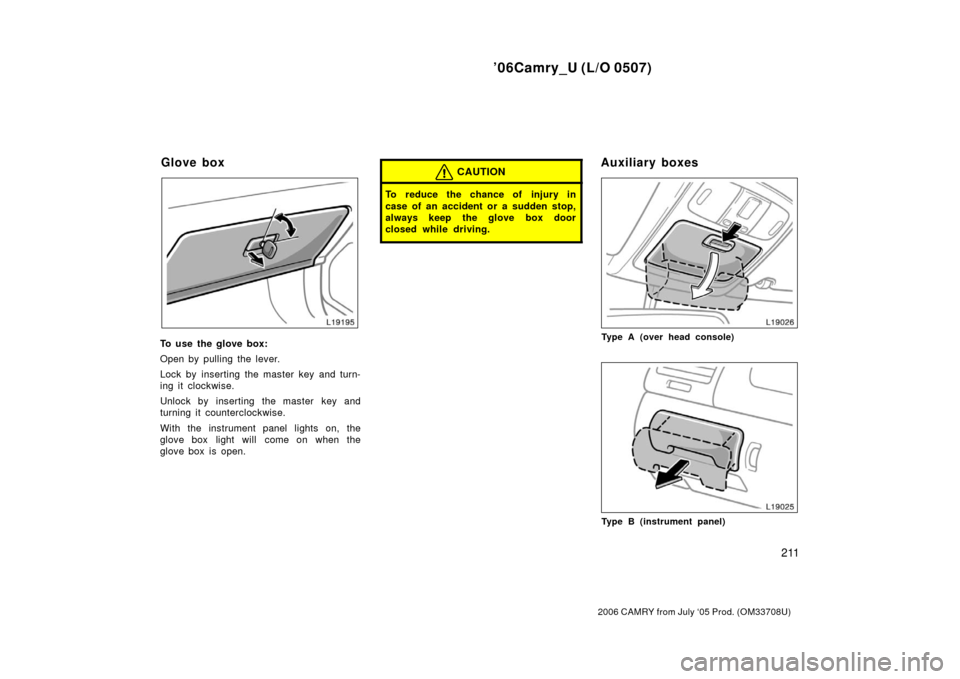
Drive the vehicle in a circle at 8 km/h (5
mph) or less. If there is not enough space
to drive in a circle, drive around the
block.
After driving 1 to 3 circles in the above
method, calibration is completed when the
direction is shown on the display.
If calibration cannot be performed because
of the magnetized vehicle etc., take your
vehicle to Toyota dealer.
Page 215 of 357

’06Camry_U (L/O 0507)
207
2006 CAMRY from July ‘05 Prod. (OM33708U)
The power outlets are designed for
power supply for car accessories.
The key must be in the “ACC” or “ON”
position for the power outlet to be used.
NOTICE
�To prevent the fuse from being
blown, do not use the electricity
over the total vehicle capacity of
12V/120W.
� To prevent the battery from being
discharged, do not use the power
outlets longer than necessary when
the engine is not running.
� Close the power outlet lids when
the power outlets are not in use.
Inserting anything other than an ap-
propriate plug that fits the outlet,
or allowing any liquid to get into
the outlet may cause electrical fail-
ure or short circuits.
Indicator light
Buttons
The garage door opener (�
Universal Transceiver) is manufactured
under license from HomeLink� and can
be programmed to operate garage
doors, gates, entry doors, door locks,
home lighting systems, and security
systems, etc. (a) Programming the HomeLink
�
The HomeLink� in your vehicle has 3
buttons and you can store one program
for each button.
To ensure correct programming into the
HomeLink
�, install a new battery in the
hand− held transmitter prior to program-
ming.
The battery side of the hand −held trans-
mitter must be pointed away from the
HomeLink
� during the programming pro-
cess.
For Canadian users, follow the procedure
in “Programming an entrance gate/pro-
gramming all devices in the Canadian
market”.
1. Decide which of 3 HomeLink
� buttons
you want to program.
Garage door opener
Page 217 of 357

’06Camry_U (L/O 0507)
209
2006 CAMRY from July ‘05 Prod. (OM33708U)
6. Repeat steps 2 through 5 for each re-maining HomeLink� button to program
another device.
Programming a rolling code system
If your device is “Rolling Code”
equipped, it is necessary to follow
steps 1 through 4 under the heading
“Programming the HomeLink
�” before
proceeding with the steps listed below.
1. Locate the “training” button on the ceil- ing mounted garage door opener motor.
The exact location and color of the
button may vary by brand of garage
door opener. Refer to the owner ’s
guide supplied by the garage door
opener manufacturer for the location of
this “training” button.
2. Press the “training” button on the ceil- ing mounted garage door opener motor.
Following this step, you have 30 seconds
in which to initiate step 3 below. 3. Press and release the vehicle’s pro- grammed HomeLink
� button twice. The
garage door may open. If the door
does open, the programming process is
complete. If the door does not open,
press and release the button a third
time. This third press and release will
complete the programming process by
opening the garage door. The ceiling mounted garage door opener
motor should now recognize the
HomeLink
� unit and be able activate the
garage door up/down.
4. Repeat steps 1 through 3 for each re- maining HomeLink
� button to program
another rolling code system.
Programming an entrance gate/program-
ming all devices in the Canadian market 1. Decide which of the 3 HomeLink
� but-
tons you want to program.
2. Place your hand −held gate/device
transmitter 25 to 75 mm (1 to 3 in.)
away from the surface of the
HomeLink
�.
Keep the indicator light on the HomeLink
�
in view while programming. 3. Press and hold the selected HomeLink
� button.
4. Continuously press and release ( cycle)
the hand− held gate/device transmitter
button every two seconds until step 5
is complete.
5. When the indicator light on the HomeLink
� changes from a slow to a
rapid flash after 20 seconds, you can
release both buttons. 6. Test the operation of the HomeLink
� by
pressing the newly programmed button.
Check to see if the gate/device oper-
ates correctly.
7. Repeat steps 1 through 6 for each re- maining HomeLink
� button to program
another device.
Programming other devices
To program other devices such as home
security systems, home door locks or
lighting, contact your authorized Toyota
dealer for assistance.
Reprogramming a button
Individual HomeLink
� buttons cannot be
erased, however, to reprogram a single
button, follow the procedure “Programming
the HomeLink
�”.
(b) Operating the HomeLink
�
To operate the HomeLink�, press the
appropriate HomeLink� button to activate
the programmed device. The HomeLink�
indicator light should come on. The
HomeLink� continues to send the signal
for up to 20 seconds as long as the
button is pressed.
Page 219 of 357
’06Camry_U (L/O 0507)
211
2006 CAMRY from July ‘05 Prod. (OM33708U)
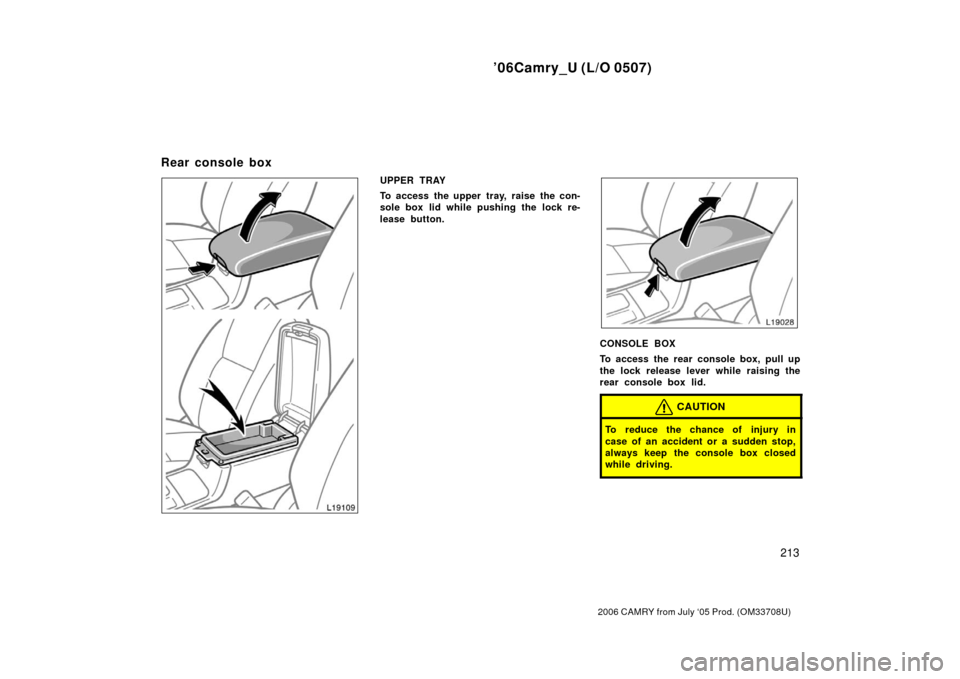
To use the glove box:
Open by pulling the lever.
Lock by inserting the master key and turn-
ing it clockwise.
Unlock by inserting the master key and
turning it counterclockwise.
With the instrument panel lights on, the
glove box light will come on when the
glove box is open.
CAUTION
To reduce the chance of injury in
case of an accident or a sudden stop,
always keep the glove box door
closed while driving.
Type A (over head console)
Type B (instrument panel)
Glove boxAuxiliary boxes
Page 221 of 357
’06Camry_U (L/O 0507)
213
2006 CAMRY from July ‘05 Prod. (OM33708U)
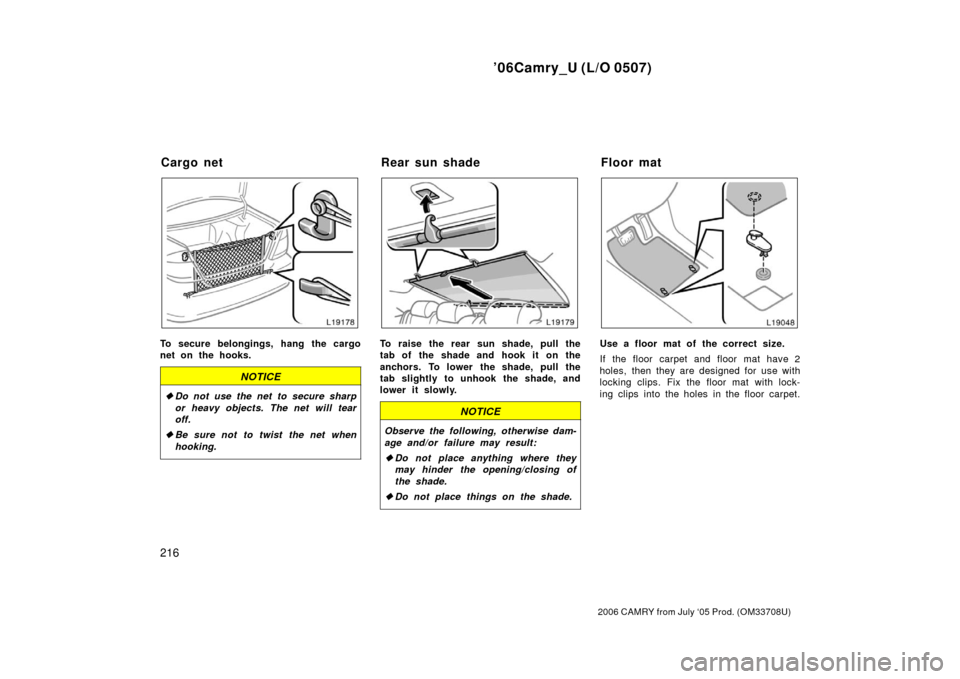
UPPER TRAY
To access the upper tray, raise the con-
sole box lid while pushing the lock re-
lease button.
CONSOLE BOX
To access the rear console box, pull up
the lock release lever while raising the
rear console box lid.
CAUTION
To reduce the chance of injury in
case of an accident or a sudden stop,
always keep the console box closed
while driving.
Rear console box
Page 224 of 357
’06Camry_U (L/O 0507)
216
2006 CAMRY from July ‘05 Prod. (OM33708U)
To secure belongings, hang the cargo
net on the hooks.
NOTICE
�Do not use the net to secure sharp
or heavy objects. The net will tear
off.
� Be sure not to twist the net when
hooking.
To raise the rear sun shade, pull the
tab of the shade and hook it on the
anchors. To lower the shade, pull the
tab slightly to unhook the shade, and
lower it slowly.
NOTICE
Observe the following, otherwise dam-
age and/or failure may result:
�Do not place anything where they
may hinder the opening/closing of
the shade.
� Do not place things on the shade.
Use a floor mat of the correct size.
If the floor carpet and floor mat have 2
holes, then they are designed for use with
locking clips. Fix the floor mat with lock-
ing clips into the holes in the floor carpet.
Cargo net Rear sun shadeFloor mat
Page 229 of 357

’06Camry_U (L/O 0507)
221
2006 CAMRY from July ‘05 Prod. (OM33708U)
NOTICE
�Do not use gasohol other than
stated above. It will cause fuel sys-
tem damage or vehicle performance
problems.
� If driveab ility problems are encoun-
tered (poor hot starting, vaporizing,
engine knock, etc.), discontinue the
use.
� Take care not to spill gasohol dur-
ing refueling. Gasohol may cause
paint damage.
FUEL TANK CAPACITY
70 L (18.5 gal., 15.4 Imp. gal.) The fuel pump shut off system stops sup-
plying fuel to the engine to minimize the
risk of fuel leakage when the engine stalls
or an airbag inflates upon collision. To
restart the engine after the fuel pump shut
off system activates, turn the ignition
switch to “ACC” or “LOCK” once and start
it.
CAUTION
Inspect the ground under the vehicle
before restarting the engine. If you
find that liquid has leaked onto the
ground, it indicates the fuel system
has been damaged and it is in need
of repair. In this case, do not restart
the engine.
If you plan to drive your Toyota in
another country...
First,
comply with the vehicle registration
laws.
Second, confirm the availability of the cor-
rect fuel (unleaded and minimum octane
number).
Fuel pump shut off system Operation in foreign countries
Page 234 of 357

’06Camry_U (L/O 0507)
226
2006 CAMRY from July ‘05 Prod. (OM33708U)
CAUTION
�Do not pump the brake pedal if the
engine stalls. Each push on the
pedal uses up your reserved vacu-
um.
�Even if the power assist is com-
pletely lost, the brakes will still
work. But you will have to push the
pedal hard, much harder than nor-
mal. And your braking distance will
increase.
ANTILOCK BRAKE SYSTEM (with
“ABS” warning light)
The antilock brake system is designed
to help prevent lockup of the wheels
during a sudden braking or braking on
slippery road surfaces. This assists in
providing directional stability and steer-
ing performance of the vehicle under
these circumstances.
Effective way to press the ABS brake
pedal: When the anti −lock brake system
function is in action, you may feel the
brake pedal pulsating and hear a noise.
In this situation, to let the anti −lock
brake system work for you, just hold the
brake pedal down more firmly. Do not
pump the brake in a panic stop. This
will result in reduced braking perfor-
mance.
The anti −lock brake system becomes op-
erative after the vehicle has accelerated
to a speed in excess of approximately 10
km/h (6 mph). It stops operating when the
vehicle decelerates to a speed below
approximately 5 km/h (3 mph). Depressing the brake pedal on slippery
road surfaces such as on a manhole cov-
er, a steel plate at a construction site,
joints in a bridge, etc. on a rainy day
tends to activate the anti
−lock brake sys-
tem.
You may hear a click or motor sound in
the engine compartment for a few seconds
when the engine is started or just after
the vehicle begins to move. This means
that the anti −lock brake system is in the
self −check mode, and does not indicate a
malfunction.
When the antilock brake system is ac-
tivated, the following conditions may
occur. They do not indicate a malfunc-
tion of the system:
�You may hear the anti −lock brake sys-
tem operating and feel the brake pedal
pulsating and the vibrations of the ve-
hicle body and steering wheel. You
may also hear the motor sound in the
engine compartment even after the ve-
hicle is stopped.
�At the end of the anti −lock brake sys-
tem activation, the brake pedal may
move a little forward.