2006 SUBARU IMPREZA battery
[x] Cancel search: batteryPage 120 of 365
Instruments and controls 3-7
CONTINUED
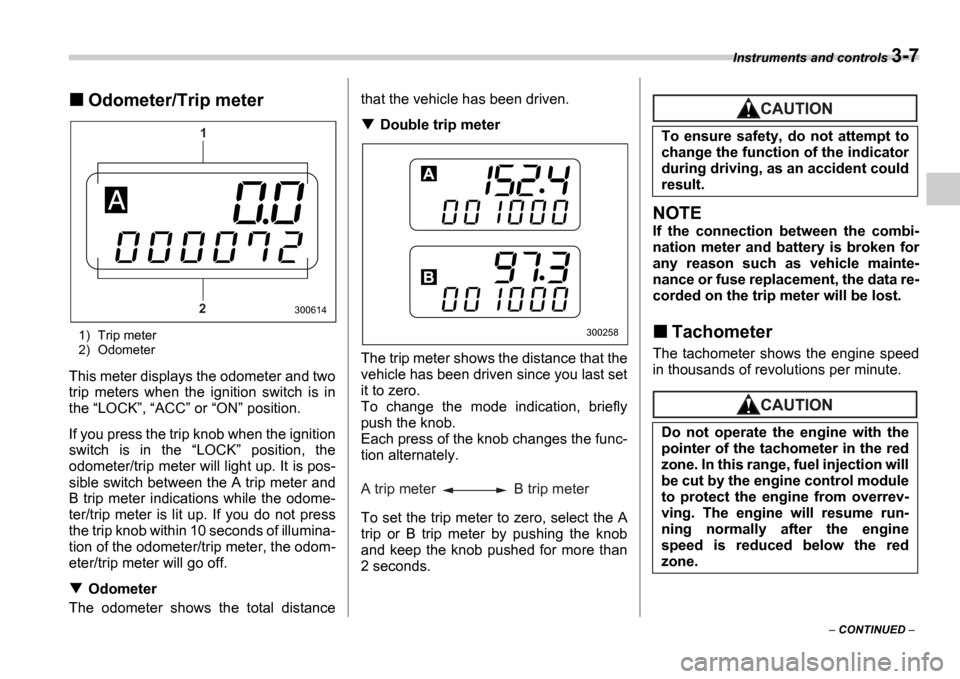
Odometer/Trip meter
1) Trip meter
2) Odometer
This meter displays the odometer and two
trip meters when the ignition switch is in
the LOCK , ACC or ON position.
If you press the trip knob when the ignition
switch is in the LOCK position, the
odometer/trip meter will light up. It is pos-
sible switch between the A trip meter and
B trip meter indications while the odome-
ter/trip meter is lit up. If you do not press
the trip knob within 10 seconds of illumina-
tion of the odometer/trip meter, the odom-
eter/trip meter will go off.
Odometer
The odometer shows the total distance that the vehicle has been driven.
Double trip meter
The trip meter shows the distance that the
vehicle has been driven since you last set
it to zero.
To change the mode indication, briefly
push the knob.
Each press of the knob changes the func-
tion alternately.
To set the trip meter to zero, select the A
trip or B trip meter by pushing the knob
and keep the knob pushed for more than
2 seconds.
NOTE
If the connection between the combi-
nation meter and battery is broken for
any reason such as vehicle mainte-
nance or fuse replacement, the data re-
corded on the trip meter will be lost.
Tachometer
The tachometer shows the engine speed
in thousands of revolutions per minute.
1
2
300614
300258
A trip meter B trip meter
To ensure safety, do not attempt to
change the function of the indicator
during driving, as an accident could
result.
Do not operate the engine with the
pointer of the tachometer in the red
zone. In this range, fuel injection will
be cut by the engine control module
to protect the engine from overrev-
ving. The engine will resume run-
ning normally after the engine
speed is reduced below the red
zone.
Page 125 of 365
3-12 Instruments and controls
NOTE
If the connection between the combi-
nation meter and battery is broken for
any reason such as vehicle mainte-
nance or fuse replacement, the data re-
corded on the trip meter will be lost.
Tachometer
The tachometer shows the engine speed
in thousands of revolutions per minute.
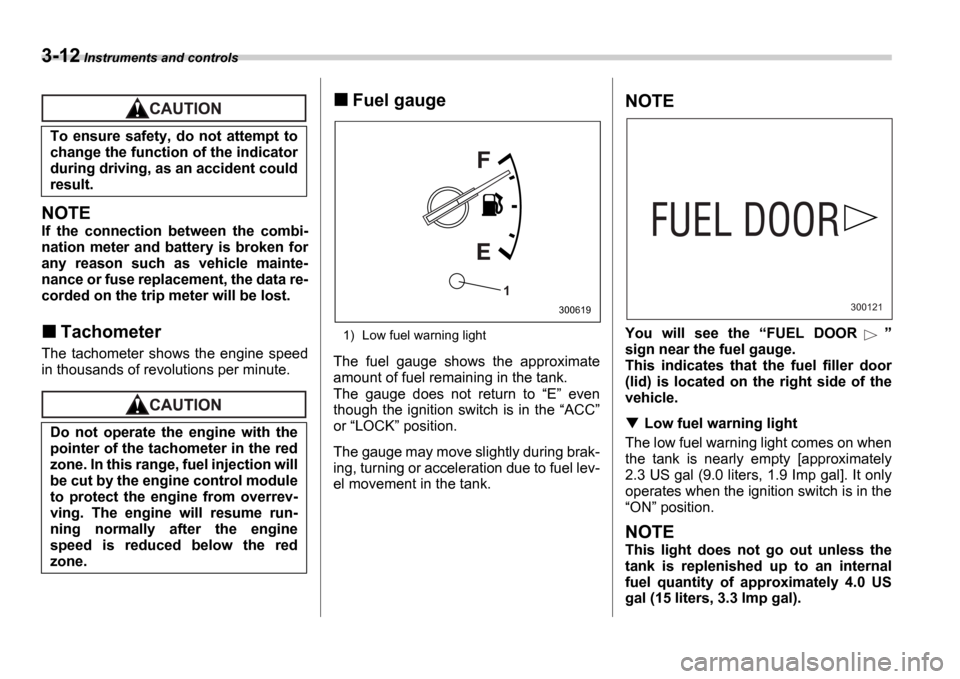
Fuel gauge
1) Low fuel warning light
The fuel gauge shows the approximate
amount of fuel remaining in the tank.
The gauge does not return to E even
though the ignition switch is in the ACC
or LOCK position.
The gauge may move slightly during brak-
ing, turning or acceleration due to fuel lev-
el movement in the tank.
NOTE
You will see the FUEL DOOR
sign near the fuel gauge.
This indicates that the fuel filler door
(lid) is located on the right side of the
vehicle.
Low fuel warning light
The low fuel warning light comes on when
the tank is nearly empty [approximately
2.3 US gal (9.0 liters, 1.9 Imp gal]. It only
operates when the ignition switch is in the ON position.
NOTE
This light does not go out unless the
tank is replenished up to an internal
fuel quantity of approximately 4.0 US
gal (15 liters, 3.3 Imp gal).
To ensure safety, do not attempt to
change the function of the indicator
during driving, as an accident could
result.
Do not operate the engine with the
pointer of the tachometer in the red
zone. In this range, fuel injection will
be cut by the engine control module
to protect the engine from overrev-
ving. The engine will resume run-
ning normally after the engine
speed is reduced below the red
zone.
1
300619300121
Page 131 of 365
3-18 Instruments and controls
With a vehicle equipped with an EBD sys-
tem, the ABS warning light comes on to-
gether with the brake system warning light
if the EBD system becomes faulty. For fur-
ther details of the EBD system fault warn-
ing, refer to Brake system warning light .
NOTE
If the warning light behavior is as de-
scribed in the following, the ABS sys-
tem may be considered normal.
The warning light comes on right af-
ter the engine is started but goes out
immediately, remaining off.
The warning light remains on after the engine has been started, but it goes
out when the vehicle speed reaches
approximately 8 mph (12 km/h).
The warning light comes on during
driving, but it goes out immediately
and remains off.
When driving with an insufficient battery
voltage such as when the engine is jump
started, the ABS warning light may come
on. This is due to the low battery voltage
and does not indicate a malfunction.
When the battery becomes fully charged,
the light will go out.
Brake system
warning light
This light has the following three func-
tions:
Parking brake warning
The light comes on with the parking brake
applied while the ignition switch is in the ON position. It goes out when the park-
ing brake is fully released.
Brake fluid level warning
This light comes on when the brake fluid
level has dropped to near the MIN level
of the brake fluid reservoir with the ignition
switch in the ON position and with the
parking brake fully released.
If the brake system warning light should
come on while driving (with the parking
brake fully released and with the ignition
switch positioned in ON ), it could be an
indication of leaking of brake fluid or worn
brake pads. If this occurs, immediately
stop the vehicle at the nearest safe place
and check the brake fluid level. If the fluid
level is below the MIN mark in the reser-
voir, do not drive the vehicle. Have the ve-
hicle towed to the nearest SUBARU deal-
er for repair.
Electronic Brake Force Distribution
(EBD) system warning (vehicles
with ABS)
The brake system warning light also illu-
The warning light does not come
on when the ignition switch is
turned to the ON position.
The warning light comes on when
the ignition switch is turned to the ON position, but it does not go
out even when the vehicle speed
exceeds approximately 8 mph (12
km/h).
The warning light comes on dur-
ing driving.
If any of these conditions occur,
have the ABS system repaired at the
first available opportunity by your
SUBARU dealer.
Driving with the brake system
warning light on is dangerous.
This indicates your brake system
may not be working properly. If
the light remains on, have the
brakes inspected by a SUBARU
dealer immediately.
If at all in doubt about whether the
brakes are operating properly, do
not drive the vehicle. Have your
vehicle towed to the nearest
SUBARU dealer for repair.
(U.S.)
(Canada)
Page 135 of 365
3-22 Instruments and controls
Clock
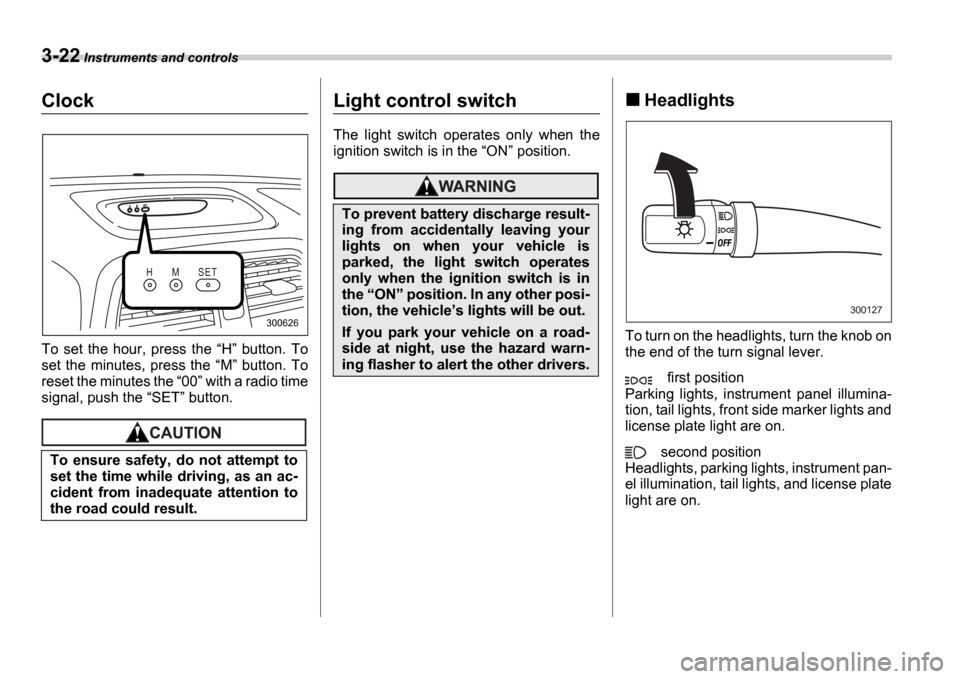
To set the hour, press the H button. To
set the minutes, press the M button. To
reset the minutes the 00 with a radio time
signal, push the SET button.
Light control switch
The light switch operates only when the
ignition switch is in the ON position.
Headlights
To turn on the headlights, turn the knob on
the end of the turn signal lever.
first position
Parking lights, instrument panel illumina-
tion, tail lights, front side marker lights and
license plate light are on.
second position
Headlights, parking lights, instrument pan-
el illumination, tail lights, and license plate
light are on.
To ensure safety, do not attempt to
set the time while driving, as an ac-
cident from inadequate attention to
the road could result.
H M S E T
300626
To prevent battery discharge result-
ing from accidentally leaving your
lights on when your vehicle is
parked, the light switch operates
only when the ignition switch is in
the
ON position. In any other posi-
tion, the vehicle s lights will be out.
If you park your vehicle on a road-
side at night, use the hazard warn-
ing flasher to alert the other drivers.
300127
Page 143 of 365
3-30 Instruments and controls
outside mirror defogger, the outside
mirror defogger operates while the rear
window defogger is operating.
Turn on the rear window defogger if
the wiper is frozen to the glass.
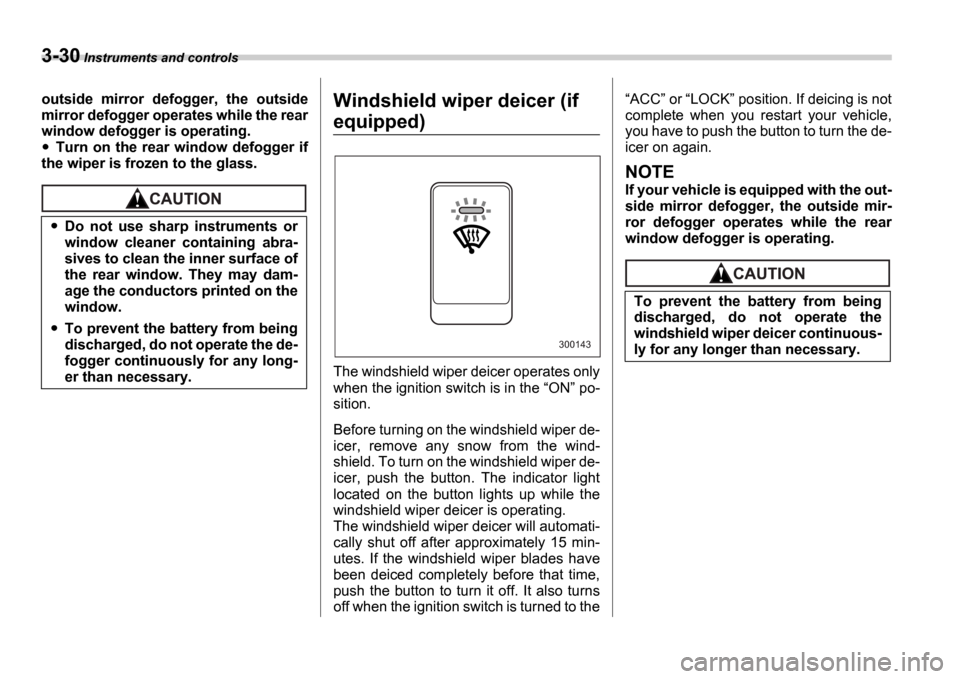
Windshield wiper deicer (if
equipped)
The windshield wiper deicer operates only
when the ignition switch is in the ON po-
sition.
Before turning on the windshield wiper de-
icer, remove any snow from the wind-
shield. To turn on the windshield wiper de-
icer, push the button. The indicator light
located on the button lights up while the
windshield wiper deicer is operating.
The windshield wiper deicer will automati-
cally shut off after approximately 15 min-
utes. If the windshield wiper blades have
been deiced completely before that time,
push the button to turn it off. It also turns
off when the ignition switch is turned to the
ACC or LOCK position. If deicing is not
complete when you restart your vehicle,
you have to push the button to turn the de-
icer on again.
NOTE
If your vehicle is equipped with the out-
side mirror defogger, the outside mir-
ror defogger operates while the rear
window defogger is operating.
Do not use sharp instruments or
window cleaner containing abra-
sives to clean the inner surface of
the rear window. They may dam-
age the conductors printed on the
window.
To prevent the battery from being
discharged, do not operate the de-
fogger continuously for any long-
er than necessary.
300143
To prevent the battery from being
discharged, do not operate the
windshield wiper deicer continuous-
ly for any longer than necessary.
Page 147 of 365
3-34 Instruments and controls
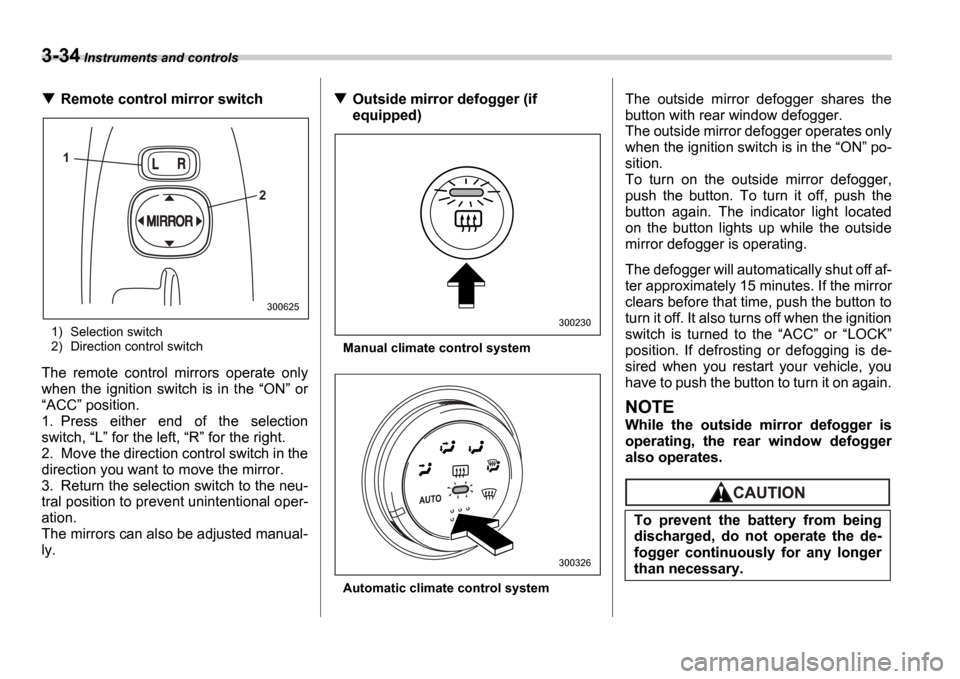
Remote control mirror switch
1) Selection switch
2) Direction control switch
The remote control mirrors operate only
when the ignition switch is in the ON or
ACC position.
1. Press either end of the selection
switch, L for the left, R for the right.
2. Move the direction control switch in the
direction you want to move the mirror.
3. Return the selection switch to the neu-
tral position to prevent unintentional oper-
ation.
The mirrors can also be adjusted manual-
ly.
Outside mirror defogger (if
equipped)
Manual climate control system
Automatic climate control system
The outside mirror defogger shares the
button with rear window defogger.
The outside mirror defogger operates only
when the ignition switch is in the ON po-
sition.
To turn on the outside mirror defogger,
push the button. To turn it off, push the
button again. The indicator light located
on the button lights up while the outside
mirror defogger is operating.
The defogger will automatically shut off af-
ter approximately 15 minutes. If the mirror
clears before that time, push the button to
turn it off. It also turns off when the ignition
switch is turned to the ACC or LOCK
position. If defrosting or defogging is de-
sired when you restart your vehicle, you
have to push the button to turn it on again.
NOTE
While the outside mirror defogger is
operating, the rear window defogger
also operates.
1
2
300625
300230
300326
To prevent the battery from being
discharged, do not operate the de-
fogger continuously for any longer
than necessary.
Page 169 of 365
5-6 Audio
Manual tuning (TUNE)
Push the side of the tuning button
(3) to increase the tuning frequency and
press the side of the button to de-
crease it.
Each time the button is pressed, the fre-
quency changes 10 KHz in the AM wave-
band and 0.2 MHz in the FM waveband.
Constant pressure on the button causes a
continuous change in the frequency.
Automatic tuning (SCAN)
Press the SCAN button (1) to change the
radio to the SCAN mode. In this mode, the
radio scans through the radio band until a
station is found. The radio will stop at the
station for five seconds while displaying
the frequency, after which scanning will
continue until the entire band has been
scanned from the low end to the high end.
Press the SCAN button again to cancel
the SCAN mode and to stop on any dis-
played frequency.
When the SCAN button is pressed for
automatic tuning, stations are scanned in
the direction of low frequencies to high fre-
quencies only.
Automatic tuning may not function proper-
ly if the station reception is weakened by
distance from the station or proximity to
tall buildings and hills.
Selecting preset stations
Presetting a station with a Preset button
(5) allows you to select that station in a
single operation. Up to six AM, FM1 and
FM2 stations each may be preset.
How to preset stations
1. Press the FM/AM selection button to
select AM, FM1 or FM2 reception.
2. Press the SCAN button (1) or tune
the radio manually until the desired station
frequency is displayed.
3. Press one of the Preset buttons (5)
for at least 2 seconds to store the fre-
quency. The frequency of the station will
flash once on the display at this time. If the
button is pressed for less than 2 seconds,
the preceding selection will remain in
memory.
NOTE
If the connection between the radio
and battery is broken for any reason
such as vehicle maintenance or radio
removal, all stations stored in the pre-
set buttons are cleared. If this occurs,
it is necessary to reset the preset but-
tons.
If a cell phone is placed near the ra-
dio, it may cause the radio to emit
noise when it receives calls. This noise
does not indicate a radio fault.
Page 177 of 365
5-14 Audio
operate and stop automatically on the
next station.
Continue this operation until you find the
desired station.
Automatic tuning (SCAN)
Press the SCAN button (5) to change the
radio to the SCAN mode. In this mode, the
radio scans through the radio band until a
station is found. The radio will stop at the
station for five seconds while displaying
the frequency, after which scanning will
continue until the entire band has been
scanned from the low end to the high end.
Press the SCAN button again to cancel
the SCAN mode and to stop on any dis-
played frequency.
When the SCAN button is pressed for
automatic tuning, stations are scanned in
the direction of low frequencies to high fre-
quencies only.
Automatic tuning may not function proper-
ly if the station reception is weakened by
distance from the station or proximity to
tall buildings and hills.
Selecting preset stations
Presetting a station with a Preset button
(7) allows you to select that station in a
single operation. Up to six AM, FM1 and
FM2 stations each may be preset.
How to preset stations
1. Press the FM/AM selection button to
select AM, FM1 or FM2 reception.
2. Press the SCAN button (5) or tune
the radio manually until the desired station
frequency is displayed.
3. Press one of the Preset buttons (7)
for at least 1.5 seconds to store the fre-
quency. The frequency of the station will
flash once on the display at this time. If the
button is pressed for less than 1.5 sec-
onds, the preceding selection will remain
in memory.
NOTE
If the connection between the radio
and battery is broken for any reason
such as vehicle maintenance or radio
removal, all stations stored in the pre-
set buttons are cleared. If this occurs,
it is necessary to reset the preset but-
tons.
If a cell phone is placed near the ra-
dio, it may cause the radio to emit
noise when it receives calls. This noise
does not indicate a radio fault.