2006 Seat Cordoba PROG
[x] Cancel search: PROGPage 59 of 70
PROG-System 56
When setting the selected volume is heard.
The volume is only limited when the car radio is switched on and the setting
in the selection was higher when it was turned off.
Volume of traffic messages
When setting the selected volume is heard.
Speed control volume(SCV)
Waveband limit.
Volume during a telephone call (SMVOL)
Select the radio volume during a telephone call (where a telephone kit is
installed).
When setting the selected volume is heard.Waveband limit – ...46.
When the telephone conversation is completed, the volume returns to its
normal level.
CODE
If the word “CODE” is displayed, the code is not activated.
If the word “SAFE” is displayed, the code is activated.
The steps for activating and deactivating the code are given on the following
pages.
SPKR
Select the front speaker which should switch during a telephone call (where
a telephone kit is installed).
Selection:
Reception quality (RCP)
This feature enables the reception quality to be optimised in areas with bad
coverage.
Set this function to “RCP ON” only if you experience constant reception
problems. “ONVOL-” No volume limit on switching on the radio.
“ONVOL 20” Volume limited to 20 (for example). Waveband
limit – ...35.
“TAVOL 16” Volume set to 16 (for example). Waveband limit:
(5 ... 46).
“SCV OFF --” SCV deactivated.
“SCV HIGH” Maximum increase in volume for a speed.
OFF The volume does not go up.
LOW The volume increase is low.
MID The volume increase is medium.
HIGH The volume increase is high.“SM VOL --” The radio is not audible during the telephone
conversation.
“SM VOL 12” Volume set to 12 (for example).
LEF left speaker
RIG right speaker
“RCP OFF” Areas with good coverage
“RCP ON” Optimisation for areas with poor coverage
Page 60 of 70
Coding57
Coding
Coding (anti-theft protection, function lock)
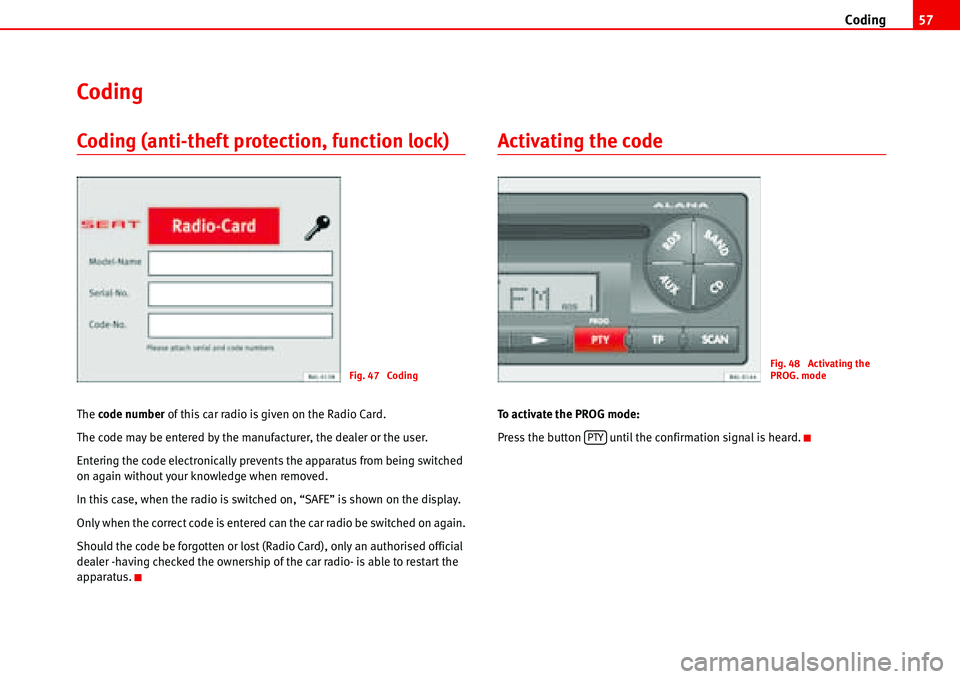
The code number of this car radio is given on the Radio Card.
The code may be entered by the manufacturer, the dealer or the user.
Entering the code electronically prevents the apparatus from being switched
on again without your knowledge when removed.
In this case, when the radio is switched on, “SAFE” is shown on the display.
Only when the correct code is entered can the car radio be switched on again.
Should the code be forgotten or lost (Radio Card), only an authorised official
dealer -having checked the ownership of the car radio- is able to restart the
apparatus.
Activating the code
To activate the PROG mode:
Press the button until the confirmation signal is heard.
Fig. 47 CodingFig. 48 Activating the
PROG. mode
PTY
Page 62 of 70
Coding59
Do not press button , as this number is already correctly entered. “1700”
appears on the display.
Press button three times. “1703” appears on the display.
To confirm the safety code which has been entered:
Press the button briefly. “SAFE” appears on the display.
To quit the PROG mode:
Press the button until the confirmation signal is heard.
Waiting times
To prevent the code from becoming deactivated by trial and error, there is a
one hour waiting time after each incorrect attempt. During this period, the
apparatus can be switched on and off, but no sound will be heard.
During the waiting time, the apparatus must be left on. Until the waiting time
is up, “2 SAFE” is displayed. When the time is up, the number of the next
attempt is displayed, for example, “2 1000”.
Making the radio operational again
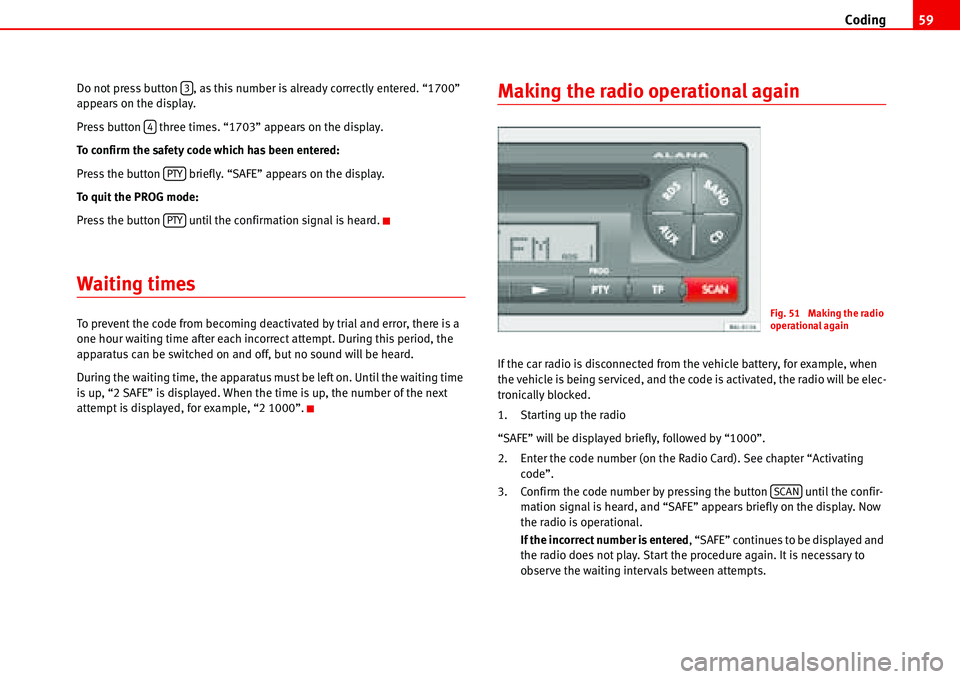
If the car radio is disconnected from the vehicle battery, for example, when
the vehicle is being serviced, and the code is activated, the radio will be elec-
tronically blocked.
1. Starting up the radio
“SAFE” will be displayed briefly, followed by “1000”.
2. Enter the code number (on the Radio Card). See chapter “Activating
code”.
3. Confirm the code number by pressing the button until the confir-
mation signal is heard, and “SAFE” appears briefly on the display. Now
the radio is operational.
If the incorrect number is entered, “SAFE” continues to be displayed and
the radio does not play. Start the procedure again. It is necessary to
observe the waiting intervals between attempts.
3
4
PTY
PTY
Fig. 51 Making the radio
operational again
SCAN
Page 63 of 70
Coding 60
Deactivating the code (removing block)
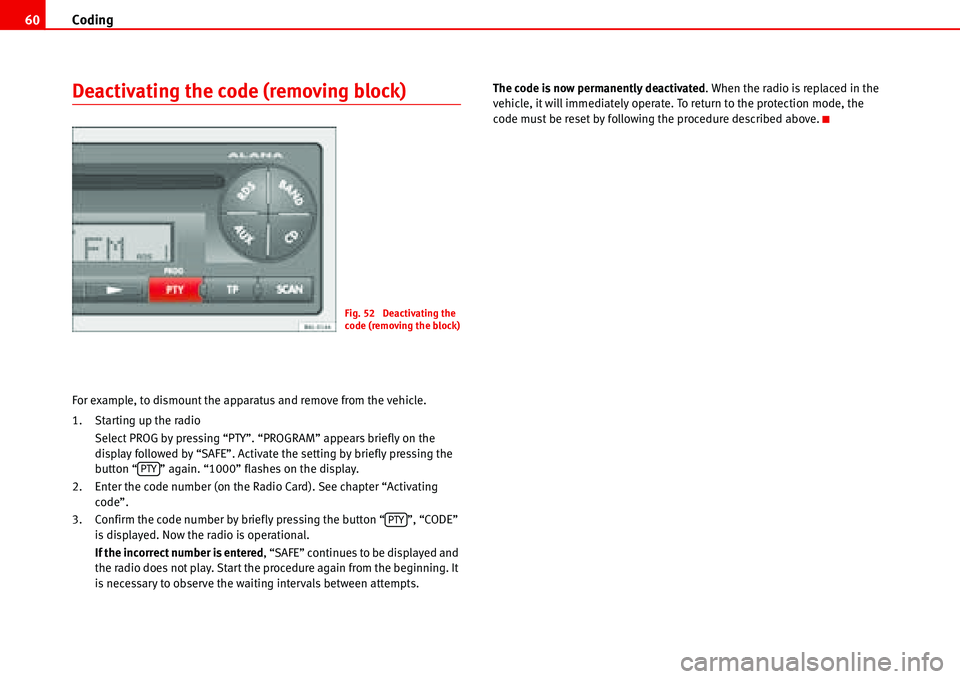
For example, to dismount the apparatus and remove from the vehicle.
1. Starting up the radio
Select PROG by pressing “PTY”. “PROGRAM” appears briefly on the
display followed by “SAFE”. Activate the setting by briefly pressing the
button “ ” again. “1000” flashes on the display.
2. Enter the code number (on the Radio Card). See chapter “Activating
code”.
3. Confirm the code number by briefly pressing the button “ ”, “CODE”
is displayed. Now the radio is operational.
If the incorrect number is entered, “SAFE” continues to be displayed and
the radio does not play. Start the procedure again from the beginning. It
is necessary to observe the waiting intervals between attempts.The code is now permanently deactivated. When the radio is replaced in the
vehicle, it will immediately operate. To return to the protection mode, the
code must be reset by following the procedure described above.
Fig. 52 Deactivating the
code (removing the block)
PTY
PTY
Page 64 of 70
Other information61
Other information
Radio Data System (RDS)
The RDS is an information system whose signals are broadcast by many
stations, in addition to the radio programmes on FM.
Program Service
On RDS programmes, the name of the station is shown on the display, for
example, Flash FM at 105.7 of the dial.
Remember that RDS programmes may have different regional programmes
and different station names.
Enhanced Other Network (EON)
This function allows you to listen to traffic messages in the RDS 1 and 2
ranges, even when an RDS programme has been tuned without its own
service of traffic messages. Assuming that the radio station broadcasting the tuned RDS programme broadcasts another RDS programme with traffic
messages.
The device for broadcasting traffic messages on RDS programmes with EON
works when “TP” is activated on the display and you are listening to the tuned
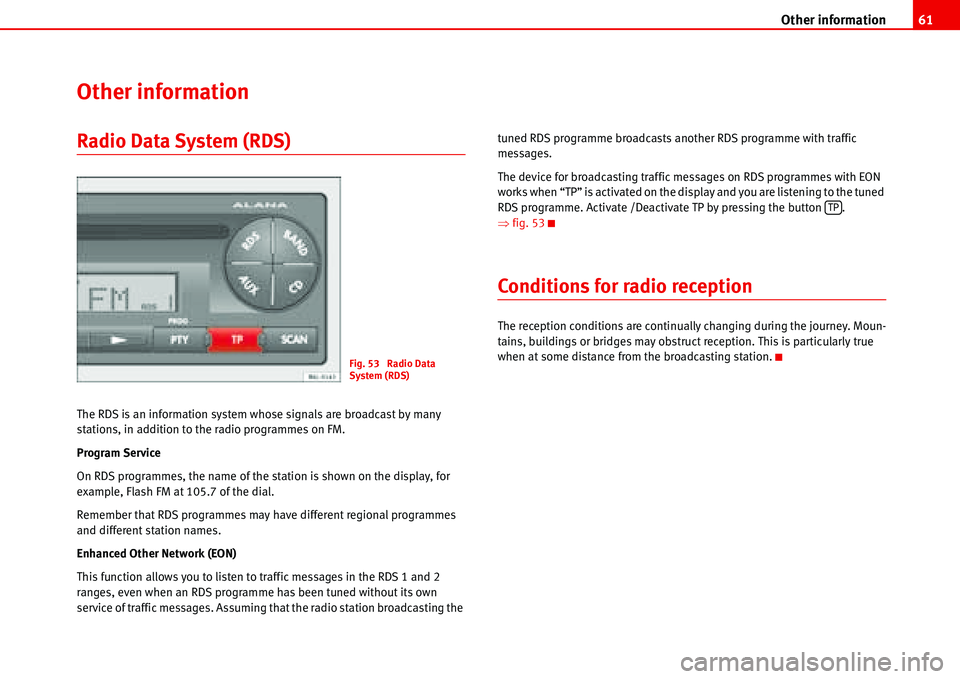
RDS programme. Activate /Deactivate TP by pressing the button .
Ÿfig. 53
Conditions for radio reception
The reception conditions are continually changing during the journey. Moun-
tains, buildings or bridges may obstruct reception. This is particularly true
when at some distance from the broadcasting station.
Fig. 53 Radio Data
System (RDS)
TP
Page 66 of 70
Technical specifications63
Technical specifications
Technical specifications
– Output power 4 x 20 W RMS
– Telephone muting
– CD interchanger controlled from the car radio.
– Control of auxiliary input from the car radio.
– Input connection for CD
– Security system: Code
– Wavebands RDS, FM, MW, LW
9)
– TP (availability for receiving traffic messages).
– PTY programme search
– EON: Enhanced Other Network (Alternative system for the recep-
tion of traffic messages).
– SCV. Speed Control Volume (Volume controlled depending upon
speed).
– Tone memory (6 equaliser settings).
– Programme system (Possibility of programming various func-
tions).– 2 memory banks of 6 RDS stations each.
– 2 memory banks of 6 FM stations each.
– 6 MW station memories
– 6 LW station memories
9)
9)According to version
Page 67 of 70
Index 64
Index
A
Activating hidden functions using AUX button . 33
Activating hidden functions using buttons 1-6 28,
52
Activating hidden functions using CD/CD6 button .
30
Activating PROG system . . . . . . . . . . . . . . . . . . . 54
Activating the code . . . . . . . . . . . . . . . . . . . . . . . 57
Adaptor . . . . . . . . . . . . . . . . . . . . . . . . . . . . . . . . 35
enter . . . . . . . . . . . . . . . . . . . . . . . . . . . . . 35, 37
select . . . . . . . . . . . . . . . . . . . . . . . . . . . . 35, 37
Ambient temperature . . . . . . . . . . . . . . . . . . . . . 35
Amplifier . . . . . . . . . . . . . . . . . . . . . . . . . . . . . 9, 15
Amplifier: Settings and storing . . . . . . . . . . . . . 17
Antitheft protection . . . . . . . . . . . . . . . . . . . . . . . . 6
Apple* iPod connection . . . . . . . . . . . . . . . . . . . 34
Attach
iPod . . . . . . . . . . . . . . . . . . . . . . . . . . . . . 36, 38
Authorisations
memory sticks . . . . . . . . . . . . . . . . . . . . . . . . 44
radio equipment . . . . . . . . . . . . . . . . . . . . . . 44
reproductores MP3 . . . . . . . . . . . . . . . . . . . . 43
Automatic change of regional programme . . . . 55
automatic LEARN in radio mode . . . . . . . . . . . . . 55
Automatic memory of AUTOSTORE stations . . . 20
AUX mode . . . . . . . . . . . . . . . . . . . . . . . . . . . . . . 32
AUX-IN Operation . . . . . . . . . . . . . . . . . . . . . . . . 14
B
Balance BAL . . . . . . . . . . . . . . . . . . . . . . . . . . . . . 16
BASS . . . . . . . . . . . . . . . . . . . . . . . . . . . . . . . . . . 15
Battery . . . . . . . . . . . . . . . . . . . . . . . . . . . . . . . . . 35
Brief instructions . . . . . . . . . . . . . . . . . . . . . . . . . . 9
C
Care and maintenance . . . . . . . . . . . . . . . . . . . . 62
CD changer . . . . . . . . . . . . . . . . . . . . . . . . . . . . . 35
CD mode . . . . . . . . . . . . . . . . . . . . . . . . . . . . . . . 11
CD6 mode . . . . . . . . . . . . . . . . . . . . . . . . . . . . . . 13
Classes of programme (PTY). Only in RDS mode 24
Coding . . . . . . . . . . . . . . . . . . . . . . . . . . . . . . . . . 57
Coding (anti-theft protection, function lock) . . . 57
Compact Disc . . . . . . . . . . . . . . . . . . . . . . . . . . . 27
Compatible functions . . . . . . . . . . . . . . . . . . . . . 34
Compatible music formats . . . . . . . . . . . . . . . . . 44
Compatible radio equiipment . . . . . . . . . . . . . . 34
Conditions for radio reception . . . . . . . . . . . . . . 61
Confirmation signal ON/OFF . . . . . . . . . . . . . . . 55
Connecting a memory stick . . . . . . . . . . . . . . . . 42
Connecting an MP3 player . . . . . . . . . . . . . . . . . 42
D
Deactivating the code (removing the block) . . . 60Device for broadcasting traffic messages while AUX
is playing . . . . . . . . . . . . . . . . . . . . . . . . . . 32
Device for broadcasting traffic messages while CD
is playing . . . . . . . . . . . . . . . . . . . . . . . . . . 30
Different options for settings . . . . . . . . . . . . . . . . 8
Display . . . . . . . . . . . . . . . . . . . . . . . . . . . . . . 10, 11
Display mode (SCAN button) . . . . . . . . . . . . . . . 50
E
Ending AUX mode . . . . . . . . . . . . . . . . . . . . . . . . 32
Ending CD mode . . . . . . . . . . . . . . . . . . . . . . . . . 30
F
Fader FAD . . . . . . . . . . . . . . . . . . . . . . . . . . . . . . . 16
Fast forward or reverse tracks . . . . . . . . . . . . . . 28
FOLDER RANDOM . . . . . . . . . . . . . . . . . . . . . . . . 52
FOLDER SCAN . . . . . . . . . . . . . . . . . . . . . . . . . . . 52
FOLDER-TRACK . . . . . . . . . . . . . . . . . . . . . . . . . . . 51
Formats . . . . . . . . . . . . . . . . . . . . . . . . . . . . . . . . 34
Function confirmation . . . . . . . . . . . . . . . . . . . . . . 8
Functions . . . . . . . . . . . . . . . . . . . . . . . . . . . . . . . 34
G
General information . . . . . . . . . . . . . . . . . . . . . . 34
Page 68 of 70
Index65
I
Information . . . . . . . . . . . . . . . . . . . . . . . . . . . . . . 34
iPod
attach . . . . . . . . . . . . . . . . . . . . . . . . . . . . 36, 38
automatic detection . . . . . . . . . . . . . . . . 36, 38
compatible equipment . . . . . . . . . . . . . . . . . 34
off . . . . . . . . . . . . . . . . . . . . . . . . . . . . . . . . . . 39
on . . . . . . . . . . . . . . . . . . . . . . . . . . . . . . . . . . 39
remove . . . . . . . . . . . . . . . . . . . . . . . . . . . 37, 39
iPod compatible . . . . . . . . . . . . . . . . . . . . . . . . . . 34
L
Limiting volume on switching on . . . . . . . . . . . . 55
M
Making the radio operational again . . . . . . . . . . 59
Mobile phone or radio phone function . . . . . . . . 8
MP3 mode . . . . . . . . . . . . . . . . . . . . . . . . . . . 12, 47
Music file
playback . . . . . . . . . . . . . . . . . . . . . . . . . . . . . 39
Music formats . . . . . . . . . . . . . . . . . . . . . . . . . . . 34
N
Navigation systems
compatible . . . . . . . . . . . . . . . . . . . . . . . . . . . 34
Numerical keypad . . . . . . . . . . . . . . . . . . . . . . . . 10
O
Off . . . . . . . . . . . . . . . . . . . . . . . . . . . . . . . . . . . . . 39
On . . . . . . . . . . . . . . . . . . . . . . . . . . . . . . . . . . . . . 39
Operating modes . . . . . . . . . . . . . . . . . . . . . . . . . . 9
Operation
through the sound system . . . . . . . . . . . . . . 39
Other information . . . . . . . . . . . . . . . . . . . . . . . . 61
P
Playback
all songs . . . . . . . . . . . . . . . . . . . . . . . . . . . . . 40
from a playlist . . . . . . . . . . . . . . . . . . . . . . . . 39
music file . . . . . . . . . . . . . . . . . . . . . . . . . . . . 39
one music file . . . . . . . . . . . . . . . . . . . . . . . . 40
random . . . . . . . . . . . . . . . . . . . . . . . . . . . . . . 40
Playlists . . . . . . . . . . . . . . . . . . . . . . . . . . . . . . . . 39
Possible functions and settings of the PROG-
System . . . . . . . . . . . . . . . . . . . . . . . . . . . . . 55
PROG settings . . . . . . . . . . . . . . . . . . . . . . . . . 8, 54
PROG-System . . . . . . . . . . . . . . . . . . . . . . . . . . . . 54
Protection against overloading . . . . . . . . . . . . . 17
PTY mode . . . . . . . . . . . . . . . . . . . . . . . . . . . . . . . 25
PTY programme keys . . . . . . . . . . . . . . . . . . . . . . 25
R
Radio . . . . . . . . . . . . . . . . . . . . . . . . . . . . . . . . . . 18
Radio card . . . . . . . . . . . . . . . . . . . . . . . . . . . . . . . 6
Radio Data System (RDS) . . . . . . . . . . . . . . . . . . 61Radio equipment
compatible . . . . . . . . . . . . . . . . . . . . . . . . . . . 34
Radio Mode . . . . . . . . . . . . . . . . . . . . . . . . . . . . . 11
Random playback . . . . . . . . . . . . . . . . . . . . . . . . 40
Recalling stored values . . . . . . . . . . . . . . . . . . . . 17
Remember . . . . . . . . . . . . . . . . . . . . . . . . . . . . . . . 6
Remove
iPod . . . . . . . . . . . . . . . . . . . . . . . . . . . . . 37, 39
S
SCAN button . . . . . . . . . . . . . . . . . . . . . . . . . . . . . 29
SCROLL ID3 . . . . . . . . . . . . . . . . . . . . . . . . . . . . . 51
Security . . . . . . . . . . . . . . . . . . . . . . . . . . . . . . . . 10
Select mode AUX operation . . . . . . . . . . . . . . . . 32
Select mode CD operation . . . . . . . . . . . . . . . . . 27
Select Radio mode . . . . . . . . . . . . . . . . . . . . . . . 18
Select waveband . . . . . . . . . . . . . . . . . . . . . . . . . 18
Selecting a CD (CD6 mode) . . . . . . . . . . . . . . . . . 27
Settings . . . . . . . . . . . . . . . . . . . . . . . . . . . . . . . . 54
Skipping songs . . . . . . . . . . . . . . . . . . . . . . . . . . 41
Speed control volume (SCV) . . . . . . . . . . . . . . . . 56
Starting and stopping car radio using ignition key .
55
Starting up for a limited time (one hour) . . . . . . . 8
Station buttons 1-6 . . . . . . . . . . . . . . . . . . . . . . . 23
Stereo reception (only for FM and RDS wavebands)
18
Structure of folders and files . . . . . . . . . . . . . . . 49
Switching on/off . . . . . . . . . . . . . . . . . . . . . . . . . . 7