2006 PONTIAC GRAND PRIX light
[x] Cancel search: lightPage 92 of 472

Arming with the Power Lock Switch
The vehicle’s content theft-deterrent alarm system can
be activated when the key is removed from the ignition
and the power door lock switch of either the driver’s or
front passenger’s door is used to lock the vehicle. The
door needs to be in the open position when pressing the
power door lock switch. The alarm system will not
activate if the door is closed and the power door lock
switch is pressed. This system can be activated through
the Driver’s Information Center (DIC). See “Lock Switch
Arm” under the Personal Programming Mode Screens in
DIC Controls and Displays (Base Level DIC) on
page 3-52orDIC Controls and Displays (Uplevel DIC
with Trip Computer) on page 3-60.
When the doors are locked using the power door lock
switch of either front door, the red light, on top of the
instrument panel will start ashing indicating that the
system is arming. After all the doors are closed there will
be a time delay and then the red light will begin to ash at
a very slow rate indicating the system is armed.
Arming with the Remote Keyless
Entry Transmitter
The alarm system will arm when the remote keyless
entry transmitter is used to lock the doors after the key
is removed from the ignition. The red light will come
on to indicate that the system is arming. After all doors
are closed and locked, and after a time delay, the
red light will begin ashing at a very slow rate to show
the system is armed.
Arming Conrmation
A red light located on top of the instrument panel,
towards the center of the vehicle and near the
windshield, will ash slowly to conrm when the
system is armed.
2-18
Page 93 of 472
Disarming with the Remote Keyless
Entry Transmitter
The alarm system will disarm when the remote keyless
entry transmitter is used to unlock the doors. The
red light will go out to show that the system is disarmed.
Disarming with Your Key
The alarm system will disarm when the key is used to
unlock the doors. The red light will stop ashing
when the system is disarmed. If you would like the key
to disarm the alarm system, see “Personal Programming
Mode Screens” underDIC Controls and Displays
(Base Level DIC) on page 3-52orDIC Controls and
Displays (Uplevel DIC with Trip Computer) on page 3-60
for more information.
PASS-Key®III
Your PASS-Key®III system operates on a radio
frequency subject to Federal Communications
Commission (FCC) Rules and with Industry Canada.This device complies with Part 15 of the FCC Rules.
Operation is subject to the following two conditions:
1. This device may not cause harmful interference.
2. This device must accept any interference received,
including interference that may cause undesired
operation.
This device complies with RSS-210 of Industry Canada.
Operation is subject to the following two conditions:
1. This device may not cause interference.
2. This device must accept any interference received,
including interference that may cause undesired
operation of the device.
Changes or modications to this system by other than
an authorized service facility could void authorization to
use this equipment.
PASS-Key
®III uses a radio frequency transponder in
the key that matches a decoder in your vehicle.
2-19
Page 96 of 472

Ignition Positions
The ignition switch is located on the instrument panel, to
the right of the steering column.
There are four different
positions. Insert the
key in the ignition and
turn it to the right for
each position.
9(OFF):This position locks the ignition, steering
wheel and transaxle. It is a theft-deterrent feature. This is
the only position from which the key can be removed.
Notice:Using a tool to force the key from the
ignition switch could cause damage or break the
key. Use the correct key and turn the key only with
your hand. Make sure the key is all the way in. If
it is, turn the steering wheel left and right while you
turn the key hard. If none of this works, then
your vehicle needs service.ACC (ACCESSORY):This position allows things like
the radio and windshield wipers to operate while
the engine is off.
R(RUN):This position is where the key returns to
after the vehicle is started. With the engine off, the
RUN position displays some of the warning and
indicator lights.
/(START):This position starts the engine. Let go of
the key when the engine starts. The key will return
to the RUN for normal driving.
A continuous warning chime will sound and a KEY IN
IGNITION message will display on the Driver Information
Center (DIC) if the key is turned to OFF or ACC and
the driver’s door is opened.
Retained Accessory Power (RAP)
If the vehicle has Retained Accessory Power (RAP),
certain features will continue to operate for up to
10 minutes after the ignition key is turned to OFF unless
a door is opened.
2-22
Page 103 of 472
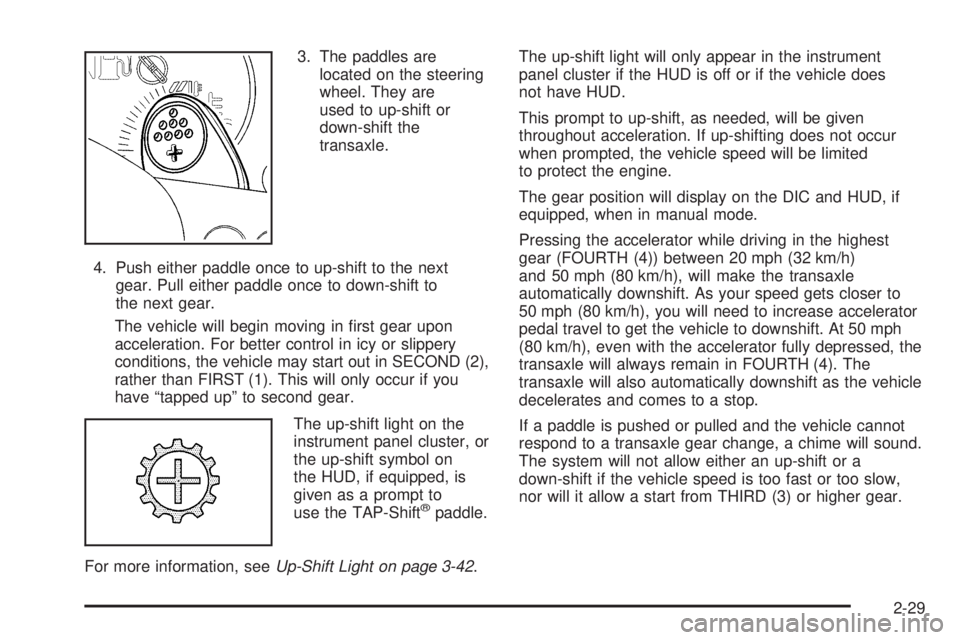
3. The paddles are
located on the steering
wheel. They are
used to up-shift or
down-shift the
transaxle.
4. Push either paddle once to up-shift to the next
gear. Pull either paddle once to down-shift to
the next gear.
The vehicle will begin moving in rst gear upon
acceleration. For better control in icy or slippery
conditions, the vehicle may start out in SECOND (2),
rather than FIRST (1). This will only occur if you
have “tapped up” to second gear.
The up-shift light on the
instrument panel cluster, or
the up-shift symbol on
the HUD, if equipped, is
given as a prompt to
use the TAP-Shift
®paddle.
For more information, seeUp-Shift Light on page 3-42.The up-shift light will only appear in the instrument
panel cluster if the HUD is off or if the vehicle does
not have HUD.
This prompt to up-shift, as needed, will be given
throughout acceleration. If up-shifting does not occur
when prompted, the vehicle speed will be limited
to protect the engine.
The gear position will display on the DIC and HUD, if
equipped, when in manual mode.
Pressing the accelerator while driving in the highest
gear (FOURTH (4)) between 20 mph (32 km/h)
and 50 mph (80 km/h), will make the transaxle
automatically downshift. As your speed gets closer to
50 mph (80 km/h), you will need to increase accelerator
pedal travel to get the vehicle to downshift. At 50 mph
(80 km/h), even with the accelerator fully depressed, the
transaxle will always remain in FOURTH (4). The
transaxle will also automatically downshift as the vehicle
decelerates and comes to a stop.
If a paddle is pushed or pulled and the vehicle cannot
respond to a transaxle gear change, a chime will sound.
The system will not allow either an up-shift or a
down-shift if the vehicle speed is too fast or too slow,
nor will it allow a start from THIRD (3) or higher gear.
2-29
Page 104 of 472
Parking Brake
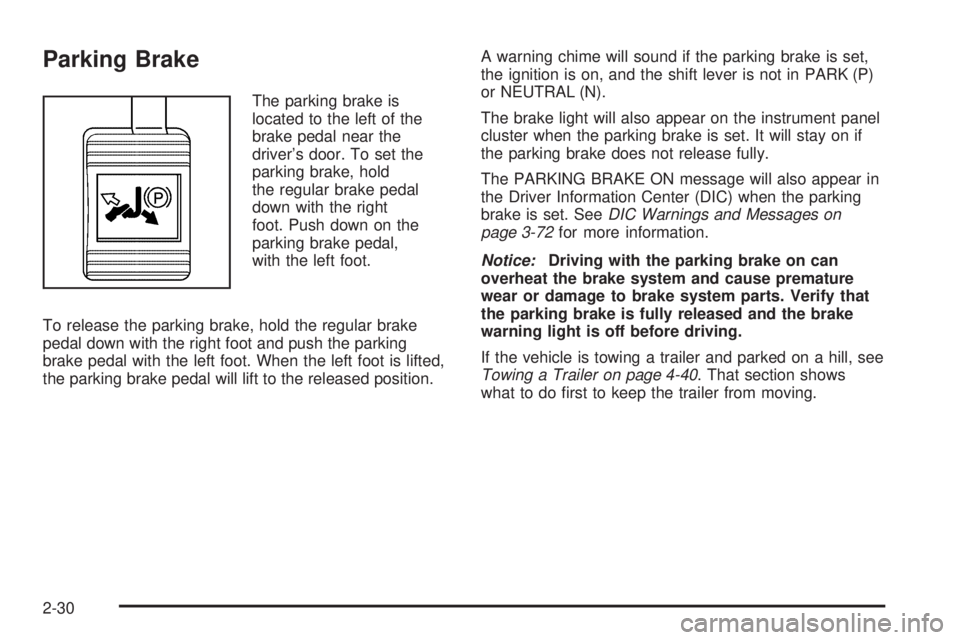
The parking brake is
located to the left of the
brake pedal near the
driver’s door. To set the
parking brake, hold
the regular brake pedal
down with the right
foot. Push down on the
parking brake pedal,
with the left foot.
To release the parking brake, hold the regular brake
pedal down with the right foot and push the parking
brake pedal with the left foot. When the left foot is lifted,
the parking brake pedal will lift to the released position.A warning chime will sound if the parking brake is set,
the ignition is on, and the shift lever is not in PARK (P)
or NEUTRAL (N).
The brake light will also appear on the instrument panel
cluster when the parking brake is set. It will stay on if
the parking brake does not release fully.
The PARKING BRAKE ON message will also appear in
the Driver Information Center (DIC) when the parking
brake is set. SeeDIC Warnings and Messages on
page 3-72for more information.
Notice:Driving with the parking brake on can
overheat the brake system and cause premature
wear or damage to brake system parts. Verify that
the parking brake is fully released and the brake
warning light is off before driving.
If the vehicle is towing a trailer and parked on a hill, see
Towing a Trailer on page 4-40. That section shows
what to do rst to keep the trailer from moving.
2-30
Page 109 of 472
Mirrors
Manual Rearview Mirror
with OnStar
®
Your vehicle has this feature located at the bottom of
the mirror, to change the mirror from the day to the night
position. To reduce the glare of headlamps from
behind, turn the control counterclockwise. To return the
mirror to the day position, turn the control clockwise.
There are also three OnStar
®buttons located at
the bottom of the mirror face. See your dealer for more
information on the system and how to subscribe to
OnStar
®. SeeOnStar®System on page 2-38for more
information about the services OnStar®provides.
Automatic Dimming Rearview
Mirror with Compass and
Temperature Display
If the vehicle has this feature, the automatic dimming
mirror automatically dims to the proper level to minimize
glare at night from lights behind your vehicle.The mirror also has a dual display in the upper right
corner of the mirror that shows the compass reading and
the outside temperature.
YOn/Off:Press this button to operate the automatic
dimming, compass and temperature features.
Automatic Dimming Mirror Operation
The automatic dimming mirror function is turned on each
time the ignition is started. A light near the on/off button
will come on to indicate the automatic dimming is on.
If the automatic dimming function is off, press and hold
the on/off button for four seconds to manually turn
the system back on.
Temperature and Compass Display
Press the on/off button, located in the center, to cycle
between °F, °C and off. If the display reads CAL,
the compass needs to be calibrated. For more
information, see “Compass Calibration” later in
this section.
If an abnormal temperature reading is displayed for an
extended period of time, please consult your dealer.
Under certain circumstances, a delay in updating
the temperature is normal.
2-35
Page 116 of 472
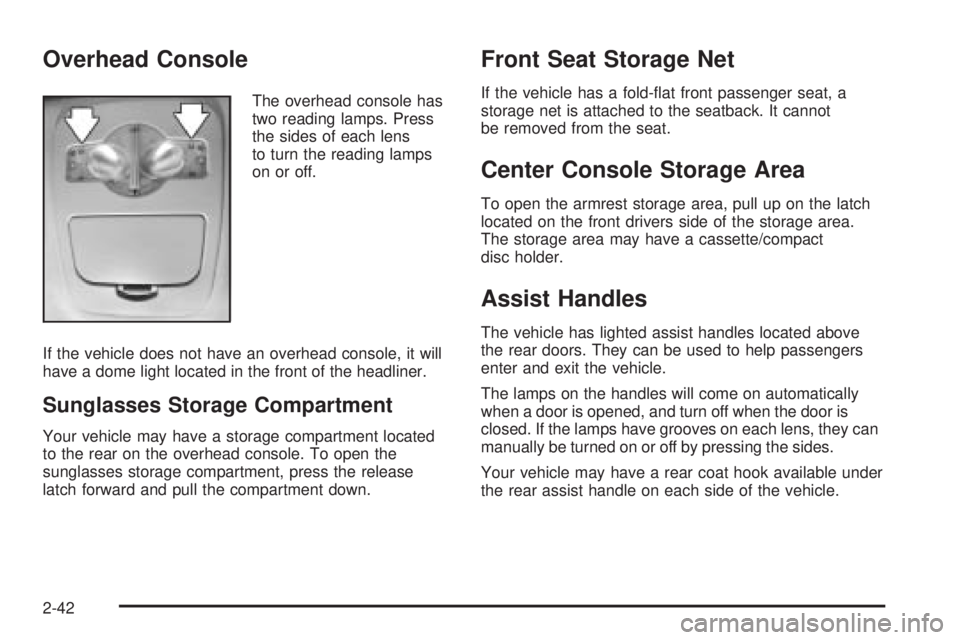
Overhead Console
The overhead console has
two reading lamps. Press
the sides of each lens
to turn the reading lamps
on or off.
If the vehicle does not have an overhead console, it will
have a dome light located in the front of the headliner.
Sunglasses Storage Compartment
Your vehicle may have a storage compartment located
to the rear on the overhead console. To open the
sunglasses storage compartment, press the release
latch forward and pull the compartment down.
Front Seat Storage Net
If the vehicle has a fold-at front passenger seat, a
storage net is attached to the seatback. It cannot
be removed from the seat.
Center Console Storage Area
To open the armrest storage area, pull up on the latch
located on the front drivers side of the storage area.
The storage area may have a cassette/compact
disc holder.
Assist Handles
The vehicle has lighted assist handles located above
the rear doors. They can be used to help passengers
enter and exit the vehicle.
The lamps on the handles will come on automatically
when a door is opened, and turn off when the door is
closed. If the lamps have grooves on each lens, they can
manually be turned on or off by pressing the sides.
Your vehicle may have a rear coat hook available under
the rear assist handle on each side of the vehicle.
2-42
Page 119 of 472
Instrument Panel Overview...............................3-4
Hazard Warning Flashers................................3-6
Other Warning Devices...................................3-6
Horn.............................................................3-6
Tilt Wheel.....................................................3-6
Turn Signal/Multifunction Lever.........................3-7
Turn and Lane-Change Signals........................3-7
Headlamp High/Low-Beam Changer..................3-8
Flash-to-Pass.................................................3-9
Windshield Wiper Lever...................................3-9
Cruise Control..............................................3-11
Exterior Lamps.............................................3-15
Headlamps on Reminder................................3-15
Daytime Running Lamps (DRL).......................3-16
Fog Lamps..................................................3-17
Exterior Lighting Battery Saver........................3-17
Interior Lamps..............................................3-17
Instrument Panel Brightness...........................3-18
Courtesy Lamps...........................................3-18
Entry Lighting...............................................3-18
Delayed Entry Lighting...................................3-19
Delayed Exit Lighting.....................................3-19
Front Reading Lamps....................................3-20
Overhead Console Reading Lamps.................3-20Rear Assist Handle Reading Lamps................3-20
Battery Run-Down Protection..........................3-20
Head-Up Display (HUD).................................3-21
Accessory Power Outlet(s).............................3-24
Ashtray(s) and Cigarette Lighter......................3-25
Climate Controls............................................3-26
Climate Control System.................................3-26
Dual Automatic Climate Control System...........3-29
Outlet Adjustment.........................................3-33
Passenger Compartment Air Filter...................3-33
Warning Lights, Gages, and Indicators............3-35
Instrument Panel Cluster................................3-36
Speedometer and Odometer...........................3-37
Tachometer.................................................3-37
Safety Belt Reminder Light.............................3-38
Passenger Safety Belt Reminder Light.............3-38
Airbag Readiness Light..................................3-39
Passenger Airbag Status Indicator...................3-40
Up-Shift Light...............................................3-42
Brake System Warning Light..........................3-42
Anti-Lock Brake System Warning Light.............3-44
Traction Control System (TCS) Warning Light. . . .3-45
Enhanced Traction System Warning Light.........3-45
Section 3 Instrument Panel
3-1