Page 204 of 473
203 Controls in detail
Audio system
Returning sound functions to factory
settings
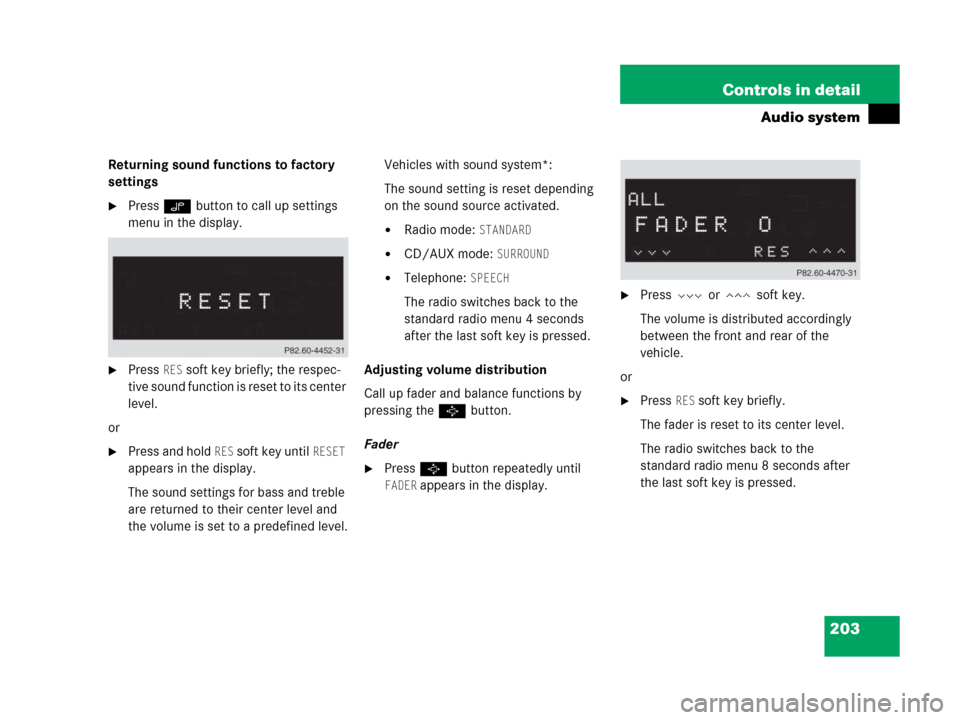
�Press O button to call up settings
menu in the display.
�Press RES soft key briefly; the respec-
tive sound function is reset to its center
level.
or
�Press and hold RES soft key until RESET
appears in the display.
The sound settings for bass and treble
are returned to their center level and
the volume is set to a predefined level.Vehicles with sound system*:
The sound setting is reset depending
on the sound source activated.
�Radio mode: STANDARD
�CD/AUX mode: SURROUND
�Telephone: SPEECH
The radio switches back to the
standard radio menu 4 seconds
after the last soft key is pressed.
Adjusting volume distribution
Call up fader and balance functions by
pressing the P button.
Fader
�Press P button repeatedly until
FADER appears in the display.
�Press V or W soft key.
The volume is distributed accordingly
between the front and rear of the
vehicle.
or
�Press RES soft key briefly.
The fader is reset to its center level.
The radio switches back to the
standard radio menu 8 seconds after
the last soft key is pressed.
Page 205 of 473
204 Controls in detail
Audio system
Adjusting balance
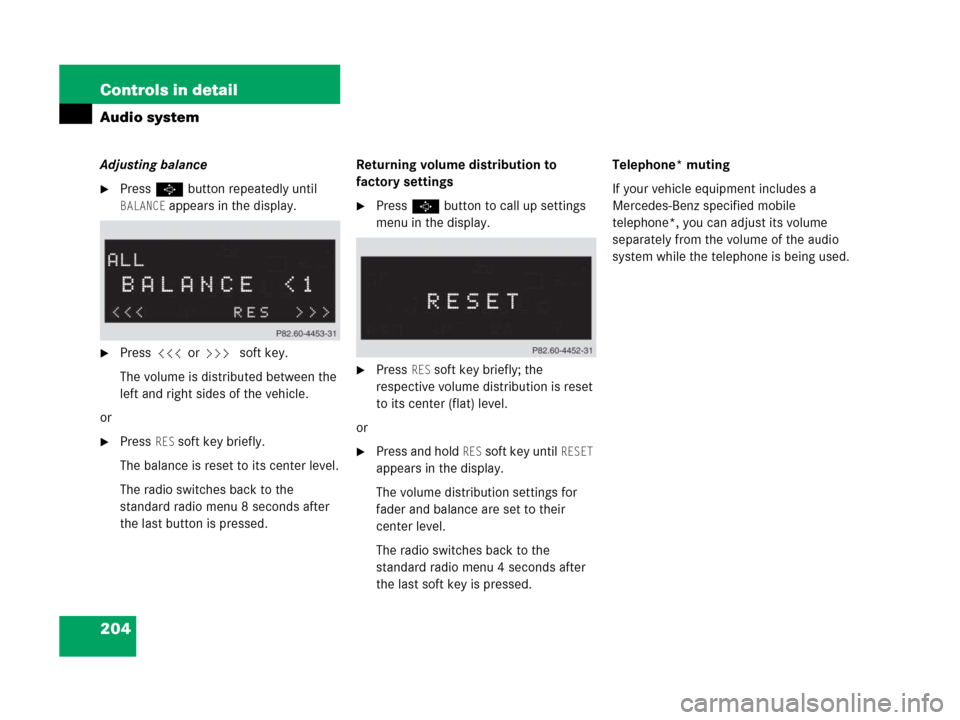
�Press P button repeatedly until
BALANCE appears in the display.
�Press X or Y soft key.
The volume is distributed between the
left and right sides of the vehicle.
or
�Press RES soft key briefly.
The balance is reset to its center level.
The radio switches back to the
standard radio menu 8 seconds after
the last button is pressed.Returning volume distribution to
factory settings
�Press P button to call up settings
menu in the display.
�Press RES soft key briefly; the
respective volume distribution is reset
to its center (flat) level.
or
�Press and hold RES soft key until RESET
appears in the display.
The volume distribution settings for
fader and balance are set to their
center level.
The radio switches back to the
standard radio menu 4 seconds after
the last soft key is pressed.Telephone* muting
If your vehicle equipment includes a
Mercedes-Benz specified mobile
telephone*, you can adjust its volume
separately from the volume of the audio
system while the telephone is being used.
Page 212 of 473
211 Controls in detail
Audio system
�Press ESN soft key.
The twelve-digit electronic serial
number (ESN) of the SAT tuner*
installed in your vehicle is displayed.
This information is required to call the
SIRIUS Service Center for an activation
request.
After activation of the satellite radio
service
The satellite radio main menu appears.
The radio station selected last is audible,
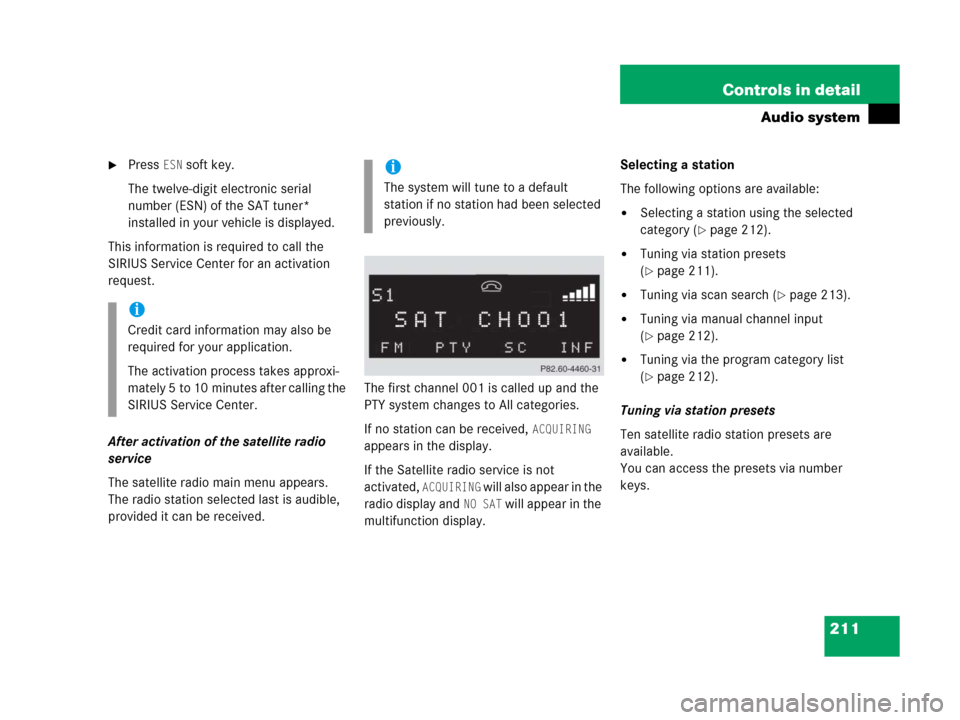
provided it can be received.The first channel 001 is called up and the
PTY system changes to All categories.
If no station can be received,
ACQUIRING
appears in the display.
If the Satellite radio service is not
activated,
ACQUIRING will also appear in the
radio display and
NO SAT will appear in the
multifunction display.Selecting a station
The following options are available:
�Selecting a station using the selected
category (
�page 212).
�Tuning via station presets
(
�page 211).
�Tuning via scan search (�page 213).
�Tuning via manual channel input
(
�page 212).
�Tuning via the program category list
(
�page 212).
Tuning via station presets
Ten satellite radio station presets are
available.
You can access the presets via number
keys.
i
Credit card information may also be
required for your application.
The activation process takes approxi-
mately 5 to 10 minutes after calling the
SIRIUS Service Center.
i
The system will tune to a default
station if no station had been selected
previously.
Page 213 of 473
212 Controls in detail
Audio system
Accessing via number keys
�Enter number of preset you wish to
select, e.g. 1.
The radio plays the station stored
under this number and the PTY function
changes to the category corresponding
to the station.
Tuning via manual channel input
Example: tuning in channel 16
�Press * button.
Input line appears in the main radio
menu.
�Use number keys to enter desired
channel within 8 seconds, e.g.1
6.
The system tunes to channel 16.
The station you have selected begins to
play.
Tuning via the program category list
The category list contains all currently
receivable categories of programs. It is
arranged alphabetically.
�Selecting a category
�Press PTY soft key.
The current PTY category of the
station is displayed.
�Press <<< or >>> soft key.
This switches between the
individual categories.
When changing the category, the
channel selected last in the new
category becomes audible.
i
You can only enter available channel
numbers.
Page 215 of 473
214 Controls in detail
Audio system
Storing stations
�Tune in desired station.
�Press and hold desired station
button1 to R until a brief signal
tone is heard.
The frequency is stored on the selected
station button.
The radio saves the current station at
the memory preset selected. The
memory preset selected appears in the
status line, e.g. S3.Calling up the ESN information menu
�Press INF soft key.
�Press ESN soft key.
The twelve-digit electronic serial
number (ESN) of the SAT tuner*
installed in your vehicle is displayed.
�Press RET soft key to exit the menu.
CD mode
Safety precautions
i
There are ten presets available.
An existing entry is overwritten in the
memory list when a new entry is given.
Warning!G
The single CD player and the CD changer*
are Class 1 laser products. There is a danger
of invisible laser radiation if the housing is
opened or damaged.
Do not open the housing. The single CD
player and the CD changer* do not contain
any parts that can be serviced by the user.
For safety reasons, have any service work
which may be necessary performed only by
qualified personnel.
Page 246 of 473
245 Controls in detail
Driving systems
�Driving systems
The driving system of your vehicle is
described on the following pages:
�Cruise control, with which the vehicle
can maintain a preset speed.
For information on the BAS, ABS and ESP
®,
see “Driving safety systems” (
�page 82).
Cruise control
The cruise control automatically maintains
the speed you set for your vehicle.
The use of cruise control is recommended
for driving at a constant speed for extend-
ed periods of time. You can set or resume
cruise control at any speed over 20 mph
(30 km/h).
The cruise control function is operated by
means of the cruise control lever.
The cruise control lever is the uppermost
lever on the left-hand side of the steering
column (
�page 22).
Warning!G
The cruise control is a convenience system
designed to assist the driver during vehicle
operation. The driver is and must always re-
main responsible for the vehicle’s speed and
for safe brake operation.
Only use cruise control if the road, traffic
and weather conditions make it advisable to
travel at a steady speed.
�The use of cruise control can be danger-
ous on winding roads or in heavy traffic
because conditions do not allow safe
driving at a steady speed.
�The use of cruise control can be danger-
ous on slippery roads. Rapid changes in
tire traction can result in wheel spin and
loss of control.
�Deactivate cruise control when driving
in fog.
The “Resume” function should only be oper-
ated if the driver is fully aware of the previ-
ously set speed and wishes to resume this
particular preset speed.
Page 248 of 473
247 Controls in detail
Driving systems
Setting a higher speed
�Lift cruise control lever to position1
and hold it up until the desired speed is
reached.
�Release cruise control lever.
The new speed is set.
Setting a lower speed
�Depress cruise control lever to
position2 and hold it down until the
desired speed is reached.
�Release cruise control lever.
The new speed is set.Fine adjustment in 1 mph
(Canada: 1 km/h) increments
Faster
�Briefly tip cruise control lever in
direction of arrow1.
Slower
�Briefly tip cruise control lever in
direction of arrow2.Setting to last stored speed
(“Resume” function)
�Briefly push cruise control lever to
position4.
The cruise control resumes the last set
speed.
�Remove your foot from the accelerator
pedal.
i
Depressing the accelerator pedal does
not deactivate cruise control. After
brief acceleration (e.g. for passing),
cruise control will resume the last
speed set.
i
When you use the cruise control lever
to decelerate, the transmission will
automatically downshift if the engine’s
braking power does not brake the
vehicle sufficiently.
Warning!G
The speed stored in memory should only be
set again if prevailing road conditions per-
mit. Possible acceleration or deceleration
differences arising from returning to preset
speed could cause an accident and/or seri-
ous injury to you and others.
Page 272 of 473

271 Controls in detail
Useful features
Call priority
If other service calls such as a Roadside
Assistance call or Information call are
active, an Emergency call is still possible.
In this case, the Emergency call will take
priority and override all other active calls. Information calls can be terminated
using thet button on the multi-
function steering wheel or the END But-
ton on the audio system or COMAND*
System.
!
If the indicator lamps do not start flash-
ing after pressing one of the buttons or
remain illuminated (in red) at any time,
the Tele Aid system has detected a
malfunction or the service is not
currently active, and may not initiate a
call. Visit your authorized
Mercedes-Benz Center and have the
system checked or contact the Re-
sponse Center at 1-800-756-9018 (in
the USA) or 1-888-923-8367 (in Cana-
da) as soon as possible.i
The indicator lamp in the respective
button flashes until the call is conclud-
ed. Emergency calls can only be termi-
nated by a Response Center or
Customer Assistance Center represen-
tative, whereas Roadside Assistance
and Information calls can also be termi-
nated by pressing buttont on the
multifunction steering wheel or using
the END button on the audio system or
COMAND* System.
!
If the indicator lamp continues to flash
or the system does not reset, contact
the Response Center at
1-800-756-9018 (in the USA) or
1-888-923-8367 (in Canada), or
Mercedes-Benz Customer Assistance
at 1-800-FOR-MERCedes
(1-800-367-6372) in the USA or
Customer Service at 1-800-387-0100
in Canada.