Page 264 of 651

AIR CONDITIONING
243
The automatic air conditioning automatically maintains
the set temperature.
In the automatic operation mode, the air conditioning selects
the most suitable fan speed, air flow, air intake and on−
off the
air conditioning according to the temperature.
The ignition key must be in the “ON” position.
NOTICE
To prevent the battery from being discharged, do not
leave the air conditioning on longer than necessary
when the engine is not running.
1Driver side temperature display (in degrees
Fahrenheit or Centigrade)
2Air flow display
3Fan speed display
4Passenger side temperature display (in degrees
Fahrenheit or Centigrade)
5“TEMP” (driver side temperature control) button
(At the independent mode that display shows
“DUAL”; mainly for driver and secondarily for
front passenger)
(At the linked mode that display does not show
“DUAL”; for driver)
6“AUTO” button
7“OFF” button
8Air intake control button
9“A/C” button
10Fan speed control button
11“MODE”(air flow control) button
12“DUAL” (temperature setting mode change) button
13Windshield air flow button
14“PASSENGER TEMP” (passenger side temperature
control) button
(Only for the independent mode that display
shows “DUAL”; mainly for front passenger and
secondarily for driver)
Page 285 of 651
AUDIO
264
Using your audio system: some basics
This section describes some of the basic features of the Lexus
audio system. Some information may not pertain to your
system.
Your audio system works when the ignition switch is in the
“ACC” or “ON” position.
NOTICE
To prevent the battery from being discharged, do not
leave the audio system on longer than necessary when
the engine is not running.
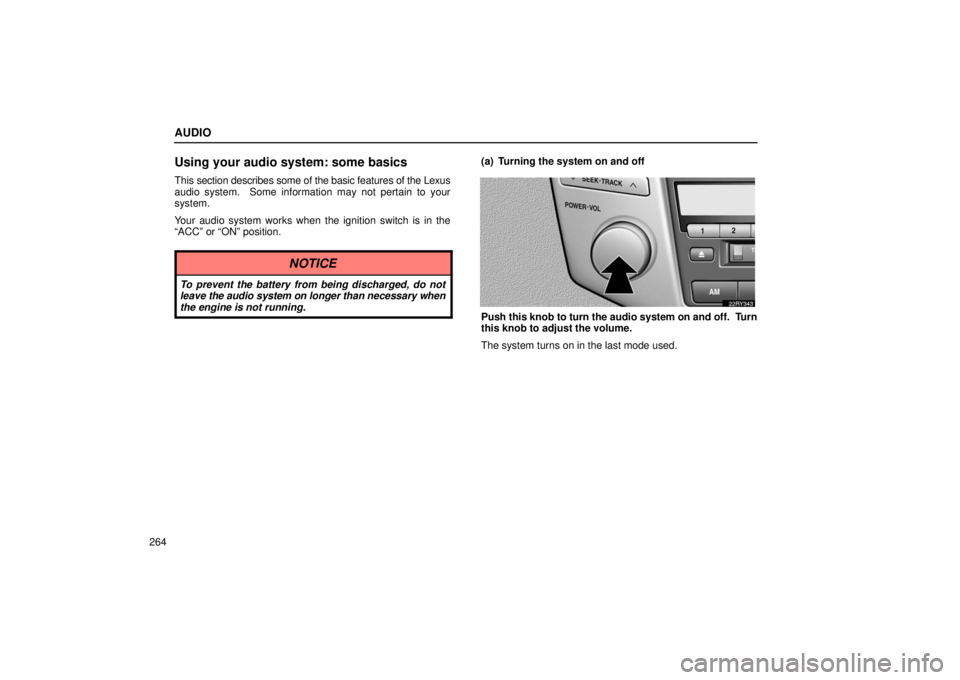
(a) Turning the system on and off
Push this knob to turn the audio system on and off. Turn
this knob to adjust the volume.
The system turns on in the last mode used.
Page 291 of 651
AUDIO
270
Turn this knob to the right to step up the frequency or to
the left to step down.
Your radio automatically changes to stereo reception when a
stereo broadcast is received. “ST” appears on the display. If
the signal becomes weak, the radio reduces the amount of
channel separation to prevent the weak signal from creating
noise. If the signal becomes extremely weak, the radio
switches from stereo to mono reception. In this case, “ST”
disappears from the display.(b) Presetting a station
1. Tune in the desired station.
2. Push one of the station selector buttons (1 — 6) and
hold it until a beep is heard. This sets the station to the
button and the button number (1 — 6) appears on the
display.
Each
button can store one AM station and two FM stations. To
change the preset station to a different one, follow the same
procedure.
The preset station memory is cancelled when the power
source is interrupted by battery disconnection or a blown fuse.
Page 305 of 651
AUDIO
284
Using your audio system: some basics
This section describes some of the basic features of the Lexus
audio system. Some information may not pertain to your
system.
Your audio system works when the ignition switch is in the
“ACC” or “ON” position.
NOTICE
To prevent the battery from being discharged, do not
leave the audio system on longer than necessary when
the engine is not running.
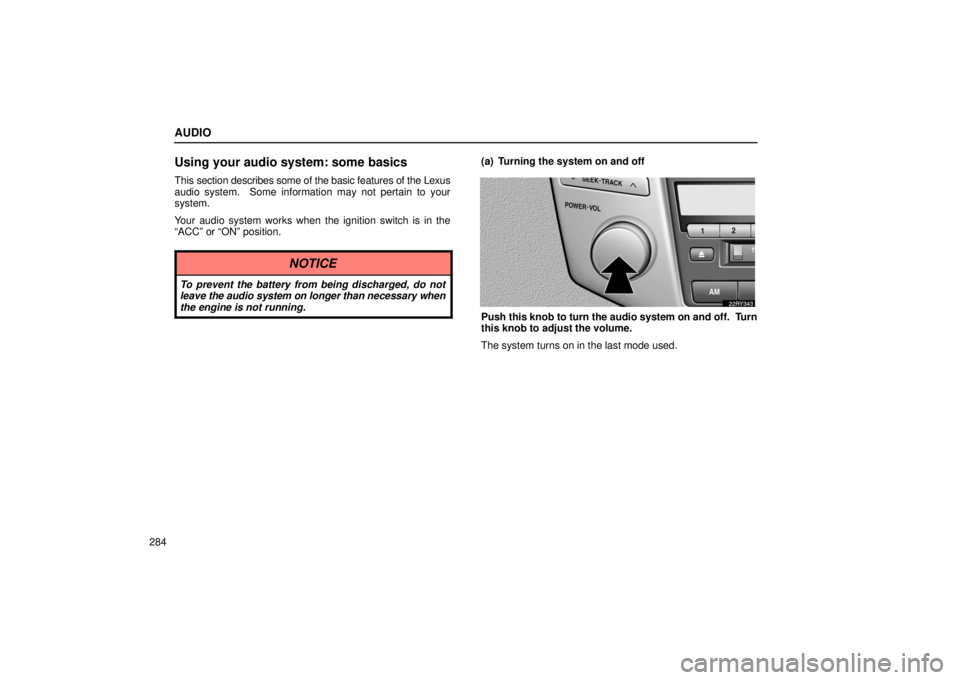
(a) Turning the system on and off
Push this knob to turn the audio system on and off. Turn
this knob to adjust the volume.
The system turns on in the last mode used.
Page 311 of 651

AUDIO
290(b) Presetting a station
1. Tune in the desired station.
2. Push one of the station selector buttons (1 — 6) and
hold it until a beep is heard. This sets the station to the
button and the button number (1 — 6) appears on the
display.
Each
button can store one AM station and two FM stations. To
change the preset station to a different one, follow the same
procedure.
The preset station memory is cancelled when the power
source is interrupted by battery disconnection or a blown fuse. (c) Selecting a station
Tune in the desired station using one of the following methods.
Seek tuning: Push the “SEEK” button. The radio will begin
seeking up
or down for a station of the nearest frequency and
will stop on reception. Each time you push the button, the
stations will be searched automatically one after another.
Preset tuning: Push the button (1 — 6) for the station you
want. The button number (1 — 6) and station frequency
appear on the display.
Manual tuning: Turn the “TUNE” knob. The radio will step up
or down to another frequency.
Page 329 of 651

AUDIO
308The illumination of the screen is automatically turned off when
the display is closed. However, the rear seat entertainment
system is not turned off.
CAUTION
To reduce the chance of injury in case of an accident or
sudden stop while driving, close the display when it is
not in use.
NOTICE
�
The screen should be cleaned with a dry soft cloth.
If the screen is pushed by hand or wiped with a hard
cloth, the surface of the screen may be scratched.
� Benzene or alkaline solutions may damage the
coated surface of the screen.
� To prevent the battery from being discharged, do not
turn on the rear seat entertainment system longer
than necessary when the engine is not running.
Rear seat entertainment system remote
control
The rear seat entertainment system can be operated with
the rear seat entertainment system remote control and the
switches on the DVD player. The system cannot be
operated by touching the switches on the screen directly.
CAUTION
Do not disassemble or modify the remote control. It
may cause an accident, fire or electric shock.
NOTICE
Keep the remote control away from direct sunlight, high
heat and high humidity. These conditions could cause
the case to deform or the battery to explode or leak.
Page 330 of 651
AUDIO
309
(a) Before using the remote control (for new vehicle
owners)
A battery is already set in the remote control with an
insulating sheet, which prevents the battery from being
discharged.
Before using the remote control, remove the
insulating sheet according to the following procedure.
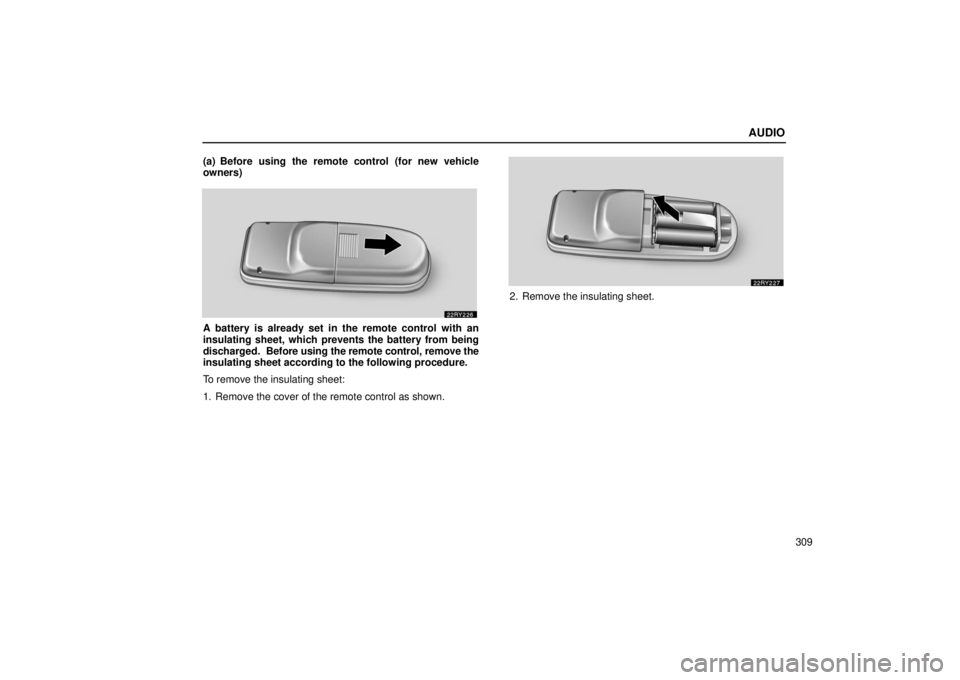
To remove the insulating sheet:
1. Remove the cover of the remote control as shown.
2. Remove the insulating sheet.
Page 339 of 651
AUDIO
318
CAUTION
�Do not operate a motor vehicle while using
headphones. Doing so may cause an accident,
resulting in death or serious injury.
� With DVD player:
Conversational speech on some DVDs is recorded at
a low volume to emphasize the impact of sound
effects. If you adjust the volume assuming that the
conversations represent the maximum volume level
that the DVD will play, you may be startled by louder
sound effects or when you change to a different
audio source. Be sure to adjust the volume with this
in mind.
Make sure the volume is not increased, before you
turn on the headphone.
NOTICE
To prevent the battery from being discharged, do not
leave the audio system on longer than necessary when
the engine is not running.
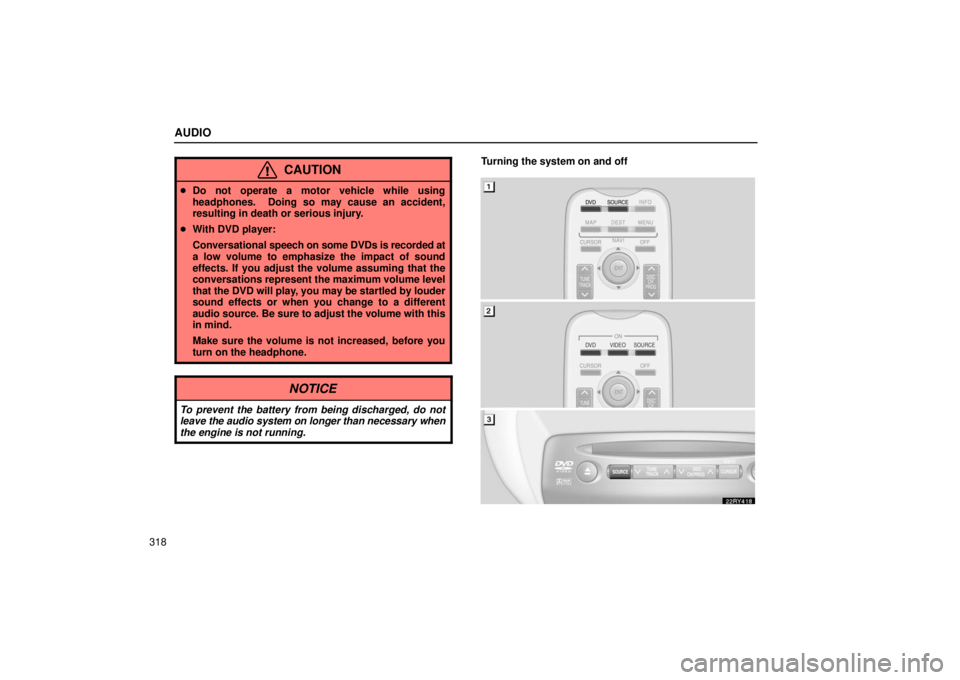
Turning the system on and off