Page 308 of 651

AUDIO
287
Automatic Sound Levelizer (ASL):
When the audio sound
becomes dif ficult to be heard due to road noise, wind noise, etc.
during driving, the system adjusts to the optimum volume and
tone quality according to the noise level. While the Automatic
Sound Levelizer is on, “ASL” appears on the display.
Push the “AUDIO CONTROL” knob until the desired mode.
Turn the knob to suit your preference.
(c) Your radio antennas
Detachable antenna: To remove an detachable antenna,
carefully turn it counterclockwise.
NOTICE
To prevent damage to the antenna, make sure it is
removed before driving your vehicle through an
automatic car wash.
Wire antenna: The wire antenna is mounted inside the back
door window.
NOTICE
� When cleaning the inside of the back door window, be
careful not to scr atch or damage the wire antennas or
connectors.
� Putting a window tint (especially, conductive or
metallic type) on the quarter windows may affect the
reception of radio or mobile telephone. For the
installation of the window tint, consult with your
Lexus dealer.
(d) Your cassette player
When you insert a cassette, the exposed tape should face to
the right.
NOTICE
Never try to disassemble or oil any part of the cassette
player. Do not insert anything other than cassette tapes
into the slot.
Page 310 of 651
AUDIO
289
Radio operation
(a) Listening to the radio
Push these buttons to choose either an AM or FM station.
“AM”, “FM1”, “FM2” or “FM TYPE” appears on the d\
isplay.
Turn this knob to the right to step up the frequency or to
the left to step down.
Your radio automatically changes to stereo reception when a
stereo broadcast is received. “ST” appears on the display. If
the signal becomes weak, the radio reduces the amount of
channel separation to prevent the weak signal from creating
noise. If the signal becomes extremely weak, the radio
switches from stereo to mono reception. In this case, “ST”
disappears from the display.
Page 311 of 651

AUDIO
290(b) Presetting a station
1. Tune in the desired station.
2. Push one of the station selector buttons (1 — 6) and
hold it until a beep is heard. This sets the station to the
button and the button number (1 — 6) appears on the
display.
Each
button can store one AM station and two FM stations. To
change the preset station to a different one, follow the same
procedure.
The preset station memory is cancelled when the power
source is interrupted by battery disconnection or a blown fuse. (c) Selecting a station
Tune in the desired station using one of the following methods.
Seek tuning: Push the “SEEK” button. The radio will begin
seeking up
or down for a station of the nearest frequency and
will stop on reception. Each time you push the button, the
stations will be searched automatically one after another.
Preset tuning: Push the button (1 — 6) for the station you
want. The button number (1 — 6) and station frequency
appear on the display.
Manual tuning: Turn the “TUNE” knob. The radio will step up
or down to another frequency.
Page 312 of 651
AUDIO
291
To scan all the frequencies: Push the “SCAN” button briefly.
“SCAN” appears on the display. The radio will find the next
station up the band, stay there for a few seconds, and then
scan again. To select a station, push the “SCAN” button a
second time.
To scan the preset stations: Push the “SCAN” button until
you hear a beep. “SCAN” appears on the display. The radio
will tune in the next preset station up the band, stay there for
a few seconds, and then move to the next preset station. To
select a station, push the “SCAN” button a second time.(d) RDS (Radio Data System)
TYPE (Program type):
When you push the “TYPE” button, the current program type
receiving from RDS station appears on the display.
If the system receives no RDS stations, “NO PTY” appears on
the display.
Page 313 of 651
AUDIO
292Each time you
pushy the “�” or “�” button, the program type
changes as in the following:
� ROCK
� EASY LIS (Easy listening)
� CLS/JAZZ (Classical music and jazz)
� R&B (Rhythm and Blues)
� INFORM (Information)
� RELIGION
� MISC (Miscellaneous)
� ALERT (Emergency message)
Push the “SEEK·TRACK” or “SCAN” button with the program
type shown on the display and the radio seeks or scans the
station in the relevant program type. TRAF (Traffic) function: A station that regularly
broadcasts traffic information is automatically located.
When you push the “TRAF” button, “TRAF SEEK” appear on
the display and the radio will start seeking any traffic program
station.
If no traf
fic program station is found, “NO TRAF INFO” appears
on the display for a few seconds and the display returns to the
previous mode.
Page 314 of 651
AUDIO
293
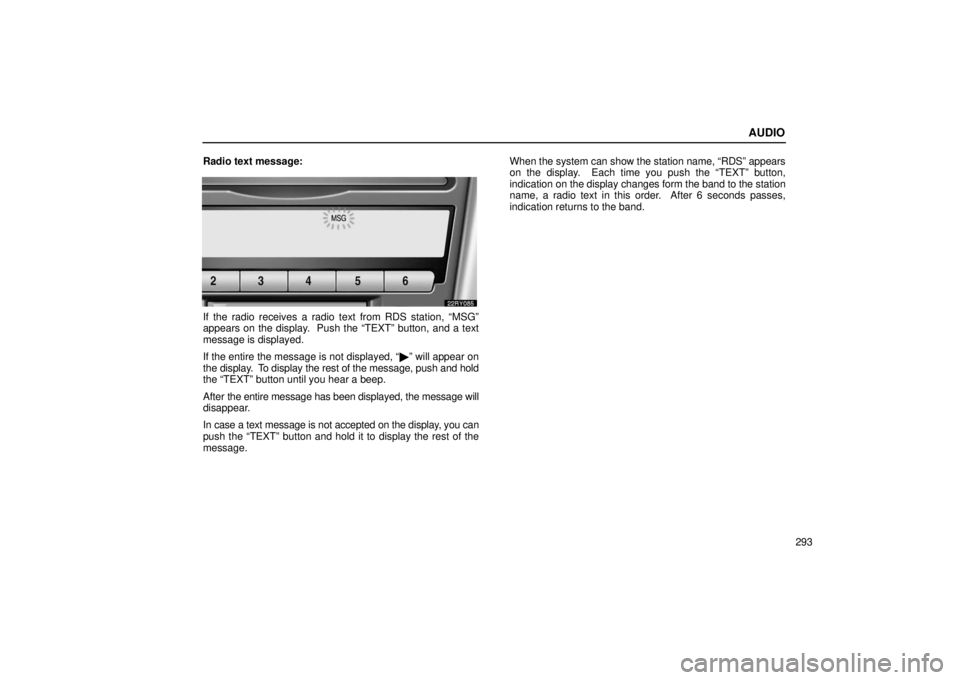
Radio text message:
If the radio receives a radio text from RDS station, “MSG”
appears on the display. Push the “TEXT” button, and a text
message is displayed.
If the entire the message is not displayed, “
�” will appear on
the display. To display the rest of the message, push and hold
the “TEXT” button until you hear a beep.
After the entire message has been displayed, the message will
disappear.
In case a text message is not accepted on the display, you can
push the “TEXT” button and hold it to display the rest of the
message. When the system can show the station name, “RDS” appears
on the display. Each time you push the “TEXT” button,
indication on
the display changes form the band to the station
name, a radio text in this order. After 6 seconds passes,
indication returns to the band.
Page 326 of 651

AUDIO
305
“
+” switches: Use these switches to adjust the volume.
To increase the volume, push the “+”. To decrease the volume,
push the “–”. The volume continues to increase or decrease
while the switch is being pressed.
(a) When the radio mode is selected
“
” or “” switch: Use these switches for seek tuning or to
select a preset station.
� To select a preset station, push this switch briefly. The
station you assigned to a switch on the audio system will be
selected.
� To seek a station, push and hold this switch until you hear
a beep. The radio will begin seeking up or down for a station,
and will stop on reception.
(b) When the “TAPE” mode is selected
“
” or “” switch: Use these switches to fast forward or
rewind the tape or for automatic program selection.
� To skip forward or reward for automatic program selection,
push this switch briefly. When automatically selecting a
program, you can skip up to 9 programs at a time. See page
276 or 296 for details.
� To fast forward or rewind the tape, push this switch until you
hear a beep. To stop fast forwarding or rewinding, push the
same side on the switch briefly. (c) When the “CD” mode is selected
“
” or “” switch: Use this switch to select a desired track.
Push this switch briefly, to select a desired track.
With a CD changer only —
“
” or “” switch: Use this switch to select a desired track
or CD.
� To select a desired track, push this switch briefly.
� To select a desired CD, push and hold this switch until the
desired number of the CD appears and you hear a beep.
Vehicles with rear seat entertainment system —
While the DVD player is in operation, the chapter or track can
be changed by pushing the “� ” or “�” side of the switch.
CAUTION
Operate the switches with due care while you are
driving to avoid accidents.
Page 336 of 651

AUDIO
315
Buttons on the DVD player unit
The rear seat entertainment system can be operate with the
switches on the DVD player.
1“” (eject) switch: Use this switch to eject the disc
from the DVD player.
2“SOURCE” switch: Push this switch to turn on the rear
seat entertainment system.
To change the audio mode, turn on the system and push the
source switch until the mode you desire is displayed. If a tape
or disc is not inserted, the “TAPE”, “CD” and “DVD” modes are
skipped.
3“TUNE/TRACK” switch: Use this switch to tune or seek
(radio mode), fast forward or rewind (“TAPE” mode),
select a desired track (“CD” mode) or select a desired
chapter/track (“DVD” mode).
Radio mode: Use this switch to tune or seek.
� To tune, repeatedly push this switch briefly until your desired
station is found.
� To seek, push and hold this switch until you hear a beep.
The radio will begin seeking up or down the band for a
station, and will stop on reception.
TAPE mode: Use this switch to fast forward or rewind a tape,
or for automatic program selection.
� To skip forward or rewind using automatic program
selection, push this switch briefly. By using automatic
program selection, you can skip up to 9 programs at a time.
For details, see page 276 or 296.
� To fast forward or rewind the tape, push and hold this switch
until you hear a beep. To stop fast forwarding or rewinding,
push and hold the same side of the switch until you hear a
beep.
 Listening to the radio
Push these buttons to choose either an AM or FM station.
“AM”, “FM1”, “FM2” or “FM TYPE” appears on the d\
isplay.
Turn this knob")