Page 31 of 419
15
1
1-2. Opening, closing and locking the doors and trunk
Before driving
Doors
The vehicle can be locked and unlocked using the smart access system,
remote entry system, key or door lock switch.
■Smart access system
P.
5
■ W
ireless remote control
P.
1 2
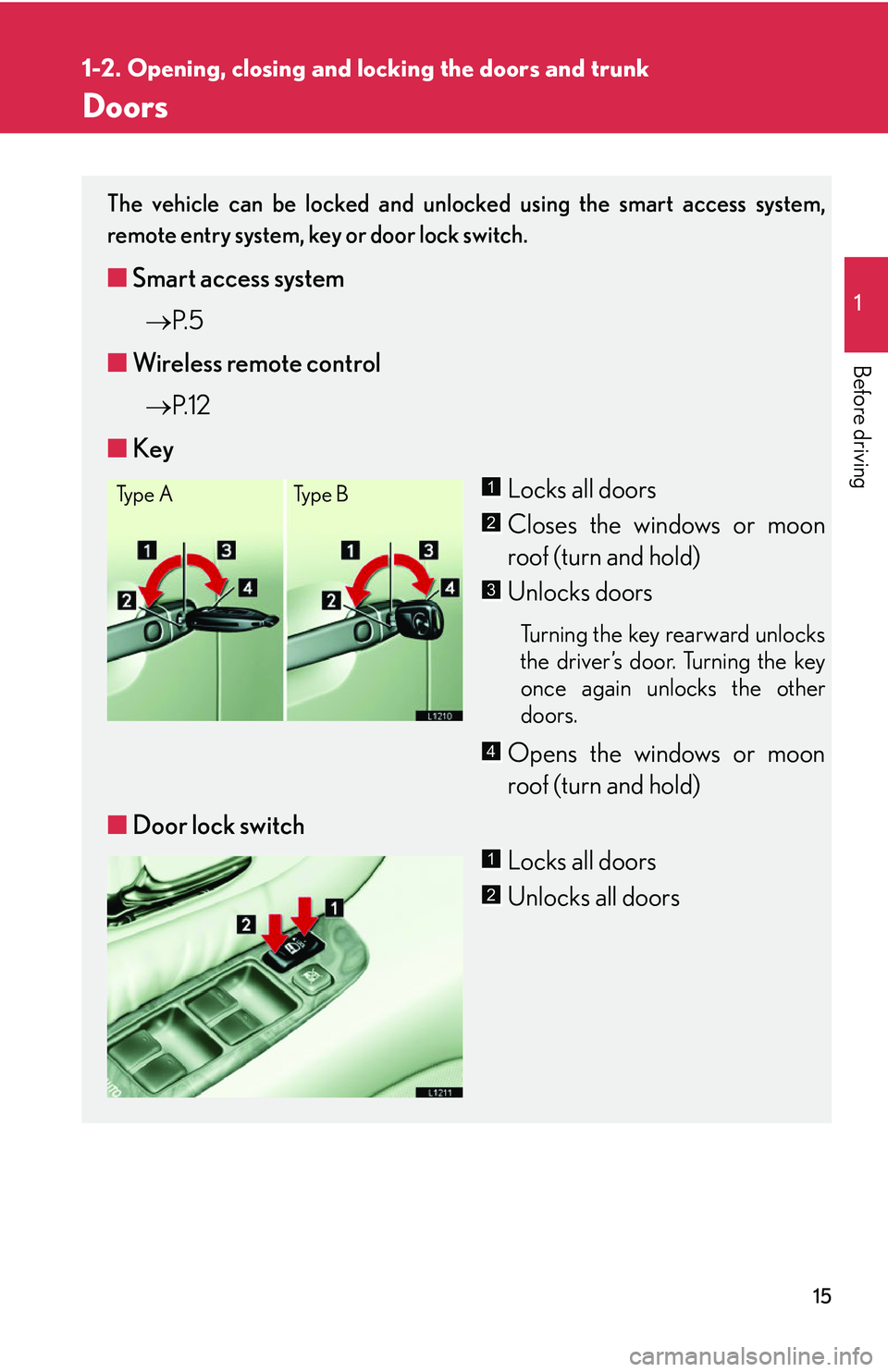
■ Ke
y
Locks all doors
Closes the windows or moon
roof (turn and hold)
Unlocks doors
Turning the key rearward unlocks
the driver’s door. Turning the key
once again unlocks the other
doors.
Opens the windows or moon
roof (turn and hold)
■ Door lock switch
Locks all doors
Unlocks all doors
Ty p e ATy p e B1
2
3
4
1
2
Page 32 of 419
16
1-2. Opening, closing and locking the doors and trunk
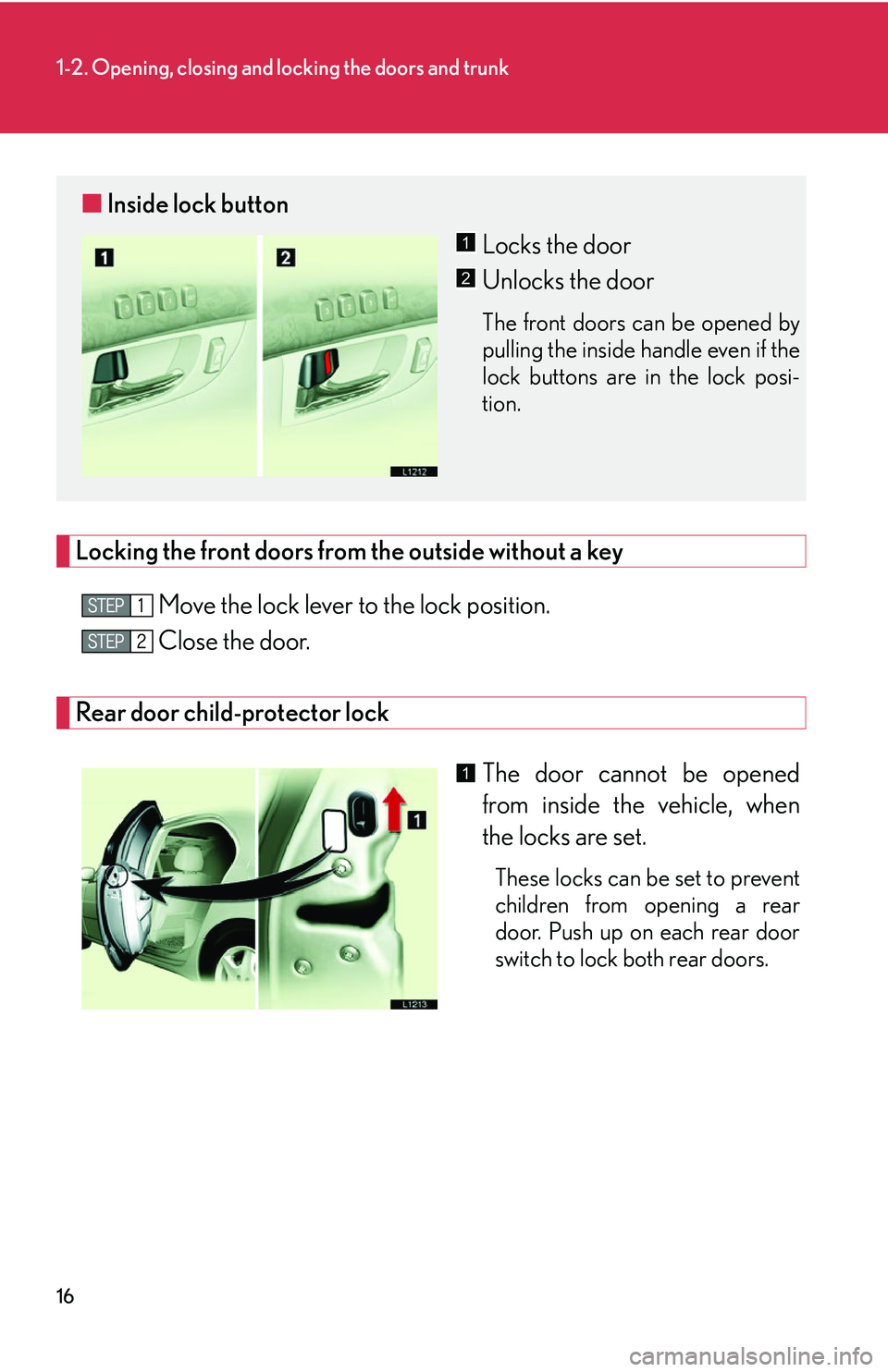
Locking the front doors from the outside without a key
Move the lock lever to the lock position.
Close the door.
Rear door child-protector lock
The door cannot be opened
from inside the vehicle, when
the locks ar
e set.
These locks can be set to prevent
children from opening a rear
door. Push up on each rear door
switch to lock both rear doors.
■Inside lock button
Locks the door
Unlocks the door
The front doors can be opened by
pulling the inside handle even if the
lock buttons are in the lock posi -
tion.
1
2
1
Page 33 of 419
17
1-2. Opening, closing and locking the doors and trunk
1
Before driving
■Door closer (some models)
●If any door is latched, but not fully closed, it will close it automatically.
●Pulling the door handle will cancel the door closer operation, however if a rear
door's child protector is engaged, it is not possible to cancel the door closer
operation for that door.
●This system activates regardless of the ignition switch position.
■Door lock prevention
The doors cannot be locked from inside the vehicle, if a front door is open and the
k
ey is in the ignition switch.
■Key reminder function for vehicles not equipped with smart access system
A buzzer sounds if the driver’s door is opened, while the key is in the LOCK or
A
CC position to remind you to remove the key.
■Key reminder function for vehicles equipped with smart access system.
( P.344)
■Automatic door locking system
The vehicle locks all doors automatically, when the automatic transmission selector
le
ver is moved from the P position with the ignition switch in the ON position.
This feature can be deactivated or changed ( P.384 )
■Customization
The doors that are automatically locked/unlocked, when the key is used can be
ch
anged. ( P.384 )
Page 34 of 419
18
1-2. Opening, closing and locking the doors and trunk
CAUTION
■To prevent an accident
Observe the following precautions while driving the vehicle.
Failing to do so may result in a door opening and cause occupant out, resulting in
death
or serious injury.
• Always use a seat belt.
• Always lock the doors.
• Ensure that all doors are properly closed.
• Do not pull the inside handle of the driver’s door while driving.
• Set the rear door child protector locks when children are seated in the rear seat.
■When the door has not been fully closed
Do not let your fingers get caught as the door closes automatically.
Page 35 of 419
19
1
1-2. Opening, closing and locking the doors and trunk
Before driving
Tr u n k
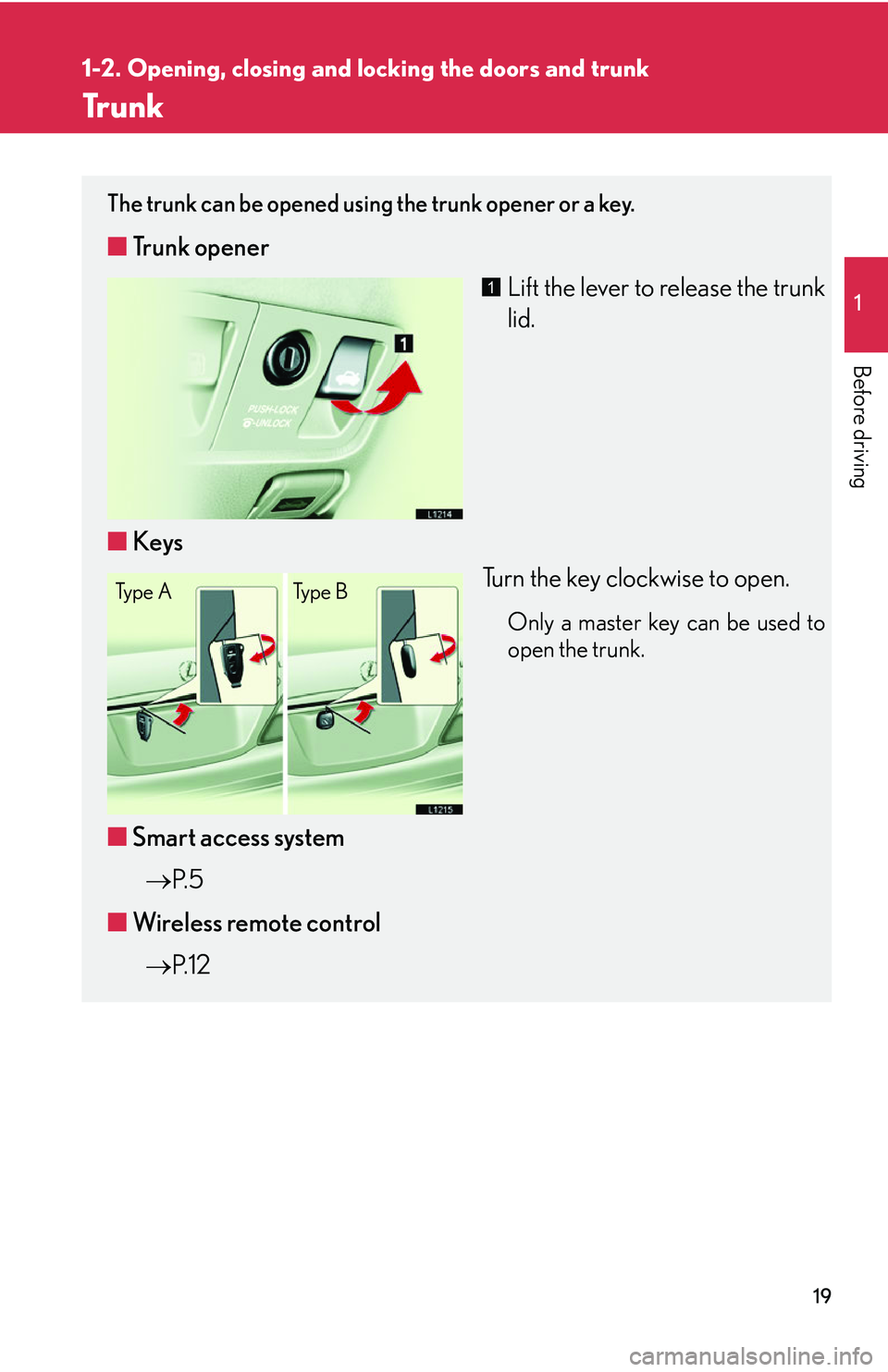
The trunk can be opened using the trunk opener or a key.
■Trunk opener
Lift the lever to release the trunk
lid.
■ Ke
ys
Turn the key clockwise to open.
Only a master key can be used to
open the trunk.
■Smart access system
P.
5
■ W
ireless remote control
P.
1 2
1
Ty p e A Ty p e B
Page 36 of 419
20
1-2. Opening, closing and locking the doors and trunk
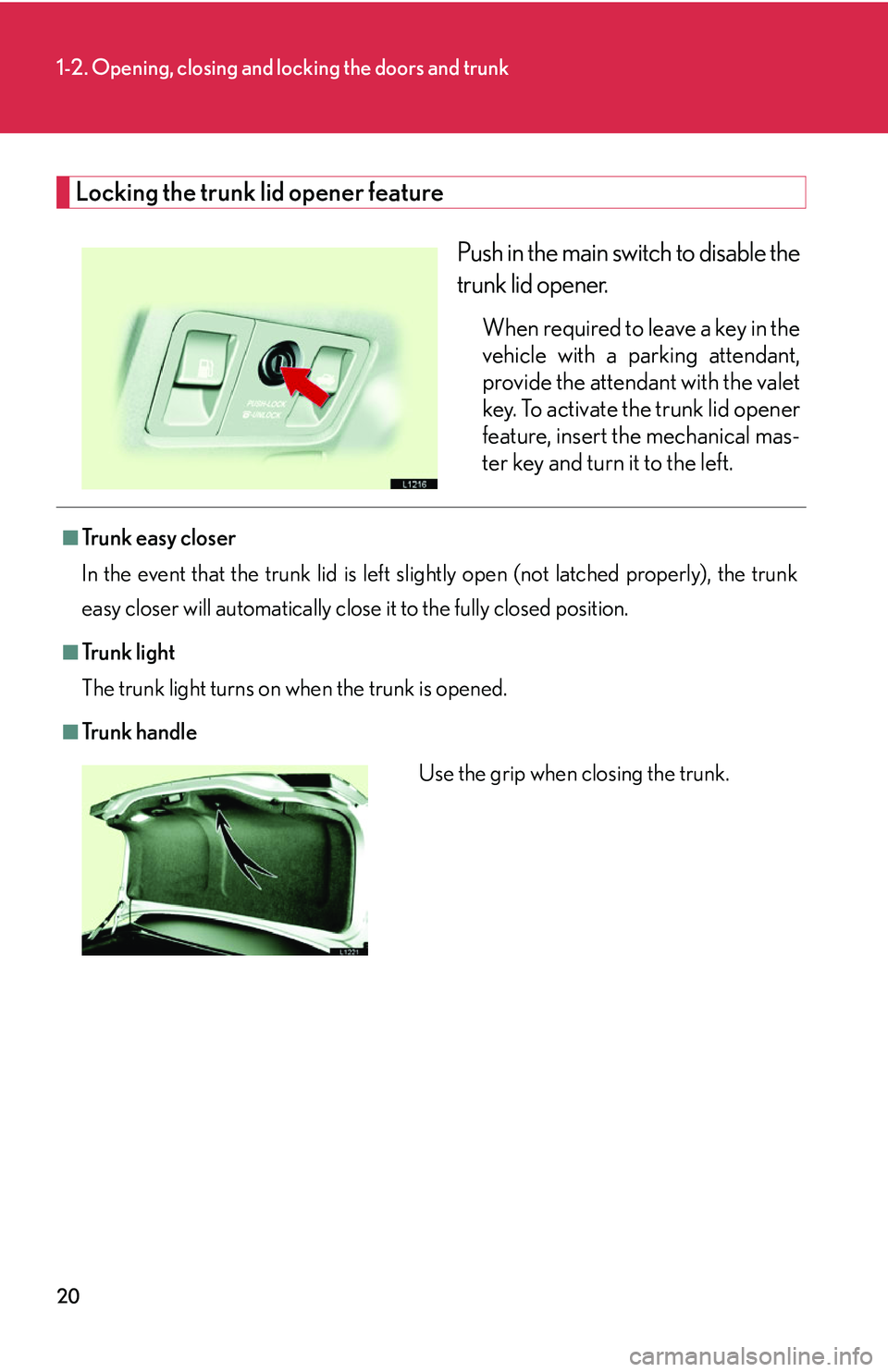
Locking the trunk lid opener feature
Push in the main switch to disable the
trunk lid opener.
When required to leave a key in the
vehicle with a parking attendant,
provide the attendant with the valet
key. To activate the trunk lid opener
feature, insert the mechanical mas-
ter key and turn it to the left.
■Tr u n k e a s y c l o s e r
In the event that the trunk lid is left slig h
tly open (not latched properly), the trunk
easy closer will automatically close it to the fully closed position.
■Tr u n k l i g h t
The trunk light turns on when the trunk is opened.
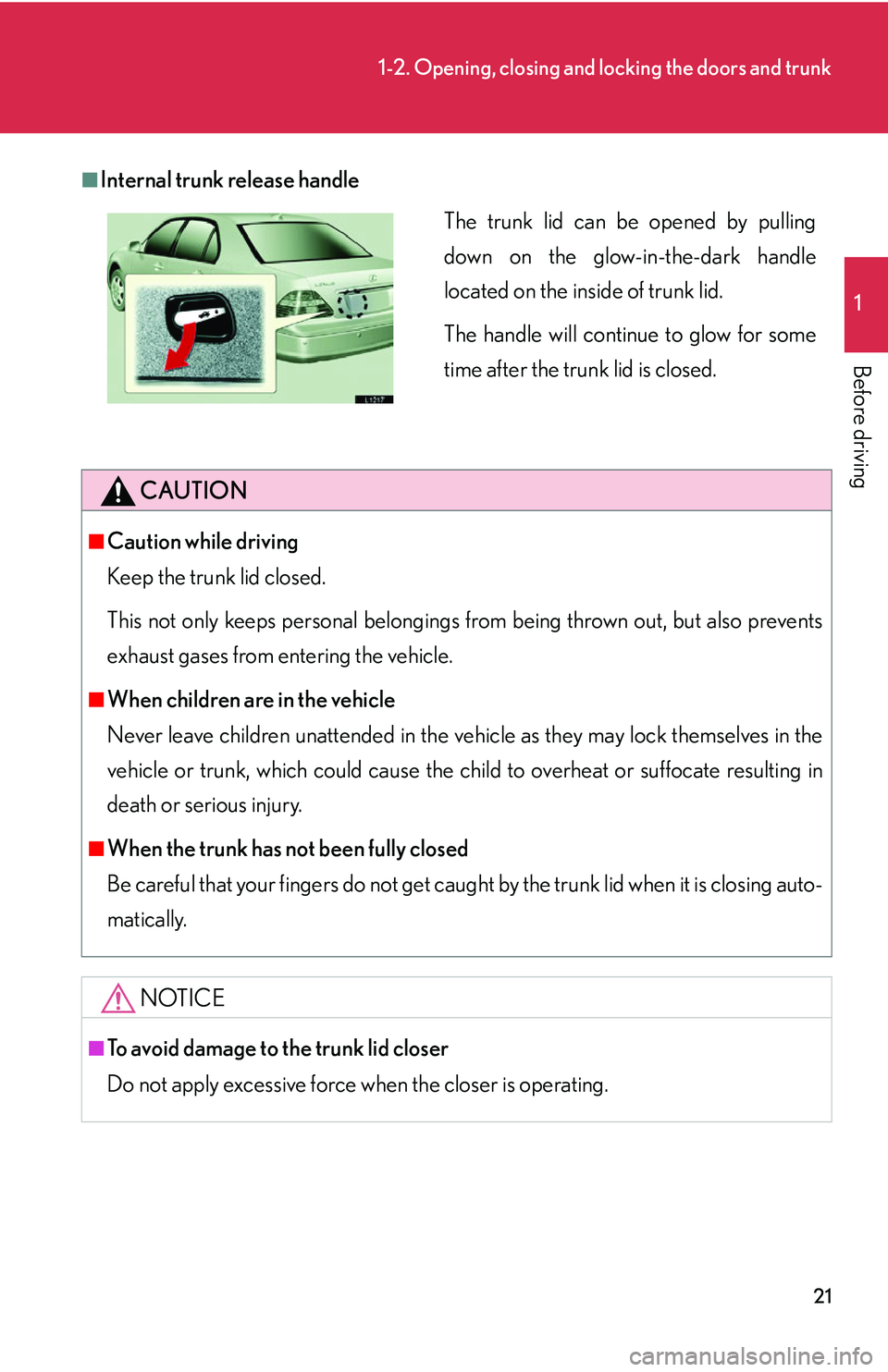
■Tr u n k h a n d l e
Use the grip when closing the trunk.
Page 37 of 419
21
1-2. Opening, closing and locking the doors and trunk
1
Before driving
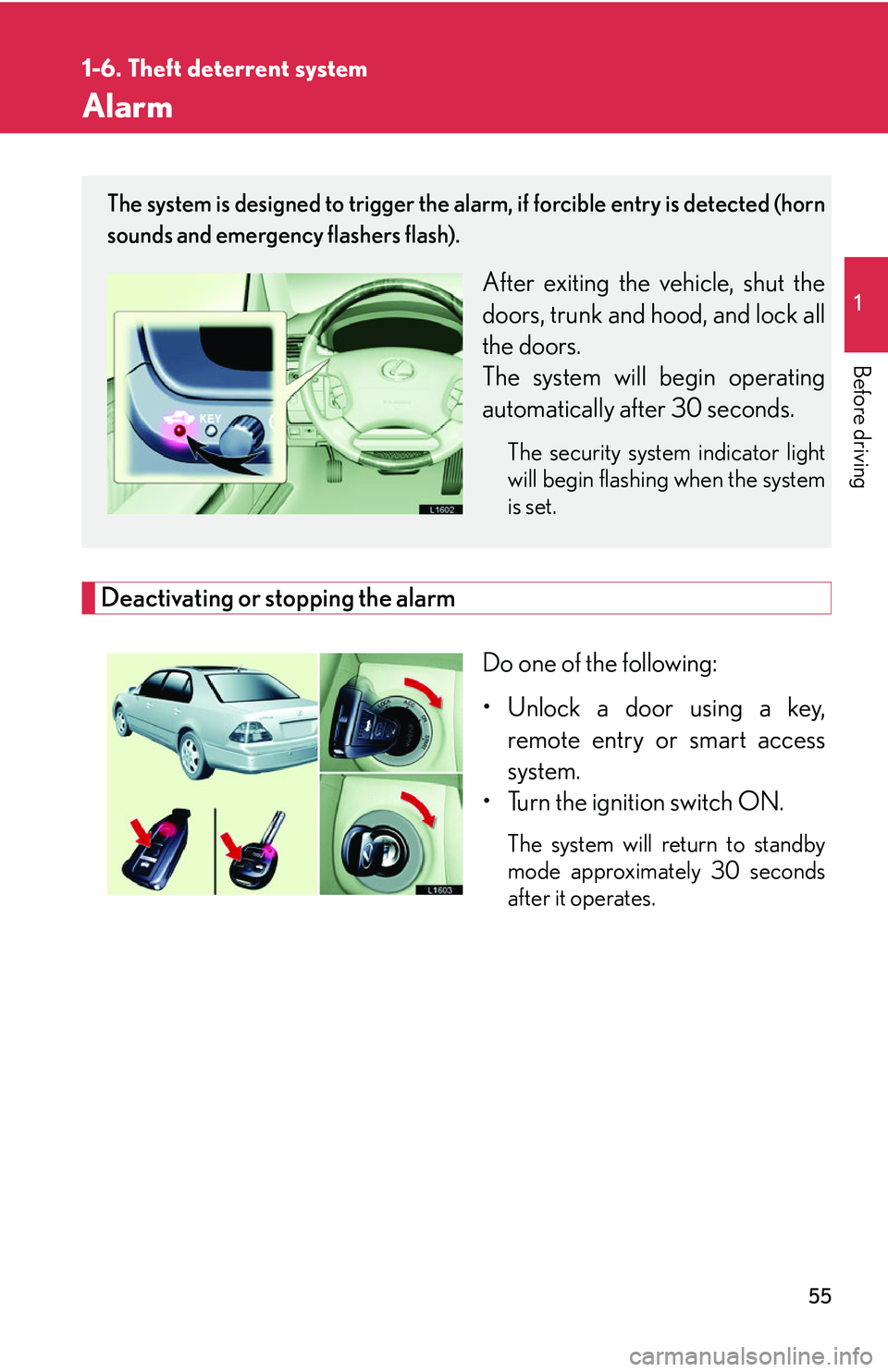
■Internal trunk release handle
CAUTION
■Caution while driving
Keep the trunk lid closed.
This not only keeps personal belongings from being thrown out, but also prevents
e
xhaust gases from entering the vehicle.
■When children are in the vehicle
Never leave children unattended in the vehicle
as they may lock themselves in the
vehicle or trunk, which could cause the child to overheat or suffocate resulting in
death or serious injury.
■When the trunk has not been fully closed
Be careful that your fingers do not get caught by the trunk lid when it is closing auto -
matically.
NOTICE
■To avoid damage to the trunk lid closer
Do not apply excessive force when the closer is operating.
The trunk lid can be opened by pulling
down on the glow-in-the-dark handle
located on the inside of trunk lid.
The handle will continue to glow for some
time after the trunk lid is closed.
Page 71 of 419
55
1
1-6. Theft deterrent system
Before driving
Alarm
Deactivating or stopping the alarm
Do one of the following:
• Unlock a door using a key, r
emote entry or smart access
system.
• Turn the ignition switch ON.
The system will return to standby
mode approximately 30 seconds
after it operates.
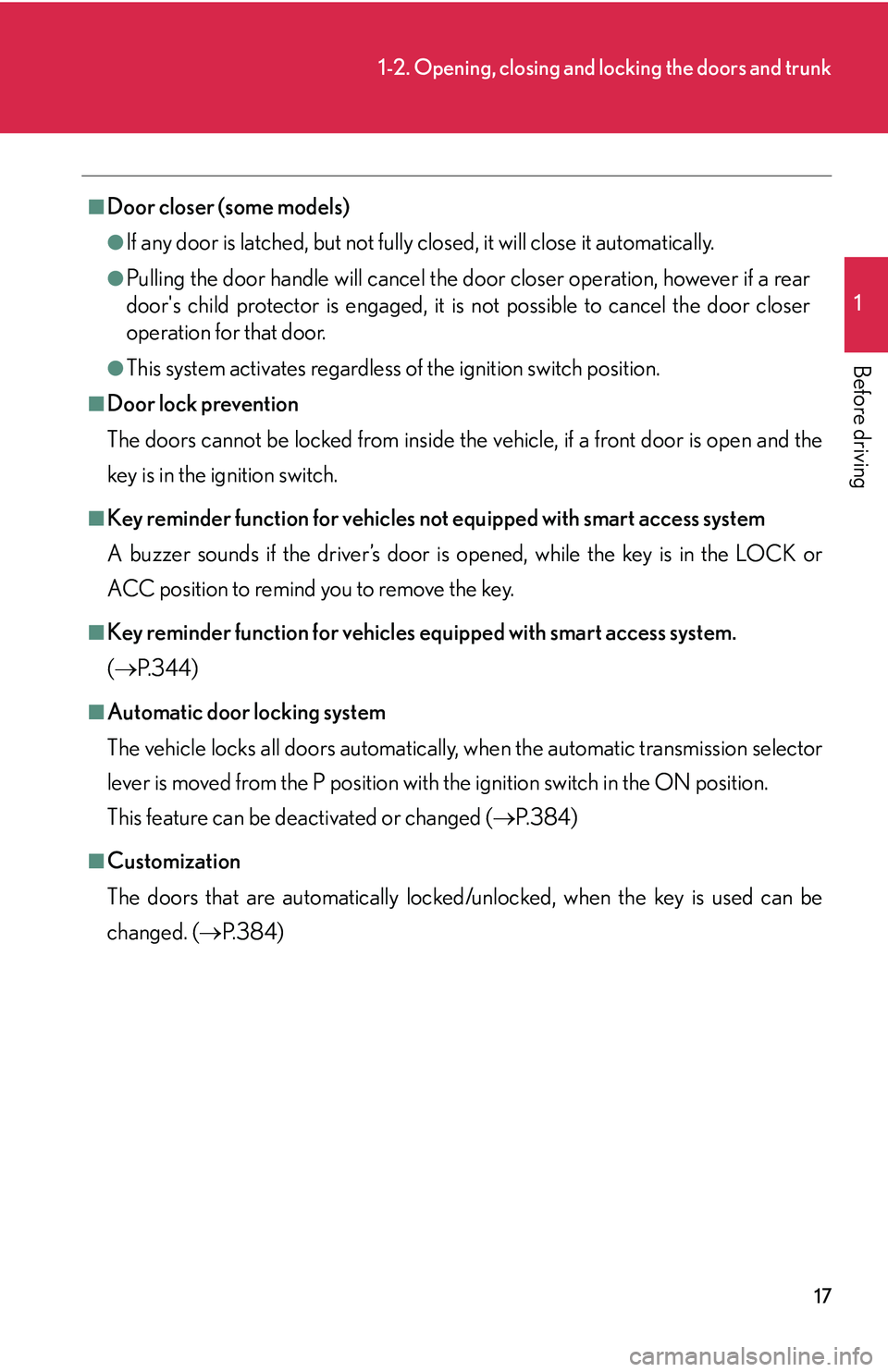
The system is designed to trigger the alarm, if forcible entry is detected (horn
sounds and emergency flashers flash).
After exiting the vehicle, shut the
doors, trunk and hood, and lock all
the doors.
The system will begin operating
automatically af
ter 30 seconds.
The security system indicator light
will begin flashing when the system
is set.