Page 42 of 419
26
1-3. Adjustable components
Selecting a memory setting using a smart access key or wireless remote
control key
Memorized driving positions ( P.25) can be recalled when you unlock
the driver’s door.
■ R
egistering the key
Set the driving positions into the memor
y system using the “1”, “2”
or “3” buttons ( P.25 ).
Close the driver’s door, turn the ig nition switch to the in OFF posi-
tion and remove the key.
Push the “1”, “2” or “3” button and the “LOCK” or “UNLOCK”
button at the same time about one second until you hear a beep.
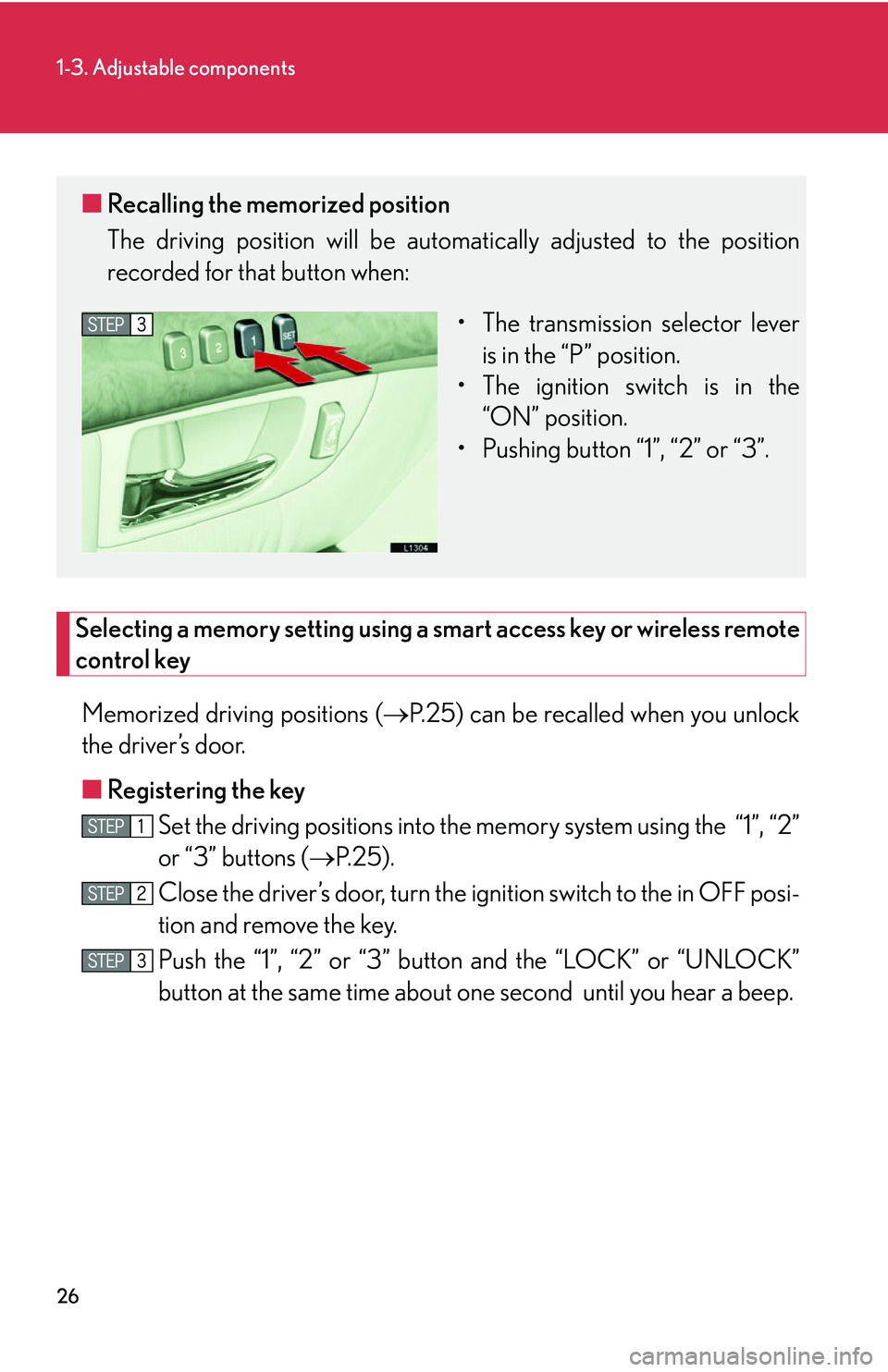
■ Recalling the memorized position
The driving position will be automati cally adjusted to the position
recorded for that button when:
• The transmission selector lever is in the “P
” position.
• The ignition switch is in the “
ON” position.
• Pushing button “1”, “2” or “3”.
Page 43 of 419
27
1-3. Adjustable components
1
Before driving
■Recalling the driving position
Driver’s seat position, head restraint height, seat cushion length, shoulder
belt height, and ou
tside rear view mirrors are adjus ted to memorized
position when you unlock the driver’s door with the wireless remote con-
trol or the smart access system, if equipped.
The tilt and telescopic steering column position is ad justed to the memo-
rized position when you push the ignitio n switch, or inser
t the key into the
key slot depending on the model.
■ Er
asing the previous memory
Close the driver’s door and select the ignition switch in OFF posi-
tion and remove the key.
Push the “SET” button and the “LOCK” or “UNLOCK” button at the same time for about one second until you hear two beeps.
■To change the memorized position
Adjust the desired positions of the driver ’
s seat, tilt and telescopic steering
column and outside mirrors.
Push the “SET” button and the “1”, “2” or “3” button at the same time until
you hear a beep.
■Retained accessory power operation
Memorized positions (except for the tilt a
nd telescopic steering column) can be
activated within 30 seconds after the driver’s door is opened, even if the ignition
switch is turned off.
■If any position memory button is push ed while the adjustments are being made
The operation will stop. To reactivate the sy stem
, push the desired button (“1”, “2” or
“3”) again.
Page 44 of 419
28
1-3. Adjustable components
■If the battery is disconnected
The computer’s memory will b
e erased and the memorized positions will have to be
set again.
CAUTION
■Caution of wrong operation
Take care during seat adjustment that the seat does not strike the rear passenger or
squeeze
your body against the steering wheel.
If this happens, you can stop the moveme nt b
y pressing another driving position
memory button.
NOTICE
■When using the smart or wireless keys to change your vehicle’s settings
Pushing the “LOCK” button for longer than 2-3 seconds will activate an alarm.
( P.12 )
Page 56 of 419
40
1-3. Adjustable components
Steering wheel
Auto tilt away and auto return
The steering wheel returns to its stowed position to enable easier driver
entry and exit.*When the smart access system
is used:
Turn the ignition switch to
L
OCK position for auto tilt-
away.
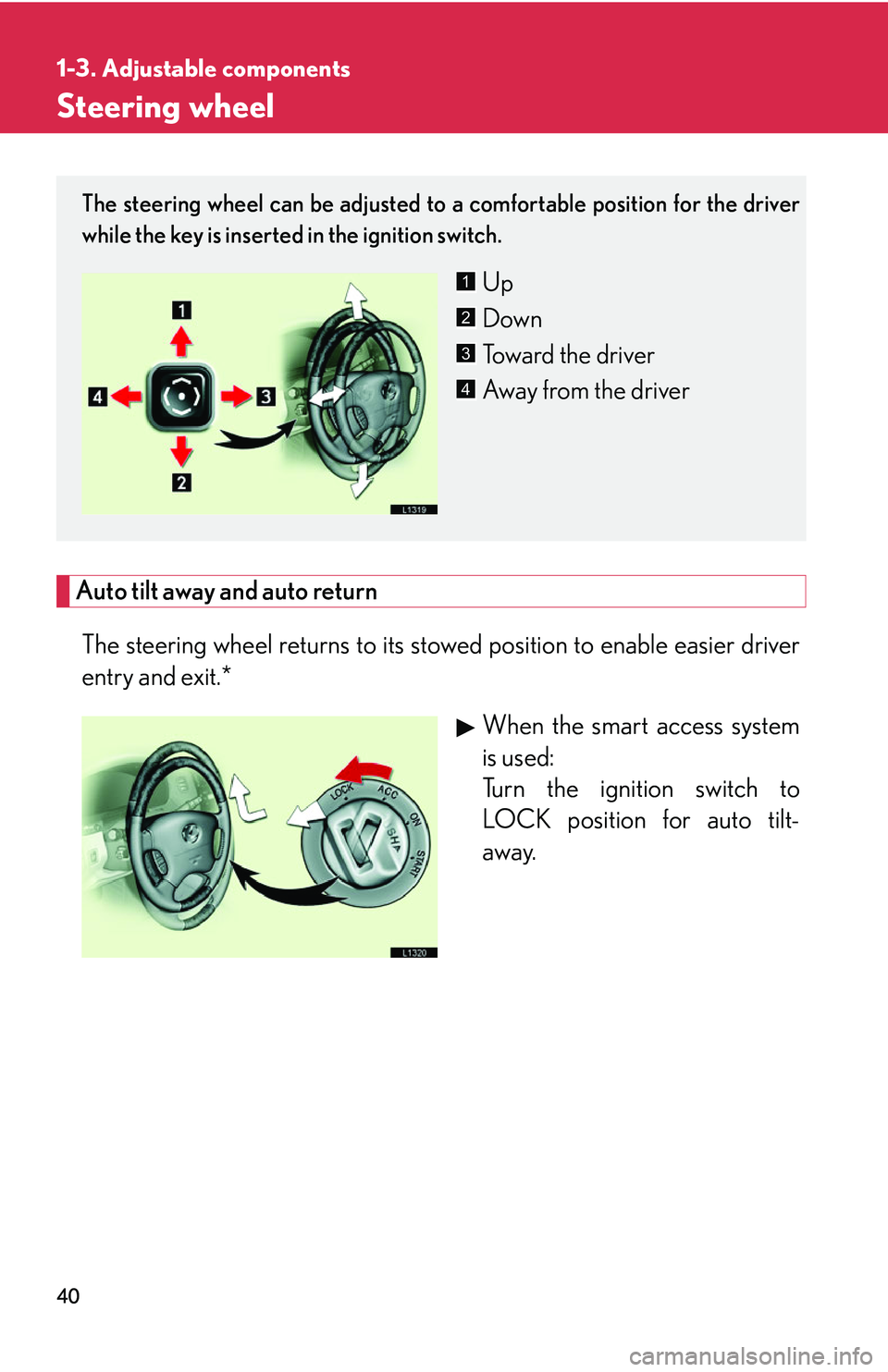
The steering wheel can be adjusted to a comfortable position for the driver
while the key is inserted in the ignition switch.
Up
Down
Toward the driver
Away from the driver1
2
3
4
Page 57 of 419
41
1-3. Adjustable components
1
Before driving
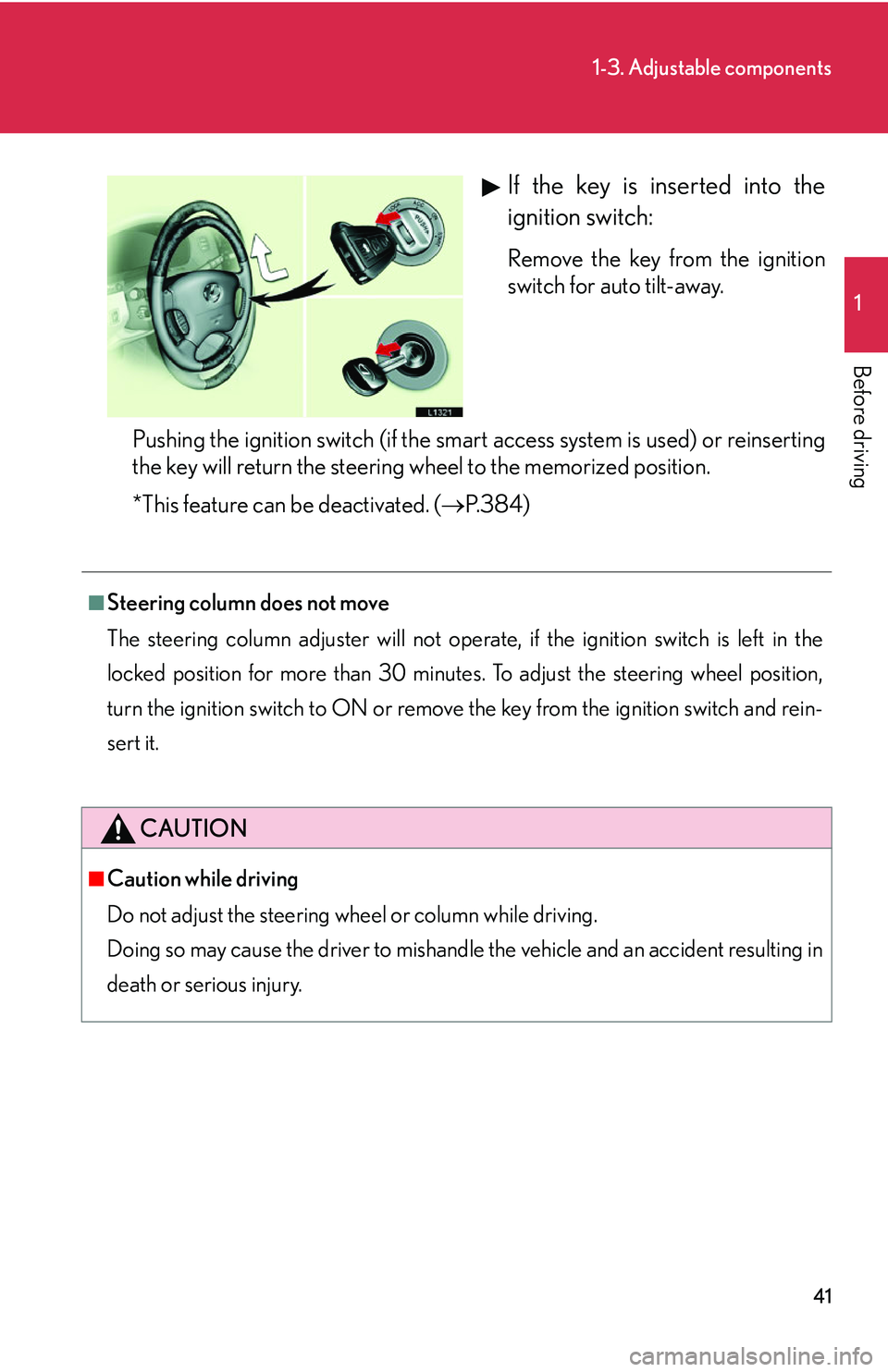
If the key is inserted into the
ignition switch:
Remove the key from the ignition
switch for auto tilt-away.
Pushing the ignition switch (if the smart access system is used) or reinserting
the k
ey will return the steering wheel to the memorized position.
*This feature can be deactivated. ( P. 3 8 4 )
■Steering column does not move
The steering column adjuster will not operate, if the ignition switch is left in the
l
ocked position for more than 30 minutes. To adjust the steering wheel position,
turn the ignition switch to ON or remove the key from the ignition switch and rein-
sert it.
CAUTION
■Caution while driving
Do not adjust the steering whee
l or column while driving.
Doing so may cause the driver to mishandle the vehicle and an accident resulting in
de
ath or serious injury.
Page 62 of 419
46
1-4. Opening and closing the windows and moon roof
■Power window operating conditions
The ignition switch must b
e turned to ON.
■Integrated door lock window operation
The power windows can be opened and closed using the key or wireless remote
co
ntrol. ( P.12 , P. 15)
This feature can be deactivated. ( P.
3 8 4 )
■Retained accessory power operation
The power windows can be operated for approximately 45 seconds after the
engine ha
s been stopped. They cannot, however, be operated if the driver’s door is
opened.
■Jam protection function
If an object becomes caught between th e
window and the window frame, window
travel is stopped and the window is opened slightly.
■Initializing the power windows
After the battery is reconnected, replaced or recharged, you will need to initialize
the po
wer windows; otherwise the jam prot ection function will not operate cor-
rectly.
To initialize the power windows:
Lower each window halfway using the power window switches on the
door for that window.
Close each window and continue hold ing the
switch for a second, after
the window has fully closed.
Make sure the windows open and close correctly. If not, see your Lexus dealer.
Page 65 of 419
49
1-4. Opening and closing the windows and moon roof
1
Before driving
■Moon roof operating conditions
The ignition switch must b
e turned to ON.
■Integrated door lock moon roof operation
The moon roof can be opened and closed, using the key or wireless remote control.
( P.
12 , P. 15)
■Retained accessory power operation
The moon roof can be operated for approximately 45 seconds after the engine has
b
een turned off. It cannot, however, be operated if the driver’s door is opened.
■Jam protection function
If an object is detected between the m oon
roof and the frame during automatic
close or automatic tilt down, travel is stopped and the moon roof opens slightly.
■Initializing the moon roof
After the battery is reconnected, replaced or recharged, you will need to initialize
the moon r
oof, otherwise the jam protecti on function will not operate correctly.
To initialize the moon roof, push and hold the “TILT” switch until the moon roof tilts
al
l the way up and then automatically returns slightly.
Make sure the moon roof opens and closes correctly. If not, see your Lexus dealer.
■Opening and closing the sunshade
The sunshade can be opened and closed manually; however, it will be opened if the
m
oon roof is opened.
■Sunshade
The sunshade can be manually opened and closed.
Page 70 of 419
54
1-6. Theft deterrent system
Engine immobilizer system
■Conditions that may cause the system to malfunction
●If the grip portion of the key is in contact with a metallic object.
●If the key is in close proximity to or touching a key to the security system (key
with a built-in transponder chip) of another vehicle.
NOTICE
■To prevent damage to the key
The key may be damaged if it is:
•Bent
• Subjected to a strong impact
• Left in direct sunlight
•Wet
• Left in close proximity to objects emitting magnetic fields
• In close proximity to an object that inter
feres with the electromagnetic wave
that is emitted
Keep all keys in a safe place.
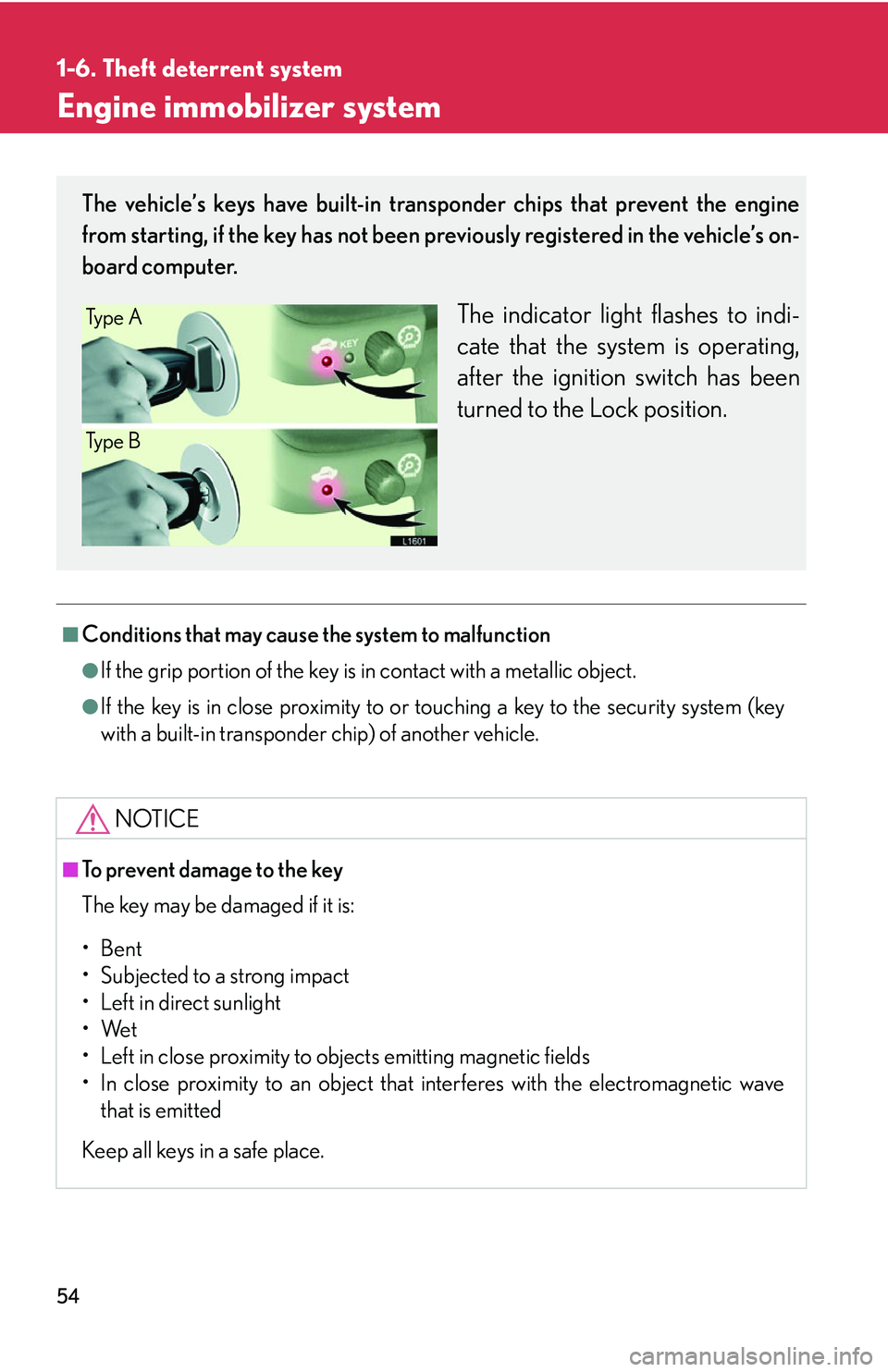
The vehicle’s keys have built-in transponder chips that prevent the engine
from starting, if the key has not been previously registered in the vehicle’s on-
board computer.
The indicator light flashes to indi -
cate that the system is operating,
af
ter the ignition switch has been
turned to the Lock position.
Ty p e A
Ty p e B