Page 24 of 419

8
1-2. Opening, closing and locking the doors and trunk
■To secure the system operation
In the following cases, the smart access system or wireless remote control feature
ma
y not operate properly. (If this happens, use a mechanical key to lock or unlock
the doors and trunk lid and insert a master key to start the engine.)
• When facilities emitting strong elec tr
omagnetic waves such as TV towers,
electric power stations and broadcasting stations are nearby.
• When you are carrying a smart key together with a mobile communications sy
stem such as a two-way radio or cellular phone.
• When the smart key is in contact with or covered by a metallic object.
• When another person is operating a wi r
eless remote control function on
another vehicle near your vehicle.
If you do not drive your vehicle, store the smart key, keeping it at least 15 ft. (5 m)
a
way from the vehicle.
■If the key battery is discharged
Use the mechanical key to lock or unlock doors or trunk lid. To start the engine,
inse
rt the master key in the ignition switch. See page 295 for replacing the key bat -
tery.
Page 25 of 419
9
1-2. Opening, closing and locking the doors and trunk
1
Before driving
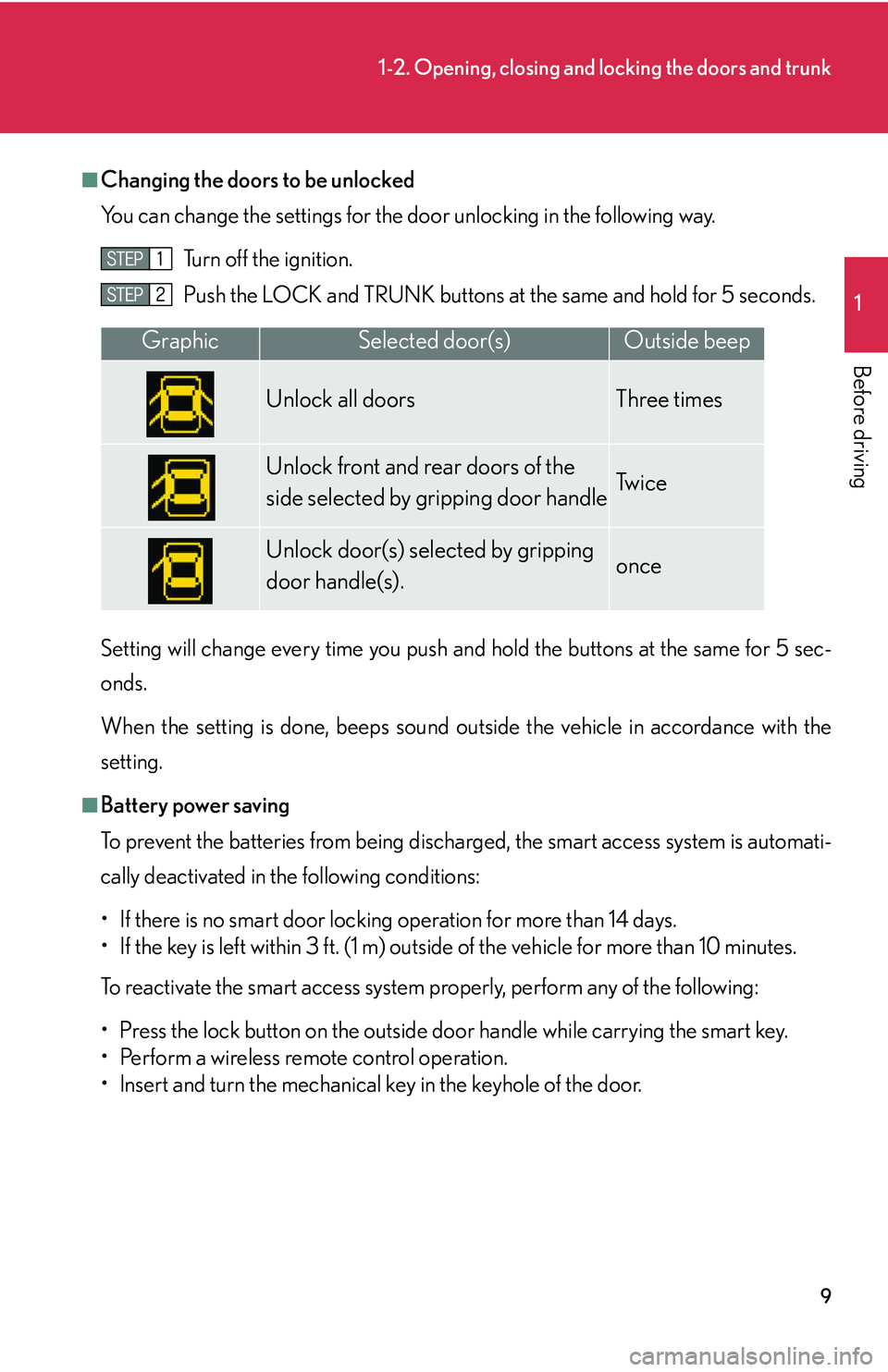
■Changing the doors to be unlocked
You can change the settings for the door unl
ocking in the following way.
Turn off the ignition.
Push the LOCK and TRUNK buttons at
the same and hold for 5 seconds.
Setting will change every time you push an d hold the bu
ttons at the same for 5 sec-
onds.
When the setting is done, beeps sound outside the vehicle in accordance with the
setting.
■Battery power saving
To prevent the batteries from being discharged, the smart access system is automati -
cally deactivated in the following conditions:
• If there is no smart door locking operation for more than 14 days.
• If the key is left within 3 ft. (1 m) outside of the vehicle for more than 10 minutes.
To reactivate the smart access system properly, perform any of the following:
• Press the lock button on the outside do o
r handle while carrying the smart key.
• Perform a wireless remote control operation.
• lnsert and turn the mechanical key in the keyhole of the door.
GraphicSelected door(s)Outside beep
Unlock all doors Three times
Unlock front and rear doors of the
side selected by gripping door handleTw i c e
Unlock door(s) selected by gripping
door handle(s).once
Page 26 of 419
10
1-2. Opening, closing and locking the doors and trunk
■Maintaining the key
●The average key battery life is 1 to 3 years. If the battery is low, replace with a new
one. ( P.295 )
●If the smart key continually receives stro ng electromagnetic waves over a period
of time, the battery can run down abnormally quickly. Always keep keys at least 3
ft. (1 m) from the following electrical appliances:
•TVs
•Personal computers
• Cellular phone/ cordless phone recharger units
• Electric light stands
• Fluorescent desk lights
■Security feature
If a door is not opened for approximately 3
0 seconds after the vehicle is unlocked,
the anti-theft system automatically locks the vehicle again.
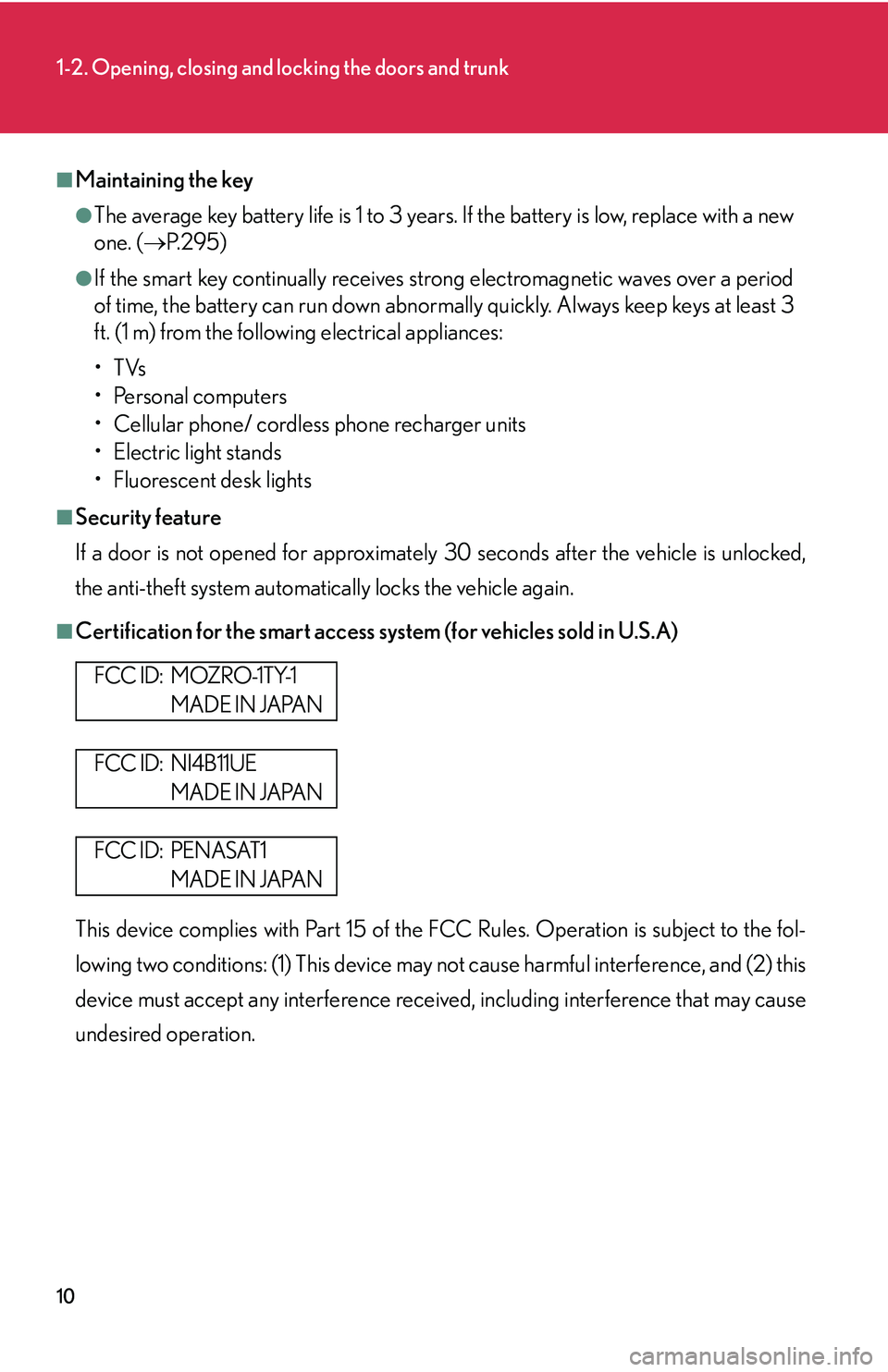
■Certification for the smart access system (for vehicles sold in U.S.A)
This device complies with Part 15 of the FCC Rules. Operation is subject to the fol -
lowing two conditions: (1) This device may not cause harmful interference, and (2) this
de
vice must accept any interference receiv ed, including interference that may cause
undesired operation.
F CC I D : M OZ R O -1 T Y-1
MADE IN JAPAN
FCC ID: NI4B11UE
MADE IN JAPAN
FCC ID: PENASAT1
MADE IN JAPAN
Page 31 of 419
15
1
1-2. Opening, closing and locking the doors and trunk
Before driving
Doors
The vehicle can be locked and unlocked using the smart access system,
remote entry system, key or door lock switch.
■Smart access system
P.
5
■ W
ireless remote control
P.
1 2
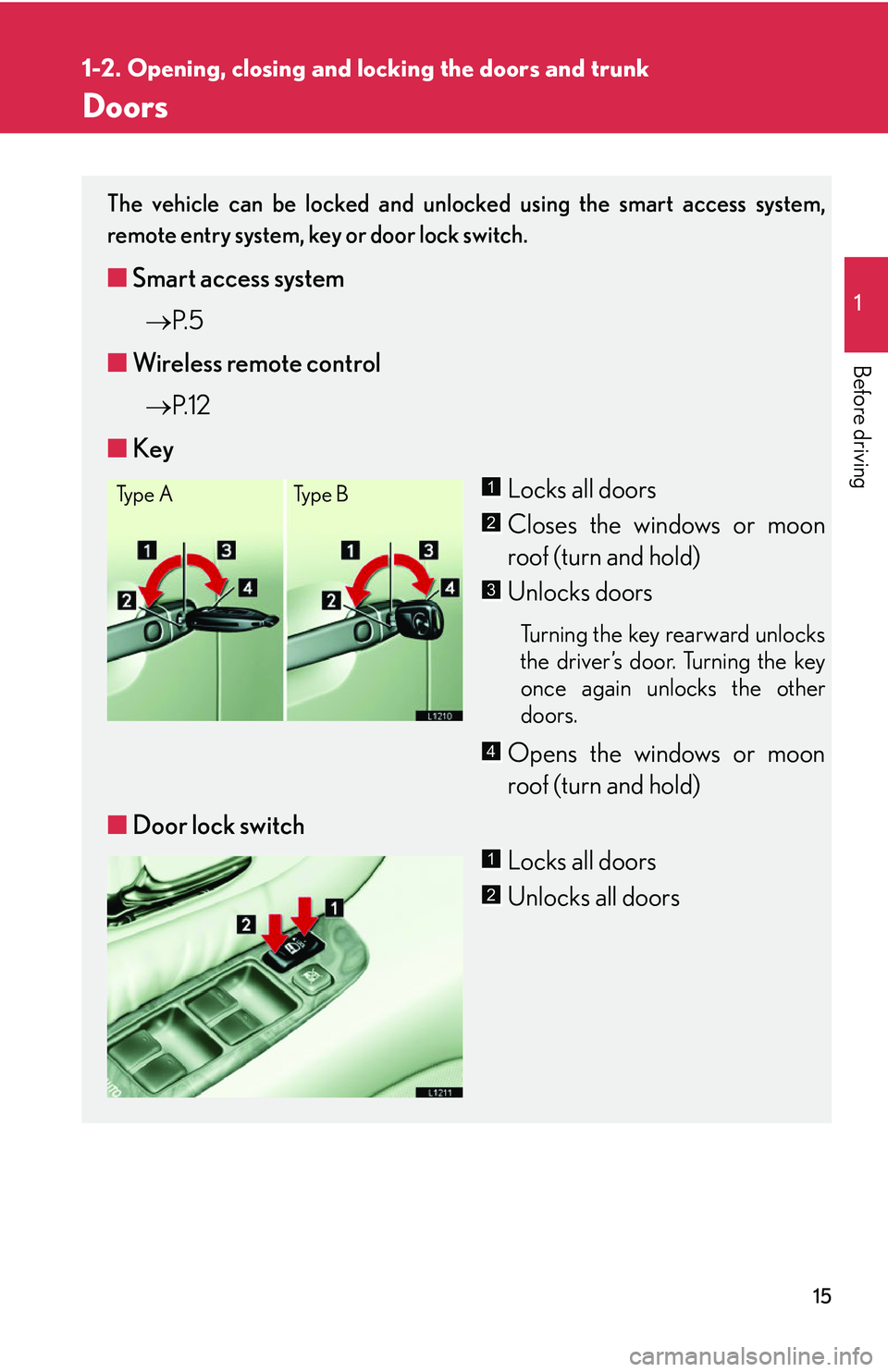
■ Ke
y
Locks all doors
Closes the windows or moon
roof (turn and hold)
Unlocks doors
Turning the key rearward unlocks
the driver’s door. Turning the key
once again unlocks the other
doors.
Opens the windows or moon
roof (turn and hold)
■ Door lock switch
Locks all doors
Unlocks all doors
Ty p e ATy p e B1
2
3
4
1
2
Page 32 of 419
16
1-2. Opening, closing and locking the doors and trunk
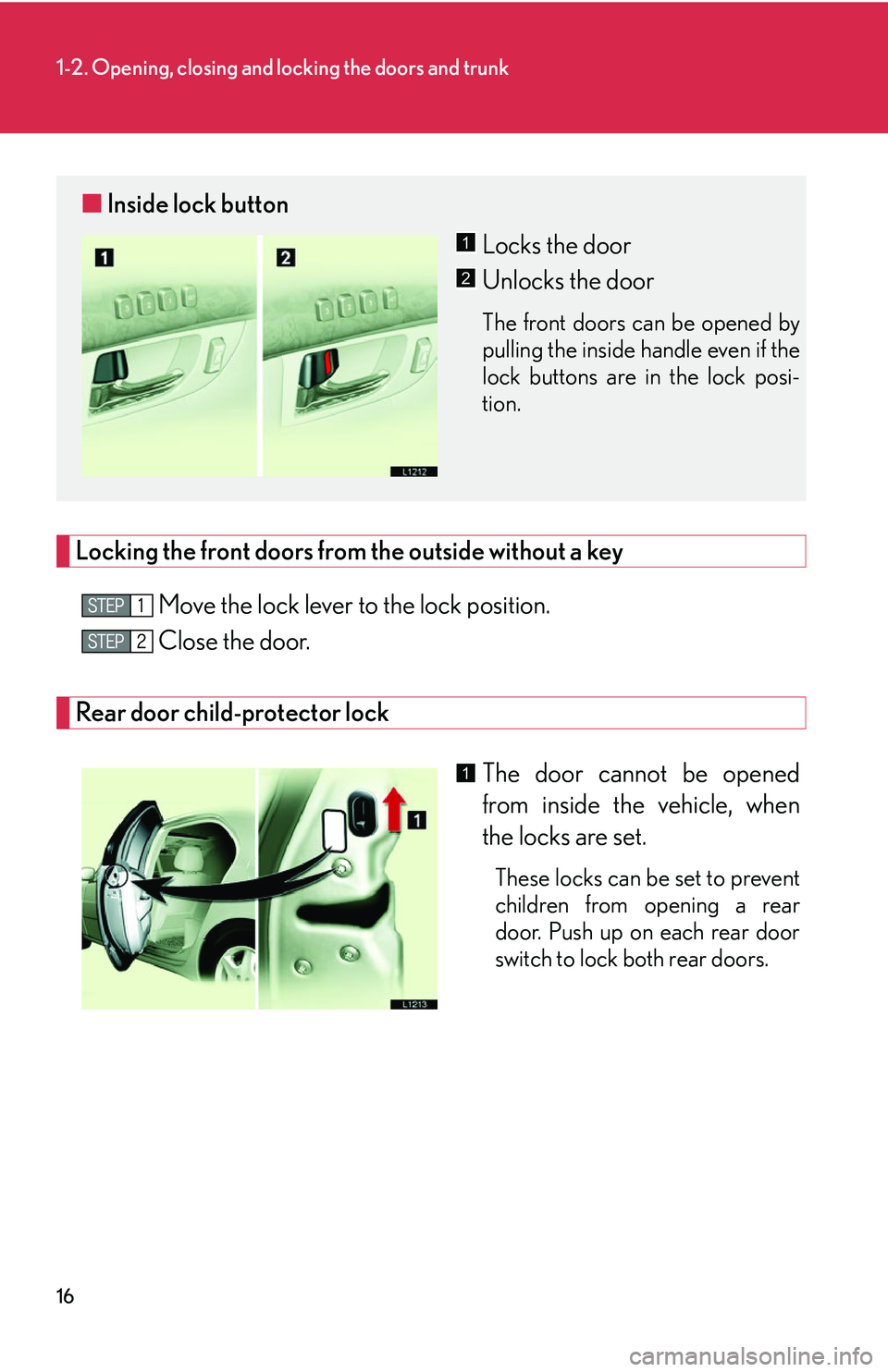
Locking the front doors from the outside without a key
Move the lock lever to the lock position.
Close the door.
Rear door child-protector lock
The door cannot be opened
from inside the vehicle, when
the locks ar
e set.
These locks can be set to prevent
children from opening a rear
door. Push up on each rear door
switch to lock both rear doors.
■Inside lock button
Locks the door
Unlocks the door
The front doors can be opened by
pulling the inside handle even if the
lock buttons are in the lock posi -
tion.
1
2
1
Page 33 of 419
17
1-2. Opening, closing and locking the doors and trunk
1
Before driving
■Door closer (some models)
●If any door is latched, but not fully closed, it will close it automatically.
●Pulling the door handle will cancel the door closer operation, however if a rear
door's child protector is engaged, it is not possible to cancel the door closer
operation for that door.
●This system activates regardless of the ignition switch position.
■Door lock prevention
The doors cannot be locked from inside the vehicle, if a front door is open and the
k
ey is in the ignition switch.
■Key reminder function for vehicles not equipped with smart access system
A buzzer sounds if the driver’s door is opened, while the key is in the LOCK or
A
CC position to remind you to remove the key.
■Key reminder function for vehicles equipped with smart access system.
( P.344)
■Automatic door locking system
The vehicle locks all doors automatically, when the automatic transmission selector
le
ver is moved from the P position with the ignition switch in the ON position.
This feature can be deactivated or changed ( P.384 )
■Customization
The doors that are automatically locked/unlocked, when the key is used can be
ch
anged. ( P.384 )
Page 35 of 419
19
1
1-2. Opening, closing and locking the doors and trunk
Before driving
Tr u n k
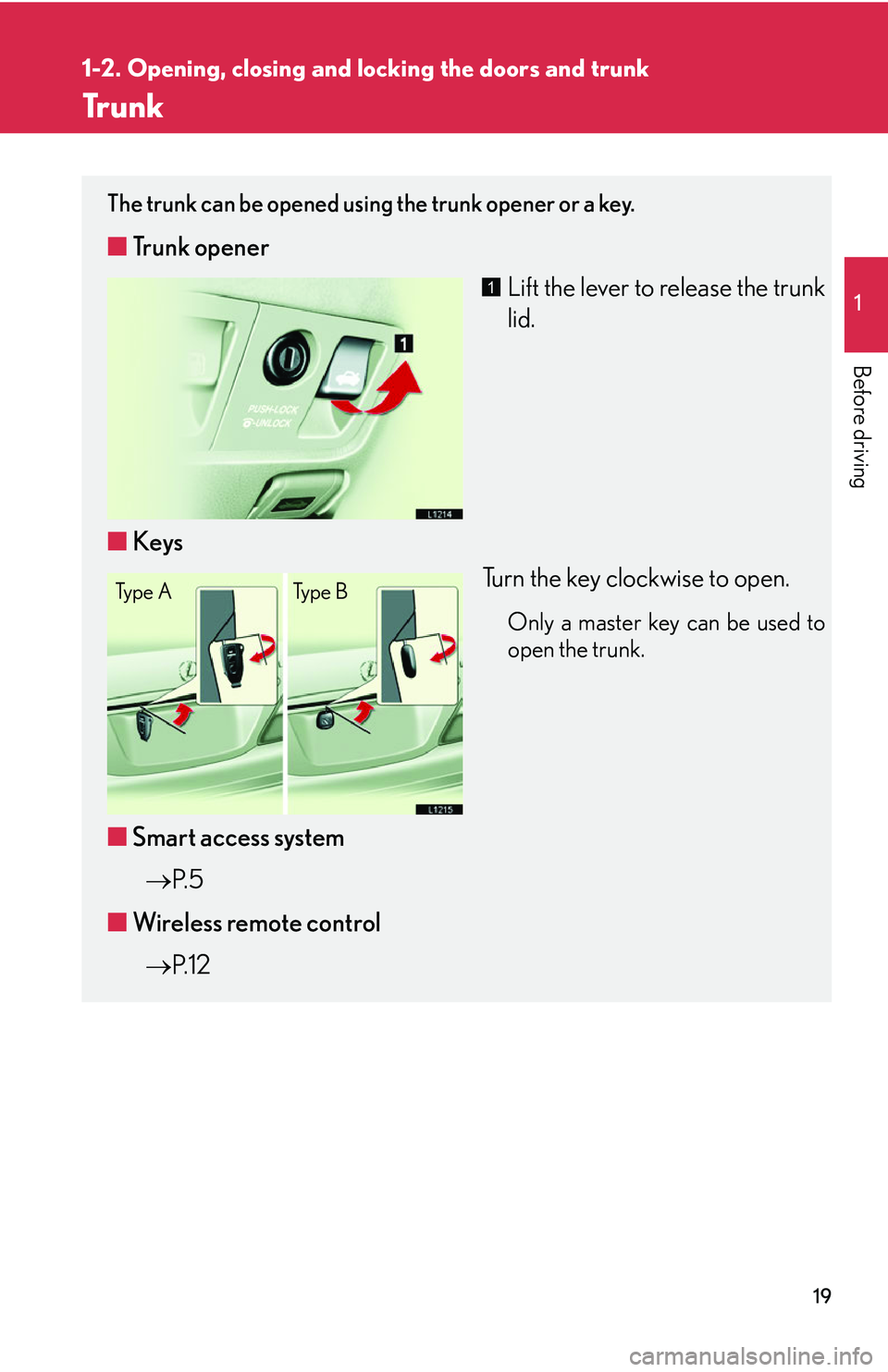
The trunk can be opened using the trunk opener or a key.
■Trunk opener
Lift the lever to release the trunk
lid.
■ Ke
ys
Turn the key clockwise to open.
Only a master key can be used to
open the trunk.
■Smart access system
P.
5
■ W
ireless remote control
P.
1 2
1
Ty p e A Ty p e B
Page 36 of 419
20
1-2. Opening, closing and locking the doors and trunk
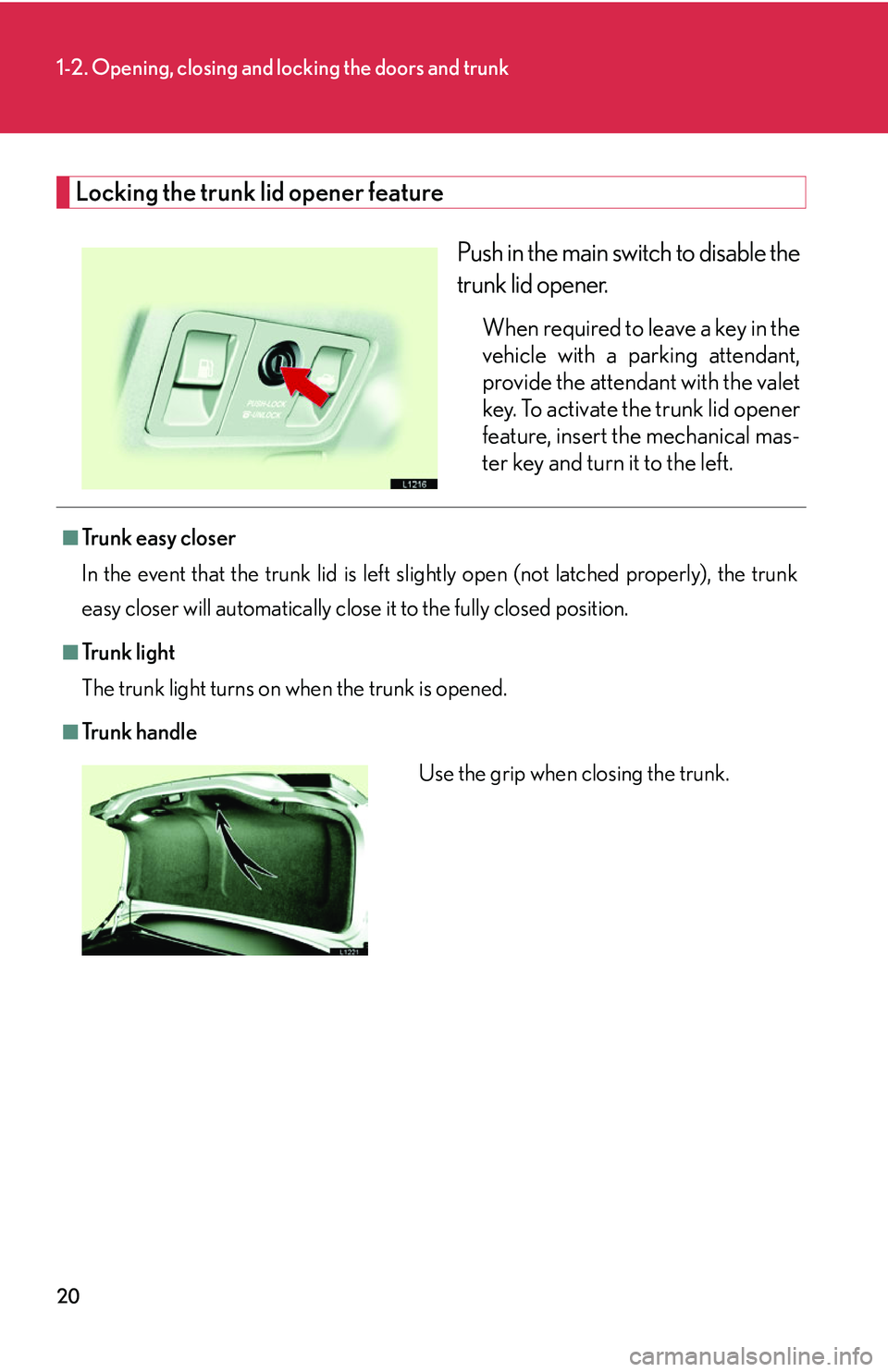
Locking the trunk lid opener feature
Push in the main switch to disable the
trunk lid opener.
When required to leave a key in the
vehicle with a parking attendant,
provide the attendant with the valet
key. To activate the trunk lid opener
feature, insert the mechanical mas-
ter key and turn it to the left.
■Tr u n k e a s y c l o s e r
In the event that the trunk lid is left slig h
tly open (not latched properly), the trunk
easy closer will automatically close it to the fully closed position.
■Tr u n k l i g h t
The trunk light turns on when the trunk is opened.
■Tr u n k h a n d l e
Use the grip when closing the trunk.