Page 249 of 419
233
3-5. Other interior features
3
Interior features
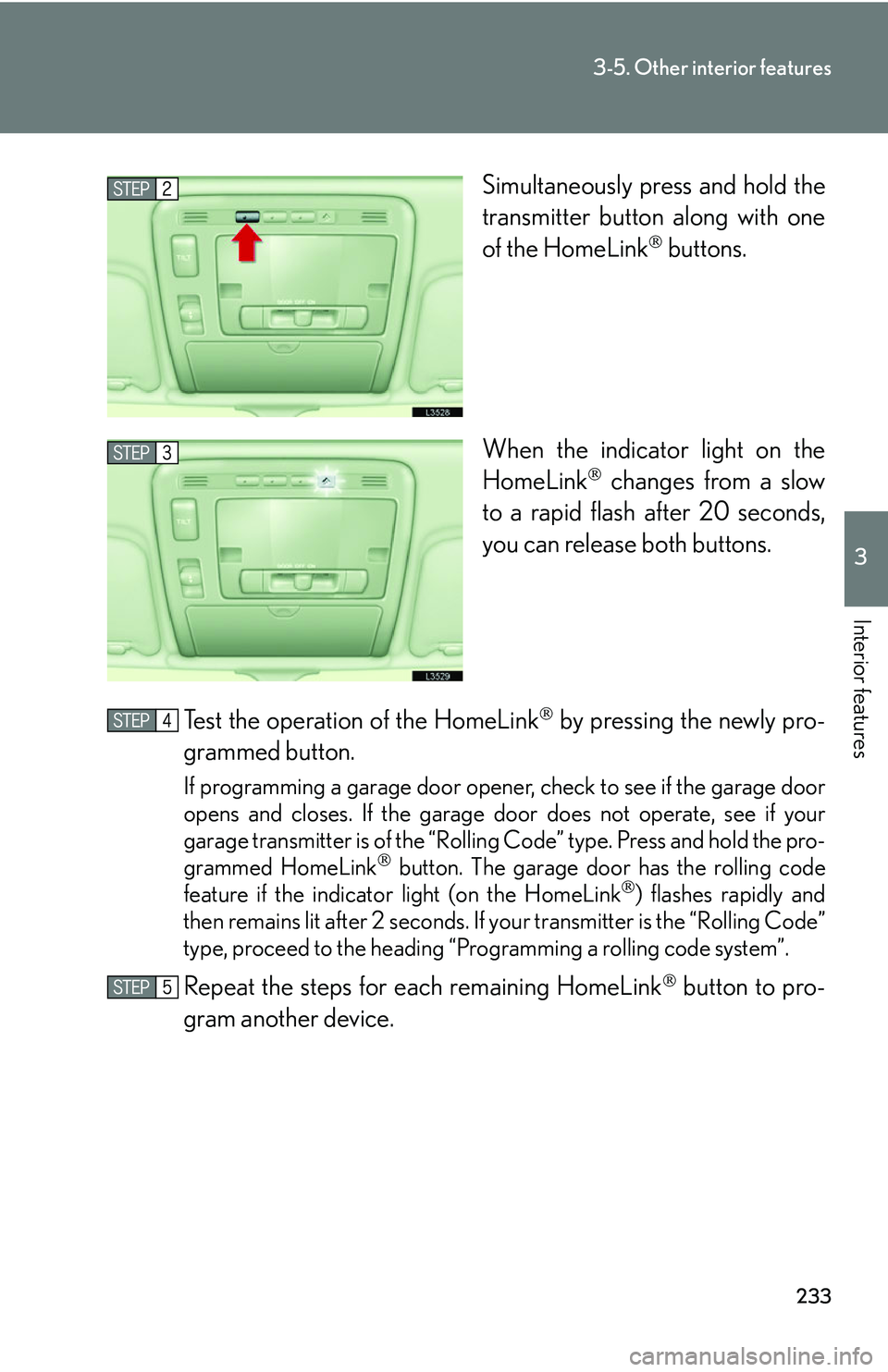
Simultaneously press and hold the
transmitter button along with one
of the HomeLink
buttons.
When the indicator light on the
Ho
meLink changes from a slow
to a rapid flash after 20 seconds,
you can release both buttons.
Test the operation of the HomeLink
by pressing the newly pro -
grammed button.
If programming a garage door opener, check to see if the garage door
opens and closes. If the garage door does not operate, see if your
garage transmitter is of the “Rolling Code” type. Press and hold the pro-
grammed HomeLink
button. The garage door has the rolling code
feature if the indicator light (on the HomeLink) flashes rapidly and
then remains lit after 2 seconds. If your transmitter is the “Rolling Code”
type, proceed to the heading “Pro gramming a rolling code system”.
Repeat the steps for each remaining HomeLink button to pro-
gram another device.
Page 251 of 419

235
3-5. Other interior features
3
Interior features
■Programming an entrance gate (for U.S.A. owners)/Programming
all devices in the Canadian market
Point the remote control for the device 1 to 3 in. (25 to 75 mm)
from the HomeLink
control buttons.
Keep the indicator light on the HomeLink in view while programming.
Press and hold the selected HomeLink button.
Repeatedly press and release (c y
cle) the device remote control
button every two seconds until step is complete.
When the indicator light on the HomeLink
compatible trans -
ceiver start to flashing rapidly, release the buttons.
Press the newly programmed HomeLink
button to see if it oper -
ates the device.
Repeat the steps for each remaining HomeLink
button to pro -
gram another device.
■ P
rogramming other devices
To program other devices such as home security s
ystems, home door
locks or lighting, contact your auth orized Lexus dealer for assistance.
■ R
eprogramming a button
The individual HomeLink
buttons cannot be erased but can be repro -
grammed. To reprogram a button, follo
w the “Basic programming”
instructions.
4
Page 252 of 419
236
3-5. Other interior features
Operating the HomeLink
Press the appropriate HomeLink button. The HomeLink indicator
light on the HomeLink
transceiver should turn on.
The HomeLink continues to send a signal for up to 20 seconds as long as
the button is pressed.
Erasing the entire HomeLink memory (all three programs)
Press and hold down the 2 outside buttons for 20 seconds until the
indicator light flashes.
If you sell your vehicle, be sure to erase the programs stored in the
HomeLink memory.
■Before programming
●Install a new battery in the transmitter.
●The battery side of the transmitter must be pointed away from the HomeLink.
■Certification for the garage door opener
This device complies with Part 15 of the F
CC Rules and with RSS-210 of the IC
Rules.
Operation is subject to the following two co
nditions: (1) This device may not cause
harmful interference, and (2) this device must accept any interference that may be
received, including interference that may cause undesired operation. WARNING:
This transmitter has been tested and comp lies with FCC and IC rules. Changes or
modifications not expressly approved by the party responsible for compliance
could void the user’s authority to operate the device.
Page 313 of 419
297
4-3. Do-it-yourself maintenance
4
Maintenance and care
■If the wireless remote control key battery is discharged
The following symptoms may occur.
• The wireless remote control does not function properly.
• The operation distance becomes shorter.
• The brightness of the LED on the remote c
ontrol decreases or does not light up.
■Use specified lithium battery
Batteries can be purchased at your Lexus dealer, jeweler, or camera store.
■Checking remote control operation after replacing the battery
Push any of the buttons on the remote control and check that the LED lights up.
CAUTION
■Removed battery and other parts
Keep away from children.
These parts are small and if swallowed by a child they can cause choking.
NOTICE
■For normal operation after replacing the battery
Observe the following precautions when replacing the wireless remote control’s
ba
ttery.
• Always replace the battery with clean hands.
Moisture may cause the battery to rust.
• Do not touch or move any other comp o
nents inside the remote control.
• Do not bend either of the battery terminals.
• Do not let foreign objects, oils, etc. enter the module.
• Do not to lose the screws or O-ring.
• Do not to bend or damage the O-ring when replacing the module cover.