Page 119 of 312

Always hold the steering wheel
firmly when you are driving off-
road.
Make sure all passengers are
wearing seat belts.
Do not drive in water if the level is
higher than the bottom of the vehi-
cle.
Check your brake condition once
you are out of mud or water. Press
the brake pedal several times as
you move slowly until you feel nor-
mal braking forces return.
Shorten your scheduled mainte-
nance interval if you drive in off-road
conditions such as sand, mud or
water (see “Scheduled Maintenance”
in the Index). Always wash you car
thoroughly.
DRIVING YOUR VEHICLE
4-21
WARNING
Reduce speed when you turn
corners. The center of gravity of
4WD vehicles is higher than
that of conventional 2WD vehi-
cles, making them more likely to
roll over when you turn corners
too fast.
CAUTION
If you are driving in heavy wind,
the vehicle's higher center of
gravity decreases your steering
control capacity and requires
you to drive more slowly.
WARNING
If you are driving too fast in
water, the water spray can get
into the engine compartment
and wet the ignition system,
causing your vehicle a sudden
stop. If this happens and your
vehicle is in a tilted position,
your vehicle may roll over.
BL-ENG (CAN)-4.qxd 7/28/05 5:55 PM Page 21
Page 125 of 312

You must learn how to corner in a
4WD vehicle as soon as possible.
Do not rely on your experience in
conventional 2WD vehicles in
choosing a safe cornering speed.
You must drive more slowly.
Drive off-road carefully because
your vehicle may be damaged by
rocks or roots of trees. Become
familiar with the off-road conditions
you are going to drive before you
start.
Always hold the steering wheel
firmly when you are driving off-
road.
Make sure all passengers are
wearing seat belts.If you need to drive in water, stop
your vehicle, set your transfer lever
to “4LO’’or “LOW”and drive at less
than 5 mph (8 km/h).
DRIVING YOUR VEHICLE
4-27
WARNING
- Turning
Corners
Reduce speed when you turn
corners. The center of gravity of
4WD vehicles is raised higher
than that of conventional 2WD
vehicles, making them more
likely to roll over when you turn
corners too fast.
WARNING
Do not grab inside of the steer-
ing wheel when you are driving
off-road. Your arm may be hurt
by a sudden steering maneuver
or from steering wheel rebound
due to impact with objects on
the ground. You could lose con-
trol of the steering wheel.
WARNING
If you are driving in heavy wind,
the vehicle’s higher center of
gravity decreases your steering
control. Drive more slowly than
you would in calm conditions.
SRSAIRBAG
R
E
S
A
C
C
E
LC
O
A
S
T
S
E
T
PWRSEEK
CANCEL
S2BLC499
BL-ENG (CAN)-4.qxd 7/28/05 5:55 PM Page 27
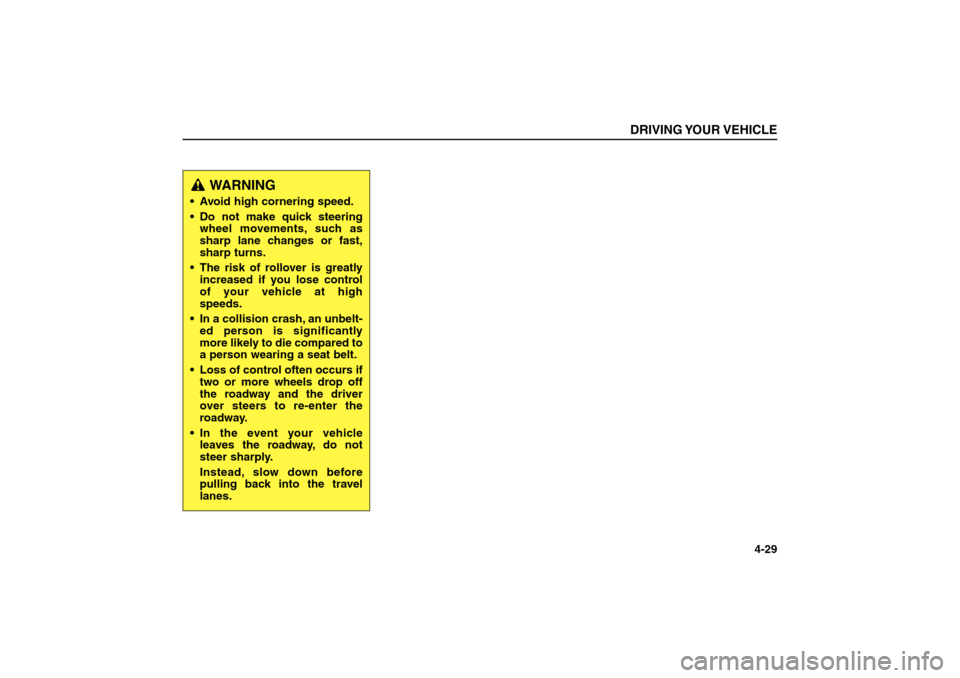
Page 127 of 312
DRIVING YOUR VEHICLE
4-29
WARNING
Avoid high cornering speed.
Do not make quick steering
wheel movements, such as
sharp lane changes or fast,
sharp turns.
The risk of rollover is greatly
increased if you lose control
of your vehicle at high
speeds.
In a collision crash, an unbelt-
ed person is significantly
more likely to die compared to
a person wearing a seat belt.
Loss of control often occurs if
two or more wheels drop off
the roadway and the driver
over steers to re-enter the
roadway.
In the event your vehicle
leaves the roadway, do not
steer sharply.
Instead, slow down before
pulling back into the travel
lanes.
BL-ENG (CAN)-4.qxd 7/28/05 5:55 PM Page 29
Page 128 of 312

LIMITED SLIP DIFFERENTIAL
(IF EQUIPPED) A limited slip differential if equipped,
is for the rear wheel differential only.
The features of this limited slip differ-
ential are described below;
Just as with conventional differential,
the wheel on one side is allowed to
turn at a different speed from the
wheel on the other side when the
vehicle is cornering.
The difference between the limited
slip differential and a conventional
differential is that if the wheel on one
side of the vehicle loses traction, a
greater amount of torque is applied to
the rear wheel on the other side to
improve traction.
BRAKE SYSTEMPower Brakes
Your vehicle has power-assisted
brakes that adjust automatically
through normal usage.
In the event that the power-assisted
brakes lose power because of a
stalled engine or some other reason,
you can still stop your vehicle by
applying greater force to the brake
pedal than you normally would. The
stopping distance, however, will be
longer. Refer to the scheduled main-
tenance guide for scheduled mainte-
nance intervals.
When the engine is not running, the
reserve brake power is partially
depleted each time the brake pedal is
applied. Do not pump the brake pedal
when the power assist has been
interrupted. Pump the brake pedal
only when necessary to maintain
steering control on slippery surfaces.
DRIVING YOUR VEHICLE4-30
WARNING
To avoid injury, never run the
engine with one wheel off the
ground, such as when changing
a tire.
BL-ENG (CAN)-4.qxd 7/28/05 5:55 PM Page 30
Page 135 of 312

POWER STEERINGPower steering uses energy from the
engine to assist you in steering the
vehicle. If the engine is off or if the
power steering system becomes
inoperative, the vehicle may still be
steered, but it will require increased
steering effort.
Should you notice any change in the
effort required to steer during normal
vehicle operation, have the power
steering system checked by an
authorized Kia dealer.
DRIVING YOUR VEHICLE
4-37
✽ ✽
NOTICEIf the vehicle is parked for extended
periods outside in cold weather
(below-10°C (14°F)), the power
steering may require increased
effort when the engine is first start-
ed. This is caused by increased fluid
viscosity due to the cold weather
and does not indicate a malfunc-
tion.
When this happens, increase the
engine RPM to 1500rpm then
release or let the engine idle for two
or three minutes to warm up the
fluid.
✽ ✽
NOTICE Never hold the steering wheel
against a stop (extreme right or
left turn) for more than five sec-
onds with the engine running.
Holding the steering wheel for
more than five seconds in either
position may cause damage to the
power steering pump.
If the power steering drive belt
breaks or if the power steering
pump malfunctions, the steering
effort will greatly increase.
BL-ENG (CAN)-4.qxd 7/28/05 5:55 PM Page 37
Page 136 of 312

CRUISE CONTROLThe cruise control system allows you
to program the vehicle to maintain a
constant speed without resting your
foot on the accelerator pedal.
With cruise control, you can set and
automatically maintain any speed of
more than about 24 mph (40km/h).
To Set Cruise Control Speed:
1. Push the CRUISE switch, located
on the left side of the steering col-
umn, to the ON position.
2. Accelerate to the desired speed,
which must be more than 24 mph
(40 km/h).3. Depress the COAST/SET switch,
located on the steering wheel, and
release it at the speed you want.
Release the accelerator at the
same time. The desired speed will
automatically be maintained and
the CRUISE light on your instru-
ment cluster will illuminate.
The SET function cannot be activated
until approximately 2 seconds after
the CRUISE MAIN switch has been
engaged.
On a steep grade, the vehicle may
momentarily slow down while going
downhill.DRIVING YOUR VEHICLE4-38
SRSAIRBAG
R
E
S
A
C
C
E
LCOAST
SET
P
W
RSEEK
C
A
N
C
E
L
S2BLA421
LOWAUTOCRUiSE
S2BLA420
WARNING- Cruise Control
Do not use the cruise control
feature under the following con-
ditions:
Heavy or unsteady traffic
Slippery or winding roads
Situations that involve vary-
ing speeds
WARNING
If the CRUISE MAIN switch is
left on, the cruise control can be
switched on accidentally. Keep
the CRUISE MAIN switch off
when cruise control is not in
use.
BL-ENG (CAN)-4.qxd 7/28/05 5:55 PM Page 38
Page 137 of 312

To Cancel Cruise Control, do one
of the following:
Depress the brake pedal.
Depress the clutch pedal with a
manual transmission, or shift into N
(Neutral) with an automatic trans-
mission.
Depress the CANCEL switch locat-
ed on the steering wheel.
Depress the COAST/SET and
RES/ACCEL switches at the same
time.
Each of these actions will cancel
cruise control operation, but it will not
turn the system off. If you wish to
resume cruise control operation,
depress the RES/ACCEL switch
located on your steering wheel. You
will return to your previously preset
speed.To turn cruise control off, do one
of the following:
Push the CRUISE switch to the
OFF position.
Turn the ignition off.
Both of these actions also cancel
cruise control operation. If you want
to resume cruise control operation,
repeat the steps provided in “To Set
Cruise Control Speed” on the previ-
ous page.
To Increase Cruise Control Set
Speed:
Follow either of these procedures:
Depress the RES/ACCEL switch
and hold it. Your vehicle will accel-
erate. Release the switch at the
speed you want.
Depress the RES/ACCEL switch
and release it immediately. The
cruising speed will increase 1mph
(1.6 km/h) by one touch and will be
memorized to the reset speed.
DRIVING YOUR VEHICLE
4-39
SRSAIRBAG
R
E
S
A
C
C
E
LCOAST
SET
P
W
RSEEK
C
A
N
C
E
L
S2BLA422A
BL-ENG (CAN)-4.qxd 7/28/05 5:55 PM Page 39
Page 156 of 312

LIGHTINGBattery Saver Function
The purpose of this feature is to
prevent the battery from being dis-
charged. The system automatically
turns off the small light when the
driver removes the ignition key and
opens the driver- side door.
With this feature, the taillight will be
turned off automatically if the driver
parks on the side of road at night.
If necessary, to keep the lights on
when the ignition switch is removed,
perform the following :
1) Open the driver-side door.
2) Turn the tail-lights OFF and ON
again using the light switch on the
steering column.Lighting Control
The light switch has a Headlight and
a Parklight position.
To turn the lights on, twist the knob
on the end of the control lever.Parklight position.
When the light switch is in the park-
light position, the tail, parking, license
and instrument panel lights are ON.
Headlight position.
When the light switch is in the head-
light position, the head, tail, parking,
license and instrument panel lights
are ON.DRIVING YOUR VEHICLE4-58
OFF
OFFON
OFF
S2BLA435A
BL-ENG (CAN)-4.qxd 7/28/05 5:55 PM Page 58