Page 85 of 320
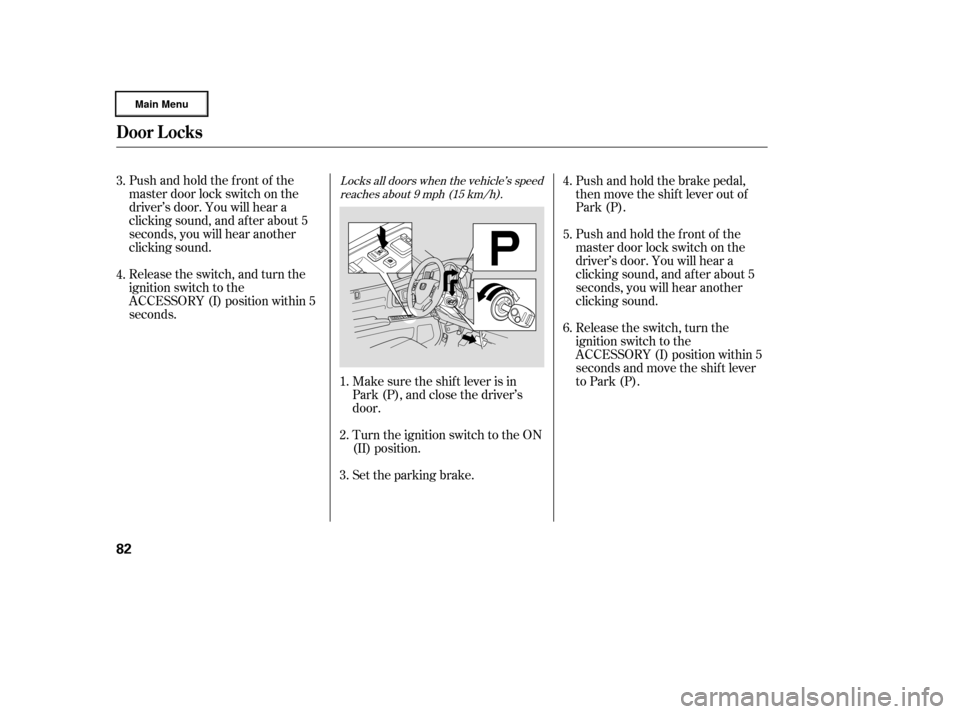
Locks all doors when the vehicle’s speedreaches about 9 mph (15 km/h).Pushandholdthefrontof the
master door lock switch on the
driver’s door. You will hear a
clicking sound, and af ter about 5
seconds, you will hear another
clicking sound.
Make sure the shif t lever is in
Park (P), and close the driver’s
door.Push and hold the brake pedal,
then move the shift lever out of
Park (P).
Pushandholdthefrontof the
master door lock switch on the
driver’s door. You will hear a
clicking sound, and af ter about 5
seconds, you will hear another
clicking sound.
Turn the ignition switch to the ON
(II) position.
Release the switch, and turn the
ignition switch to the
ACCESSORY (I) position within 5
seconds.
Release the switch, turn the
ignition switch to the
ACCESSORY (I) position within 5
seconds and move the shif t lever
to Park (P).
Set the parking brake.
1.
2.
3. 5. 4.
6.
3.
4.
Door L ocks
82
�����—�����—�
���y�
�������������y���
�(�����������y���������y
Page 86 of 320
CONT INUED
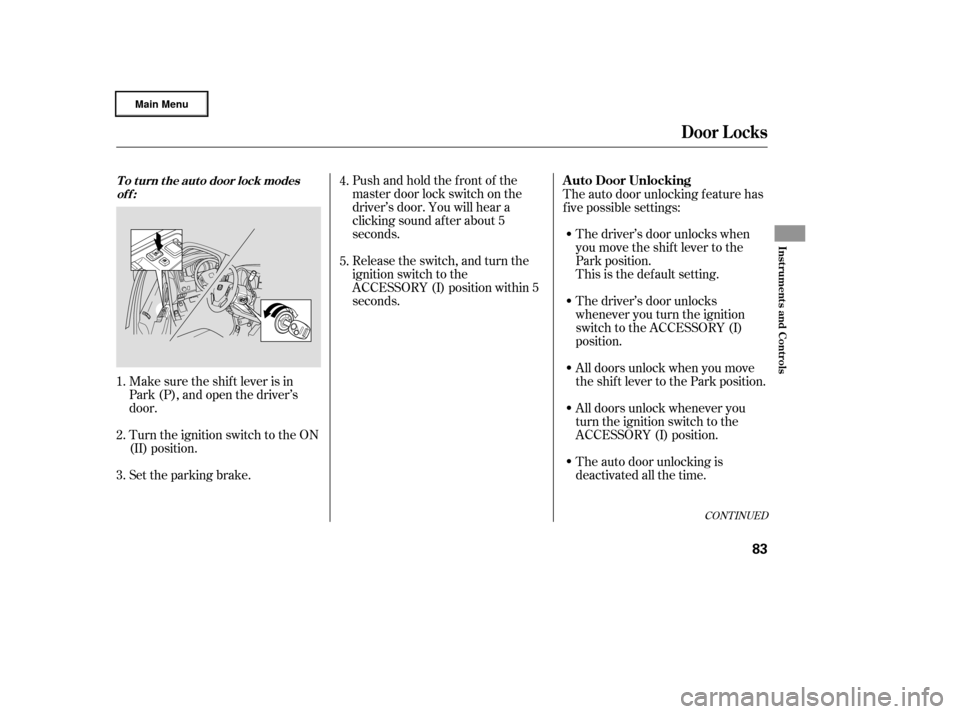
Pushandholdthefrontof the
master door lock switch on the
driver’s door. You will hear a
clicking sound af ter about 5
seconds.
Make sure the shif t lever is in
Park (P), and open the driver’s
door.
Turn the ignition switch to the ON
(II) position. The driver’s door unlocks when
you move the shif t lever to the
Park position.
The auto door unlocking f eature has
f ive possible settings:
Release the switch, and turn the
ignition switch to the
ACCESSORY (I) position within 5
seconds.
Set the parking brake. This is the def ault setting.
The driver’s door unlocks
whenever you turn the ignition
switch to the ACCESSORY (I)
position.
All doors unlock when you move
the shif t lever to the Park position.
All doors unlock whenever you
turn the ignition switch to the
ACCESSORY (I) position.
The auto door unlocking is
deactivated all the time.
1. 5. 4.
2.
3.
Door L ocks
To turn the auto door lock modes off:A uto Door Unlocking
Inst rument s and Cont rols
83
�����—�����—�
���y�
�������������y���
�(�����������y���������y
Page 87 of 320
�µ
�µ
Make sure the shif t lever is in
Park (P), and close the driver’s
door. Turn the ignition switch to the ON
(II) position.
Turn the ignition switch to ON (II). Pushandholdtherearof the
master door lock switch on the
driver’s door. You will hear a
clicking sound. Continue to hold
down the switch:
Until you hear one click (af ter
about 5 seconds) to activate the
driver’s door unlock f eature.
Or, until you hear a second click
(af ter about 10 seconds) to
activate the all doors unlock
feature.
Make sure the shif t lever is in
Park (P), and close the driver’s
door.
Release the switch, and turn the
ignition switch to the
ACCESSORY (I) position within 5
seconds.
Set the parking brake.
Push and hold the brake pedal,
then move the shift lever out of
Park (P).
1.
2.
4. 3.
1.
2.
3.
4.
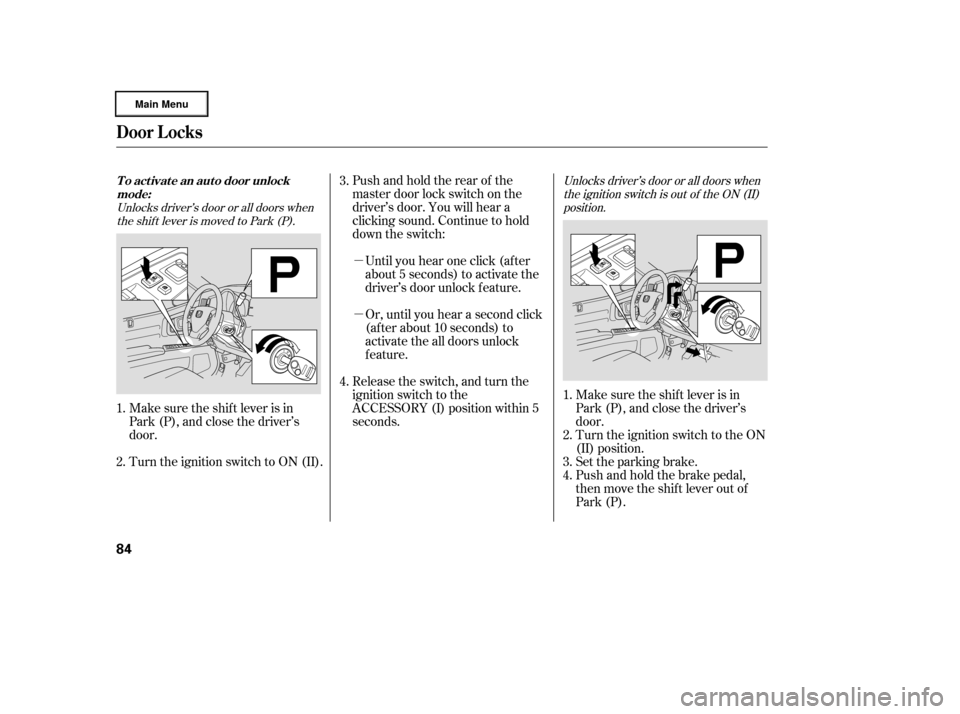
Unlocks driver’s door or all doors whenthe shift lever is moved to Park (P). Unlocks driver’s door or all doors when
the ignition switch is out of the ON (II)position.
Door L ocks
To activate an auto door unlockmode:
84
�����—�����—�
���y�
�������������y���
�(�����������y���������y
Page 88 of 320

�µ
�µTurn the ignition switch to the ON
(II) position.Pushandholdtherearof the
master door lock switch on the
driver’s door. You will hear a
clicking sound af ter about 5
seconds.
Make sure the shif t lever is in
Park (P), and open the driver’s
door. Release the switch, and turn the
ignition switch to the
ACCESSORY (I) position within 5
seconds.
If your vehicle’s battery is removed
or goes dead, the auto door lock/
unlock setting is reset to the
deactivated mode.
Pushandholdtherearof the
master door lock switch on the
driver’s door. You will hear a
clicking sound. Continue to hold
down the switch:
Until you hear one click (af ter
about 5 seconds) to activate the
driver’s door unlock f eature.
Or, until you hear a second click
(af ter about 10 seconds) to
activate the all doors unlock
feature.
Release the switch, turn the
ignition switch to the
ACCESSORY (I) position within 5
seconds and move the shif t lever
to Park (P).
Set the parking brake.4.
5.
1.
2.
3.
5.
6.
Door L ocks
To turn the auto door unlock modes
off:
Inst rument s and Cont rols
85
�����—�����—�
���y�
�������������y���
�(�����������y���������y
Page 104 of 320
In HI, the heater turns of f when the
seat gets warm, and turns back on
after the seat temperature drops.
In LO, the heater runs continuously.
It does not cycle with temperature
changes.
Follow these precautions when using
the seat heaters:Use the HI setting only to heat the
seats quickly, because it draws
large amounts of current f rom the
battery.
If the engine is lef t idling f or an
extended period, do not use the
seat heaters, even on the LO
setting. It can weaken the battery,
causing hard starting.
Make sure all items in the cargo area
are secured. Loose items can f ly
f orward and cause injury if you have
to brake hard (See
on page ).
You can also store small items under
the rear seats. Make sure to secure
the items so they will not shift while
you are driving.
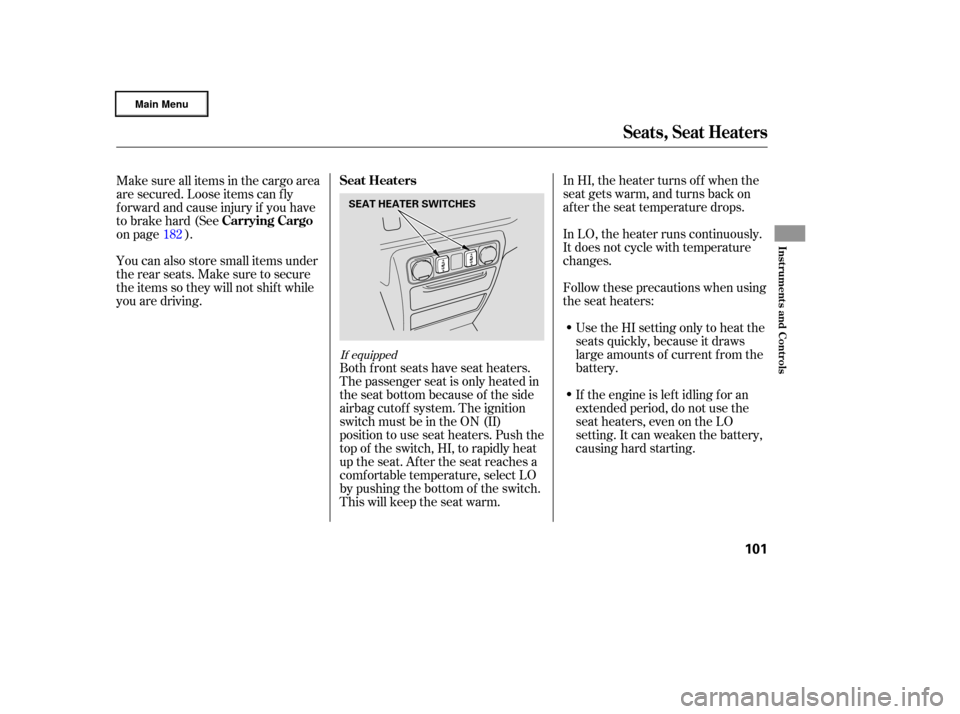
Both front seats have seat heaters.
The passenger seat is only heated in
the seat bottom because of the side
airbag cutoff system. The ignition
switch must be in the ON (II)
position to use seat heaters. Push the
top of the switch, HI, to rapidly heat
up the seat. After the seat reaches a
comf ortable temperature, select LO
by pushing the bottom of the switch.
This will keep the seat warm.
182
If equipped
Seat Heaters
Carrying Cargo
Seats, Seat Heaters
Inst rument s and Cont rols
101
SEAT HEATER SWITCHES
�����—�
���—�����y�
���������
���y���
�(�����������y���
�����y
Page 109 of 320
You can open and close the
moonroof f or up to 10 minutes af ter
you turn of f the ignition switch.
Opening either f ront door cancels
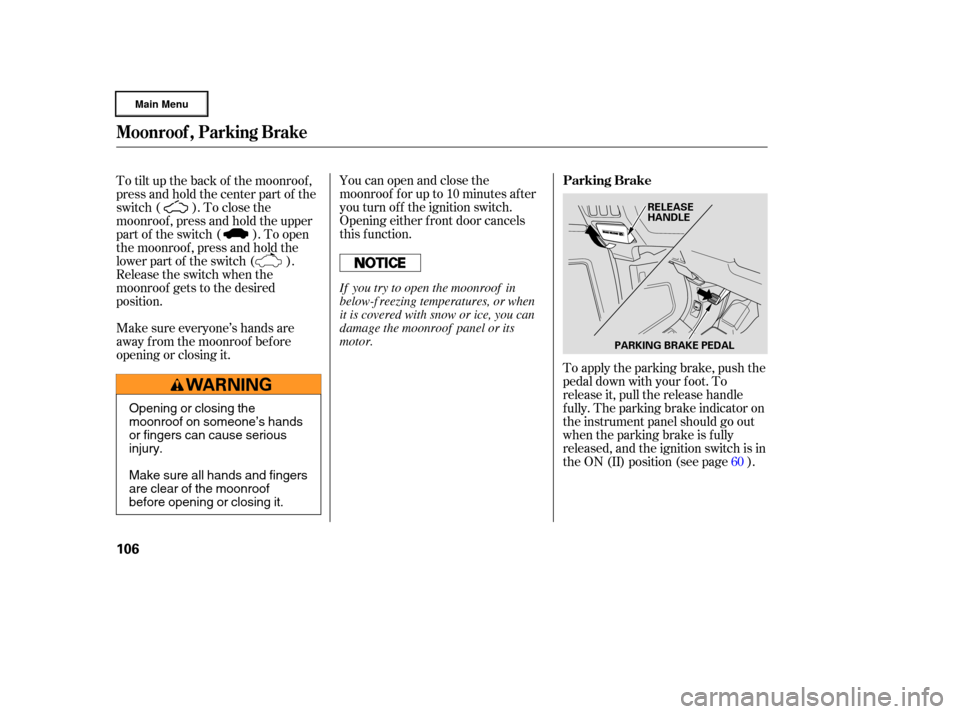
this function.To apply the parking brake, push the
pedal down with your f oot. To
release it, pull the release handle
f ully. The parking brake indicator on
the instrument panel should go out
when the parking brake is f ully
released, and the ignition switch is in
the ON (II) position (see page ).
To tilt up the back of the moonroof ,
press and hold the center part of the
switch ( ). To close the
moonroof , press and hold the upper
part of the switch ( ). To open
the moonroof , press and hold the
lower part of the switch ( ).
Release the switch when the
moonroof gets to the desired
position.
Make sure everyone’s hands are
away f rom the moonroof bef ore
opening or closing it.
60
Moonroof , Parking Brake
Parking Brake
106
PARKING BRAKE PEDALRELEASE
HANDLE
Opening or closing the
moonroof on someone’s hands
or fingers can cause serious
injury.
Make sure all hands and fingers
are clear of the moonroof
before opening or closing it. If you try to open the moonroof in
below-f reezing temperatures, or when
it is covered with snow or ice, you can
damage the moonroof panel or its
motor.
�����—�
���—�����y�
���������
���y���
�(�����������y���
�
�
�y
Page 110 of 320
Keeptheinsideandoutsidemirrors
clean and adjusted f or best visibility.
Be sure to adjust the mirrors bef ore
you start driving.
The inside mirror has day and night
positions. The night position reduces
glare f rom headlights behind you.
Flip the tab on the bottom edge of
the mirror to select the day or night
position.Therearviewmirrorhasacompass
function to indicate the vehicle’s
direction.
Refer to on page .
166
If equippedMirrors
Compass
Parking Brake, Mirrors
Inst rument s and Cont rols
107
TABDriving the vehicle with the parking
brake applied can damage the rear
brakes and axles. A beeper will sound
if the vehicle is driven with the parking
brake on.
�����—�
���—�����y�
�������������y���
�(�����������y���
�
���y
Page 167 of 320

You can decrease the set cruising
speed in any of these ways:If you need to decrease your
speed quickly, use the brakes as you
normally would.
Press and hold the SET/DECEL
button. Release the button when
you reach the desired speed.
To slow down in very small
amounts, tap the SET/DECEL
button. Each time you do this,
your vehicle will slow down about
1 mph (1.6 km/h).
Tap the brake pedal lightly with
your f oot. The CRUISE
CONTROL indicator on the
instrument panel will go out.
When the vehicle slows to the
desired speed, press the SET/
DECEL button.
You can increase the set cruising
speed in any of these ways:
Press and hold the RES/ACCEL
button. When you reach the
desired cruising speed, release the
button.
Push on the accelerator pedal until
you reach the desired cruising
speed, then press the SET/
DECEL button.
To increase your speed in very
small amounts, tap the RES/
ACCEL button. Each time you do
this, the vehicle will speed up
about 1 mph (1.6 km/h).
Cruise control may not hold the set
speed when you are going up and
down hills. If your speed increases
going down a hill, use the brakes to
slow down. This will cancel cruise
control. To resume the set speed,
press the RES/ACCEL button. The
indicator on the instrument panel will
come back on.
When climbing a steep hill, the
automatic transmission may
downshif t to hold the set speed.
Changing the Set Speed
Cruise Control
164
NOTE:
�����—�
���—�����y�
�������������y���
�(�����������y���
�����y