Page 144 of 420
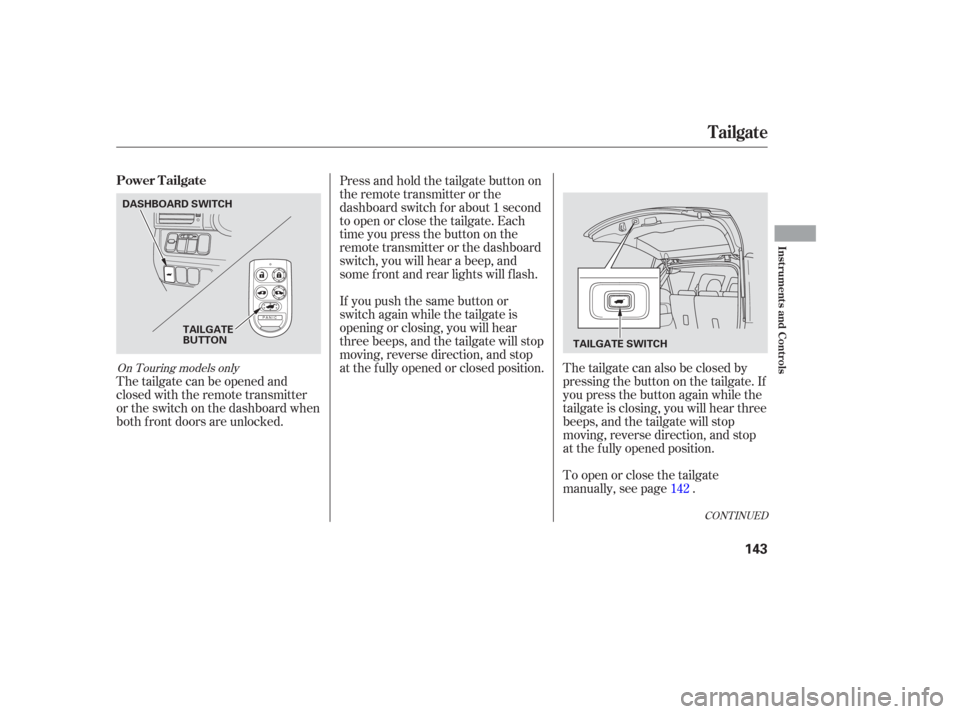
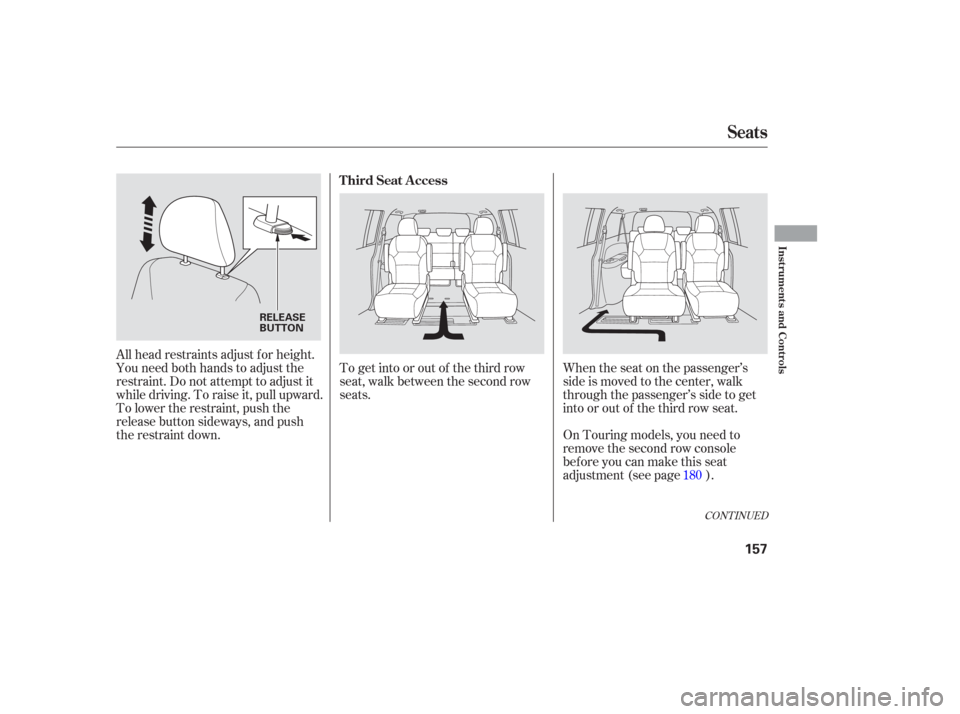
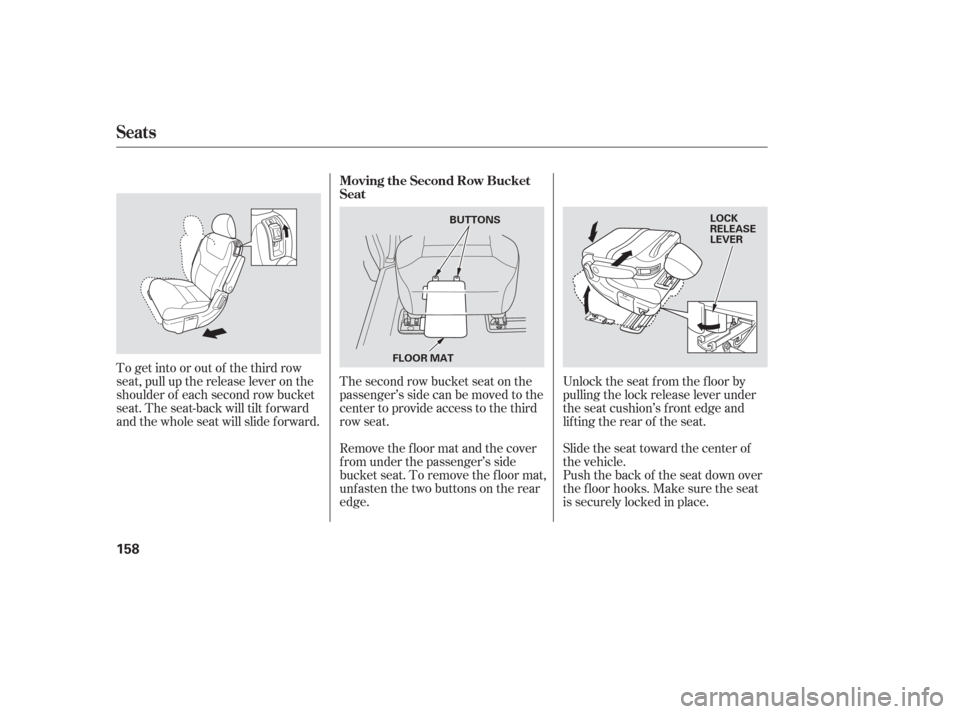
The tailgate can be opened and
closed with the remote transmitter
or the switch on the dashboard when
both f ront doors are unlocked.The tailgate can also be closed by
pressing the button on the tailgate. If
you press the button again while the
tailgate is closing, you will hear three
beeps, and the tailgate will stop
moving, reverse direction, and stop
at the f ully opened position.
Press and hold the tailgate button on
the remote transmitter or the
dashboard switch f or about 1 second
to open or close the tailgate. Each
time you press the button on the
remote transmitter or the dashboard
switch, you will hear a beep, and
some f ront and rear lights will f lash.
To open or close the tailgate
manually, see page .
If you push the same button or
switch again while the tailgate is
opening or closing, you will hear
three beeps, and the tailgate will stop
moving, reverse direction, and stop
at the f ully opened or closed position.
142
CONT INUED
On Touring models only
Power Tailgate
Tailgate
Inst rument s and Cont rols
143
DASHBOARD SWITCH
TAILGATE
BUTTON TAILGATE SWITCH
Page 149 of 420
To open a power sliding door, push
and release the bottom of the
appropriate switch. If you f orget to
unlock the door, you will hear three
beeps. Unlock the door, and try
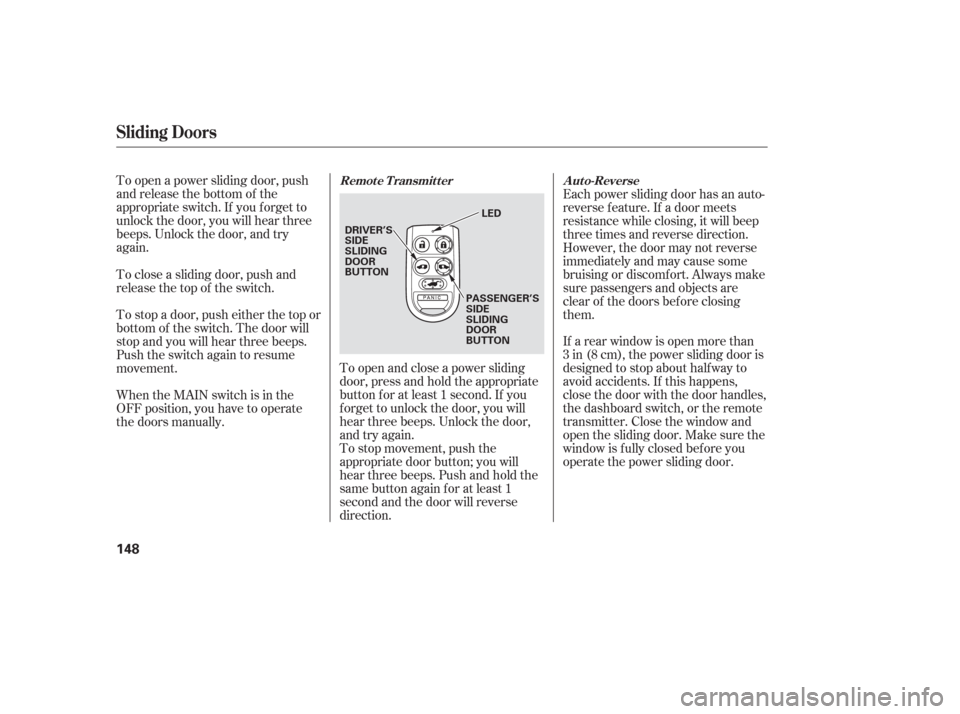
again.To open and close a power sliding
door, press and hold the appropriate
button f or at least 1 second. If you
f orget to unlock the door, you will
hear three beeps. Unlock the door,
and try again.Each power sliding door has an auto-
reverse f eature. If a door meets
resistance while closing, it will beep
three times and reverse direction.
However, the door may not reverse
immediately and may cause some
bruising or discomf ort. Always make
sure passengers and objects are
clear of the doors bef ore closing
them.
If a rear window is open more than
3 in (8 cm), the power sliding door is
designed to stop about half way to
avoid accidents. If this happens,
close the door with the door handles,
the dashboard switch, or the remote
transmitter. Close the window and
open the sliding door. Make sure the
window is f ully closed bef ore you
operate the power sliding door.
To stop movement, push the
appropriate door button; you will
hear three beeps. Push and hold the
same button again f or at least 1
second and the door will reverse
direction.
When the MAIN switch is in the
OFF position, you have to operate
the doors manually. To stop a door, push either the top or
bottom of the switch. The door will
stop and you will hear three beeps.
Push the switch again to resume
movement. To close a sliding door, push and
release the top of the switch.
Sliding Doors
Remote Transmitter
Auto-Reverse
148
DRIVER’S
SIDE
SLIDING
DOOR
BUTTON
PASSENGER’S
SIDE
SLIDING
DOOR
BUTTONLED
Page 158 of 420
To get into or out of the third row
seat, walk between the second row
seats.When the seat on the passenger’s
side is moved to the center, walk
through the passenger’s side to get
into or out of the third row seat.
All head restraints adjust f or height.
You need both hands to adjust the
restraint. Do not attempt to adjust it
while driving. To raise it, pull upward.
To lower the restraint, push the
release button sideways, and push
the restraint down.
On Touring models, you need to
remove the second row console
before you can make this seat
adjustment (see page ). 180
CONT INUED
T hird Seat A ccess
Seats
Inst rument s and Cont rols
157
RELEASE
BUTTON
Page 159 of 420
Unlock the seat f rom the f loor by
pulling the lock release lever under
the seat cushion’s f ront edge and
lifting the rear of the seat.
Slide the seat toward the center of
the vehicle.
The second row bucket seat on the
passenger’s side can be moved to the
center to provide access to the third
row seat.
To get into or out of the third row
seat, pull up the release lever on the
shoulder of each second row bucket
seat. The seat-back will tilt forward
and the whole seat will slide f orward.
Push the back of the seat down over
the f loor hooks. Make sure the seat
is securely locked in place.
Remove the f loor mat and the cover
f rom under the passenger’s side
bucket seat. To remove the floor mat,
unfasten the two buttons on the rear
edge. Moving the Second Row Bucket
Seat
Seats
158
LOCK
RELEASE
LEVER
BUTTONS
FLOOR MAT
Page 160 of 420
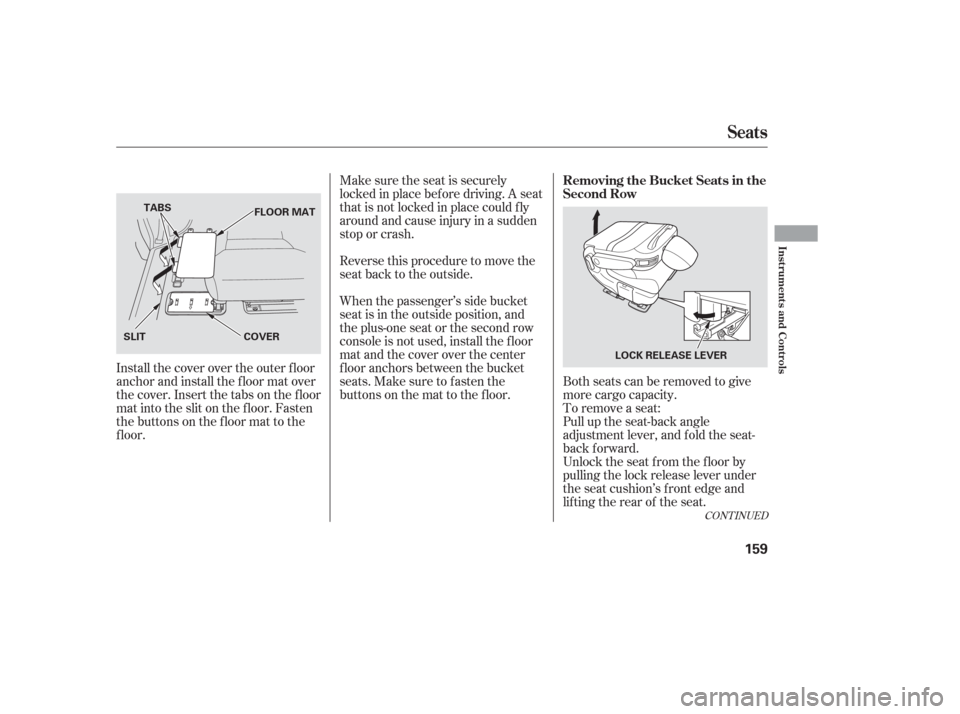
Both seats can be removed to give
more cargo capacity.
Make sure the seat is securely
locked in place bef ore driving. A seat
thatisnotlockedinplacecouldfly
around and cause injury in a sudden
stop or crash.
Reversethisproceduretomovethe
seat back to the outside.
When the passenger’s side bucket
seat is in the outside position, and
theplus-oneseatorthesecondrow
console is not used, install the f loor
mat and the cover over the center
f loor anchors between the bucket
seats. Make sure to f asten the
buttons on the mat to the floor.
Install the cover over the outer floor
anchor and install the floor mat over
the cover. Insert the tabs on the f loor
mat into the slit on the f loor. Fasten
the buttons on the floor mat to the
f loor. To remove a seat:
Pull up the seat-back angle
adjustment lever, and fold the seat-
back f orward.
Unlock the seat f rom the f loor by
pulling the lock release lever under
the seat cushion’s f ront edge and
lifting the rear of the seat.
CONT INUED
Seats
Removing the Bucket Seats in the
Second Row
Inst rument s and Cont rols
159
LOCK RELEASE LEVER
SLIT
COVER
TABS
FLOOR MAT
Page 166 of 420
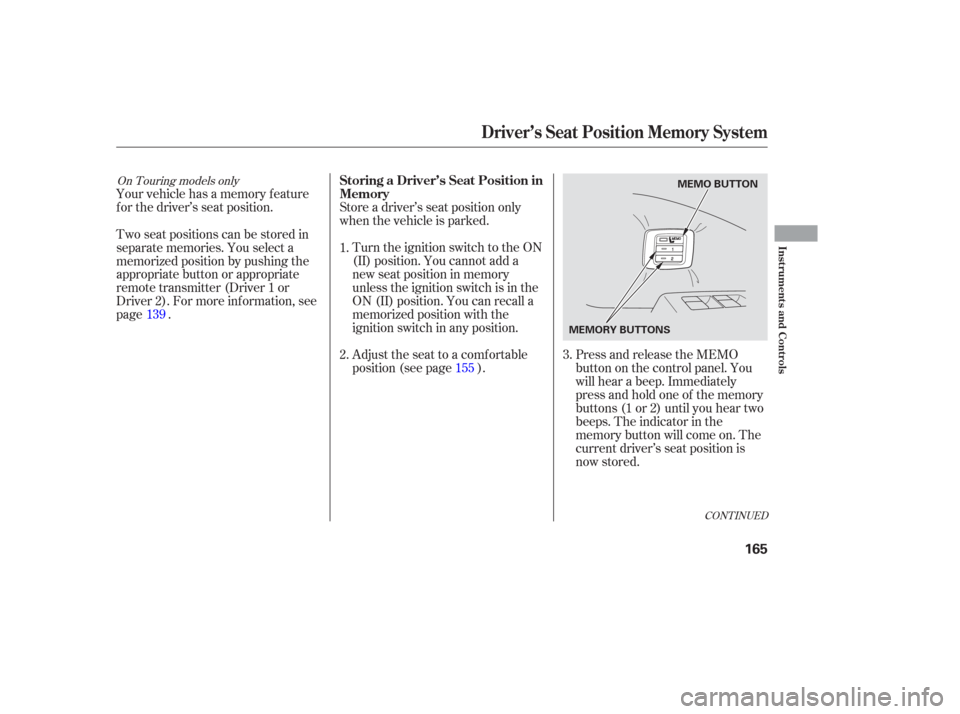
Your vehicle has a memory feature
f or the driver’s seat position.Press and release the MEMO
buttononthecontrolpanel.You
will hear a beep. Immediately
press and hold one of the memory
buttons (1 or 2) until you hear two
beeps. The indicator in the
memory button will come on. The
current driver’s seat position is
now stored.
Store a driver’s seat position only
when the vehicle is parked.
Turn the ignition switch to the ON
(II) position. You cannot add a
new seat position in memory
unless the ignition switch is in the
ON (II) position. You can recall a
memorized position with the
ignition switch in any position.
Adjust the seat to a comfortable
position (see page ).
Two seat positions can be stored in
separate memories. You select a
memorized position by pushing the
appropriate button or appropriate
remote transmitter (Driver 1 or
Driver 2). For more inf ormation, see
page .
1.
2.
3.
139
155
CONT INUED
On Touring models onlyStoring a Driver’s Seat Position in
Memory
Driver’s Seat Position Memory System
Inst rument s and Cont rols
165
MEMO BUTTON
MEMORY BUTTONS
Page 167 of 420
Doing any of the f ollowing af ter
pressing the MEMO button will
cancel the storing procedure.Not pressing a memory button
within 5 seconds.
Readjusting the seat position.
Each memory button stores only one
seat position. Storing a new position
erases the previous position stored in
that button’s memory. If you want to
add a new position while retaining
the current one, use the other
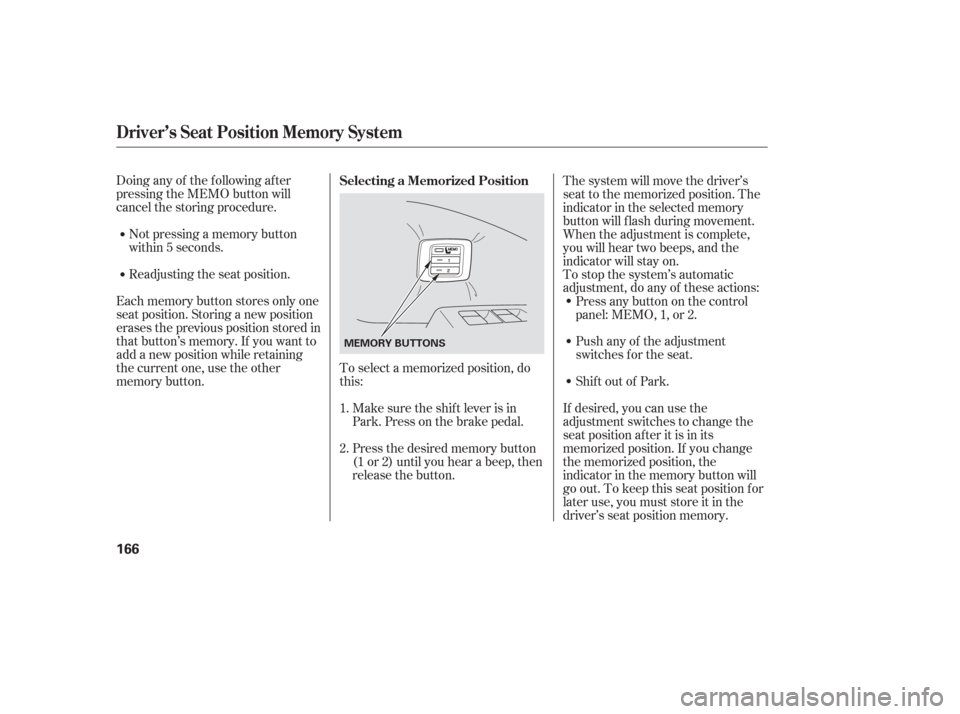
memory button. To select a memorized position, do
this:
Make sure the shif t lever is in
Park. Press on the brake pedal.
Press the desired memory button
(1 or 2) until you hear a beep, then
release the button. The system will move the driver’s
seat to the memorized position. The
indicator in the selected memory
button will f lash during movement.
When the adjustment is complete,
you will hear two beeps, and the
indicator will stay on.
To stop the system’s automatic
adjustment, do any of these actions:
If desired, you can use the
adjustment switches to change the
seat position af ter it is in its
memorized position. If you change
the memorized position, the
indicator in the memory button will
go out. To keep this seat position f or
later use, you must store it in the
driver’s seat position memory.
Shif t out of Park. Push any of the adjustment
switches f or the seat. Press any button on the control
panel: MEMO, 1, or 2.
1.
2. Selecting a Memorized Position
Driver’s Seat Position Memory System
166
MEMORY BUTTONS
Page 169 of 420

Start the engine. Push down and
hold the driver’s window switch
until the window is f ully open.
Pull and hold the driver’s window
switch to close the window
completely, then hold the switch
f or about 2 seconds.Press the UNLOCK button a
second time, and hold it. The
passenger’s doors unlock, and all
f our windows start to open. To
stop the windows, release the
button.
To open the windows f urther,
pressthebuttonagainandholdit.
If the windows stop bef ore the
desired position, repeat steps 1
and 2.
You cannot close the windows with
the remote transmitter.
If the power windows do not operate
properly af ter resetting, have your
vehicle checked by your dealer. Press the UNLOCK button once
to unlock the driver’s door.
You can open all of the windows
from the outside with the remote
transmitter.
If your vehicle’s battery is
disconnected or goes dead, or the
driver’s window f use is removed, the
AUTO f unction will be disabled. The
power window system needs to be
reset af ter reconnecting the battery
or installing the f use.
1.
2.
3.
1. 2.
On EX, EX-L and Touring models
Opening the Windows with the
Remote Transmitter
Power Windows
168