Page 124 of 420
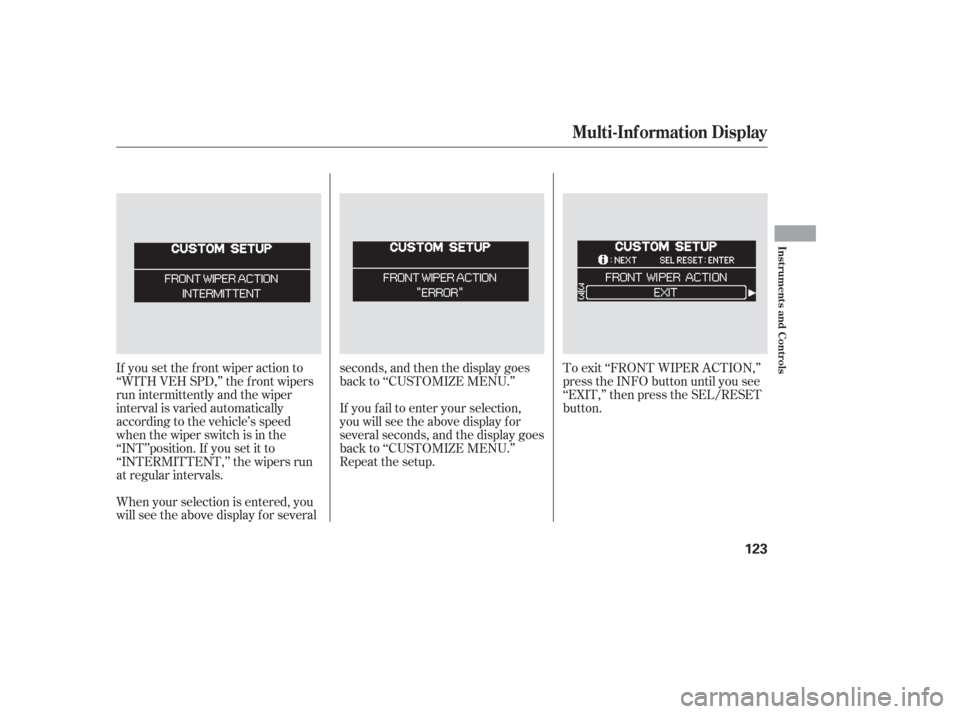
If you set the f ront wiper action to
‘‘WITH VEH SPD,’’ the f ront wipers
run intermittently and the wiper
interval is varied automatically
according to the vehicle’s speed
when the wiper switch is in the
‘‘INT’’position. If you set it to
‘‘INTERMITTENT,’’ the wipers run
at regular intervals.
When your selection is entered, you
will see the above display for severalseconds, and then the display goes
back to ‘‘CUSTOMIZE MENU.’’
To exit ‘‘FRONT WIPER ACTION,’’
press the INFO button until you see
‘‘EXIT,’’ then press the SEL/RESET
button.
If you f ail to enter your selection,
you will see the above display f or
several seconds, and the display goes
back to ‘‘CUSTOMIZE MENU.’’
Repeat the setup.
Multi-Inf ormation Display
Inst rument s and Cont rols
123
Page 130 of 420
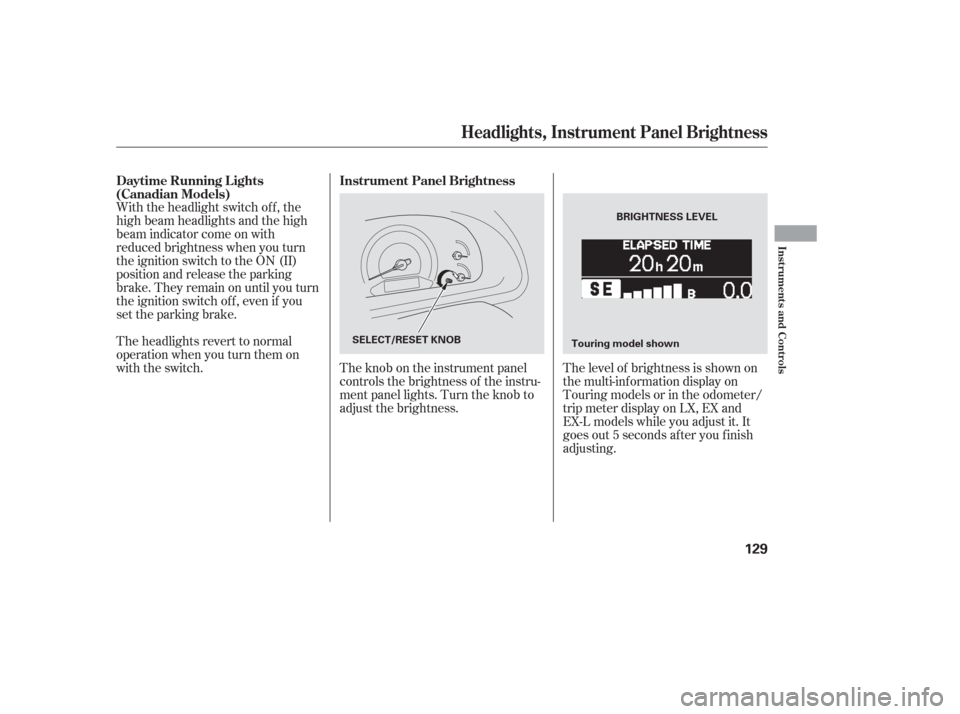
The level of brightness is shown on
the multi-information display on
Touring models or in the odometer/
trip meter display on LX, EX and
EX-L models while you adjust it. It
goes out 5 seconds af ter you f inish
adjusting.
The knob on the instrument panel
controls the brightness of the instru-
ment panel lights. Turn the knob to
adjust the brightness.
With the headlight switch off, the
high beam headlights and the high
beam indicator come on with
reduced brightness when you turn
the ignition switch to the ON (II)
position and release the parking
brake. They remain on until you turn
the ignition switch of f , even if you
set the parking brake.
The headlights revert to normal
operation when you turn them on
with the switch.
Instrument Panel Brightness
Daytime Running L ights
(Canadian Models)
Headlights, Instrument Panel Brightness
Inst rument s and Cont rols
129
BRIGHTNESS LEVEL
SELECT/RESET KNOB Touring model shown
Page 145 of 420

The power tailgate has an auto-
reverse f eature. If it meets
resistance while opening or closing,
it will beep three times and reverse
direction. However, the tailgate may
not reverse immediately. Always
make sure passengers and objects
are clear of the tailgate before
opening or closing it.Also check that passengers,
especially children, do not have their
hands on the edge of the tailgate or
on the tailgate sill. The auto reverse
featurestopsworkingwhenthe
tailgate is about to latch so the motor
can pull the tailgate shut.
If your vehicle’s battery is
disconnected, goes dead, or the f use
is removed while the tailgate is f ully
open, the power tailgate needs to be
reset. After connecting the battery
or installing the f use, close the
tailgate f ully by hand.
The power tailgate may not open or
close under the these conditions: Whenthetailgateortheroof is
covered with snow or ice.
Do not install any accessories on the
tailgate. It may cause the tailgate not
to f unction properly. If there is snow
or ice on the tailgate, make sure to
remove it bef ore you operate the
tailgate.
If you pull the tailgate release handle
while the tailgate is opening or
closing, it will stop moving. You need
to open or close it the rest of the way
manually.
The tailgate has sensors on both
sides. Be caref ul not to damage them.
If the sensors are damaged, the
power tailgate does not f unction
properly.
When the vehicle is swayed in a
strong wind. The vehicle is parked on a steep
hill.
A ut o-Reverse
Tailgate
144
Closing a power tailgate while
anyone is in the path of the
tailgate can cause serious
injury.
Make sure everyone is clear
before closing the power
tailgate.
Page 169 of 420

Start the engine. Push down and
hold the driver’s window switch
until the window is f ully open.
Pull and hold the driver’s window
switch to close the window
completely, then hold the switch
f or about 2 seconds.Press the UNLOCK button a
second time, and hold it. The
passenger’s doors unlock, and all
f our windows start to open. To
stop the windows, release the
button.
To open the windows f urther,
pressthebuttonagainandholdit.
If the windows stop bef ore the
desired position, repeat steps 1
and 2.
You cannot close the windows with
the remote transmitter.
If the power windows do not operate
properly af ter resetting, have your
vehicle checked by your dealer. Press the UNLOCK button once
to unlock the driver’s door.
You can open all of the windows
from the outside with the remote
transmitter.
If your vehicle’s battery is
disconnected or goes dead, or the
driver’s window f use is removed, the
AUTO f unction will be disabled. The
power window system needs to be
reset af ter reconnecting the battery
or installing the f use.
1.
2.
3.
1. 2.
On EX, EX-L and Touring models
Opening the Windows with the
Remote Transmitter
Power Windows
168
Page 191 of 420
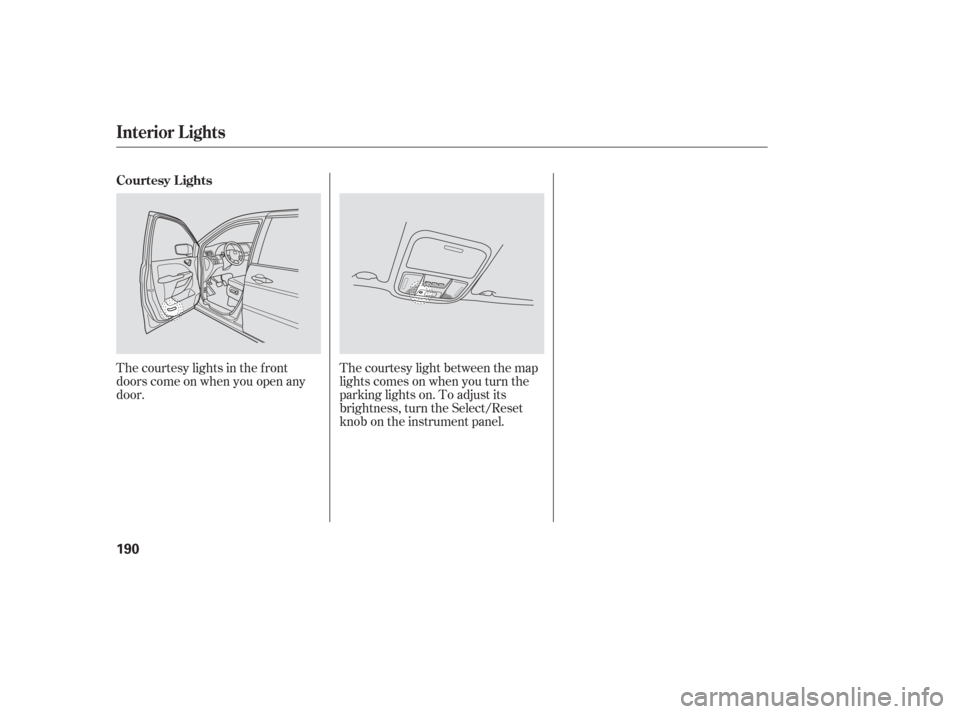
The courtesy lights in the f ront
doors come on when you open any
door.The courtesy light between the map
lights comes on when you turn the
parking lights on. To adjust its
brightness, turn the Select/Reset
knob on the instrument panel.
Interior Lights
Courtesy Lights
190
Page 204 of 420
Playing the AM/FM Radio
L X modelEX and EX-L models wit hout RES
Features
203
PWR/VOL
KNOBTUNE/SOUND
KNOB
SCAN
BUTTON SEEK BAR PWR/VOL
KNOB
FM BUTTON
AM BUTTON
PRESET BUTTONS AM/FM BUTTON
SCAN
BUTTON SEEK BAR
PRESET BUTTONS SOUND
KNOB
TUNE KNOB
AUTO SELECT
BUTTON AUTO SELECT
BUTTON
Page 205 of 420
Playing the AM/FM Radio
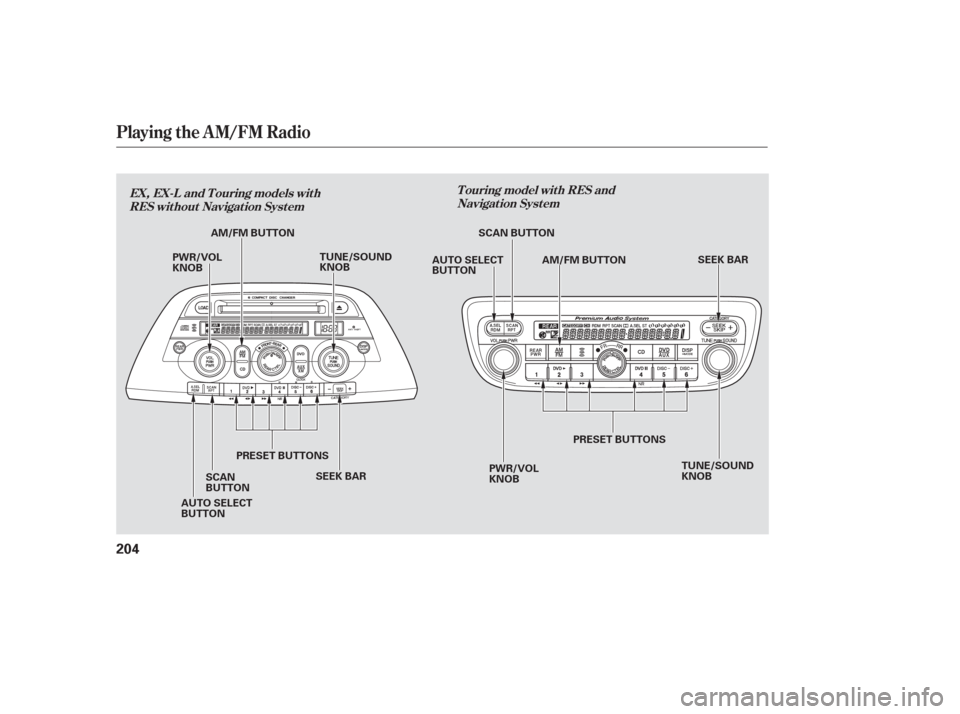
T ouring model wit h RES andNavigat ion Syst em
EX, EX-L and T ouring models wit h
RES wit hout Navigat ion Syst em
204
PWR/VOL
KNOB TUNE/SOUND
KNOB
SEEK BAR PWR/VOL
KNOB SEEK BAR
AM/FM BUTTON
PRESET BUTTONS
SCAN
BUTTON AM/FM BUTTON
SCAN BUTTON
TUNE/SOUND
KNOB
PRESET BUTTONS
AUTO SELECT
BUTTON AUTO SELECT
BUTTON
Page 206 of 420
�µ
�µ �´�µ �µ
�µ
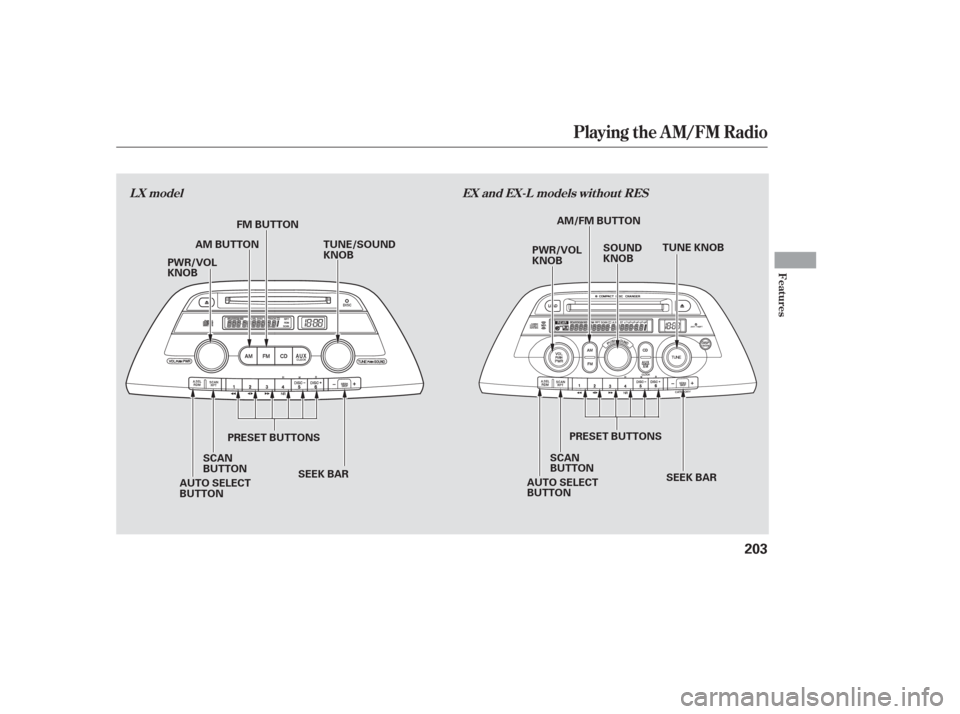
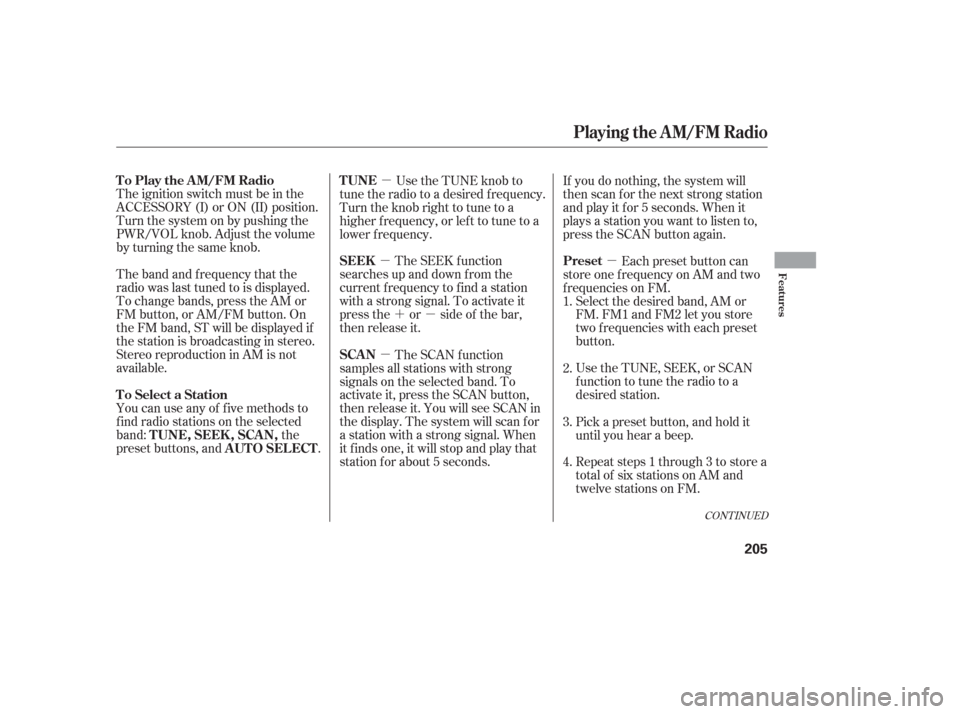
The ignition switch must be in the
ACCESSORY (I) or ON (II) position.
Turn the system on by pushing the
PWR/VOL knob. Adjust the volume
by turning the same knob.
The band and f requency that the
radio was last tuned to is displayed.
To change bands, press the AM or
FM button, or AM/FM button. On
the FM band, ST will be displayed if
the station is broadcasting in stereo.
Stereo reproduction in AM is not
available. Use the TUNE knob to
tune the radio to a desired f requency.
Turn the knob right to tune to a
higher f requency, or lef t to tune to a
lower f requency.
The SEEK f unction
searches up and down from the
current f requency to f ind a station
with a strong signal. To activate it
press the or side of the bar,
then release it. Each preset button can
store one f requency on AM and two
f requencies on FM. Select the desired band, AM or
FM. FM1 and FM2 let you store
two f requencies with each preset
button.
UsetheTUNE,SEEK,orSCAN
function to tune the radio to a
desired station.
Repeat steps 1 through 3 to store a
total of six stations on AM and
twelve stations on FM.
You can use any of f ive methods to
f ind radio stations on the selected
band:
the
preset buttons, and .The SCAN f unction
samples all stations with strong
signals on the selected band. To
activate it, press the SCAN button,
then release it. You will see SCAN in
the display. The system will scan f or
a station with a strong signal. When
it f inds one, it will stop and play that
station for about 5 seconds. If you do nothing, the system will
then scan f or the next strong station
andplayitfor5seconds.Whenit
plays a station you want to listen to,
press the SCAN button again.
Pickapresetbutton,andholdit
until you hear a beep.
1.
2.
3.
4.
CONT INUED
TUNE
SEEK
Preset
To Select a Station TUNE,SEEK,SCAN, AUTO SELECT
To Play the AM/FM Radio
SCAN
Playing the AM/FM Radio
Features
205