Page 82 of 420
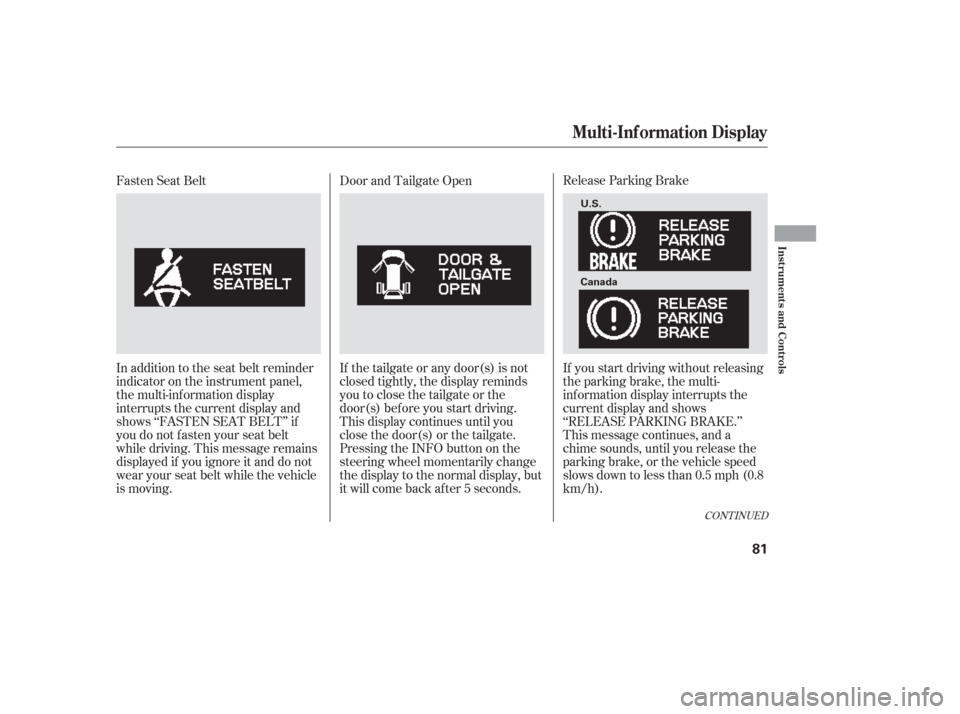
Release Parking Brake
If you start driving without releasing
the parking brake, the multi-
inf ormation display interrupts the
current display and shows
‘‘RELEASE PARKING BRAKE.’’
This message continues, and a
chime sounds, until you release the
parking brake, or the vehicle speed
slows down to less than 0.5 mph (0.8
km/h).
Door and Tailgate Open
If the tailgate or any door(s) is not
closed tightly, the display reminds
you to close the tailgate or the
door(s) bef ore you start driving.
This display continues until you
close the door(s) or the tailgate.
Pressing the INFO button on the
steering wheel momentarily change
the display to the normal display, but
it will come back af ter 5 seconds.
Fasten Seat Belt
In addition to the seat belt reminder
indicator on the instrument panel,
the multi-information display
interrupts the current display and
shows ‘‘FASTEN SEAT BELT’’ if
you do not f asten your seat belt
while driving. This message remains
displayed if you ignore it and do not
wear your seat belt while the vehicle
is moving.
CONT INUED
Multi-Inf ormation Display
Inst rument s and Cont rols
81
U.S.
Canada
Page 84 of 420
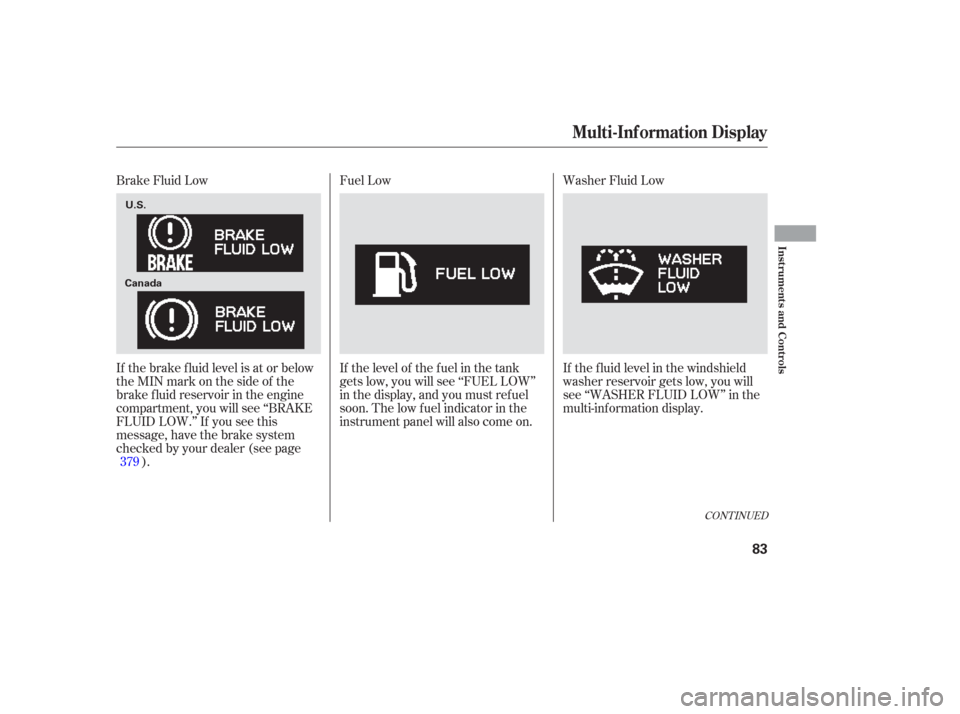
Washer Fluid Low
If the f luid level in the windshield
washer reservoir gets low, you will
see ‘‘WASHER FLUID LOW’’ in the
multi-inf ormation display.
Fuel Low
If the level of the fuel in the tank
gets low, you will see ‘‘FUEL LOW’’
in the display, and you must ref uel
soon. The low f uel indicator in the
instrument panel will also come on.
Brake Fluid Low
If the brake f luid level is at or below
theMINmarkonthesideof the
brake f luid reservoir in the engine
compartment, you will see ‘‘BRAKE
FLUID LOW.’’ If you see this
message, have the brake system
checked by your dealer (see page
).
379
CONT INUED
Multi-Inf ormation Display
Inst rument s and Cont rols
83
U.S.
Canada
Page 88 of 420
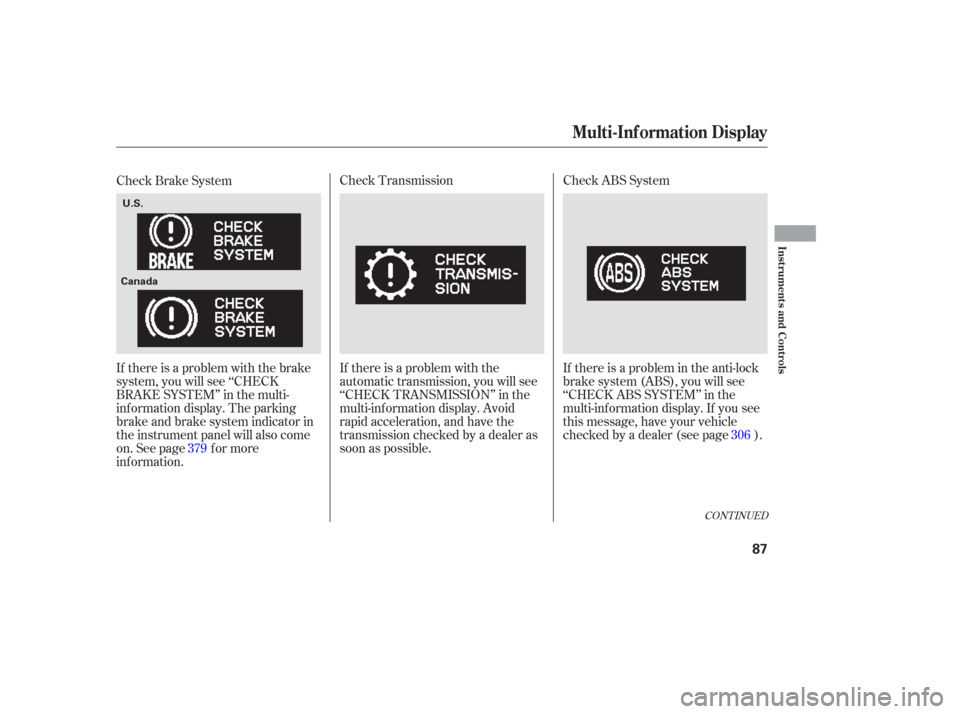
Check ABS System
If there is a problem in the anti-lock
brake system (ABS), you will see
‘‘CHECKABSSYSTEM’’inthe
multi-inf ormation display. If you see
this message, have your vehicle
checked by a dealer (see page ).
Check Transmission
If there is a problem with the
automatic transmission, you will see
‘‘CHECK TRANSMISSION’’ in the
multi-inf ormation display. Avoid
rapid acceleration, and have the
transmission checked by a dealer as
soon as possible.
Check Brake System
If there is a problem with the brake
system, you will see ‘‘CHECK
BRAKE SYSTEM’’ in the multi-
inf ormation display. The parking
brake and brake system indicator in
the instrument panel will also come
on. See page f or more
inf ormation.
379 306
CONT INUED
Multi-Inf ormation Display
Inst rument s and Cont rols
87
U.S.
Canada
Page 130 of 420
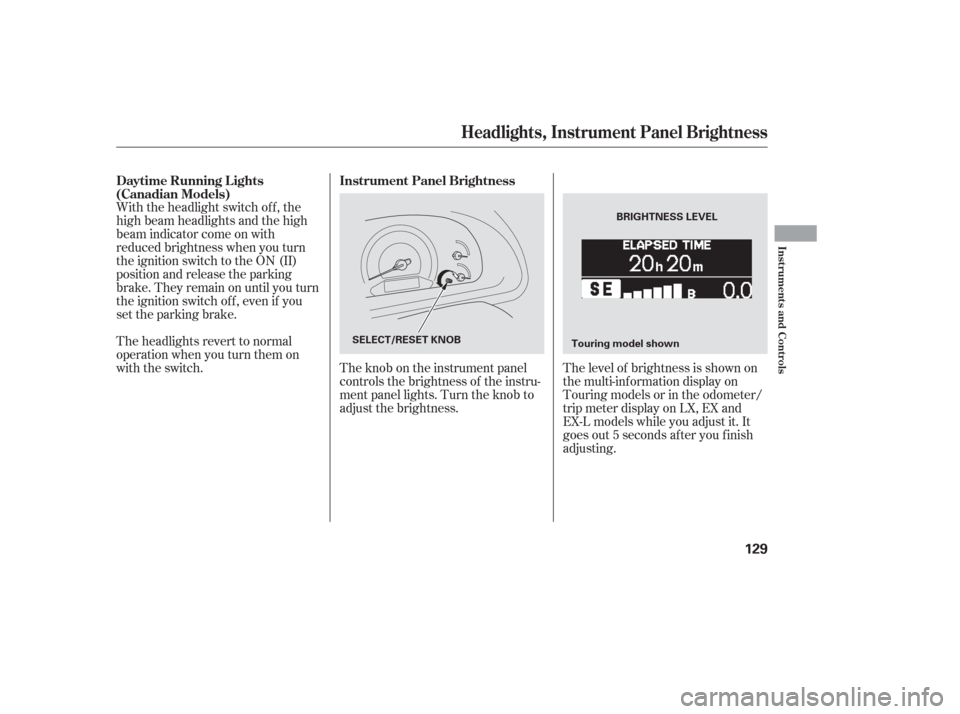
The level of brightness is shown on
the multi-information display on
Touring models or in the odometer/
trip meter display on LX, EX and
EX-L models while you adjust it. It
goes out 5 seconds af ter you f inish
adjusting.
The knob on the instrument panel
controls the brightness of the instru-
ment panel lights. Turn the knob to
adjust the brightness.
With the headlight switch off, the
high beam headlights and the high
beam indicator come on with
reduced brightness when you turn
the ignition switch to the ON (II)
position and release the parking
brake. They remain on until you turn
the ignition switch of f , even if you
set the parking brake.
The headlights revert to normal
operation when you turn them on
with the switch.
Instrument Panel Brightness
Daytime Running L ights
(Canadian Models)
Headlights, Instrument Panel Brightness
Inst rument s and Cont rols
129
BRIGHTNESS LEVEL
SELECT/RESET KNOB Touring model shown
Page 147 of 420
To open, pull the inside or outside
door handle, and slide the door back.
It will latch in the f ully open position.
When opening f rom the inside, the
childproof door lock must be
unlocked.
To close, pull either handle, and slide
the door closed. Make sure the door
is closed and latched securely bef ore
driving, and all passengers are clear
of the sliding doors bef ore closing
them.
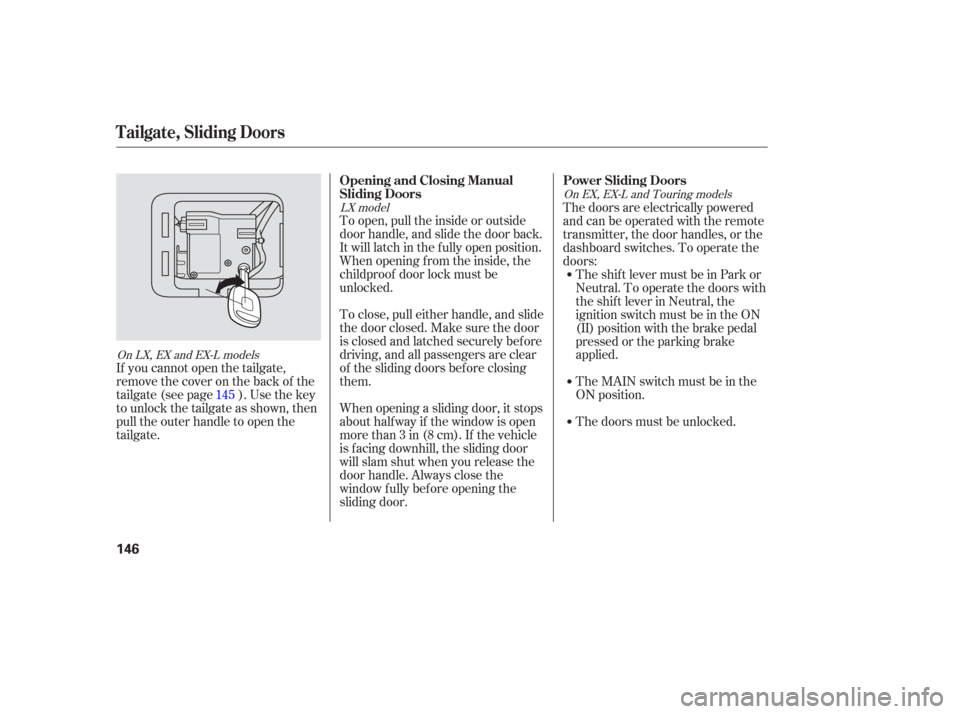
If youcannotopenthetailgate,
remove the cover on the back of the
tailgate(seepage ).Usethekey
to unlock the tailgate as shown, then
pull the outer handle to open the
tailgate. The doors are electrically powered
and can be operated with the remote
transmitter, the door handles, or the
dashboard switches. To operate the
doors:
When opening a sliding door, it stops
about halfway if the window is open
morethan3in(8cm).If thevehicle
is f acing downhill, the sliding door
will slam shut when you release the
door handle. Always close the
window f ully bef ore opening the
sliding door. The shift lever must be in Park or
Neutral. To operate the doors with
the shift lever in Neutral, the
ignition switch must be in the ON
(II) position with the brake pedal
pressed or the parking brake
applied.
TheMAINswitchmustbeinthe
ON position.
The doors must be unlocked.
145
LX model
On LX, EX and EX-L models On EX, EX-L and Touring models
Power Sliding Doors
Opening and Closing Manual
Sliding Doors
T ailgate, Sliding Doors
146
Page 148 of 420
CONT INUED
When the shift lever is in Park:When the shift lever is in Neutral andthe ignition switch is in the ON position:
If you shif t out of Park while a door
is closing, you will hear a beep until
the door closes.
If you shif t out of Park while a door
is opening, you will hear a
continuous tone and the door will
stop moving. Stop the vehicle and
close the door.
If you shif t out of Neutral or release
the brake pedal or the parking brake
while a door is closing, you will hear
a beep until the door closes.
If you shif t out of Neutral or release
the brake pedal or the parking brake
while a door is opening, you will hear
a continuous tone and the door will
stop moving. Stop the vehicle and
close the door. To open the door with the inside
door handle, pull the handle
backward. Push it f orward to close
the door. If you pull backward or
push f orward on the door handle
while a door is opening or closing,
the door stops moving. Pull
backward or push f orward to open or
close the door f ully.
To open or close the door with the
outside door handle, pull the door
handle. If you pull the door handle
while a door is opening or closing,
the door stops moving. If you pull the
door handle again, the door will open
f ully.
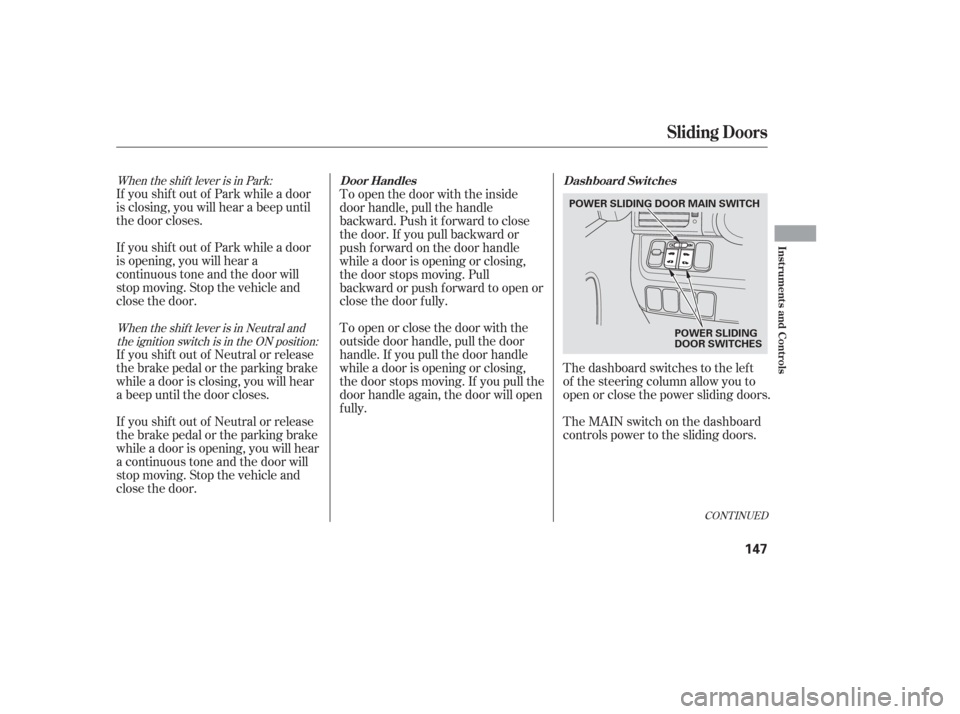
The dashboard switches to the lef t
of the steering column allow you to
open or close the power sliding doors.
The MAIN switch on the dashboard
controls power to the sliding doors.
Sliding Doors
Door Handles
Dashboard Switches
Inst rument s and Cont rols
147
POWER SLIDING DOOR MAIN SWITCH
POWER SLIDING
DOOR SWITCHES
Page 164 of 420
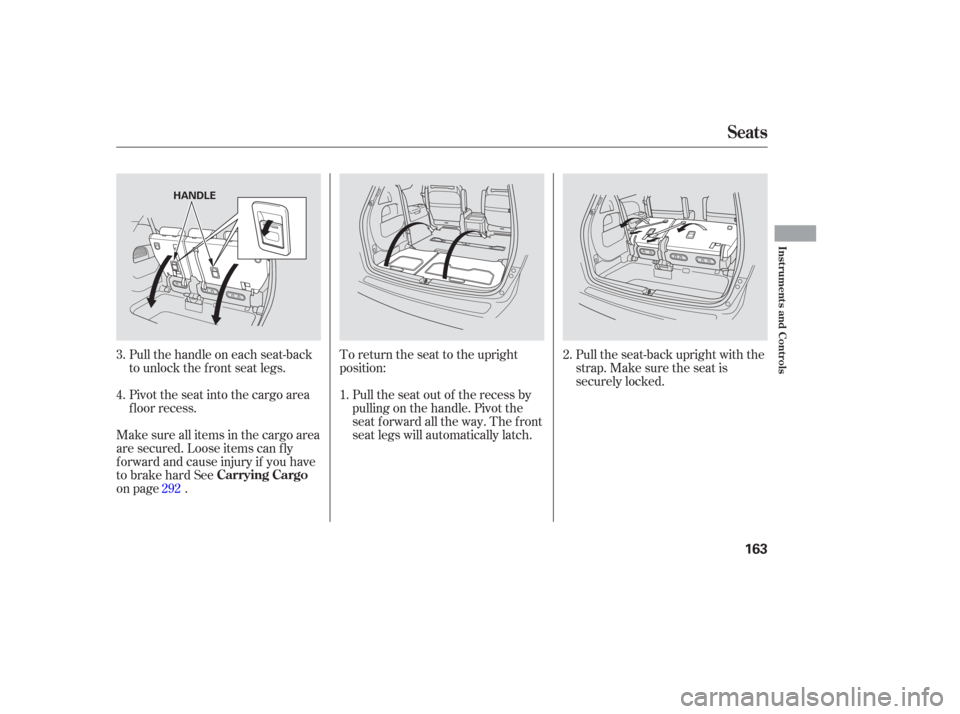
Pull the seat-back upright with the
strap. Make sure the seat is
securely locked.
To return the seat to the upright
position:
Pull the seat out of the recess by
pulling on the handle. Pivot the
seat forward all the way. The front
seat legs will automatically latch.
Pull the handle on each seat-back
to unlock the f ront seat legs.
Pivot the seat into the cargo area
f loor recess.
Make sure all items in the cargo area
are secured. Loose items can f ly
f orward and cause injury if you have
to brake hard See
on page . 1.
2.
3.
4.
292
Seats
Carrying Cargo
Inst rument s and Cont rols
163
HANDLE
Page 167 of 420
Doing any of the f ollowing af ter
pressing the MEMO button will
cancel the storing procedure.Not pressing a memory button
within 5 seconds.
Readjusting the seat position.
Each memory button stores only one
seat position. Storing a new position
erases the previous position stored in
that button’s memory. If you want to
add a new position while retaining
the current one, use the other
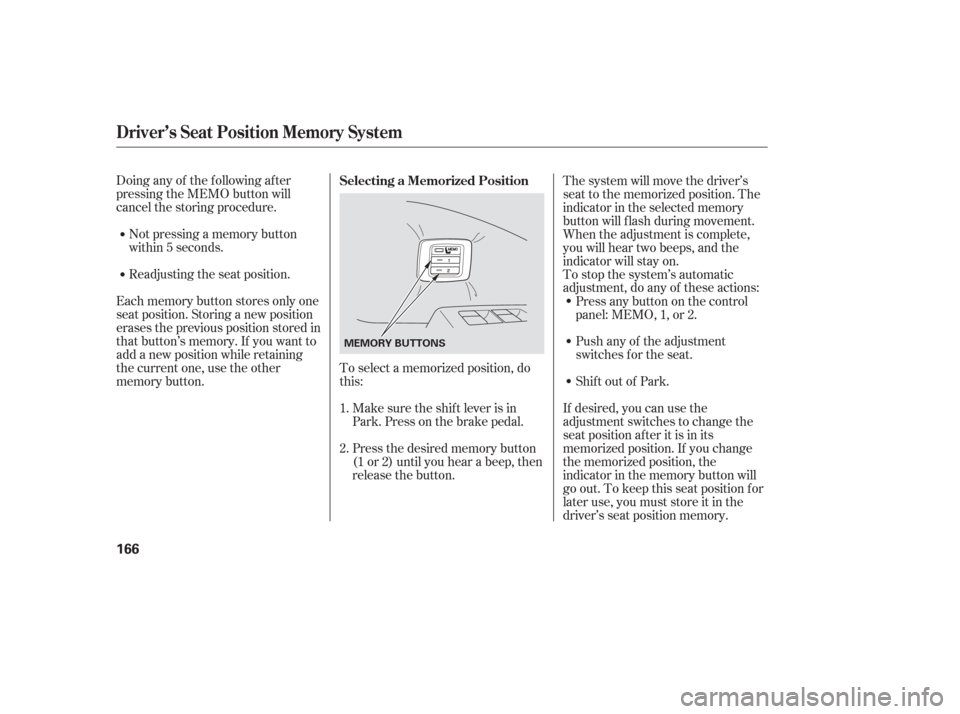
memory button. To select a memorized position, do
this:
Make sure the shif t lever is in
Park. Press on the brake pedal.
Press the desired memory button
(1 or 2) until you hear a beep, then
release the button. The system will move the driver’s
seat to the memorized position. The
indicator in the selected memory
button will f lash during movement.
When the adjustment is complete,
you will hear two beeps, and the
indicator will stay on.
To stop the system’s automatic
adjustment, do any of these actions:
If desired, you can use the
adjustment switches to change the
seat position af ter it is in its
memorized position. If you change
the memorized position, the
indicator in the memory button will
go out. To keep this seat position f or
later use, you must store it in the
driver’s seat position memory.
Shif t out of Park. Push any of the adjustment
switches f or the seat. Press any button on the control
panel: MEMO, 1, or 2.
1.
2. Selecting a Memorized Position
Driver’s Seat Position Memory System
166
MEMORY BUTTONS