Page 73 of 420

The odometer shows the total
distance your vehicle has been
driven. It measures miles in U.S.
models and kilometers in Canadian
models. It is illegal under U.S.
federal law and Canadian provincial
regulations to disconnect, reset, or
alter the odometer with the intent to
change the number of miles or
kilometers indicated.This indicator displays the outside
temperature in Fahrenheit (U.S.
models) or Centigrade (Canadian
models). To see the outside
temperature, press and release the
Select/Reset button until the
temperature is displayed.
The temperature sensor is in the
f ront bumper. The temperature
reading can be affected by heat
ref lection f rom the road surf ace,
engine heat, and the exhaust f rom
surrounding traf f ic. This can cause
an incorrect temperature reading
when your speed is under
19 mph (30 km/h). When you start
your trip, the sensor is not f ully
acclimatized, theref ore it may take
several minutes until the proper
temperature is displayed.
This meter shows the number of
miles (U.S.) or kilometers (Canada)
driven since you last reset it.
There are two trip meters: Trip A
and Trip B. Switch between these
displays and the outside temperature
display by pressing the Select/Reset
knob repeatedly.
Each trip meter works independently,
so you can keep track of two
dif f erent distances.
To reset a trip meter, display it and
then press and hold the Select/Reset
knob until the number resets to ‘‘0.0.’’
Both trip meters will reset if the
vehicle’s battery goes dead or is
disconnected.If equipped
Gauges
Odometer
Outside T emperature Indicator
Trip Meter
72
Page 74 of 420
In certain weather conditions,
temperature readings near f reezing
(32°F, 0°C) could mean that ice is
f orming on the road surf ace.
On the Touring model, the odometer,
trip meter, and the outside
temperature indicator are displayed
in the multi-inf ormation display. See
page f or more inf ormation.(Odometer/trip meter message)
If the system still detects a loose or
missing f uel cap, the malf unction
indicator lamp (MIL) comes on.
Turn the engine of f and check or
retighten the f uel cap at least3clicks.
The MIL goes out af ter3days of
normal driving once the cap is
tightened or replaced. If it does not
go out, have your dealer inspect the
vehicle. For more inf ormation, see
page .
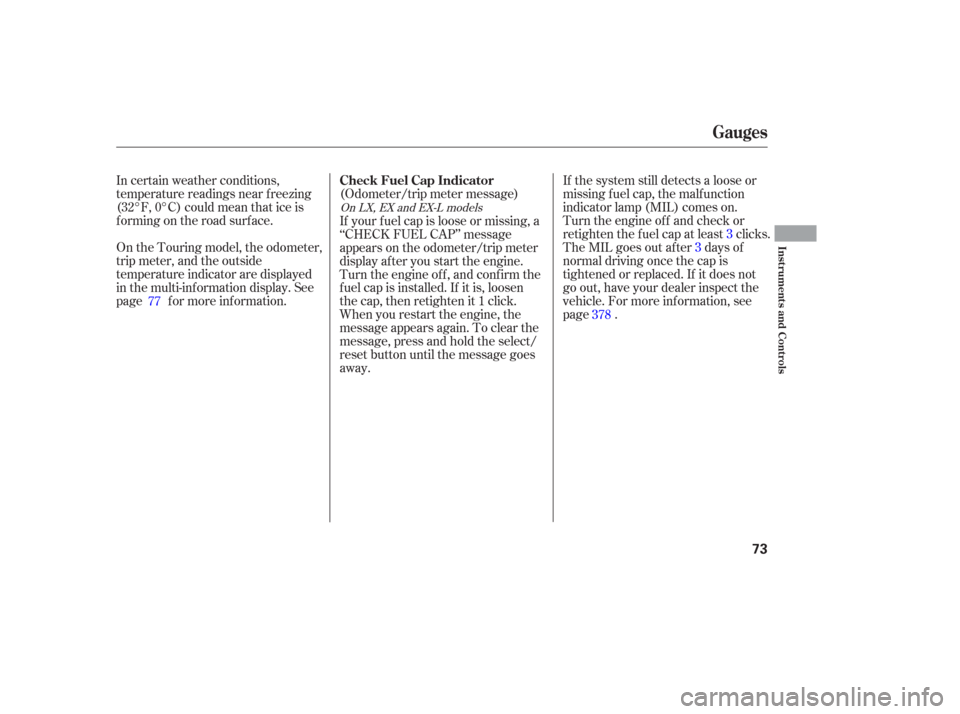
If your f uel cap is loose or missing, a
‘‘CHECK FUEL CAP’’ message
appears on the odometer/trip meter
display af ter you start the engine.
Turn the engine of f , and conf irm the
f uel cap is installed. If it is, loosen
the cap, then retighten it 1 click.
When you restart the engine, the
message appears again. To clear the
message, press and hold the select/
reset button until the message goes
away.
77
378
On LX, EX and EX-L models
Gauges
Check Fuel Cap Indicator
Inst rument s and Cont rols
73
Page 75 of 420
The multi-inf ormation display in the
instrument panel displays various
inf ormation and messages when the
ignition switch is in the ON (II)
position. Some of the messages help
you operate your vehicle more
comf ortably.
Others help to keep you aware of the
periodic maintenance your vehicle
needs f or continued trouble-f ree
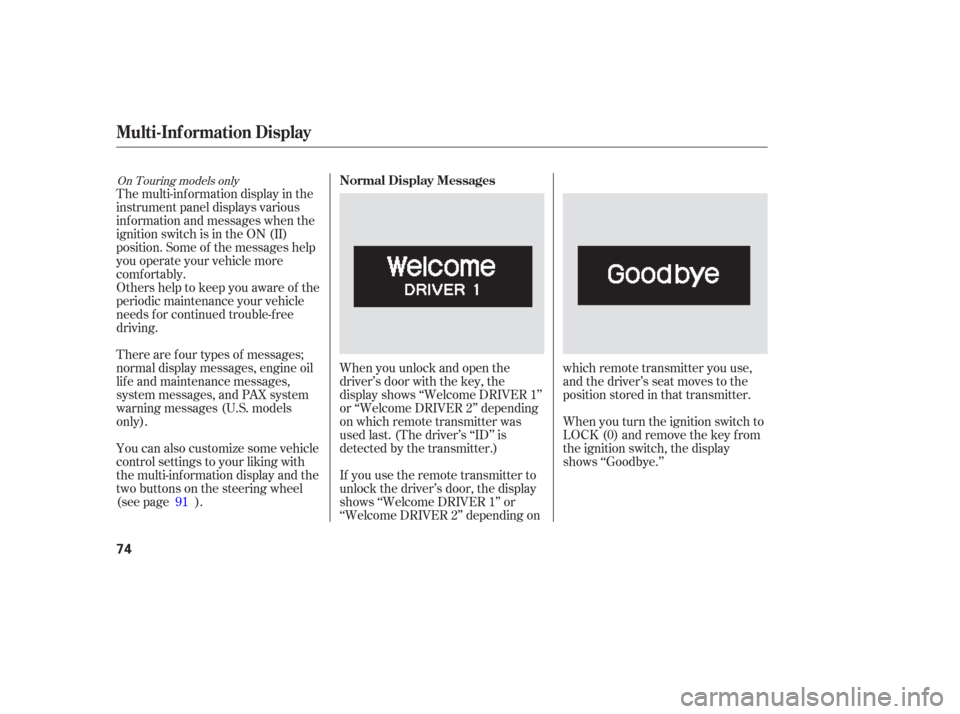
driving.When you unlock and open the
driver’s door with the key, the
display shows ‘‘Welcome DRIVER 1’’
or ‘‘Welcome DRIVER 2’’ depending
on which remote transmitter was
used last. (The driver’s ‘‘ID’’ is
detected by the transmitter.)
If you use the remote transmitter to
unlock the driver’s door, the display
shows ‘‘Welcome DRIVER 1’’ or
‘‘Welcome DRIVER 2’’ depending onwhich remote transmitter you use,
and the driver’s seat moves to the
positionstoredinthattransmitter.
When you turn the ignition switch to
LOCK (0) and remove the key from
the ignition switch, the display
shows ‘‘Goodbye.’’
There are f our types of messages;
normal display messages, engine oil
lif e and maintenance messages,
system messages, and PAX system
warning messages (U.S. models
only).
You can also customize some vehicle
control settings to your liking with
the multi-inf ormation display and the
two buttons on the steering wheel
(see page ).
91
On Touring models onlyNormal Display Messages
Multi-Inf ormation Display
74
Page 76 of 420

If you press the INFO button when
‘‘AVERAGE SPEED’’ is displayed,
the display changes to ‘‘TIRE
PRESSURE’’ using both segments.
This display is a part of tire pressure
monitoring system (TPMS). See
page f or more inf ormation.
The multi-inf ormation display
consists of an upper segment and a
lower segment. Each segment can
display two lines of messages.
In normal display mode, the upper
segment displays trip computer and
tire pressures, and the lower
segment displays the compass,
odometer, trip meter, outside
temperature, engine oil lif e, and any
maintenance items needing attention. In normal display mode, the upper
display is blank when you turn the
ignition switch to ON (II). Each time
you press the INFO button, the trip
computer changes f rom ‘‘INST.
MPG’’ to ‘‘RANGE’’ to ‘‘ELAPSED
TIME’’ to ‘‘AVERAGE SPEED’’ and
then to ‘‘AVERAGE FUEL’’ as shown
on the next page.Pressing the INFO button again
brings the display back to the initial
display of the trip computer ‘‘INST.
MPG.’’
309
CONT INUED
Multi-Inf ormation Display
Inst rument s and Cont rols
75
LOWER SEGMENTUPPER SEGMENT
INFO BUTTON
SEL RESET BUTTON
Page 77 of 420
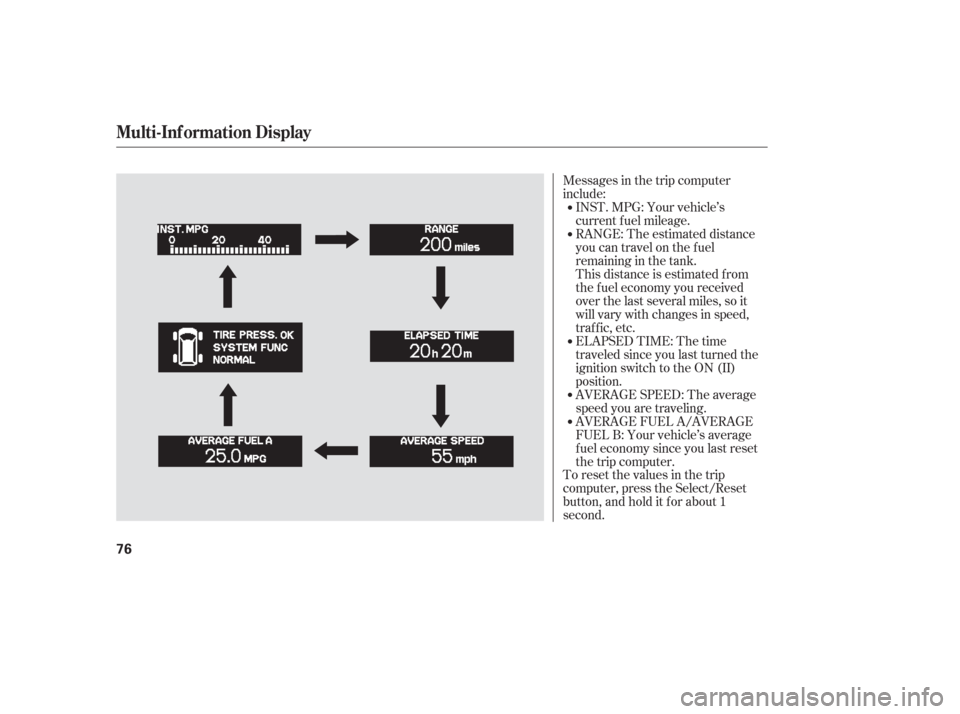
Messages in the trip computer
include:
To reset the values in the trip
computer, press the Select/Reset
button, and hold it f or about 1
second.AVERAGE FUEL A/AVERAGE
FUEL B: Your vehicle’s average
f uel economy since you last reset
the trip computer. AVERAGE SPEED: The average
speed you are traveling. INST.MPG:Yourvehicle’s
current f uel mileage.
RANGE: The estimated distance
you can travel on the fuel
remaining in the tank.
This distance is estimated f rom
the f uel economy you received
over the last several miles, so it
will vary with changes in speed,
traf f ic, etc.
ELAPSED TIME: The time
traveledsinceyoulastturnedthe
ignition switch to the ON (II)
position.
Multi-Inf ormation Display
76
Page 78 of 420
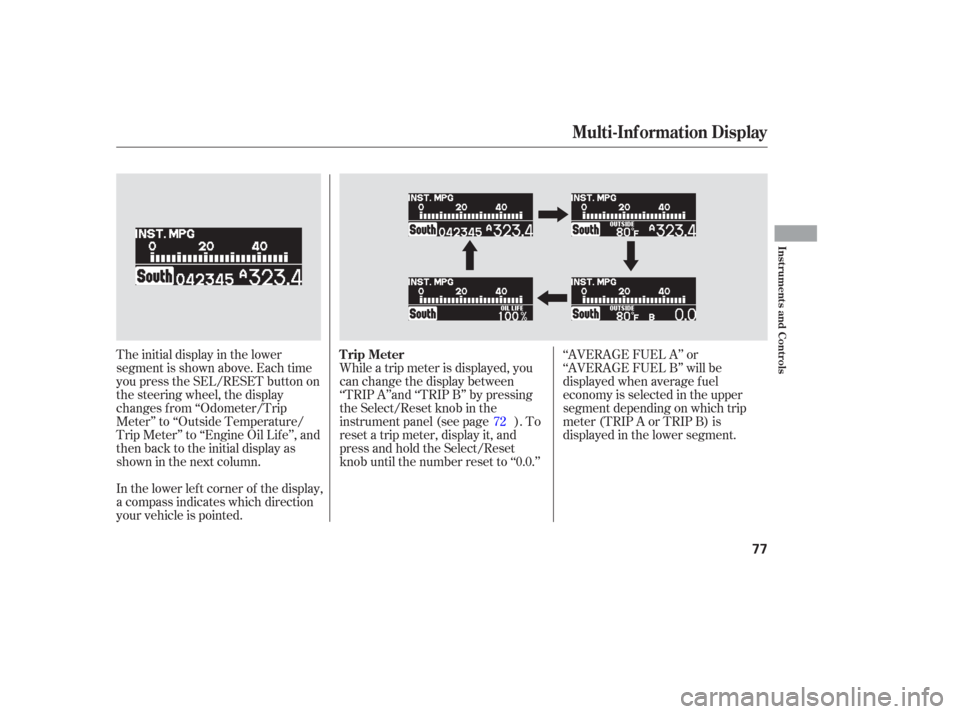
The initial display in the lower
segment is shown above. Each time
you press the SEL/RESET button on
the steering wheel, the display
changes f rom ‘‘Odometer/Trip
Meter’’ to ‘‘Outside Temperature/
Trip Meter’’ to ‘‘Engine Oil Lif e’’, and
then back to the initial display as
showninthenextcolumn.
In the lower lef t corner of the display,
a compass indicates which direction
your vehicle is pointed.While a trip meter is displayed, you
can change the display between
‘‘TRIP A’’and ‘‘TRIP B’’ by pressing
the Select/Reset knob in the
instrument panel (see page ). To
reset a trip meter, display it, and
press and hold the Select/Reset
knob until the number reset to ‘‘0.0.’’
‘‘AVERAGE FUEL A’’ or
‘‘AVERAGE FUEL B’’ will be
displayed when average f uel
economy is selected in the upper
segment depending on which trip
meter(TRIPAorTRIPB)is
displayed in the lower segment.
72
Multi-Inf ormation Display
Trip Meter
Inst rument s and Cont rols
77
Page 82 of 420
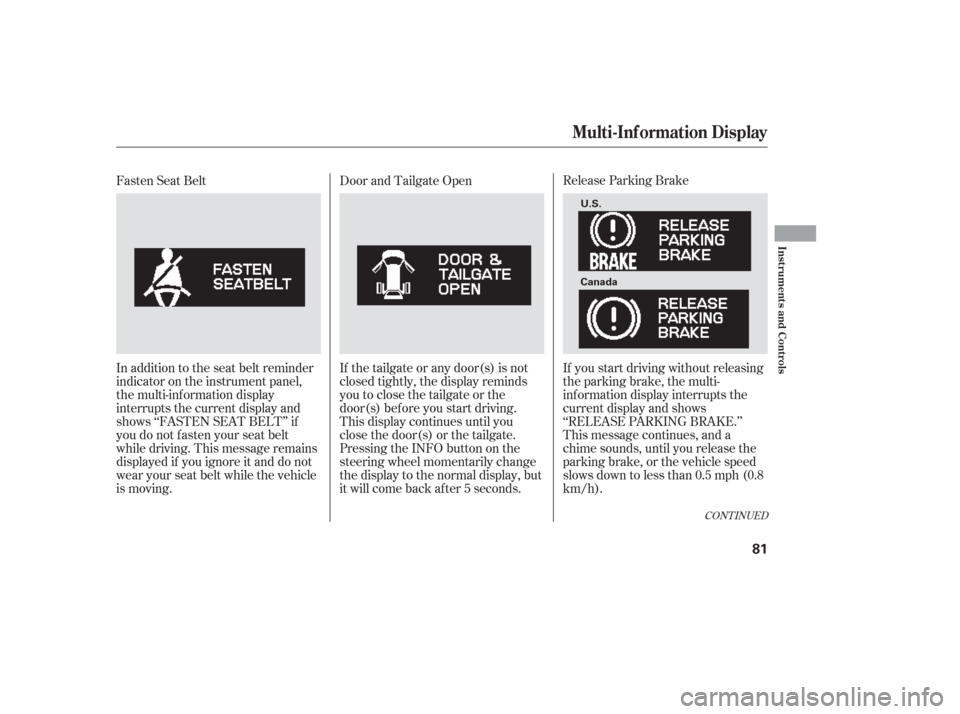
Release Parking Brake
If you start driving without releasing
the parking brake, the multi-
inf ormation display interrupts the
current display and shows
‘‘RELEASE PARKING BRAKE.’’
This message continues, and a
chime sounds, until you release the
parking brake, or the vehicle speed
slows down to less than 0.5 mph (0.8
km/h).
Door and Tailgate Open
If the tailgate or any door(s) is not
closed tightly, the display reminds
you to close the tailgate or the
door(s) bef ore you start driving.
This display continues until you
close the door(s) or the tailgate.
Pressing the INFO button on the
steering wheel momentarily change
the display to the normal display, but
it will come back af ter 5 seconds.
Fasten Seat Belt
In addition to the seat belt reminder
indicator on the instrument panel,
the multi-information display
interrupts the current display and
shows ‘‘FASTEN SEAT BELT’’ if
you do not f asten your seat belt
while driving. This message remains
displayed if you ignore it and do not
wear your seat belt while the vehicle
is moving.
CONT INUED
Multi-Inf ormation Display
Inst rument s and Cont rols
81
U.S.
Canada
Page 92 of 420
You can also use the trip meter
SELECT/RESET knob in the
instrument panel to select and enter
your selections while the multi-
inf ormation display is in the
customizing mode. Turn the knob to
select a setting and press it to enter
your selection. UsetheINFObuttononthesteering
wheel to see the settings, and the
SEL/RESET button to enter your
selections.
If you want the settings as they were
when the vehicle lef t the f actory,
select ‘‘DEFAULT ALL,’’ as
described on page .
If you want to change any vehicle
control settings, select ‘‘CHANGE
SETTING,’’ and f ollow the
instructions on page .
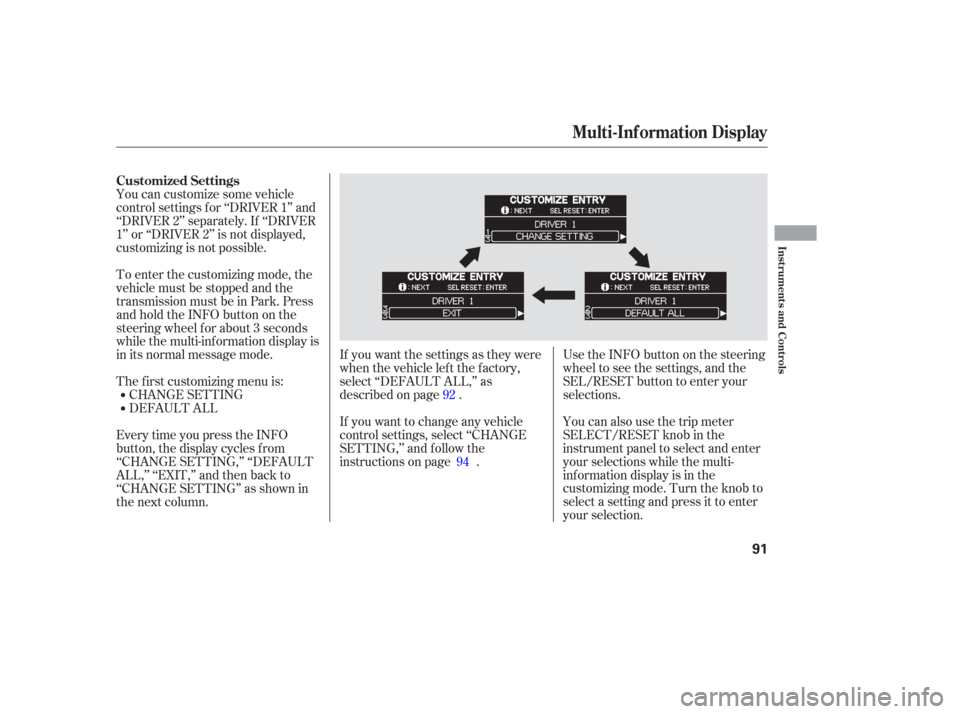
EverytimeyoupresstheINFO
button, the display cycles from
‘‘CHANGE SETTING,’’ ‘‘DEFAULT
ALL,’’ ‘‘EXIT,’’ and then back to
‘‘CHANGE SETTING’’ as shown in
the next column. You can customize some vehicle
control settings f or ‘‘DRIVER 1’’ and
‘‘DRIVER 2’’ separately. If ‘‘DRIVER
1’’ or ‘‘DRIVER 2’’ is not displayed,
customizing is not possible.
DEFAULT ALL CHANGE SETTING
The f irst customizing menu is: To enter the customizing mode, the
vehicle must be stopped and the
transmission must be in Park. Press
andholdtheINFObuttononthe
steering wheel f or about 3 seconds
while the multi-information display is
in its normal message mode.
92
94
Customized Settings
Multi-Inf ormation Display
Inst rument s and Cont rols
91