2006 FORD FREESTAR lock
[x] Cancel search: lockPage 58 of 320

Note:Look for a parking lot away from buildings, light posts, manhole
covers, sewer and drainage grates and other metallic objects. Some
magnetic objects may be hidden underground. Look for signs of
underground utilities, water mains or other industrial structures. The
parking lot should be level and have a smooth surface. Blacktop is
preferred over cement as a cement surface often contains iron
reinforcing bars or metallic mesh that could interfere with the calibration
process.
•The CAL indicator will turn off when the calibration process is
complete, leaving the compass heading on the display.
Note:This process normally takes about 1
12circles but may take longer
if magnetic noise is present or if the circles are driven too fast.
SLIDING DOOR OPERATION
Manual door operation
If equipped with a Power Sliding Door (PSD), turn the Power Door
Lockout control on the overhead console to the OFF position. Refer to
theDisabling power operation of the PSDsection in this chapter for
more information.
Note:Before unlatching the left side door, verify that the fuel fill door is
closed. The left hand door will not open if the fuel door is open.
Slide the door carefully in a controlled manner to the full open position.
At the end of travel, firmly push the door against the bump stop to
engage the hold open mechanism to restrain the door. When operating
the door on a gradient, special care should be taken to manually control
the opening and closing speed of the door.
If the door is allowed to slide open or closed unrestrained,
personal injury or damage to the door could result.
When closing the sliding door, keep the head, hands and other body
parts of vehicle occupants out of the path of the closing door. Slide the
door closed in a careful, controlled manner.
When closing the sliding doors, you should verify they are free of
obstructions and ensure that children and/or pets are not in the
proximity of the sliding door openings. Injury could result if body parts
are caught or pinched in an uncontrolled sliding door.
2006 Freestar(win)
Owners Guide (post-2002-fmt)
USA(fus)
Driver Controls
58
Page 59 of 320

Manual door operation when vehicle is stopped or parked on a
downhill grade
In some cases it may be necessary
to have someone hold the door
while rear seat passengers are
entering or exiting the vehicle. The
hold open mechanism will restrain
the door open when the vehicle is
parked on moderate downhill
grades.On more severe grades,
the operator should ensure that
the open door is stable and
secure against the stop, before
allowing passengers to enter or exit the vehicle or before
loading/unloading cargo.
Do not operate vehicle with the door in the open position. Abrupt
vehicle acceleration or deceleration could cause the door to move
suddenly and could result in personal injury or damage to the door.
If the vehicle is parked on a downhill grade, the door could slam
shut and could result in injury or damage to the door. Ensure
that the open door is secure against the stop before allowing
passengers to enter or exit the vehicle.
Power Sliding Door (PSD) (if equipped)
With this option, you can open and close the sliding door(s) with the
following controls inside your vehicle.
•overhead console button
•remote entry transmitter button
•second row passenger control switch
•inside and outside release handle
Opening and closing the PSD
The PSD will operate without the key in the ignition. The transaxle must
be in PARK to open the PSD, when the key is in the ignition and turned
to the ON position.
The sliding door must be unlocked for the PSD to power open from the
rear trim switches and the inside or outside PSD handles. The fuel filler
door must be closed in order to avoid damage to it when the left sliding
door is opened.
2006 Freestar(win)
Owners Guide (post-2002-fmt)
USA(fus)
Driver Controls
59
Page 60 of 320

The Power Door Lockout Control is
located in the overhead console.
With the control in the OFF
position, power operation is disabled
from both PSD handles and from
both second row passenger
switches. The overhead console switch and remote entry transmitter will
operate the power doors regardless of the position of the lockout switch.
When opening or closing the sliding doors, you should verify
they are free of obstructions and ensure that children and/or
pets are not in the proximity of the sliding door openings. Injury could
result if body parts are caught or pinched in an uncontrolled sliding
door.
To power open or close the PSD
from the Overhead console:
Push and release the overhead
console right or left hand control.
Pressing this control will also
simultaneously unlock all doors.
To power open or close the PSD
from the second row passenger
control switch:
•Ensure that the PSD is unlocked,
using the remote entry
transmitter or power door unlock.
Refer toRemote Entry Systemin
theLocks and securitychapter.
•Push and release the right or left hand second row passenger control.
The control(s) are located on the trim panel in front of the sliding
door.
To power open the PSD with the inside or outside release handle:
•Ensure that the PSD is unlocked, using the remote entry transmitter
or power door unlock. Refer toRemote Entry Systemin theLocks
and securitychapter.
•Manually pull the inside or outside sliding door handle to engage the
power assist feature. Release the handle as soon as the PSD begins to
power open.
2006 Freestar(win)
Owners Guide (post-2002-fmt)
USA(fus)
Driver Controls
60
Page 61 of 320
To power close the PSD with the inside or outside release handle:
•Manually pull the door about 6 inches in the desired direction of
travel. The power door assist will take over and complete the open or
close operation.
Pressing any of the switches, overhead console, second row passenger, or
remote entry transmitter while the door is moving will cause the door to
either reverse direction or stop depending on the position and direction
of movement of the door.
To power open or close the PSD with the remote entry
transmitter:
Refer to theRemote entry systemsection in this chapter. Operating the
transmitter will also simultaneously unlock the doors.
Disabling PSD power operation
Pressing the Power Door Lockout Control to the OFF position prevents
power operation of the PSD using the rear seat control(s), inside or
outside handle or by manually moving the door. With the PSD rear
controls disabled, the door(s) can be opened manually with the inside or
outside handles. With the Power Door Lockout control in the OFF
position, the overhead console right and left hand controls and the
Remote Entry System remain functional. Disabling the PSD may be
desirable to prevent power operation of the door by rear seat passengers
or if manual operation of the door is desired or necessary when the
vehicle is stopped or parked on a steep downhill grade.
Refer to theManual operation of the sliding doorsection in this
chapter for more information.
With the child safety lock engaged, the inside handle operation will
always be disabled regardless of the position of the Power Door Lockout
control. Refer to theSliding door child safety locksection in this
chapter for more information. The trim mounted rear seat control and
the outside handle remain functional for power operation.
Safety/Obstructions
If anything obstructs the Power Sliding Door while it is power closing or
opening, the door will automatically reverse or stop depending on the
position of the door, provided it meets sufficient resistance.
2006 Freestar(win)
Owners Guide (post-2002-fmt)
USA(fus)
Driver Controls
61
Page 62 of 320

Resetting the PSD
The power sliding door may operate incorrectly or not at all because of
the following conditions:
•a low voltage or dead battery
•the door is left opened for more than 6 hours
•the battery is disconnected
•the PSD Passenger compartment fuse panel fuse (fuse #11) is
removed or blown. Refer toFuses and relaysin theRoadside
Emergencieschapter.
If any of the above conditions has occurred, perform the following steps
to reset the PSD so that electronics can relearn the open and closed
positions:
1. Check to see if PSD is securely closed.
2. Make sure the gearshift is in (P) Park.
3. Push the PSD control on the overhead console to open the door.
4. Wait five (5) seconds and close the door by pressing the PSD control
on the overhead console.
5. Wait five (5) seconds and repeat Steps 3 and 4 then go on to Step 6.
6. Repeat Steps 3–5 for opposite door.
If the door still does not operate correctly:
7. Ensure the ignition is in the OFF position
8. Remove the PSD fuse (fuse #11) from the passenger fuse panel and
leave it out for thirty (30) seconds. Refer to the chapter on Fuses and
Relays. Refer toFuses and relaysin theRoadside emergencies
chapter.
9. Reinstall the fuse and wait ten (10) seconds.
10. Repeat Steps 1–6 above.
If the door still does not operate correctly, see your dealer for service.
Sliding Door Child Safety Lock
Your vehicle is equipped with a sliding door child safety lock that helps
prevent passengers from operating the sliding door by using the inside
door handle, refer to theChildproof door locksin theLocks and
securitychapter.
2006 Freestar(win)
Owners Guide (post-2002-fmt)
USA(fus)
Driver Controls
62
Page 63 of 320
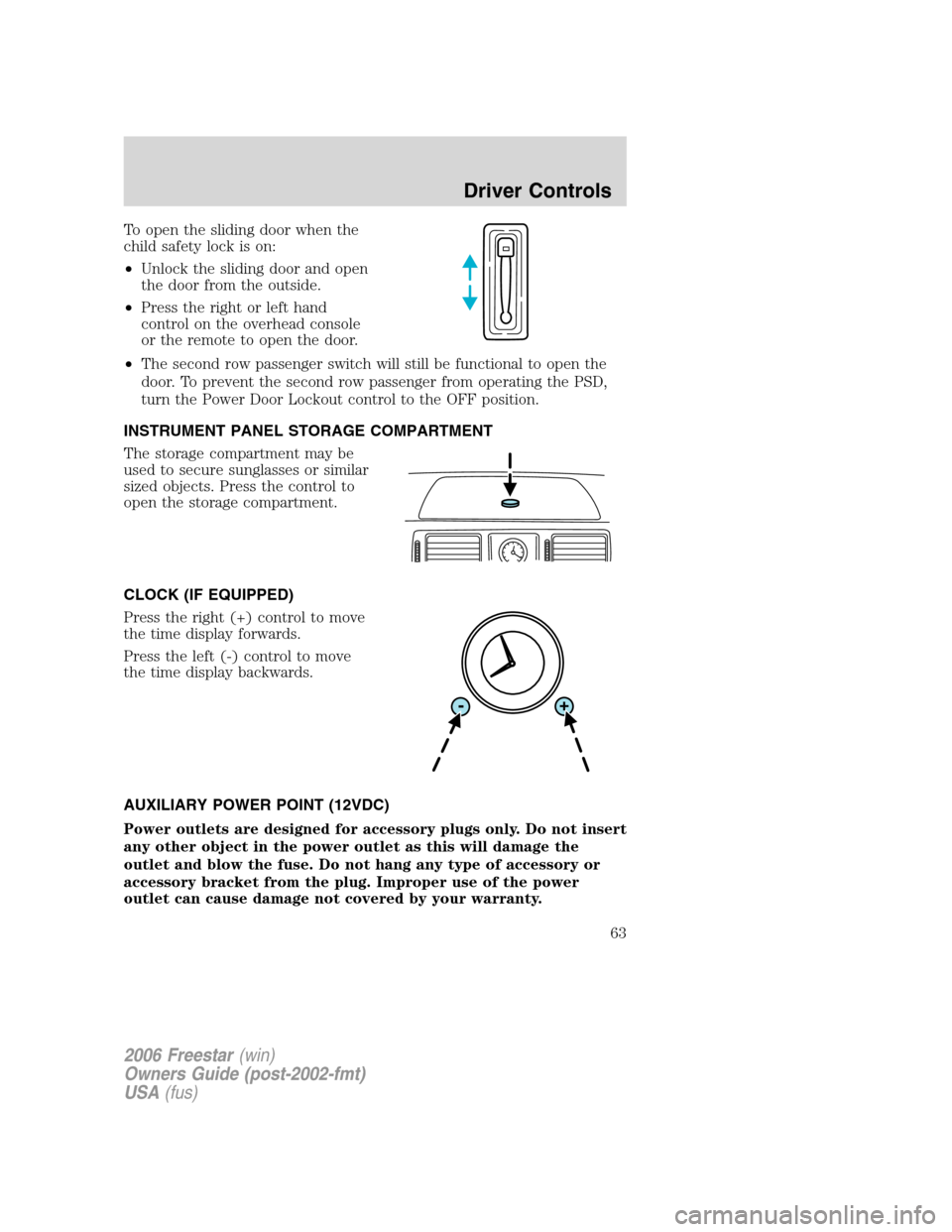
To open the sliding door when the
child safety lock is on:
•Unlock the sliding door and open
the door from the outside.
•Press the right or left hand
control on the overhead console
or the remote to open the door.
•The second row passenger switch will still be functional to open the
door. To prevent the second row passenger from operating the PSD,
turn the Power Door Lockout control to the OFF position.
INSTRUMENT PANEL STORAGE COMPARTMENT
The storage compartment may be
used to secure sunglasses or similar
sized objects. Press the control to
open the storage compartment.
CLOCK (IF EQUIPPED)
Press the right (+) control to move
the time display forwards.
Press the left (-) control to move
the time display backwards.
AUXILIARY POWER POINT (12VDC)
Power outlets are designed for accessory plugs only. Do not insert
any other object in the power outlet as this will damage the
outlet and blow the fuse. Do not hang any type of accessory or
accessory bracket from the plug. Improper use of the power
outlet can cause damage not covered by your warranty.
2006 Freestar(win)
Owners Guide (post-2002-fmt)
USA(fus)
Driver Controls
63
Page 66 of 320

Power vent windows
Do not leave children unattended in the vehicle and do not let
children play with the power vent windows. They may seriously
injure themselves.
When closing the power vent windows, you should verify they
are free of obstructions and ensure that children and/or pets are
not in the proximity of the window openings.
The power vent windows are
operated by a single switch located
on the instrument panel. Press and
hold the bottom of the switch to
open or the top of the switch to
close both vent windows.
A sound will be heard when opening
and closing the vent windows. This
is a normal noise that informs you
the windows are operating.
EXTERIOR MIRRORS
Automatic dimming inside rear view mirror (if equipped)
Your vehicle may be equipped with
an inside rear view mirror with an
auto-dimming function. The
electronic day/night mirror will
change from the normal (high
reflective) state to the non-glare
(darkened) state when bright lights (glare) reach the mirror. When the
mirror detects bright light from behind the vehicle, it will automatically
adjust (darken) to minimize glare.
The mirror will automatically return to the normal state whenever the
vehicle is placed in R (Reverse) to ensure a bright clear view when
backing up.
Do not block the sensor on the backside of the inside rear view mirror
since this may impair proper mirror performance.
2006 Freestar(win)
Owners Guide (post-2002-fmt)
USA(fus)
Driver Controls
66
Page 67 of 320
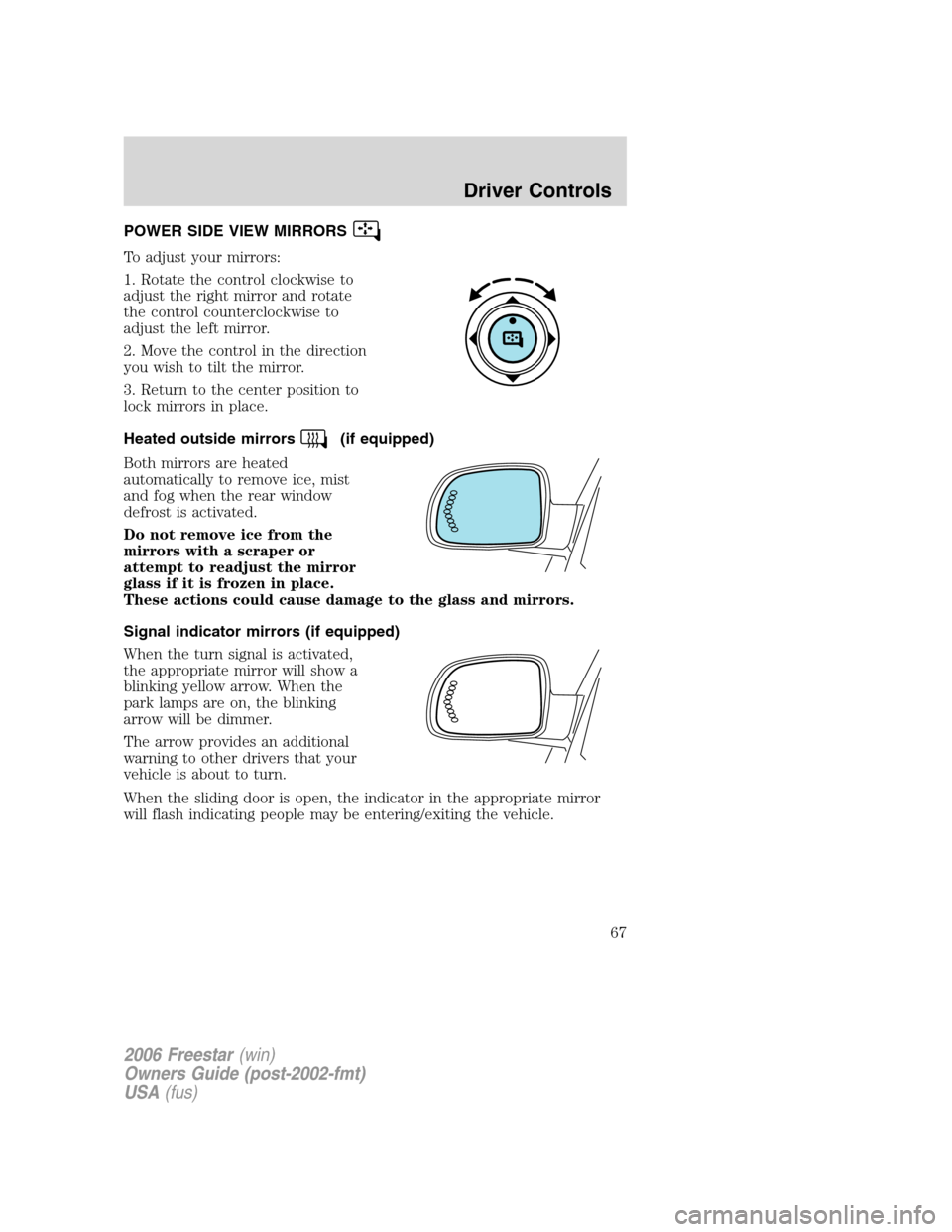
POWER SIDE VIEW MIRRORS
To adjust your mirrors:
1. Rotate the control clockwise to
adjust the right mirror and rotate
the control counterclockwise to
adjust the left mirror.
2. Move the control in the direction
you wish to tilt the mirror.
3. Return to the center position to
lock mirrors in place.
Heated outside mirrors
(if equipped)
Both mirrors are heated
automatically to remove ice, mist
and fog when the rear window
defrost is activated.
Do not remove ice from the
mirrors with a scraper or
attempt to readjust the mirror
glass if it is frozen in place.
These actions could cause damage to the glass and mirrors.
Signal indicator mirrors (if equipped)
When the turn signal is activated,
the appropriate mirror will show a
blinking yellow arrow. When the
park lamps are on, the blinking
arrow will be dimmer.
The arrow provides an additional
warning to other drivers that your
vehicle is about to turn.
When the sliding door is open, the indicator in the appropriate mirror
will flash indicating people may be entering/exiting the vehicle.
2006 Freestar(win)
Owners Guide (post-2002-fmt)
USA(fus)
Driver Controls
67