Page 8 of 328
Notice to owners of pickup trucks and utility type vehicles
Utility vehicles have a significantly higher rollover rate than
other types of vehicles.
Before you drive your vehicle, please read thisOwner's Guidecarefully.
Your vehicle is not a passenger car. As with other vehicles of this type,
failure to operate this vehicle correctly may result in loss of vehicle
control, vehicle rollover, personal injury or death.
Be sure to readDriving off roadin theDrivingchapter.
Using your vehicle with a snowplow
Do not use this vehicle for snowplowing.
Your vehicle is not equipped with a snowplowing package.
Using your vehicle as an ambulance
Do not use this vehicle as an ambulance.
Your vehicle is not equipped with the Ford Ambulance Preparation
Package.
Cell phone use
The use of Mobile Communications Equipment has become increasingly
important in the conduct of business and personal affairs. However,
drivers must not compromise their own or others' safety when using
such equipment. Mobile Communications can enhance personal safety
and security when appropriately used, particularly in emergency
situations. Safety must be paramount when using mobile communications
equipment to avoid negating these benefits.
Mobile Communication Equipment includes, but is not limited to cellular
phones, pagers, portable email devices, in-vehicle communications
systems, telematics devices and portable two-way radios.
Introduction
8
Page 21 of 328
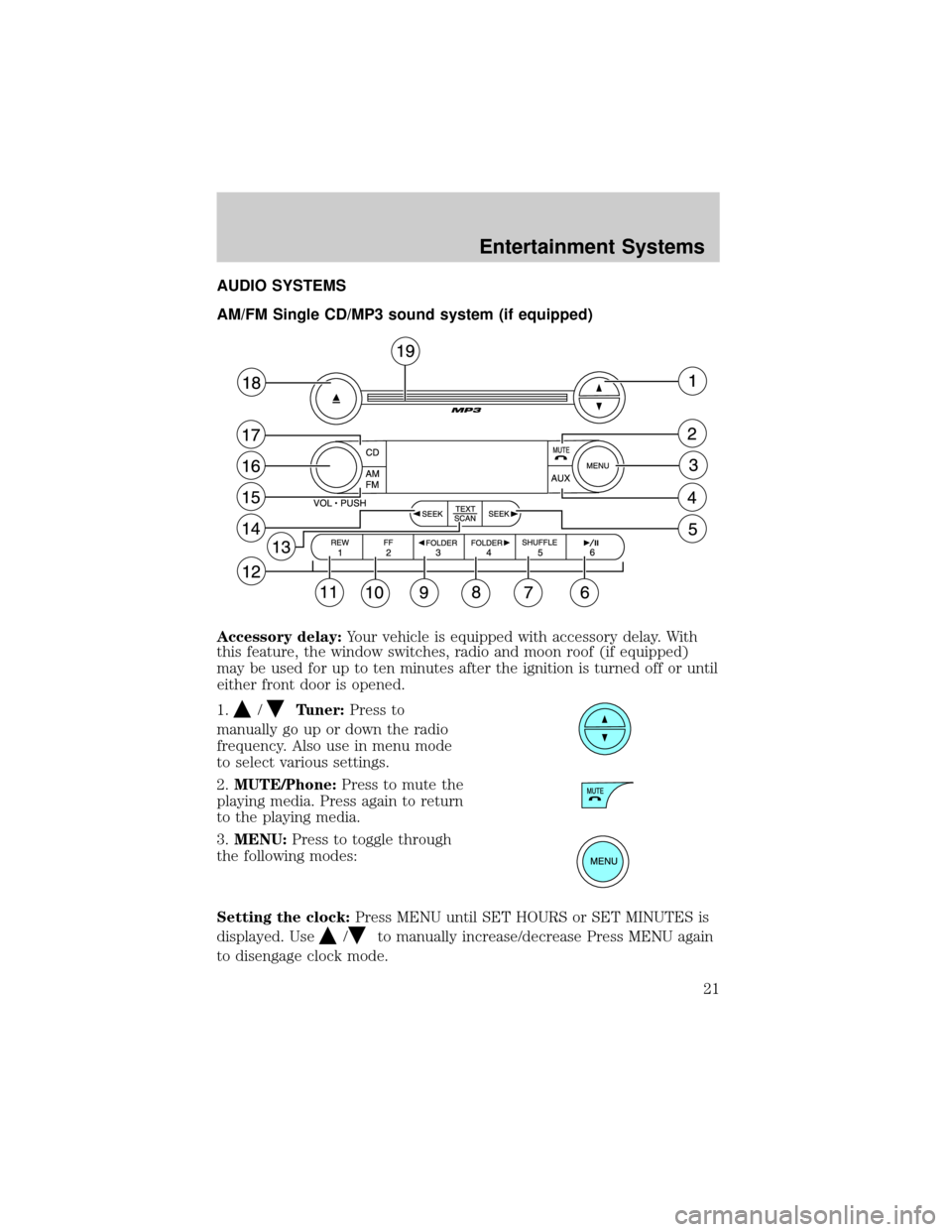
AUDIO SYSTEMS
AM/FM Single CD/MP3 sound system (if equipped)
Accessory delay:Your vehicle is equipped with accessory delay. With
this feature, the window switches, radio and moon roof (if equipped)
may be used for up to ten minutes after the ignition is turned off or until
either front door is opened.
1.
/Tuner:Press to
manually go up or down the radio
frequency. Also use in menu mode
to select various settings.
2.MUTE/Phone:Press to mute the
playing media. Press again to return
to the playing media.
3.MENU:Press to toggle through
the following modes:
Setting the clock:Press MENU until SET HOURS or SET MINUTES is
displayed. Use
/to manually increase/decrease Press MENU again
to disengage clock mode.
Entertainment Systems
21
Page 22 of 328
Autoset:Allows you to set the strongest local radio stations without
losing your original manually set preset stations for AM/FM1/FM2. Press
MENU to access. Use
/to set.
When the six strongest stations are filled, the station stored in preset 1
will begin playing. If there are less than six strong stations, the system
will store the last one in the remaining presets. Use
/to turn
on/off.
Bass:Press
/to adjust the bass setting.
Treble:Press
/to adjust the treble setting.
Balance:Press
/to adjust the audio between the left and right
speakers.
Fade:Press
/to adjust the audio between the front and rear
speakers.
Speed sensitive volume:Radio volume automatically changes slightly
with vehicle speed to compensate for road and wind noise. Press MENU
to access and use
/to adjust. The recommended level is 1±3.
Level 0 (SPEED OFF) turns the feature off and level 7 is the maximum
setting.
Track/Folder Mode:Available only on MP3 discs in CD mode.
Press
/to toggle between Track and Folder mode.
In Track mode, press
SEEKto scroll through all tracks on the
current disc.
In Folder mode, press
SEEKto scroll through tracks within the
selected folder.
Compression:Brings soft and loud CD passages together for a more
consistent listening level when in CD mode. Press MENU until
compression status is displayed. Press
/to turn the feature on/off.
4.AUX:Press to toggle between
FES/DVD, AUX and Satellite Radio
modes (if equipped). If no auxiliary
sources are available, NO AUX AUDIO will be displayed.
Entertainment Systems
22
Page 23 of 328
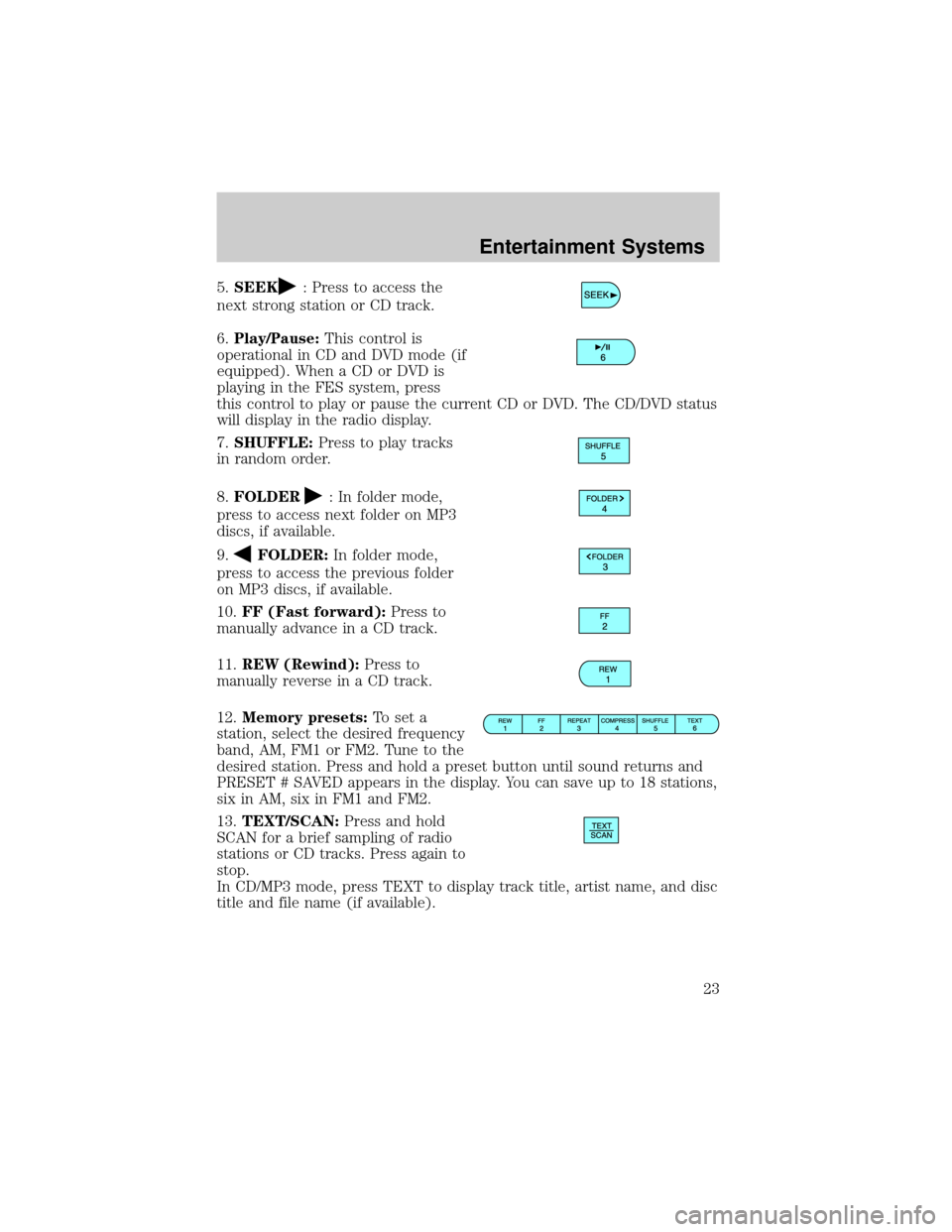
5.SEEK: Press to access the
next strong station or CD track.
6.Play/Pause:This control is
operational in CD and DVD mode (if
equipped). When a CD or DVD is
playing in the FES system, press
this control to play or pause the current CD or DVD. The CD/DVD status
will display in the radio display.
7.SHUFFLE:Press to play tracks
in random order.
8.FOLDER
: In folder mode,
press to access next folder on MP3
discs, if available.
9.
FOLDER:In folder mode,
press to access the previous folder
on MP3 discs, if available.
10.FF (Fast forward):Press to
manually advance in a CD track.
11.REW (Rewind):Press to
manually reverse in a CD track.
12.Memory presets:To set a
station, select the desired frequency
band, AM, FM1 or FM2. Tune to the
desired station. Press and hold a preset button until sound returns and
PRESET # SAVED appears in the display. You can save up to 18 stations,
six in AM, six in FM1 and FM2.
13.TEXT/SCAN:Press and hold
SCAN for a brief sampling of radio
stations or CD tracks. Press again to
stop.
In CD/MP3 mode, press TEXT to display track title, artist name, and disc
title and file name (if available).
Entertainment Systems
23
Page 25 of 328
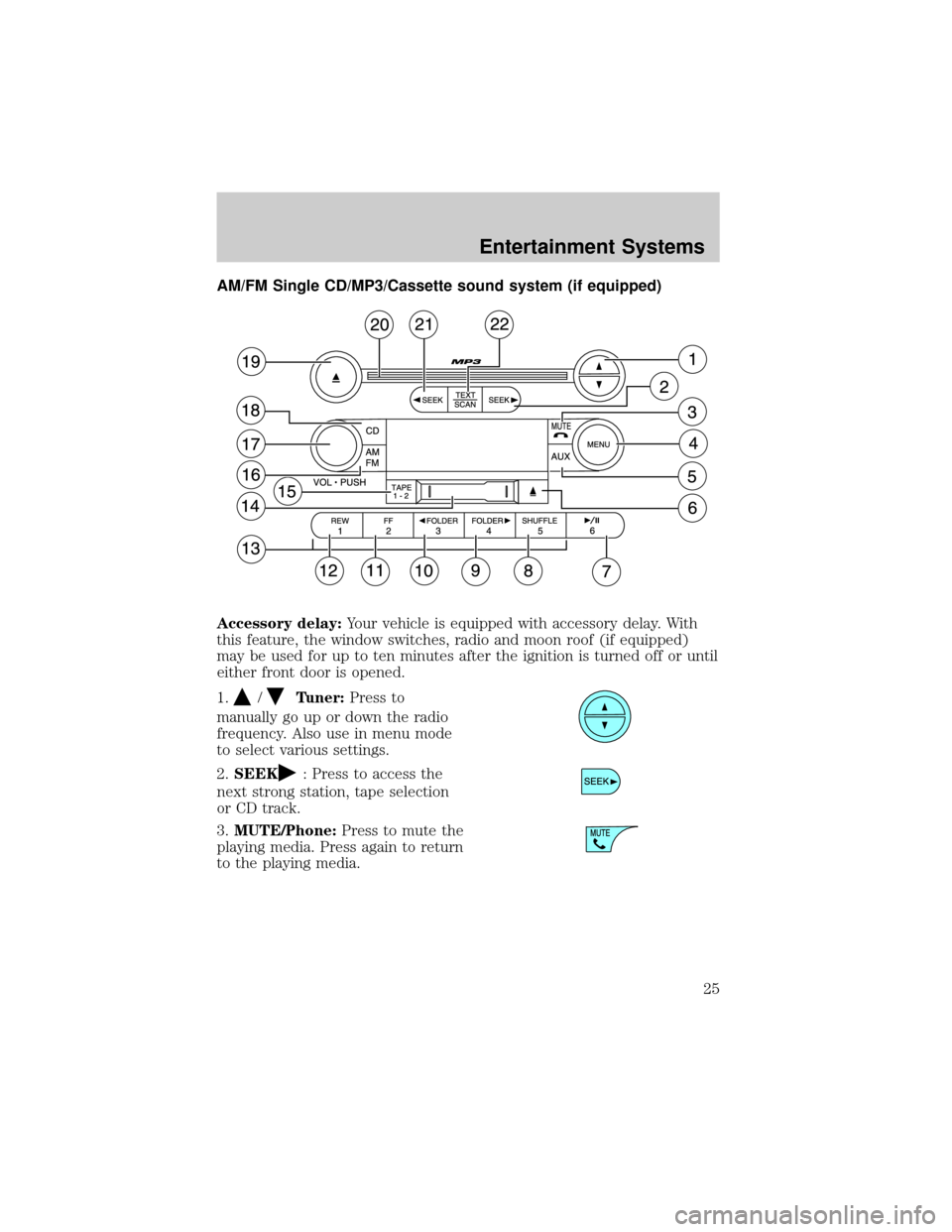
AM/FM Single CD/MP3/Cassette sound system (if equipped)
Accessory delay:Your vehicle is equipped with accessory delay. With
this feature, the window switches, radio and moon roof (if equipped)
may be used for up to ten minutes after the ignition is turned off or until
either front door is opened.
1.
/Tuner:Press to
manually go up or down the radio
frequency. Also use in menu mode
to select various settings.
2.SEEK
: Press to access the
next strong station, tape selection
or CD track.
3.MUTE/Phone:Press to mute the
playing media. Press again to return
to the playing media.
Entertainment Systems
25
Page 26 of 328
4.MENU:Press to toggle through
the following modes:
Setting the clock:Press MENU until SET HOURS or SET MINUTES is
displayed. Press
/to adjust the hours/minutes.
Autoset:Allows you to set the strongest local radio stations without losing
your original manually set preset stations for AM/FM1/FM2 . Press MENU
to access. Use
/to set.
When the six strongest stations are filled, the station stored in preset 1 will
begin playing. If there are less than six strong stations, the system will
store the last one in the remaining presets. Use
/to turn on/off.
Bass:Press/to adjust the bass setting.
Treble:Press
/to adjust the treble setting.
Balance:Press
/to adjust the audio between the left and right
speakers.
Fade:Press
/to adjust the audio between the front and rear
speakers.
Speed sensitive volume:Radio volume automatically changes slightly
with vehicle speed to compensate for road and wind noise. Use
/
to adjust. Recommended level is 1±3. Level 0 (SPEED OFF) turns the
feature off and level 7 is the maximum setting.
Compression:Brings soft and loud CD passages together for a more
consistent listening level when in CD mode. Press MENU until
compression status is displayed. Press
/to turn the feature on/off.
Dolbytnoise reduction:Dolbytnoise reduction works in tape mode to
reduce hiss and static during playback. The Dolbytnoise reduction
system is manufactured under license from Dolby Laboratories Licensing
Corporation. Dolbytand the double-D symbol are registered trademarks
of DolbytLaboratories Licensing Corporation.
Track/Folder Mode:Available only on MP3 discs in CD mode.
Press
/to toggle between Track and Folder mode.
In Track mode, press
SEEKto scroll through all tracks on the
current disc.
In Folder mode, press
SEEKto scroll through tracks within the
selected folder.
Entertainment Systems
26
Page 27 of 328
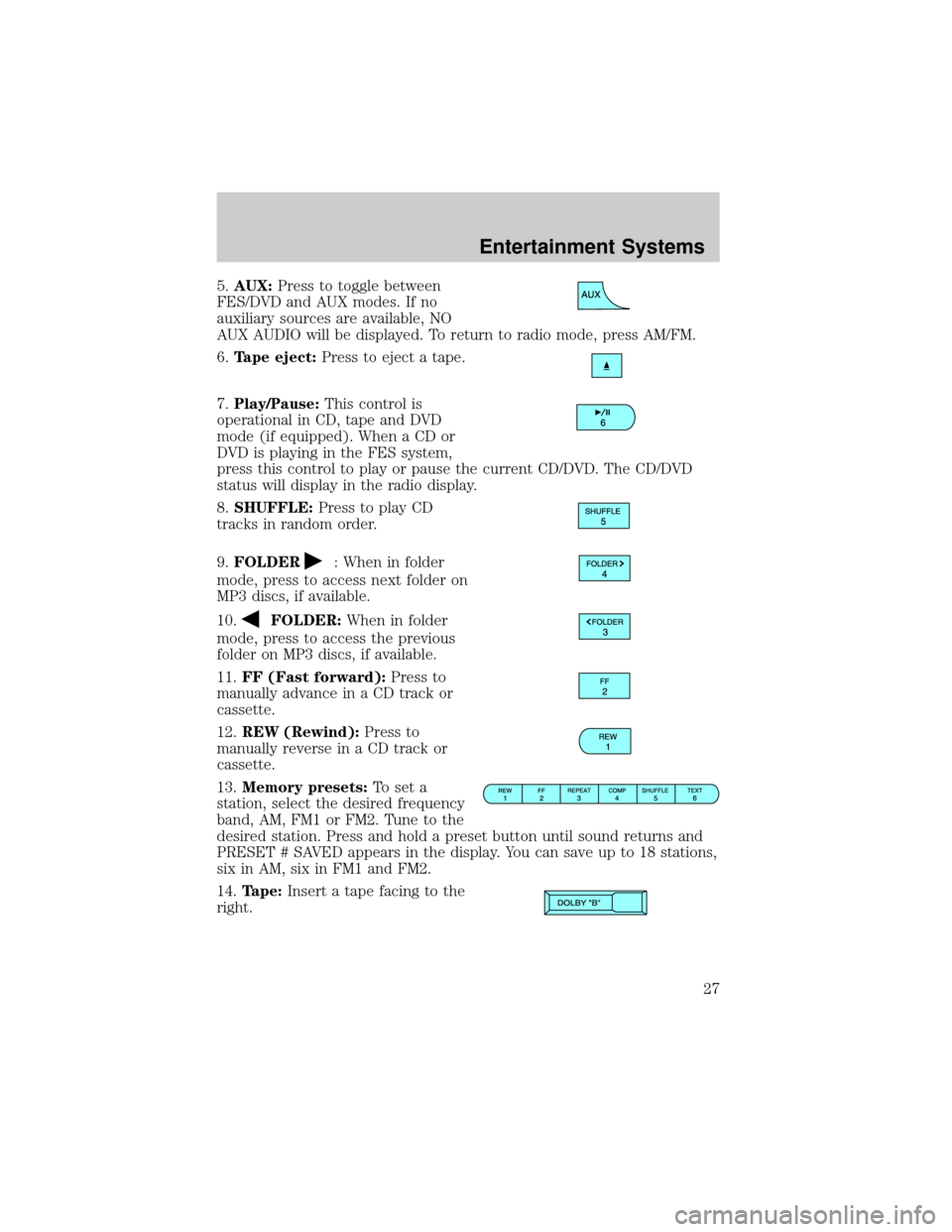
5.AUX:Press to toggle between
FES/DVD and AUX modes. If no
auxiliary sources are available, NO
AUX AUDIO will be displayed. To return to radio mode, press AM/FM.
6.Tape eject:Press to eject a tape.
7.Play/Pause:This control is
operational in CD, tape and DVD
mode (if equipped). When a CD or
DVD is playing in the FES system,
press this control to play or pause the current CD/DVD. The CD/DVD
status will display in the radio display.
8.SHUFFLE:Press to play CD
tracks in random order.
9.FOLDER
: When in folder
mode, press to access next folder on
MP3 discs, if available.
10.
FOLDER:When in folder
mode, press to access the previous
folder on MP3 discs, if available.
11.FF (Fast forward):Press to
manually advance in a CD track or
cassette.
12.REW (Rewind):Press to
manually reverse in a CD track or
cassette.
13.Memory presets:To set a
station, select the desired frequency
band, AM, FM1 or FM2. Tune to the
desired station. Press and hold a preset button until sound returns and
PRESET # SAVED appears in the display. You can save up to 18 stations,
six in AM, six in FM1 and FM2.
14.Tape:Insert a tape facing to the
right.
Entertainment Systems
27
Page 28 of 328
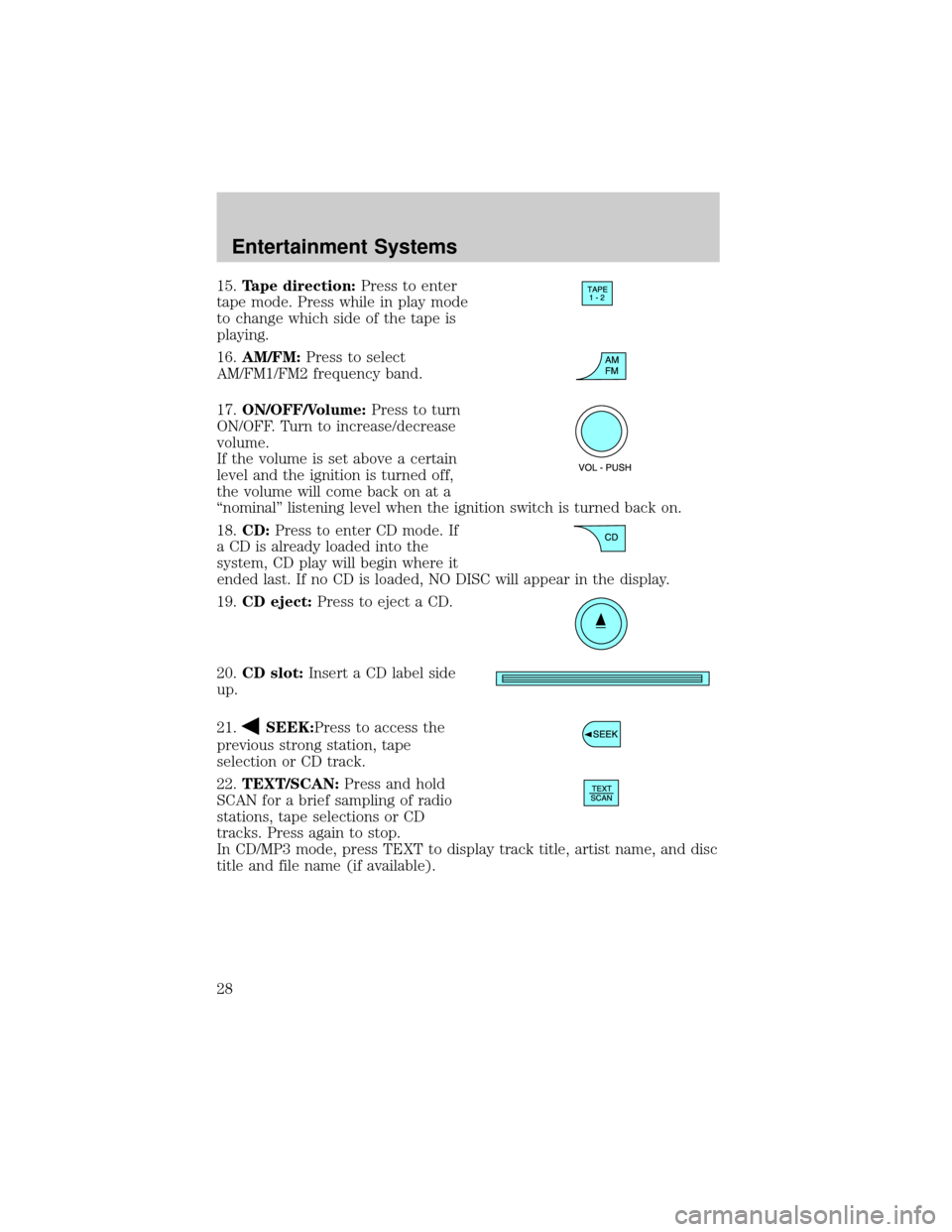
15.Tape direction:Press to enter
tape mode. Press while in play mode
to change which side of the tape is
playing.
16.AM/FM:Press to select
AM/FM1/FM2 frequency band.
17.ON/OFF/Volume:Press to turn
ON/OFF. Turn to increase/decrease
volume.
If the volume is set above a certain
level and the ignition is turned off,
the volume will come back on at a
ªnominalº listening level when the ignition switch is turned back on.
18.CD:Press to enter CD mode. If
a CD is already loaded into the
system, CD play will begin where it
ended last. If no CD is loaded, NO DISC will appear in the display.
19.CD eject:Press to eject a CD.
20.CD slot:Insert a CD label side
up.
21.
SEEK:Press to access the
previous strong station, tape
selection or CD track.
22.TEXT/SCAN:Press and hold
SCAN for a brief sampling of radio
stations, tape selections or CD
tracks. Press again to stop.
In CD/MP3 mode, press TEXT to display track title, artist name, and disc
title and file name (if available).
Entertainment Systems
28