Page 66 of 328
Retain the original transmitter for use in other vehicles as well as for
future programming procedures (i.e. new HomeLinktequipped vehicle
purchase). It is also suggested that upon the sale of the vehicle, the
programmed Homelinktbuttons be erased for security purposes, refer to
Programmingin this section.
Programming
Do not program HomeLinktwith the vehicle parked in the garage.
Note:Some vehicles may require the ignition switch to be turned to the
second (or ªACCº) position for programming and/or operation of the
HomeLinkt. It is also recommended that a new battery be placed in the
hand-held transmitter of the device being programmed to HomeLinktfor
quicker training and accurate transmission of the radio-frequency signal.
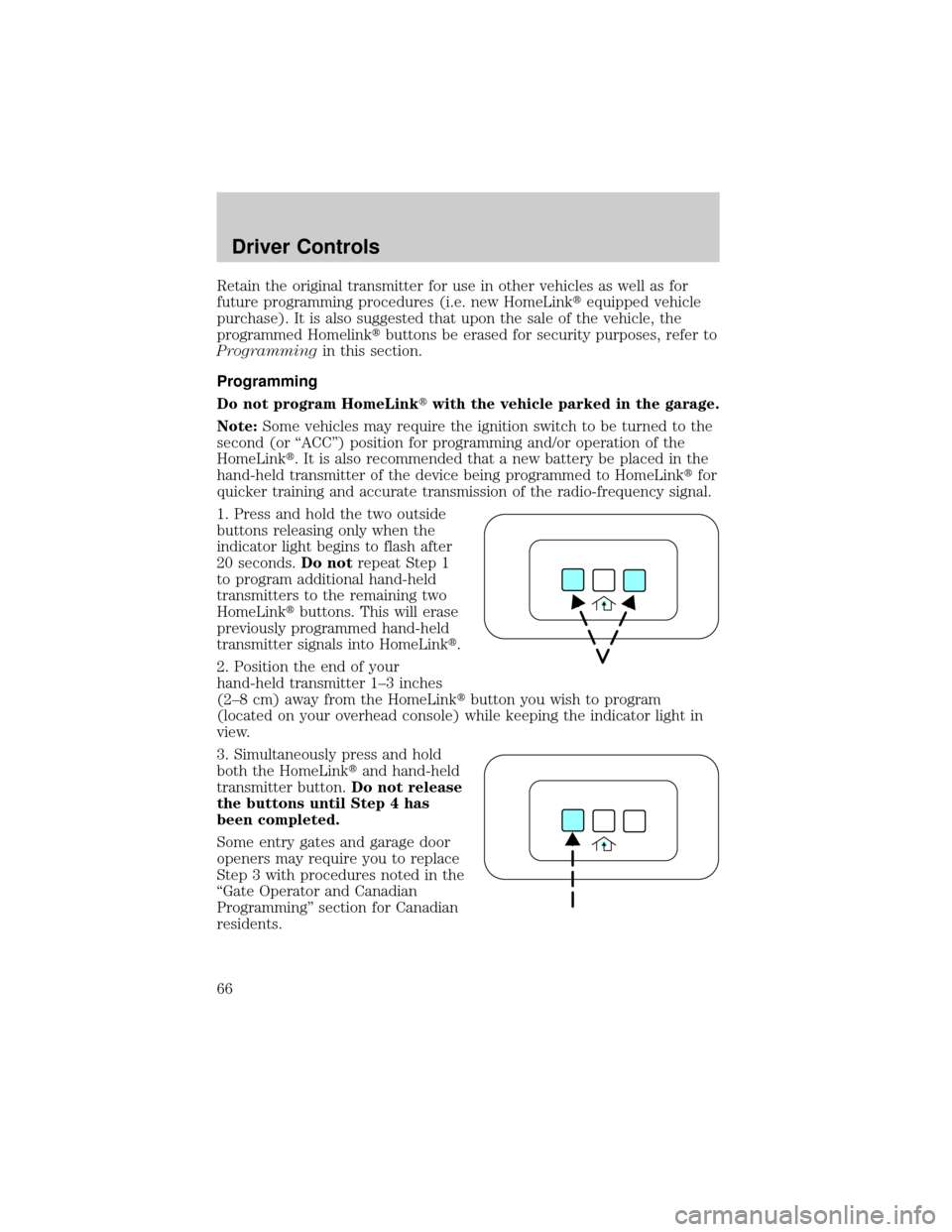
1. Press and hold the two outside
buttons releasing only when the
indicator light begins to flash after
20 seconds.Do notrepeat Step 1
to program additional hand-held
transmitters to the remaining two
HomeLinktbuttons. This will erase
previously programmed hand-held
transmitter signals into HomeLinkt.
2. Position the end of your
hand-held transmitter 1±3 inches
(2±8 cm) away from the HomeLinktbutton you wish to program
(located on your overhead console) while keeping the indicator light in
view.
3. Simultaneously press and hold
both the HomeLinktand hand-held
transmitter button.Do not release
the buttons until Step 4 has
been completed.
Some entry gates and garage door
openers may require you to replace
Step 3 with procedures noted in the
ªGate Operator and Canadian
Programmingº section for Canadian
residents.
Driver Controls
66
Page 67 of 328

4. The indicator light will flash slowly and then rapidly. Release both
buttons when the indicator light flashes rapidly. (The rapid flashing light
indicates acceptance of the hand-held transmitters' radio frequency
signals.)
5. Press and hold the just-trained HomeLinktbutton and observe the
indicator light. If the light is constant, programming is complete and your
device should activate when the HomeLinktbutton is pressed and
released.Note:To program the remaining two HomeLinktbuttons,
begin with Step 2 in the ªProgrammingº section Ðdo notrepeat Step 1.
Note:If the indicator light blinks rapidly for two seconds and then turns
to a continuous light, proceed with Steps 6 through 8 to complete
programming of a rolling code equipped device.
6. At the garage door opener receiver (motor-head unit) in the garage,
locate the ªlearnº or ªsmartº button (usually near where the hanging
antenna wire is attached to the unit).
7. Press and release the ªlearnº or ªsmartº button. (The name and color
of the button may vary by manufacturer.)
Note:There are 30 seconds in which to initiate Step 8.
8. Return to the vehicle and firmly press, hold for two seconds and
release the HomeLinktbutton. Repeat the press/hold/release sequence
again, and, depending on the brand of the garage door opener (or other
rolling code equipped device), repeat this sequence a third time to
complete the programming.
HomeLinktshould now activate your rolling code equipped device. To
program additional HomeLinktbuttons begin with Step 2 in the
ªProgrammingº section. For questions or comments, please contact
HomeLink atwww.homelink.comor1±800±355±3515.
Driver Controls
67
Page 68 of 328
Gate Operator & Canadian Programming
During programming, your
hand-held transmitter may
automatically stop transmitting Ð
not allowing enough time for
HomeLinktto accept the signal
from the hand-held transmitter.
After completing Steps 1 and 2
outlined in theªProgrammingº
section, replace Step 3 with the
following:
Note:If programming a garage door opener or gate operator, it is
advised to unplug the device during the ªcyclingº process to prevent
overheating.
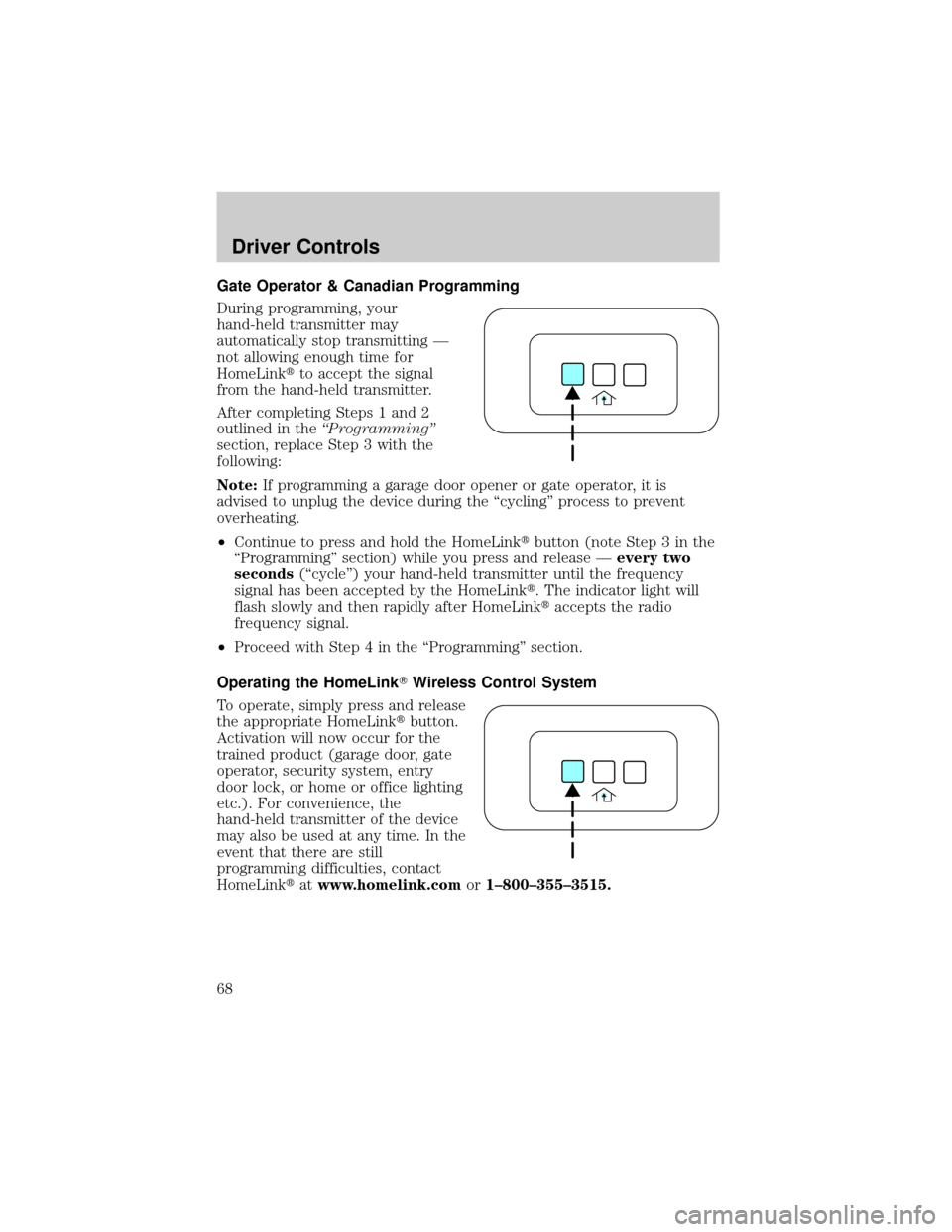
²Continue to press and hold the HomeLinktbutton (note Step 3 in the
ªProgrammingº section) while you press and release Ðevery two
seconds(ªcycleº) your hand-held transmitter until the frequency
signal has been accepted by the HomeLinkt. The indicator light will
flash slowly and then rapidly after HomeLinktaccepts the radio
frequency signal.
²Proceed with Step 4 in the ªProgrammingº section.
Operating the HomeLinkTWireless Control System
To operate, simply press and release
the appropriate HomeLinktbutton.
Activation will now occur for the
trained product (garage door, gate
operator, security system, entry
door lock, or home or office lighting
etc.). For convenience, the
hand-held transmitter of the device
may also be used at any time. In the
event that there are still
programming difficulties, contact
HomeLinktatwww.homelink.comor1±800±355±3515.
Driver Controls
68
Page 100 of 328
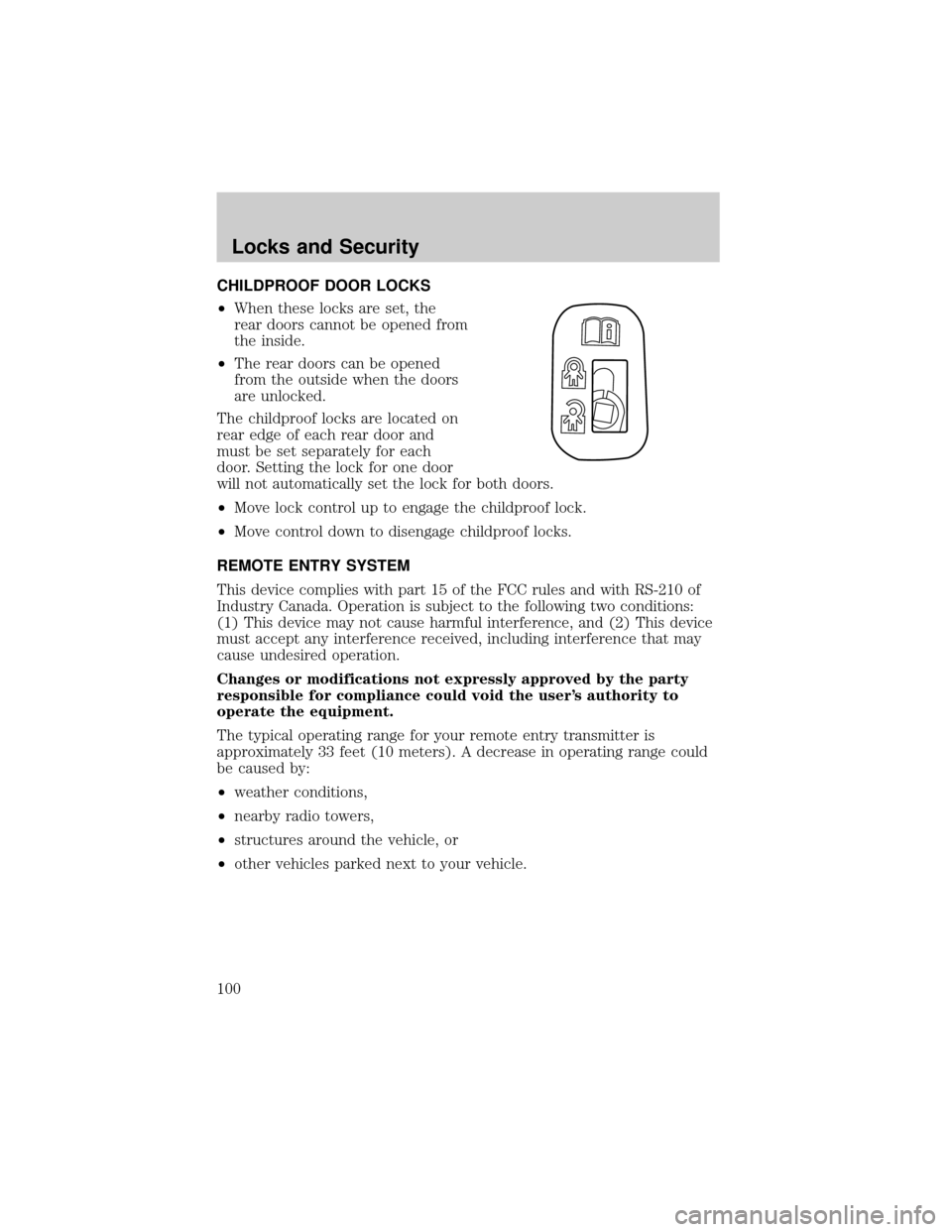
CHILDPROOF DOOR LOCKS
²When these locks are set, the
rear doors cannot be opened from
the inside.
²The rear doors can be opened
from the outside when the doors
are unlocked.
The childproof locks are located on
rear edge of each rear door and
must be set separately for each
door. Setting the lock for one door
will not automatically set the lock for both doors.
²Move lock control up to engage the childproof lock.
²Move control down to disengage childproof locks.
REMOTE ENTRY SYSTEM
This device complies with part 15 of the FCC rules and with RS-210 of
Industry Canada. Operation is subject to the following two conditions:
(1) This device may not cause harmful interference, and (2) This device
must accept any interference received, including interference that may
cause undesired operation.
Changes or modifications not expressly approved by the party
responsible for compliance could void the user's authority to
operate the equipment.
The typical operating range for your remote entry transmitter is
approximately 33 feet (10 meters). A decrease in operating range could
be caused by:
²weather conditions,
²nearby radio towers,
²structures around the vehicle, or
²other vehicles parked next to your vehicle.
Locks and Security
100
Page 146 of 328
For side airbag equipped vehicles, the front passenger sensing system
will turn off the passenger seat side airbag if:
²the seat is empty and safety belt is unbuckled.
²a child or small person occupies the front passenger seat and the child
or small person is unbuckled.
The front passenger sensing system
uses a9passenger airbag off9or
9pass airbag off9indicator which will
illuminate and stay lit to remind you
that the front passenger frontal airbag is disabled. The indicator lamp is
located in the center stack of the instrument panel above the radio.
Note: The indicator lamp will illuminate for a short period of time when
the ignition is turned to the ON position to confirm it is functional.
When the front passenger seat is not occupied (empty seat) or in the
event that the front passenger frontal airbag is enabled (may inflate), the
indicator lamp will be unlit.
The front passenger sensing system is designed to disable (will not
inflate) the front passenger's frontal airbag when a rear facing infant
seat, a forward-facing child restraint, or a booster seat is detected.
²When the front passenger sensing system disables (will not inflate)
the front passenger frontal airbag, the indicator lamp will illuminate
and stay lit to remind you that the front passenger frontal airbag is
disabled.
²If the child restraint has been installed and the indicator lamp is not
lit, then turn the vehicle off, remove the child restraint from the
vehicle and reinstall the restraint following the child restraint
manufacturer's instructions.
The front passenger sensing system is designed to enable (may inflate)
the front passenger's frontal airbag anytime the system senses that a
person of adult size is sitting properly in the front passenger seat.
²When the front passenger sensing system enables the front passenger
frontal airbag (may inflate), the indicator will be unlit and stay unlit.
If a person of adult size is sitting in the front passenger's seat, but the
9passenger airbag off9or9pass airbag off9indicator lamp is lit, it is
possible that the person isn't sitting properly in the seat. If this happens:
²Turn the vehicle off and ask the person to place the seatback in the
full upright position.
²Have the person sit upright in the seat, centered on the seat cushion,
with the person's legs comfortably extended.
Seating and Safety Restraints
146
Page 207 of 328
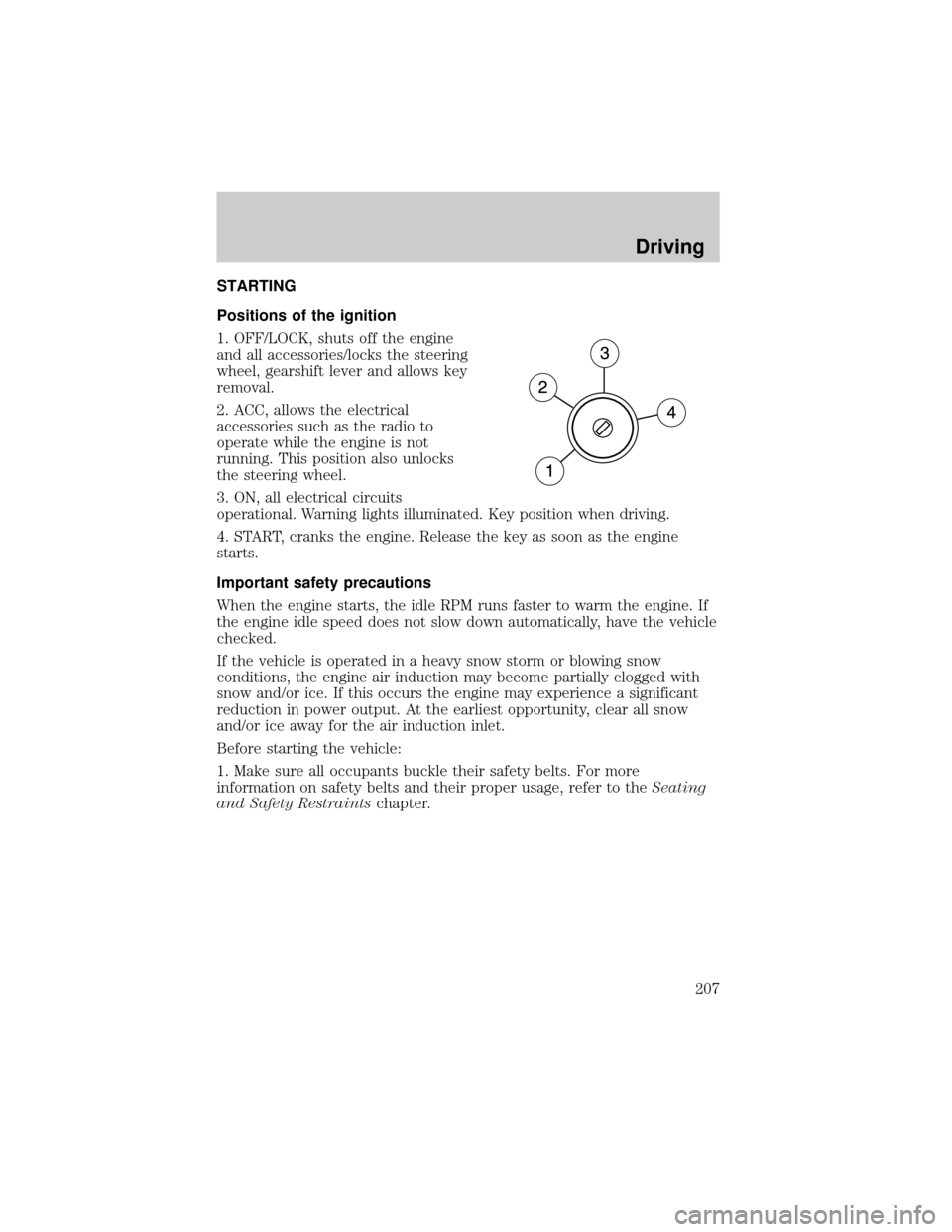
STARTING
Positions of the ignition
1. OFF/LOCK, shuts off the engine
and all accessories/locks the steering
wheel, gearshift lever and allows key
removal.
2. ACC, allows the electrical
accessories such as the radio to
operate while the engine is not
running. This position also unlocks
the steering wheel.
3. ON, all electrical circuits
operational. Warning lights illuminated. Key position when driving.
4. START, cranks the engine. Release the key as soon as the engine
starts.
Important safety precautions
When the engine starts, the idle RPM runs faster to warm the engine. If
the engine idle speed does not slow down automatically, have the vehicle
checked.
If the vehicle is operated in a heavy snow storm or blowing snow
conditions, the engine air induction may become partially clogged with
snow and/or ice. If this occurs the engine may experience a significant
reduction in power output. At the earliest opportunity, clear all snow
and/or ice away for the air induction inlet.
Before starting the vehicle:
1. Make sure all occupants buckle their safety belts. For more
information on safety belts and their proper usage, refer to theSeating
and Safety Restraintschapter.
Driving
207
Page 218 of 328
If the parking brake is fully released, but the brake warning lamp
remains illuminated, the brakes may not be working properly.
See your authorized dealer.
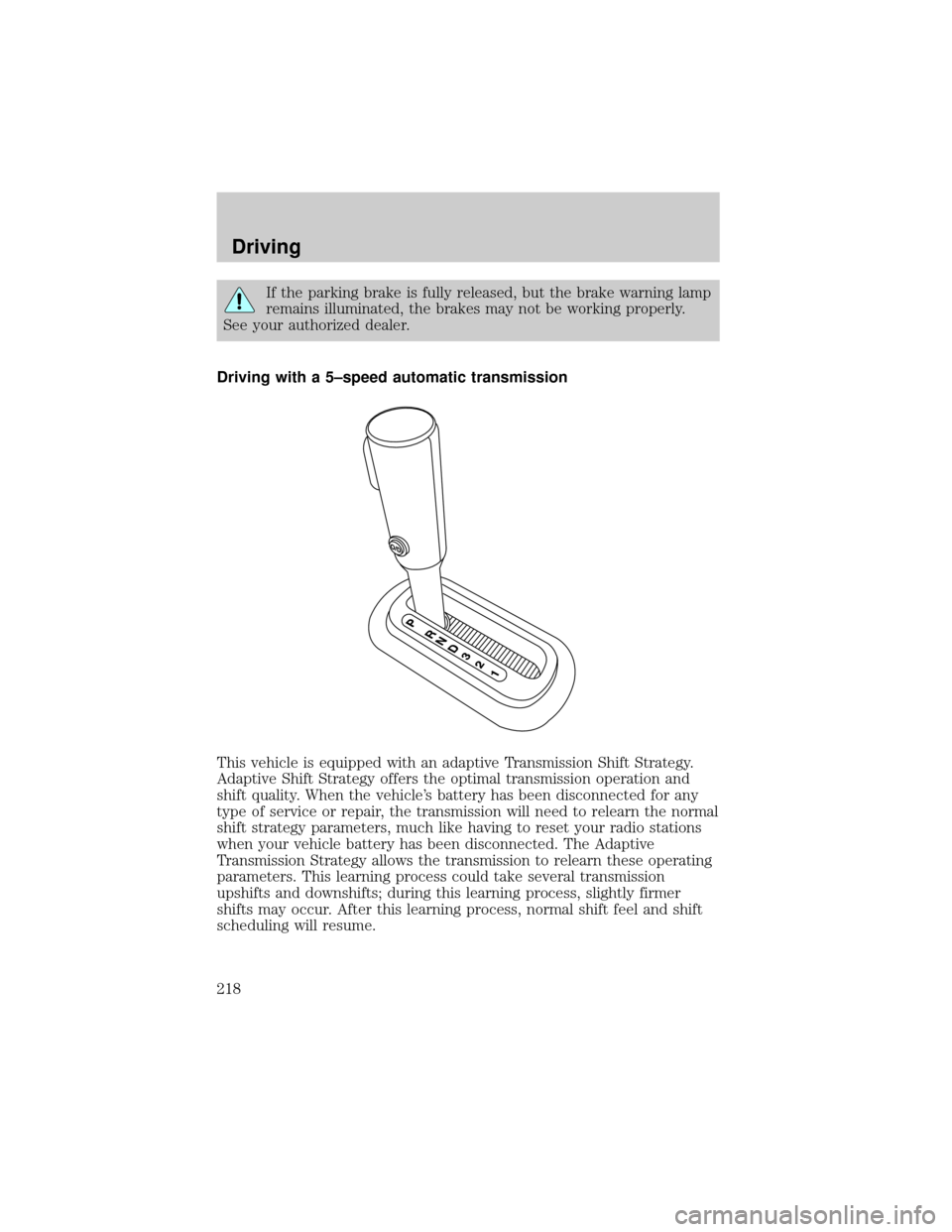
Driving with a 5±speed automatic transmission
This vehicle is equipped with an adaptive Transmission Shift Strategy.
Adaptive Shift Strategy offers the optimal transmission operation and
shift quality. When the vehicle's battery has been disconnected for any
type of service or repair, the transmission will need to relearn the normal
shift strategy parameters, much like having to reset your radio stations
when your vehicle battery has been disconnected. The Adaptive
Transmission Strategy allows the transmission to relearn these operating
parameters. This learning process could take several transmission
upshifts and downshifts; during this learning process, slightly firmer
shifts may occur. After this learning process, normal shift feel and shift
scheduling will resume.
Driving
218
Page 240 of 328
Passenger compartment fuse panel
The fuse panel is located below the
instrument panel on the driver's
side.
To remove a fuse use the fuse puller tool provided on the fuse panel box.
The fuses are coded as follows:
Fuse/Relay
LocationFuse Amp
RatingPassenger Compartment Fuse
Panel Description
1 20A Moonroof, Adjustable pedals,
DSM, Memory lumbar motor
2 5A Microcontroller power (SJB)
3 20A Radio
4 20A OBD II connector
5 5A Moonroof
CB1 4
3
2
18
7
6
512
11
10
916
15
14
1320
19
18
1724
23
22
2128
27
26
25
Roadside Emergencies
240