2006 FORD EXPLORER mirror controls
[x] Cancel search: mirror controlsPage 1 of 328

Introduction 4
Instrument Cluster 12
Warning and control lights 12
Gauges 18
Entertainment Systems 21
AM/FM stereo with CD 21
AM/FM stereo cassette with CD 25
AM/FM stereo with in-dash six CD 29
Climate Controls 35
Manual heating and air conditioning 35
Automatic temperature control 37
Auxiliary passenger climate control 40
Rear window defroster 41
Lights 42
Driver Controls 52
Windshield wiper/washer control 52
Steering wheel adjustment 53
Power windows 57
Mirrors 58
Speed control 60
Message center 69
Locks and Security 98
Keys 98
Locks 98
Anti-theft system 101
Table of Contents
1
Page 53 of 328
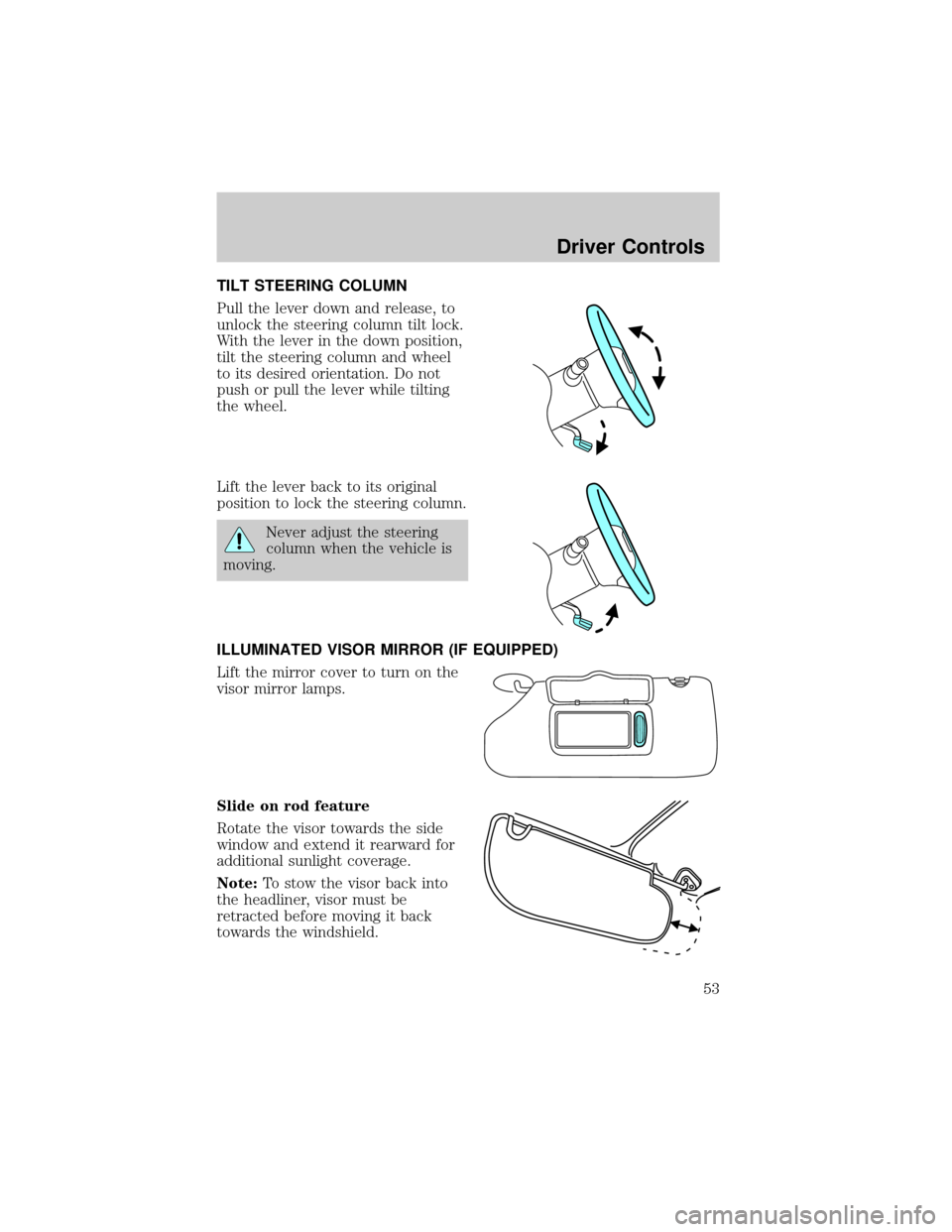
TILT STEERING COLUMN
Pull the lever down and release, to
unlock the steering column tilt lock.
With the lever in the down position,
tilt the steering column and wheel
to its desired orientation. Do not
push or pull the lever while tilting
the wheel.
Lift the lever back to its original
position to lock the steering column.
Never adjust the steering
column when the vehicle is
moving.
ILLUMINATED VISOR MIRROR (IF EQUIPPED)
Lift the mirror cover to turn on the
visor mirror lamps.
Slide on rod feature
Rotate the visor towards the side
window and extend it rearward for
additional sunlight coverage.
Note:To stow the visor back into
the headliner, visor must be
retracted before moving it back
towards the windshield.
Driver Controls
53
Page 58 of 328

Accessory delay
With accessory delay, the window switches, audio system and moon roof
(if equipped) may be used for up to ten minutes after the ignition switch
is turned to the OFF position or until either front door is opened.
AUTOMATIC DIMMING INSIDE REAR VIEW MIRROR (IF EQUIPPED)
Your vehicle may be equipped with
an inside rear view mirror with an
auto-dimming function. The
electrochromic day/night mirror will
change from the normal (high
reflective) state to the non-glare
(darkened) state when bright lights (glare) reach the mirror. When the
mirror detects bright light from behind the vehicle, it will automatically
adjust (darken) to minimize glare.
The mirror will automatically return to the normal state whenever the
vehicle is placed in R (Reverse) to ensure a bright clear view when
backing up.
Do not block the sensor on the backside of the inside rear view mirror
since this may impair proper mirror performance.
POWER SIDE VIEW MIRRORS
The ignition must be in the ACC or ON position to adjust the power side
view mirrors.
To adjust your mirrors:
1. Rotate the control clockwise to
adjust the right mirror and rotate
the control counterclockwise to
adjust the left mirror.
2. Move the control in the direction
you wish to tilt the mirror.
3. Return to the center position to
lock mirrors in place.
Driver Controls
58
Page 59 of 328
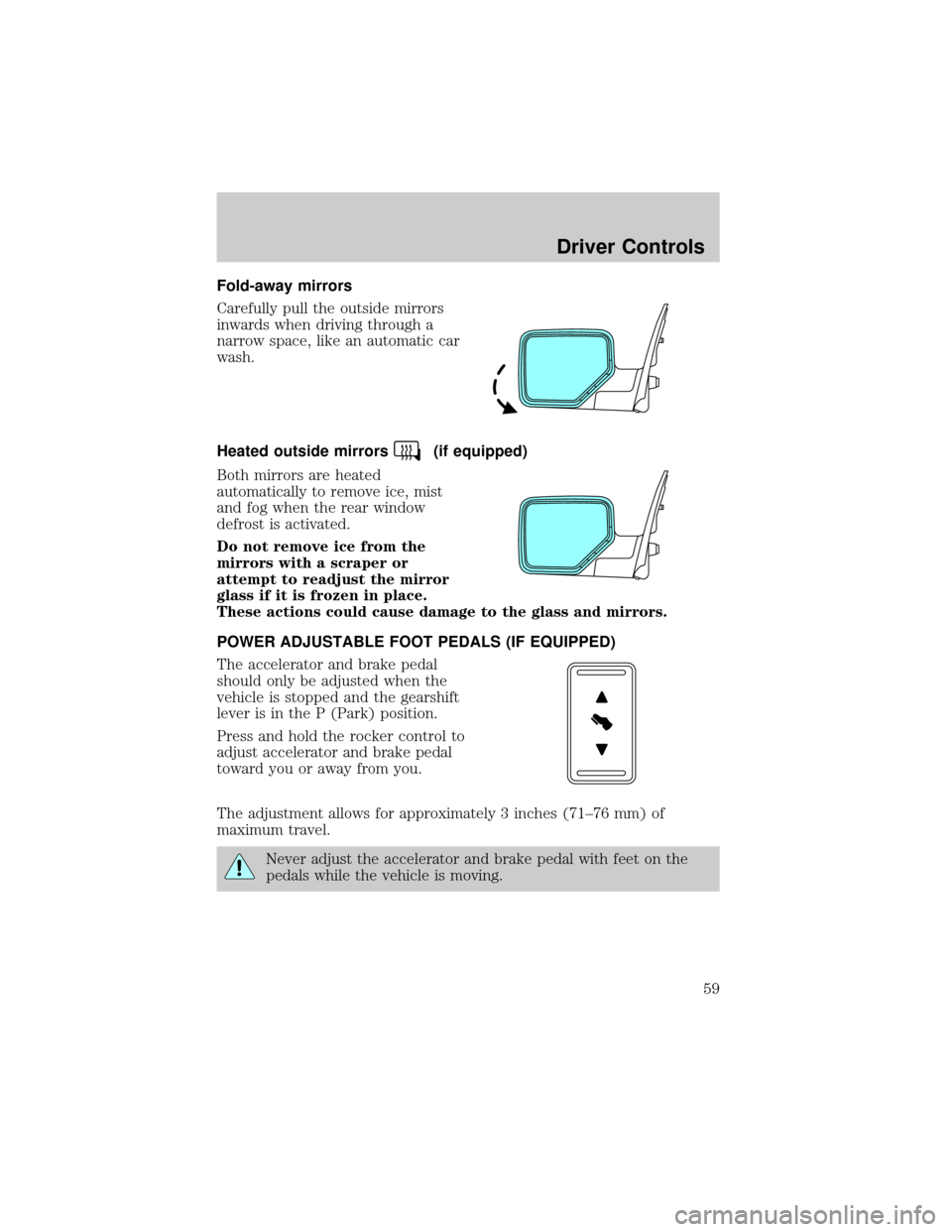
Fold-away mirrors
Carefully pull the outside mirrors
inwards when driving through a
narrow space, like an automatic car
wash.
Heated outside mirrors
(if equipped)
Both mirrors are heated
automatically to remove ice, mist
and fog when the rear window
defrost is activated.
Do not remove ice from the
mirrors with a scraper or
attempt to readjust the mirror
glass if it is frozen in place.
These actions could cause damage to the glass and mirrors.
POWER ADJUSTABLE FOOT PEDALS (IF EQUIPPED)
The accelerator and brake pedal
should only be adjusted when the
vehicle is stopped and the gearshift
lever is in the P (Park) position.
Press and hold the rocker control to
adjust accelerator and brake pedal
toward you or away from you.
The adjustment allows for approximately 3 inches (71±76 mm) of
maximum travel.
Never adjust the accelerator and brake pedal with feet on the
pedals while the vehicle is moving.
Driver Controls
59
Page 76 of 328

Compass zone adjustment
1. Determine which magnetic zone
you are in for your geographic
location by referring to the zone
map.
2. Turn ignition to the ON position.
3. Locate the reset button on top of
the compass sensor mounted behind
the mirror.
4. Press and hold the reset button
on the compass module for
approximately 4 seconds until
COMPASS ZONE XX appears in the
message center display.
5. Continue to press the reset button until the correct zone appears in
the message center display.
6. After 4 seconds ZONE XX IS SET
will appear in the message center
display.
7. The display will return to normal
operation. The zone is now updated.
1 2 3
4
5
6 7 8 9 101112 13 14 15
Driver Controls
76
Page 77 of 328

Compass calibration adjustment
Perform compass calibration in an open area free from steel structures
and high voltage lines. For optimum calibration, turn off all electrical
accessories (heater/air conditioning, wipers, etc.) and make sure all
vehicle doors are shut.
1. Start the vehicle.
2. Locate the reset button on the compass sensor mounted on the base
of mirror.
3. To calibrate, press and hold the
reset button on the compass module
for approximately eight seconds and
release.
4. Slowly drive the vehicle in a
circle (less than 5 km/h [3 mph])
until the CIRCLE SLOW TO CALIBRATE display changes to
CALIBRATION COMPLETED. It will take up to five circles to complete
calibration.
5. The compass is now calibrated.
System warnings
System warnings alert you to possible problems or malfunctions in your
vehicle's operating systems.
In the event of a multiple warning situation, the message center will
cycle the display to show all warnings by displaying each one for 4
seconds.
The message center will display the last selected feature if there are no
more warning messages. This allows you to use the full functionality of
the message center after you acknowledge the warning by pressing the
RESET control and clearing the warning message.
Warning messages are divided into four categories:
²They cannot be cleared until the condition is corrected.
²They will reappear on the display ten minutes from the reset if the
condition has not been corrected.
²They will not reappear until an ignition OFF-ON cycle has been
completed.
Driver Controls
77
Page 88 of 328

Reverse Sensing System (Park Aid)
This feature sounds a warning tone to warn the driver of obstacles near
the rear bumper, and functions only when R (Reverse) gear is selected.
1. To disable/enable the reverse
sensing system feature with the
vehicle in P (Park), select this
function from the SETUP MENU or
put the vehicle in R (Reverse).
2. Press the RESET control to turn
the park aid ON or OFF.
3. Press the RESET control for the
next SETUP MENU item or wait for more than 4 seconds to return to
the INFO menu.
Compass display
The compass reading may be affected when you drive near large
buildings, bridges, power lines and powerful broadcast antenna. Magnetic
or metallic objects placed in, on or near the vehicle may also affect
compass accuracy.
Usually, when something affects the compass readings, the compass will
correct itself after a few days of operating your vehicle in normal
conditions. If the compass still appears to be inaccurate, a manual
calibration may be necessary. Refer toCompass zone/calibration
adjustment.
Most geographic areas (zones) have a magnetic north compass point that
varies slightly from the northerly direction on maps. This variation is four
degrees between adjacent zones and will become noticeable as the
vehicle crosses multiple zones. A correct zone setting will eliminate this
error. Refer toCompass zone/calibration adjustment.
Note:Compass zone and calibration adjustments can be entered by
using the INFO and SETUP MENU controls or using the reset button on
top of the compass sensor mounted behind the mirror.
Driver Controls
88
Page 324 of 328

Power mirrors .............................58
Power point .................................55
Power steering ..........................215
fluid, checking and adding ....304
fluid, refill capacity ................308
fluid, specifications .........310, 313
Power Windows ...........................57
Preparing to drive your
vehicle ........................................216
R
Radio ................................21, 25, 29
Rear window defroster ...............41
Relays ........................................238
Remote entry system ...............101
illuminated entry ....................105
opening the trunk ...................102
Reverse sensing system ...........224
Roadside assistance ..................235
Roof rack .....................................97
S
Safety Belt Maintenance ..........140
Safety belts
(see Safety restraints) ............126,
129±134
Safety Canopy ...........150, 152±153
Safety defects, reporting ..........268
Safety restraints ........126, 129±134
belt minder .............................136
extension assembly ................135
for adults .........................130±133
for children .....................155±156
Occupant Classification
Sensor ......................................127safety belt maintenance .........140
warning light and chime ........136
Safety seats for children ..........160
Safety Compliance
Certification Label ....................315
Seat belts
(see Safety restraints) .............126
Seats ..........................................114
child safety seats ....................160
front seats ...............................115
heated ......................................119
memory seat ...................102, 118
Setting the clock
AM/FM/In-dash 6 CD ................29
Snowplowing .................................8
Spark plugs,
specifications .....................307, 313
Special notice
ambulance conversions ..............8
utility-type vehicles ....................8
Specification chart,
lubricants ...........................310, 313
Speed control ..............................60
Starting your vehicle ........207, 209
jump starting ..........................256
Steering wheel
controls ......................................62
tilting .........................................53
T
Tilt steering wheel ......................53
Tire Pressure Monitoring
System (TPMS)
Driving .....................................230
Roadside Emergencies ...........246
Tires, Wheels and Loading ....186
Warning Displays ..........18, 77, 91
Index
324