2006 CHEVROLET TRAIL BLAZER glove box
[x] Cancel search: glove boxPage 82 of 534
Outside Manual Mirrors..................................2-47
Outside Power Mirrors...................................2-48
Outside Curb View Assist Mirror.....................2-48
Outside Convex Mirror...................................2-49
Outside Heated Mirrors..................................2-49
OnStar
®System.............................................2-49
Universal Home Remote System......................2-52
Universal Home Remote System Operation......2-53Storage Areas................................................2-56
Glove Box...................................................2-56
Overhead Console........................................2-56
Center Console Storage Area.........................2-57
Luggage Carrier...........................................2-57
Rear Compartment Storage Panel/Cover..........2-58
Rear Floor Storage Lid..................................2-60
Convenience Net..........................................2-61
Cargo Cover................................................2-61
Cargo Tie Downs..........................................2-62
Sunroof.........................................................2-62
Vehicle Personalization...................................2-62
Memory Seat...............................................2-63
Section 2 Features and Controls
2-2
Page 131 of 534
OnStar®Hands-Free Calling
OnStar®Hands-Free Calling allows OnStar®subscribers
to make and receive calls using voice commands at
the touch of a button. Hands-Free Calling is fully
integrated into the vehicle, and may be used with
Pre-Paid Packages or linked to a cell phone through
OnStar
®Shared Minutes Plan. To nd out more, refer to
the OnStar®Owner’s Guide in the vehicle’s glove
box, visit www.onstar.com or www.onstar.ca, or speak
with an OnStar
®advisor by pressing the OnStar®button
or calling 1-888-4-ONSTAR (1-888-466-7827).
OnStar®Virtual Advisor
Your vehicle may have Virtual Advisor. It is a feature of
OnStar®Hands-Free Calling that uses your minutes
to access weather, local traffic reports, and stock quotes.
By pressing the phone button and giving a few simple
voice commands, you can browse through the
various topics. Customize your information prole at
www.myonstar.com. See the OnStar
®Owner’s Guide for
more information.
OnStar®Steering Wheel Controls
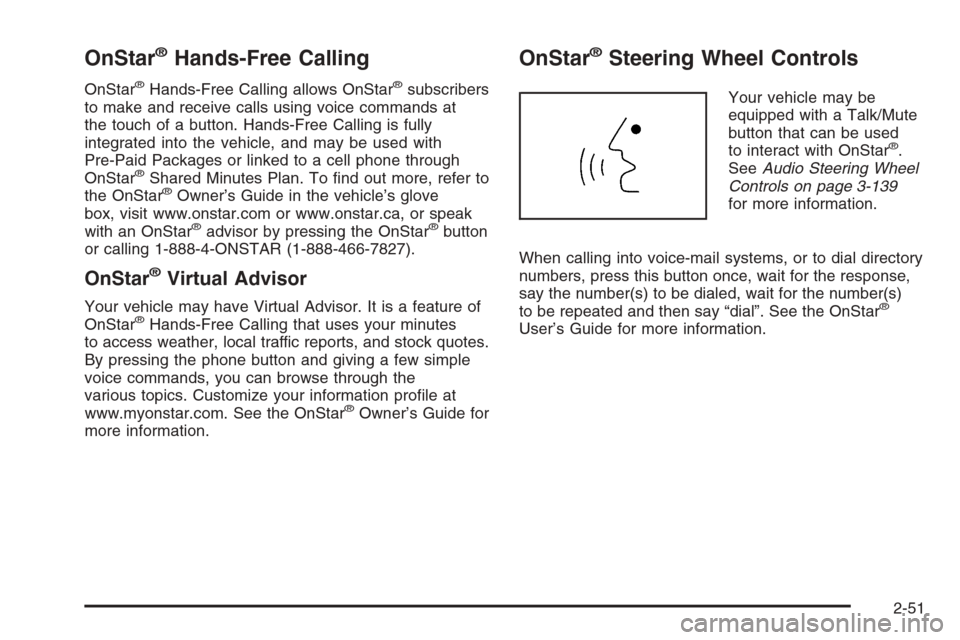
Your vehicle may be
equipped with a Talk/Mute
button that can be used
to interact with OnStar
®.
SeeAudio Steering Wheel
Controls on page 3-139
for more information.
When calling into voice-mail systems, or to dial directory
numbers, press this button once, wait for the response,
say the number(s) to be dialed, wait for the number(s)
to be repeated and then say “dial”. See the OnStar
®
User’s Guide for more information.
2-51
Page 136 of 534
Reprogramming a Single Universal
Home Remote Button
To program a device to Universal Home Remote using
a Universal Home Remote button previously trained,
follow these steps:
1. Press and hold the desired Universal Home
Remote button. Do not release the button.
2. The indicator light will begin to ash after
20 seconds. While still holding the Universal Home
Remote button, proceed with Step 2 under
“Programming Universal Home Remote” shown
earlier in this section.
For additional information on Universal Home Remote,
seeCustomer Assistance Offices on page 7-4.
Storage Areas
Glove Box
Open the glove box by pulling up on the handle.
Overhead Console
Your vehicle may have this feature. The overhead
console may include reading lamps, a Universal Home
Remote and a sunroof switch. SeeSunroof on
page 2-62andUniversal Home Remote System on
page 2-52for more information.
If your vehicle has a third row seat, and has a power
operated rear quarter glass, the switches for operating
the rear quarter glass are also located in the overhead
console. These switches allow the driver to open
and close each third row seat window separately.
SeePower Rear Quarter Windows on page 2-16for
more information.
2-56
Page 149 of 534
The main components of your instrument panel are the following:
A. Exterior Lamp Control. SeeHeadlamps on
page 3-13. Dome Lamp Override Button. SeeDome
Lamp Override on page 3-17. Instrument Panel
Brightness Control. SeeInstrument Panel Brightness
on page 3-16. Fog Lamp Button (If Equipped).
SeeFog Lamps on page 3-16.
B. Air Outlets. SeeOutlet Adjustment on page 3-26.
C. Turn Signal/Multifunction Lever. SeeTurn
Signal/Multifunction Lever on page 3-7.
D. Instrument Panel Cluster. SeeInstrument Panel
Cluster on page 3-31.
E. Ignition Switch. SeeIgnition Positions on page 2-20.
F. Transfer Case Controls. See “Automatic Transfer
Case” underFour-Wheel Drive on page 2-27.
G. Rear Window Washer/Wiper. SeeWindshield
Washer on page 3-10.
H. Audio System. SeeAudio System(s) on page 3-67.I. Climate Controls. SeeDual Climate Control System
on page 3-19.
J. Hood Release. SeeHood Release on page 5-11.
K. Ashtray. SeeAshtray(s) and Cigarette Lighter
on page 3-19.
L. Shift Lever and StabiliTrak
®Button. SeeShifting Into
Park (P) on page 2-32andStabiliTrak®System on
page 4-9.
M. Lighter. SeeAshtray(s) and Cigarette Lighter on
page 3-19.
N. Accessory Power Outlet. SeeAccessory Power
Outlet(s) on page 3-18.
O. Rear Window Defogger. See “Rear Window
Defogger” underDual Climate Control System on
page 3-19andDual Automatic Climate Control
System on page 3-22.
P. Glove Box. SeeGlove Box on page 2-56.
3-5
Page 467 of 534
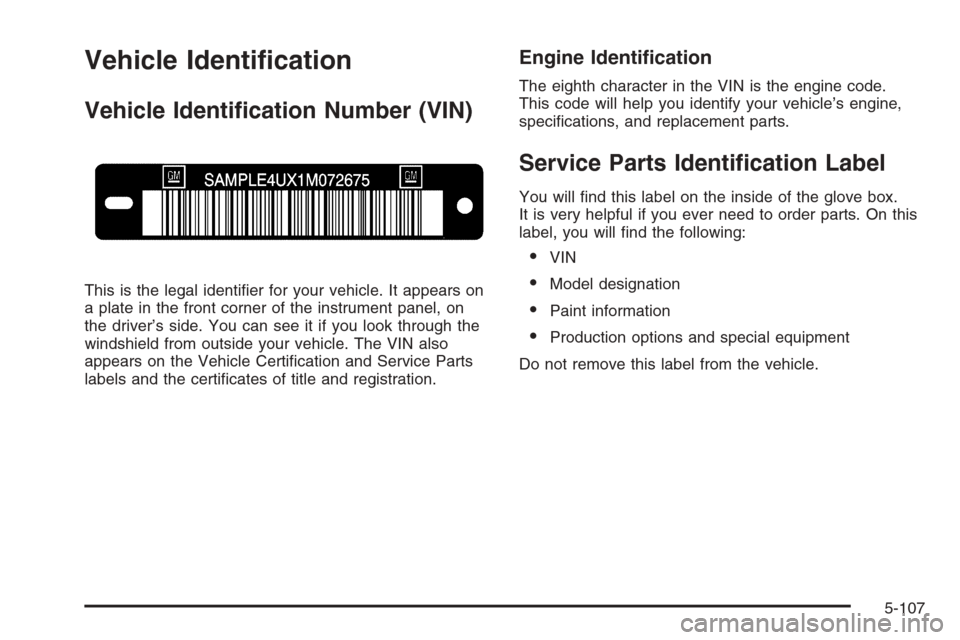
Vehicle Identication
Vehicle Identication Number (VIN)
This is the legal identier for your vehicle. It appears on
a plate in the front corner of the instrument panel, on
the driver’s side. You can see it if you look through the
windshield from outside your vehicle. The VIN also
appears on the Vehicle Certication and Service Parts
labels and the certicates of title and registration.
Engine Identication
The eighth character in the VIN is the engine code.
This code will help you identify your vehicle’s engine,
specications, and replacement parts.
Service Parts Identication Label
You will nd this label on the inside of the glove box.
It is very helpful if you ever need to order parts. On this
label, you will nd the following:
VIN
Model designation
Paint information
Production options and special equipment
Do not remove this label from the vehicle.
5-107
Page 524 of 534
F
Filter
Engine Air Cleaner......................................5-24
Finish Damage.............................................5-105
Fixed Mast Antenna.......................................3-143
Flashers, Hazard Warning.................................. 3-6
Flash-to-Pass................................................... 3-8
Flat Tire........................................................5-79
Flat Tire, Changing.........................................5-80
Flat Tire, Storing.............................................5-94
Fluid
Automatic Transmission................................5-26
Power Steering...........................................5-39
Windshield Washer......................................5-40
Fog Lamps ....................................................3-16
Four-Wheel Drive....................................2-27, 5-51
Front Axle......................................................5-52
Fuel............................................................... 5-5
Additives...................................................... 5-6
California Fuel.............................................. 5-6
Check Gas Cap Light...................................3-50
Filling a Portable Fuel Container....................5-10
Filling Your Tank........................................... 5-8
Fuels in Foreign Countries.............................. 5-7
Gage .........................................................3-49
Gasoline Octane........................................... 5-5Fuel (cont.)
Gasoline Specications.................................. 5-5
Low Warning Light.......................................3-50
Fuses
Engine Compartment Fuse Block.................5-109
Fuses and Circuit Breakers.........................5-109
Rear Underseat Fuse Block.........................5-115
Windshield Wiper.......................................5-108
G
Gage
Check Gages Warning Light..........................3-49
Engine Coolant Temperature.........................3-42
Fuel..........................................................3-49
Oil Pressure...............................................3-45
Speedometer..............................................3-32
Tachometer.................................................3-32
Voltmeter Gage...........................................3-38
Garage Door Opener.......................................2-52
Gasoline
Octane........................................................ 5-5
Specications............................................... 5-5
Gate Ajar Light...............................................3-49
Glove Box.....................................................2-56
GM Mobility Reimbursement Program.................. 7-5
6
Page 531 of 534
Service........................................................... 5-3
Accessories and Modications......................... 5-3
Adding Equipment to the
Outside of Your Vehicle.............................. 5-4
All-Wheel-Drive Light....................................3-48
California Proposition 65 Warning.................... 5-3
Doing Your Own Work................................... 5-4
Engine Soon Light.......................................3-42
Four-Wheel-Drive Warning Light.....................3-48
Publications Ordering Information...................7-14
Servicing Your Airbag-Equipped Vehicle..............1-72
Setting the Time.............................................3-69
Sheet Metal Damage.....................................5-104
Shifting Into Park (P).......................................2-32
Shifting Out of Park (P)...................................2-33
Signals, Turn and Lane-Change.......................... 3-7
Snow Plow....................................................4-53
Spare Tire.....................................................5-97
Accessory Inator........................................5-78
Installing....................................................5-85
Removing...................................................5-82
Storing.......................................................5-94Specications, Capacities...............................5-122
Speedometer..................................................3-32
StabiliTrak
®System.......................................... 4-9
StabiliTrak®Indicator Light................................3-41
StabiliTrak®Service Light.................................3-41
Starting Your Engine.......................................2-21
Steering........................................................4-14
Steering Wheel Controls, Audio.......................3-139
Steering Wheel, Tilt Wheel................................. 3-6
Storage Areas
Center Console Storage Area........................2-57
Convenience Net.........................................2-61
Glove Box..................................................2-56
Luggage Carrier..........................................2-57
Overhead Console.......................................2-56
Rear Compartment Storage Panel/Cover.........2-58
Rear Floor Storage Lid.................................2-60
Stuck in Sand, Mud, Ice, or Snow.....................4-46
Sun Visors.....................................................2-16
Sunroof.........................................................2-62
Suspension....................................................4-58
13