2006 CHEVROLET MALIBU ignition
[x] Cancel search: ignitionPage 176 of 442
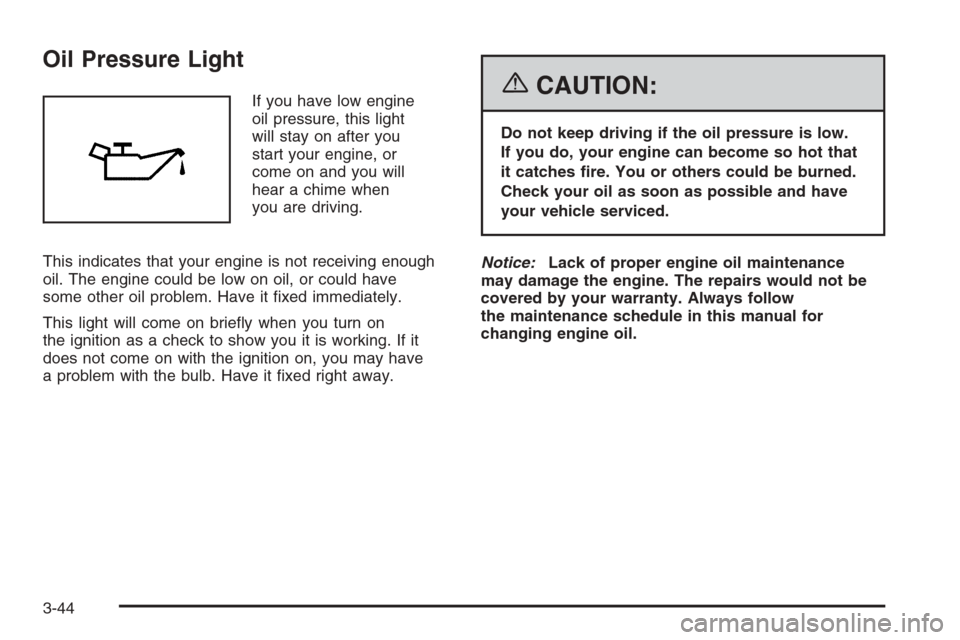
Oil Pressure Light
If you have low engine
oil pressure, this light
will stay on after you
start your engine, or
come on and you will
hear a chime when
you are driving.
This indicates that your engine is not receiving enough
oil. The engine could be low on oil, or could have
some other oil problem. Have it xed immediately.
This light will come on briey when you turn on
the ignition as a check to show you it is working. If it
does not come on with the ignition on, you may have
a problem with the bulb. Have it xed right away.{CAUTION:
Do not keep driving if the oil pressure is low.
If you do, your engine can become so hot that
it catches re. You or others could be burned.
Check your oil as soon as possible and have
your vehicle serviced.
Notice:Lack of proper engine oil maintenance
may damage the engine. The repairs would not be
covered by your warranty. Always follow
the maintenance schedule in this manual for
changing engine oil.
3-44
Page 178 of 442
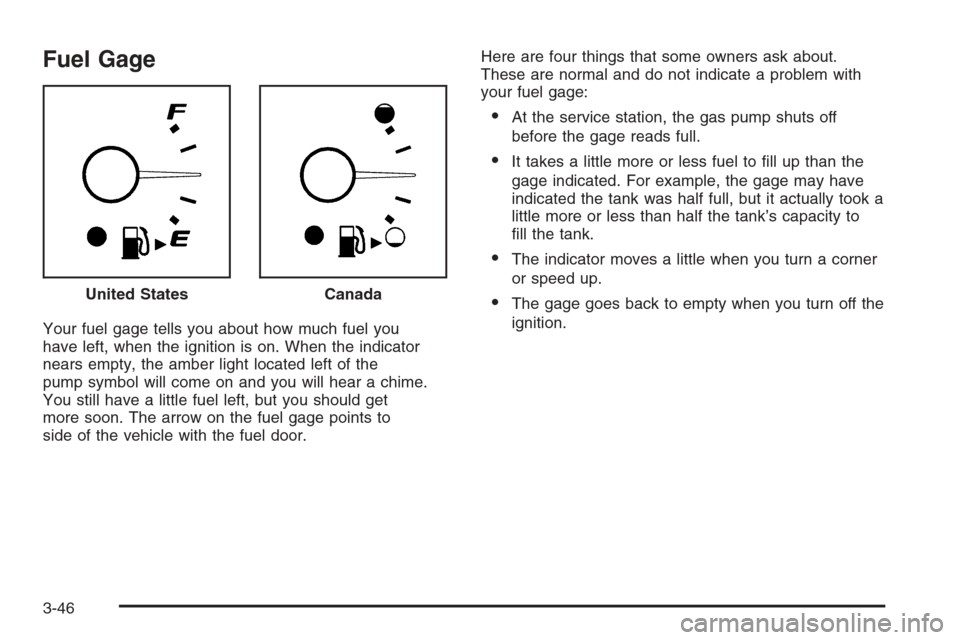
Fuel Gage
Your fuel gage tells you about how much fuel you
have left, when the ignition is on. When the indicator
nears empty, the amber light located left of the
pump symbol will come on and you will hear a chime.
You still have a little fuel left, but you should get
more soon. The arrow on the fuel gage points to
side of the vehicle with the fuel door.Here are four things that some owners ask about.
These are normal and do not indicate a problem with
your fuel gage:
At the service station, the gas pump shuts off
before the gage reads full.
It takes a little more or less fuel to ll up than the
gage indicated. For example, the gage may have
indicated the tank was half full, but it actually took a
little more or less than half the tank’s capacity to
ll the tank.
The indicator moves a little when you turn a corner
or speed up.
The gage goes back to empty when you turn off the
ignition. United StatesCanada
3-46
Page 179 of 442
Driver Information Center (DIC)
The Driver Information Center (DIC) provides the
following:
A way to personalize your vehicle
Trip information
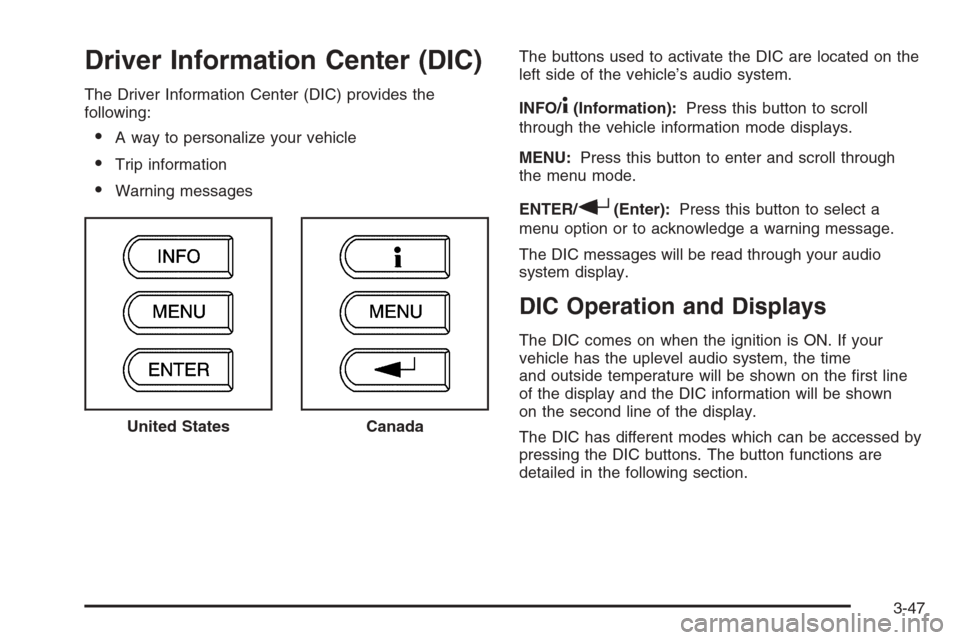
Warning messagesThe buttons used to activate the DIC are located on the
left side of the vehicle’s audio system.
INFO/
4(Information):Press this button to scroll
through the vehicle information mode displays.
MENU:Press this button to enter and scroll through
the menu mode.
ENTER/
r(Enter):Press this button to select a
menu option or to acknowledge a warning message.
The DIC messages will be read through your audio
system display.
DIC Operation and Displays
The DIC comes on when the ignition is ON. If your
vehicle has the uplevel audio system, the time
and outside temperature will be shown on the rst line
of the display and the DIC information will be shown
on the second line of the display.
The DIC has different modes which can be accessed by
pressing the DIC buttons. The button functions are
detailed in the following section. United States
Canada
3-47
Page 181 of 442
Always reset the engine oil life system after an oil
change. SeeEngine Oil Life System on page 5-20.
In addition to the engine oil life system monitoring the oil
life, additional maintenance is recommended in the
Maintenance Schedule in this manual. SeeScheduled
Maintenance on page 6-4andEngine Oil on page 5-17.
Personalization
MENU:Press this button while the vehicle is in ON
to scroll through each of the personalization options
in the following order. If the vehicle is moving faster
than 2 mph (3 km/h), the personalization menu options
are not available, except for the UNITS option. All of
the personalization options may not be available
on your vehicle. Only the options available will be
displayed on your DIC.
Units Selection (English/Metric)
Oil Life Reset
Remote Start Capability
Horn Chirp During Remote Keyless Entry Locking
Horn Chirp During Remote Keyless Entry Unlocking
Exterior Light Flash During Remote Keyless
Entry Locking or Unlocking
Delayed Locking
Automatic Vehicle Unlocking: Specic Doors
Automatic Vehicle Unlocking: When Key is Off or
When Shift To Park
Exterior Perimeter Lighting During Remote Keyless
Entry Unlock
Select Language: (English, French, Spanish or
German)
When the desired option is reached, press the enter
button to toggle between the modes of that option.
To make a selection, press the MENU button again.
If no selection is made within 10 seconds, the display
will revert back to the previous information displayed.
The MENU mode is exited when the information button
is pressed, a 10 second time period has elapsed,
the ignition is turned to OFF, or the end of the MENU
list is reached.
SeeDIC Vehicle Personalization on page 3-52for
more information on the personalization options.
Enter
ENTER/r(Enter):Press this button to reset certain
functions and to turn off or acknowledge messages
on the DIC display. This button also toggles through
the options available in each personalization menu.
3-49
Page 182 of 442
DIC Warnings and Messages
These messages will appear if there is a problem
detected in one of your vehicle’s systems.
Any message will clear when the vehicle’s condition
is no longer present. To acknowledge a message and
clear it from the display, press any of the three DIC
buttons. The warning message will come back on
the next time the vehicle is turned off and back on
if the condition is still present. With most messages,
a warning chime will sound when the message is
displayed. Your vehicle may have other warning
messages.
AUTO (Automatic) LIGHTS OFF:This message will
display if the automatic headlamp system is disabled
with the headlamp switch.
AUTO (Automatic) LIGHTS ON:This message will
display if the automatic headlamp system is enabled
with the headlamp switch.
BRAKE FLUID:This message will display to inform the
driver that the brake uid level is low while the ignition
is in ON. Have the brake system serviced by your
GM dealer as soon as possible.CHANGE OIL SOON:This message will display when
the life of the engine oil has expired and it should be
changed.
When you acknowledge the CHANGE OIL SOON
message by clearing it from the display, you still must
reset the engine oil life system separately. SeeEngine
Oil Life System on page 5-20,Engine Oil on page 5-17,
andScheduled Maintenance on page 6-4for more
information.
CHECK GAS CAP:This message will display if the
gas cap has not been fully tightened. You should
recheck your gas cap to make sure that it is on properly.
A few driving trips with the cap properly installed
should turn the message off.
DOOR AJAR:This message will display if one or more
of the vehicle’s doors are not closed properly. When
this message displays, you should make sure that the
door is closed completely.
ENGINE DISABLED:This message will display if the
starting of the engine is disabled. Have your vehicle
serviced immediately by your GM dealer.
3-50
Page 187 of 442
Notice:Before adding any sound equipment to
your vehicle, such as an audio system, CD player,
CB radio, mobile telephone, or two-way radio,
make sure that it can be added by checking with
your dealer. Also, check federal rules covering
mobile radio and telephone units. If sound
equipment can be added, it is very important to do
it properly. Added sound equipment may interfere
with the operation of your vehicle’s engine, radio,
or other systems, and even damage them. Your
vehicle’s systems may interfere with the operation
of sound equipment that has been added.
Your vehicle has a feature called Retained Accessory
Power (RAP). With RAP, the audio system can be
played even after the ignition is turned off. See
Retained Accessory Power (RAP) on page 2-24for
more information.
Setting the Time for Radios without
Radio Data Systems (RDS)
To set the hour, press the clock button. The clock
symbol will appear on the display and the hour number
will ash. Then turn the ADJ knob to increase or to
decrease. To set the minutes, press the clock button
again. The minute numbers will ash. Then turn the
ADJ knob to increase or to decrease. The time can be
set with the ignition on or off.
Setting the Time for Radios with
Radio Data Systems (RDS)
To set the hour, press the clock button. The clock
symbol will appear on the display and the hour number
will ash. Then turn the ADJ knob to increase or to
decrease. To set the minutes, press the clock button
again. The minute numbers will ash. Then turn the
ADJ knob to increase or to decrease. The time can be
set with the ignition on or off.
To synchronize the time with an FM station broadcasting
Radio Data System (RDS) information, press and
hold the clock button to enter the clock set mode,
then press and hold the clock button for three seconds
until UPDATED appears on the display. If the time
is not available from the station, NO UPDATE will
appear on the display.
RDS time is broadcast once a minute. After tuning to
an RDS broadcast station, it may take a few minutes for
the time to update.
3-55
Page 188 of 442
Radio with CD (Base Level)
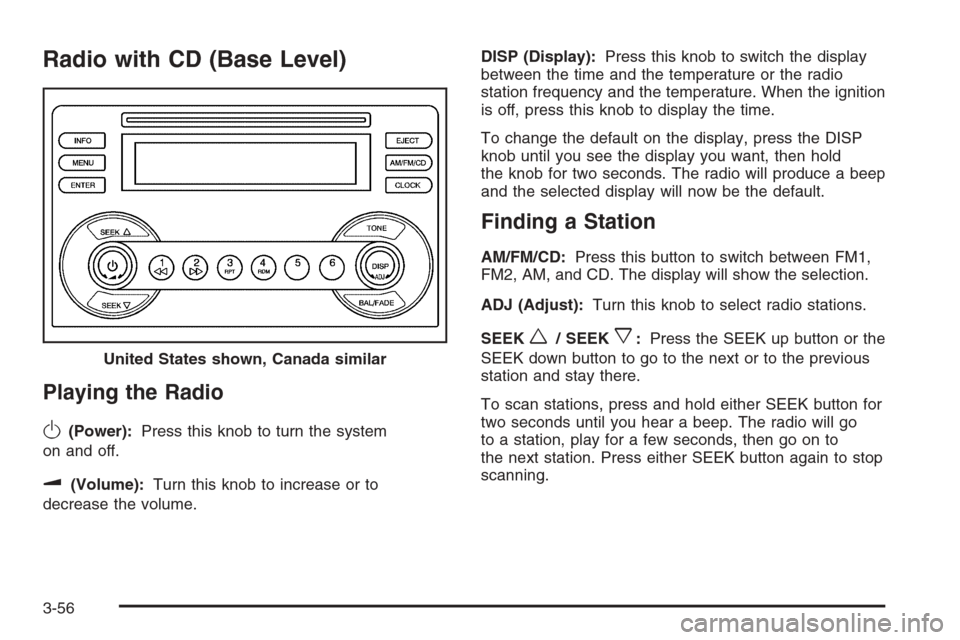
Playing the Radio
O
(Power):Press this knob to turn the system
on and off.
u(Volume):Turn this knob to increase or to
decrease the volume.DISP (Display):Press this knob to switch the display
between the time and the temperature or the radio
station frequency and the temperature. When the ignition
is off, press this knob to display the time.
To change the default on the display, press the DISP
knob until you see the display you want, then hold
the knob for two seconds. The radio will produce a beep
and the selected display will now be the default.
Finding a Station
AM/FM/CD:Press this button to switch between FM1,
FM2, AM, and CD. The display will show the selection.
ADJ (Adjust):Turn this knob to select radio stations.
SEEK
w/ SEEKx:Press the SEEK up button or the
SEEK down button to go to the next or to the previous
station and stay there.
To scan stations, press and hold either SEEK button for
two seconds until you hear a beep. The radio will go
to a station, play for a few seconds, then go on to
the next station. Press either SEEK button again to stop
scanning. United States shown, Canada similar
3-56
Page 190 of 442
Adjusting the Speakers (Balance/Fade)
BAL/FADE /S(Balance/Fade):To adjust the
balance between the right and the left speakers, press
and release the balance and fade button until BAL
appears on the display. Turn the ADJ knob to move the
sound toward the right or the left speakers.
To adjust the fade between the front and the rear
speakers, press and release the balance and fade
button until FADE appears on the display. Then turn
the ADJ knob to move the sound toward the front or
the rear speakers.
To adjust the balance or the fade to the middle position,
select BAL or FADE. Then press and hold the balance
and fade button for more than two seconds. You
will hear a beep and the level will be adjusted to the
middle position.
To adjust the speaker controls to the middle position,
rst end out of balance and fade by pressing another
button, causing the radio to perform that function, or by
waiting ve seconds for the display to return to the
default display. Then press and hold the balance and
fade button for more than two seconds until you hear a
beep. ALL CENTERED will appear on the display.
Radio Messages
CALIBRATE:The audio system has been calibrated for
your vehicle from the factory. If CALIBRATE appears
on the display it means that the radio has not been
congured properly for your vehicle and must be
returned to your GM dealer for service.
LOCKED:This message is displayed when the
THEFTLOCK
®system has locked up. Take the vehicle
to your GM dealer for service.
If any error occurs repeatedly or if an error cannot be
corrected, contact your GM dealer.
Playing a CD
Insert a CD partway into the slot, label side up. The
player will pull it in and the CD should begin playing.
If you want to insert a CD with the ignition off, rst press
the eject button or the DISP knob.
As each new track starts to play, the track number will
appear on the display.
If the ignition or radio is turned off with a CD in the
player, it will stay in the player. When the ignition
or radio is turned on, the CD will start playing, where
it stopped, if it was the last selected audio source.
3-58