Page 102 of 368
At night, when the glare is too high, the mirror will
gradually darken to reduce glare. This change may
take a few seconds. The mirror will return to its clear
daytime state when the glare is reduced.
To activate the automatic dimming feature, press the
button (B) located below the rearview mirror. To turn
the feature off, press the button (B) again.
The ignition must be turned to ON to use the automatic
dimming rearview mirror. The indicator light (C) will
illuminate while this feature is active.
There are two light sensors (A) which detect ambient
light level and glare from vehicles behind you.
Do not cover the sensors as this will cancel the
automatic dimming operation.Outside Power Mirrors
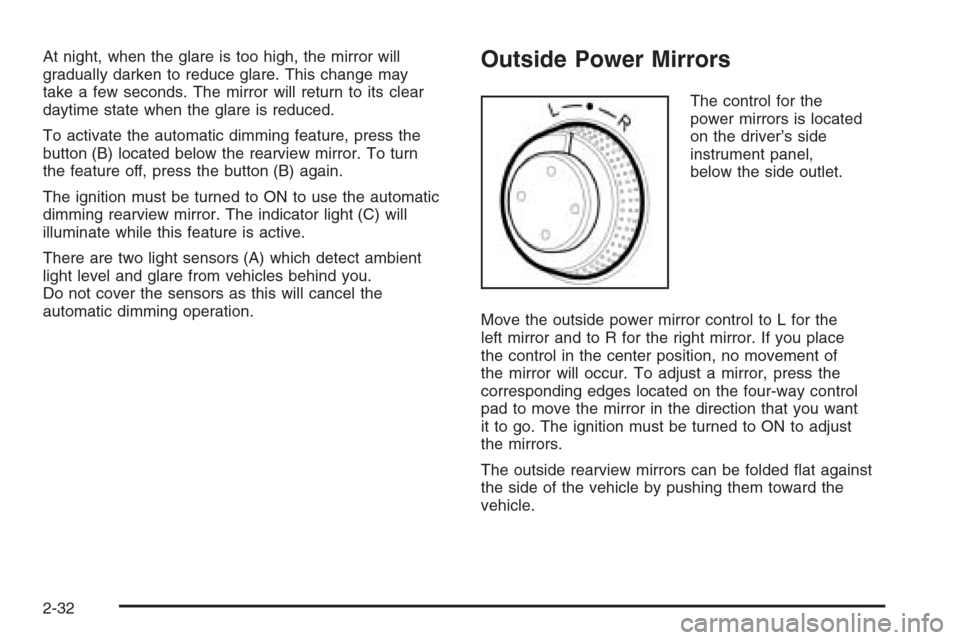
The control for the
power mirrors is located
on the driver’s side
instrument panel,
below the side outlet.
Move the outside power mirror control to L for the
left mirror and to R for the right mirror. If you place
the control in the center position, no movement of
the mirror will occur. To adjust a mirror, press the
corresponding edges located on the four-way control
pad to move the mirror in the direction that you want
it to go. The ignition must be turned to ON to adjust
the mirrors.
The outside rearview mirrors can be folded flat against
the side of the vehicle by pushing them toward the
vehicle.
2-32
Page 112 of 368
Hazard Warning Flashers
Your hazard warning flashers let you warn others.
They also let police know you have a problem. Your
front and rear turn signal lamps will flash on and off.
The hazard warning
flasher button is located
in the center of the
instrument panel.
Your hazard warning flashers work no matter what
position your key is in, and even if the key is not in
the ignition switch.
Press the button to make the front and rear turn signal
lamps flash on and off. Press the button again to
turn the flashers off.
When the hazard warning flashers are on, your turn
signals will not work.
Other Warning Devices
If you carry reflective triangles, you can set them up
at the side of the road about 300 feet (100 m) behind
your vehicle.
Horn
Press near or on the horn symbols on your steering
wheel pad to sound the horn.
Tilt Wheel
Your vehicle has a tilt wheel which allows you to adjust
the steering wheel before you drive. You can raise it
to the highest level to give your legs more room when
you exit and enter the vehicle.
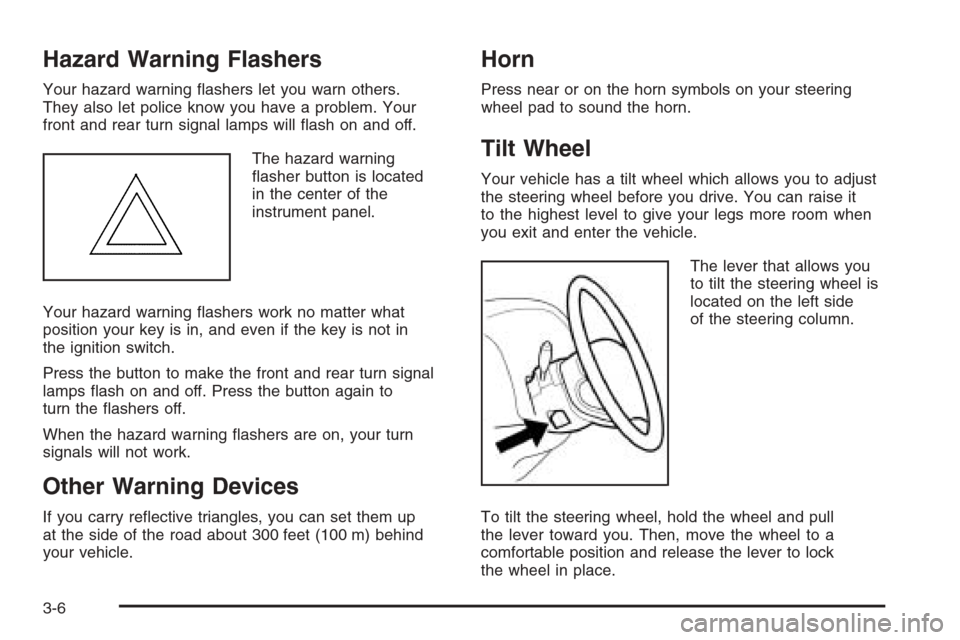
The lever that allows you
to tilt the steering wheel is
located on the left side
of the steering column.
To tilt the steering wheel, hold the wheel and pull
the lever toward you. Then, move the wheel to a
comfortable position and release the lever to lock
the wheel in place.
3-6
Page 114 of 368
Headlamp High/Low-Beam Changer
To change the headlamps from low beam to high beam,
push the turn signal/multifunction lever away from you.
When the high beams
are on, this light on the
instrument panel cluster
also will be on if the
ignition is turned to ON.
To change the headlamps from high beam to low beam,
pull the turn signal lever toward you.
Flash-to-Pass
This feature lets you use your high-beam headlamps
to signal a driver in front of you that you want to pass.
To use it, pull the turn signal/multifunction lever
toward you until the high-beam headlamps come
on, then release the lever to turn them off.
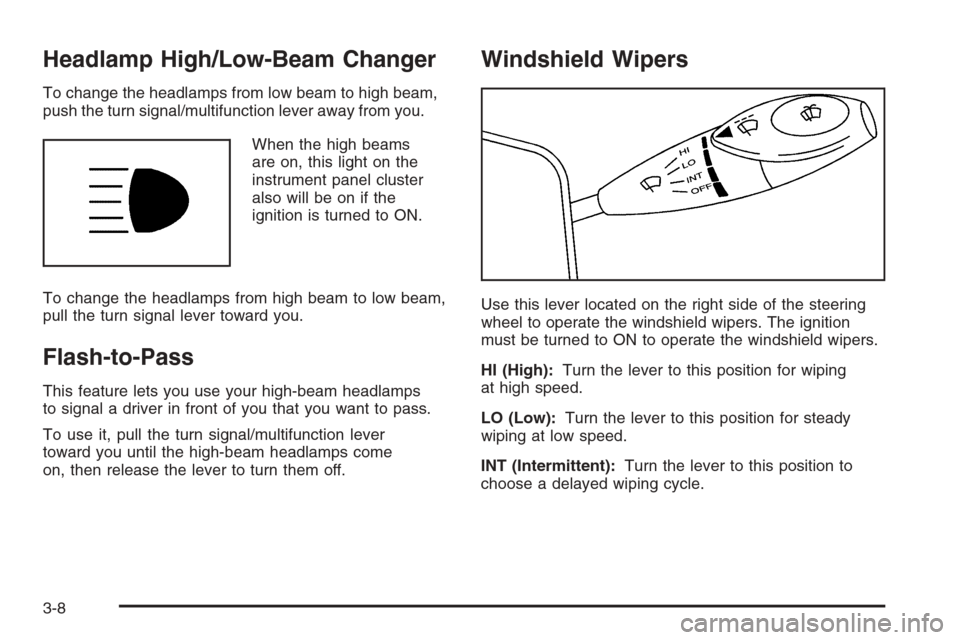
Windshield Wipers
Use this lever located on the right side of the steering
wheel to operate the windshield wipers. The ignition
must be turned to ON to operate the windshield wipers.
HI (High):Turn the lever to this position for wiping
at high speed.
LO (Low):Turn the lever to this position for steady
wiping at low speed.
INT (Intermittent):Turn the lever to this position to
choose a delayed wiping cycle.
3-8
Page 115 of 368
Turn the center band on the windshield wiper lever
toward LO for a longer delay or toward HI for a shorter
delay. The wiper speed can only be adjusted when
the lever is in the INT position.
OFF:Turn the lever to this position to turn off the
windshield wipers.
Misting Function
Move the lever toward the INT position for a single
wiping cycle. Hold it there until the windshield wipers
start; then let go. The windshield wipers will stop
after one cycle. If you want more wipes, hold the lever
toward INT position.
Remember that damaged wiper blades may prevent
you from seeing well enough to drive safely. To avoid
damage, be sure to clear ice and snow from the
wiper blades before using them.
If the wiper blades are frozen to the windshield, carefully
loosen them or warm the windshield before turning
the wipers on. If your blades do become worn or
damaged, get new blades or blade inserts.
Heavy snow or ice can overload the wipers. If this
occurs, a circuit A circuit breaker breaker will stop the
wipers until the wiper motor cools. So, be sure to
clear any snow or ice from the windshield wiper blades
before using them.
Windshield Washer
To wash your windshield, pull the windshield
wiper/washer lever toward you with the ignition
turned to ON.
{CAUTION:
In freezing weather, do not use your washer
until the windshield is warmed. Otherwise the
washer uid can form ice on the windshield,
blocking your vision.
When you release the lever, the washers will stop,
but the wipers will continue to wipe for about three
cycles and will either stop or will resume at the speed
you were using before.
3-9
Page 118 of 368
Passing Another Vehicle While Using
Cruise Control
Use the accelerator pedal to increase your speed.
When you take your foot off the pedal, your vehicle will
slow down to the cruise control speed you set earlier.
Using Cruise Control on Hills
How well your cruise control will work on hills depends
upon your speed, load and the steepness of the
hills. When going up steep hills, you may have to
step on the accelerator pedal to maintain your speed.
When going downhill, you may have to brake or shift
to a lower gear to keep your speed down. Of course,
applying the brake pedal takes you out of cruise control.
Many drivers find this to be too much trouble and do
not use cruise control on steep hills.
Ending Cruise Control
There are two ways to turn off the cruise control:
•Step lightly on the brake pedal.
•Press the ON-OFF button on the cruise
control lever.
Erasing Speed Memory
When you turn off the cruise control or the ignition,
your cruise control set speed memory is erased.
Exterior Lamps
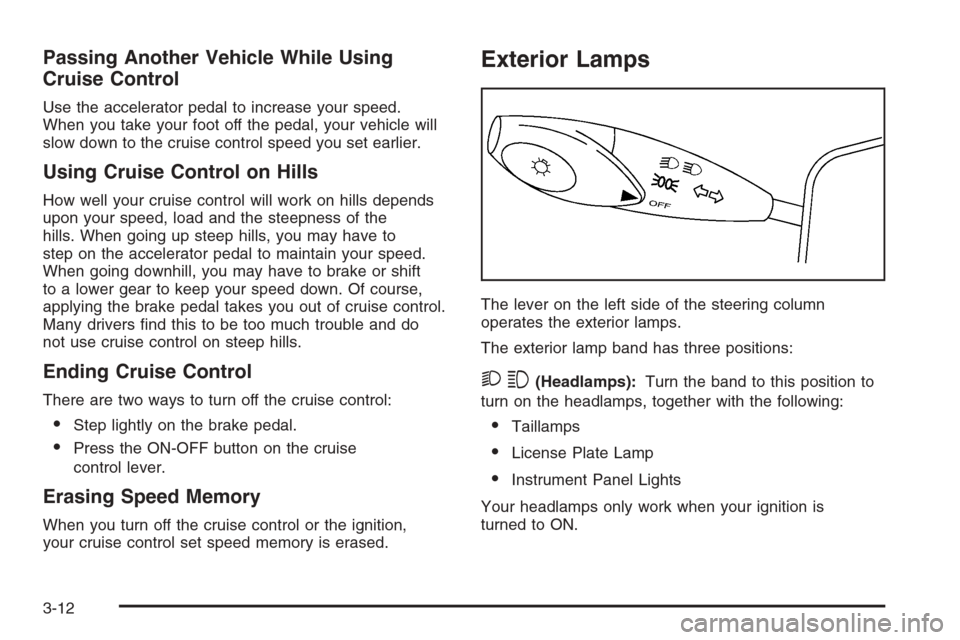
The lever on the left side of the steering column
operates the exterior lamps.
The exterior lamp band has three positions:
23(Headlamps):Turn the band to this position to
turn on the headlamps, together with the following:
•Taillamps
•License Plate Lamp
•Instrument Panel Lights
Your headlamps only work when your ignition is
turned to ON.
3-12
Page 119 of 368
;(Parking Lamps):Turn the band to this position to
turn on the parking lamps, together with the previously
listed lamps and lights.
OFF:Turn the band to this position to turn all lamps off,
except the Daytime Running Lamps (DRL).
Auto-Off Headlamps
Your headlamps will automatically turn off when the
headlamps are on and you turn the ignition to ACC
or LOCK.
Headlamps on Reminder
If you open the driver’s door with the ignition off and
the lamps on, you will hear a warning chime.
Daytime Running Lamps (DRL)
Daytime Running Lamps (DRL) can make it easier for
others to see the front of your vehicle during the
day. DRL can be helpful in many different driving
conditions, but they can be especially helpful in the short
periods after dawn and before sunset. Fully functional
daytime running lamps are required on all vehicles
first sold in Canada.
The DRL system will make your low-beam headlamps
come on at a reduced brightness in daylight when
the following conditions are met:
•The ignition is on.
•The exterior lamp band is in OFF or in the parking
lamp position.
•The parking brake is released.
When the DRL system is on, the taillamps, parking
lamps and instrument panel lights will not be illuminated
unless you have turned the exterior lamps control to
the parking lamp or headlamp position.
3-13
Page 120 of 368
An indicator light on the instrument panel cluster will
come on when the DRL are on. SeeDaytime Running
Lamps (DRL) Indicator Light on page 3-44.
The DRL system will turn off when one of the following
conditions are met:
•The ignition is off.
•The parking brakes are on.
•The high-beam headlamps are on.
•The low-beam headlamps are on.
As with any vehicle, you should turn on the regular
headlamp system when you need it.
Fog Lamps
If your vehicle has this feature, use your fog lamps for
better visibility in foggy or misty conditions.
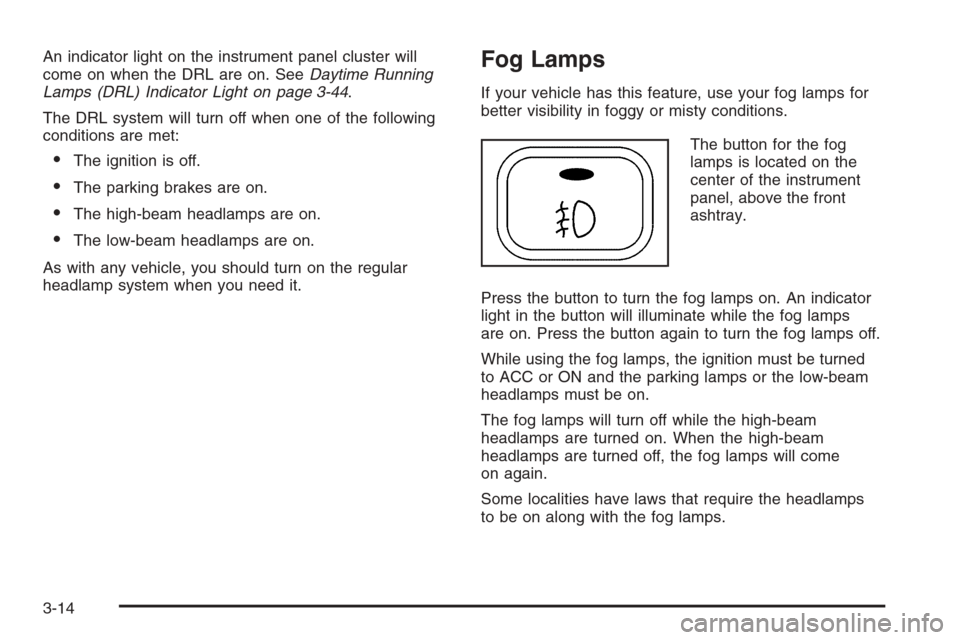
The button for the fog
lamps is located on the
center of the instrument
panel, above the front
ashtray.
Press the button to turn the fog lamps on. An indicator
light in the button will illuminate while the fog lamps
are on. Press the button again to turn the fog lamps off.
While using the fog lamps, the ignition must be turned
to ACC or ON and the parking lamps or the low-beam
headlamps must be on.
The fog lamps will turn off while the high-beam
headlamps are turned on. When the high-beam
headlamps are turned off, the fog lamps will come
on again.
Some localities have laws that require the headlamps
to be on along with the fog lamps.
3-14
Page 122 of 368
Entry Lighting
When you open either a front or a rear door, the door
step lamps inside your vehicle will turn on. The door step
lamps are located on the driver’s and front passenger’s
door trims. The lamps will turn off after you close all
of the doors.
Map Lamps
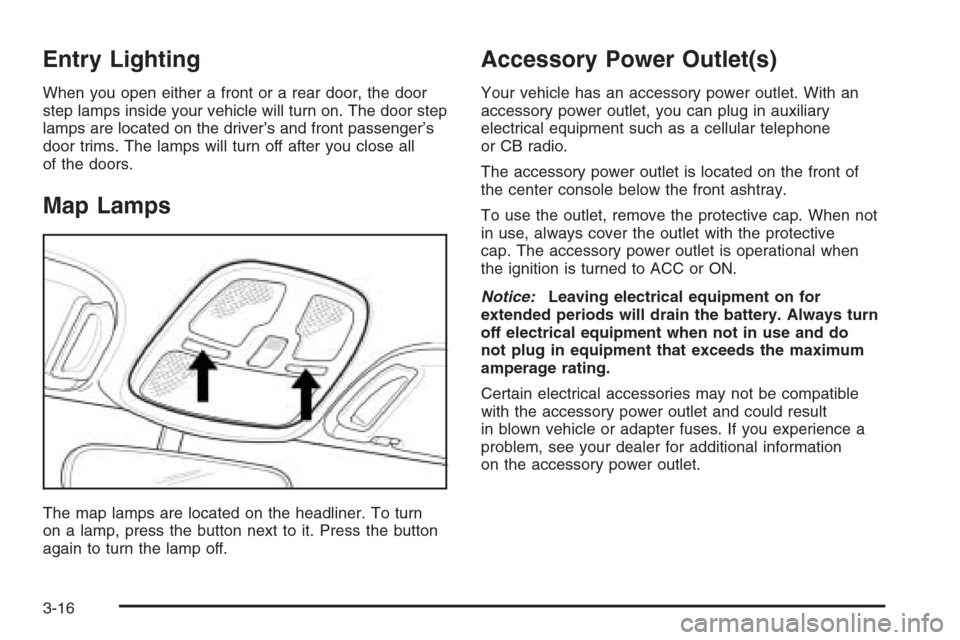
The map lamps are located on the headliner. To turn
on a lamp, press the button next to it. Press the button
again to turn the lamp off.
Accessory Power Outlet(s)
Your vehicle has an accessory power outlet. With an
accessory power outlet, you can plug in auxiliary
electrical equipment such as a cellular telephone
or CB radio.
The accessory power outlet is located on the front of
the center console below the front ashtray.
To use the outlet, remove the protective cap. When not
in use, always cover the outlet with the protective
cap. The accessory power outlet is operational when
the ignition is turned to ACC or ON.
Notice:Leaving electrical equipment on for
extended periods will drain the battery. Always turn
off electrical equipment when not in use and do
not plug in equipment that exceeds the maximum
amperage rating.
Certain electrical accessories may not be compatible
with the accessory power outlet and could result
in blown vehicle or adapter fuses. If you experience a
problem, see your dealer for additional information
on the accessory power outlet.
3-16