Page 167 of 477
3-26
Instruments and controls
or down slightly and hold it during the lane change.
The turn signal indicator lights will flash in the direction
of the turn or lane change. The lever will return auto-
matically to the neutral position when you release it.Illumination brightness control
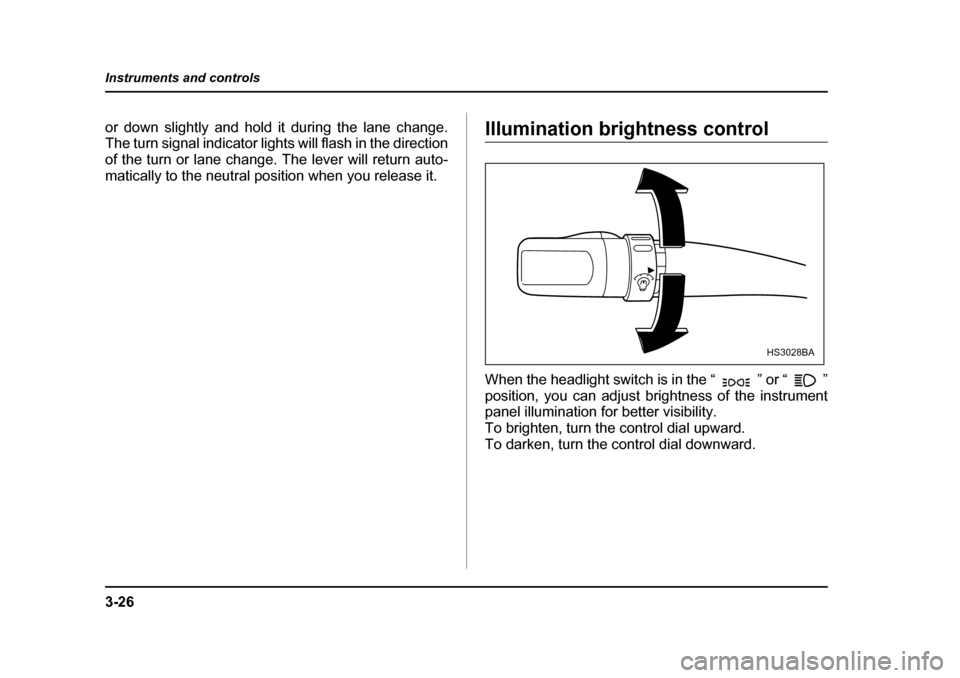
When the headlight switch is in the “ ” or “ ”
position, you can adjust brightness of the instrument
panel illumination for better visibility.
To brighten, turn the control dial upward.
To darken, turn the control dial downward.
HS3028BA
Page 175 of 477
3-34
Instruments and controls
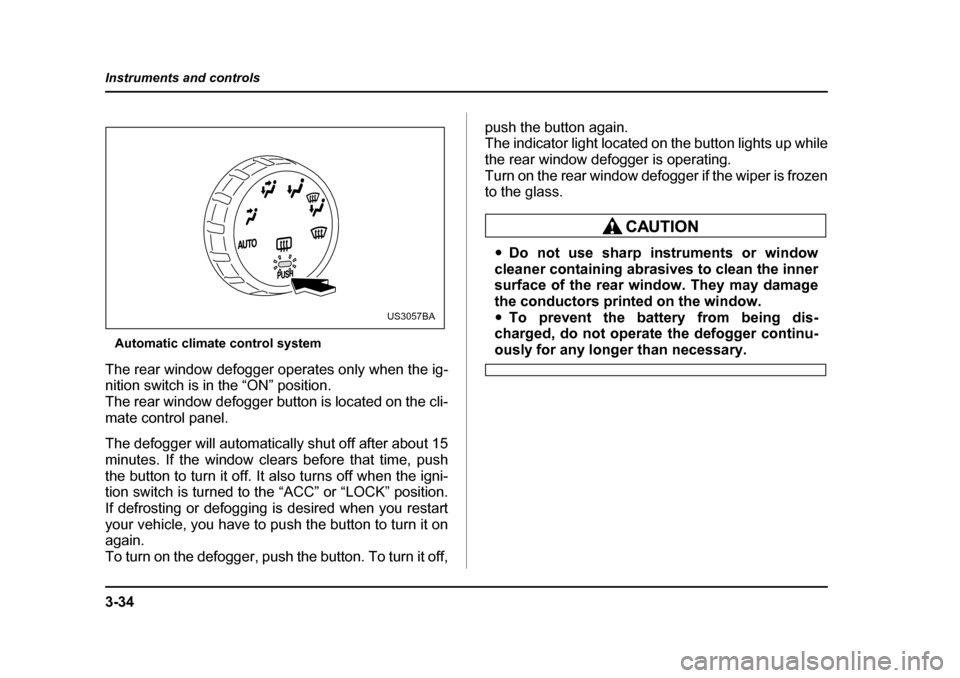
Automatic climate control system
The rear window defogger operates only when the ig-
nition switch is in the “ON” position.
The rear window defogger button is located on the cli-
mate control panel.
The defogger will automatically shut off after about 15
minutes. If the window clears before that time, push
the button to turn it off. It also turns off when the igni-
tion switch is turned to the “ACC” or “LOCK” position.
If defrosting or defogging is desired when you restart
your vehicle, you have to push the button to turn it on
again.
To turn on the defogger, push the button. To turn it off, push the button again.
The indicator light located on the button lights up while
the rear window defogger is operating.
Turn on the rear window defogger if the wiper is frozen
to the glass.
y
Do not use sharp instruments or window
cleaner containing abrasives to clean the inner
surface of the rear window. They may damage
the conductors printed on the window. y To prevent the battery from being dis-
charged, do not operate the defogger continu-
ously for any longer than necessary.
US3057BA
Page 185 of 477
4-4
Climate control
Manual climate control system „
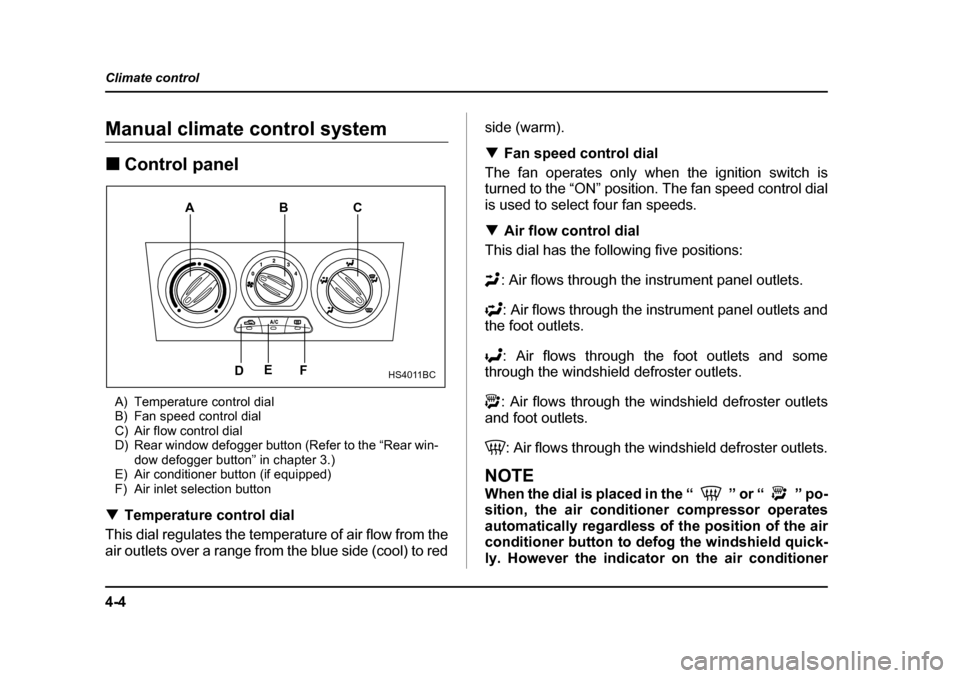
Control panel
A) Temperature control dial
B) Fan speed control dial
C) Air flow control dial
D) Rear window defogger button (Refer to the “Rear win- dow defogger button” in chapter 3.)
E) Air conditioner button (if equipped)
F) Air inlet selection button
T Temperature control dial
This dial regulates the temperature of air flow from the
air outlets over a range from the blue side (cool) to red side (warm). T
Fan speed control dial
The fan operates only when the ignition switch is
turned to the “ON” position. The fan speed control dial
is used to select four fan speeds. T Air flow control dial
This dial has the following five positions:
: Air flows through the instrument panel outlets.
: Air flows through the instrument panel outlets and
the foot outlets.
: Air flows through the foot outlets and some
through the windshield defroster outlets.
: Air flows through the windshield defroster outlets
and foot outlets.
: Air flows through the windshield defroster outlets.
NOTE
When the dial is placed in the “ ” or “ ” po-
sition, the air conditioner compressor operates
automatically regardless of the position of the air
conditioner button to defog the windshield quick-
ly. However the indicator on the air conditioner
HS4011BC
A
BC
F
E
D
Page 189 of 477
4-8
Climate control
1. Set the air inlet selection button to the OFF posi- tion.
2. Set the air flow control dial to the “ ” position.
3. Set the temperature control dial to the most com-
fortable level.
4. Set the fan speed control dial to the desired speed.
NOTE
Warm air also comes out from the right and left air
outlets. To stop warm air flow from these outlets,
turn the corresponding thumb-wheel down. T
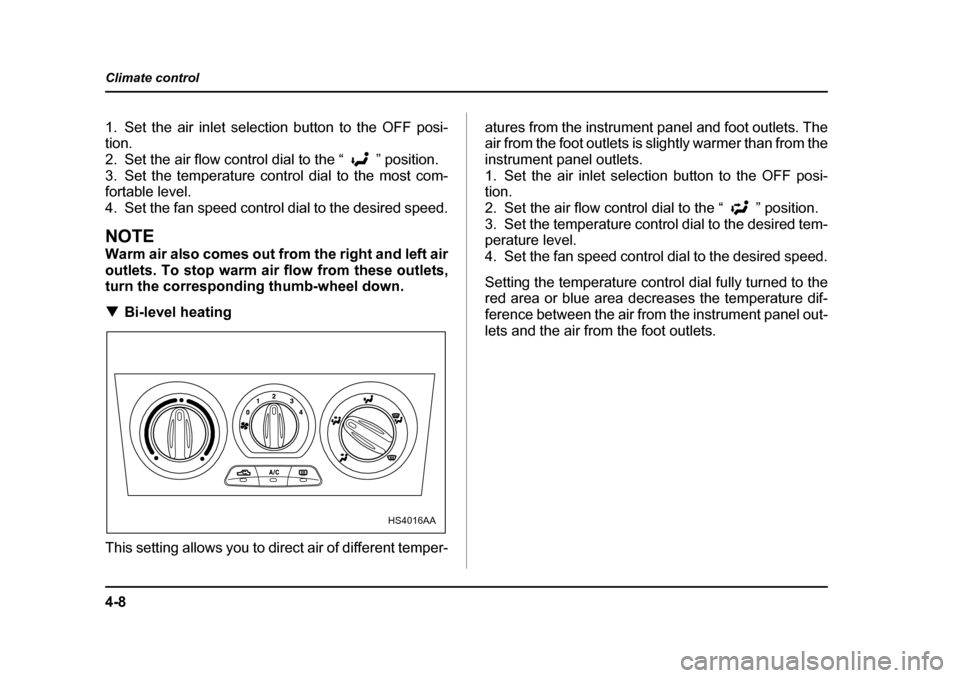
Bi-level heating
This setting allows you to direct air of different temper- atures from the instrument panel and foot outlets. The
air from the foot outlets is slightly warmer than from the
instrument panel outlets.
1. Set the air inlet selection button to the OFF posi- tion.
2. Set the air flow control dial to the “ ” position.
3. Set the temperature control dial to the desired tem- perature level.
4. Set the fan speed control dial to the desired speed.
Setting the temperature control dial fully turned to the
red area or blue area decreases the temperature dif-
ference between the air from the instrument panel out-
lets and the air from the foot outlets.
HS4016AA
Page 190 of 477
4-9
Climate control
– CONTINUED –
TVentilation
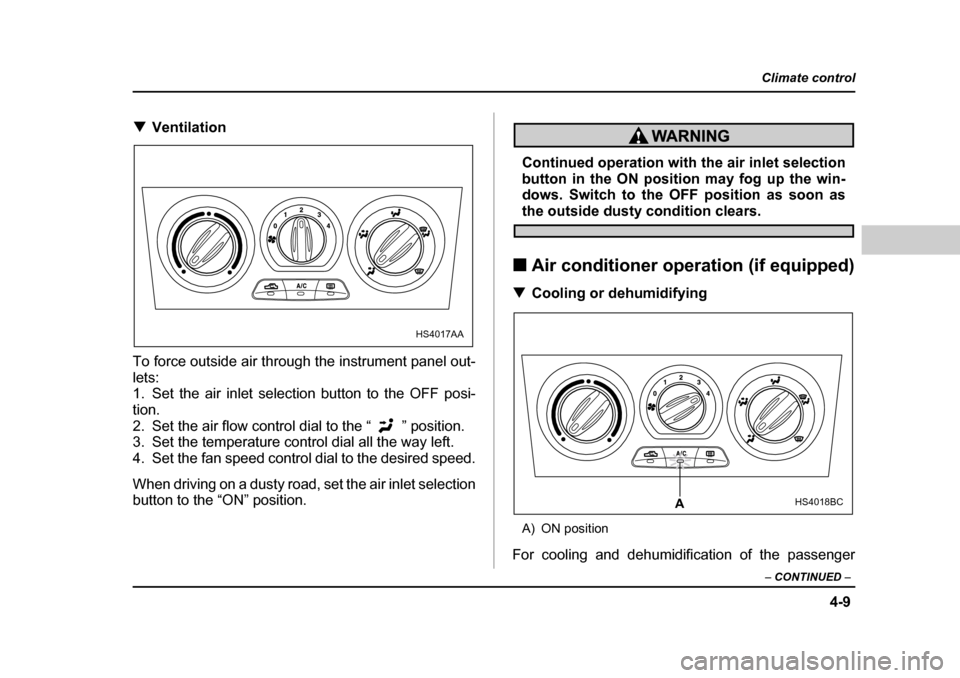
To force outside air through the instrument panel out-
lets:
1. Set the air inlet selection button to the OFF posi- tion.
2. Set the air flow control dial to the “ ” position.
3. Set the temperature control dial all the way left.
4. Set the fan speed control dial to the desired speed.
When driving on a dusty road, set the air inlet selection
button to the “ON” position.
Continued operation with the air inlet selection
button in the ON position may fog up the win-
dows. Switch to the OFF position as soon as
the outside dusty condition clears.
„ Air conditioner operation (if equipped)
T Cooling or dehumidifying
A) ON position
For cooling and dehumidification of the passenger
HS4017AA
HS4018BCA
Page 191 of 477
4-10
Climate control
compartment, performing the following steps will allow
air to flow through the instrument panel outlets:
1. Set the air inlet selection button to the OFF posi- tion.
2. Set the air flow control dial to the “ ” position.
3. Set the air conditioner button to the “ON” position.
4. Set the temperature control dial to the blue side.
5. Set the fan speed control dial at the highest speed. T
Defrosting or defogging
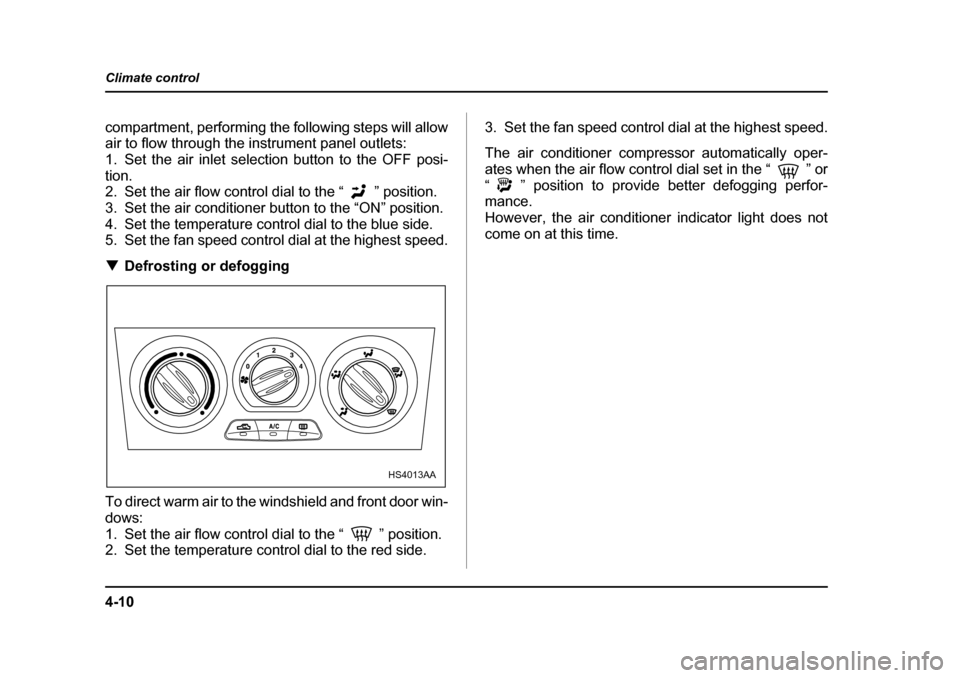
To direct warm air to the windshield and front door win-
dows:
1. Set the air flow control dial to the “ ” position.
2. Set the temperature control dial to the red side. 3. Set the fan speed control dial at the highest speed.
The air conditioner compressor automatically oper-
ates when the air flow control dial set in the “ ” or
“ ” position to provide better defogging perfor- mance.
However, the air conditioner indicator light does not
come on at this time.
HS4013AA
Page 195 of 477
4-14
Climate control
the AUTO position.
: Instrument panel outlets: Instrument panel outlets and foot outlets
: Foot outlets and windshield defroster outlets (rel-
atively little air from windshield defroster outlets)
: Windshield defroster outlets and foot outlets
: Windshield defroster outlets
NOTE
When the dial is placed in the “ ” or “ ” po-
sition, the air conditioner compressor operates
automatically to defog the windshield quickly. At
the same time, the air inlet selection is automati-
cally set to “outside air” mode. „
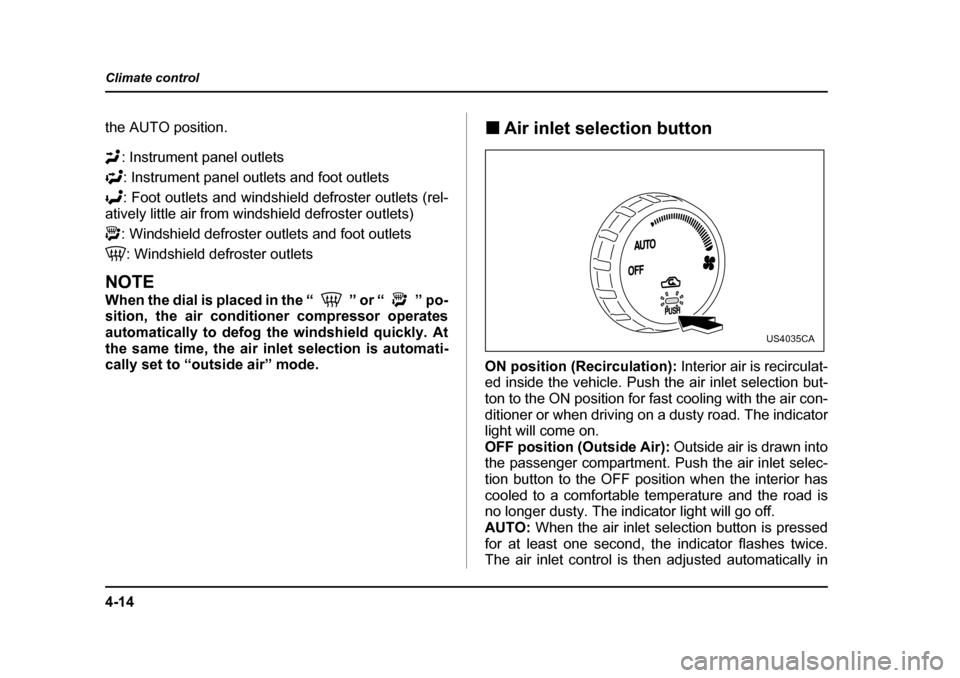
Air inlet selection button
ON position (Recirculation): Interior air is recirculat-
ed inside the vehicle. Push the air inlet selection but-
ton to the ON position for fast cooling with the air con-
ditioner or when driving on a dusty road. The indicator
light will come on.
OFF position (Outside Air): Outside air is drawn into
the passenger compartment. Push the air inlet selec-
tion button to the OFF position when the interior has
cooled to a comfortable temperature and the road is
no longer dusty. The indicator light will go off.
AUTO: When the air inlet selection button is pressed
for at least one second, the indicator flashes twice.
The air inlet control is then adjusted automatically in
US4035CA
Page 202 of 477
4-21
Climate control
– CONTINUED –
5. Reinstall the glove box.
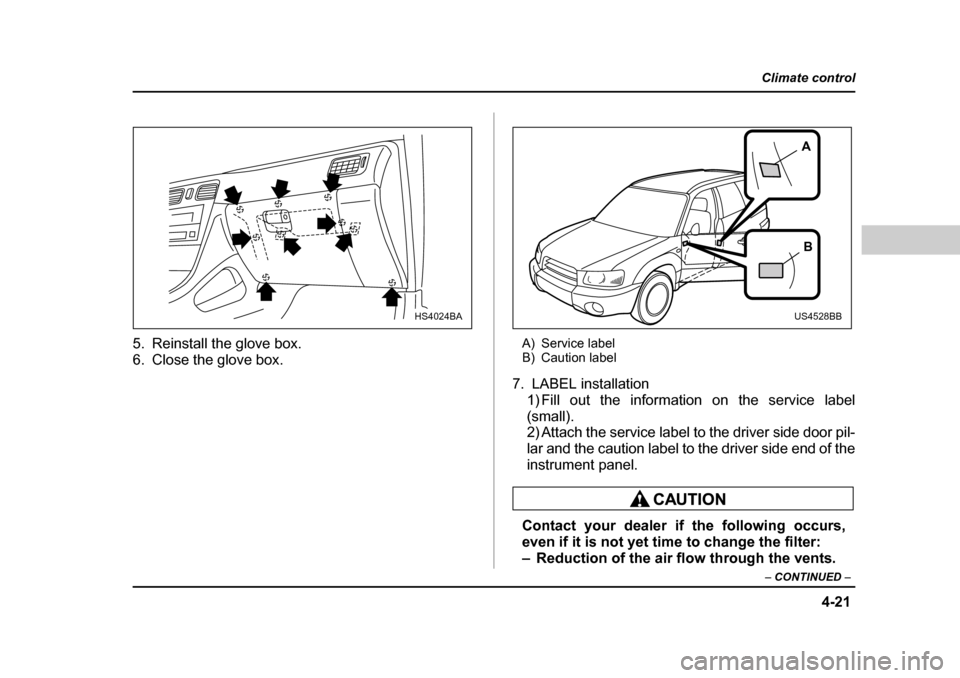
6. Close the glove box. A) Service label
B) Caution label
7. LABEL installation 1) Fill out the information on the service label
(small).
2) Attach the service label to the driver side door pil-
lar and the caution label to the driver side end of the
instrument panel.
Contact your dealer if the following occurs,
even if it is not yet time to change the filter:
– Reduction of the air flow through the vents.
HS4024BA
A
B
US4528BB