2005 SUBARU FORESTER change time
[x] Cancel search: change timePage 217 of 477

5-14
Audio
T
To start playback
When the “CD” button (16) is pressed, the CD changer
will start playback. The display shows the current disc
number, track number and the elapsed time during
playback.
NOTE y If a disc is in the player, the “DISC” button is
used to change from CD player operation to DISC
changer operation. Each time the “DISC” button is
pressed, the operating mode will change alter-
nately. y At the end of the disc, the player automatically
continues with the next disc. y After playback on the last disc finishes, play-
back will automatically return to the first disc. y If you have loaded fewer than 6 discs, any miss-
ing disc is automatically skipped. T Selection of a desired disc
You can select a desired disc from among the discs
contained in the CD changer only by pressing the cor-
responding number on one of the disc select buttons.
If you are to listen to the 5th disc in the CD changer,
press the “5” button of the disc select buttons. All other
discs in the CD changer can also be selected in a sim-
ilar way.
NOTE y No disc change takes place if the button corre-
sponding to the storage tray in which no disc is
loaded is pressed. y If the disc select button corresponding to the
disc now in playback is pressed again, the disc
will be replayed from its beginning. T To select a song from its beginning
V Forward direction
Briefly press the “ ” side of the button (17) to skip
to the beginning of the next track. Each time this side
of the button is pressed, the indicated track number
will increase. V Backward direction
Briefly press the “ ” side of the button (17) to skip
to the beginning of the current track. Each time this
side of the button is pressed, the indicated track num-
ber will decrease. T Fast-forwarding and fast-reversing
V Fast-forwarding
Press the “ ” side of the button (17) continuously
for more than 1 second to fast-forward the disc.
Release the button to stop fast-forwarding.
If you continue fast-forwarding to the end of the disc,
Page 222 of 477
5-19
Audio
– CONTINUED –
VTone control
The volume control dial (4) normally function as vol-
ume control. The dial become a control for Bass,
Midrange or Treble when you select the appropriate
tone control mode.
Choose desired volume level for each mode by turning
the volume control dial. The control function returns to
volume control mode after about 5 seconds.
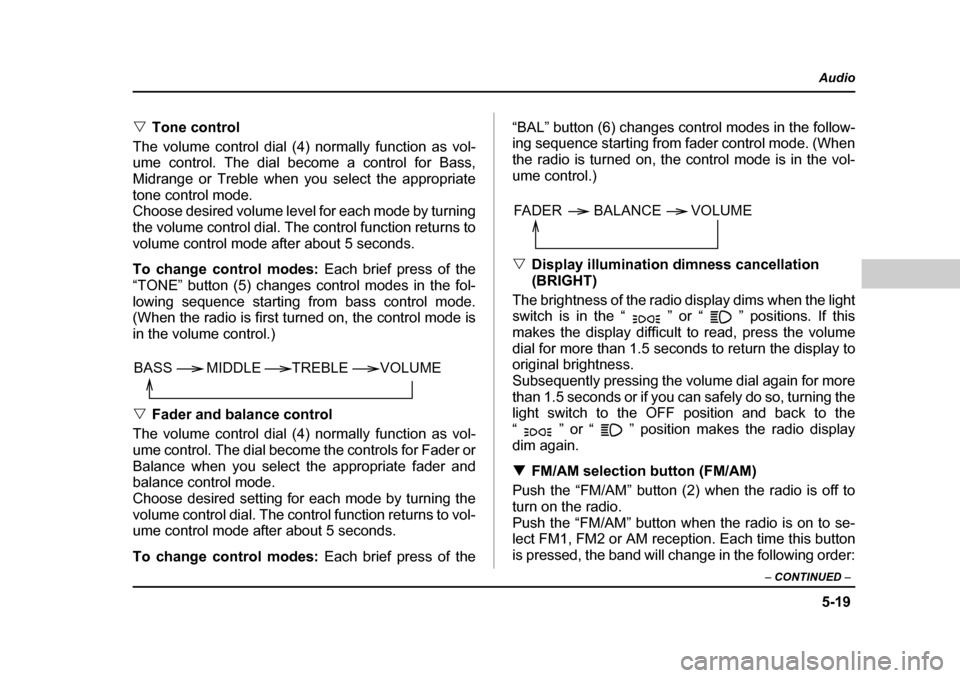
To change control modes: Each brief press of the
“TONE” button (5) changes control modes in the fol-
lowing sequence starting from bass control mode.
(When the radio is first turned on, the control mode is
in the volume control.) V Fader and balance control
The volume control dial (4) normally function as vol-
ume control. The dial become the controls for Fader or
Balance when you select the appropriate fader and
balance control mode.
Choose desired setting for each mode by turning the
volume control dial. The control function returns to vol-
ume control mode after about 5 seconds.
To change control modes: Each brief press of the “BAL” button (6) changes control modes in the follow-
ing sequence starting from fader control mode. (When
the radio is turned on, the control mode is in the vol- ume control.) V
Display illumination dimness cancellation (BRIGHT)
The brightness of the radio display dims when the light
switch is in the “ ” or “ ” positions. If this
makes the display difficult to read, press the volume
dial for more than 1.5 seconds to return the display to
original brightness.
Subsequently pressing the volume dial again for more
than 1.5 seconds or if you can safely do so, turning the
light switch to the OFF position and back to the
“ ” or “ ” position makes the radio display
dim again. T FM/AM selection button (FM/AM)
Push the “FM/AM” button (2) when the radio is off to
turn on the radio.
Push the “FM/AM” button when the radio is on to se-
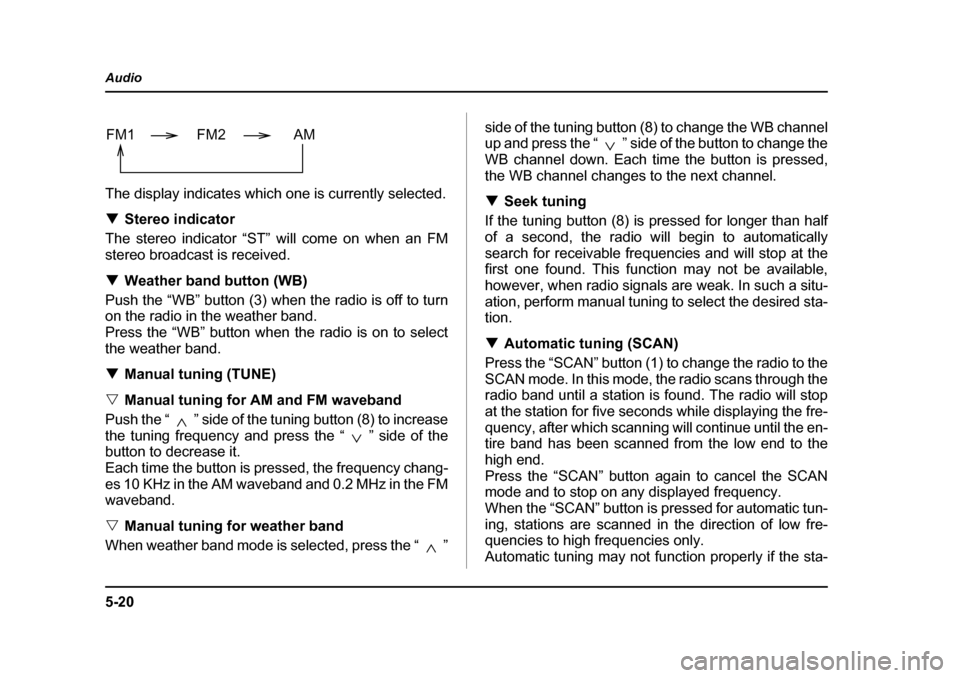
lect FM1, FM2 or AM reception. Each time this button
is pressed, the band will change in the following order:
VOLUME
BASS TREBLE MIDDLE
FADER BALANCE VOLUME
Page 223 of 477
5-20
Audio
The display indicates which one is currently selected. T
Stereo indicator
The stereo indicator “ST” will come on when an FM
stereo broadcast is received. T Weather band button (WB)
Push the “WB” button (3) when the radio is off to turn
on the radio in the weather band.
Press the “WB” button when the radio is on to select
the weather band. T Manual tuning (TUNE)
V Manual tuning for AM and FM waveband
Push the “ ” side of the tuning button (8) to increase
the tuning frequency and press the “ ” side of the
button to decrease it.
Each time the button is pressed, the frequency chang-
es 10 KHz in the AM waveband and 0.2 MHz in the FM
waveband. V Manual tuning for weather band
When weather band mode is selected, press the “ ” side of the tuning button (8) to change the WB channel
up and press the “ ” side of the button to change the
WB channel down. Each time the button is pressed,
the WB channel changes to the next channel. T
Seek tuning
If the tuning button (8) is pressed for longer than half
of a second, the radio will begin to automatically
search for receivable frequencies and will stop at the
first one found. This function may not be available,
however, when radio signals are weak. In such a situ-
ation, perform manual tuning to select the desired sta- tion. T Automatic tuning (SCAN)
Press the “SCAN” button (1) to change the radio to the
SCAN mode. In this mode, the radio scans through the
radio band until a station is found. The radio will stop
at the station for five seconds while displaying the fre-
quency, after which scanning will continue until the en-
tire band has been scanned from the low end to the
high end.
Press the “SCAN” button again to cancel the SCAN
mode and to stop on any displayed frequency.
When the “SCAN” button is pressed for automatic tun-
ing, stations are scanned in the direction of low fre-
quencies to high frequencies only.
Automatic tuning may not function properly if the sta-
FM1 FM2 AM
Page 229 of 477
5-26
Audio
2. Remove the disc that has been ejected. The other
discs loaded will then be ejected one after another. If
you do not remove the ejected disc within 15 seconds,
the “All disc ejection mode” will be canceled.
NOTE
Avoid driving the vehicle with a CD sticking out,
because vibration might make it fall out.
Do not attempt to insert two or more discs into
the slot at a time. Doing so can cause mechan-
ical damage to the CD changer.
Page 231 of 477
5-28
Audio
y
Do not attempt to insert two or more discs
into the slot at a time. Doing so can cause me-
chanical damage to the CD changer. y Use only music CDs identified by
am ark .
y Do not use CDs listed below which could
cause damage to the CD player. y3 inch (8 cm) compact disc.
y Any disc with a peel-off or seal on it.
y Any disc with scratches and/or dust.
y Bent disc.
y Cleaning disc.
y CD accessory. (E.g., 3 inch (8 cm) disc
adapter)
y Do not insert or remove any disc when the
automatic transmission selector lever is in the
park position; the selector lever in that position
can interfere with disc insertion or removal,
causing scratches on the disc surface (for AT
vehicles).
T To insert a disc
1. Press one of the disc select buttons (3) (numbered
from 1 to 6) for which the disc indicator light (2) is “OFF”.
The disc indicator lights are located directly above the
corresponding disc select buttons.
2. The indicator will begin blinking. The blinking will last for 15 seconds.
During this period, insert a desired disc, and the disc
will begin to play. (If any disc is not inserted during this
period, the “Disc slot” (1) door will close. Repeat Step
1.)
Be sure to hold a disc with the label side (the side
where titles are printed) up.
3. To insert another disc, repeat Steps 1 and 2 choos-
ing a different disc select button. T
To insert six discs at a time
1. Press and hold the disc select button number 1 un-
til all disc indicators begin blinking (about 1.5 sec-
onds).
2. The indicators will blink for 15 seconds. During this
period, insert desired six discs.
3. When all discs are loaded, the first disc will begin to
play. (If no disc is inserted within this 15 seconds, the
entire disc load sequence will be canceled.) T To remove a disc
1. Press the desired one of the disc select buttons (3)
(numbered from 1 to 6) for which the disc indicator
light is on.
Page 232 of 477

5-29
Audio
– CONTINUED –
2. Press the eject button (4). The selected disc will be
ejected and the indicator light will begin blinking.
3. To remove another disc, repeat Steps 1 and 2
choosing a different “Disc select” button.
(To remove discs when the ignition switch is in the
“Lock” position, press the eject button, and the first
disc will be ejected. Press the eject button again, and
the next disc will be ejected and so on. At this time, the
disc select buttons are disabled.) TTo remove all discs at one time
1. Press and hold the eject button (4) until all “Disc” in-
dicators begin blinking (about 1.5 seconds), and the
first disc will be ejected.
2. When the disc is removed, the next one will be
ejected, and so on. T To replace a playing disc with another
Simply press the desired one of disc select buttons (3)
(numbered from 1 to 6) or press the disc select button
on the radio unit to select the desired disc, and the disc
will begin to play. T Disc indicators
Lit: when the corresponding storage tray is occupied
by a disc.
Blinking: Disc player is either in loading, eject or
changing mode. OFF: No disc is loaded or the ignition switch is in the
“LOCK” position. V
Open/Closed disc slot indicator
When the disc slot is open, the disc indicators on both
sides of the slot illuminate. T Function control
Refer to CD changer control operating instructions de-
scribed in the “Type A audio set (if equipped)” section.
Page 298 of 477
7-41
Starting and operating
– CONTINUED –
mph (32 km/h) or more, push the control lever upward
in the “RES/ACC” direction to return to the original
cruising speed automatically.
The “ ” indicator light in the combination meter
will automatically come on at this time. „To turn off the cruise control
There are two ways to turn off the cruise control: y Push the main switch again.
y Turn the ignition switch to the “ACC” or “LOCK” po-
sition (but only when the vehicle is completely
stopped). „
To change the cruising speed
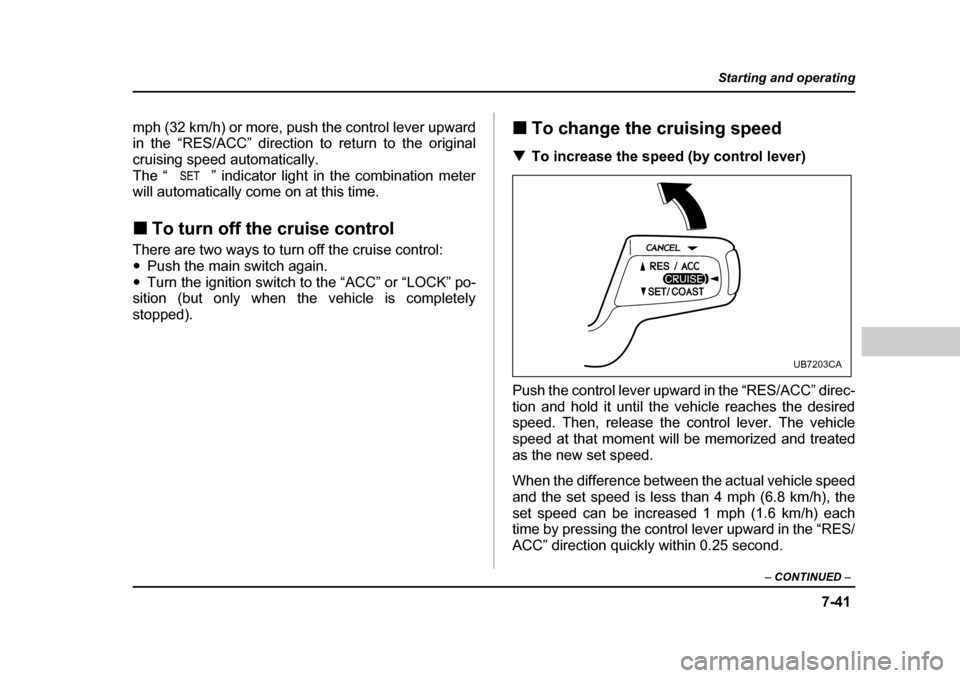
T To increase the speed (by control lever)
Push the control lever upward in the “RES/ACC” direc-
tion and hold it until the vehicle reaches the desired
speed. Then, release the control lever. The vehicle
speed at that moment will be memorized and treated
as the new set speed.
When the difference between the actual vehicle speed
and the set speed is less than 4 mph (6.8 km/h), the
set speed can be increased 1 mph (1.6 km/h) each
time by pressing the control lever upward in the “RES/
ACC” direction quickly within 0.25 second.
UB7203CA
Page 328 of 477
8-27
Driving tips
– CONTINUED –
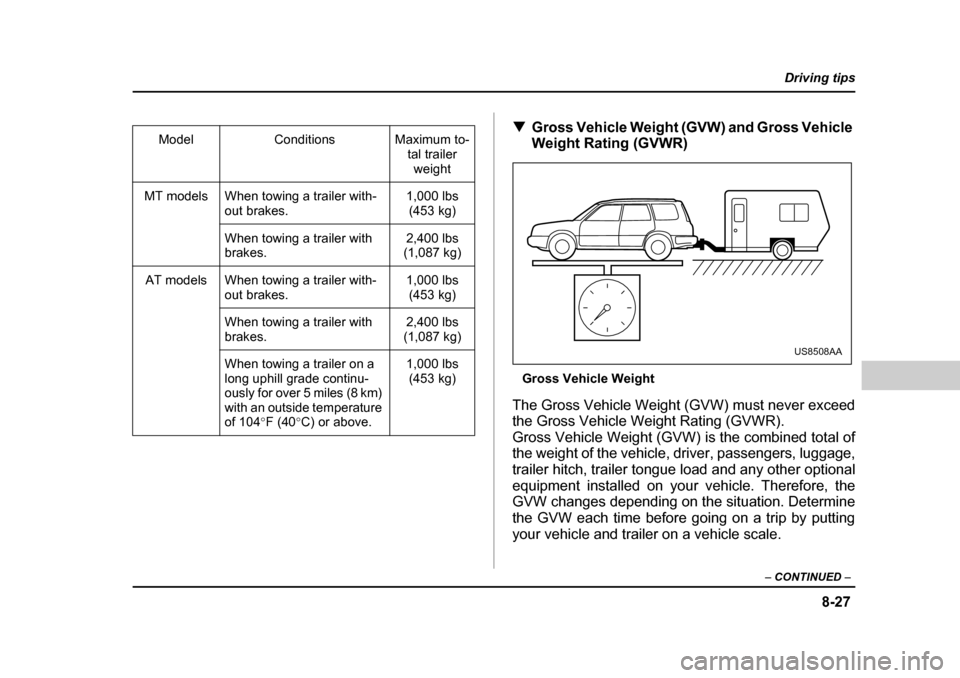
TGross Vehicle Weight (GVW) and Gross Vehicle
Weight Rating (GVWR)
Gross Vehicle Weight
The Gross Vehicle Weight (GVW) must never exceed
the Gross Vehicle Weight Rating (GVWR).
Gross Vehicle Weight (GVW) is the combined total of
the weight of the vehicle, driver, passengers, luggage,
trailer hitch, trailer tongue load and any other optional
equipment installed on your vehicle. Therefore, the
GVW changes depending on the situation. Determine
the GVW each time before going on a trip by putting
your vehicle and trailer on a vehicle scale.
Model Conditions Maximum to-
tal trailer weight
MT models When towing a trailer with- out brakes. 1,000 lbs
(453 kg)
When towing a trailer with
brakes. 2,400 lbs
(1,087 kg)
AT models When towing a trailer with- out brakes. 1,000 lbs
(453 kg)
When towing a trailer with
brakes. 2,400 lbs
(1,087 kg)
When towing a trailer on a
long uphill grade continu-
ously for over 5 miles (8 km)
with an outside temperature
of 104 °F (40 °C) or above. 1,000 lbs
(453 kg)
US8508AA