Page 38 of 250
Downloaded from www.Manualslib.com manuals search engine
NU761_2_G1-FRA.qxd 10/11/05 15:53 Page 1.28
1.28
METHODS OF RESTRAINT IN ADDITION TO THE FRONT SEAT BELTS (continued)All of the warnings below are given so that the airbag is not obstructed\
in any way when it is inflated and also to prevent
the risk of serious injuries caused by items which may be dislodged when\
the airbag inflates.Warnings concerning the driver’s airbag
Do not modify the steering wheel or the steering wheel boss.
Do not cover the steering wheel boss.
Do not attach any objects (badge, clock, telephone holder, etc.) to the steering wheel boss.
The steering wheel must not be removed (except by qualified personnel\
from the RENAULT Network).
When driving, do not sit too close to the steering wheel. Sit with your \
arms slightly bent (see the information on “Adjusting your driving position” in Section 1). This will allow \
sufficient space for the airbag to deploy correctly and
be fully effective.
Warnings concerning the passenger airbag
Do not attach or glue any objects (badge, logo, clock, telephone holder\
, etc.) to the dashboard in the proximity of the airbag housing.
Do not place anything between the dashboard and the passenger (pet, umb\
rella, walking stick, parcels, etc.).
The passenger must not put his or her feet on the dashboard or seat as t\
here is a risk that serious injuries may be sustained. In general, parts of the body should be kept away from the da\
shboard (knees, hands, head etc.)
The passenger airbags should be reactivated as soon as the child seat is\
removed, to ensure the protection of the front passenger in the event of an impact.
A REAR-FACING CHILD/BABY SEAT MUST NOT BE FITTED TO THE FRONT PASSENGER \
SEAT UNLESS THE
ADDITIONAL RESTRAINT SYSTEMS, I.E. THE PASSENGER AIRBAG, ARE DEACTIVATED\
. (Refer to the information
on “deactivating the front passenger airbags” in Section 1.)
Warnings concerning the anti-submarining airbag
When triggered, the anti-submarining airbag could project objects left o\
n the seat cushion with some force.
NU761_2_G1-ENG.qxp 1/6/2006 12:23 PM Page 1.28 (Black plate)
Page 53 of 250
Downloaded from www.Manualslib.com manuals search engine
1
NU761_2_G1-FRA.qxd 10/11/05 15:53 Page 1.43
1.43
For safety reasons, only
adjust the steering wheel
when the vehicle is
stationary.
STEERING WHEEL
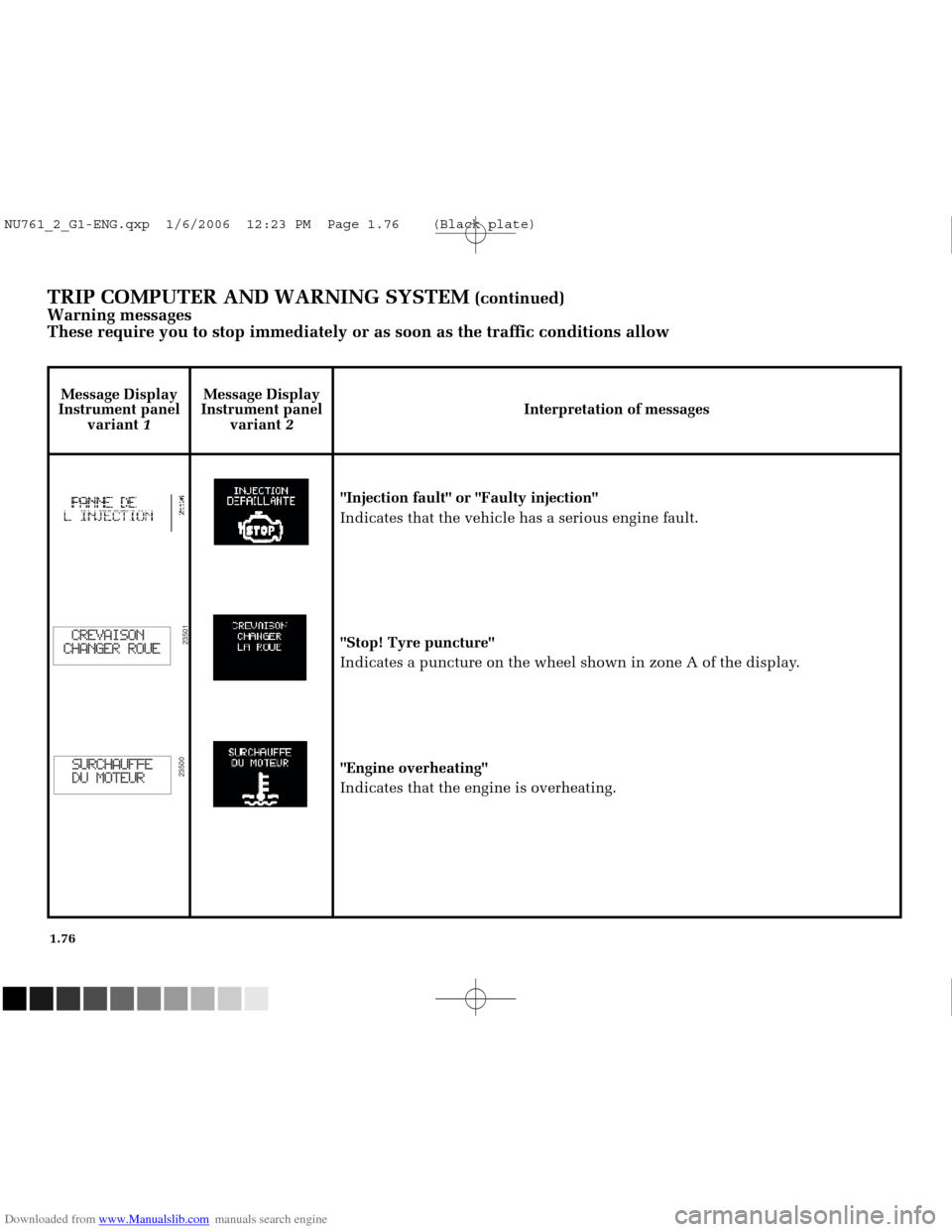
Height and depth adjustment
Pull lever 1and place the steering
wheel in the required position; push
the lever to lock the steering wheel
in place.
Never leave the steering wheel on
full lock when the vehicle is
stationary.
Never switch off the ignition when
travelling downhill, and avoid
doing so in general while driving,
as the power assisted steering and
brake servo will not function.
NU761_2_G1-ENG.qxp 1/6/2006 12:23 PM Page 1.43 (Black plate)
Page 55 of 250
Downloaded from www.Manualslib.com manuals search engine
NU761_2_G1-FRA.qxd 10/11/05 15:54 Page 1.45
1.45
DRIVER’S POSITION, LEFT-HAND DRIVE (continued)
The equipment fitted, described below, depends on the version, option an\
d country.
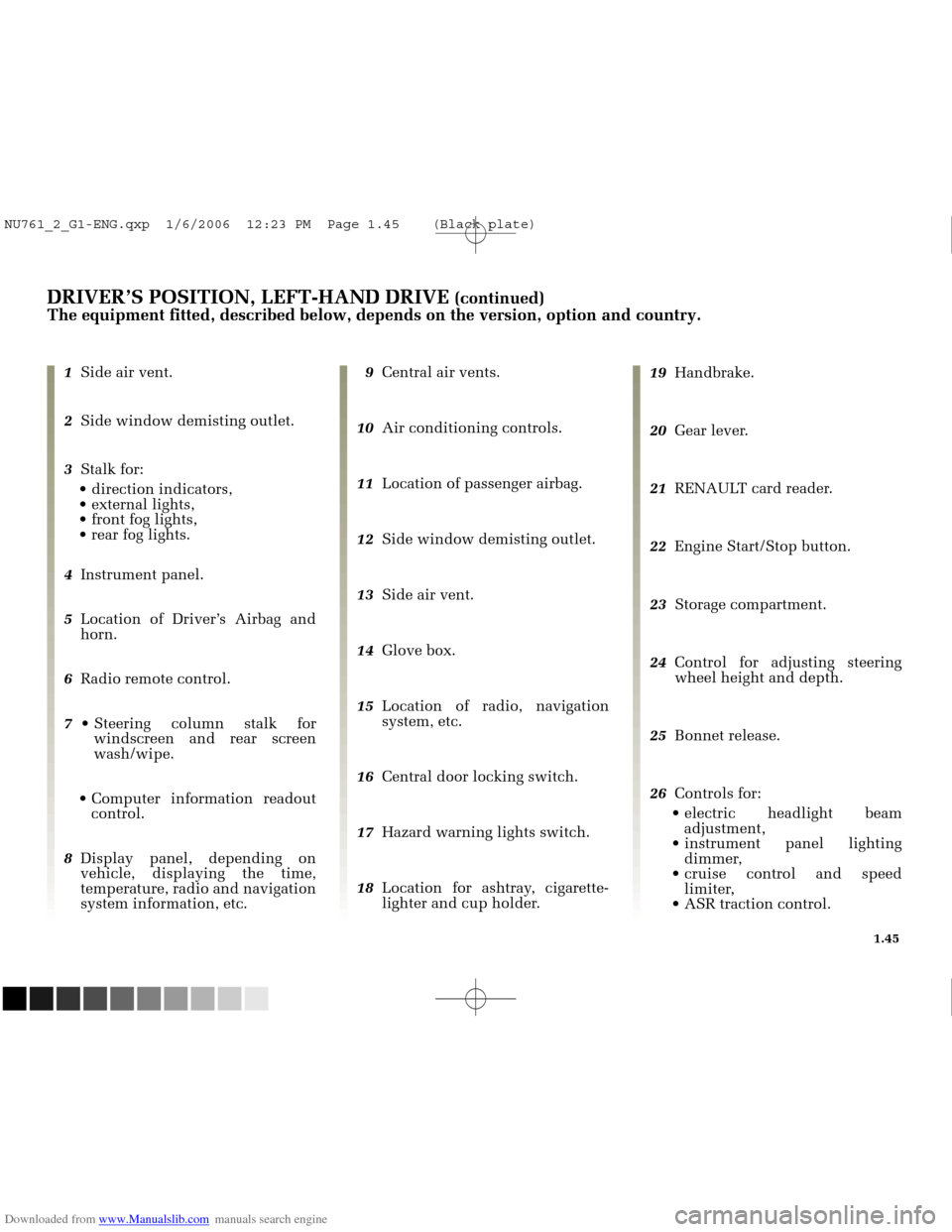
1 Side air vent.
2 Side window demisting outlet.
3 Stalk for:
direction indicators,
external lights,
front fog lights,
rear fog lights.
4 Instrument panel.
5 Location of Driver’s Airbag and
horn.
6 Radio remote control.
7 Steering column stalk for
windscreen and rear screen
wash/wipe.
Computer information readout control.
8 Display panel, depending on
vehicle, displaying the time,
temperature, radio and navigation
system information, etc. 9
Central air vents.
10 Air conditioning controls.
11 Location of passenger airbag.
12 Side window demisting outlet.
13 Side air vent.
14 Glove box.
15 Location of radio, navigation
system, etc.
16 Central door locking switch.
17 Hazard warning lights switch.
18 Location for ashtray, cigarette-
lighter and cup holder. 19
Handbrake.
20 Gear lever.
21 RENAULT card reader.
22 Engine Start/Stop button.
23 Storage compartment.
24 Control for adjusting steering
wheel height and depth.
25 Bonnet release.
26 Controls for:
electric headlight beam adjustment,
instrument panel lighting dimmer,
cruise control and speed limiter,
ASR traction control.
NU761_2_G1-ENG.qxp 1/6/2006 12:23 PM Page 1.45 (Black plate)
Page 57 of 250
Downloaded from www.Manualslib.com manuals search engine
NU761_2_G1-FRA.qxd 10/11/05 15:54 Page 1.47
1.47
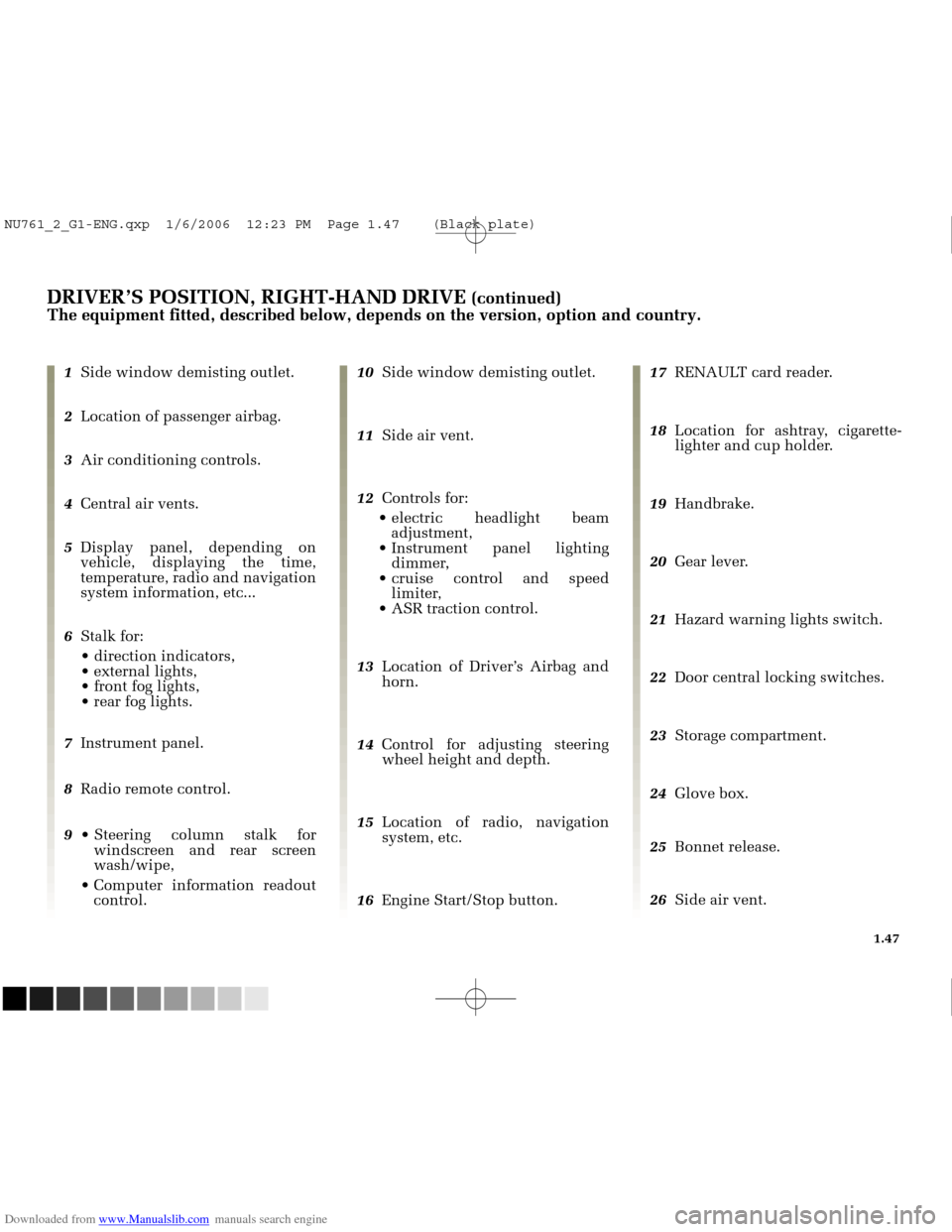
DRIVER’S POSITION, RIGHT-HAND DRIVE (continued)
The equipment fitted, described below, depends on the version, option an\
d country.
1 Side window demisting outlet.
2 Location of passenger airbag.
3 Air conditioning controls.
4 Central air vents.
5 Display panel, depending on
vehicle, displaying the time,
temperature, radio and navigation
system information, etc...
6 Stalk for:
direction indicators,
external lights,
front fog lights,
rear fog lights.
7 Instrument panel.
8 Radio remote control.
9 Steering column stalk for
windscreen and rear screen
wash/wipe,
Computer information readout control. 10
Side window demisting outlet.
11 Side air vent.
12 Controls for:
electric headlight beam adjustment,
Instrument panel lighting dimmer,
cruise control and speed limiter,
ASR traction control.
13 Location of Driver’s Airbag and
horn.
14 Control for adjusting steering
wheel height and depth.
15 Location of radio, navigation
system, etc.
16 Engine Start/Stop button. 17
RENAULT card reader.
18 Location for ashtray, cigarette-
lighter and cup holder.
19 Handbrake.
20 Gear lever.
21 Hazard warning lights switch.
22 Door central locking switches.
23 Storage compartment.
24 Glove box.
25 Bonnet release.
26 Side air vent.
NU761_2_G1-ENG.qxp 1/6/2006 12:23 PM Page 1.47 (Black plate)
Page 84 of 250
Downloaded from www.Manualslib.com manuals search engine
23511
NU761_2_G1-FRA.qxd 10/11/05 15:54 Page 1.74
1.74
TRIP COMPUTER AND WARNING SYSTEM (continued)
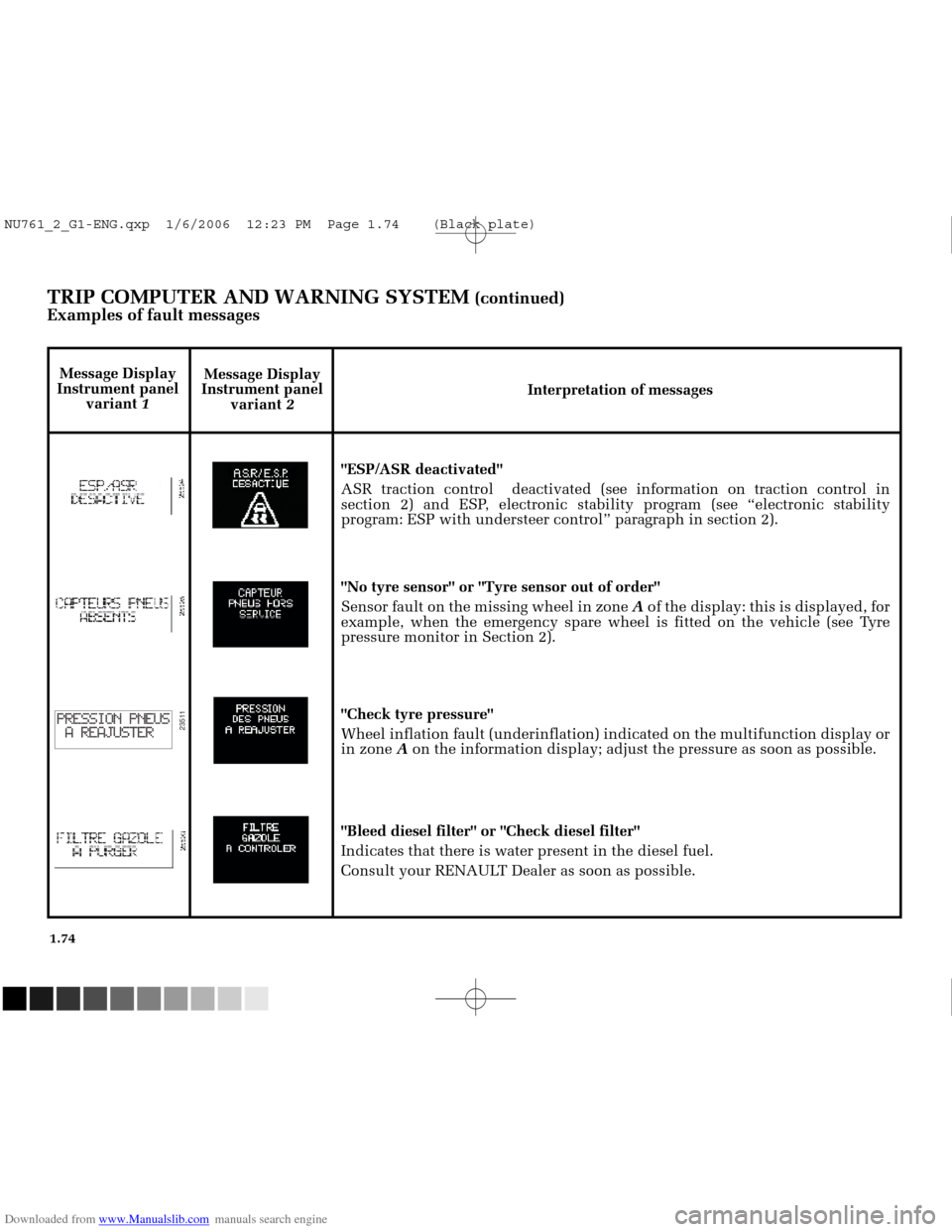
Examples of fault messages
Message Display
Instrument panel variant 2 Interpretation of messages
"ESP/ASR deactivated"
ASR traction control deactivated (see information on traction control \
in
section 2) and ESP, electronic stability program (see “electronic stability
program: ESP with understeer control” paragraph in section 2).
"No tyre sensor" or "Tyre sensor out of order"
Sensor fault on the missing wheel in zone Aof the display: this is displayed, for
example, when the emergency spare wheel is fitted on the vehicle (see T\
yre
pressure monitor in Section 2).
"Check tyre pressure"
Wheel inflation fault (underinflation) indicated on the multifunction \
display or
in zone Aon the information display; adjust the pressure as soon as possible.
"Bleed diesel filter" or "Check diesel filter"
Indicates that there is water present in the diesel fuel.
Consult your RENAULT Dealer as soon as possible.
Message Display
Instrument panel variant 1
NU761_2_G1-ENG.qxp 1/6/2006 12:23 PM Page 1.74 (Black plate)
Page 86 of 250
Downloaded from www.Manualslib.com manuals search engine
23501
23500
NU761_2_G1-FRA.qxd 10/11/05 15:54 Page 1.76
1.76
TRIP COMPUTER AND WARNING SYSTEM (continued)
Warning messages
These require you to stop immediately or as soon as the traffic conditio\
ns allow
Message Display
Instrument panel variant 1 Message Display
Instrument panel variant 2 Interpretation of messages
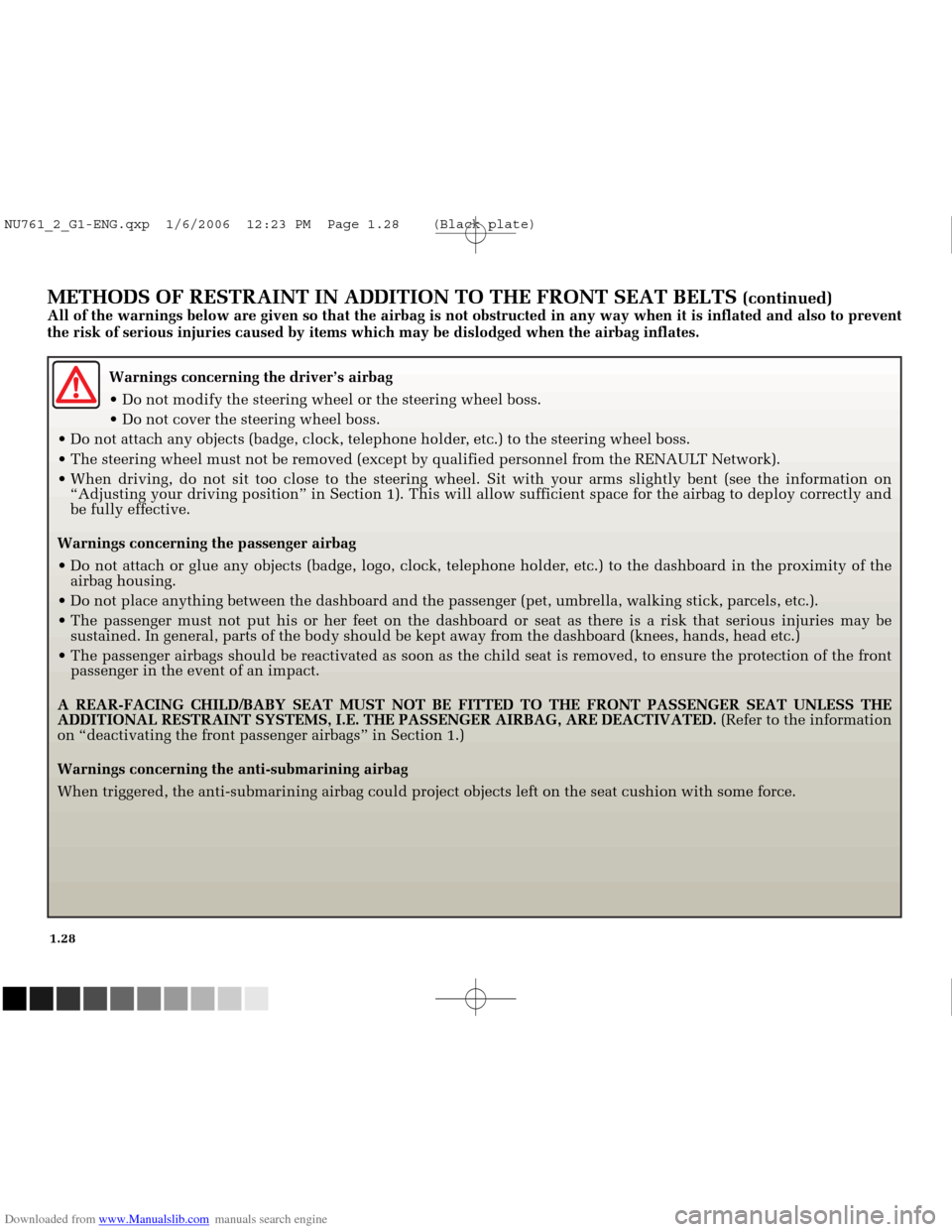
"Injection fault" or "Faulty injection"
Indicates that the vehicle has a serious engine fault.
"Stop! Tyre puncture"
Indicates a puncture on the wheel shown in zone A of the display.
"Engine overheating"
Indicates that the engine is overheating.
NU761_2_G1-ENG.qxp 1/6/2006 12:23 PM Page 1.76 (Black plate)
Page 91 of 250
Downloaded from www.Manualslib.com manuals search engine
1
2
0
NU761_2_G1-FRA.qxd 10/11/05 15:55 Page 1.81
1.81
THE HORN AND HAZARD LIGHTS
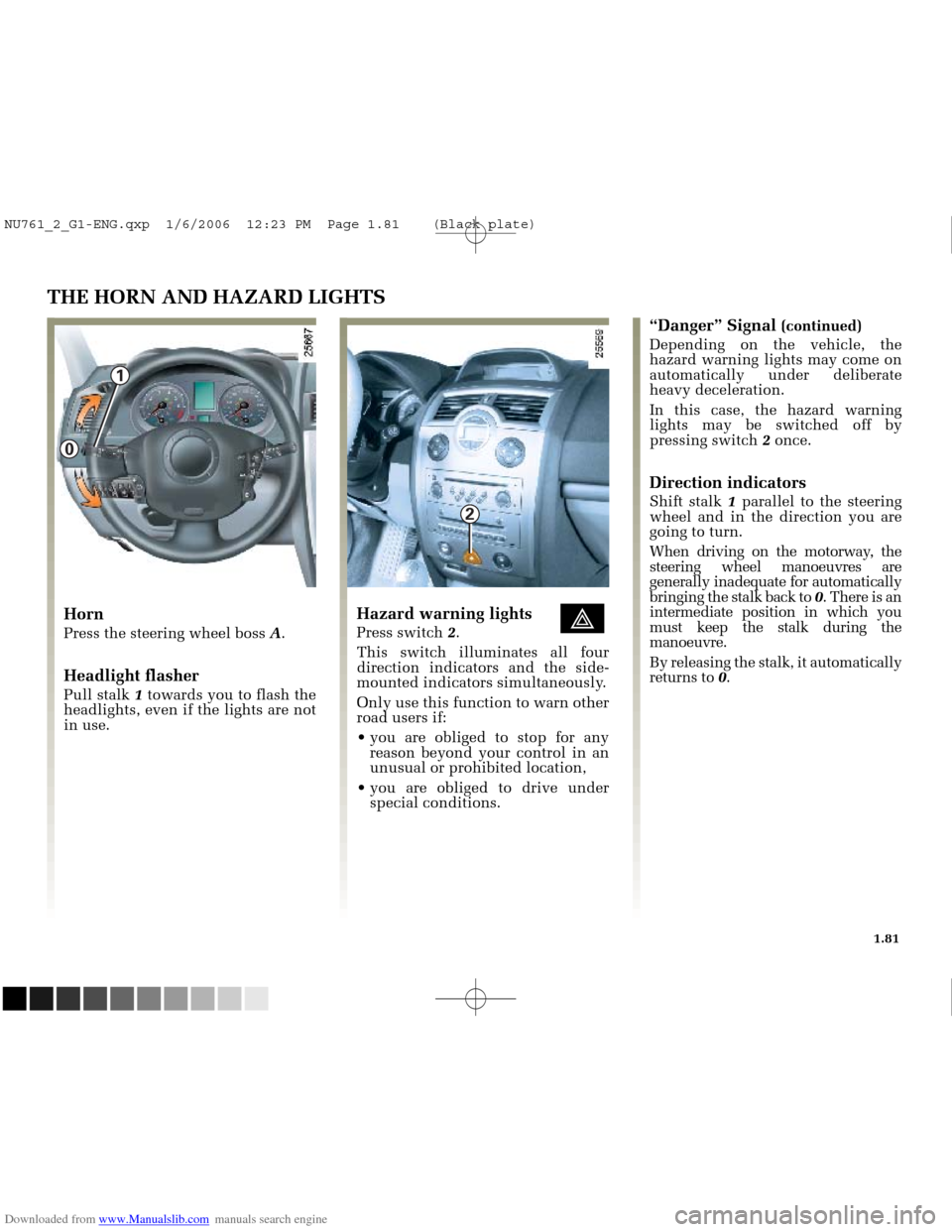
Horn
Press the steering wheel boss A.
Headlight flasher
Pull stalk 1towards you to flash the
headlights, even if the lights are not
in use.
Hazard warning lights éPress switch 2.
This switch illuminates all four
direction indicators and the side-
mounted indicators simultaneously.
Only use this function to warn other
road users if:
you are obliged to stop for any reason beyond your control in an
unusual or prohibited location,
you are obliged to drive under special conditions.
“Danger” Signal (continued)
Depending on the vehicle, the
hazard warning lights may come on
automatically under deliberate
heavy deceleration.
In this case, the hazard warning
lights may be switched off by
pressing switch 2once.
Direction indicators
Shift stalk 1parallel to the steering
wheel and in the direction you are
going to turn.
When driving on the motorway, the
steering wheel manoeuvres are
generally inadequate for automatically
bringing the stalk back to 0. There is an
intermediate position in which you
must keep the stalk during the
manoeuvre.
By releasing the stalk, it automatically
returns to 0.
NU761_2_G1-ENG.qxp 1/6/2006 12:23 PM Page 1.81 (Black plate)
Page 103 of 250
Downloaded from www.Manualslib.com manuals search engine
1
2
3
4
NU761_2_G2-FRA.qxd 4/11/05 10:48 Page 2.03
STARTING THE ENGINE
Special features of vehicles with an
automatic transmission
Depress the brake pedal with the
lever in the Nor Pposition.
Note:
- if any one of the starting conditions is not applied, the message “brake
+ start” is displayed on the
instrument panel.
- in some cases it will be necessary to move the steering wheel while
pressing Start button 3to assist in
unlocking the steering column; a
message on the instrument panel
“Steering not unlocked” warns of
this.
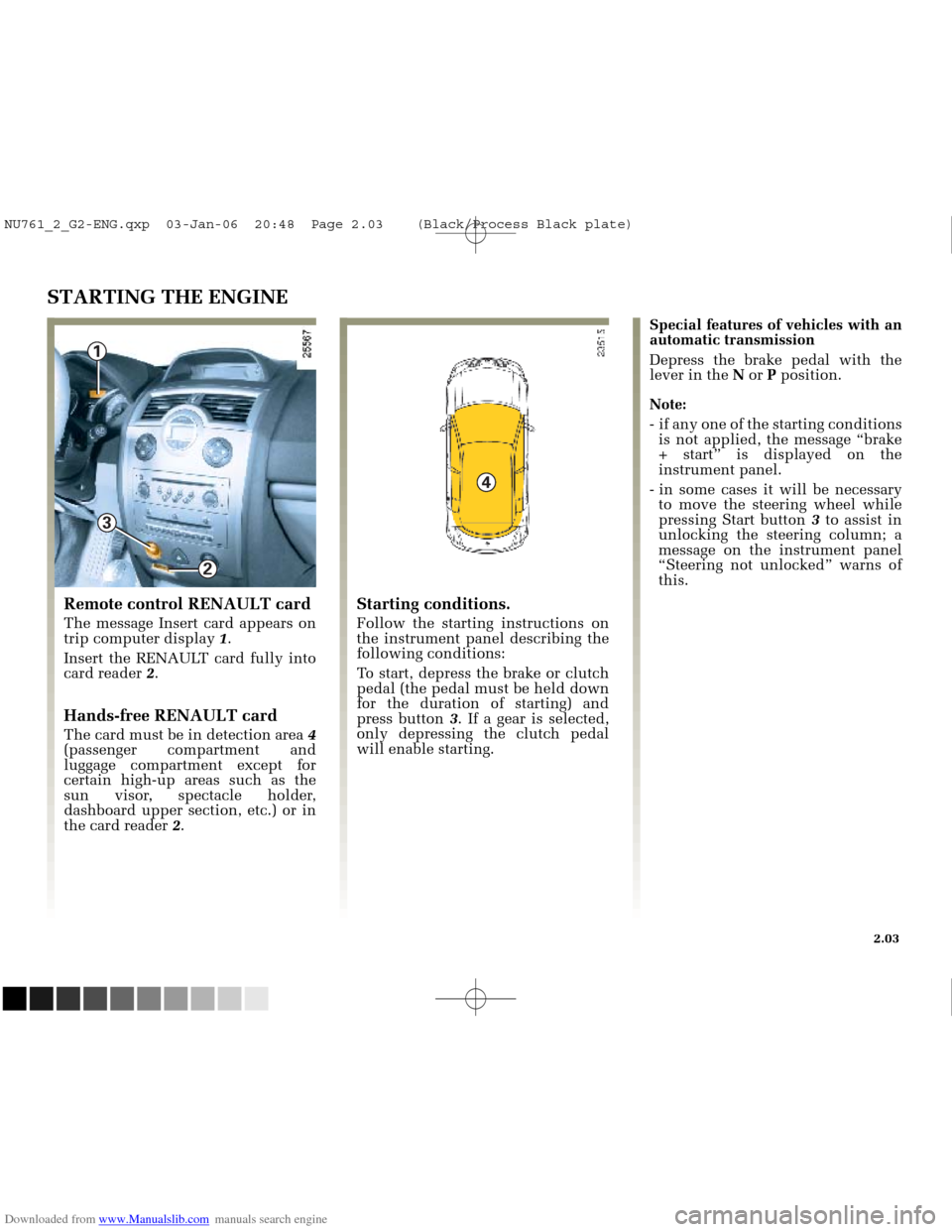
Remote control RENAULT card
The message Insert card appears on
trip computer display 1.
Insert the RENAULT card fully into
card reader 2.
Hands-free RENAULT card
The card must be in detection area 4
(passenger compartment and
luggage compartment except for
certain high-up areas such as the
sun visor, spectacle holder,
dashboard upper section, etc.) or in
the card reader 2.
Starting conditions.
Follow the starting instructions on
the instrument panel describing the
following conditions:
To start, depress the brake or clutch
pedal (the pedal must be held down
for the duration of starting) and
press button 3. If a gear is selected,
only depressing the clutch pedal
will enable starting.
2.03
NU761_2_G2-ENG.qxp 03-Jan-06 20:48 Page 2.03 (Black/Process Black\
plate)