2005 MITSUBISHI 380 diagnostic
[x] Cancel search: diagnosticPage 306 of 1500
SYMPTOM PROCEDURES
SIMPLIFIED WIRING SYSTEM (SWS)54B-306
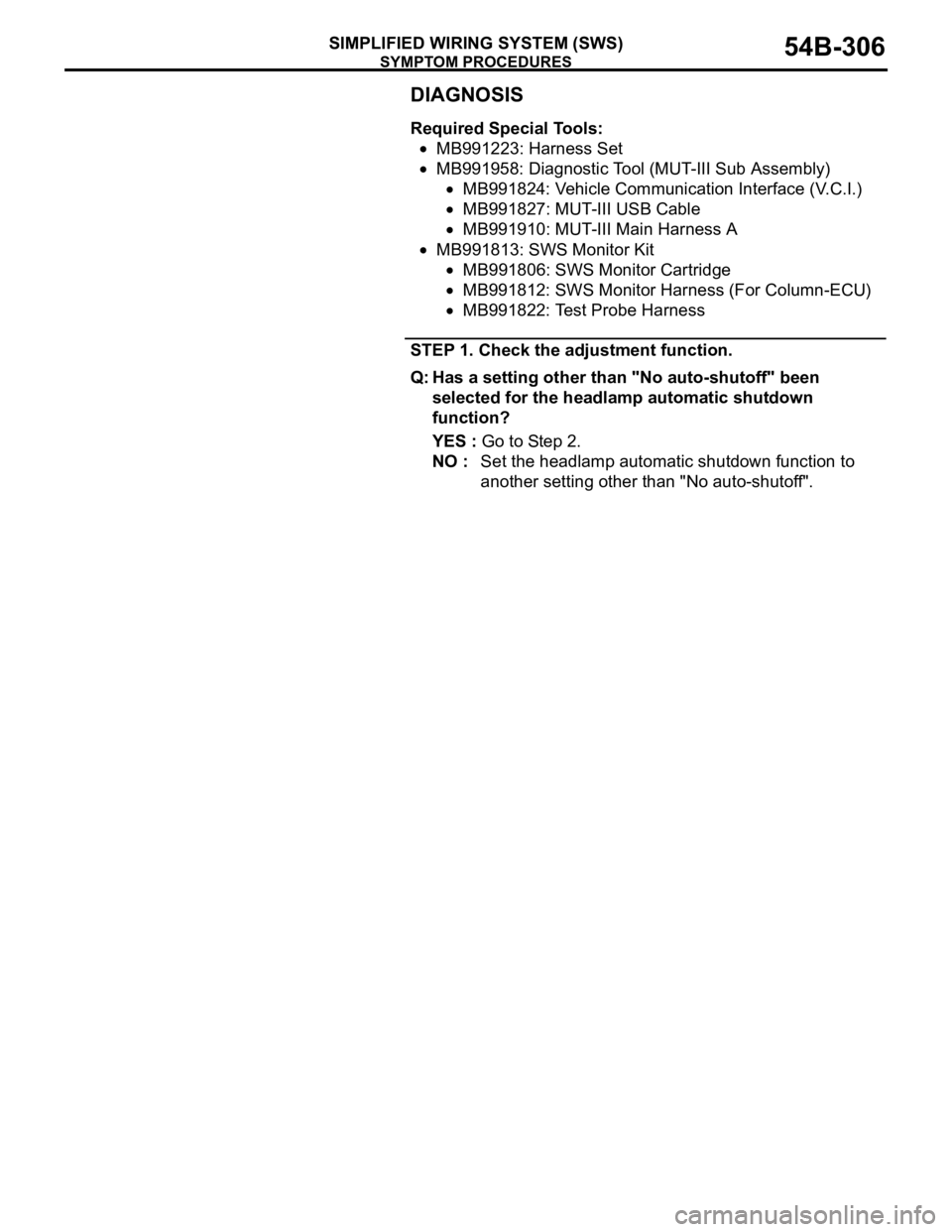
DIAGNOSIS
Required Special Tools:
MB991223: Harness Set
MB991958: Diagnostic Tool (MUT-III Sub Assembly)
MB991824: Vehicle Communication Interface (V.C.I.)
MB991827: MUT-III USB Cable
MB991910: MUT-III Main Harness A
MB991813: SWS Monitor Kit
MB991806: SWS Monitor Cartridge
MB991812: SWS Monitor Harness (For Column-ECU)
MB991822: Test Probe Harness
STEP 1. Check the adjustment function.
Q: Has a setting other than "No auto-shutoff" been
selected for the headlamp automatic shutdown
function?
YES : Go to Step 2.
NO : Set the headlamp automatic shutdown function to
another setting other than "No auto-shutoff".
Page 307 of 1500

SYMPTOM PROCEDURES
SIMPLIFIED WIRING SYSTEM (SWS)54B-307
STEP 2. Check the input signal by using "DATA LIST"
menu of the SWS monitor.
Check the input signals from the following switches:
Ignition switch: "ON" to "OFF"
Lighting switch: "TAIL" or "HEAD"
To prevent damage to Diagnostic Tool MB991958, always
turn the ignition switch to the "LOCK" (OFF) position
before connecting or disconnecting Diagnostic Tool
MB991958. Connect special tool MB991910 before con-
necting special tool MB991812. Be sure to connect special
tool MB991806 after turning on special tool MB991824.
(1) Connect the special tool. Refer to "How to connect SWS
monitor P.54B-13."
(2) Turn the ignition switch to the "LOCK" (OFF) position.
(3) Operate Diagnostic Tool MB991958 according to the
procedure below to display "H/L AUTO-CUT."
a. Select "Interactive Diagnosis."
b. Select "System select."
c. Select "SWS."
d. Select "SWS MONITOR."
e. Select "Function Diag."
f. Select "LIGHTING."
g. Select "H/L AUTO-CUT."
(4) Check that normal conditions are displayed for the items
described in the table below.
(5) When the driver's door is opened, check that normal
conditions are displayed for the items described in the table
below.
Q: Does the Diagnostic Tool MB991958 display the items
"TAILLAMP SW", "IG SW IG1", "FRONT DOOR SW" and
"H/L AUTO-CUT" as normal condition?
Normal conditions are displayed for all the items :
Replace the front-ECU. Verify that the headlamp
automatic shutdown function works normally.
Normal condition is not displayed for "TAILLAMP SW" :
Refer to Inspection Procedure M-5 "ETACS-ECU
does not receive any signal from the taillamp switch
P.54B-420."
Normal condition is not displayed for "IG SW (IG1)" :
Refer to Inspection Procedure M-2 "ETACS-ECU
does not receive any signal from the ignition switch ITEM NO. ITEM NAME NORMAL CONDITION
ITEM 01 TAILLAMP SW ON
ITEM 30 IG SW (IG1) OFF
ITEM NO. ITEM NAME NORMAL CONDITION
ITEM 32 FRONT DOOR SW ON
ITEM 35 H/L AUTO-CUT ON
Page 310 of 1500

SYMPTOM PROCEDURES
SIMPLIFIED WIRING SYSTEM (SWS)54B-310
INSPECTION PROCEDURE I-1: Flasher Timer: Turn-signal lamps do not flash when the turn-signal
lamp switch is turned on.
NOTE: This troubleshooting procedure requires the
use of Diagnostic Tool MB991958 and SWS monitor
kit MB991813. For details on how to use the SWS
monitor, refer to "How to connect SWS monitor
P.54B-13."
.
CIRCUIT OPERATION
The turn-signal lamp switch sends a signal
through the column-ECU (incorporated in the col-
umn switch) to the ETACS-ECU. If the col-
umn-ECU sends a turn-signal lamp switch "ON"
signal to the ETACS-ECU, the ETACS-ECU turns
on the flasher timer (incorporated in the
ETACS-ECU), thus causing the turn-signal lamps
to flash.
The ETACS-ECU operates the turn-signal lamps
according to the following signals:
Ignition switch (IG1): ON
Turn-signal lamp switch: ON
The ETACS-ECU flashes the turn-signal lamps
under the following conditions:
Ignition key: "ON" position
Turn-signal lamp switch: Left or right turn-sig-
nal position
.
TECHNICAL DESCRIPTION (COMMENT)
If the turn-signal lamps do not flash normally, the
input circuits from the switches described in "CIR-
CUIT OPERATION" or the ETACS-ECU may be
defective. If the hazard warning lamps do not flash,
the power supply line to the ETACS-ECU (dedicated
to the turn-signal lamps) may be defective.
.
TROUBLESHOOTING HINTS
Refer to circuit diagrams GROUP-90
Refer to configuration diagrams GROUP-80
Trouble in input signal system
The wiring harness or connectors may have
loose, corroded, or damaged terminals, or termi-
nals pushed back in the connector
The ETACS-ECU may be defective
DIAGNOSIS
Required Special Tools:
MB991223: Harness Set
MB991958: Diagnostic Tool (MUT-III Sub Assembly)
MB991824: Vehicle Communication Interface (V.C.I.)
MB991827: MUT-III USB Cable
MB991910: MUT-III Main Harness A
MB991813: SWS Monitor Kit
MB991806: SWS Monitor Cartridge
MB991812: SWS Monitor Harness (For Column-ECU)
MB991822: Test Probe Harness
STEP 1. Check the hazard warning lamp.
Q: Do the hazard warning lamps work normally?
YES : Go to Step 7.
NO : Go to Step 2.
Page 313 of 1500

SYMPTOM PROCEDURES
SIMPLIFIED WIRING SYSTEM (SWS)54B-313
STEP 7. Check the input signal by using "FUNCTION
DIAG." menu of the SWS monitor.
Check the input signals from the following switches:
Ignition switch: ON
Turn-signal lamp switch: RH
To prevent damage to Diagnostic Tool MB991958, always
turn the ignition switch to the "LOCK" (OFF) position
before connecting or disconnecting Diagnostic Tool
MB991958. Connect special tool MB991910 before con-
necting special tool MB991812. Be sure to connect special
tool MB991806 after turning on special tool MB991824.
(1) Connect the special tool. Refer to "How to connect SWS
monitor P.54B-13."
(2) Turn the ignition switch to the "LOCK" (OFF) position.
(3) Operate Diagnostic Tool MB991958 according to the
procedure below to display "TURN SIG.RH."
a. Select "Interactive Diagnosis."
b. Select "System select."
c. Select "SWS."
d. Select "SWS MONITOR."
e. Select "Function Diag."
f. Select "TURN SIGNAL."
g. Select "TURN SIG.RH."
(4) Check that normal conditions are displayed for the items
described in the table below.
Q: Does the Diagnostic Tool MB991958 display the items
"T/S RH SW" and "IG SW (IG1)" as normal condition?
Normal conditions are displayed for all the items : Go to
St e p 8 .
Normal condition is not displayed for "T/S RH SW" :
Refer to Inspection Procedure M-5 "ETACS-ECU
does not receive any signal from the turn-signal lamp
switch P.54B-420."
Normal condition is not displayed for "IG SW (IG1)" :
Refer to Inspection Procedure M-2 "ETACS-ECU
does not receive any signal from the ignition switch
(IG1) P.54B-408." ITEM NO. ITEM NAME NORMAL CONDITION
ITEM 10 T/S RH SW ON
ITEM 30 IG SW (IG1) ON
Page 314 of 1500

SYMPTOM PROCEDURES
SIMPLIFIED WIRING SYSTEM (SWS)54B-314
STEP 8. Check the input signal by using "FUNCTION
DIAG." menu of the SWS monitor.
If the Ignition switch is turned to the "ON" position and the
turn-signal lamp switch (LH) is turned on, normal conditions
should be displayed for the items described in the table below.
(1) Operate Diagnostic Tool MB991958 according to the
procedure below to display "TURN SIG.LH."
a. Select "Interactive Diagnosis."
b. Select "System select."
c. Select "SWS."
d. Select "SWS MONITOR."
e. Select "Function Diag."
f. Select "TURN SIGNAL."
g. Select "TURN SIG.LH."
(2) Check that normal conditions are displayed for the item
described in the table below.
Q: Do the Diagnostic Tool display the item "T/S LH SW" as
normal condition?
YES : Replace the ETACS-ECU. Verify that the turn-signal
lamps illuminate normally.
NO : Refer to Inspection Procedure M-5 "ETACS-ECU
does not receive any signal from the turn-signal lamp
switch P.54B-420."
INSPECTION PROCEDURE I-2: Flasher Timer: Hazard warning lamps do not flash when the hazard
warning lamp switch is turned on.
.
CIRCUIT OPERATION
If the ETACS-ECU receives "ON" signal from the
hazard warning lamp switch, the ETACS-ECU turns
on the flasher timer (incorporated in the
ETACS-ECU), thus causing the turn-signal lamps to
flash.
.
TECHNICAL DESCRIPTION (COMMENT)
If the hazard warning lamps do not flash, the power
supply line to the ETACS-ECU (dedicated to the
turn-signal lamps) or the ETACS-ECU may be defec-
tive.
.
TROUBLESHOOTING HINTS
Refer to circuit diagrams GROUP-90
Refer to configuration diagrams GROUP-80
Trouble in input signal system
The wiring harness or connectors may have
loose, corroded, or damaged terminals, or termi-
nals pushed back in the connector
The ETACS-ECU may be defective ITEM No. ITEM NAME NORMAL CONDITION
ITEM 11 T/S LH SW ON
Page 315 of 1500

SYMPTOM PROCEDURES
SIMPLIFIED WIRING SYSTEM (SWS)54B-315
DIAGNOSIS
Required Special Tools:
MB991223: Harness Set
MB991958: Diagnostic Tool (MUT-III Sub Assembly)
MB991824: Vehicle Communication Interface (V.C.I.)
MB991827: MUT-III USB Cable
MB991910: MUT-III Main Harness A
STEP 1. Check the turn-signal lamps.
Q: Do the turn-signal lamps illuminate normally?
YES : Go to Step 2.
NO : Refer to Inspection Procedure I-1 "Turn-signal lamps
do not flash when the turn-signal lamp switch is
turned on P.54B-310."
STEP 2. Check the input signal (by using the pulse check
mode of the monitor).
Check input signal from the hazard warning lamp switch.
To prevent damage to Diagnostic Tool MB991958, always
turn the ignition switch to the "LOCK" (OFF) position
before connecting or disconnecting Diagnostic Tool
MB991958.
(1) Connect the special tool. Refer to "How to connect SWS
monitor P.54B-13."
(2) Operate Diagnostic Tool MB991958 according to the
procedure below to display "Pulse check."
a. Select "Interactive Diagnosis."
b. Select "System select."
c. Select "SWS."
d. Select "Pulse Checking."
(3) Check that Diagnostic Tool MB991958 sounds when the
hazard warning lamp switch is turned from "OFF" to "ON."
Q: Does Diagnostic Tool MB991958 sound when the hazard
warning lamp switch is turned from "OFF" to "ON"?
YES : Replace the ETACS-ECU. Verify that the hazard
warning lamps illuminate normally.
NO : Refer to Inspection Procedure N-2 "ETACS-ECU
does not receive any signal from the hazard warning
lamp switch P.54B-436."
Page 335 of 1500

SYMPTOM PROCEDURES
SIMPLIFIED WIRING SYSTEM (SWS)54B-335
NOTE: Also check junction block connector C-204 for loose,
corroded, or damaged terminals, or terminals pushed back in
the connector. If junction block connector C-204 is damaged,
repair or replace the damaged component(s) as described in
GROUP 00E, Harness Connector Inspection P.00E-2.
Q: Is the wiring harness between rear combination lamp
(RH) connector F-03 (terminal 5) and ETACS-ECU
connector C-219 (terminal 9) in good condition?
YES : Replace the rear combination lamp socket assembly
(RH). Verify that the turn-signal lamps illuminate
normally.
NO : The wiring harness may be damaged or the
connector(s) may have loose, corroded or damaged
terminals, or terminals pushed back in the connector.
Repair the wiring harness as necessary. Verify that
the turn-signal lamps illuminate normally.
INSPECTION PROCEDURE I-4: The turn-signal lamp indicator does not illuminate normally.
NOTE: This troubleshooting procedure requires the
use of Diagnostic Tool MB991958 and SWS monitor
kit MB991813. For details on how to use the SWS
monitor, refer to "How to connect SWS monitor
P.54B-13."
.
CIRCUIT OPERATION
At the same time that the turn-signal lamps are illu-
minated, the ETACS-ECU sends a signal to illumi-
nate the turn-signal lamp indicator via the CAN bus
line.
.
TECHNICAL DESCRIPTION (COMMENT)
If the turn-signal indicator does not illuminate nor-
mally, connector(s), wiring harness in the CAN bus
lines, the ETACS-ECU or the combination meter may
be defective.
.
TROUBLESHOOTING HINTS
Refer to circuit diagrams GROUP-90
Refer to configuration diagrams GROUP-80
The wiring harness or connectors may have
loose, corroded, or damaged terminals, or termi-
nals pushed back in the connector
The combination meter may be defective
The ETACS-ECU may be defective
.
Page 336 of 1500

SYMPTOM PROCEDURES
SIMPLIFIED WIRING SYSTEM (SWS)54B-336
DIAGNOSIS
Required Special Tools:
MB991223: Harness Set
MB991958: Diagnostic Tool (MUT-III Sub Assembly)
MB991824: Vehicle Communication Interface (V.C.I.)
MB991827: MUT-III USB Cable
MB991910: MUT-III Main Harness A
MB991813: SWS Monitor Kit
MB991806: SWS Monitor Cartridge
MB991812: SWS Monitor Harness (For Column-ECU)
MB991822: Test Probe Harness
STEP 1. Check the turn-signal lamps.
When the column switch or the hazard warning lamp switch are
operated, check that the turn-signal lamps illuminate and go off
normally.
Q: Are the turn-signal lamps in good condition?
YES : Go to Step 2.
NO : First, repair the turn-signal lamp(s). Refer to
Inspection Procedure I-3 "One of the turn-signal
lamps does not illuminate P.54B-316."
STEP 2. Using Diagnostic Tool MB991958, diagnose the
CAN bus line.
To prevent damage to Diagnostic Tool MB991958, always
turn the ignition switch to the "LOCK" (OFF) position
before connecting or disconnecting Diagnostic Tool
MB991958.
(1) Connect Diagnostic Tool MB991958.Refer to "How to
connect SWS monitor P.54B-13."
(2) Turn the ignition switch to the "ON" position.
(3) Diagnose the CAN bus line.
(4) Turn the ignition switch to the "LOCK" (OFF) position.
Q: Is the CAN bus line found to be normal?
YES : Go to Step 3.
NO : Repair the CAN bus line (Refer to GROUP 54C,
Diagnosis P.54C-15).