Page 82 of 328
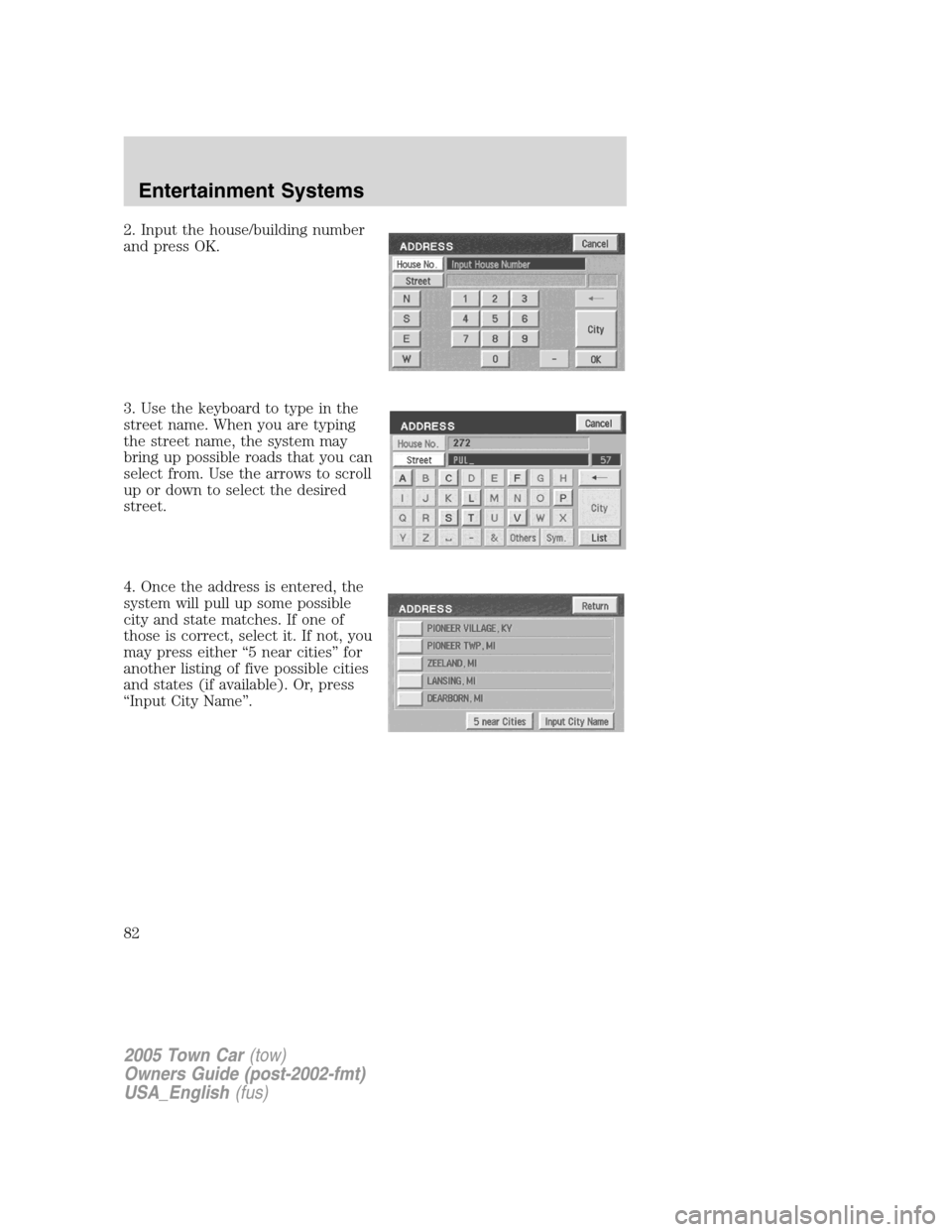
2. Input the house/building number
and press OK.
3. Use the keyboard to type in the
street name. When you are typing
the street name, the system may
bring up possible roads that you can
select from. Use the arrows to scroll
up or down to select the desired
street.
4. Once the address is entered, the
system will pull up some possible
city and state matches. If one of
those is correct, select it. If not, you
may press either “5 near cities” for
another listing of five possible cities
and states (if available). Or, press
“Input City Name”.
2005 Town Car(tow)
Owners Guide (post-2002-fmt)
USA_English(fus)
Entertainment Systems
82
Page 83 of 328
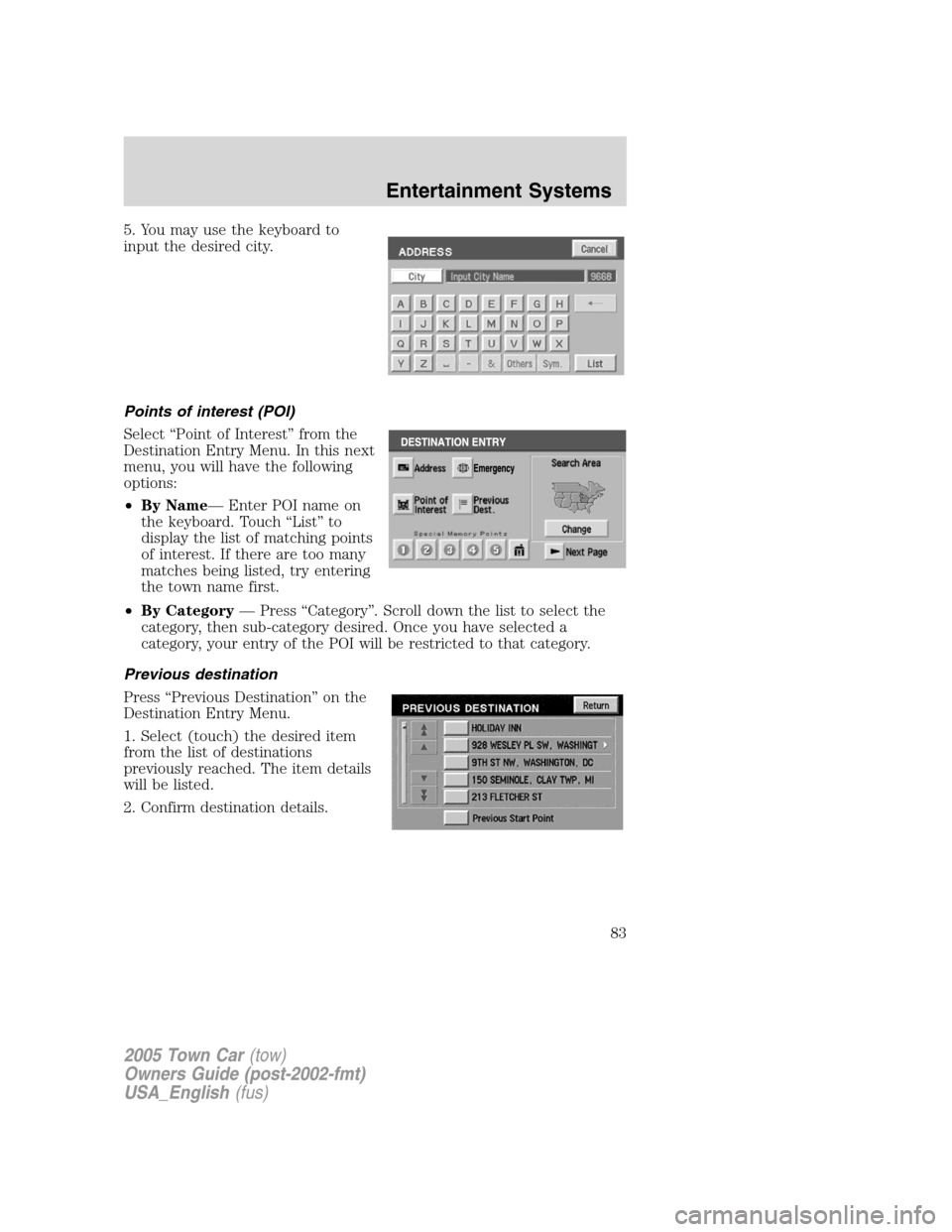
5. You may use the keyboard to
input the desired city.
Points of interest (POI)
Select “Point of Interest” from the
Destination Entry Menu. In this next
menu, you will have the following
options:
•By Name— Enter POI name on
the keyboard. Touch “List” to
display the list of matching points
of interest. If there are too many
matches being listed, try entering
the town name first.
•By Category— Press “Category”. Scroll down the list to select the
category, then sub-category desired. Once you have selected a
category, your entry of the POI will be restricted to that category.
Previous destination
Press “Previous Destination” on the
Destination Entry Menu.
1. Select (touch) the desired item
from the list of destinations
previously reached. The item details
will be listed.
2. Confirm destination details.
2005 Town Car(tow)
Owners Guide (post-2002-fmt)
USA_English(fus)
Entertainment Systems
83
Page 84 of 328
Deleting stored locations
Your navigation system allows you to delete any stored locations
(previous destinations, memory points, special memory points, home,
avoid areas, destination and way points, etc.) To delete any of these
stored locations:
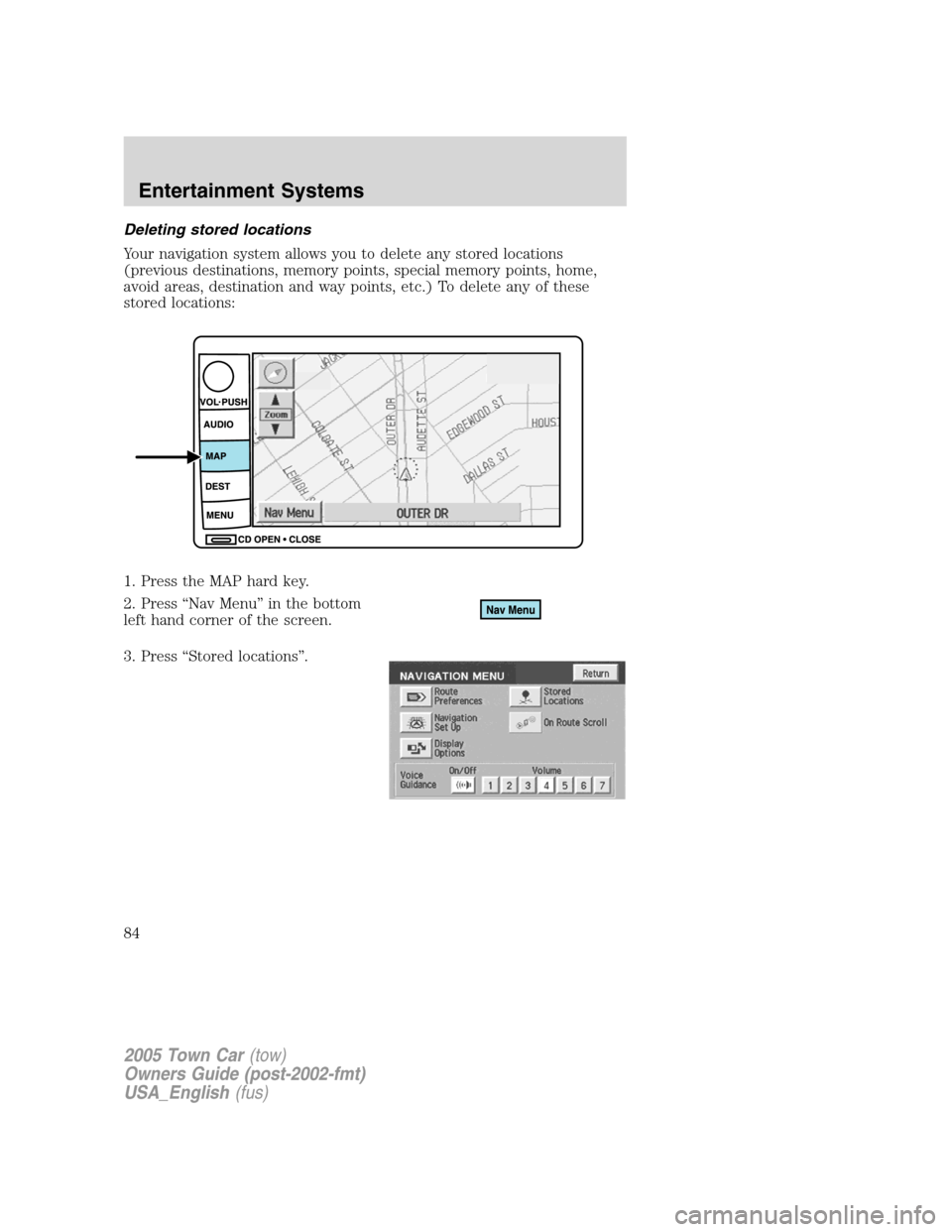
1. Press the MAP hard key.
2. Press “Nav Menu” in the bottom
left hand corner of the screen.
3. Press “Stored locations”.
2005 Town Car(tow)
Owners Guide (post-2002-fmt)
USA_English(fus)
Entertainment Systems
84
Page 87 of 328
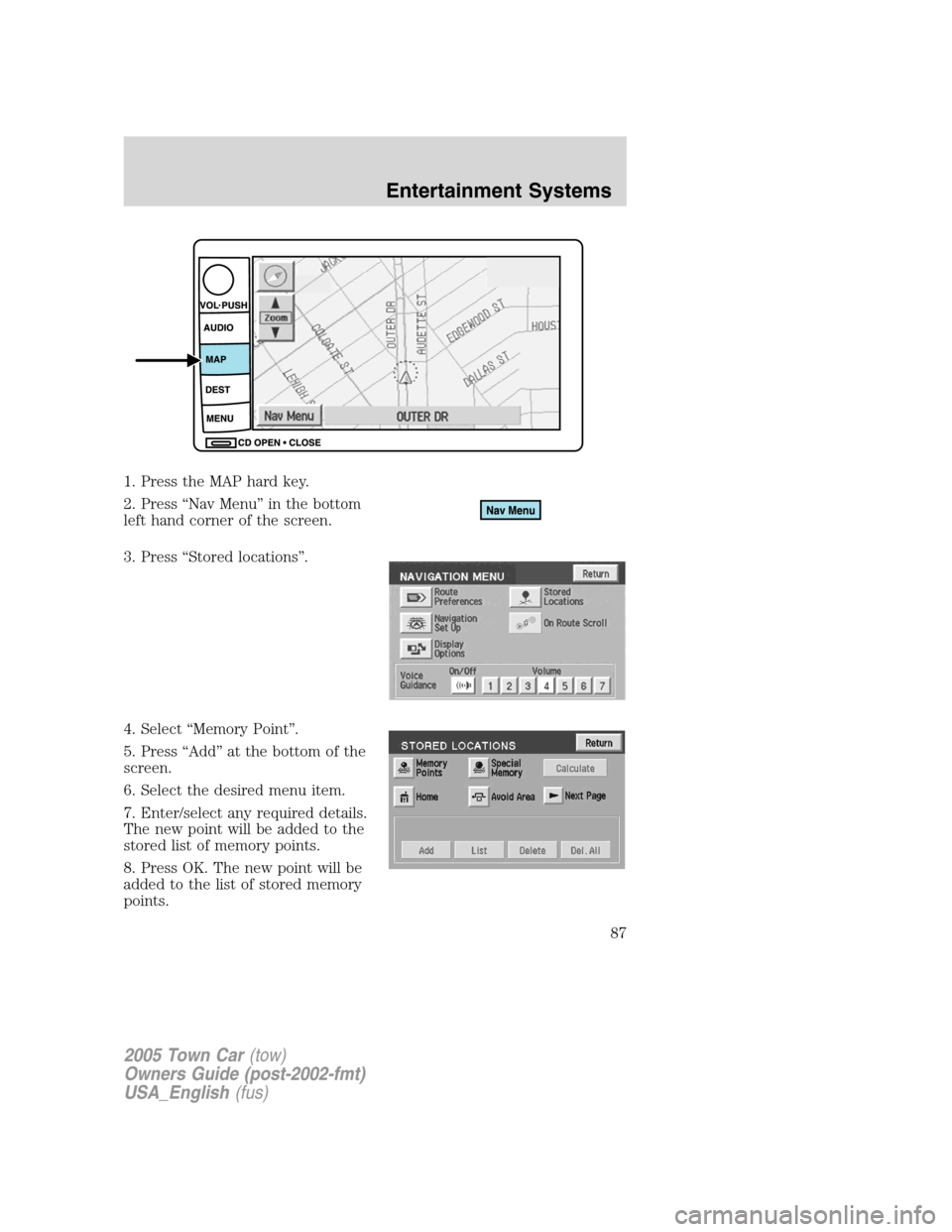
1. Press the MAP hard key.
2. Press “Nav Menu” in the bottom
left hand corner of the screen.
3. Press “Stored locations”.
4. Select “Memory Point”.
5. Press “Add” at the bottom of the
screen.
6. Select the desired menu item.
7. Enter/select any required details.
The new point will be added to the
stored list of memory points.
8. Press OK. The new point will be
added to the list of stored memory
points.
2005 Town Car(tow)
Owners Guide (post-2002-fmt)
USA_English(fus)
Entertainment Systems
87
Page 88 of 328
To give the new memory point a name:
1. Select it from the list.
2. Press NAME.
3. Enter the desired name.
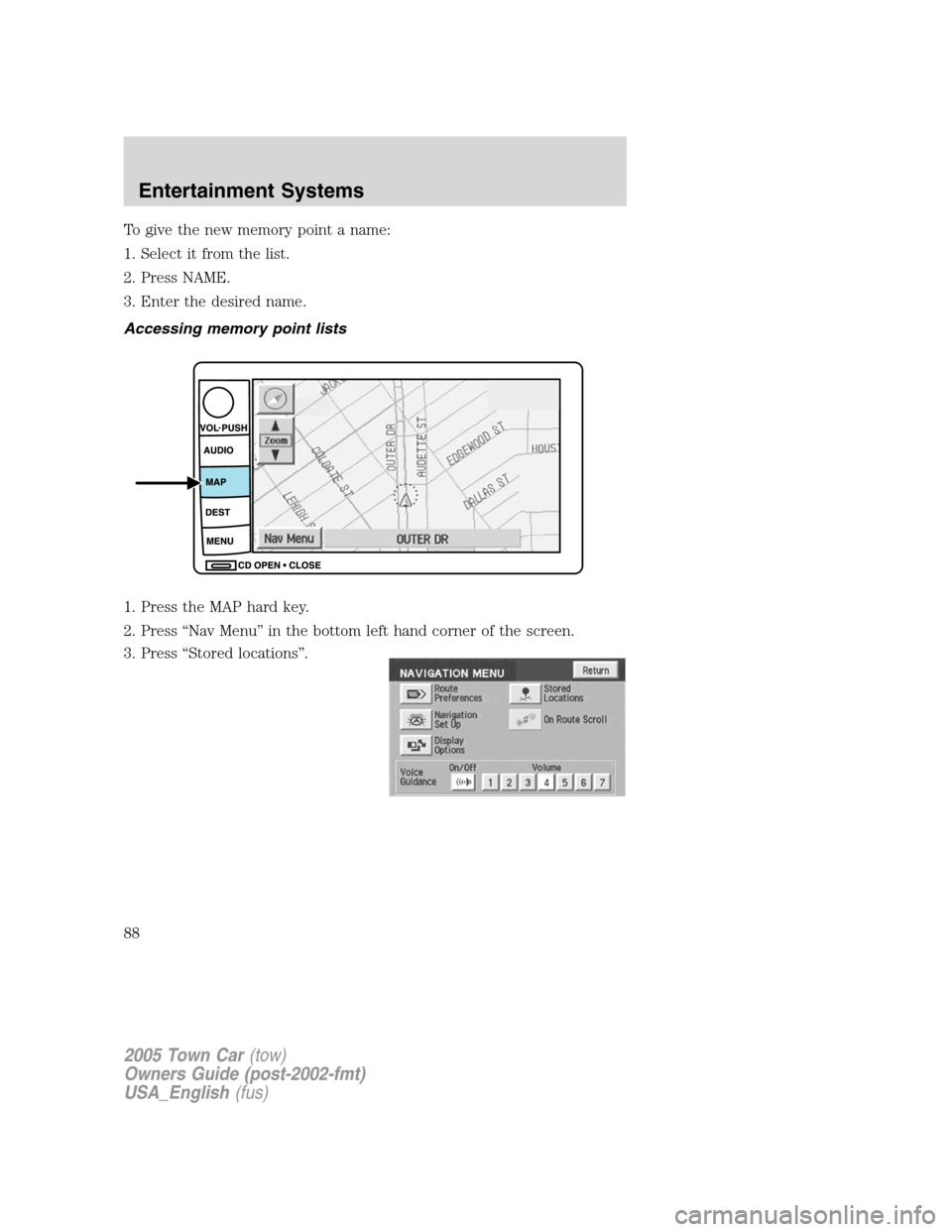
Accessing memory point lists
1. Press the MAP hard key.
2. Press “Nav Menu” in the bottom left hand corner of the screen.
3. Press “Stored locations”.
2005 Town Car(tow)
Owners Guide (post-2002-fmt)
USA_English(fus)
Entertainment Systems
88
Page 91 of 328
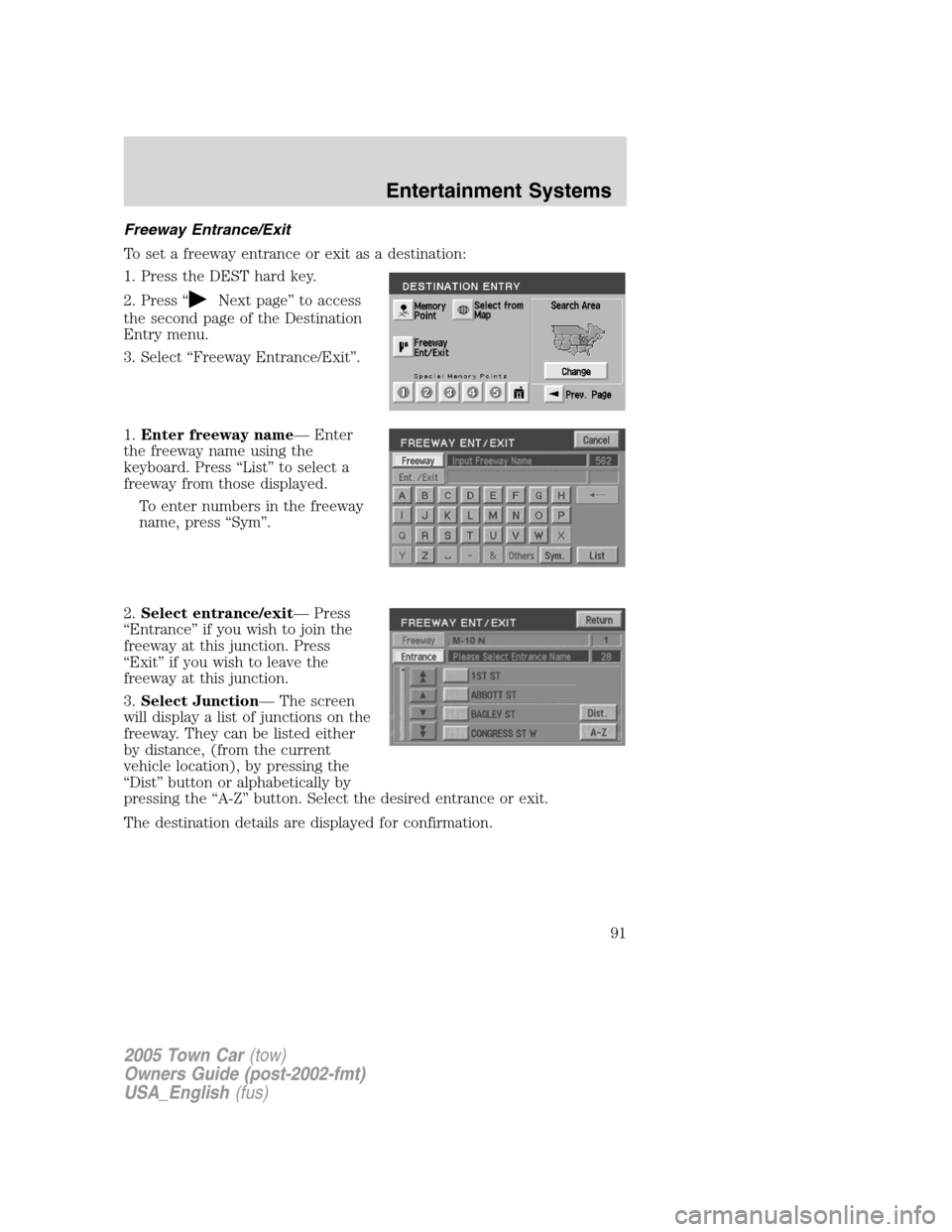
Freeway Entrance/Exit
To set a freeway entrance or exit as a destination:
1. Press the DEST hard key.
2. Press “
Next page” to access
the second page of the Destination
Entry menu.
3. Select “Freeway Entrance/Exit”.
1.Enter freeway name— Enter
the freeway name using the
keyboard. Press “List” to select a
freeway from those displayed.
To enter numbers in the freeway
name, press “Sym”.
2.Select entrance/exit— Press
“Entrance” if you wish to join the
freeway at this junction. Press
“Exit” if you wish to leave the
freeway at this junction.
3.Select Junction— The screen
will display a list of junctions on the
freeway. They can be listed either
by distance, (from the current
vehicle location), by pressing the
“Dist” button or alphabetically by
pressing the “A-Z” button. Select the desired entrance or exit.
The destination details are displayed for confirmation.
2005 Town Car(tow)
Owners Guide (post-2002-fmt)
USA_English(fus)
Entertainment Systems
91
Page 109 of 328
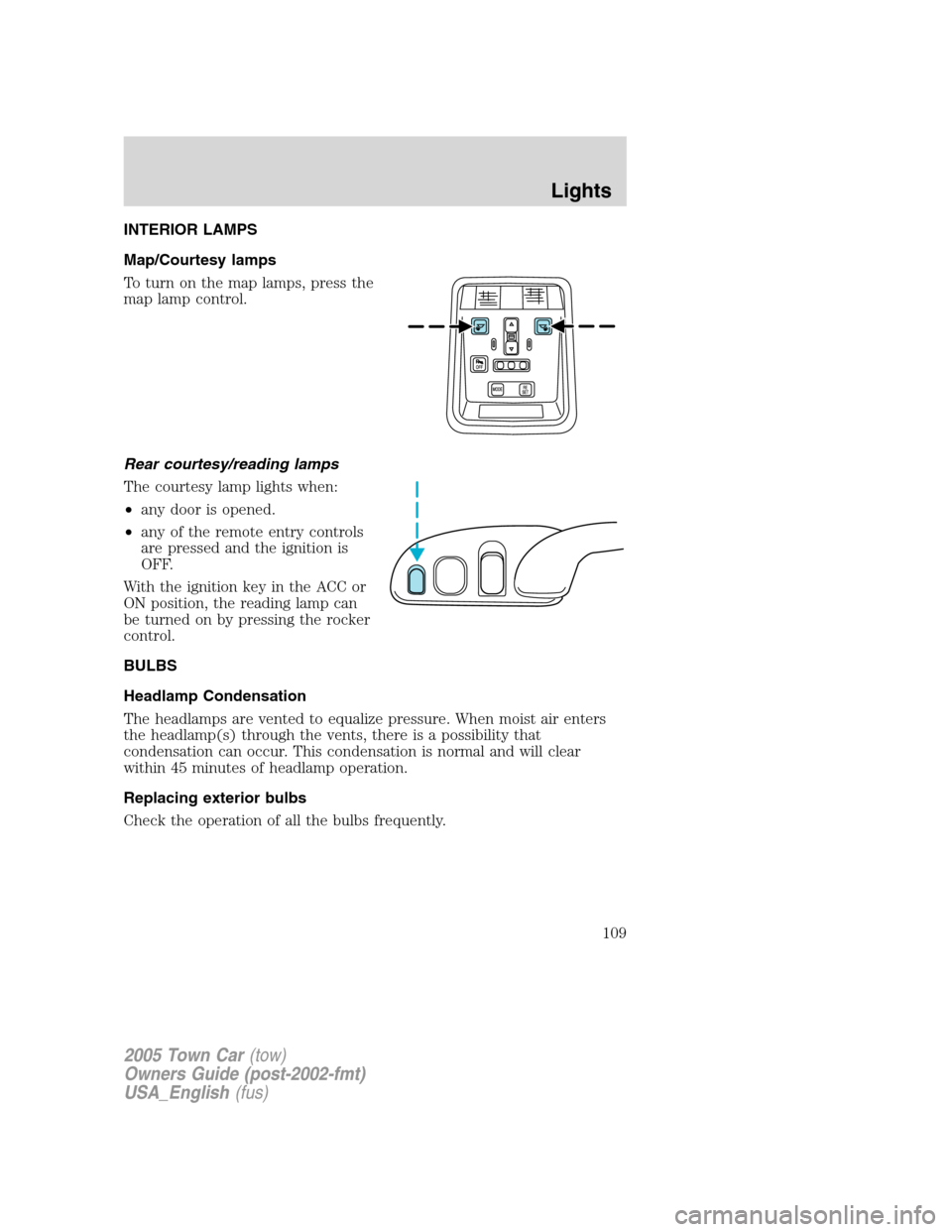
INTERIOR LAMPS
Map/Courtesy lamps
To turn on the map lamps, press the
map lamp control.
Rear courtesy/reading lamps
The courtesy lamp lights when:
•any door is opened.
•any of the remote entry controls
are pressed and the ignition is
OFF.
With the ignition key in the ACC or
ON position, the reading lamp can
be turned on by pressing the rocker
control.
BULBS
Headlamp Condensation
The headlamps are vented to equalize pressure. When moist air enters
the headlamp(s) through the vents, there is a possibility that
condensation can occur. This condensation is normal and will clear
within 45 minutes of headlamp operation.
Replacing exterior bulbs
Check the operation of all the bulbs frequently.
2005 Town Car(tow)
Owners Guide (post-2002-fmt)
USA_English(fus)
Lights
109
Page 127 of 328
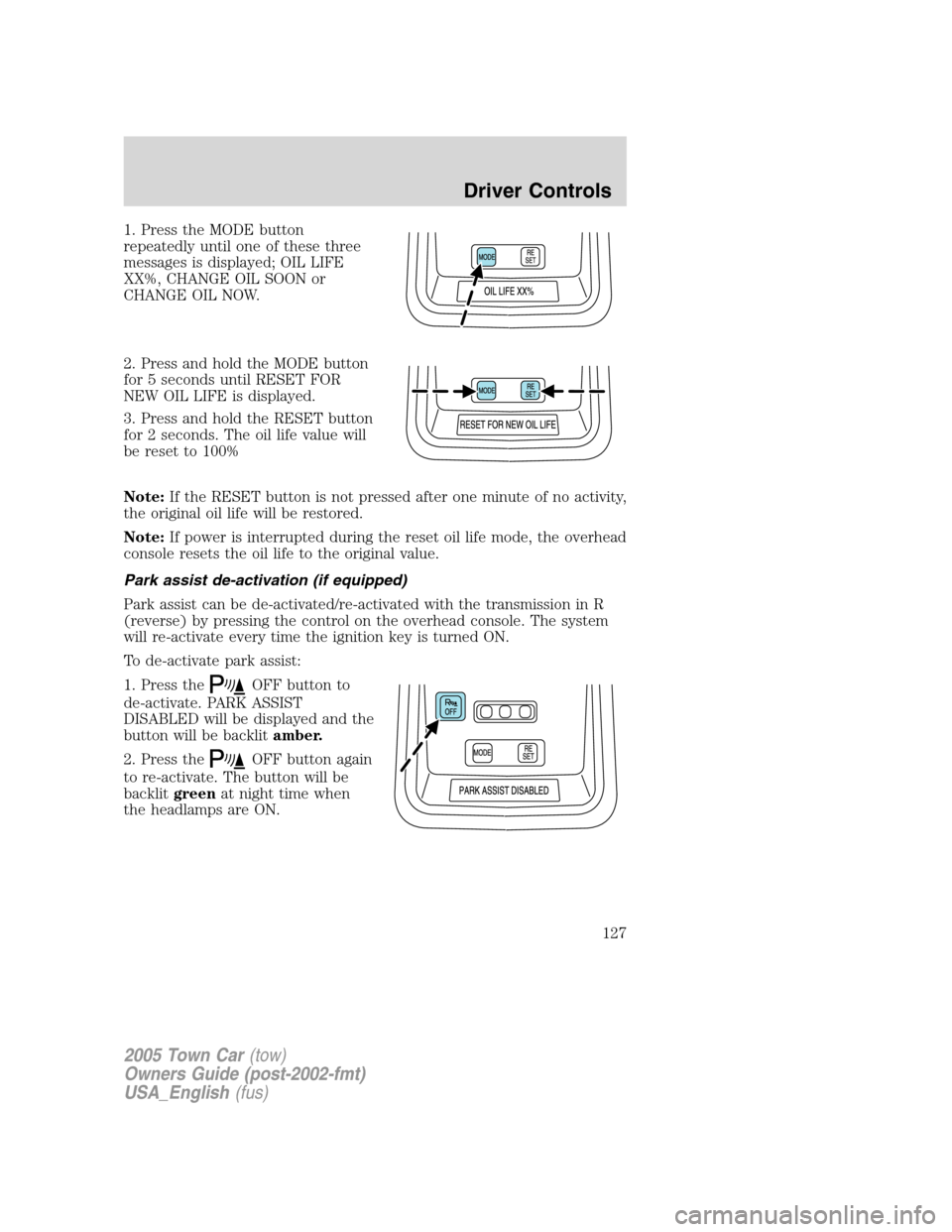
1. Press the MODE button
repeatedly until one of these three
messages is displayed; OIL LIFE
XX%, CHANGE OIL SOON or
CHANGE OIL NOW.
2. Press and hold the MODE button
for 5 seconds until RESET FOR
NEW OIL LIFE is displayed.
3. Press and hold the RESET button
for 2 seconds. The oil life value will
be reset to 100%
Note:If the RESET button is not pressed after one minute of no activity,
the original oil life will be restored.
Note:If power is interrupted during the reset oil life mode, the overhead
console resets the oil life to the original value.
Park assist de-activation (if equipped)
Park assist can be de-activated/re-activated with the transmission in R
(reverse) by pressing the control on the overhead console. The system
will re-activate every time the ignition key is turned ON.
To de-activate park assist:
1. Press the
OFF button to
de-activate. PARK ASSIST
DISABLED will be displayed and the
button will be backlitamber.
2. Press the
OFF button again
to re-activate. The button will be
backlitgreenat night time when
the headlamps are ON.
2005 Town Car(tow)
Owners Guide (post-2002-fmt)
USA_English(fus)
Driver Controls
127