2005 JEEP LIBERTY ignition switch
[x] Cancel search: ignition switchPage 14 of 424

A WORD ABOUT YOUR KEYS
The keys for your new vehicle are enclosed in a plastic
bag with the key code number on it. If you received your
keys without the bag, ask your dealer to give you the
number. The key code can also be obtained by the dealer
from your vehicle invoice.
Ignition Key
Insert the key fully, then turn the switch to one of the four
illustrated positions. The key can be inserted or with-
drawn only in the LOCK position. The automatic trans-
mission gear selector must be in the P (Park) position.
To remove the ignition key on models with an automatic
transmission, place the gearshift lever in P (Park), turn
the ignition key to LOCK and remove the key.
Ignition Key Positions
14 THINGS TO KNOW BEFORE STARTING YOUR VEHICLE
Page 16 of 424

Key-In-Ignition Reminder
If you open the driver’s door and the key is fully inserted
in the ignition switch, a chime will sound to remind you
to remove the key.
SENTRY KEY IMMOBILIZER SYSTEM
The Sentry Key Immobilizer System (SKIS) prevents
unauthorized operation of the vehicle by disabling the
engine. The system will shut the engine down after 2
seconds of running if an invalid key is used to start the
vehicle. This system utilizes ignition keys which have an
electronic chip (transponder) embedded into them. Only
keys that have been programmed to the vehicle can be
used to start and operate the vehicle for longer than the
2 second validation time period.
The Sentry Key Immobilizer System does not need to be
armed or activated. Operation of the system is automatic
regardless of whether or not the vehicle is locked or
unlocked. During normal operation, the “Sentry Key/Security Alarm Indicator Light” (located in the instru-
ment cluster) will come on for 3 seconds immediately
after the ignition switch is turned on for a bulb check.
Afterwards, if the bulb remains on, this indicates a
malfunction in the electronics. If the bulb begins to flash
immediately after the ignition switch is turned on, this
indicates that an invalid key is being used to start the
vehicle. Both of these conditions will result in the engine
being shut down after 2 seconds of running. Keep in
mind that a key which has not been programmed is also
considered an invalid key even if it is cut to fit the
ignition for that vehicle.
If the “Sentry Key/Security Alarm Indicator Light”
comes on during normal vehicle operation (it has been
running for longer than 10 seconds) a fault has been
detected in the electronics and the vehicle should be
serviced as soon as possible.
16 THINGS TO KNOW BEFORE STARTING YOUR VEHICLE
Page 18 of 424

consists of programming a blank key to the vehicle
electronics. A blank key is one which has never been
programmed.
NOTE:When having the Sentry Key System serviced,
bring all vehicle keys to the dealer.
Customer Key Programming
You can program new keys to the system if you have two
valid keys by doing the following:
1. Cut the additional Sentry Key Transponder blank(s) to
match the ignition switch lock cylinder key code.
2. Insert the first valid key into the ignition switch and
turn the ignition switch ON for at least 3 seconds but no
longer than 15 seconds. Turn the ignition switch OFF and
remove the first key.
3. Insert the second valid key and turn the ignition
switch ON within 15 seconds. After ten seconds, a chimewill sound and the “Sentry Key/Security Alarm Indica-
tor Light” will begin to flash. Turn the ignition switch
OFF and remove the second key.
4. Insert a blank Sentry Key into the ignition switch and
turn the ignition switch ON within 60 seconds. After 10
seconds, a single chime will sound. The “Sentry Key/
Security Alarm Indicator Light” will stop flashing, turn
on for 3 seconds; then turn off.
The new Sentry Key has been programmed. Repeat this
process to program up to a total of 8 keys.
General Information
The Sentry Key Immobilizer System complies with FCC
rules part 15 and with RSS-210 of Industry Canada.
Operation is subject to the following two conditions:
1. This device may not cause harmful interference.
18 THINGS TO KNOW BEFORE STARTING YOUR VEHICLE
Page 23 of 424
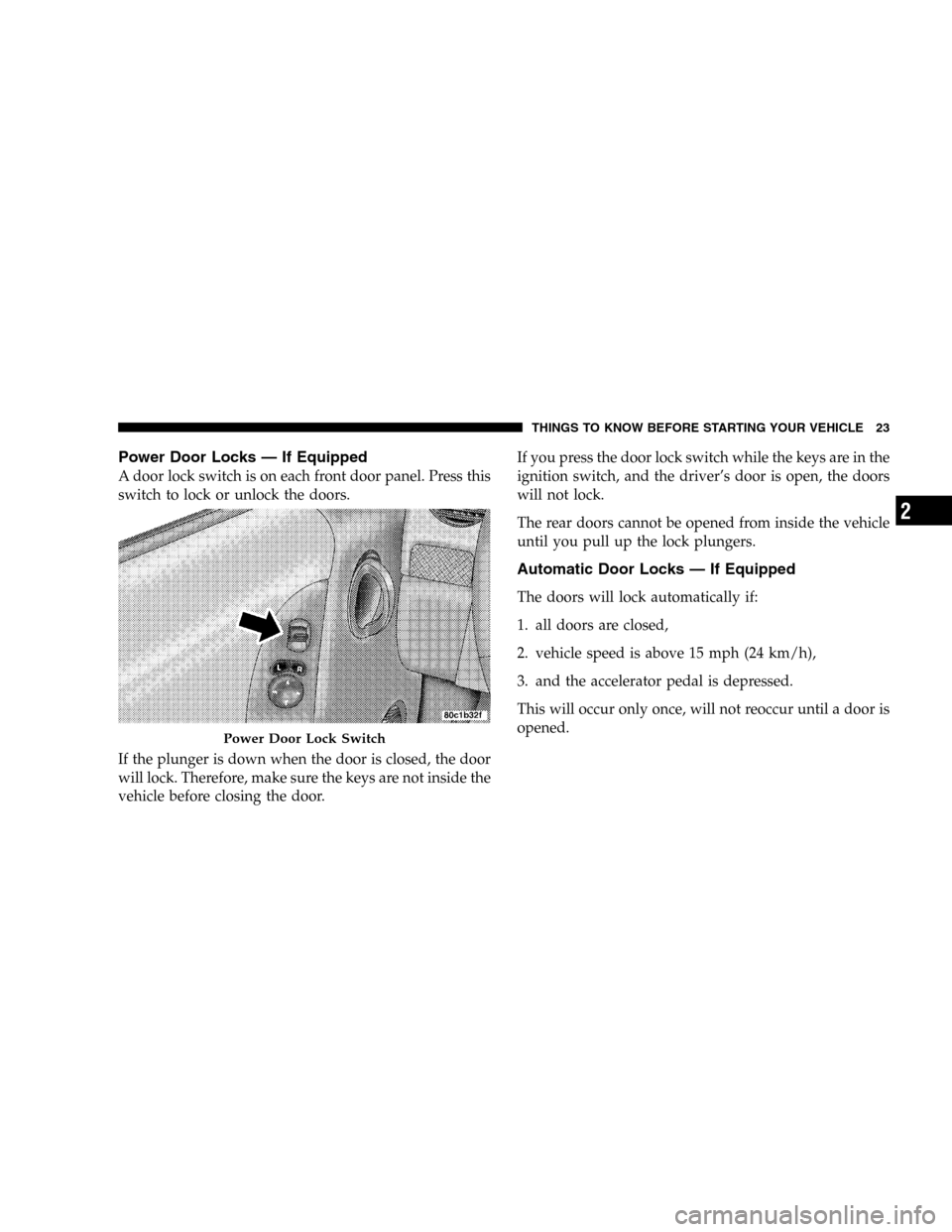
Power Door Locks — If Equipped
A door lock switch is on each front door panel. Press this
switch to lock or unlock the doors.
If the plunger is down when the door is closed, the door
will lock. Therefore, make sure the keys are not inside the
vehicle before closing the door.If you press the door lock switch while the keys are in the
ignition switch, and the driver’s door is open, the doors
will not lock.
The rear doors cannot be opened from inside the vehicle
until you pull up the lock plungers.
Automatic Door Locks — If Equipped
The doors will lock automatically if:
1. all doors are closed,
2. vehicle speed is above 15 mph (24 km/h),
3. and the accelerator pedal is depressed.
This will occur only once, will not reoccur until a door is
opened.
Power Door Lock Switch
THINGS TO KNOW BEFORE STARTING YOUR VEHICLE 23
2
Page 30 of 424

SECURITY ALARM SYSTEM — IF EQUIPPED
This system monitors the vehicle doors, swing gate,
swing gate flip-up window, and ignition for unautho-
rized operation. When the alarm is activated, the system
provides both audible and visual signals. The horn,
headlights, and tail lights will sound/flash repeatedly for
three minutes. If disturbance is still present (driver’s
door, passenger door, other doors, ignition) after three
minutes, the headlights and tail lights will flash for an
additional 15 minutes.
NOTE:The “Panic” and “Security” alarms are quite
different. Please take a moment to activate the “Panic”
and the “Security” modes to hear the differences in the
horn. In case one should go off in the future, you will
need to know which mode has been activated in order to
deactivate it.
To Set the Alarm
The alarm will set when you use the remote keyless entry
transmitter to lock the doors and swing gate or when you
use the power door lock switch while the door is open.
After all the doors are locked and closed, the “Sentry
Key/Security Alarm Indicator Light” (located in the
instrument cluster) will flash rapidly for about 16 sec-
onds to signal that the system is arming. During this 16
second arming period, opening any door or the swing
gate will cancel the arming. If the system successfully
arms, the “Sentry Key/Security Alarm Indicator Light”
will flash at a slower rate to indicate the alarm is set.
30 THINGS TO KNOW BEFORE STARTING YOUR VEHICLE
Page 31 of 424

To Disarm the System
To disarm the system, you will need to press the “Un-
lock” button on the remote keyless entry transmitter or
turn the ignition key to the RUN position. If something
has triggered the system in your absence, the horn will
sound three times when you unlock the doors. Check the
vehicle for tampering.
NOTE:On vehicles equipped with Remote Keyless
Entry (RKE), there will not be a door lock cylinder on the
front passenger door, rear doors, or rear swing gate.
Therefore, you will be unable to disarm the system with
a manual unlock of the passenger or rear doors.
The Security Alarm System is designed to protect your
vehicle; however, you can create conditions where the
system will arm unexpectedly. If you remain in the
vehicle and lock the doors with the transmitter, once the
system is armed (after 16 seconds), when you pull the
door handle to exit the alarm will sound. If this occurs,press the “Unlock” button on the remote keyless entry
transmitter to disarm the system. You may also acciden-
tally disarm the system by unlocking the driver’s door
with the key and then locking it. The door will be locked
but the Security Alarm will not arm.
REAR SWING GATE
The swing gate can be unlocked using the remote keyless
entry, or by activating the power door lock switches
located on the front doors.
WARNING!
To avoid injury stand back when opening. Glass will
automatically rise.
THINGS TO KNOW BEFORE STARTING YOUR VEHICLE 31
2
Page 35 of 424
WINDOWS
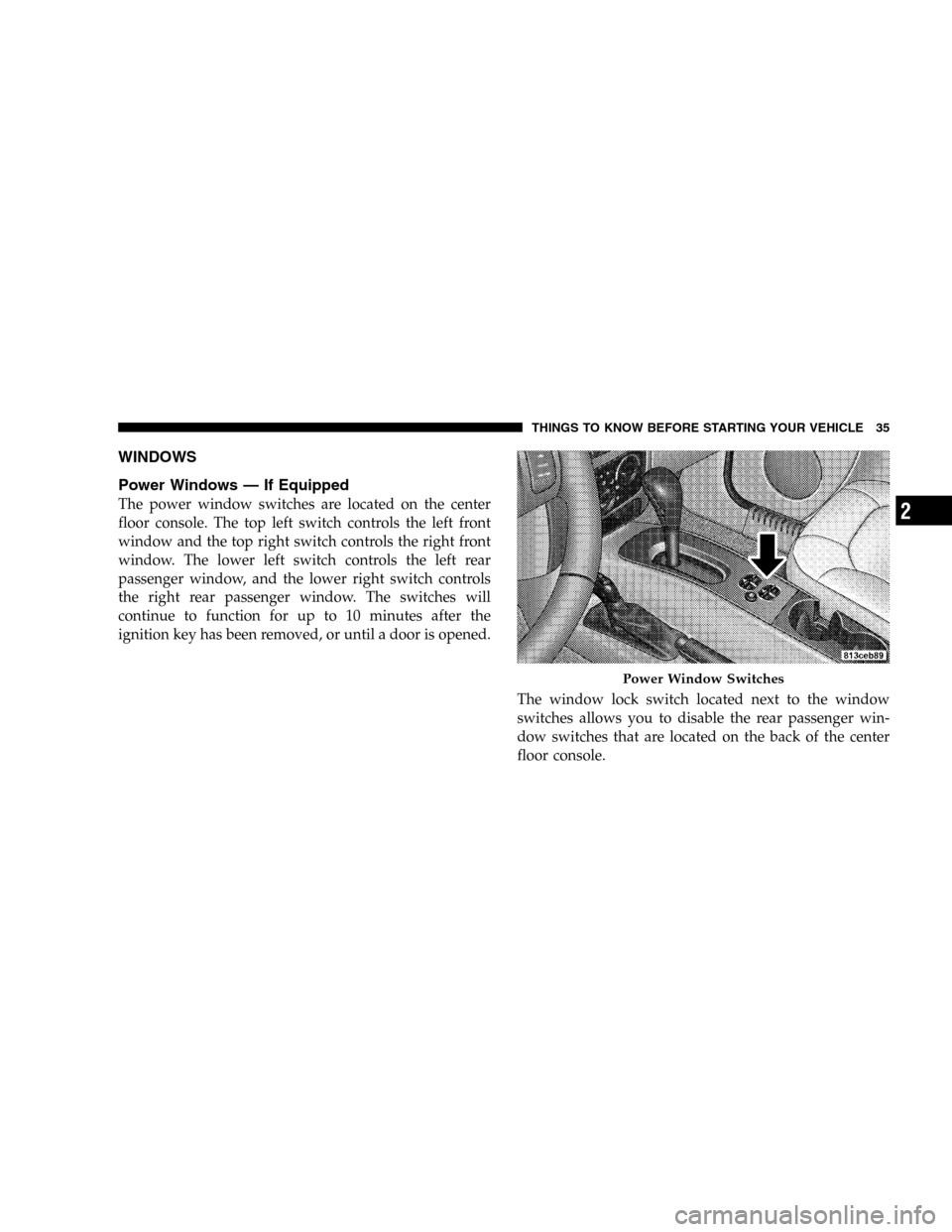
Power Windows — If Equipped
The power window switches are located on the center
floor console. The top left switch controls the left front
window and the top right switch controls the right front
window. The lower left switch controls the left rear
passenger window, and the lower right switch controls
the right rear passenger window. The switches will
continue to function for up to 10 minutes after the
ignition key has been removed, or until a door is opened.
The window lock switch located next to the window
switches allows you to disable the rear passenger win-
dow switches that are located on the back of the center
floor console.
Power Window Switches
THINGS TO KNOW BEFORE STARTING YOUR VEHICLE 35
2
Page 47 of 424
The Enhanced Warning System (BeltAlert) can be en-
abled or disabled by your authorized dealer or by
following these steps:
NOTE:The following steps must occur within the first
60 seconds of the ignition switch being turned to the ON
or START position. The manufacturer does not recom-
mend deactivating the Enhanced Warning System
(BeltAlert).
1. Turn the ignition switch to the OFF position, and
buckle the driver’s seat belt.
2. Turn the ignition key to the ACCESSORY/RUN posi-
tion (engine does not need to be running), and wait for
the Seat Belt Warning Light to turn off.
3. Within 60 seconds of starting the vehicle, unbuckle
and then re-buckle the driver’s seat belt at least three
times within 10 seconds, ending with the seat belt
buckled.4. Turn the ignition key to the OFF position. A single
chime will sound to signify that you have successfully
completed the programming.
The Enhanced Warning System (BeltAlert) can be reacti-
vated by repeating this procedure.
NOTE:Although the Enhanced Warning System
(BeltAlert) has been deactivated, the Seat Belt Warning
Light will continue to illuminate while the driver’s seat
belt remains unfastened.
Seat Belts and Pregnant Women
We recommend that pregnant women use the seat belts
throughout their pregnancy. Keeping the mother safe is
the best way to keep the baby safe.
Pregnant women should wear the lap part of the belt
across the thighs and as snug across the hips as possible.
Keep the belt low so that it does not come across the
abdomen. That way the strong bones of the hips will take
the force if there is a collision.
THINGS TO KNOW BEFORE STARTING YOUR VEHICLE 47
2