Page 22 of 424
WARNING!
•For personal security, and safety in the event of an
accident, lock the vehicle doors as you drive as
well as when you park and leave the vehicle.
•When leaving the vehicle always remove the key
from the ignition lock, and lock your vehicle. Do
not leave children unattended in the vehicle, or
with access to an unlocked vehicle. Unsupervised
use of vehicle equipment may cause severe per-
sonal injuries and death.
CAUTION!
An unlocked vehicle is an invitation to thieves.
Always remove the key from the ignition and lock
all of the doors when leaving the vehicle unattended.
22 THINGS TO KNOW BEFORE STARTING YOUR VEHICLE
Page 23 of 424
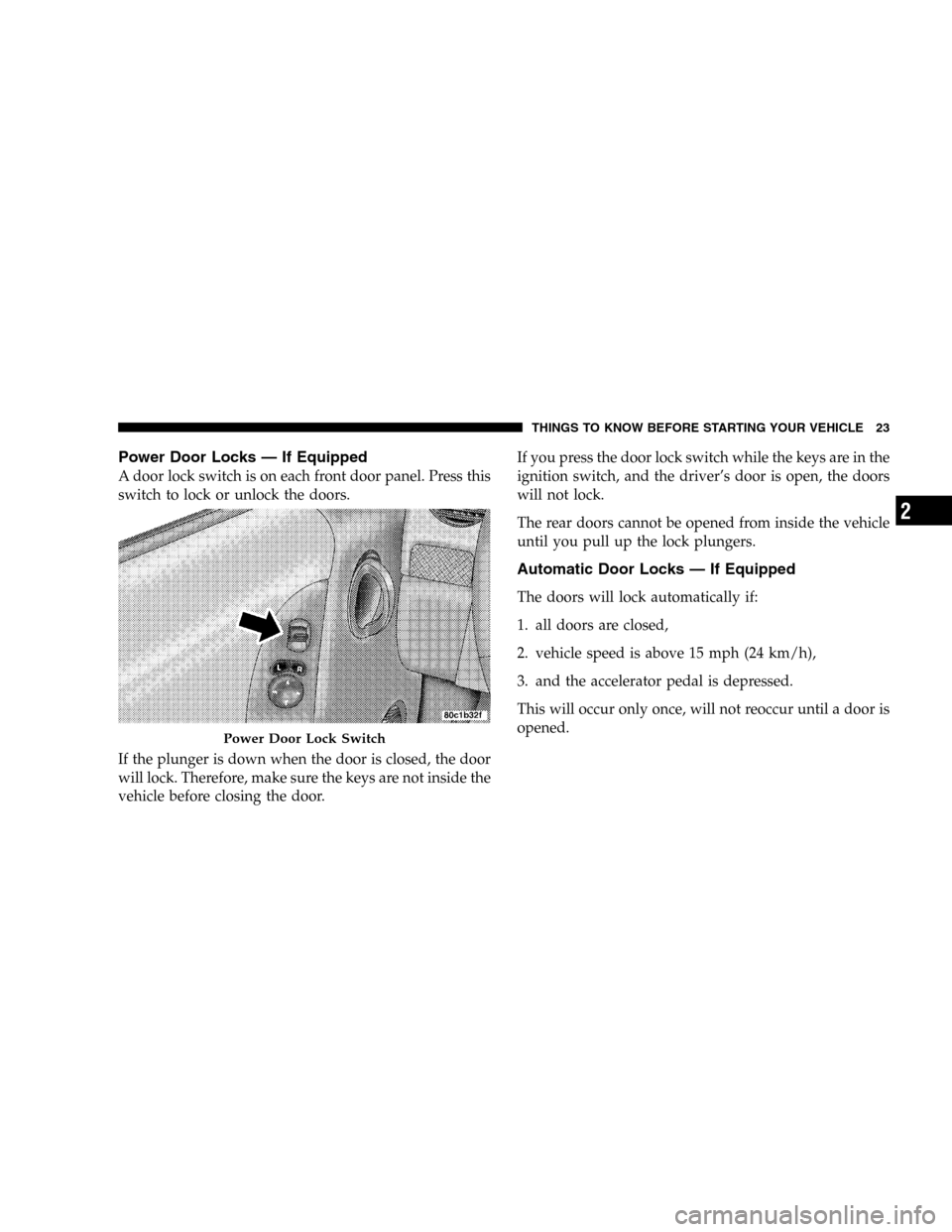
Power Door Locks — If Equipped
A door lock switch is on each front door panel. Press this
switch to lock or unlock the doors.
If the plunger is down when the door is closed, the door
will lock. Therefore, make sure the keys are not inside the
vehicle before closing the door.If you press the door lock switch while the keys are in the
ignition switch, and the driver’s door is open, the doors
will not lock.
The rear doors cannot be opened from inside the vehicle
until you pull up the lock plungers.
Automatic Door Locks — If Equipped
The doors will lock automatically if:
1. all doors are closed,
2. vehicle speed is above 15 mph (24 km/h),
3. and the accelerator pedal is depressed.
This will occur only once, will not reoccur until a door is
opened.
Power Door Lock Switch
THINGS TO KNOW BEFORE STARTING YOUR VEHICLE 23
2
Page 25 of 424

REMOTE KEYLESS ENTRY
This system allows you to lock or unlock the doors or
open the swing gate flip-up window from distances of
23–50 feet (7–15 meters) using a transmitter. You don’t
have to point the transmitter at the vehicle to activate the
system. Each vehicle comes with two transmitters.
To Unlock the Doors
Press and release the “Unlock” button once to unlock the
driver’s door. Press the button again within 5 seconds to
unlock all the doors. If your vehicle is equipped with
Illuminated Entry, the interior lights also come on and
remain on for about 30 seconds, when you unlock the
doors. The park lights will flash twice to acknowledge
the unlock signal.
NOTE:The transmitter can be programmed to unlock
all the doors upon the first press of the�Unlock�button
(within 23–50 feet (7–15 meters) of the vehicle) by per-
forming the following procedure:
1. Press and hold the�Unlock�button on the transmitter.
2. Continue to hold the�Unlock�button, wait at least 4
but no longer than 10 seconds, then press the “Lock”
button.
3. Release both buttons.
Four Button Transmitter
THINGS TO KNOW BEFORE STARTING YOUR VEHICLE 25
2
Page 29 of 424

2. This device must accept any interference that may be
received, including interference that may cause undes-
ired operation.
If your Remote Keyless Entry fails to operate from a
normal distance, check for these two conditions:
1. Weak batteries in transmitter. The expected life of
batteries is from one to two years
2. Closeness to a radio transmitter such as a radio station
tower, airport transmitter, and some mobile or CB radios.
Transmitter Battery Service
The recommended replacement battery is the Panasonic
CR2032 or equivalent.
1. Pry the transmitter halves apart with a dime or similar
object. Make sure not to damage the rubber gasket
material during removal.2. Remove and replace the batteries. Avoid touching the
new batteries with your fingers. Skin oils may cause
battery deterioration. If you touch the battery, clean it
with rubbing alcohol.
3. Reassemble the transmitter case. Snap the halves
together and test transmitter operation.Separating Transmitter Halves
THINGS TO KNOW BEFORE STARTING YOUR VEHICLE 29
2
Page 30 of 424

SECURITY ALARM SYSTEM — IF EQUIPPED
This system monitors the vehicle doors, swing gate,
swing gate flip-up window, and ignition for unautho-
rized operation. When the alarm is activated, the system
provides both audible and visual signals. The horn,
headlights, and tail lights will sound/flash repeatedly for
three minutes. If disturbance is still present (driver’s
door, passenger door, other doors, ignition) after three
minutes, the headlights and tail lights will flash for an
additional 15 minutes.
NOTE:The “Panic” and “Security” alarms are quite
different. Please take a moment to activate the “Panic”
and the “Security” modes to hear the differences in the
horn. In case one should go off in the future, you will
need to know which mode has been activated in order to
deactivate it.
To Set the Alarm
The alarm will set when you use the remote keyless entry
transmitter to lock the doors and swing gate or when you
use the power door lock switch while the door is open.
After all the doors are locked and closed, the “Sentry
Key/Security Alarm Indicator Light” (located in the
instrument cluster) will flash rapidly for about 16 sec-
onds to signal that the system is arming. During this 16
second arming period, opening any door or the swing
gate will cancel the arming. If the system successfully
arms, the “Sentry Key/Security Alarm Indicator Light”
will flash at a slower rate to indicate the alarm is set.
30 THINGS TO KNOW BEFORE STARTING YOUR VEHICLE
Page 31 of 424

To Disarm the System
To disarm the system, you will need to press the “Un-
lock” button on the remote keyless entry transmitter or
turn the ignition key to the RUN position. If something
has triggered the system in your absence, the horn will
sound three times when you unlock the doors. Check the
vehicle for tampering.
NOTE:On vehicles equipped with Remote Keyless
Entry (RKE), there will not be a door lock cylinder on the
front passenger door, rear doors, or rear swing gate.
Therefore, you will be unable to disarm the system with
a manual unlock of the passenger or rear doors.
The Security Alarm System is designed to protect your
vehicle; however, you can create conditions where the
system will arm unexpectedly. If you remain in the
vehicle and lock the doors with the transmitter, once the
system is armed (after 16 seconds), when you pull the
door handle to exit the alarm will sound. If this occurs,press the “Unlock” button on the remote keyless entry
transmitter to disarm the system. You may also acciden-
tally disarm the system by unlocking the driver’s door
with the key and then locking it. The door will be locked
but the Security Alarm will not arm.
REAR SWING GATE
The swing gate can be unlocked using the remote keyless
entry, or by activating the power door lock switches
located on the front doors.
WARNING!
To avoid injury stand back when opening. Glass will
automatically rise.
THINGS TO KNOW BEFORE STARTING YOUR VEHICLE 31
2
Page 34 of 424
open (one chime for each complete display cycle). After
this, the VF display will continue to sequence only (no
chimes).
If the trip/reset button is pressed while the VF warnings
are being displayed, the VF display will revert back to
only displaying the odometer/trip odometer mileage.
NOTE:Close swing gate before flip-up window.
CAUTION!
Do not press on rear wiper blade when closing
swing gate, as damage to the blade will result.
WARNING!
Driving with the flip-up window open can allow
poisonous exhaust gases into your vehicle. You and
your passengers could be injured by these fumes.
Keep the flip-up window closed when you are
operating the vehicle.
NOTE: The rear swing gate will lock while the rear
wiper is operating. The gate will stay locked until the
wiper is turned off and the gate is unlocked (by key,
lock switch, or key fob).
NOTE:The swing gate will lock automatically when the
vehicle begins moving.
34 THINGS TO KNOW BEFORE STARTING YOUR VEHICLE
Page 35 of 424
WINDOWS
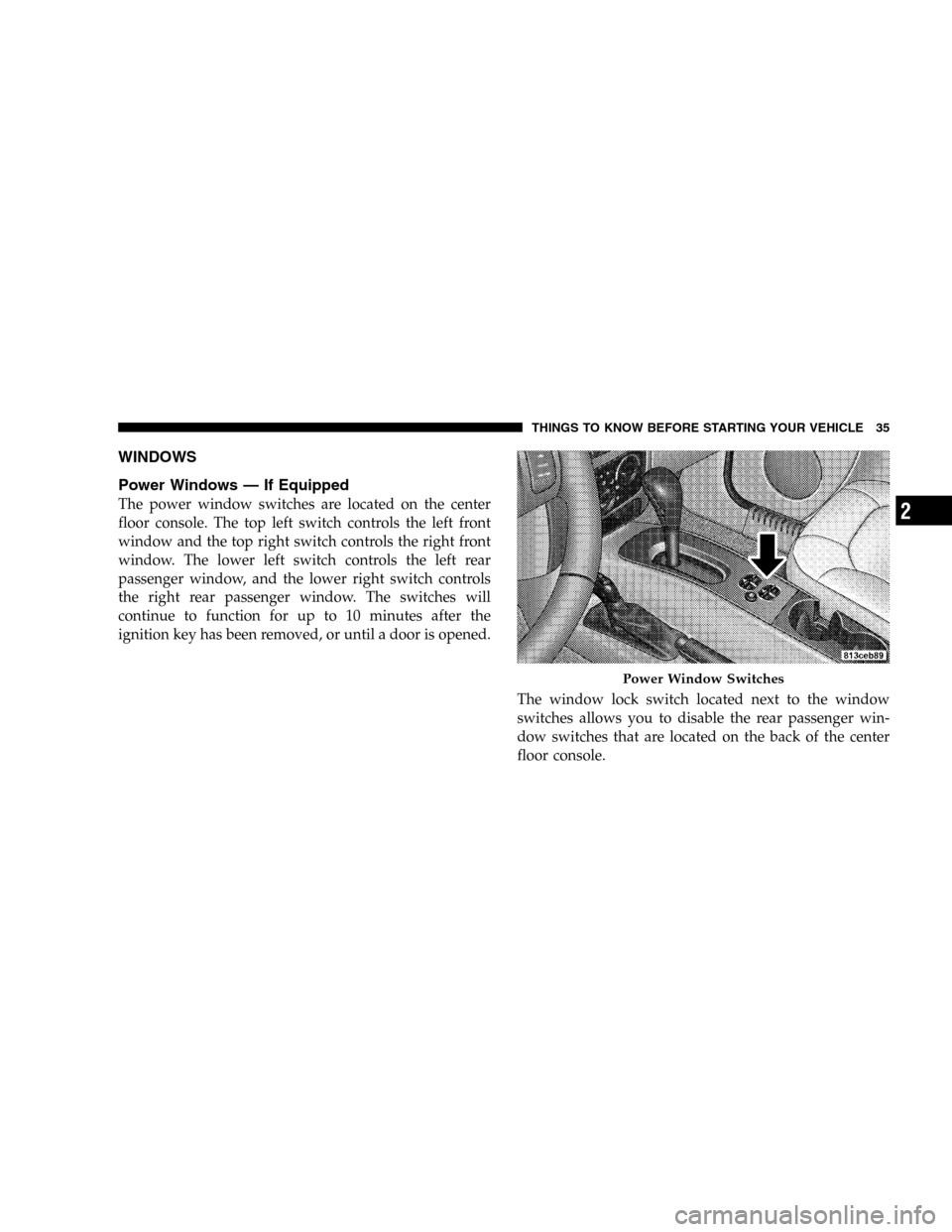
Power Windows — If Equipped
The power window switches are located on the center
floor console. The top left switch controls the left front
window and the top right switch controls the right front
window. The lower left switch controls the left rear
passenger window, and the lower right switch controls
the right rear passenger window. The switches will
continue to function for up to 10 minutes after the
ignition key has been removed, or until a door is opened.
The window lock switch located next to the window
switches allows you to disable the rear passenger win-
dow switches that are located on the back of the center
floor console.
Power Window Switches
THINGS TO KNOW BEFORE STARTING YOUR VEHICLE 35
2