Page 264 of 414

The security system automatically
sets 15 seconds after you lock the
doors, hood, and the tailgate. For the
system to activate, you must lock the
doorsandthetailgatefromthe
outside with the key, the lock tab,
the door lock switch, or the remote
transmitter. The security system
indicator in the instrument panel
starts blinking immediately to show
you the system is setting itself .Once the security system is set,
opening any door, the tailgate, or the
hood without using the key or the
remote transmitter, will cause it to
alarm. It also alarms if the radio is
removed f rom the dashboard or the
wiring is cut.The security system will not set if
the hood, tailgate, or any door is not
f ully closed. If the system will not set,
check the Door and Tailgate Open
Monitor on the instrument panel
(see page ), to see if the doors
and the tailgate are f ully closed.
Since it is not part of the monitor
display, manually check the hood.
Do not attempt to alter this system
or add other devices to it.
The security system helps to protect
your vehicle and valuables f rom thef t.
The horn sounds and a combination
of headlights, parking lights, side
marker lights and taillights f lashes if
someone attempts to break into your
vehicleorremovetheradio.This
alarm continues f or 2 minutes, then
the alarm stops. To reset an
alarming system bef ore the 2
minutes have elapsed, unlock either
f ront door with the key or the
remote transmitter.
67
On EX and Touring models
Security System
Features
263
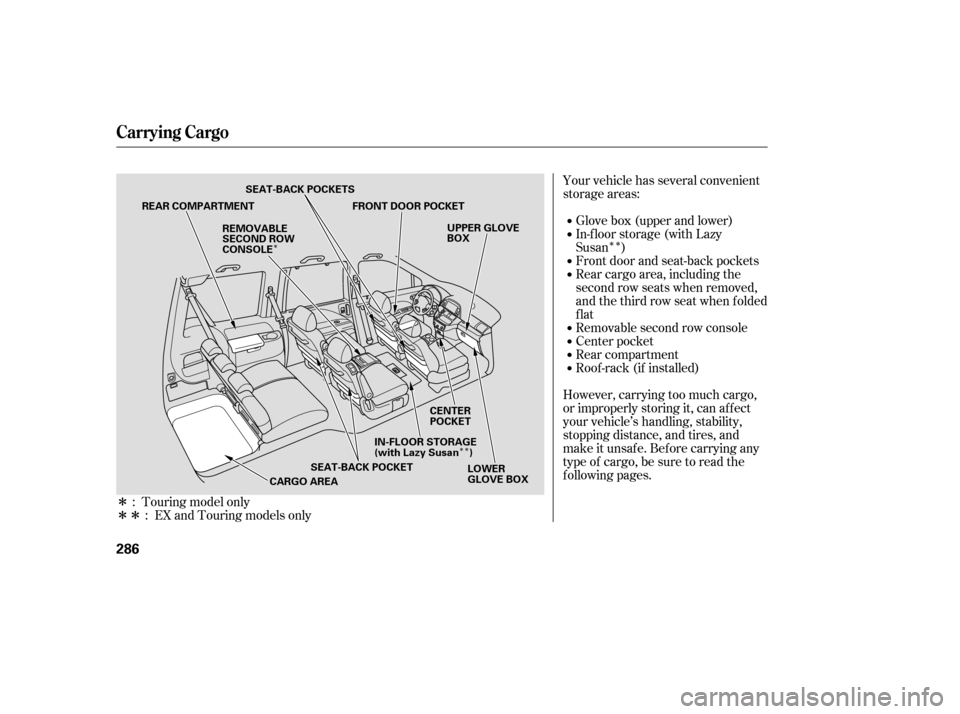
SECURITY SYSTEM
INDICATOR
Page 270 of 414
For security purposes, newer garage
door opening systems use a ‘‘rolling’’
or variable code. Inf ormation f rom
the remote control and the garage
door opener are needed bef ore
HomeLink can operate the garage
door opener.
The ‘‘Training HomeLink’’
procedure trains HomeLink to the
proper garage door opener code.
The f ollowing procedure
synchronizes HomeLink to the
garage door opener so it sends and
receives the correct codes.Make sure you have properly
completed the ‘‘Training
HomeLink’’ procedure.
Find the ‘‘Training’’ button on your
garage door opener unit. The
location will vary, depending on
the manufacturer. Press and hold the button on
HomeLink f or 3 to 4 seconds.
Press and hold the HomeLink
button again f or 3 to 4 seconds.
This should turn of f the training
indicator on the garage door
opener unit. (Some systems may
require you to press the button up
to three times.)
Press the HomeLink button again.
It should operate the garage door.
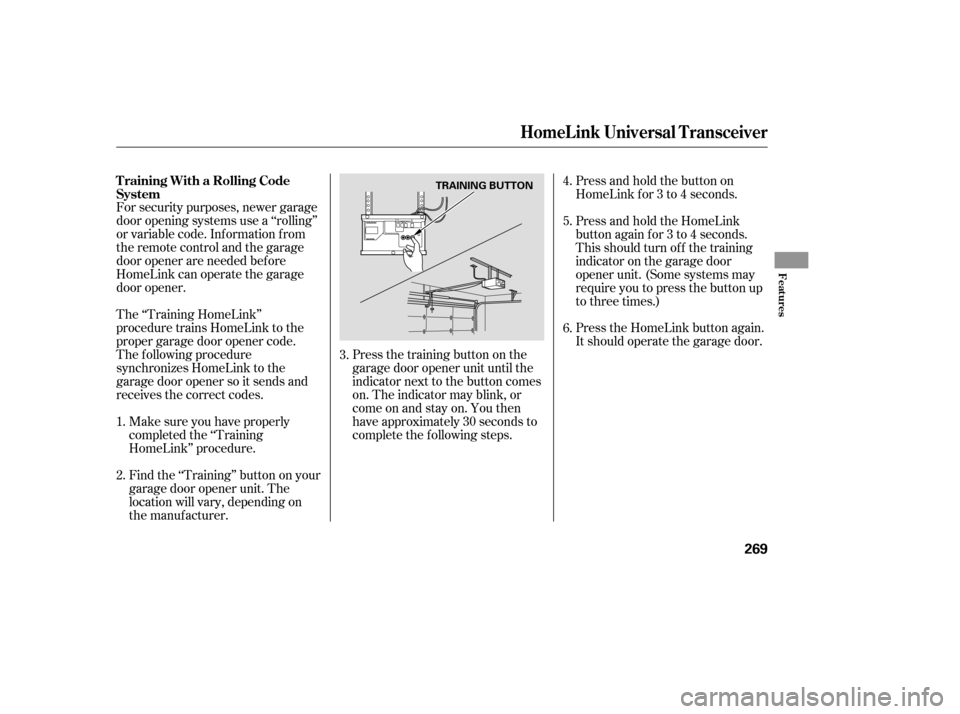
Press the training button on the
garage door opener unit until the
indicator next to the button comes
on. The indicator may blink, or
comeonandstayon.Youthen
have approximately 30 seconds to
complete the f ollowing steps. 6.
2. 4.
5.
1. 3.
T raining With a Rolling Code
System
HomeL ink Universal T ransceiver
Features
269
TRAINING BUTTON
Page 272 of 414

Your vehicle has a parking sensor
system. The system lets you know
theapproximatedistancebetween
your vehicle and most obstacles
while you are parking. When the
system is on and your vehicle is
nearinganobstacle,youwillhear
beeping and see parking messages in
the multi-information display.To activate the system, push the
button on the dashboard with the
ignition in the ON (II) position. The
indicator in the button comes on
when the system is on. To turn the
system of f , push the button again.The system has two front corner
sensors, two rear corner sensors,
and a rear center sensor.
The rear center sensor works only
when the shif t lever is in Reverse (R),
and the vehicle speed is less than 5
mph (8 km/h).
The corner sensors work only when
the shif t lever is in any position other
than P and the vehicle speed is less
than 5 mph (8 km/h).
All obstacles may not always be
sensed. Even when the system is on,
you should look f or obstacles near
yourvehicletomakesureitissafeto
park.
On Touring model
Parking Sensor System
Features
271
PARKING SENSOR SYSTEM BUTTON
MULTI-INFORMATION DISPLAY
Page 273 of 414
Example shown: Obstacle is at the lef t f ront of the vehicle
When the system senses an obstacle,
the appropriate indicator comes on,
and a beeper sounds as shown in the
f ollowing tables. When you turn the system on, all
indicators come on in the multi-
inf ormation display, and a beeper
sounds once. Distance
BeeperAbout 16-20 in
(40-50 cm)
About 12-16 in
(30-40 cm)
Upper lef t
indicator stays on
Short beeps Continuous
beep
Indicators
and
Messages
Very short beepsAbout 12 in
(30 cm) or less
Upper lef t
indicator stays on Upper lef t
indicator stays on
Parking Sensor System
Corner Sensor Operat ionMulti-Inf ormation Display
Messages and Beeper Operation
272
Page 279 of 414

Help assure your vehicle’s f uture
reliability and perf ormance by paying
extra attention to how you drive
during the f irst 600 miles (1,000 km).
During this period:Avoid full-throttle starts and rapid
acceleration.
Avoidhardbrakingforthefirst
200 miles (300 km).
Do not change the oil until the
scheduled maintenance time.
You should also f ollow these
recommendations with an
overhauled or exchanged engine, or
when the brakes are replaced. Do not tow a trailer. Your vehicle is designed to operate
on unleaded gasoline with a pump
octane number of 86 or higher. Use
of a lower octane gasoline can cause
a persistent, heavy metallic rapping
noise that can lead to engine damage.
We recommend quality gasolines
containing detergent additives that
help prevent f uel system and engine
deposits.
In addition, in order to maintain good
perf ormance, f uel economy, and
emissions control, we strongly
recommend, in areas where it is
available, the use of gasoline that
does NOT contain manganese-based
f uel additives such as MMT.
If you notice any undesirable
operating symptoms, try another
service station or switch to another
brand of gasoline. Some gasoline today is blended with
oxygenates such as ethanol or
MTBE. Your vehicle is designed to
operate on oxygenated gasoline
containing up to 10 percent ethanol
by volume and up to 15 percent
MTBE by volume. Do not use
gasoline containing methanol.
For f urther important f uel-related
inf ormation, please ref er to your
.
Use of gasoline with these additives
may adversely af f ect perf ormance,
and cause the malfunction indicator
lamp on your instrument panel to
come on. If this happens, contact your dealer f or service.
Break-in Period, Gasoline T ype
Break-in Period
Gasoline Type
Quick Start Guide
278
Page 281 of 414
Park the vehicle, and set the
parking brake. Pull the hood
release handle located under the
lower lef t corner of the dashboard.
The hood will pop up slightly.Put your f ingers under the f ront
edge of the hood. The hood latch
handle is above the ‘‘H’’ logo. Pull
up on this handle until it releases
the hood. Lif t the hood.
If the hood latch handle moves stif f ly,
or you can open the hood without
lifting the handle, the mechanism
should be cleaned and lubricated.
Screw the fuel fill cap back on
until it clicks at least three times.
If you do not properly tighten the
cap, the malf unction indicator
lampmaycomeon(seepage ).
On the Touring model, you will
also see a ‘‘CHECK FUEL CAP’’
message on the multi-inf ormation
display.
Push the f uel f ill door closed until
it latches.
1.
5.
6.
2.
372
Service Station Procedures
Opening and Closing the Hood
280
HOOD RELEASE HANDLE
LATCH
Page 285 of 414
Your dealer has Honda accessories
that allow you to personalize your
vehicle. These accessories have
been designed and approved f or your
vehicle, and are covered by warranty.When properly installed, cellular
phones, alarms, two-way radios, and
low-powered audio systems should
not interf ere with your vehicle’s
computer controlled systems, such
as your airbags and anti-lock brakes.Bef ore installing any accessory:
Make sure the accessory does not
obscure any lights, or interf ere
with proper vehicle operation or
perf ormance.
Modif ying your vehicle, or installing
some non-Honda accessories, can
make it unsaf e. Bef ore you make any
modif ications or add any accessories,
be sure to read the f ollowing
inf ormation.
Although non-Honda accessories
may f it on your vehicle, they may not
meet f actory specif ications, and
could adversely af f ect your vehicle’s
handling and stability (see page ). Be sure electronic accessories do
not overload electrical circuits
(see page ) or interf ere with
the proper operation of your
vehicle.
Bef ore installing any electronic
accessory, have the installer
contact your dealer. If possible,
have your dealer inspect the f inal
installation.
285 376
A ccessories
A ccessories and Modif ications
284
Improper accessories or
modifications can affect your
vehicle’s handling, stability, and
performance, and cause a
crash in which you can be hurt
or killed.
Follow all instructions in this
owner’s manual regarding
accessories and modifications.
Page 287 of 414
�Î�Î�Î�Î�Î
�Î
�Î�ÎYour vehicle has several convenient
storage areas:
In-f loor storage (with Lazy
Susan ) Glove box (upper and lower)
However, carrying too much cargo,
or improperly storing it, can af f ect
your vehicle’s handling, stability,
stopping distance, and tires, and
make it unsaf e. Bef ore carrying any
type of cargo, be sure to read the
f ollowing pages. Roof -rack (if installed) Rear compartment
Center pocket
Removable second row console Rear cargo area, including the
second row seats when removed,
andthethirdrowseatwhenfolded
flat Front door and seat-back pockets
: Touring model only : EX and Touring models only
Carrying Cargo
286
REAR COMPARTMENT FRONT DOOR POCKET
SEAT-BACK POCKET
CARGO AREA LOWER
GLOVE BOX
UPPER GLOVE
BOX
REMOVABLE
SECOND ROW
CONSOLE
CENTER
POCKET
SEAT-BACK POCKETS
IN-FLOOR STORAGE
(with Lazy Susan )