2005 FORD EXPEDITION turn signal
[x] Cancel search: turn signalPage 1 of 368

Introduction 4
Instrument Cluster 10
Warning and control lights 10
Gauges 14
Entertainment Systems 18
AM/FM stereo cassette with CD 18
AM/FM stereo with in-dash six CD 33
Rear seat controls 38
Rear seat entertainment system 43
Navigation system 56
Climate Controls 92
Manual heating and air conditioning 92
Electronic automatic temperature control 96
Rear passenger climate control 100
Rear window defroster 101
Lights 102
Headlamps 102
Turn signal control 105
Bulb replacement 106
Driver Controls 114
Windshield wiper/washer control 114
Power windows 120
Mirrors 121
Speed control 123
Message center 134
Locks and Security 148
Keys 148
Locks 148
Anti-theft system 149
Table of Contents
1
REVIEW COPY
2005 Expedition(exd), Owners Guide (post-2002-fmt)(own2002),
Market:USA_English(fus)
Table of Contents
Page 14 of 368
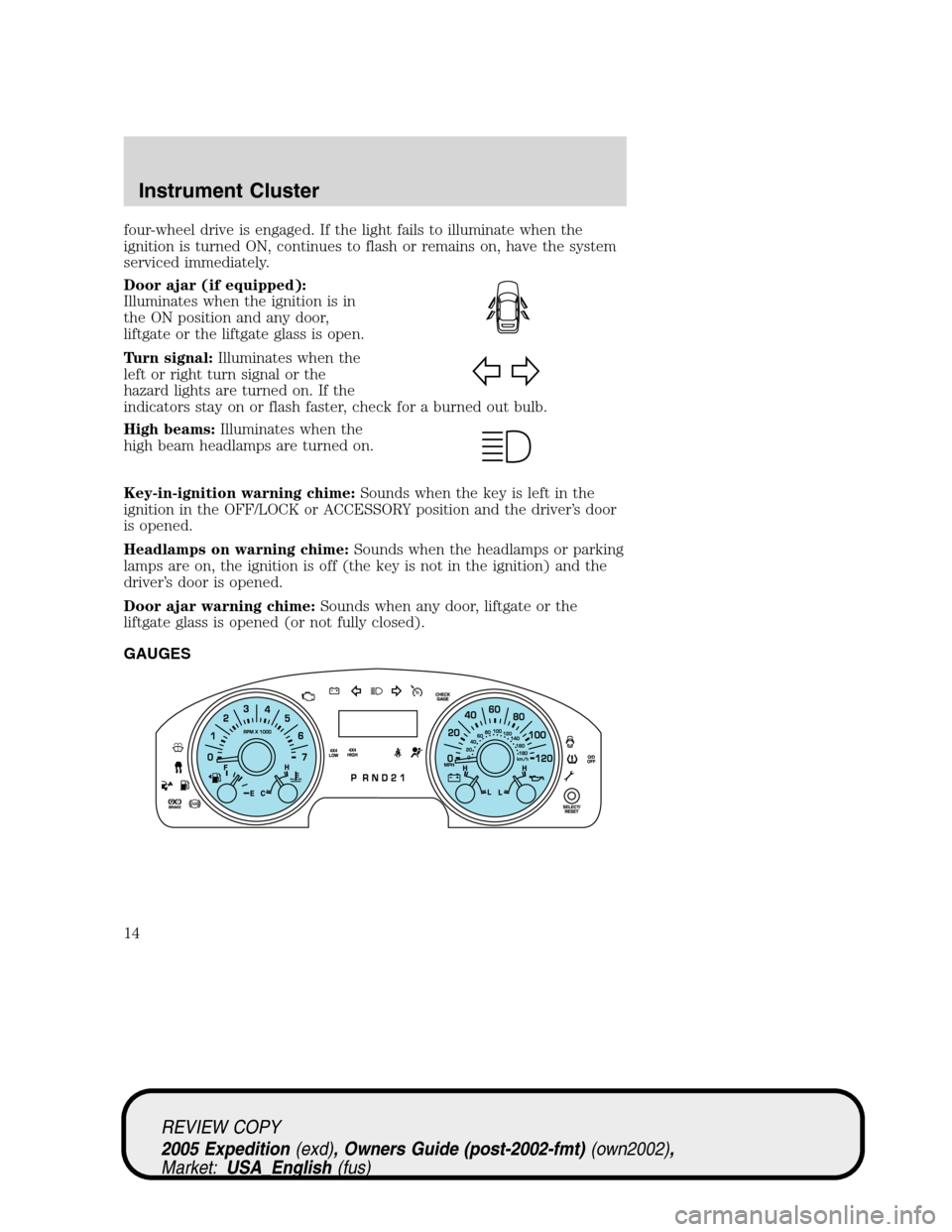
four-wheel drive is engaged. If the light fails to illuminate when the
ignition is turned ON, continues to flash or remains on, have the system
serviced immediately.
Door ajar (if equipped):
Illuminates when the ignition is in
the ON position and any door,
liftgate or the liftgate glass is open.
Turn signal:Illuminates when the
left or right turn signal or the
hazard lights are turned on. If the
indicators stay on or flash faster, check for a burned out bulb.
High beams:Illuminates when the
high beam headlamps are turned on.
Key-in-ignition warning chime:Sounds when the key is left in the
ignition in the OFF/LOCK or ACCESSORY position and the driver’s door
is opened.
Headlamps on warning chime:Sounds when the headlamps or parking
lamps are on, the ignition is off (the key is not in the ignition) and the
driver’s door is opened.
Door ajar warning chime:Sounds when any door, liftgate or the
liftgate glass is opened (or not fully closed).
GAUGES
REVIEW COPY
2005 Expedition(exd), Owners Guide (post-2002-fmt)(own2002),
Market:USA_English(fus)
Instrument Cluster
14
Page 24 of 368
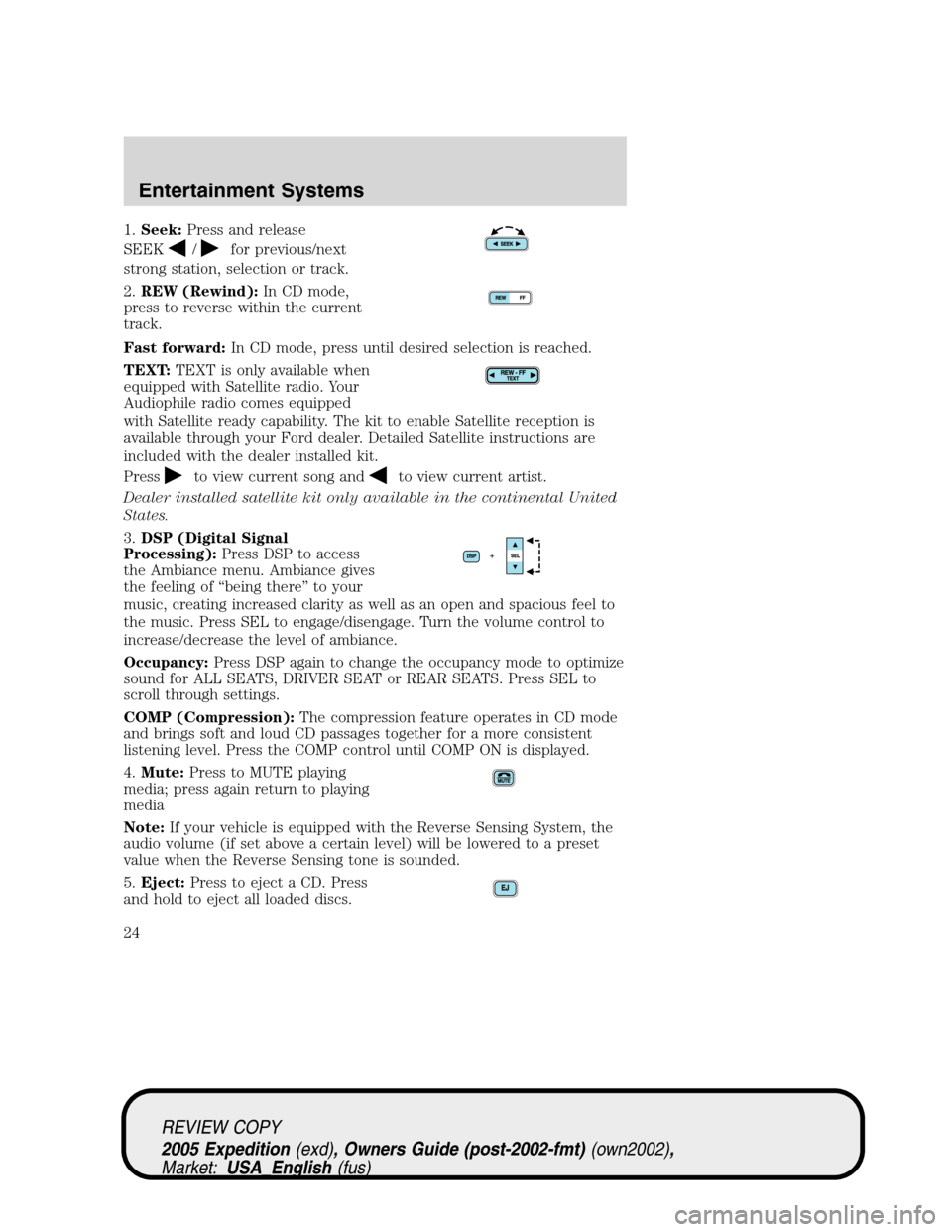
1.Seek:Press and release
SEEK
/for previous/next
strong station, selection or track.
2.REW (Rewind):In CD mode,
press to reverse within the current
track.
Fast forward:In CD mode, press until desired selection is reached.
TEXT:TEXT is only available when
equipped with Satellite radio. Your
Audiophile radio comes equipped
with Satellite ready capability. The kit to enable Satellite reception is
available through your Ford dealer. Detailed Satellite instructions are
included with the dealer installed kit.
Press
to view current song andto view current artist.
Dealer installed satellite kit only available in the continental United
States.
3.DSP (Digital Signal
Processing):Press DSP to access
the Ambiance menu. Ambiance gives
the feeling of “being there” to your
music, creating increased clarity as well as an open and spacious feel to
the music. Press SEL to engage/disengage. Turn the volume control to
increase/decrease the level of ambiance.
Occupancy:Press DSP again to change the occupancy mode to optimize
sound for ALL SEATS, DRIVER SEAT or REAR SEATS. Press SEL to
scroll through settings.
COMP (Compression):The compression feature operates in CD mode
and brings soft and loud CD passages together for a more consistent
listening level. Press the COMP control until COMP ON is displayed.
4.Mute:Press to MUTE playing
media; press again return to playing
media
Note:If your vehicle is equipped with the Reverse Sensing System, the
audio volume (if set above a certain level) will be lowered to a preset
value when the Reverse Sensing tone is sounded.
5.Eject:Press to eject a CD. Press
and hold to eject all loaded discs.
REVIEW COPY
2005 Expedition(exd), Owners Guide (post-2002-fmt)(own2002),
Market:USA_English(fus)
Entertainment Systems
24
Page 40 of 368
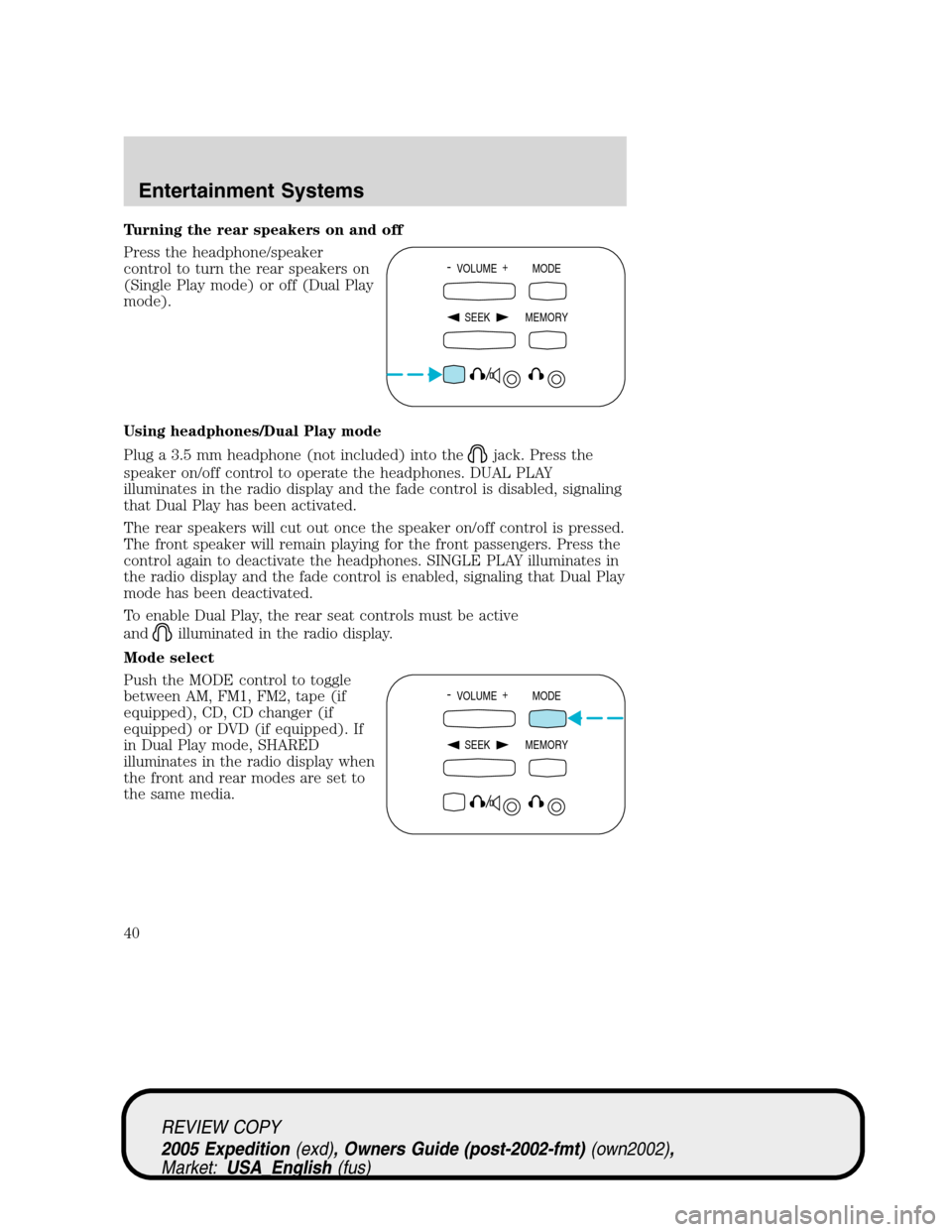
Turning the rear speakers on and off
Press the headphone/speaker
control to turn the rear speakers on
(Single Play mode) or off (Dual Play
mode).
Using headphones/Dual Play mode
Plug a 3.5 mm headphone (not included) into the
jack. Press the
speaker on/off control to operate the headphones. DUAL PLAY
illuminates in the radio display and the fade control is disabled, signaling
that Dual Play has been activated.
The rear speakers will cut out once the speaker on/off control is pressed.
The front speaker will remain playing for the front passengers. Press the
control again to deactivate the headphones. SINGLE PLAY illuminates in
the radio display and the fade control is enabled, signaling that Dual Play
mode has been deactivated.
To enable Dual Play, the rear seat controls must be active
and
illuminated in the radio display.
Mode select
Push the MODE control to toggle
between AM, FM1, FM2, tape (if
equipped), CD, CD changer (if
equipped) or DVD (if equipped). If
in Dual Play mode, SHARED
illuminates in the radio display when
the front and rear modes are set to
the same media.
- VOLUME +
MODE
SEEK MEMORY
- VOLUME +
MODE
SEEK MEMORY
REVIEW COPY
2005 Expedition(exd), Owners Guide (post-2002-fmt)(own2002),
Market:USA_English(fus)
Entertainment Systems
40
Page 42 of 368
RADIO FREQUENCIES
AM and FM frequencies are established by the Federal Communications
Commission (FCC) and the Canadian Radio and Telecommunications
Commission (CRTC). Those frequencies are:
AM - 530, 540–1700, 1710 kHz
FM- 87.7, 87.9–107.7, 107.9 MHz
RADIO RECEPTION FACTORS
There are three factors that can affect radio reception:
•Distance/strength: The further you travel from an FM station, the
weaker the signal and the weaker the reception.
•Terrain: Hills, mountains, tall buildings, power lines, electric fences,
traffic lights and thunderstorms can interfere with your reception.
•Station overload: When you pass a broadcast tower, a stronger signal
may overtake a weaker one and play while the weak station frequency
is displayed.
CASSETTE/PLAYER CARE
Do:
•Use only cassettes that are 90 minutes long or less.
•Tighten very loose tapes by inserting a finger or pencil into the hole
and turning the hub.
•Remove loose labels before inserting tapes.
•Allow tapes which have been subjected to extreme heat, humidity or
cold to reach a moderate temperature before playing.
•Clean the cassette player head with a cassette cleaning cartridge after
10–12 hours of play to maintain good sound/operation.
Don’t:
•Expose tapes to direct sunlight, extreme humidity, heat or cold.
•Leave tapes in the cassette player for a long time when not being
played.
CD/CD PLAYER CARE
Do:
•Handle discs by their edges only. Never touch the playing surface.
•Inspect discs before playing. Clean only with an approved CD cleaner
and wipe from the center out.
REVIEW COPY
2005 Expedition(exd), Owners Guide (post-2002-fmt)(own2002),
Market:USA_English(fus)
Entertainment Systems
42
Page 50 of 368
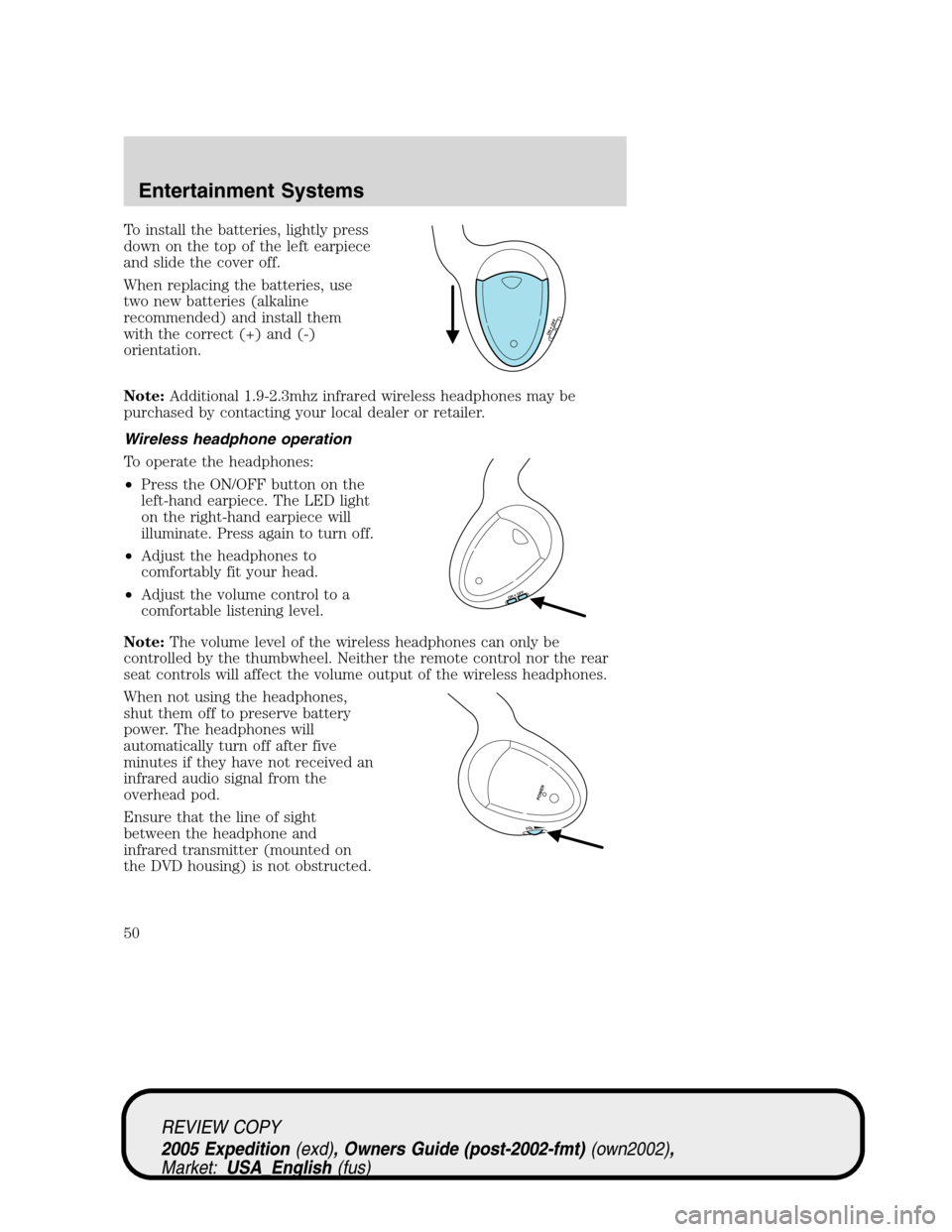
To install the batteries, lightly press
down on the top of the left earpiece
and slide the cover off.
When replacing the batteries, use
two new batteries (alkaline
recommended) and install them
with the correct (+) and (-)
orientation.
Note:Additional 1.9-2.3mhz infrared wireless headphones may be
purchased by contacting your local dealer or retailer.
Wireless headphone operation
To operate the headphones:
•Press the ON/OFF button on the
left-hand earpiece. The LED light
on the right-hand earpiece will
illuminate. Press again to turn off.
•Adjust the headphones to
comfortably fit your head.
•Adjust the volume control to a
comfortable listening level.
Note:The volume level of the wireless headphones can only be
controlled by the thumbwheel. Neither the remote control nor the rear
seat controls will affect the volume output of the wireless headphones.
When not using the headphones,
shut them off to preserve battery
power. The headphones will
automatically turn off after five
minutes if they have not received an
infrared audio signal from the
overhead pod.
Ensure that the line of sight
between the headphone and
infrared transmitter (mounted on
the DVD housing) is not obstructed.
ON OFF
ON OFF
VOL
PO
W
ER
REVIEW COPY
2005 Expedition(exd), Owners Guide (post-2002-fmt)(own2002),
Market:USA_English(fus)
Entertainment Systems
50
Page 64 of 368
5. Use the cursor control to increase
or decrease the levels. The higher
the level selected, the greater the
compensation. The levels will be
shown in the display. Decrease all
the way to the left to turn AVC off.
AM/FM select
The AM/FM control works in radio,
CD and navigation modes.
AM/FM select in radio mode
This control allows you to select AM or FM frequency bands. Press the
control to switch between AM, FM1 or FM2 memory preset stations.
AM/FM select in CD mode
Press to stop CD play and begin radio play.
Radio reception factors:
•Distance/strength.The further an FM signal travels, the weaker it is.
The listenable range of the average FM station is approximately 40 km
(24 miles). This range can be affected by “signal modulation.” Signal
modulation is a process radio stations use to increase their
strength/volume relative to other stations.
•Terrain.Hills, mountains and tall buildings between your vehicle’s
antenna and the radio station signal can cause FM reception problems.
Static can be caused on AM stations by power lines, electric fences,
traffic lights and thunderstorms. Moving away from an interfering
structure (out of its “shadow”) returns your reception to normal.
•Station overload.Weak signals are sometimes captured by stronger
signals when you pass a broadcast tower. A stronger signal may
temporarily overtake a weaker signal and play while the weak station
frequency is displayed.
AM/FM select in navigation mode
Press once when in navigation mode to return to the audio screen (while
the navigation function continues to work in the background). Press
again to enter AM/FM mode where you are able to make frequency band
adjustments.
AM/FM
REVIEW COPY
2005 Expedition(exd), Owners Guide (post-2002-fmt)(own2002),
Market:USA_English(fus)
Entertainment Systems
64
Page 66 of 368
4. Use the cursor control to increase
or lower the bass and treble levels
or to adjust the sound between the
front and rear or between the left
and right speakers.
DSP (Digital Signal Processing)
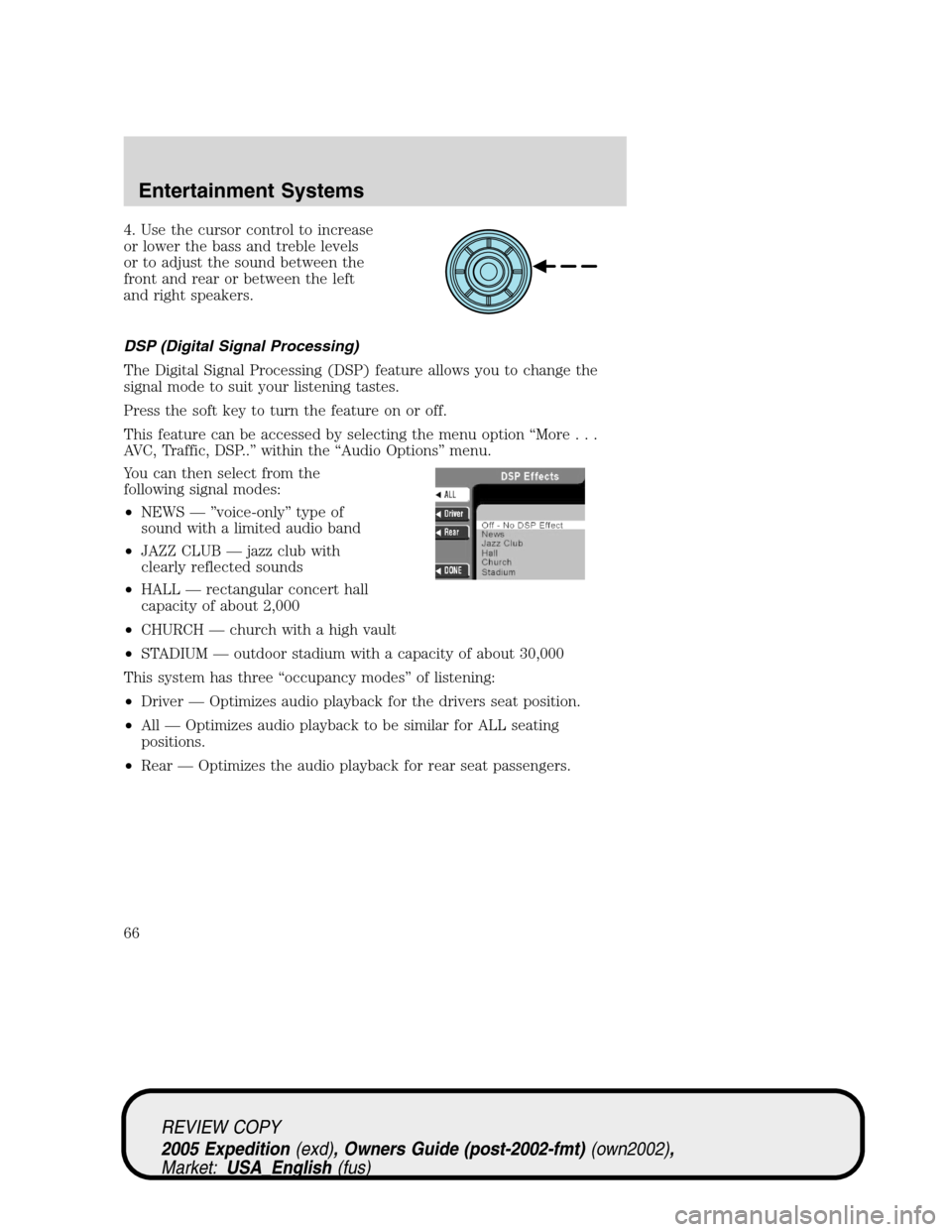
The Digital Signal Processing (DSP) feature allows you to change the
signal mode to suit your listening tastes.
Press the soft key to turn the feature on or off.
This feature can be accessed by selecting the menu option “More...
AVC, Traffic, DSP..” within the “Audio Options” menu.
You can then select from the
following signal modes:
•NEWS — ”voice-only” type of
sound with a limited audio band
•JAZZ CLUB — jazz club with
clearly reflected sounds
•HALL — rectangular concert hall
capacity of about 2,000
•CHURCH — church with a high vault
•STADIUM — outdoor stadium with a capacity of about 30,000
This system has three “occupancy modes” of listening:
•Driver — Optimizes audio playback for the drivers seat position.
•All — Optimizes audio playback to be similar for ALL seating
positions.
•Rear — Optimizes the audio playback for rear seat passengers.
REVIEW COPY
2005 Expedition(exd), Owners Guide (post-2002-fmt)(own2002),
Market:USA_English(fus)
Entertainment Systems
66