Page 99 of 368
OPERATING TIPS
•To reduce fog build up on the windshield during humid weather, place
the air flow selector in the
position.
•To reduce humidity build up inside the vehicle: do not drive with the
air flow selector in the OFF or (in cold weather) MAX A/C position.
•Under normal weather conditions, do not leave the air flow selector in
MAX A/C or OFF when the vehicle is parked. This allows the vehicle
to “breathe” using the outside air inlet vents.
•Do not put objects under the front seats that will interfere with the
airflow to the back seats.
•Remove any snow, ice or leaves from the air intake area at the base of
the windshield.
To aid in side window defogging/demisting in cold weather:
1. Select
.
2. Select A/C.
3. Modulate the temperature control to maintain comfort.
4. Set the fan speed to the highest setting.
5. Direct the outer instrument panel vents towards the side windows.
To increase airflow to the outer instrument panel vents, close the vents
located in the middle of the instrument panel.
Do not place objects on top of the instrument panel as these
objects may become projectiles in a collision or sudden stop.
REVIEW COPY
2005 Expedition(exd), Owners Guide (post-2002-fmt)(own2002),
Market:USA_English(fus)
Climate Controls
99
Page 100 of 368
AUXILIARY A/C-HEATER CONTROLS (IF EQUIPPED)
Your vehicle may be equipped with auxiliary climate controls. These
allow the front or rear seat passengers to control airflow direction,
temperature and fan level of the rear compartment to quickly heat or
cool the vehicle.
Auxiliary climate controls are located in the first row overhead console
and in the floor console on the back of the front row console.
If the main climate control system is in the OFF position, the auxiliary
climate control will not operate.
The auxiliary unit can be controlled either by the front seat occupant(s)
using the front auxiliary control or by the rear seat passenger(s) using
the rear auxiliary control but not both. To control the auxiliary unit using
the rear control, the front auxiliary blower control must be in the REAR
position.
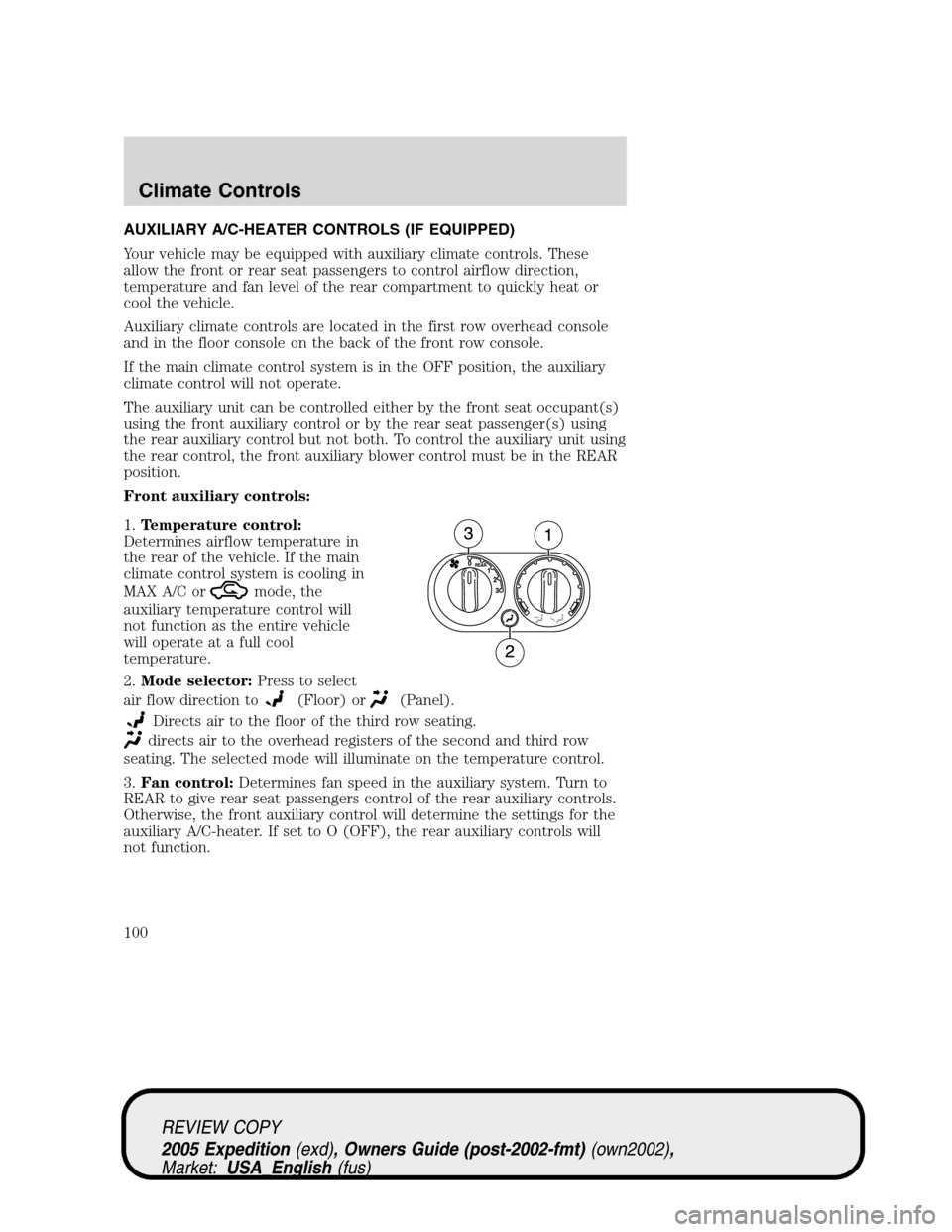
Front auxiliary controls:
1.Temperature control:
Determines airflow temperature in
the rear of the vehicle. If the main
climate control system is cooling in
MAX A/C or
mode, the
auxiliary temperature control will
not function as the entire vehicle
will operate at a full cool
temperature.
2.Mode selector:Press to select
air flow direction to
(Floor) or(Panel).
Directs air to the floor of the third row seating.
directs air to the overhead registers of the second and third row
seating. The selected mode will illuminate on the temperature control.
3.Fan control:Determines fan speed in the auxiliary system. Turn to
REAR to give rear seat passengers control of the rear auxiliary controls.
Otherwise, the front auxiliary control will determine the settings for the
auxiliary A/C-heater. If set to O (OFF), the rear auxiliary controls will
not function.
REVIEW COPY
2005 Expedition(exd), Owners Guide (post-2002-fmt)(own2002),
Market:USA_English(fus)
Climate Controls
100
Page 101 of 368
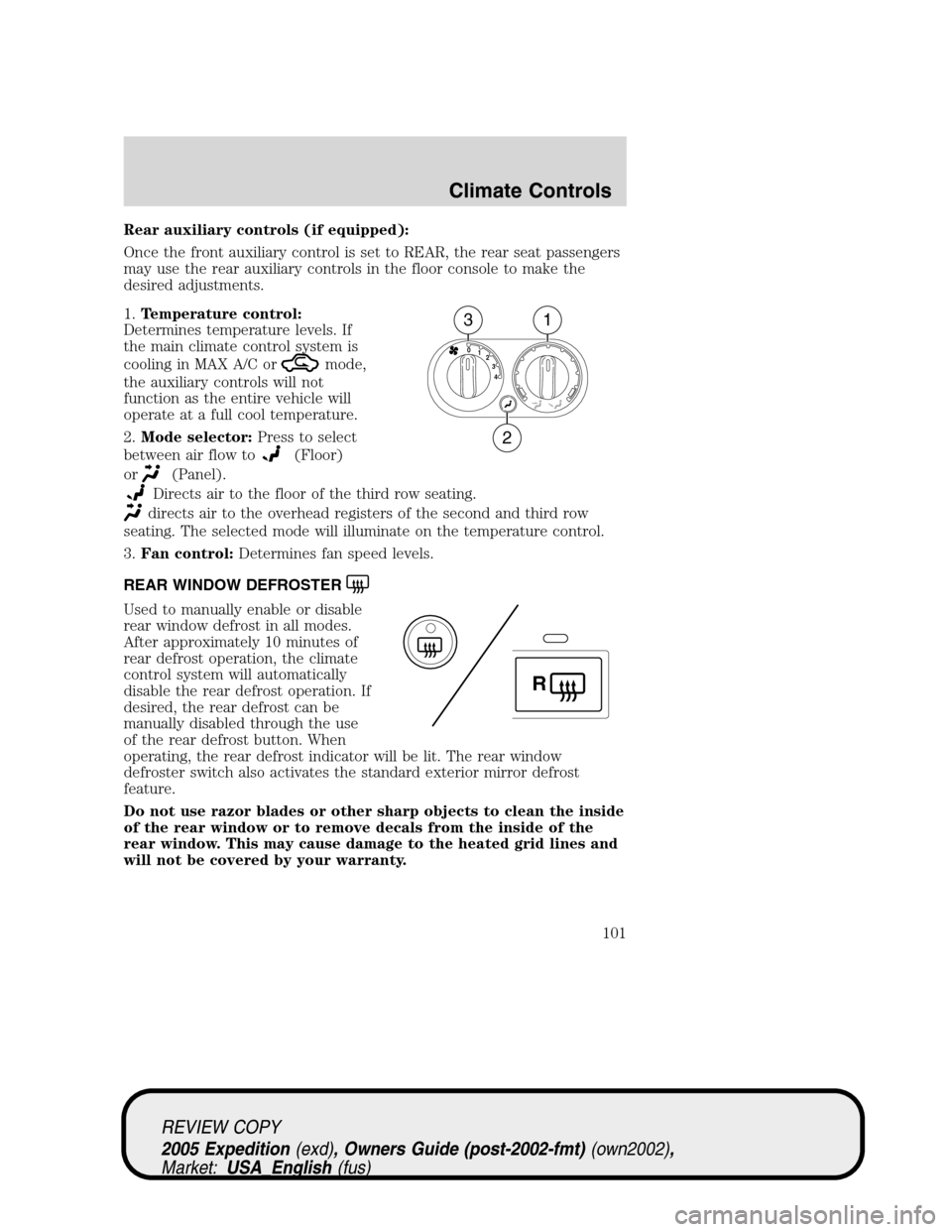
Rear auxiliary controls (if equipped):
Once the front auxiliary control is set to REAR, the rear seat passengers
may use the rear auxiliary controls in the floor console to make the
desired adjustments.
1.Temperature control:
Determines temperature levels. If
the main climate control system is
cooling in MAX A/C or
mode,
the auxiliary controls will not
function as the entire vehicle will
operate at a full cool temperature.
2.Mode selector:Press to select
between air flow to
(Floor)
or
(Panel).
Directs air to the floor of the third row seating.
directs air to the overhead registers of the second and third row
seating. The selected mode will illuminate on the temperature control.
3.Fan control:Determines fan speed levels.
REAR WINDOW DEFROSTER
Used to manually enable or disable
rear window defrost in all modes.
After approximately 10 minutes of
rear defrost operation, the climate
control system will automatically
disable the rear defrost operation. If
desired, the rear defrost can be
manually disabled through the use
of the rear defrost button. When
operating, the rear defrost indicator will be lit. The rear window
defroster switch also activates the standard exterior mirror defrost
feature.
Do not use razor blades or other sharp objects to clean the inside
of the rear window or to remove decals from the inside of the
rear window. This may cause damage to the heated grid lines and
will not be covered by your warranty.
4 3 2 1 0
31
2
R
REVIEW COPY
2005 Expedition(exd), Owners Guide (post-2002-fmt)(own2002),
Market:USA_English(fus)
Climate Controls
101
Page 119 of 368
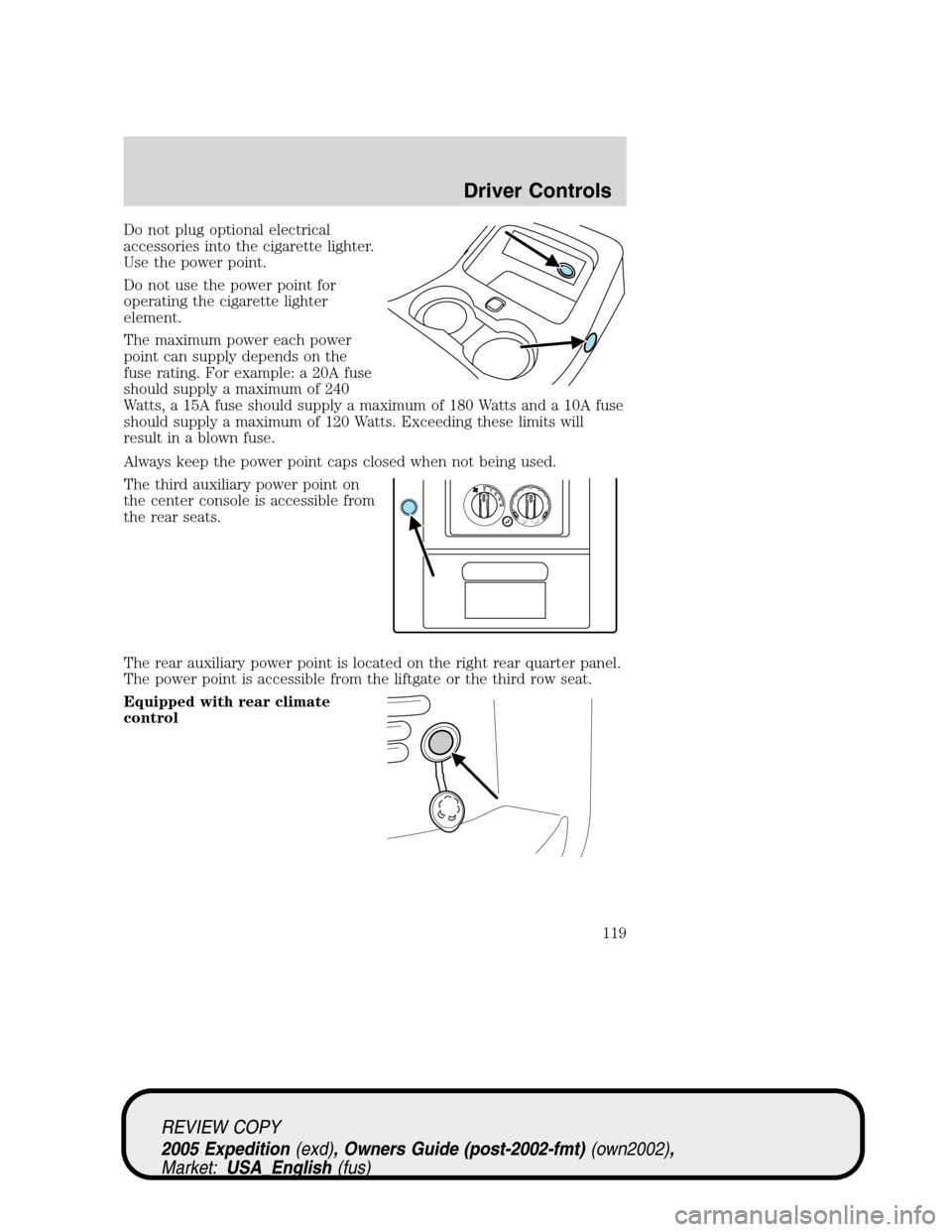
Do not plug optional electrical
accessories into the cigarette lighter.
Use the power point.
Do not use the power point for
operating the cigarette lighter
element.
The maximum power each power
point can supply depends on the
fuse rating. For example: a 20A fuse
should supply a maximum of 240
Watts, a 15A fuse should supply a maximum of 180 Watts and a 10A fuse
should supply a maximum of 120 Watts. Exceeding these limits will
result in a blown fuse.
Always keep the power point caps closed when not being used.
The third auxiliary power point on
the center console is accessible from
the rear seats.
The rear auxiliary power point is located on the right rear quarter panel.
The power point is accessible from the liftgate or the third row seat.
Equipped with rear climate
control
4 3 2 1 0
REVIEW COPY
2005 Expedition(exd), Owners Guide (post-2002-fmt)(own2002),
Market:USA_English(fus)
Driver Controls
119
Page 120 of 368
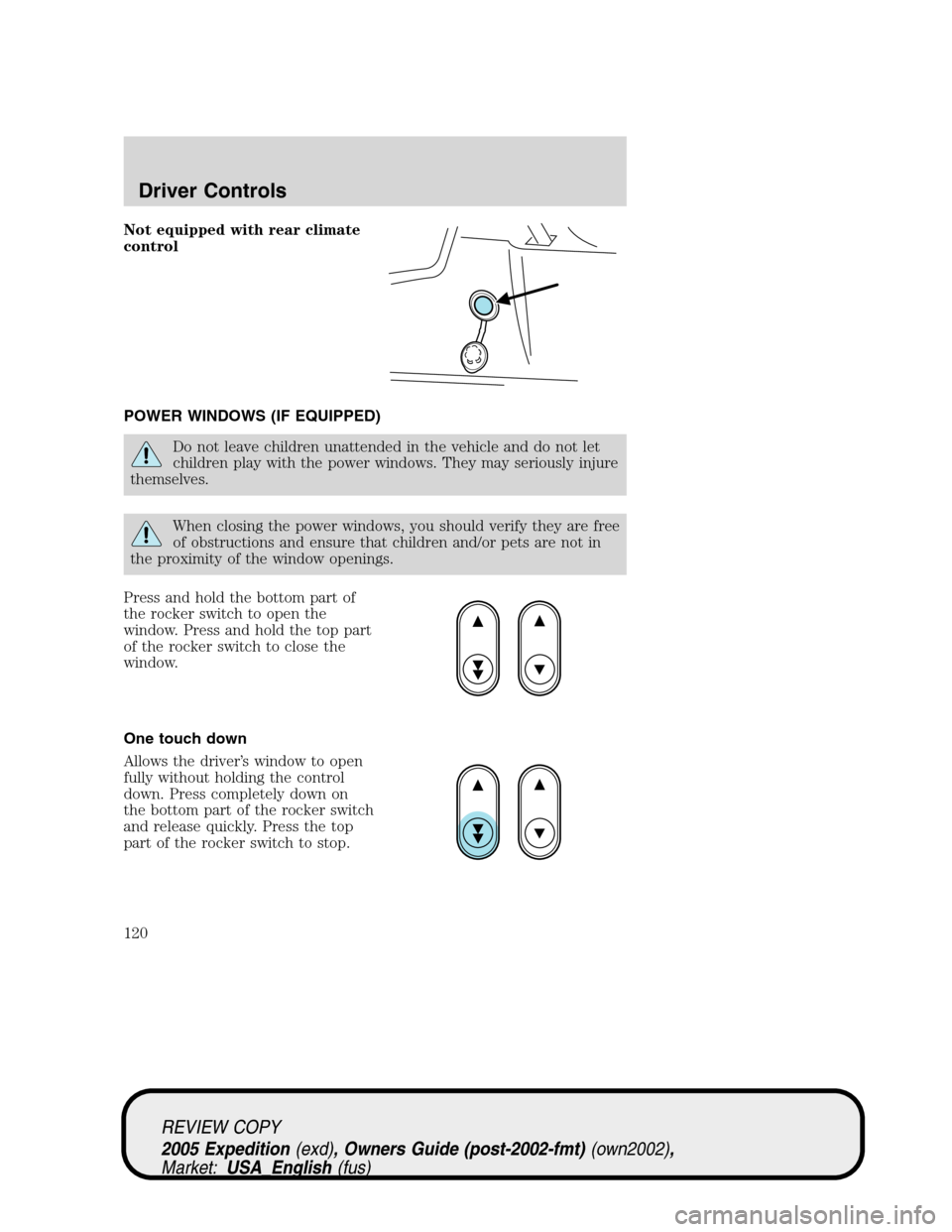
Not equipped with rear climate
control
POWER WINDOWS (IF EQUIPPED)
Do not leave children unattended in the vehicle and do not let
children play with the power windows. They may seriously injure
themselves.
When closing the power windows, you should verify they are free
of obstructions and ensure that children and/or pets are not in
the proximity of the window openings.
Press and hold the bottom part of
the rocker switch to open the
window. Press and hold the top part
of the rocker switch to close the
window.
One touch down
Allows the driver’s window to open
fully without holding the control
down. Press completely down on
the bottom part of the rocker switch
and release quickly. Press the top
part of the rocker switch to stop.
REVIEW COPY
2005 Expedition(exd), Owners Guide (post-2002-fmt)(own2002),
Market:USA_English(fus)
Driver Controls
120
Page 126 of 368
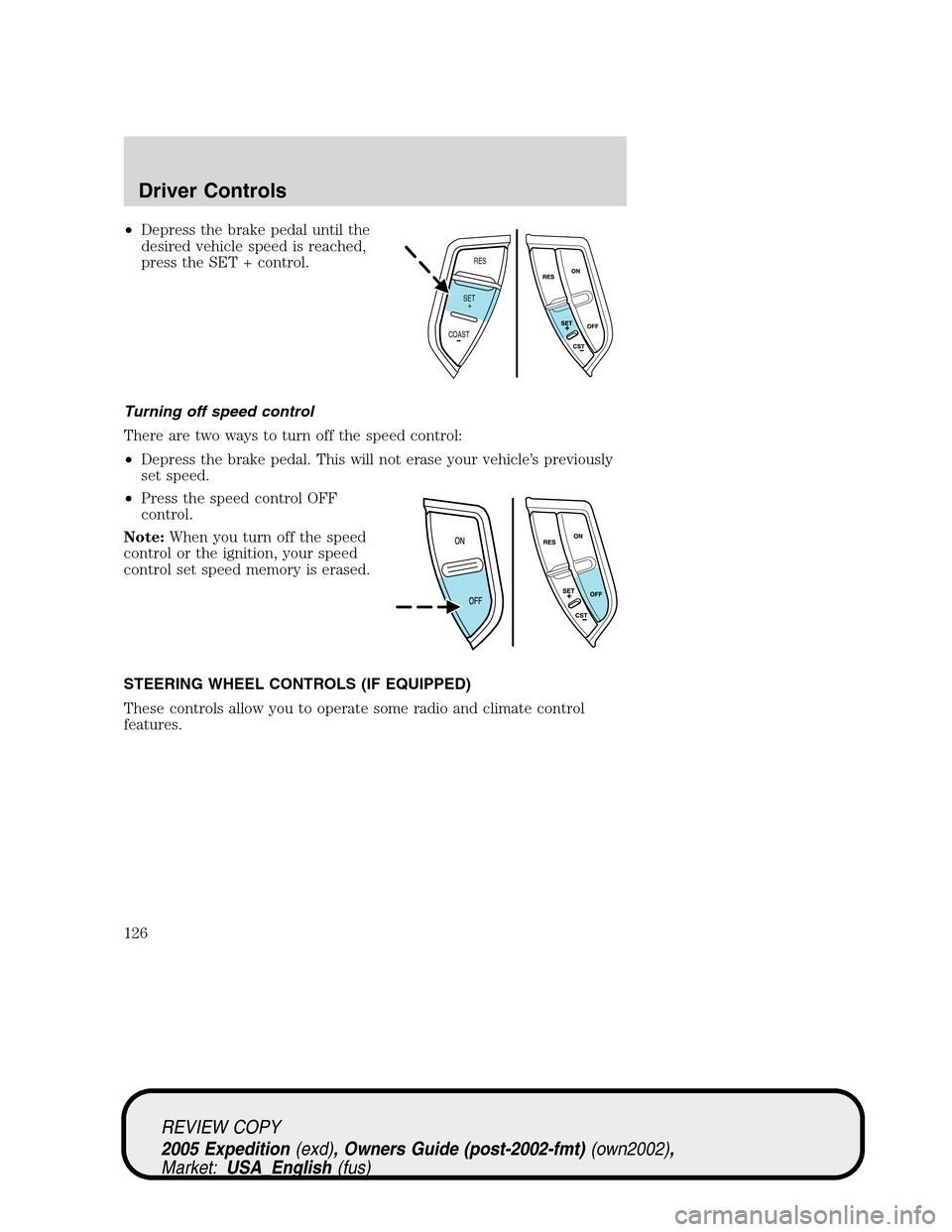
•Depress the brake pedal until the
desired vehicle speed is reached,
press the SET + control.
Turning off speed control
There are two ways to turn off the speed control:
•Depress the brake pedal. This will not erase your vehicle’s previously
set speed.
•Press the speed control OFF
control.
Note:When you turn off the speed
control or the ignition, your speed
control set speed memory is erased.
STEERING WHEEL CONTROLS (IF EQUIPPED)
These controls allow you to operate some radio and climate control
features.
RES
SET
COAST+
REVIEW COPY
2005 Expedition(exd), Owners Guide (post-2002-fmt)(own2002),
Market:USA_English(fus)
Driver Controls
126
Page 128 of 368
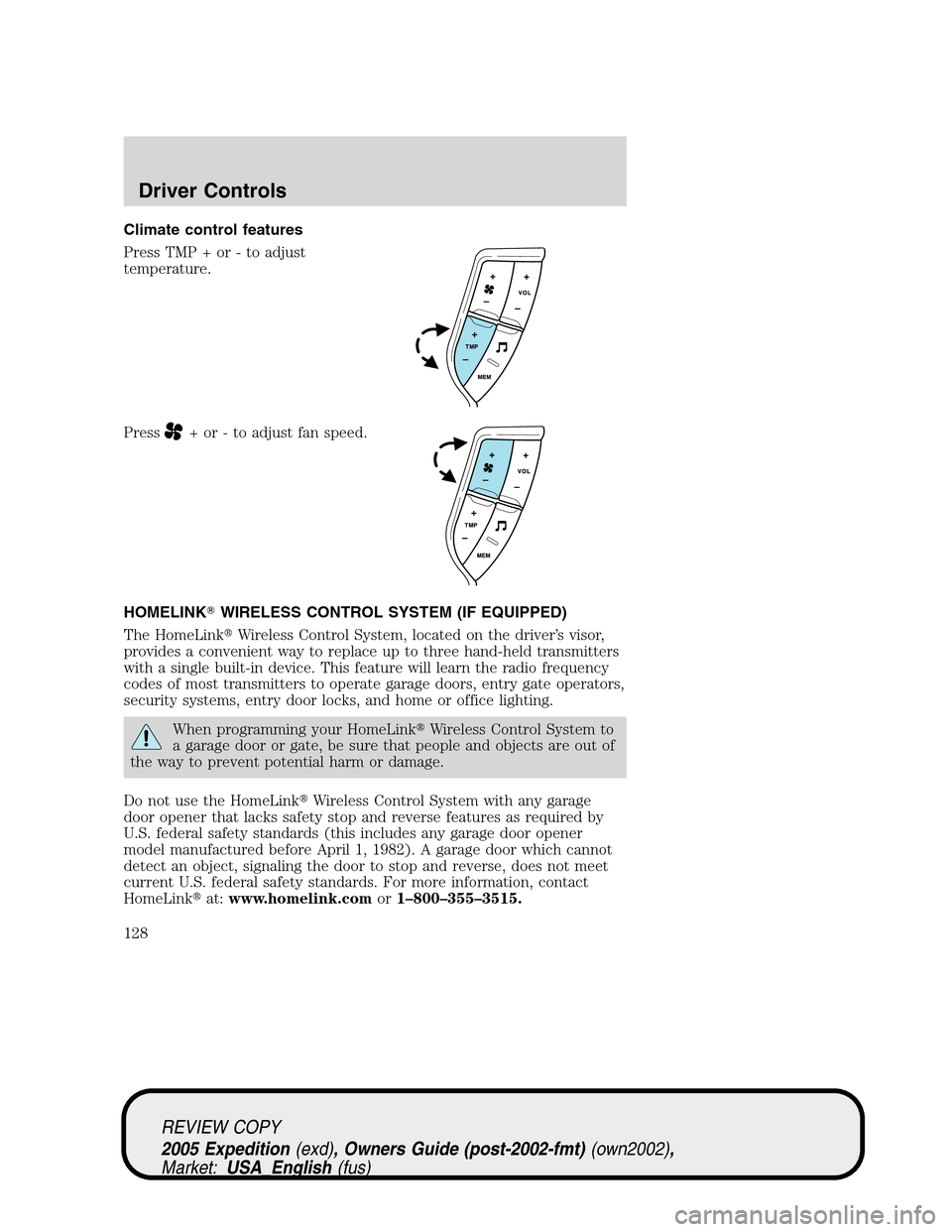
Climate control features
Press TMP + or - to adjust
temperature.
Press
+ or - to adjust fan speed.
HOMELINK�WIRELESS CONTROL SYSTEM (IF EQUIPPED)
The HomeLink�Wireless Control System, located on the driver’s visor,
provides a convenient way to replace up to three hand-held transmitters
with a single built-in device. This feature will learn the radio frequency
codes of most transmitters to operate garage doors, entry gate operators,
security systems, entry door locks, and home or office lighting.
When programming your HomeLink�Wireless Control System to
a garage door or gate, be sure that people and objects are out of
the way to prevent potential harm or damage.
Do not use the HomeLink�Wireless Control System with any garage
door opener that lacks safety stop and reverse features as required by
U.S. federal safety standards (this includes any garage door opener
model manufactured before April 1, 1982). A garage door which cannot
detect an object, signaling the door to stop and reverse, does not meet
current U.S. federal safety standards. For more information, contact
HomeLink�at:www.homelink.comor1–800–355–3515.
REVIEW COPY
2005 Expedition(exd), Owners Guide (post-2002-fmt)(own2002),
Market:USA_English(fus)
Driver Controls
128
Page 132 of 368
For questions or comments, contact HomeLink�atwww.homelink.com
or1–800–355–3515.
ELECTRONIC COMPASS/TEMPERATURE DISPLAY WITHOUT
MESSAGE CENTER (IF EQUIPPED)
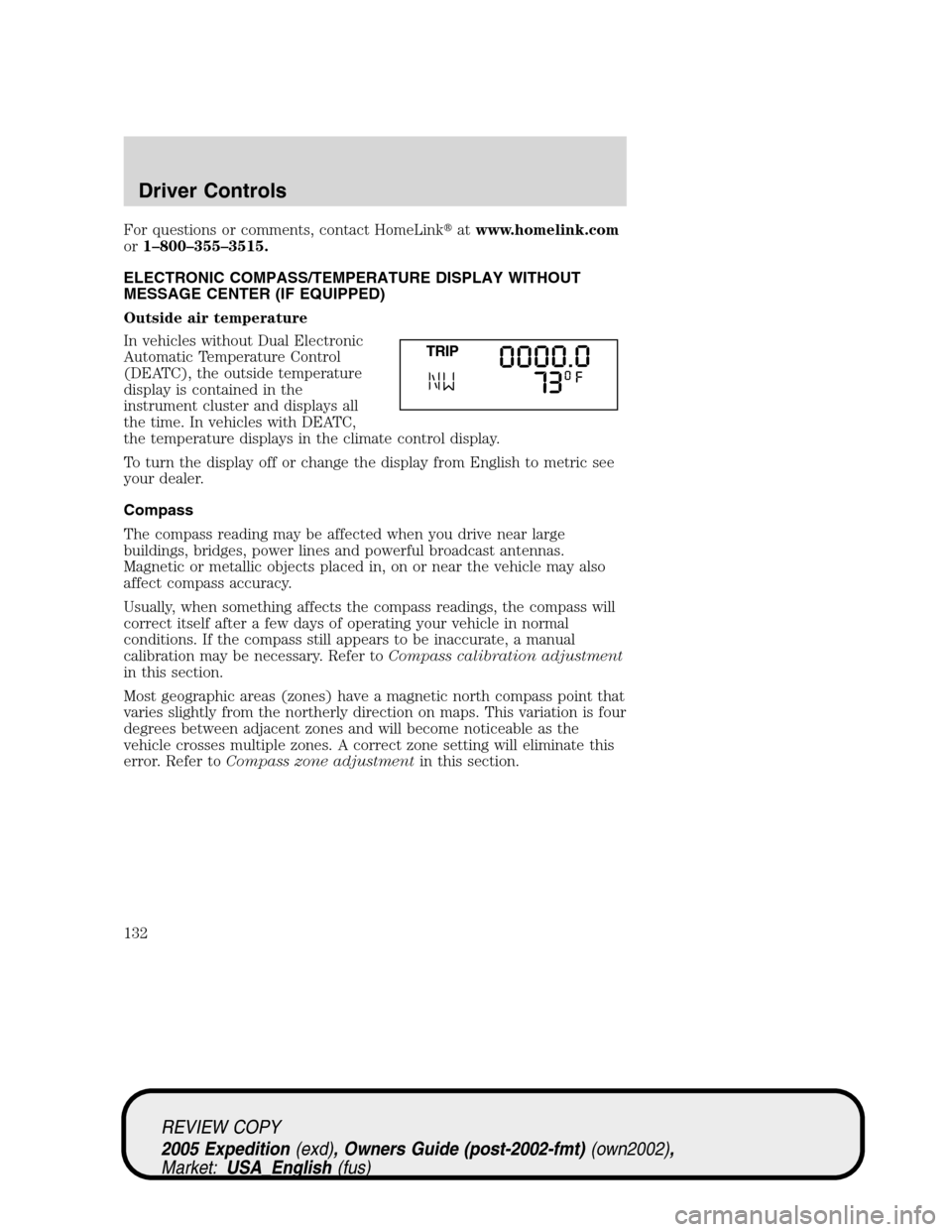
Outside air temperature
In vehicles without Dual Electronic
Automatic Temperature Control
(DEATC), the outside temperature
display is contained in the
instrument cluster and displays all
the time. In vehicles with DEATC,
the temperature displays in the climate control display.
To turn the display off or change the display from English to metric see
your dealer.
Compass
The compass reading may be affected when you drive near large
buildings, bridges, power lines and powerful broadcast antennas.
Magnetic or metallic objects placed in, on or near the vehicle may also
affect compass accuracy.
Usually, when something affects the compass readings, the compass will
correct itself after a few days of operating your vehicle in normal
conditions. If the compass still appears to be inaccurate, a manual
calibration may be necessary. Refer toCompass calibration adjustment
in this section.
Most geographic areas (zones) have a magnetic north compass point that
varies slightly from the northerly direction on maps. This variation is four
degrees between adjacent zones and will become noticeable as the
vehicle crosses multiple zones. A correct zone setting will eliminate this
error. Refer toCompass zone adjustmentin this section.
REVIEW COPY
2005 Expedition(exd), Owners Guide (post-2002-fmt)(own2002),
Market:USA_English(fus)
Driver Controls
132