2005 FORD ESCAPE brake
[x] Cancel search: brakePage 57 of 272
Reducing speed while using speed control
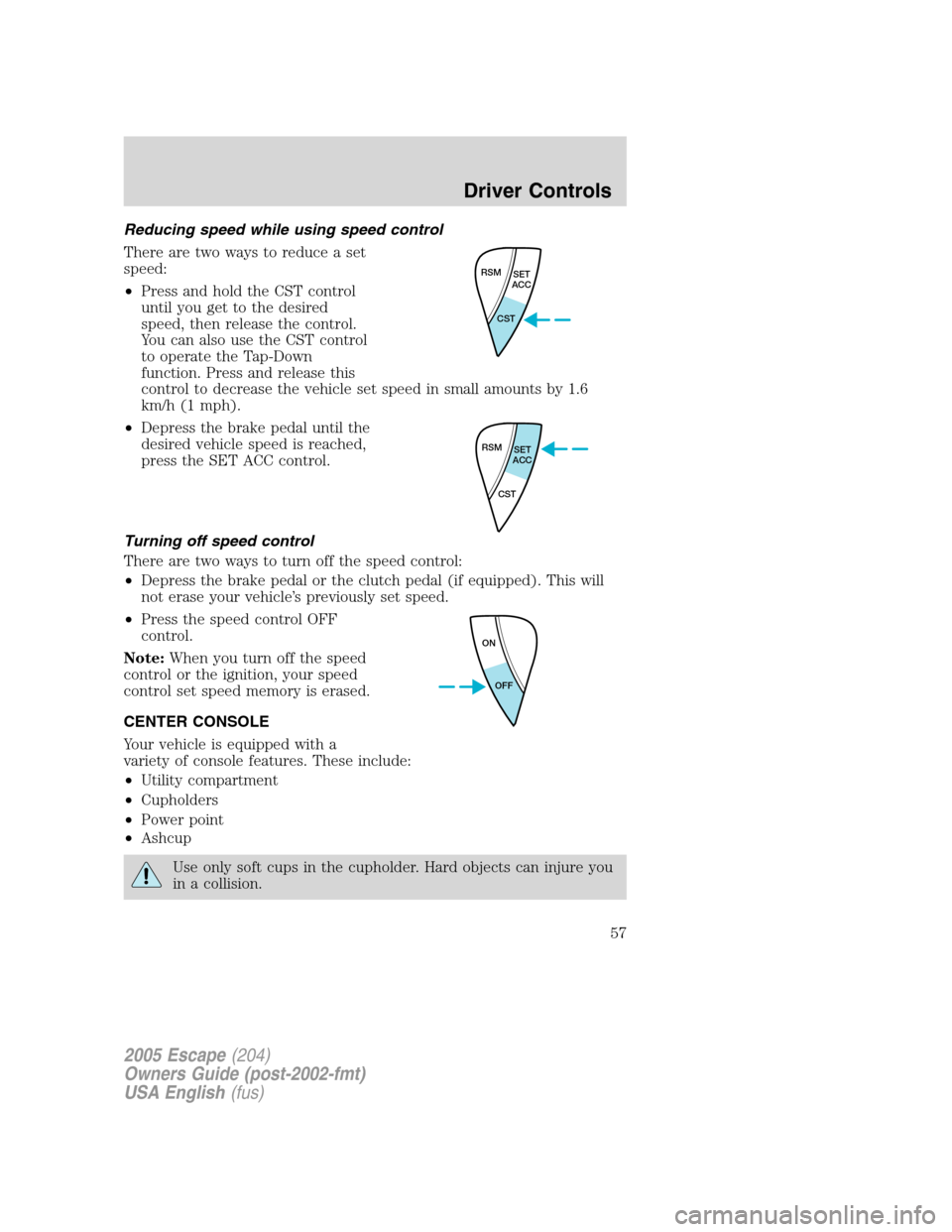
There are two ways to reduce a set
speed:
•Press and hold the CST control
until you get to the desired
speed, then release the control.
You can also use the CST control
to operate the Tap-Down
function. Press and release this
control to decrease the vehicle set speed in small amounts by 1.6
km/h (1 mph).
•Depress the brake pedal until the
desired vehicle speed is reached,
press the SET ACC control.
Turning off speed control
There are two ways to turn off the speed control:
•Depress the brake pedal or the clutch pedal (if equipped). This will
not erase your vehicle’s previously set speed.
•Press the speed control OFF
control.
Note:When you turn off the speed
control or the ignition, your speed
control set speed memory is erased.
CENTER CONSOLE
Your vehicle is equipped with a
variety of console features. These include:
•Utility compartment
•Cupholders
•Power point
•Ashcup
Use only soft cups in the cupholder. Hard objects can injure you
in a collision.
RSM
SET
ACC
CST
RSM
SET
ACC
CST
ON
OFF
2005 Escape(204)
Owners Guide (post-2002-fmt)
USA English(fus)
Driver Controls
57
Page 62 of 272
4. Brake System
5. Liftgate Status
6. Exterior Lamps
7. 4 Wheel Drive
8. Fuel Level Status
Language
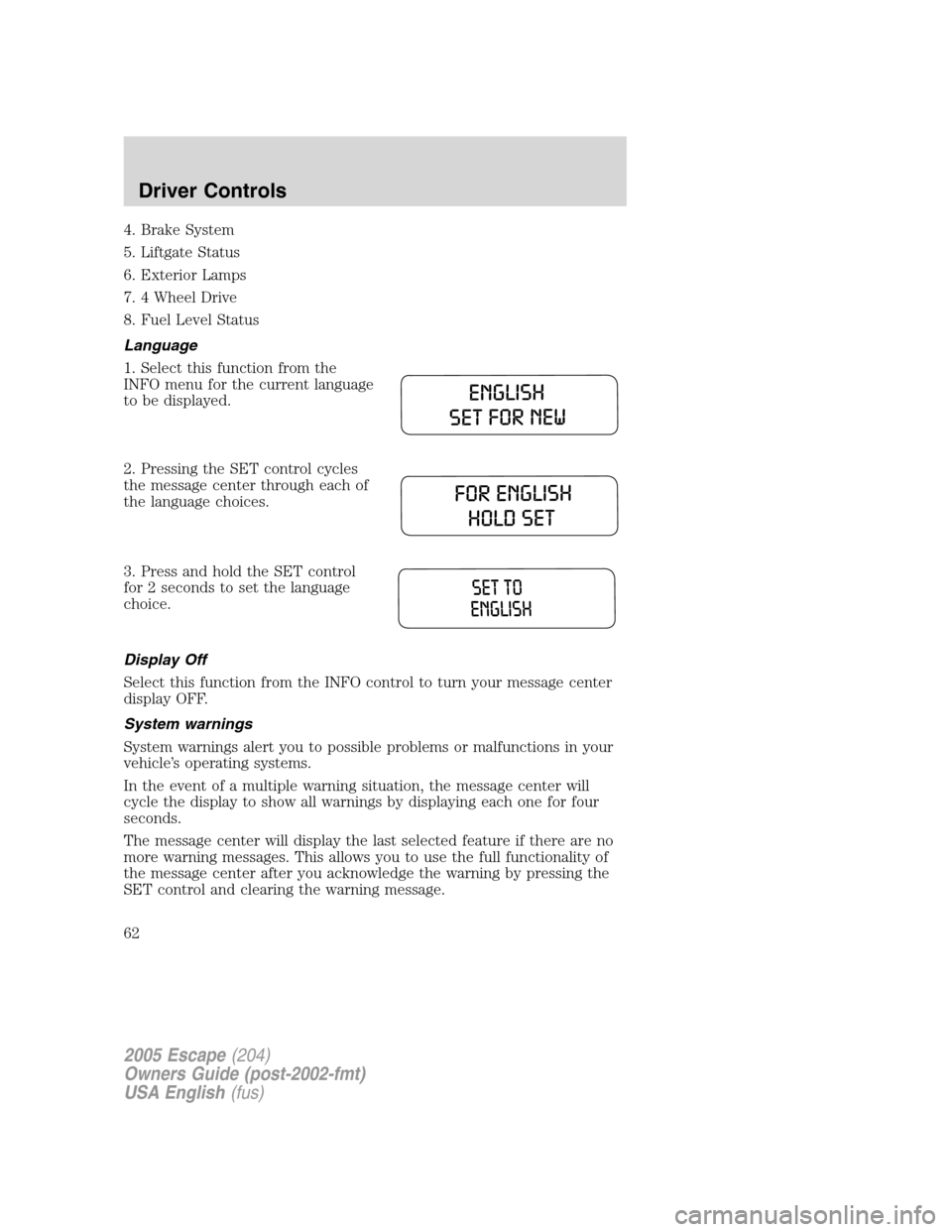
1. Select this function from the
INFO menu for the current language
to be displayed.
2. Pressing the SET control cycles
the message center through each of
the language choices.
3. Press and hold the SET control
for 2 seconds to set the language
choice.
Display Off
Select this function from the INFO control to turn your message center
display OFF.
System warnings
System warnings alert you to possible problems or malfunctions in your
vehicle’s operating systems.
In the event of a multiple warning situation, the message center will
cycle the display to show all warnings by displaying each one for four
seconds.
The message center will display the last selected feature if there are no
more warning messages. This allows you to use the full functionality of
the message center after you acknowledge the warning by pressing the
SET control and clearing the warning message.
2005 Escape(204)
Owners Guide (post-2002-fmt)
USA English(fus)
Driver Controls
62
Page 63 of 272

Warning messages that have been reset are divided into two categories:
•They will reappear on the display ten minutes from the reset.
•They will not reappear until an ignition OFF-ON cycle has been
completed.
This acts as a reminder that these warning conditions still exist within
the vehicle.
High engine temperature Warning cannot be reset
Driver door ajar
Passenger door ajar
Rear left door ajar
Rear right door ajar
Park brake on Warning returns after 10 minutes
Liftgate ajar Warning returns after the ignition key
is turned from OFF to ON.
Liftgate glass ajar
Service emission sys
Check fuel cap
Low brake fluid
Service brake system
Check brake lamps
Check left headlamp
Check right headlamp
Check left high beam
Check right high beam
Check left turn lamps
Check right turn lamps
Engine change oil soon
Engine oil change now
Low fuel
Service4X4
Turn signal on
4X4 locked temporarily Temporary alert
4X4 disabled temporarily
4X4 auto restored
2005 Escape(204)
Owners Guide (post-2002-fmt)
USA English(fus)
Driver Controls
63
Page 64 of 272

HIGH ENGINE TEMPERATURE.Displayed when the engine is
overheating. Stop the vehicle as soon as safely possible, turn off the
engine and let it cool. Check the coolant and coolant level. Refer to
Engine coolantin theMaintenance and specificationschapter. If the
warning stays on or continues to come on, contact your dealer as soon as
possible.
DRIVER DOOR AJAR.Displayed when the driver door is not
completely closed.
PASSENGER DOOR AJAR.Displayed when the passenger door is not
completely closed.
REAR LEFT DOOR AJAR.Displayed when the rear left door is not
completely closed.
REAR RIGHT DOOR AJAR.Displayed when the rear right door is not
completely closed.
LIFTGATE AJAR.Displayed when the liftgate is not completely closed.
LIFTGATE GLASS AJAR.Displayed when the liftgate glass is not
completely closed.
PARK BRAKE ON.Displayed when the park brake is ON. If the
warning stays on after the park brake is off, contact your dealer as soon
as possible.
SERVICE EMISSION SYS.Displayed when the engine has defaulted to
a’limp-home’operation. If the warning stays on or continues to come on,
contact your dealer as soon as possible.
SERVICE BRAKE SYSTEM.Displayed when the braking system is not
operating properly. If the warning stays on or continues to come on,
contact your dealer as soon as possible.
CHECK BRAKE LAMPS.Displayed when the brake lamps are
activated and at least one is burned out. Check the lamps as soon as
possible and have the burned out lamp replaced. The center high-mount
brakelamp is not monitored.
CHECK LEFT OR RIGHT HEADLAMPS.Displayed when the
headlamps are activated and at least one is burned out. Check the lamps
as soon as possible and have the burned out lamp replaced. Refer to
Replacing headlamp bulbsin theLightschapter.
CHECK LEFT OR RIGHT HIGH BEAMS.Displayed when the
headlamps are activated and at least one is burned out. Check the lamps
as soon as possible and have the burned out lamp replaced. Refer to
Replacing headlamp bulbsin theLightschapter.
2005 Escape(204)
Owners Guide (post-2002-fmt)
USA English(fus)
Driver Controls
64
Page 66 of 272

2. Press and release the SET control
to display“OIL CHNG XXX% HOLD
SET NEW”.
3. Press and hold the SET control
for 2 seconds to display“OIL
CHANGE SET TO 100%”.
INFO UNAVAIL.These messages indicate improper operation of the
vehicle network communication systems for the following vehicle
modules.
•Fuel computer
•Charging system
•Door sensor
•Brakes
•Exteroir lamps
•Emissions system
•4X4 info
Contact your Ford Dealer as soon as possible if these messages occur on
a regular basis.
LIFTGATE
To open the rear window, pull the
right side of the liftgate handle.
To open the liftgate, pull the left
side of the liftgate handle.
•Do not open the liftgate or
liftgate glass in a garage or other
enclosed area with a low ceiling.
If the liftgate glass is raised and
the liftgate is also opened, both
liftgate and glass could be
damaged against a low ceiling.
•Do not leave the liftgate or liftgate glass open while driving. Doing so
could cause serious damage to the liftgate and its components as well
as allowing carbon monoxide to enter the vehicle.
2005 Escape(204)
Owners Guide (post-2002-fmt)
USA English(fus)
Driver Controls
66
Page 78 of 272

Door key unlocking/locking
Two step door unlocking
1. Turn the key in the door cylinder to unlock the driver’s door.Note:
The interior lamps will illuminate if the control on the overhead lamp is
in the DOOR position, the flashers will flash twice, and the perimeter
alarm system (if equipped) will deactivate. For more information, refer
toIlluminated entrylater in this chapter.
2. Turn the key in the door cylinder again within three seconds to unlock
the passenger doors, the liftgate and liftgate glass.
Locking the doors
Turn the key in the door cylinder to lock all the doors. The park lamps
will flash once and the perimeter alarm (if equipped) will start the
arming process. For more information concerning the perimeter alarm,
refer toPerimeter alarm system (if equipped)later in this chapter.
If any of the doors or the hood are not properly closed the park lamps
will not flash.
Autolock (if equipped)
This feature will automatically lock all the doors when:
•all the doors are closed,
•the ignition key is in the 3 (RUN) position,
•the gearshift lever is shifted into, then out of, R (Reverse) and then
•the brake pedal is released.
This feature will also automatically relock all the doors when:
•the ignition is in the 3 (RUN) position and any door is opened then
closed, and
•you put the vehicle in motion by releasing the brake pedal.
2005 Escape(204)
Owners Guide (post-2002-fmt)
USA English(fus)
Locks and Security
78
Page 101 of 272
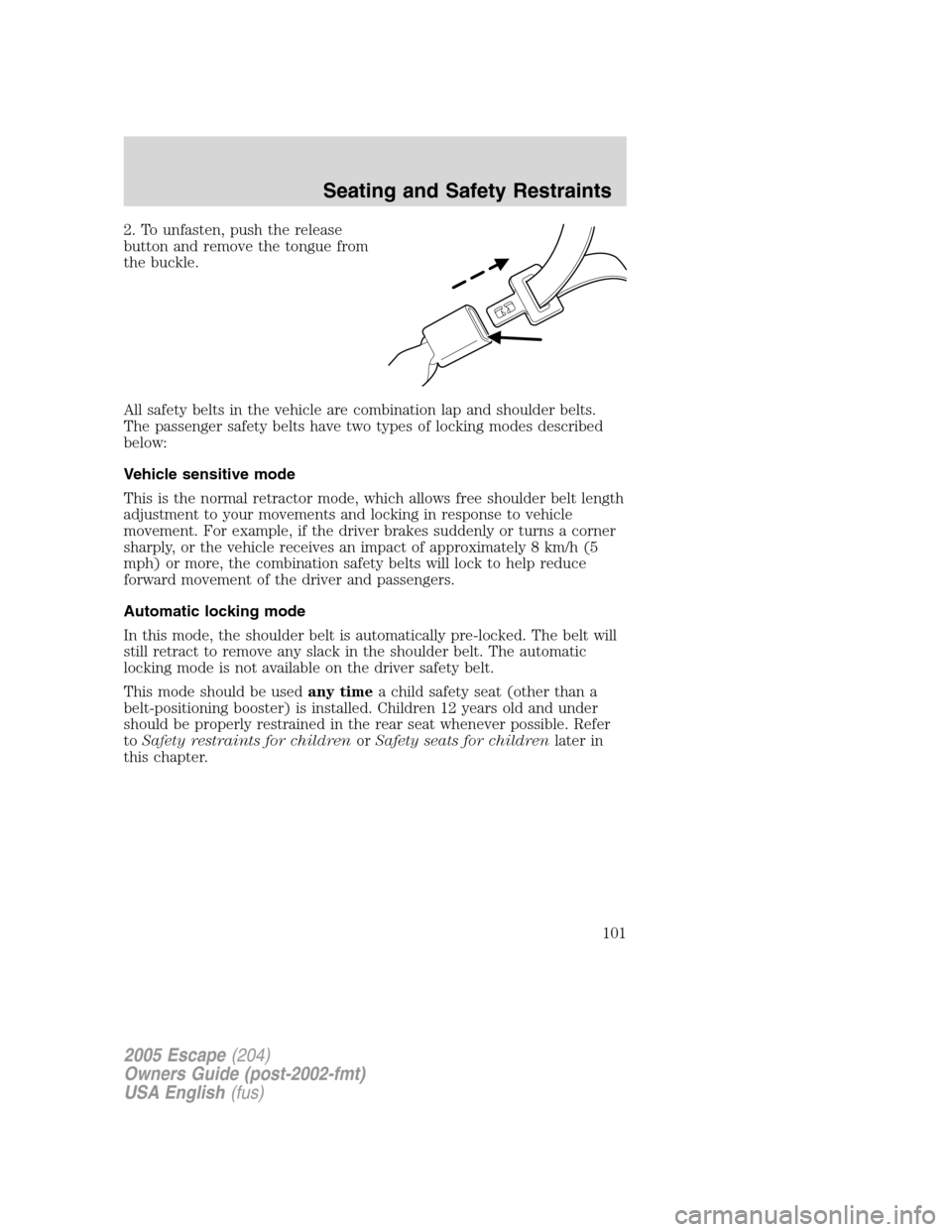
2. To unfasten, push the release
button and remove the tongue from
the buckle.
All safety belts in the vehicle are combination lap and shoulder belts.
The passenger safety belts have two types of locking modes described
below:
Vehicle sensitive mode
This is the normal retractor mode, which allows free shoulder belt length
adjustment to your movements and locking in response to vehicle
movement. For example, if the driver brakes suddenly or turns a corner
sharply, or the vehicle receives an impact of approximately 8 km/h (5
mph) or more, the combination safety belts will lock to help reduce
forward movement of the driver and passengers.
Automatic locking mode
In this mode, the shoulder belt is automatically pre-locked. The belt will
still retract to remove any slack in the shoulder belt. The automatic
locking mode is not available on the driver safety belt.
This mode should be usedany timea child safety seat (other than a
belt-positioning booster) is installed. Children 12 years old and under
should be properly restrained in the rear seat whenever possible. Refer
toSafety restraints for childrenorSafety seats for childrenlater in
this chapter.
2005 Escape(204)
Owners Guide (post-2002-fmt)
USA English(fus)
Seating and Safety Restraints
101
Page 108 of 272
Deactivating/activating the BeltMinder feature
The driver and front passenger BeltMinder are
deactivated/activated independently. When deactivating/activating
one seating position, do not buckle the other position as this will
terminate the process.
Read steps1-4thoroughly before proceeding with the
deactivation/activation programming procedure.
The driver and front passenger BeltMinder features can be
deactivated/activated by performing the following procedure:
Before following the procedure, make sure that:
•The parking brake is set
•The gearshift is in P (Park) (automatic transmission)
•The ignition switch is in the OFF position
•The driver and front passenger safety belts are unbuckled
To reduce the risk of injury, do not deactivate/activate the Belt
Minder feature while driving the vehicle.
1. Turn the ignition switch to the RUN (or ON) position. (DO NOT
START THE ENGINE)
2. Wait until the safety belt warning light turns off. (Approximately 1
minute)
•Step 3 must be completed within 50 seconds after the safety belt
warning light turns off.
3. For the seating position being disabled, buckle then unbuckle the
safety belt 9 times, ending in the unbuckled state. (Step 3 must be
completed within 50 seconds after the safety belt warning light turns
off.)
•After step 3, the restraint system warning light (airbag light) will be
turned on for three seconds.
4. Within 10 seconds of the light turning on, buckle then unbuckle the
safety belt.
•This will disable the BeltMinder feature for that seating position if it is
currently enabled. As confirmation, the restraint system warning light
will flash 4 times per second for 3 seconds.
•This will enable the BeltMinder feature for that seating position if it is
currently disabled. As confirmation, the restraint system warning light
2005 Escape(204)
Owners Guide (post-2002-fmt)
USA English(fus)
Seating and Safety Restraints
108