Page 2 of 264
Seating and Safety Restraints 95
Seating 95
Safety restraints 100
Airbags 114
Child restraints 125
Tires, Wheels and Loading 136
Tire Information 136
Changing tires 141
Lug Nut Torque 147
Vehicle loading 157
Trailer towing 163
Recreational towing 166
Driving 167
Starting 167
Brakes 171
Traction control 174
Air suspension 176
Transmission operation 177
Roadside Emergencies 184
Getting roadside assistance 184
Hazard flasher switch 185
Fuel pump shut-off switch 185
Fuses and relays 186
Jump starting 195
Wrecker towing 200
Customer Assistance 201
Reporting safety defects (U.S. only) 209
Cleaning 210
Table of Contents
2
2005 Crown Victoria(cro)
Owners Guide (post-2002-fmt)
USA(fus)
Page 5 of 264
SAFETY AND ENVIRONMENT PROTECTION
Warning symbols in this guide
How can you reduce the risk of personal injury to yourself or others? In
this guide, answers to such questions are contained in comments
highlighted by the warning triangle symbol. These comments should be
read and observed.
Warning symbols on your vehicle
When you see this symbol, it is
imperative that you consult the
relevant section of this guide before
touching or attempting adjustment
of any kind.
Protecting the environment
We must all play our part in
protecting the environment. Correct
vehicle usage and the authorized
disposal of waste, cleaning and
lubrication materials are significant
steps towards this aim. Information in this respect is highlighted in this
guide with the tree symbol.
BREAKING-IN YOUR VEHICLE
Your vehicle does not need an extensive break-in. Try not to drive
continuously at the same speed for the first 1,000 miles (1,600 km) of
new vehicle operation. Vary your speed frequently in order to give the
moving parts a chance to break in.
Drive your new vehicle at least 500 miles (800 km) before towing a
trailer.
Do not add friction modifier compounds or special break-in oils during
the first few thousand miles (kilometers) of operation, since these
additives may prevent piston ring seating. SeeEngine oilin the
Maintenance and Specificationschapter for more information on oil
usage.
2005 Crown Victoria(cro)
Owners Guide (post-2002-fmt)
USA(fus)
Introduction
5
Page 17 of 264
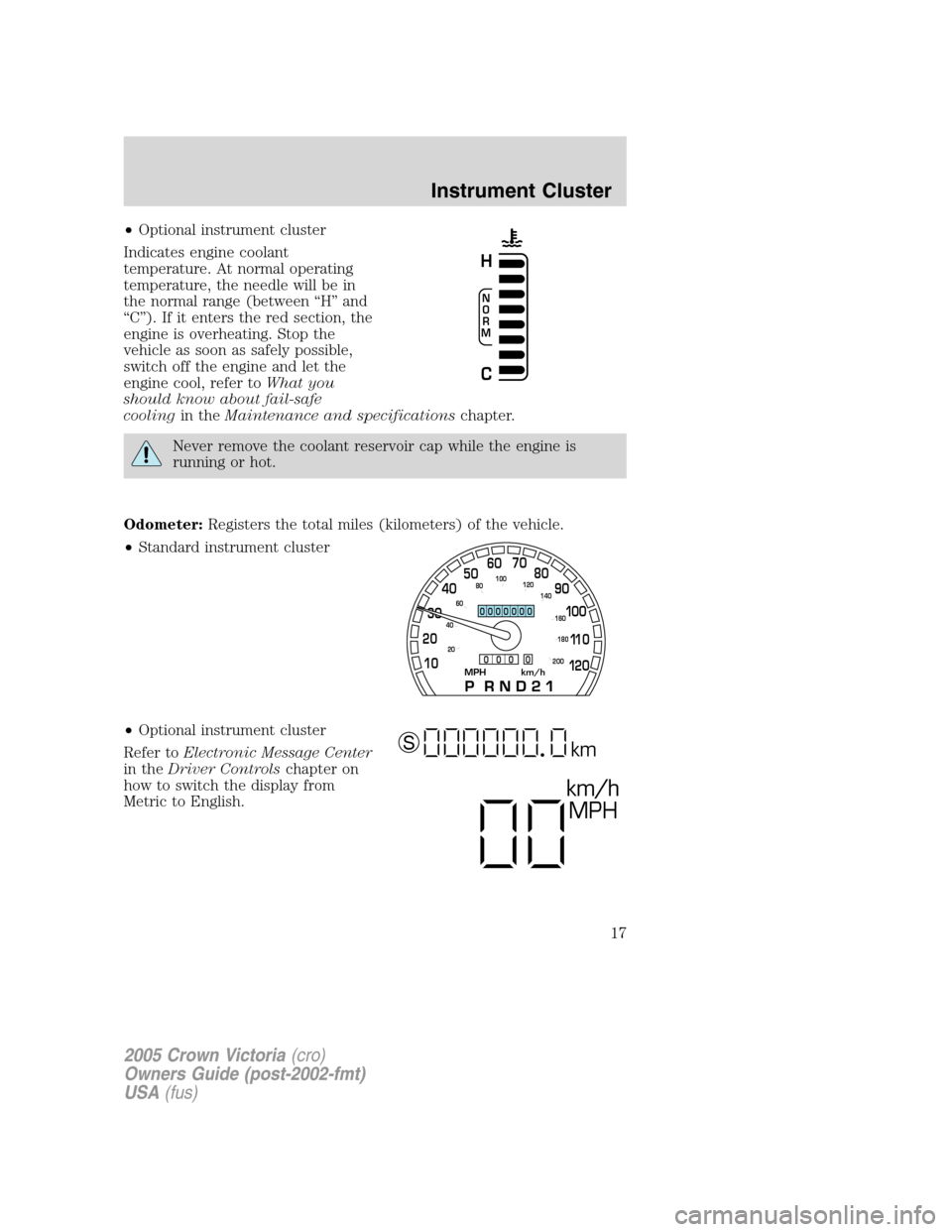
•Optional instrument cluster
Indicates engine coolant
temperature. At normal operating
temperature, the needle will be in
the normal range (between “H” and
“C”). If it enters the red section, the
engine is overheating. Stop the
vehicle as soon as safely possible,
switch off the engine and let the
engine cool, refer toWhat you
should know about fail-safe
coolingin theMaintenance and specificationschapter.
Never remove the coolant reservoir cap while the engine is
running or hot.
Odometer:Registers the total miles (kilometers) of the vehicle.
•Standard instrument cluster
•Optional instrument cluster
Refer toElectronic Message Center
in theDriver Controlschapter on
how to switch the display from
Metric to English.
N
O
R
M
H
C
MPH km/h10 203040506070
80
90
10 0
11 0
12 0
20 406080100
120
140
160
180
200
0000000
0 0 0 0
km/h
MPH
km S
2005 Crown Victoria(cro)
Owners Guide (post-2002-fmt)
USA(fus)
Instrument Cluster
17
Page 37 of 264
RADIO FREQUENCIES
AM and FM frequencies are established by the Federal Communications
Commission (FCC) and the Canadian Radio and Telecommunications
Commission (CRTC). Those frequencies are:
AM - 530, 540–1700, 1710 kHz
FM- 87.7, 87.9–107.7, 107.9 MHz
RADIO RECEPTION FACTORS
There are three factors that can affect radio reception:
•Distance/strength: The further you travel from an FM station, the
weaker the signal and the weaker the reception.
•Terrain: Hills, mountains, tall buildings, power lines, electric fences,
traffic lights and thunderstorms can interfere with your reception.
•Station overload: When you pass a broadcast tower, a stronger signal
may overtake a weaker one and play while the weak station frequency
is displayed.
CASSETTE/PLAYER CARE
Do:
•Use only cassettes that are 90 minutes long or less.
•Tighten very loose tapes by inserting a finger or pencil into the hole
and turning the hub.
•Remove loose labels before inserting tapes.
•Allow tapes which have been subjected to extreme heat, humidity or
cold to reach a moderate temperature before playing.
•Clean the cassette player head with a cassette cleaning cartridge after
10–12 hours of play to maintain good sound/operation.
Don’t:
•Expose tapes to direct sunlight, extreme humidity, heat or cold.
•Leave tapes in the cassette player for a long time when not being
played.
2005 Crown Victoria(cro)
Owners Guide (post-2002-fmt)
USA(fus)
Entertainment Systems
37
Page 40 of 264
To aid in side window defogging/demisting in cold weather:
1. Select NORM A/C.
2. Adjust the temperature control to maintain comfort.
3. Set the fan speed to HI.
4. Direct the outer instrument panel vents towards the side windows.
To increase airflow to the outer instrument panel vents, close the vents
located in the middle of the instrument panel.
Do not place objects on top of the instrument panel as these
objects may become projectiles in a collision or sudden stop.
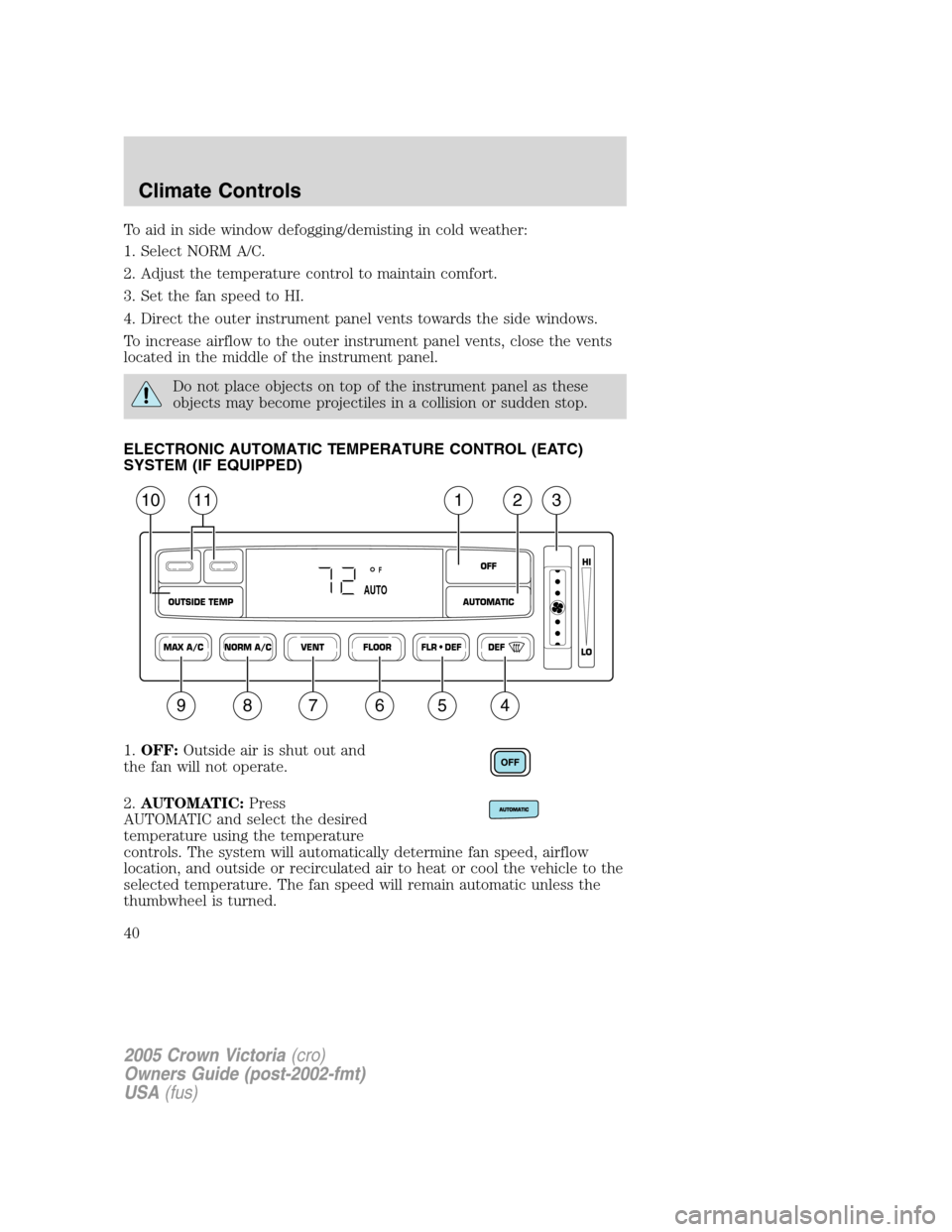
ELECTRONIC AUTOMATIC TEMPERATURE CONTROL (EATC)
SYSTEM (IF EQUIPPED)
1.OFF:Outside air is shut out and
the fan will not operate.
2.AUTOMATIC:Press
AUTOMATIC and select the desired
temperature using the temperature
controls. The system will automatically determine fan speed, airflow
location, and outside or recirculated air to heat or cool the vehicle to the
selected temperature. The fan speed will remain automatic unless the
thumbwheel is turned.
NORM A/CVENT FLOOR FLR • DEF DEF
HI
LO
MAX A/C
OUTSIDE TEMP AUTOMATICOFF
F
AUTO
1112310
987654
2005 Crown Victoria(cro)
Owners Guide (post-2002-fmt)
USA(fus)
Climate Controls
40
Page 42 of 264
•Remove any snow, ice or leaves from the air intake area at the base of
the windshield.
To aid in side window defogging/demisting in cold weather:
1. Select NORM A/C.
2. Adjust the temperature control to maintain comfort.
3. Set the fan speed to HI.
4. Direct the outer instrument panel vents towards the side windows.
To increase airflow to the outer instrument panel vents, close the vents
located in the middle of the instrument panel.
Do not place objects on top of the instrument panel as these
objects may become projectiles in a collision or sudden stop.
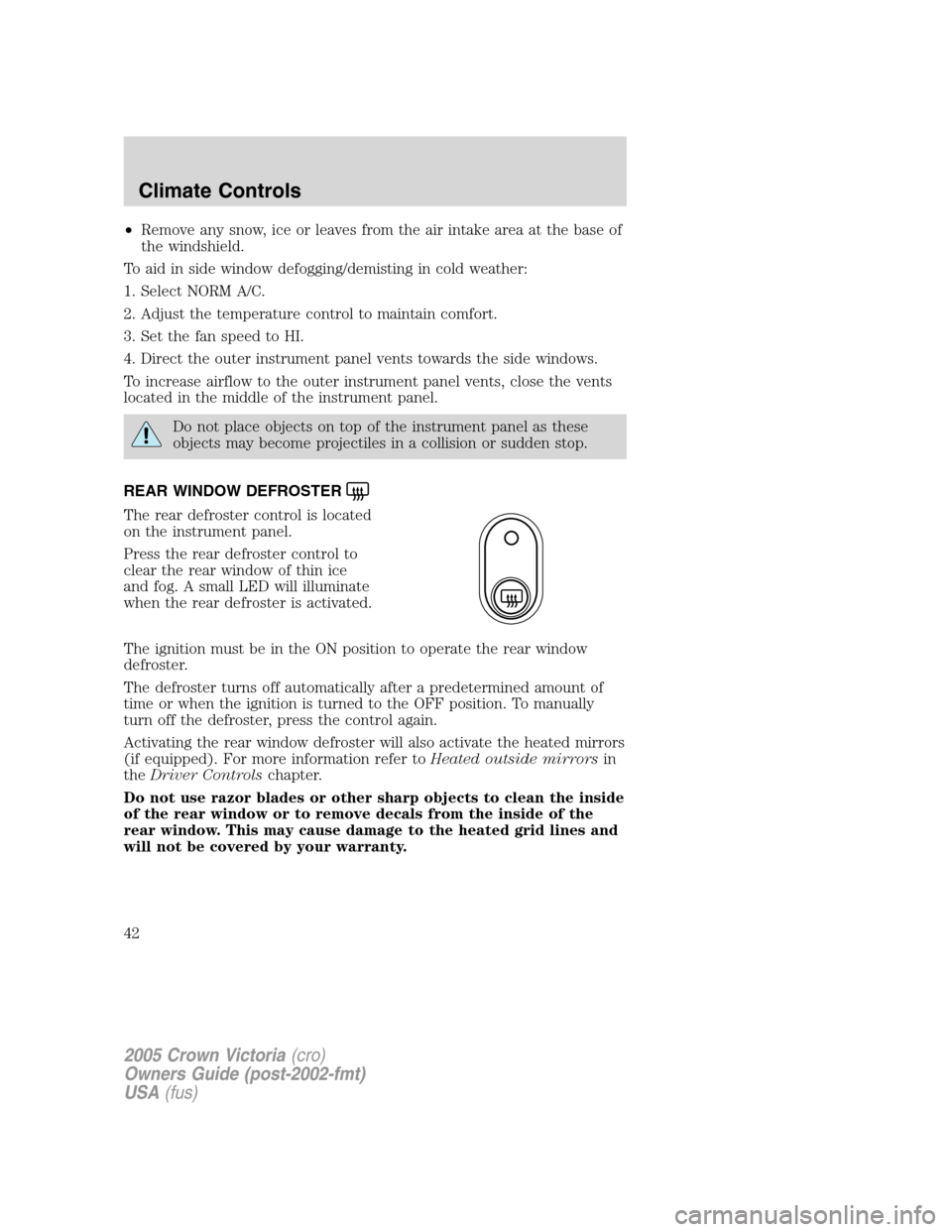
REAR WINDOW DEFROSTER
The rear defroster control is located
on the instrument panel.
Press the rear defroster control to
clear the rear window of thin ice
and fog. A small LED will illuminate
when the rear defroster is activated.
The ignition must be in the ON position to operate the rear window
defroster.
The defroster turns off automatically after a predetermined amount of
time or when the ignition is turned to the OFF position. To manually
turn off the defroster, press the control again.
Activating the rear window defroster will also activate the heated mirrors
(if equipped). For more information refer toHeated outside mirrorsin
theDriver Controlschapter.
Do not use razor blades or other sharp objects to clean the inside
of the rear window or to remove decals from the inside of the
rear window. This may cause damage to the heated grid lines and
will not be covered by your warranty.
2005 Crown Victoria(cro)
Owners Guide (post-2002-fmt)
USA(fus)
Climate Controls
42
Page 44 of 264
Always remember to turn on your headlamps at dusk or during
inclement weather. The Daytime Running Light (DRL) System
does not activate your tail lamps and generally may not provide
adequate lighting during these conditions. Failure to activate your
headlamps under these conditions may result in a collision.
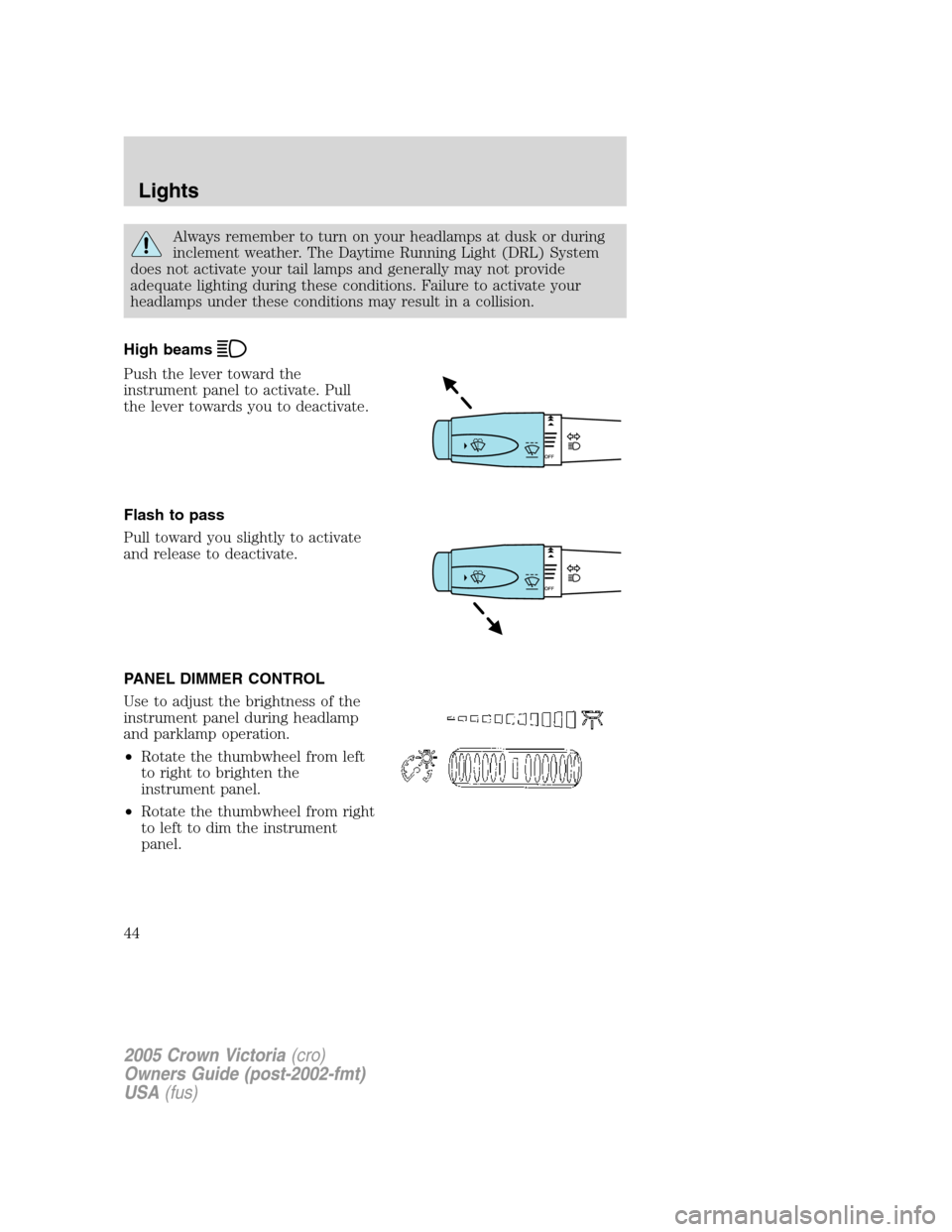
High beams
Push the lever toward the
instrument panel to activate. Pull
the lever towards you to deactivate.
Flash to pass
Pull toward you slightly to activate
and release to deactivate.
PANEL DIMMER CONTROL
Use to adjust the brightness of the
instrument panel during headlamp
and parklamp operation.
•Rotate the thumbwheel from left
to right to brighten the
instrument panel.
•Rotate the thumbwheel from right
to left to dim the instrument
panel.
2005 Crown Victoria(cro)
Owners Guide (post-2002-fmt)
USA(fus)
Lights
44
Page 53 of 264
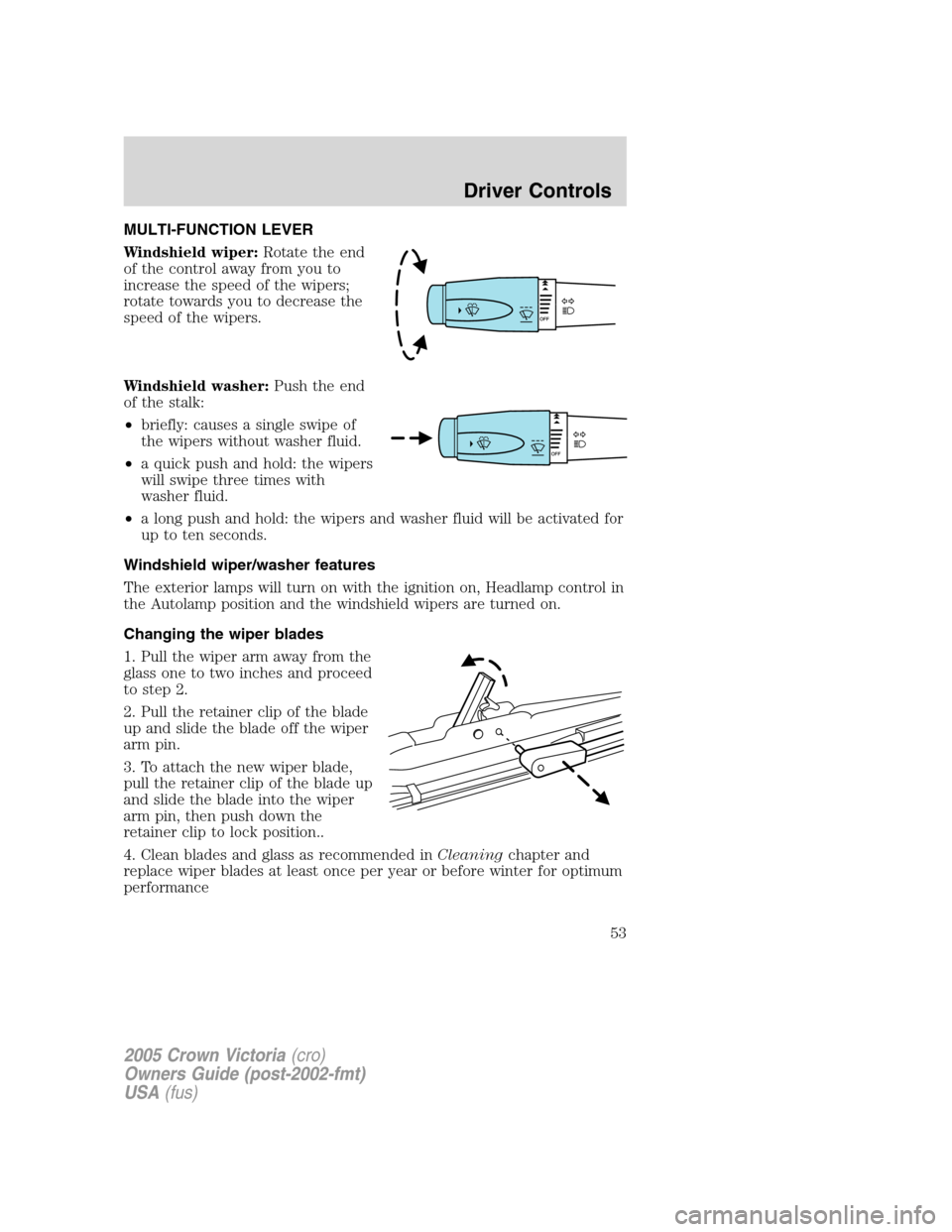
MULTI-FUNCTION LEVER
Windshield wiper:Rotate the end
of the control away from you to
increase the speed of the wipers;
rotate towards you to decrease the
speed of the wipers.
Windshield washer:Push the end
of the stalk:
•briefly: causes a single swipe of
the wipers without washer fluid.
•a quick push and hold: the wipers
will swipe three times with
washer fluid.
•a long push and hold: the wipers and washer fluid will be activated for
up to ten seconds.
Windshield wiper/washer features
The exterior lamps will turn on with the ignition on, Headlamp control in
the Autolamp position and the windshield wipers are turned on.
Changing the wiper blades
1. Pull the wiper arm away from the
glass one to two inches and proceed
to step 2.
2. Pull the retainer clip of the blade
up and slide the blade off the wiper
arm pin.
3. To attach the new wiper blade,
pull the retainer clip of the blade up
and slide the blade into the wiper
arm pin, then push down the
retainer clip to lock position..
4. Clean blades and glass as recommended inCleaningchapter and
replace wiper blades at least once per year or before winter for optimum
performance
2005 Crown Victoria(cro)
Owners Guide (post-2002-fmt)
USA(fus)
Driver Controls
53