Page 3 of 264
Maintenance and Specifications 216
Engine compartment 217
Engine oil 218
Battery 222
Engine Coolant 224
Fuel information 230
Air filter(s) 244
Part numbers 245
Refill capacities 246
Lubricant specifications 247
Accessories 253
Index 255
All rights reserved. Reproduction by any means, electronic or mechanical
including photocopying, recording or by any information storage and retrieval
system or translation in whole or part is not permitted without written
authorization from Ford Motor Company. Ford may change the contents without
notice and without incurring obligation.
Copyright © 2005 Ford Motor Company
Table of Contents
3
2005 Crown Victoria(cro)
Owners Guide (post-2002-fmt)
USA(fus)
Page 9 of 264
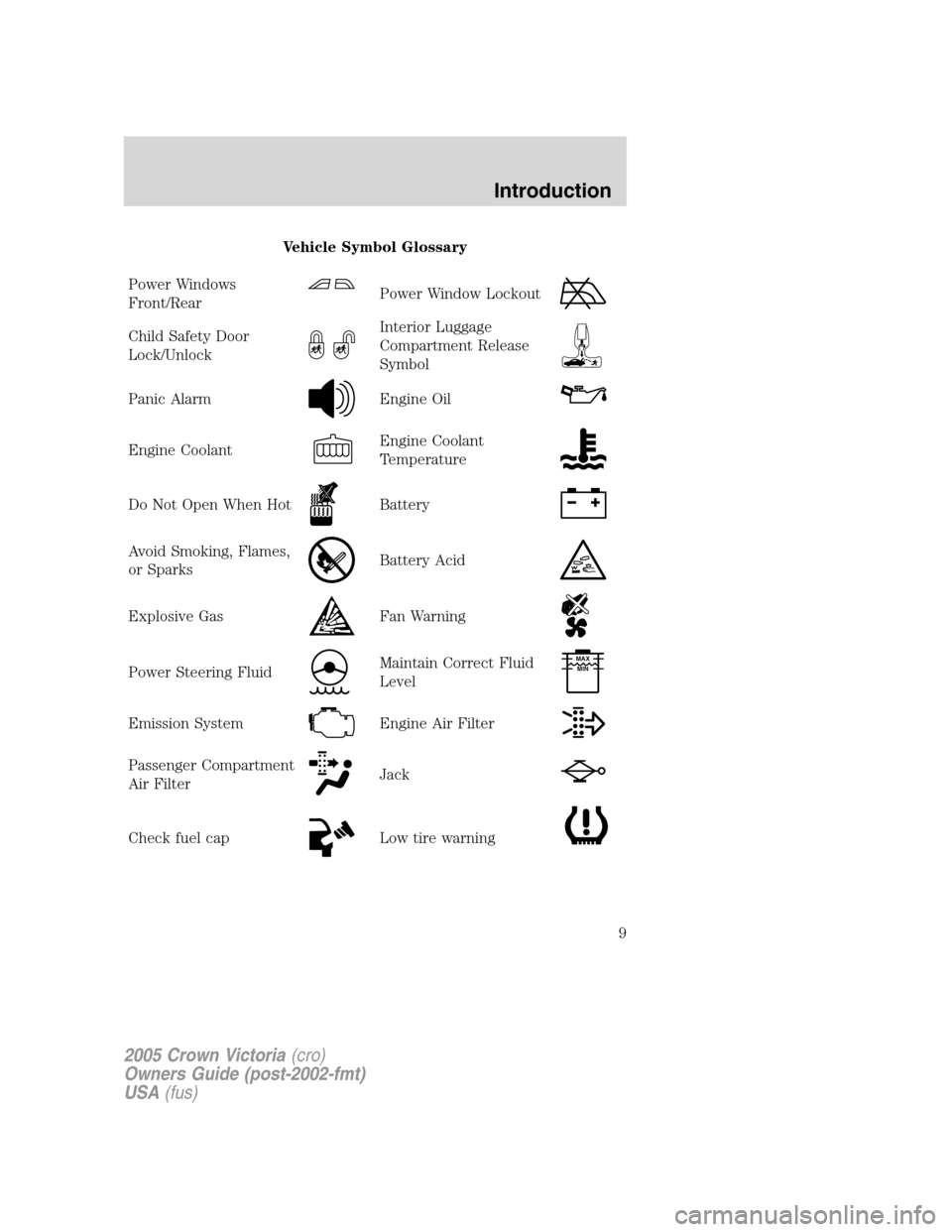
Vehicle Symbol Glossary
Power Windows
Front/Rear
Power Window Lockout
Child Safety Door
Lock/UnlockInterior Luggage
Compartment Release
Symbol
Panic AlarmEngine Oil
Engine CoolantEngine Coolant
Temperature
Do Not Open When HotBattery
Avoid Smoking, Flames,
or SparksBattery Acid
Explosive GasFan Warning
Power Steering FluidMaintain Correct Fluid
LevelMAX
MIN
Emission SystemEngine Air Filter
Passenger Compartment
Air FilterJack
Check fuel capLow tire warning
2005 Crown Victoria(cro)
Owners Guide (post-2002-fmt)
USA(fus)
Introduction
9
Page 12 of 264
Driving a vehicle with the brake system warning light on is
dangerous. A significant decrease in braking performance may
occur. It will take you longer to stop the vehicle. Have the vehicle
checked by your dealer immediately.
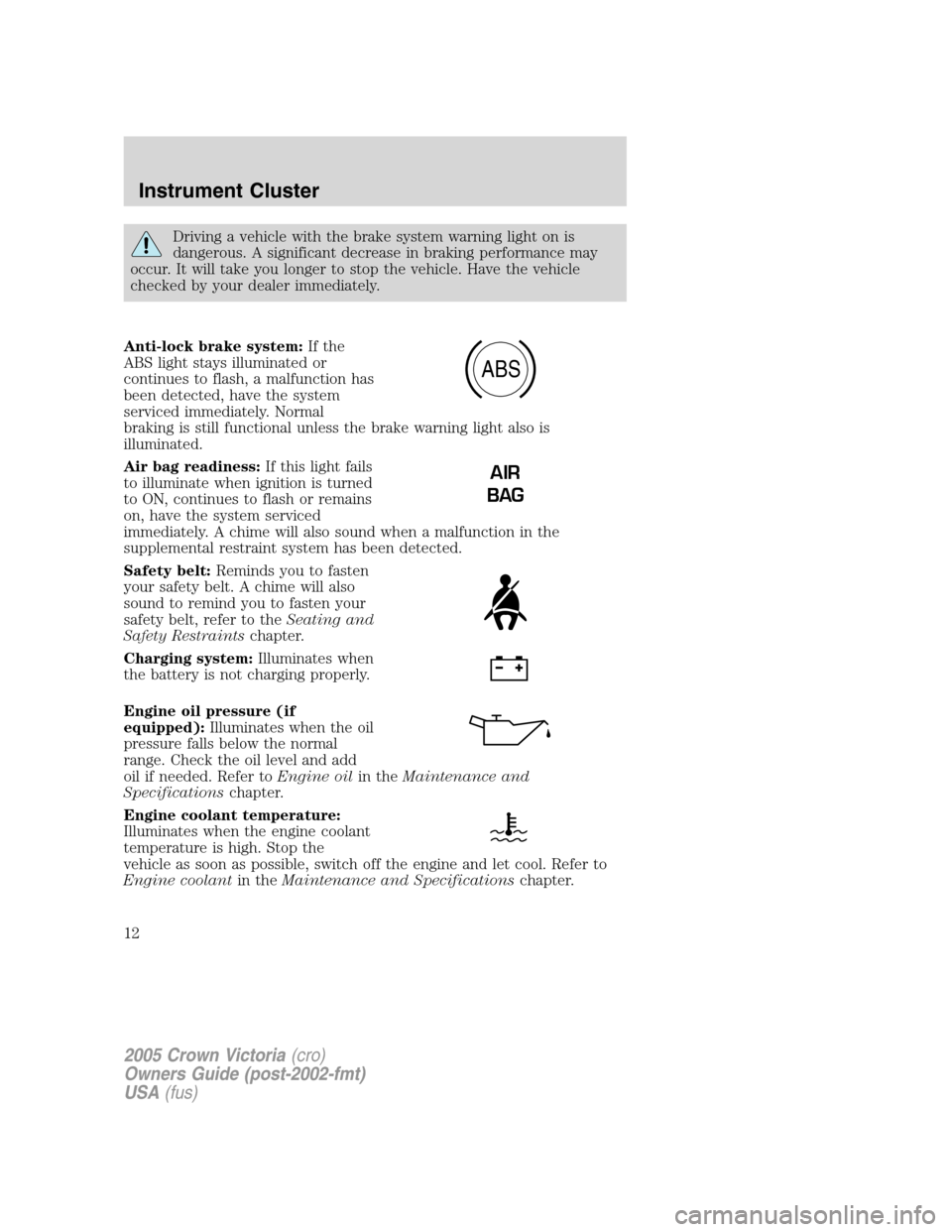
Anti-lock brake system:If the
ABS light stays illuminated or
continues to flash, a malfunction has
been detected, have the system
serviced immediately. Normal
braking is still functional unless the brake warning light also is
illuminated.
Air bag readiness:If this light fails
to illuminate when ignition is turned
to ON, continues to flash or remains
on, have the system serviced
immediately. A chime will also sound when a malfunction in the
supplemental restraint system has been detected.
Safety belt:Reminds you to fasten
your safety belt. A chime will also
sound to remind you to fasten your
safety belt, refer to theSeating and
Safety Restraintschapter.
Charging system:Illuminates when
the battery is not charging properly.
Engine oil pressure (if
equipped):Illuminates when the oil
pressure falls below the normal
range. Check the oil level and add
oil if needed. Refer toEngine oilin theMaintenance and
Specificationschapter.
Engine coolant temperature:
Illuminates when the engine coolant
temperature is high. Stop the
vehicle as soon as possible, switch off the engine and let cool. Refer to
Engine coolantin theMaintenance and Specificationschapter.
ABS
AIR
BAG
2005 Crown Victoria(cro)
Owners Guide (post-2002-fmt)
USA(fus)
Instrument Cluster
12
Page 18 of 264
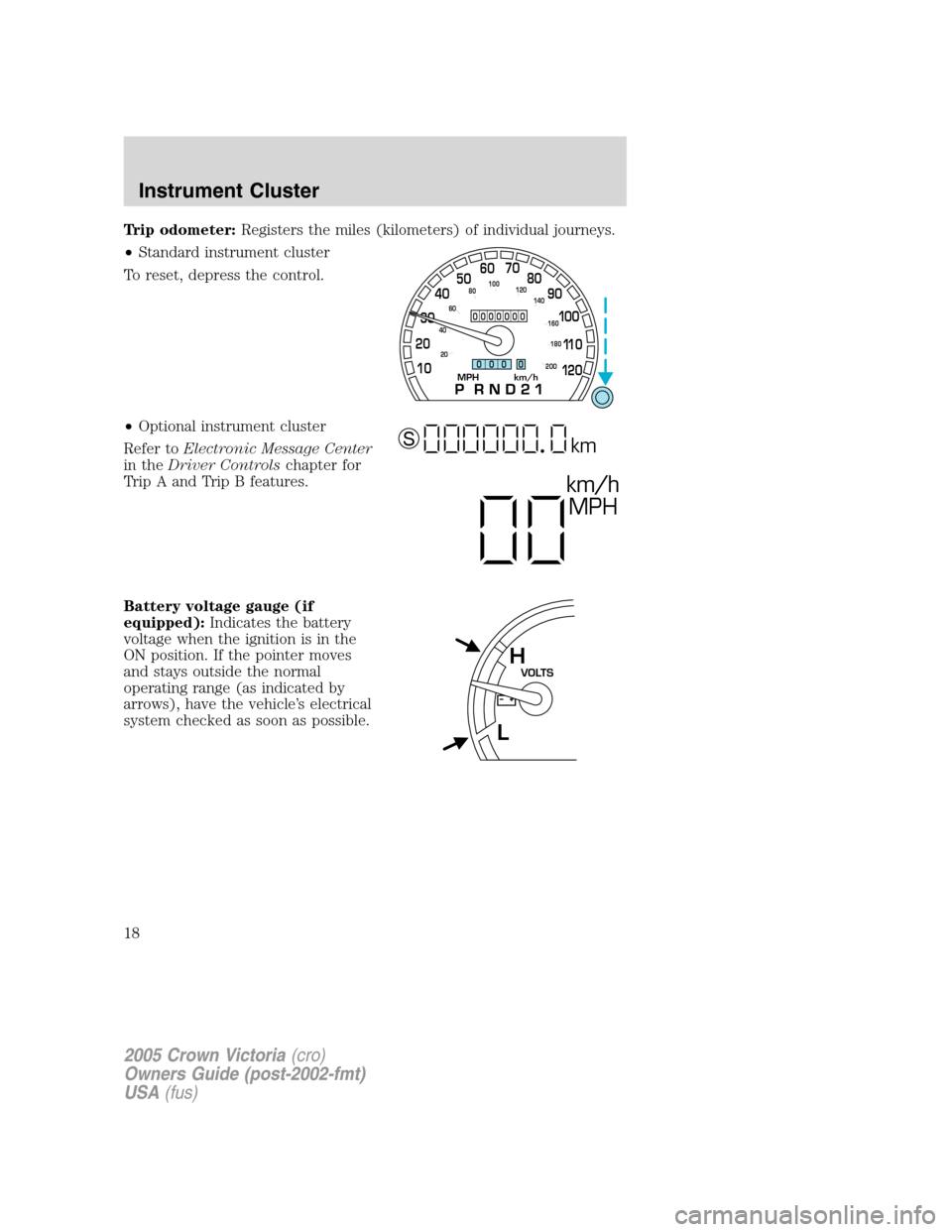
Trip odometer:Registers the miles (kilometers) of individual journeys.
•Standard instrument cluster
To reset, depress the control.
•Optional instrument cluster
Refer toElectronic Message Center
in theDriver Controlschapter for
Trip A and Trip B features.
Battery voltage gauge (if
equipped):Indicates the battery
voltage when the ignition is in the
ON position. If the pointer moves
and stays outside the normal
operating range (as indicated by
arrows), have the vehicle’s electrical
system checked as soon as possible.
MPH km/h10 203040506070
80
90
10 0
11 0
12 0
20 406080100
120
140
160
180
200
0000000
0 0 0 0
km/h
MPH
km S
VOLTSH
L
2005 Crown Victoria(cro)
Owners Guide (post-2002-fmt)
USA(fus)
Instrument Cluster
18
Page 60 of 264
Programming
Do not program the HomeLink�with the vehicle parked in the
garage.
Note:Some vehicles may require the ignition switch to be turned to the
second (or “ACC”) position for programming and/or operation of the
HomeLink�. It is also recommended that a new battery be placed in the
hand-held transmitter of the device being programmed to HomeLink�for
quicker training and accurate transmission of the radio-frequency signal.
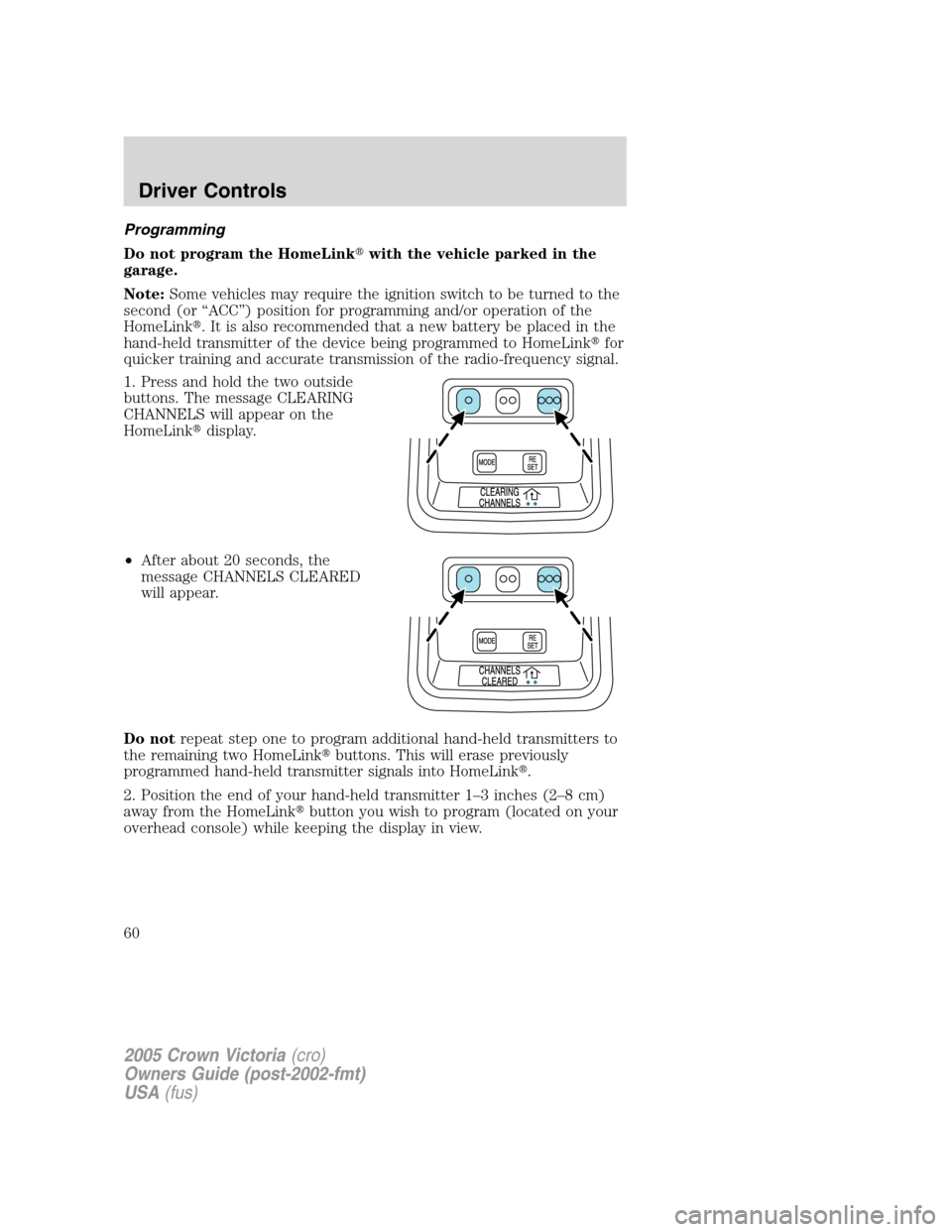
1. Press and hold the two outside
buttons. The message CLEARING
CHANNELS will appear on the
HomeLink�display.
•After about 20 seconds, the
message CHANNELS CLEARED
will appear.
Do notrepeat step one to program additional hand-held transmitters to
the remaining two HomeLink�buttons. This will erase previously
programmed hand-held transmitter signals into HomeLink�.
2. Position the end of your hand-held transmitter 1–3 inches (2–8 cm)
away from the HomeLink�button you wish to program (located on your
overhead console) while keeping the display in view.
2005 Crown Victoria(cro)
Owners Guide (post-2002-fmt)
USA(fus)
Driver Controls
60
Page 72 of 264
Do not let children play with the moon roof or leave children
unattended in the vehicle. They may seriously hurt themselves.
When closing the moon roof, you should verify that it is free of
obstructions and ensure that children and/or pets are not in the
proximity of the moon roof opening.
HOMELINK�WIRELESS CONTROL SYSTEM (IF EQUIPPED)
The HomeLink�Wireless Control System, located on the overhead
console, provides a convenient way to replace up to three hand-held
transmitters with a single built-in device. This feature will learn the radio
frequency codes of most transmitters to operate garage doors, entry gate
operators, security systems, entry door locks, and home or office lighting.
When programming your HomeLink�Wireless Control System to
a garage door or gate, be sure that people and objects are out of
the way to prevent potential harm or damage.
Do not use the HomeLink�Wireless Control System with any garage
door opener that lacks safety stop and reverse features as required by
U.S. federal safety standards (this includes any garage door opener
model manufactured before April 1, 1982). A garage door which cannot
detect an object, signaling the door to stop and reverse, does not meet
current U.S. federal safety standards. For more information, contact
HomeLink�at:www.homelink.comor1–800–355–3515.
Retain the original transmitter for use in other vehicles as well as for
future programming procedures (i.e. new HomeLink�equipped vehicle
purchase). It is also suggested that upon the sale of the vehicle, the
programmed Homelink�buttons be erased for security purposes, refer to
Programmingin this section.
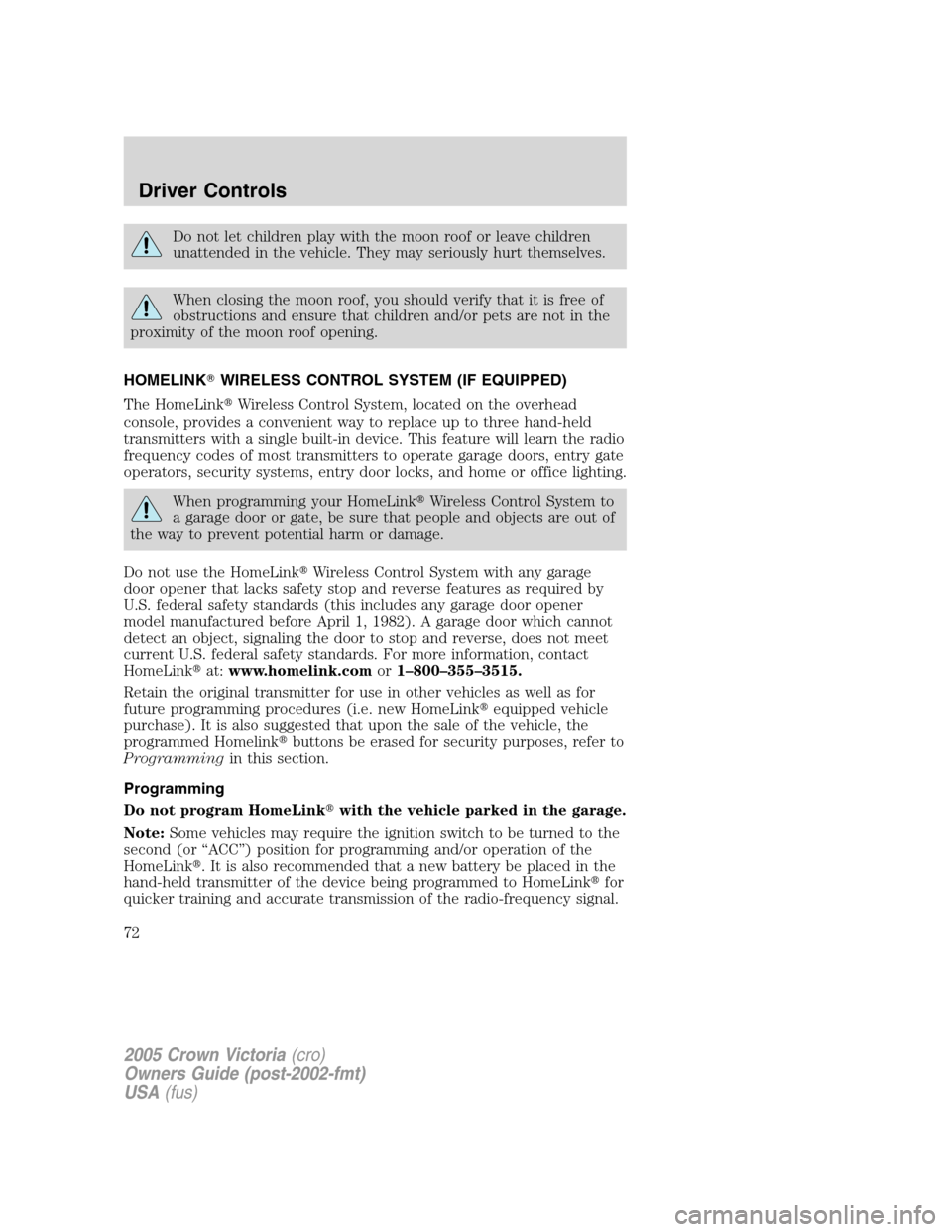
Programming
Do not program HomeLink�with the vehicle parked in the garage.
Note:Some vehicles may require the ignition switch to be turned to the
second (or “ACC”) position for programming and/or operation of the
HomeLink�. It is also recommended that a new battery be placed in the
hand-held transmitter of the device being programmed to HomeLink�for
quicker training and accurate transmission of the radio-frequency signal.
2005 Crown Victoria(cro)
Owners Guide (post-2002-fmt)
USA(fus)
Driver Controls
72
Page 78 of 264
Message center functions
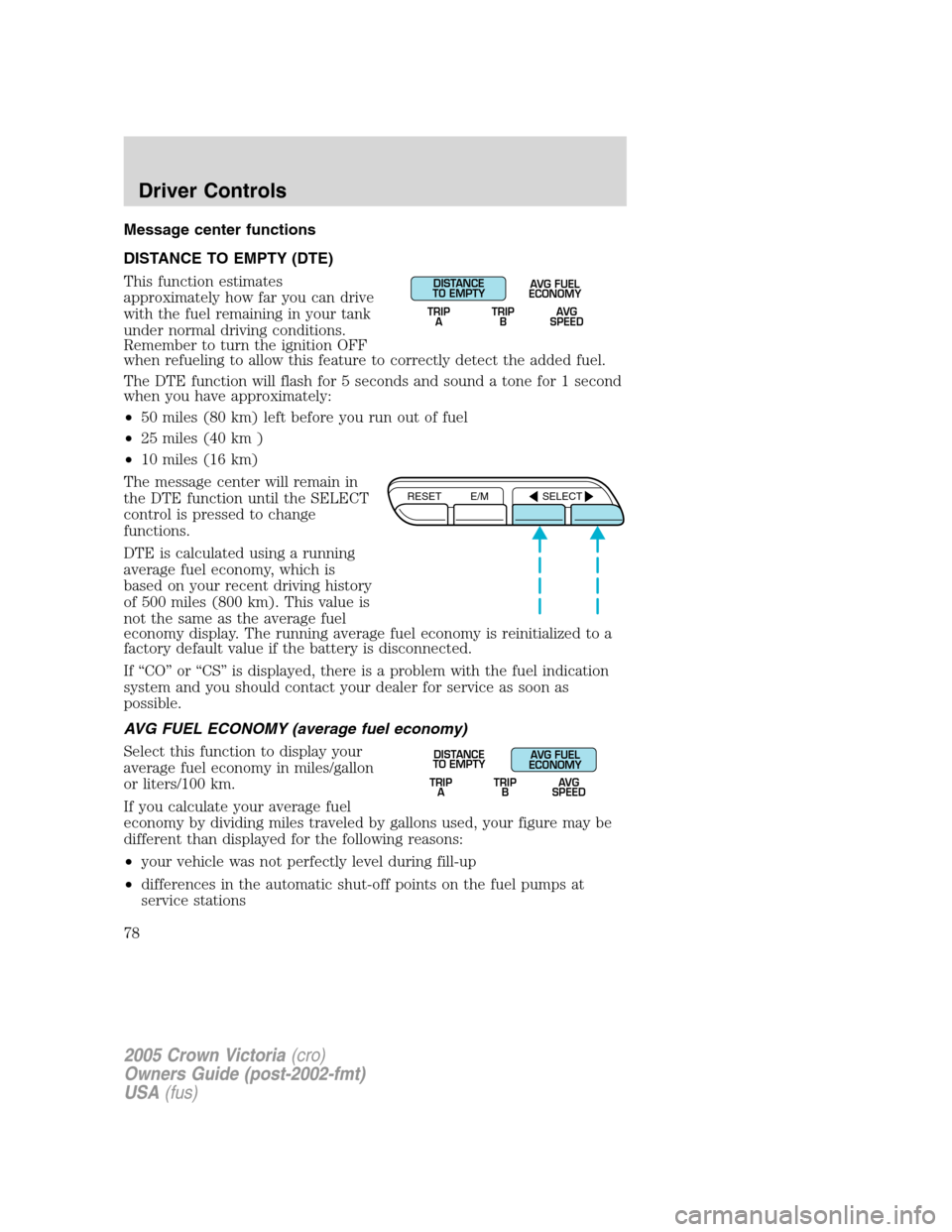
DISTANCE TO EMPTY (DTE)
This function estimates
approximately how far you can drive
with the fuel remaining in your tank
under normal driving conditions.
Remember to turn the ignition OFF
when refueling to allow this feature to correctly detect the added fuel.
The DTE function will flash for 5 seconds and sound a tone for 1 second
when you have approximately:
•50 miles (80 km) left before you run out of fuel
•25 miles (40 km )
•10 miles (16 km)
The message center will remain in
the DTE function until the SELECT
control is pressed to change
functions.
DTE is calculated using a running
average fuel economy, which is
based on your recent driving history
of 500 miles (800 km). This value is
not the same as the average fuel
economy display. The running average fuel economy is reinitialized to a
factory default value if the battery is disconnected.
If “CO” or “CS” is displayed, there is a problem with the fuel indication
system and you should contact your dealer for service as soon as
possible.
AVG FUEL ECONOMY (average fuel economy)
Select this function to display your
average fuel economy in miles/gallon
or liters/100 km.
If you calculate your average fuel
economy by dividing miles traveled by gallons used, your figure may be
different than displayed for the following reasons:
•your vehicle was not perfectly level during fill-up
•differences in the automatic shut-off points on the fuel pumps at
service stations
DISTANCE
TO EMPTY
TRIP
AAVG FUEL
ECONOMY
TRIP
BAVG
SPEED
RESET E/M SELECT
TRIP
ATRIP
BAVG
SPEED
DISTANCE
TO EMPTYAVG FUEL
ECONOMY
2005 Crown Victoria(cro)
Owners Guide (post-2002-fmt)
USA(fus)
Driver Controls
78
Page 86 of 264
3. Cycle the ignition from the 4 (ON) to the 3 (OFF) position.
4. Press the power door unlock control three times.
5. Turn the ignition to the 4 (ON) position. The doors will lock and
unlock.
6. With the ignition still in the 4 (ON) position, press the unlock control
twice.
7. After a five to ten second delay, the door locks will cycle lock/unlock
to confirm successful programming.
8. After having waited the necessary time for the programming to
confirm, turn the ignition to the 3 (OFF) position.
Sounding a panic alarm
Press
on the remote transmitter to activate the alarm.Note:The
panic alarm only works with the ignition in the 1 (OFF/LOCK) position.
Press
a second time to deactivate the alarm. You may also
deactivate the alarm by turning the ignition to the 2 (ACCESSORY) or 3
(ON) position.
Opening the trunk
Pressonce to open the trunk.
•Ensure that the trunk is closed and latched before driving your
vehicle. Failure to properly latch the trunk may cause objects to fall
out or block the driver’s rear view.
This feature will not work with the transmission out of P (Park) or N
(Neutral) if the ignition is in either the 2 (ACC) or 3 (ON) position.
Replacing the battery
The remote entry transmitter uses one coin type three-volt lithium
battery CR2032 or equivalent.
2005 Crown Victoria(cro)
Owners Guide (post-2002-fmt)
USA(fus)
Locks and Security
86