2005 CHEVROLET VENTURE ECU
[x] Cancel search: ECUPage 115 of 470
{CAUTION:
If your vehicle is facing downward on a steep
grade (15 percent or more), the door may not
stay open and could slam shut, possibly
injuring someone. To make sure the door does
not slam shut, turn on the power sliding door
feature. Then if the door closes, it will close
under the control of the power door system.
If you want to close the power sliding door(s) when the
override switch(es) is turned off, pull the inside or
outside handle or the edge of the door. Move the door
about 4 inches (10 cm) toward the closed position
and release it. The door will close completely and latch
for you.
To close the power sliding door(s) when the override
switch(es) is turned on, pull the inside or outside handle
and slide the door all the way forward to the latched
position.
Resetting the Power Sliding Door
The power sliding door may operate incorrectly or not at
all because of the following conditions:
A low voltage or dead battery
A disconnected battery
If the instrument panel PWR/HEATED SEAT PSD
fuse or the underhood fuse 8, 27, or 29 are
removed or blown.
SeeFuses and Circuit Breakers on page 5-92for more
information about your fuse panel.
If any of these conditions occur, the power sliding door
will need to be reset. If your vehicle has the dual
power sliding doors, both doors will have to be reset.
To reset a door, do the following:
1. Check to be sure the power sliding door is unlocked
and securely closed.
2. Turn the ignition key to OFF.
2-19
Page 119 of 470
Power Windows
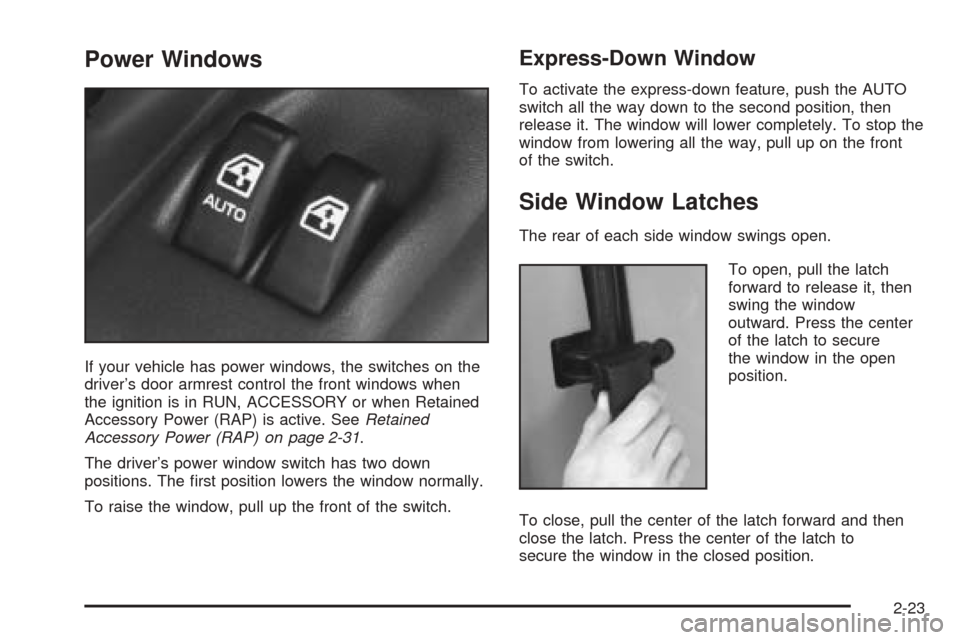
If your vehicle has power windows, the switches on the
driver’s door armrest control the front windows when
the ignition is in RUN, ACCESSORY or when Retained
Accessory Power (RAP) is active. SeeRetained
Accessory Power (RAP) on page 2-31.
The driver’s power window switch has two down
positions. The rst position lowers the window normally.
To raise the window, pull up the front of the switch.
Express-Down Window
To activate the express-down feature, push the AUTO
switch all the way down to the second position, then
release it. The window will lower completely. To stop the
window from lowering all the way, pull up on the front
of the switch.
Side Window Latches
The rear of each side window swings open.
To open, pull the latch
forward to release it, then
swing the window
outward. Press the center
of the latch to secure
the window in the open
position.
To close, pull the center of the latch forward and then
close the latch. Press the center of the latch to
secure the window in the closed position.
2-23
Page 121 of 470
Theft-Deterrent Systems
Vehicle theft is big business, especially in some cities.
Although your vehicle has a number of theft-deterrent
features, we know that nothing we put on it can make it
impossible to steal.
Content Theft-Deterrent
Your vehicle may have a theft-deterrent alarm system.
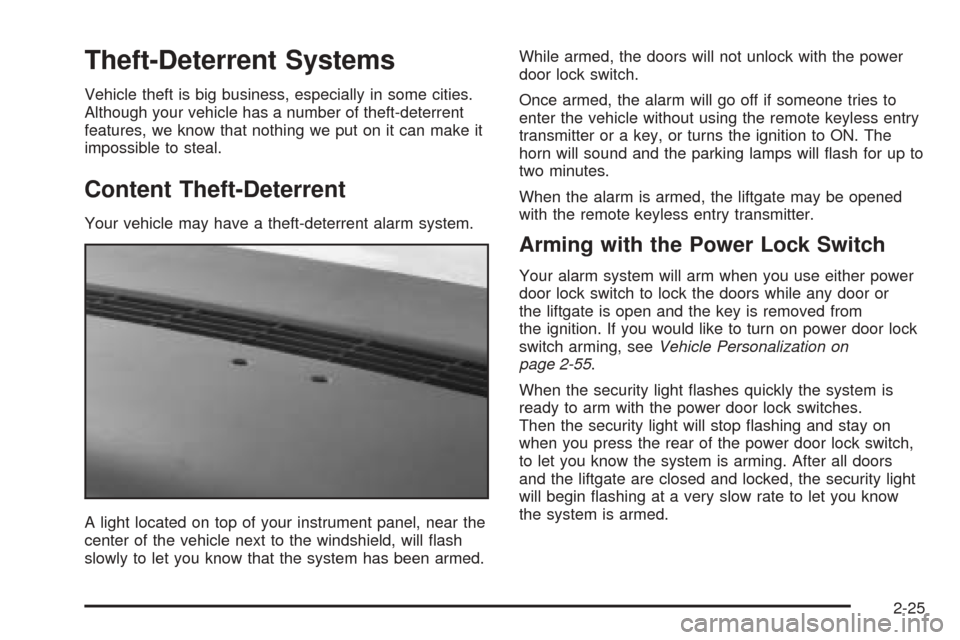
A light located on top of your instrument panel, near the
center of the vehicle next to the windshield, will ash
slowly to let you know that the system has been armed.While armed, the doors will not unlock with the power
door lock switch.
Once armed, the alarm will go off if someone tries to
enter the vehicle without using the remote keyless entry
transmitter or a key, or turns the ignition to ON. The
horn will sound and the parking lamps will ash for up to
two minutes.
When the alarm is armed, the liftgate may be opened
with the remote keyless entry transmitter.
Arming with the Power Lock Switch
Your alarm system will arm when you use either power
door lock switch to lock the doors while any door or
the liftgate is open and the key is removed from
the ignition. If you would like to turn on power door lock
switch arming, seeVehicle Personalization on
page 2-55.
When the security light ashes quickly the system is
ready to arm with the power door lock switches.
Then the security light will stop ashing and stay on
when you press the rear of the power door lock switch,
to let you know the system is arming. After all doors
and the liftgate are closed and locked, the security light
will begin ashing at a very slow rate to let you know
the system is armed.
2-25
Page 122 of 470
Arming with the Remote Keyless Entry
Transmitter
Your alarm system will arm when you use your remote
keyless entry transmitter to lock the doors, if the key
is not in the ignition. The security light will turn on to let
you know the system is arming. After all doors and
the liftgate are closed and locked, the security light will
begin ashing at a very slow rate to let you know
the system is armed.
Arming with Your Key
Your alarm system will arm when you use your key to
lock the driver’s door. The security light will turn on to let
you know the system is arming. After all doors and
the liftgate are closed and locked, the security light will
begin ashing at a very slow rate to let you know
the system is armed. If you would like your key not to
arm the system, seeVehicle Personalization on
page 2-55.
Arming Conrmation
If remote unlock conrmation is on, your parking lamps
will ash briey to let you know when your alarm
system has disarmed. If you would not like the parking
lamps to ash, seeVehicle Personalization on
page 2-55.
Disarming with the Remote Keyless
Entry Transmitter
Your alarm system will disarm when you use your
remote keyless entry transmitter to unlock the doors.
The security light will stop ashing to let you know the
system is no longer armed.
Disarming with Your Key
Your alarm system will disarm when you use your key
to unlock the driver’s door. The security light will
stop ashing to let you know the system is no longer
armed. If you would like your key not to disarm the alarm
system, seeVehicle Personalization on page 2-55.
2-26
Page 123 of 470
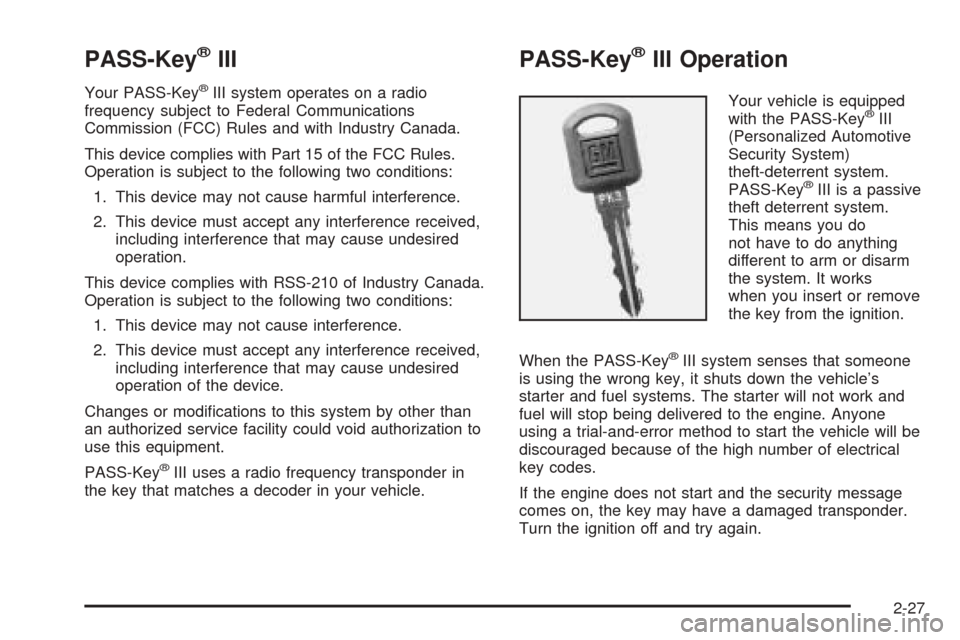
PASS-Key®III
Your PASS-Key®III system operates on a radio
frequency subject to Federal Communications
Commission (FCC) Rules and with Industry Canada.
This device complies with Part 15 of the FCC Rules.
Operation is subject to the following two conditions:
1. This device may not cause harmful interference.
2. This device must accept any interference received,
including interference that may cause undesired
operation.
This device complies with RSS-210 of Industry Canada.
Operation is subject to the following two conditions:
1. This device may not cause interference.
2. This device must accept any interference received,
including interference that may cause undesired
operation of the device.
Changes or modications to this system by other than
an authorized service facility could void authorization to
use this equipment.
PASS-Key
®III uses a radio frequency transponder in
the key that matches a decoder in your vehicle.
PASS-Key®III Operation
Your vehicle is equipped
with the PASS-Key®III
(Personalized Automotive
Security System)
theft-deterrent system.
PASS-Key
®III is a passive
theft deterrent system.
This means you do
not have to do anything
different to arm or disarm
the system. It works
when you insert or remove
the key from the ignition.
When the PASS-Key
®III system senses that someone
is using the wrong key, it shuts down the vehicle’s
starter and fuel systems. The starter will not work and
fuel will stop being delivered to the engine. Anyone
using a trial-and-error method to start the vehicle will be
discouraged because of the high number of electrical
key codes.
If the engine does not start and the security message
comes on, the key may have a damaged transponder.
Turn the ignition off and try again.
2-27
Page 125 of 470
5. The security message will turn off once the key has
been programmed. It may not be apparent that the
security message went on due to how quickly
the key is programmed.
6. Repeat Steps 1 through 4 if additional keys are to
be programmed.
If you are ever driving and the security message comes
on and stays on, you will be able to restart your
engine if you turn it off. Your PASS-Key
®III system,
however, is not working properly and must be serviced
by your dealer. Your vehicle is not protected by the
PASS-Key
®III system at this time.
If you lose or damage a PASS-Key
®III key, see your
dealer or a locksmith who can service PASS-Key®III to
have a new key made.
Starting and Operating Your
Vehicle
New Vehicle Break-In
Notice:Your vehicle does not need an elaborate
break-in. But it will perform better in the long run if
you follow these guidelines:
Do not drive at any one speed, fast or slow, for
the rst 500 miles (805 km). Do not make
full-throttle starts.
Avoid making hard stops for the rst 200 miles
(322 km) or so. During this time your new brake
linings are not yet broken in. Hard stops with new
linings can mean premature wear and earlier
replacement. Follow this breaking-in guideline
every time you get new brake linings.
Do not tow a trailer during break-in. SeeTowing a
Trailer on page 4-36for more information.
2-29
Page 138 of 470

Outside Heated Mirrors
If the vehicle has outside heated rearview mirrors, they
are activated when the rear window defogger is
turned on. See “Rear Window Defogger” inClimate
Control System on page 3-24.
OnStar®System
OnStar®uses global positioning system (GPS) satellite
technology, wireless communications, and call centers
to provide you with a wide range of safety, security,
information, and convenience services.
A complete OnStar
®user’s guide and the terms and
conditions of the OnStar®Subscription Service
Agreement are included in the vehicle’s glove box
literature. For more information, visit www.onstar.com or
www.onstarcanada.com. Contact OnStar
®at
1-888-4-ONSTAR (1-888-466-7827), or press the
OnStar
®button to speak to an OnStar®advisor 24 hours
a day, 7 days a week.
Terms and conditions of the Subscription Service
Agreement can be found at www.onstar.com or
www.onstarcanada.com.
OnStar®Services
For new vehicles equipped with OnStar®, the Safe and
Sound Plan is included for the rst year. You can
extend this plan beyond the rst year, or upgrade to the
Directions and Connections Plan to meet your needs.
For more information, press the OnStar
®button to speak
with an advisor.
Safe and Sound Plan
Advanced Automatic Collision Notication
Automatic Notication of Airbag Deployment
Emergency Services
Roadside Assistance
Stolen Vehicle Tracking
AccidentAssist
Remote Door Unlock/Vehicle Alert
Remote Diagnostics
Online Concierge
Directions and Connections Plan
All Safe and Sound Plan Services
Driving Directions
RideAssist
Information and Convenience Services
2-42
Page 139 of 470
OnStar®Personal Calling
As an OnStar®subscriber, the Personal Calling
capability is available if your hand-held cell phone is
lost, forgotten, or has a low battery. It is a hands-free
wireless phone that is integrated into the vehicle.
Calls can be placed nationwide using simple voice
commands with no additional contracts and no additional
roaming charges. To nd out more about OnStar
®
Personal Calling, refer to the OnStar®user’s guide in
the vehicle’s glove box or visit www.onstar.com or
www.onstarcanada.com; or speak with an OnStar
®
advisor by pressing the OnStar®button or by calling
1-888-4-ONSTAR (1-888-466-7827).
OnStar®Virtual Advisor
Virtual Advisor is a feature of OnStar®Personal Calling
that uses minutes to access up-to-date weather and
traffic reports for your area, news and sports updates,
stock quotes, entertainment and more. You are also able
to listen and reply to your e-mail through your vehicle’s
speakers. Customize your information prole at
www.myonstar.com. See the OnStar
®user’s guide for
more information.
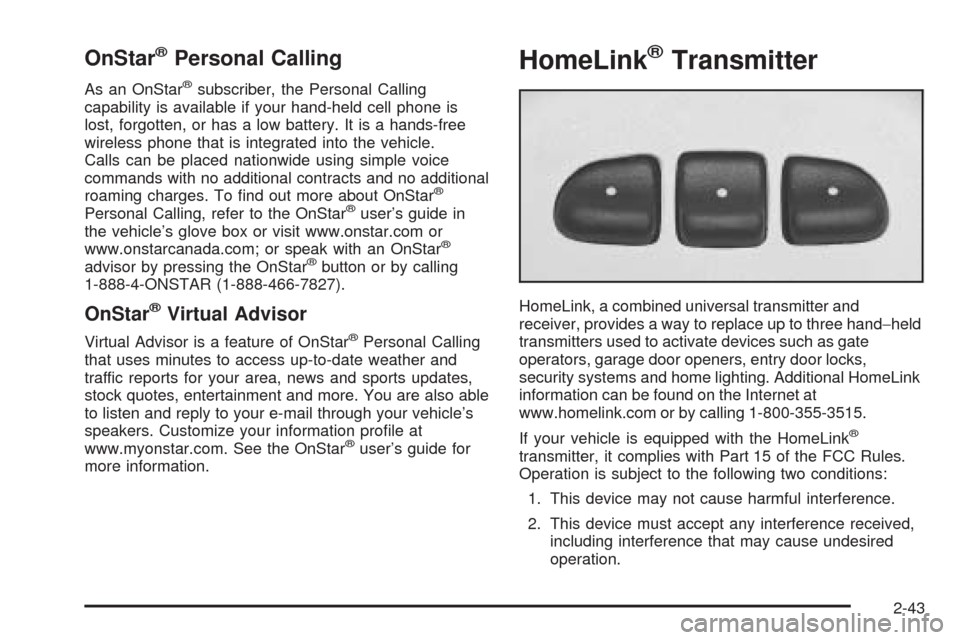
HomeLink®Transmitter
HomeLink, a combined universal transmitter and
receiver, provides a way to replace up to three hand−held
transmitters used to activate devices such as gate
operators, garage door openers, entry door locks,
security systems and home lighting. Additional HomeLink
information can be found on the Internet at
www.homelink.com or by calling 1-800-355-3515.
If your vehicle is equipped with the HomeLink
®
transmitter, it complies with Part 15 of the FCC Rules.
Operation is subject to the following two conditions:
1. This device may not cause harmful interference.
2. This device must accept any interference received,
including interference that may cause undesired
operation.
2-43